
Mobile Shorts Tiny Shutter Advantage – By Keith Tharp – PureShot Walk Through
Late last week the developers of 645 PRO released a wonderful brand new app called Pure Shot. ‘PureShot is your top-quality filter-free (or #nofilter) app. It helps you capture digital photographs with the highest possible technical integrity’, quote from Mike Hardaker developer of Pure Shot. This app retails for $1.99/£1.49 and you can download it here.
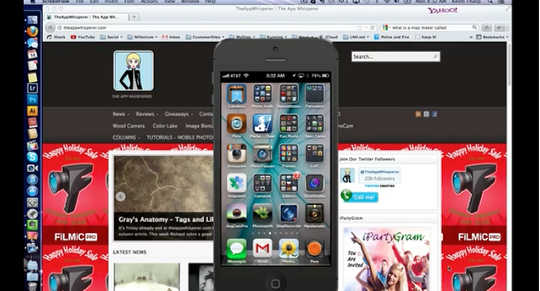
Don’t miss this excellent and extensive video walk through by Keith Tharp, you’ll enjoy this a lot. (foreword by Joanne Carter).

Keith Tharp
Keith Tharp is a Professional photographer working as Marketing director/ photography manager at a running sports event management company in New England. Keith is a lifelong photo enthusiast and as a result began Champion Photo, his sports photography business in 2005 which led him to his current position.As well as all that, Keith is one of the guys behind the Tiny Shutter podcast along with co-host Marc Sadowski. They later added Matt Hoffman to the show because ‘he’s a great iPhone Photographer and fun to have around’ and of course shares the passion. You may recall Keith from the recent PetaPixel post where both he and Marc captured a wedding with nothing more than iPhones and Hipstamatic.


15 Comments
Tanci
Excellent walk through, Keith!!! Thanks so much for posting this video.
Love PureShot but nice to know the tidbits for the settings.
Keith Tharp
Thank you Tanci
Jeffrey Simpson
Great tutorial on this new app. I am just exploring it now. Does it store your tiff photos fully in your library?? I thought I heard something about having to access them threw iTunes. Maybe in 645 pro not sure. Hey also where are you in New England? I am in Maine.
Thanks for the lesson
Jeff
Alan Morris
Big help. Great app. Really designed for photographers.
Keith Tharp
It is a great app, thanks for watching Alan.
Robert Lancaster
Great tutorial on a great app. Kudos.
Keith Tharp
Thanks Robert, glad you liked the video and the app.
Mike Hardaker (Jag.gr)
Hi Jeffrey—PureShot saves all its images (including TIFFs) to Camera Roll.
645 PRO defaults to saving TIFFs in its private folder, where they can be reached via iTunes (although you can copy them to Camera Roll in-app if you prefer…); you can opt to save 645 PRO TIFFs directly to Camera Roll if you prefer.
Keith Tharp
Thanks for chiming in Mike. 🙂
Jeffrey Simpson
Does pure shot do the same?
Thanks
Jeff
Keith Tharp
Hi Jeffery, Thanks for the comments,
Pure Shot’s TIFFs go straight to the camera roll, without option.
Mike Hardaker (Jag.gr)
Jeffrey—to repeat: “PureShot saves all its images (including TIFFs) to Camera Roll.”
Mike
Would be great to add back the panoramic aspect ratios. I love that about 645 Pro but hated the clutter of its layout. Who needs to see ISO, shutter speed or a histogram when there is nothing you can do to affect them? Nuke the eye candy and add back pano!
J R Cairo
Thanks Keith, Great tutorial!
stephen lebovits
keith, can you please send me a fresh link to this video.
thanks!
stephen
canada