piRAWnha – iPad Photography App – Updated
piRAWnha will help you get the most out of your raw images when you’re on the go or at home, no desktop or laptop needed. Simply import your raw images onto your iPad, edit them with piRAWnha, and share with the world.
This app has just been updated, see What’s New below. This is a free update, if you haven’t already purchased it though, you can do so here.
US$9.99/Download
UK£6.99/Download
Euro7.99/Download
piRAWnha features both raw developing and post-processing options, including:
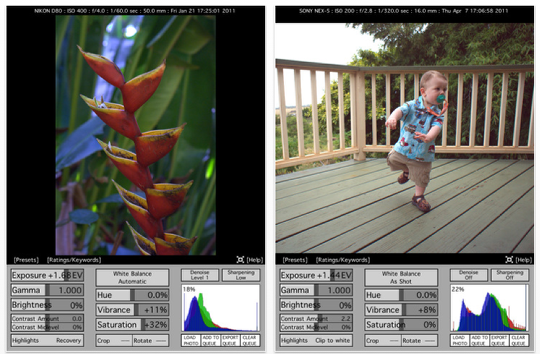
-Exposure compensation
-White balance correction (automatic, manual, camera-specific)
-Highlight recovery, Gamma correction
-Denoise operations
-Saturation-hue-brightness adjustment
-High-quality contrast adjustment
-Sharpening and Image Blurring
-Updated image histogram (red-green-blue) while editing
-Display of EXIF information (shutter speed, aperture value, ISO, …)
-Ratings/Keywords with XMP file support
-Full size export and full-screen full resolution display for iPad 2
-Custom output file format (jpg, tiff, …)
-Cropping and Rotation
-Vibrance Control
-Current Zoom display
-Ability to open RAW files from other apps such as Mail, Dropbox, Shuttersnitch
What’s New
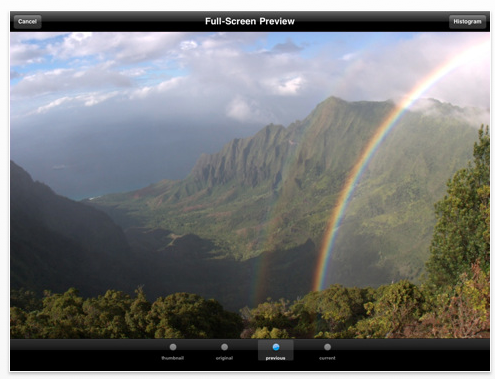
Improved handling for fine control wheel
Minor bug fixes

Joanne Carter
Joanne Carter is a British photographer, photography journalist, editor and curator and the founder and editorial director of TheAppWhisperer.com, an independent international photography publication established in 2009.Her journalism, criticism and commentary have appeared in The Times, The Sunday Times, The Guardian, Financial Times, BBC, Vogue Italia, LensCulture, Popular Photography, Android Magazine, NikonPro, DPReview, Which Digital Camera and Which Camera. She has lectured internationally on photography and mobile art, served as a juror for international photography awards, and exhibited her own photographic work across the UK, Europe, South Korea and the United States.Alongside her editorial work, Joanne's photographic and postgraduate research explores death, grief, memory, representation and social inequality through contemporary photography, participatory practice and visual research methods, with the longer-term aim of developing this work through doctoral research.Through TheAppWhisperer, she continues to publish independent photography journalism spanning contemporary photographic practice, mobile imaging, photographic apps, computational photography and emerging imaging technologies.Joanne is available for editorial commissions, photography projects, judging, curatorial work, speaking engagements, consultancy and selected collaborations.