iOS 17 is available today
iOS 17 is available today
iOS 17 makes iPhone even more personal and intuitive with major updates to communication apps; StandBy, a new way to experience iPhone when it is charging; easier sharing with AirDrop; and more intelligent input that improves the speed and accuracy of typing. iOS 17 is available today as a free software update.
Incoming Calls Get a Major Upgrade
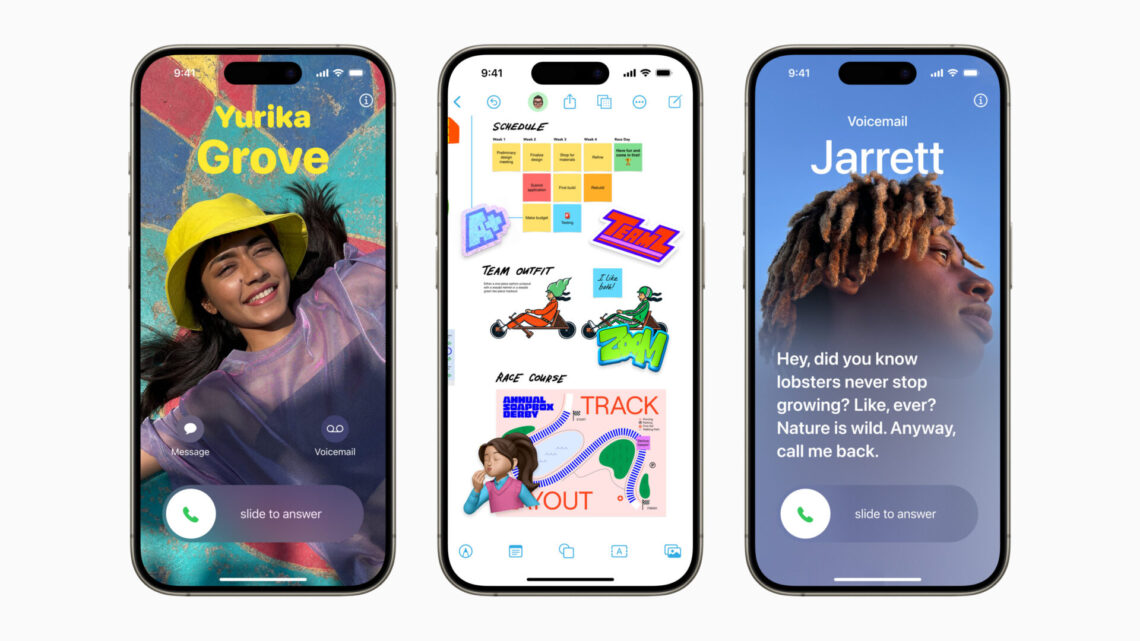
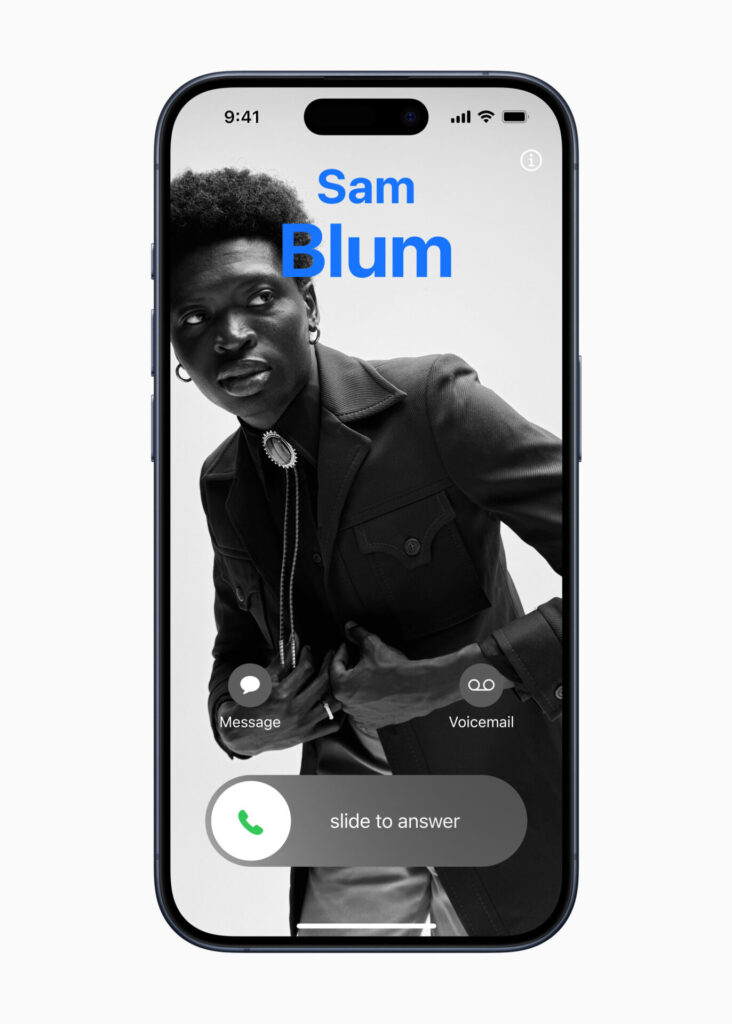
The Phone app is essential to the iPhone experience, and it receives a big update that makes the calls that matter stand out even more. Personalised Contact Posters provide a new way for users to express themselves by customising how they appear when they call known contacts, including in third-party calling apps. Contact Posters can be personalised with beautiful treatments for photos, Memoji, and eye-catching typography and font colours.
New Ways to Enjoy FaceTime
Users are now able to leave a video or audio message on FaceTime to capture exactly what they want to say when someone they call is not available. FaceTime calls get more expressive with Reactions such as hearts, balloons, fireworks, and laser beams that can be activated by simple gestures, and are also available with supported third-party video conferencing apps, such as Zoom and Webex by Cisco.
FaceTime now features an incredible connected experience with Apple TV 4K. To see friends and family on the big screen, users can use Continuity Camera to start a FaceTime call on iPhone and hand it off to Apple TV, or initiate the FaceTime call directly from their Apple TV. With Centre Stage, users stay perfectly framed even as they move around the room.
More Ways to Stay Connected with Messages
Messages adds new features that make it easier to use and even more fun when connecting with the people who matter the most.
Search gets more powerful and precise with search filters; audio messages get automatically transcribed so users can read them in the moment or listen later; replying inline becomes as simple as swiping on a text bubble; and the new expandable menu provides easy access to all iMessage apps, giving Messages a sleeker look.
Users now have another way to customise their messages with an all-new stickers experience that adds the ability to create Live Stickers by lifting subjects from photos. Fun effects can be added to stickers, bringing them to life and giving users a way to be creative.
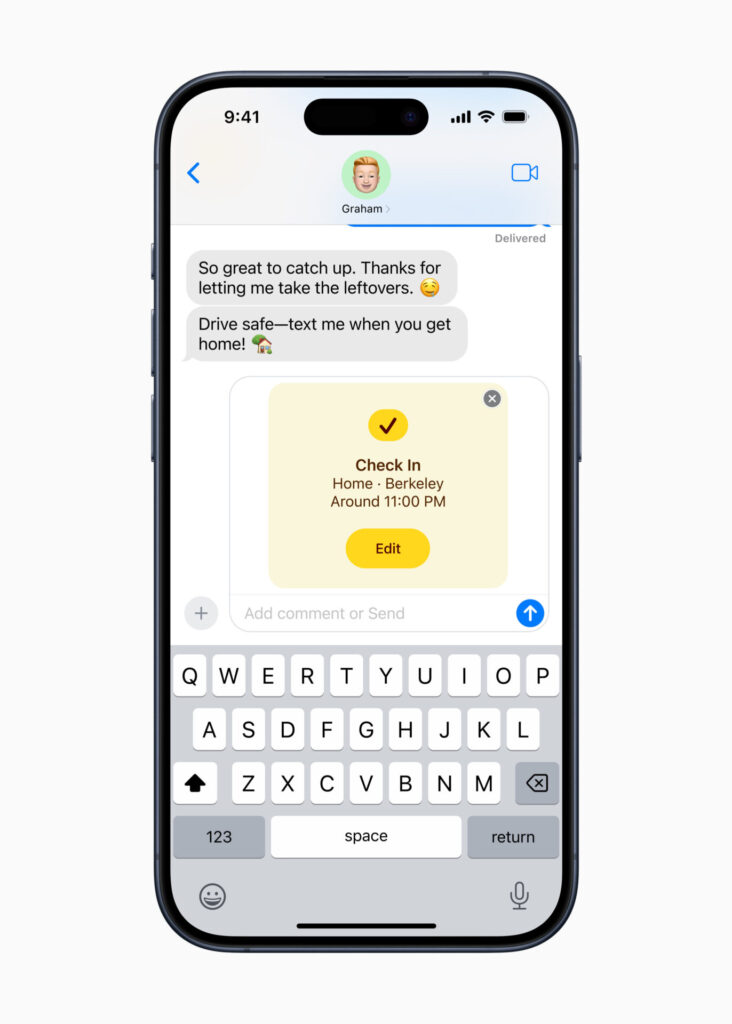
Check In, an important feature built into Messages, lets users notify a family member or friend when they have made it to their destination safely. After a user starts a Check In, their contact will automatically be notified as soon as they arrive. If they are not making progress toward their destination, useful information, such as the device’s location, battery level, and cell service status, is temporarily shared with the selected contact in a secure and private way.
StandBy Makes iPhone Even More Useful While It’s Charging
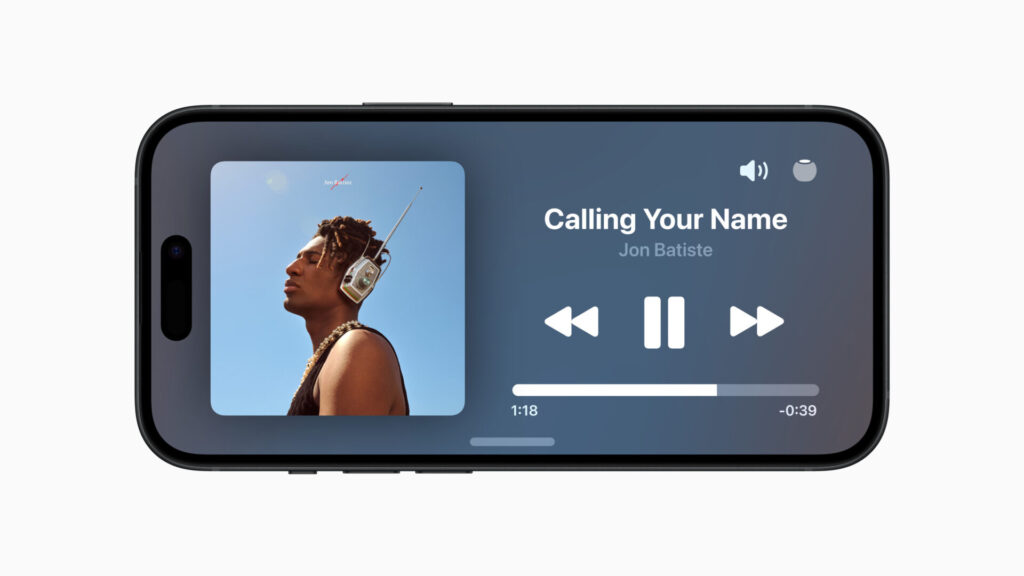
StandBy is a new full-screen experience with glanceable information designed to be viewed from a distance while iPhone is on its side and charging. StandBy is perfect on a desk, nightstand, or kitchen counter, and can be personalised to display a range of clock styles, favourite photos, or widgets, including Smart Stacks, which surface the right widgets at the right time. StandBy also displays full-screen Live Activities, Siri results, incoming calls, and larger notifications. With the Always-On display, StandBy stays on to show useful information, and with Night Mode, StandBy adapts to low light, so clocks, photos, and widgets take on a beautiful red tone. When using a MagSafe charger, StandBy will remember a user’s preferred view for that MagSafe charging dock.
Easier Sharing with AirDrop and NameDrop
AirDrop makes it easier than ever to share with friends, family, and colleagues. NameDrop, a new AirDrop feature, lets users exchange contact information, including their Contact Poster, simply by bringing their iPhone devices together. With the same gesture, users can also share content or start SharePlay to listen to music, watch a movie, or play a game while in close proximity. And later this year, AirDrop will add the ability to continue transfers over the internet when a user steps out of AirDrop range.
Comprehensive Updates to Autocorrect and Dictation
Autocorrect receives a comprehensive update with a new transformer language model, a state-of-the-art on-device machine learning language model for word prediction — improving the experience and accuracy for users every time they type. Sentence-level autocorrections can fix more types of grammatical mistakes, and the refreshed design better supports typing by temporarily underlining corrected words and allowing users to revert back with just a tap. Inline predictive text helps quickly finish sentences, while Dictation’s new speech recognition model brings improved accuracy.
Reflecting on Life’s Moments with Journal
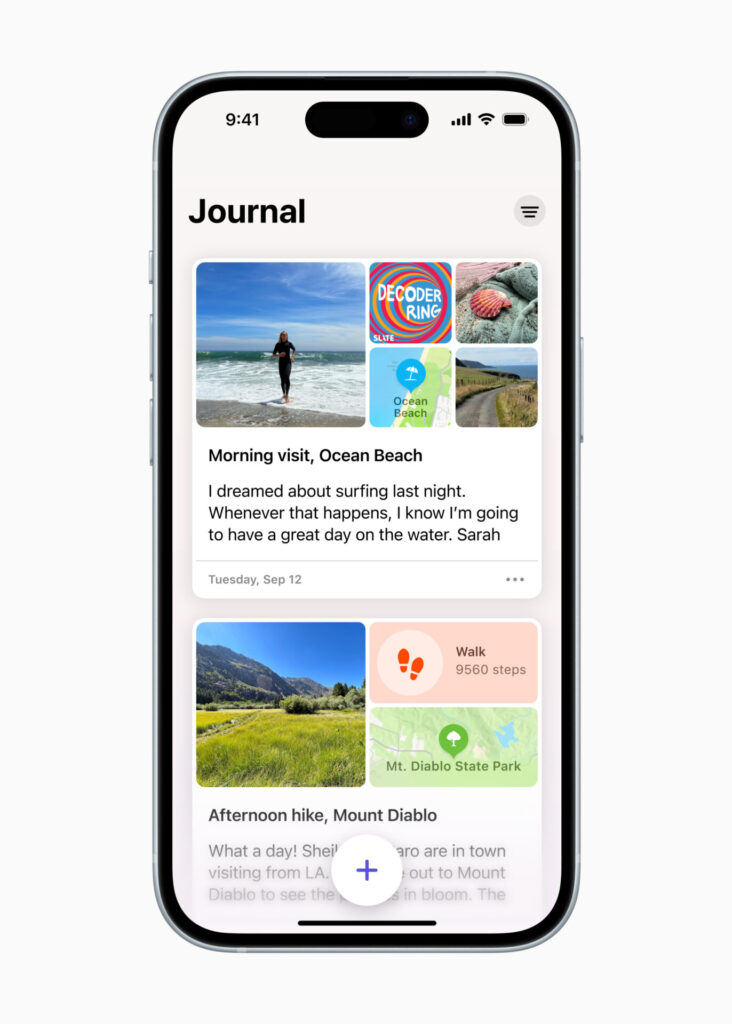
Journal is a new iPhone app that helps users reflect on everyday moments and special events in their lives. To help inspire a user’s journal entry, personalised suggestions can be intelligently curated from a user’s recent activity, such as photos, people, places, workouts, and more, and scheduled notifications can help build a journaling habit. With the ability to lock the app, the use of on-device processing, and end-to-end encryption, Journal is built to protect a user’s privacy and ensure no one — including Apple — can access a user’s entries. With the new Journaling Suggestions API, developers will be able to add journaling suggestions to their apps. The Journal app and Journaling Suggestions API will be available in a software update later this year.
Additional Features in iOS 17
- Profiles in Safari keep browsing — such as history, cookies, extensions, Tab Groups, and Favourites — separate for topics like work and personal. Private Browsing now locks when not in use and adds greater protection, both from trackers as a user browses, and from people who might have access to a user’s device.
- For easier and more secure password and passkeys sharing, users can share passwords with a group of trusted contacts. Since sharing is through iCloud Keychain, it is end-to-end encrypted.
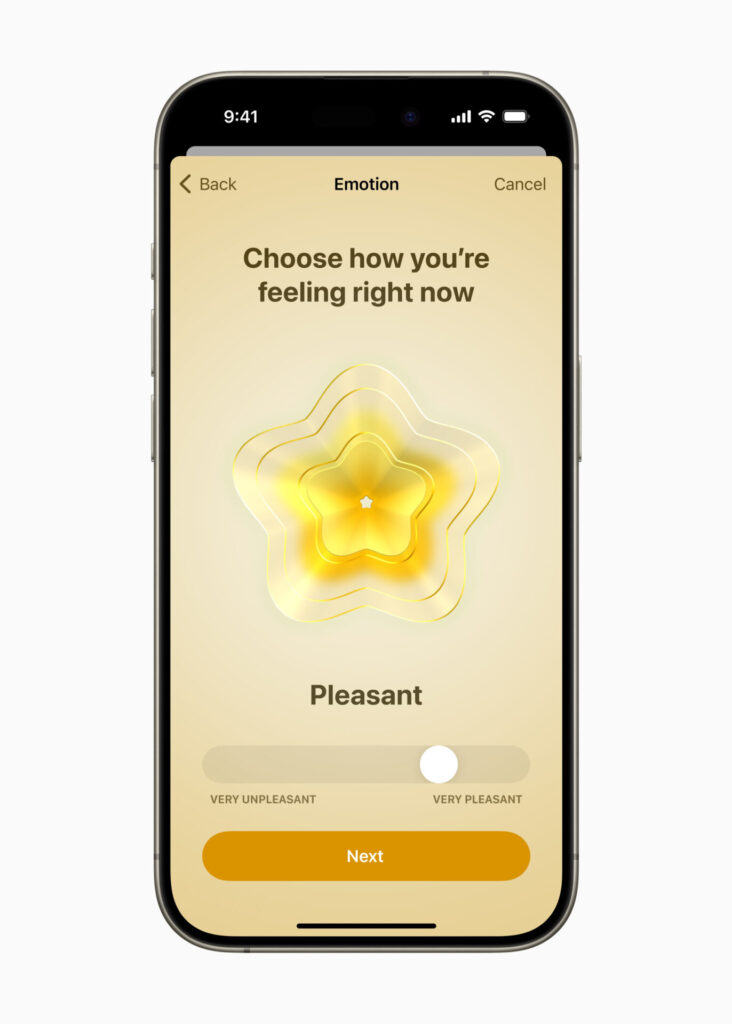
- The Health app offers new mental health features. Users can log their daily moods and momentary emotions; see what might be contributing to their state of mind; and easily access depression and anxiety assessments often used in clinics, plus resources available in their region. Additionally, increasing the distance the device is viewed from can help children lower their risk of myopia and gives adult users the opportunity to reduce digital eyestrain. Screen Distance in Screen Time uses the TrueDepth camera to encourage users to move their device farther away after holding it closer than 12 inches from their face for an extended period of time.
- Apple Music adds SharePlay support in the car, making it possible for all passengers to easily control the music right from their own devices, even if they don’t have an Apple Music subscription. Crossfade smoothly transitions between songs, and later this year, users will be able to collaborate on playlists in Apple Music, making listening to music with friends easier than ever before.
- AirPlay gets even better with iPhone using on-device intelligence to learn a user’s preferences, and later this year, will add support for televisions in hotels, allowing users to easily enjoy their favourite content on the TV when travelling.
- AirPods receive powerful new features, including Adaptive Audio, Personalised Volume, and Conversation Awareness, that redefine the personal audio experience. Plus, improvements to Automatic Switching and call controls make AirPods even easier to use.
- The Home app adds the ability for users to view up to 30 days of activity history across door locks, garage doors, alarm systems, and contact sensors.1 Additionally, two popular HomeKit lock features — tap to unlock and PIN codes — will become available for Matter-compatible locks, providing even more ways to connect the home.2 Grid Forecast is a new tool in the Home app that shows when a customer’s electrical grid has cleaner energy sources available, so they can plan when to charge devices or run appliances.3
- Maps adds offline maps, so users can download a specific area and access turn-by-turn navigation, see their estimated time of arrival, find places in Maps, and more while offline. Maps also makes it easier than ever to discover thousands of trails in parks across the United States, and supports electric vehicle drivers with real-time charging availability information.
- AirTag can be shared with up to five other people, allowing friends and family to keep track of an item in Find My. Everyone in a group will be able to see an item’s location, play a sound, and use Precision Finding to help pinpoint the location of a shared AirTag when nearby. This also works with all other Find My network accessories.
- Grocery lists in Reminders automatically group added items into relevant categories to make shopping easier. Users can change how the items are grouped, and the list remembers their preferences.
- Visual Look Up is now available in paused video frames. Users can lift individual or multiple subjects from the background of photos and videos, and identify food, storefronts, signs, and symbols.
- Siri can be activated by simply saying “Siri.” Once activated, users can issue multiple commands in succession without needing to reactivate the assistant.
- Photos uses on-device machine learning to recognise individual cats and dogs in the People album, just like friends or family members.
- Privacy updates include Communication Safety expanding beyond Messages to help keep kids safe when sending and receiving content via AirDrop, Contact Posters, a FaceTime message, and when using the Photos picker to choose content to send. It also expands to cover video content in addition to still images. A new feature, Sensitive Content Warning, helps adult users avoid seeing unwanted nude images and videos. As with Communication Safety, all image and video processing for Sensitive Content Warning occurs on-device, so Apple does not get access to the content.
- The App Store’s Today tab gets updated to offer the most dynamic and personalised app discovery experience yet. Users can discover more great apps, games, and in-app events through new tailored recommendations and original stories based on their interests and preferences, as well as helpfully curated and easy-to-browse sections.
- Accessibility updates include Assistive Access, a customisable interface that helps users with cognitive disabilities use iPhone with greater ease and independence; Live Speech, which gives nonspeaking users the option to type and have their words spoken in person, or on phone and FaceTime calls; Personal Voice, which gives users at risk of speech loss the option to create a voice that sounds like theirs; and Point and Speak, which helps users who are blind or have low vision read text on physical objects by pointing.
Availability
iOS 17 is a free software update that is available starting today for iPhone Xs and later. For more information, visit apple.com/uk/ios/ios-17. Some features may not be available in all regions, languages, or on all iPhone models. For more information about availability, visit apple.com/uk/ios/feature-availability.
- The ability to view up to 30 days of activity history in the Home app is available for homes using the new home architecture and a HomePod or Apple TV running as a home hub.
- Tap to unlock will become available for Matter-compatible locks later this year.
- Grid Forecast will be available in the contiguous United States.
Please support us
TheAppWhisperer has always had a dual mission: to promote the most talented mobile artists of the day and to support ambitious, inquisitive viewers the world over. As the years pass TheAppWhisperer has gained readers and viewers and found new venues for that exchange.
All this work thrives with the support of our community.
Please consider donating to TheAppWhisperer as this New Year commences because your support helps protect our independence and we can keep delivering the promotion of mobile artists that’s open for everyone around the world. Every contribution, however big or small, is so valuable for our future.

Joanne Carter
Joanne Carter is a British photography journalist, editor, curator, and the founder of *TheAppWhisperer.com*, one of the world’s leading platforms dedicated to mobile photography and art. Since its launch in 2009, TheAppWhisperer has become an international hub for artists of all levels to discover, learn, exhibit, and engage with contemporary photographic practice.Built on principles of inclusivity, accessibility, and artistic excellence, Joanne has spent almost two decades championing mobile photography as a serious artistic medium. Through interviews, critical essays, exhibitions, competitions, and education, she has helped shape and document the evolution of mobile art on a global scale.Her work has taken her internationally, lecturing on photography and mobile art at institutions and events including the Museum of Art in Seoul, South Korea, alongside appearances in the UK and Europe. She has served as a juror for international photography and mobile art awards across Portugal, Canada, the United States, South Korea, Italy, and the UK.Joanne is also the founder of *TheAppWhispererPrintSales.com*, one of the first online galleries dedicated exclusively to collectible mobile art, connecting artists with collectors across Europe, the United States, and Asia.Before founding TheAppWhisperer, Joanne worked extensively in print journalism and photographic publishing, including roles at a paparazzi photo agency and as deputy editor of a leading photography magazine. Her freelance journalism, criticism, and commentary have been published widely in both the UK and the US, with bylines in *The Times*, *The Sunday Times*, *The Guardian*, *Popular Photography*, *NikonPro*, *DPReview*, *Which?*, *Vogue Italia*, *LensCulture*, the *BBC*, and more recently, the *Financial Times*, where her published letters on photography continue to contribute to wider conversations around the medium.Alongside her editorial and curatorial work, Joanne’s own photographic practice has been exhibited internationally across the UK, Europe, South Korea, and the United States. Her work increasingly explores themes of grief, loss, death, memory, and the body.Her current research interests centre on grief, death, and poverty, with forthcoming postgraduate study leading towards doctoral research in these areas.Joanne is currently developing new long-form writing and photographic projects and is available for commissions, editorial projects, speaking engagements, and collaborations.Contact: joannetheappwhisperer@gmail.com)