
APPart – Back To Basics: Creating A Background Textural Library
Wow, it’s Saturday again and that means just one thing over here at theappwhisperer.com HQ, Mel Harrison’s weekly Column – APPart. Every Saturday we will publish more of Mel’s incredible work which focuses on digital art and collage images. Each week Mel will be incorporating different ‘mainstream’ editing apps to inspire you to try some APPart of your own. In this weeks’ Column Mel takes us back to the basics, explaining how to create a ‘background library’. All links to the apps used are at the end of this post. Over to you Mel…. (Foreword by Joanne Carter).
If you are working with collage/art images the first step is the background image. The right background is just as important as any other element in your images and really can make or brake your work.
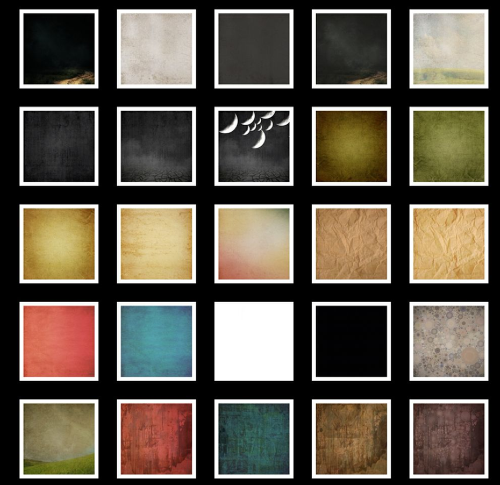
You can make a new background image for each new piece, but I have found having an album in my camera roll dedicated to background colors and textures works well for me.
I have everything from plain black and white to colored textured pieces, don’t be afraid that your images will all look the same if you use the same background more then once, it is amazing how much different processes will change the look of a background.
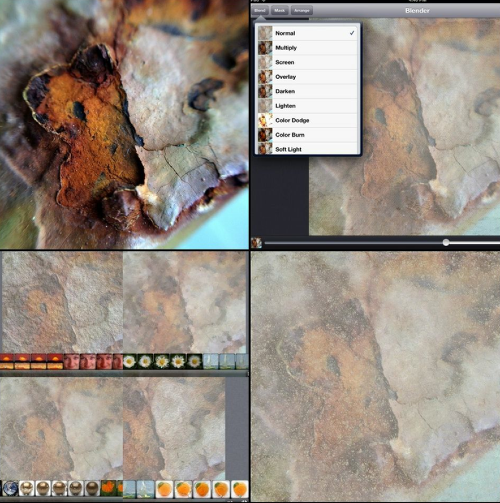
You can create backgrounds from almost anything! A macro photo of rust flakes perhaps. Take that image of rust flakes and blend it into a plain background for a washed out look, perhaps run that washed out image though glaze!
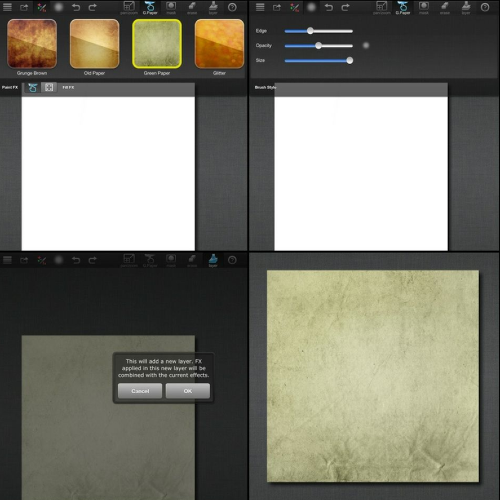
Paintfx is where the majority of my backgrounds start. You can import an image of any size or shape, even a panorama for elongated collage work, and paint over any effect or layer a combination of effects.
The paint function allows you to paint any color, at your chosen opacity and the textures create some interesting backgrounds.
Take my piece Neptune for example, the background started out as a paintfx layered effect blue textured background that once I added a light leak and a smoke frame it really has the feel of water.
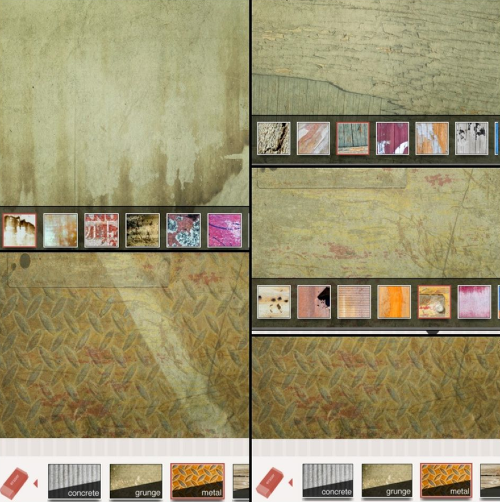
There are dedicated texture apps such as texture+ that allow you to layer textures from the library. It has an erase tool that allows you to lightly or heavily remove parts of the last texture you have applied.
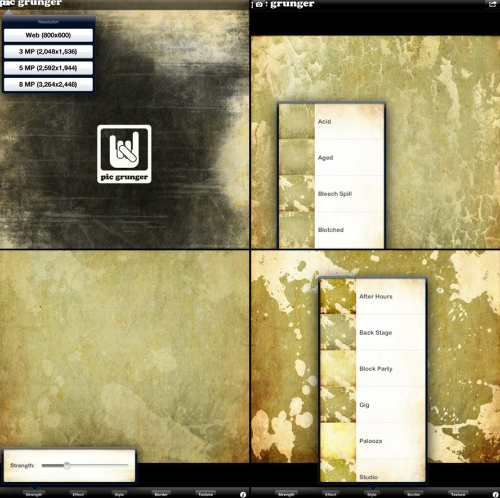
Then you have grunge apps like PicGrunger, Modern Grunge, Vintage Scene and of course ScratchCam, you could not talk grunge without ScratchCam!
ScratchCam
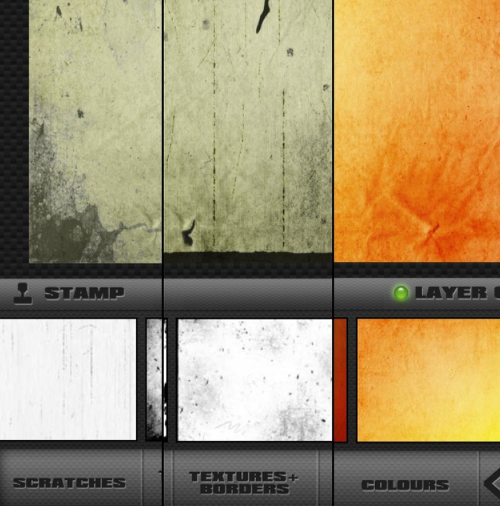
This is by no means an exhaustive list of ways to create backgrounds, you are limited only by your imagination. Working on backgrounds is a great way to work through a creative block, you never know it may just inspire your next image!
Links To All App Used Or Mentioned

Joanne Carter
Joanne Carter is a British photography journalist, editor, curator, and the founder of *TheAppWhisperer.com*, one of the world’s leading platforms dedicated to mobile photography and art. Since its launch in 2009, TheAppWhisperer has become an international hub for artists of all levels to discover, learn, exhibit, and engage with contemporary photographic practice.Built on principles of inclusivity, accessibility, and artistic excellence, Joanne has spent almost two decades championing mobile photography as a serious artistic medium. Through interviews, critical essays, exhibitions, competitions, and education, she has helped shape and document the evolution of mobile art on a global scale.Her work has taken her internationally, lecturing on photography and mobile art at institutions and events including the Museum of Art in Seoul, South Korea, alongside appearances in the UK and Europe. She has served as a juror for international photography and mobile art awards across Portugal, Canada, the United States, South Korea, Italy, and the UK.Joanne is also the founder of *TheAppWhispererPrintSales.com*, one of the first online galleries dedicated exclusively to collectible mobile art, connecting artists with collectors across Europe, the United States, and Asia.Before founding TheAppWhisperer, Joanne worked extensively in print journalism and photographic publishing, including roles at a paparazzi photo agency and as deputy editor of a leading photography magazine. Her freelance journalism, criticism, and commentary have been published widely in both the UK and the US, with bylines in *The Times*, *The Sunday Times*, *The Guardian*, *Popular Photography*, *NikonPro*, *DPReview*, *Which?*, *Vogue Italia*, *LensCulture*, the *BBC*, and more recently, the *Financial Times*, where her published letters on photography continue to contribute to wider conversations around the medium.Alongside her editorial and curatorial work, Joanne’s own photographic practice has been exhibited internationally across the UK, Europe, South Korea, and the United States. Her work increasingly explores themes of grief, loss, death, memory, and the body.Her current research interests centre on grief, death, and poverty, with forthcoming postgraduate study leading towards doctoral research in these areas.Joanne is currently developing new long-form writing and photographic projects and is available for commissions, editorial projects, speaking engagements, and collaborations.Contact: joannetheappwhisperer@gmail.com)

14 Comments
Delta
Excellent as always Mel. There is always a take-away and a lesson learned.
JQ Gaines
Not only are you a great artist, Mel… but you are brilliantly organized!!! I’m inspired to do some housekeeping, now 🙂 Thanks for your continued sharing!
Janine Graf
Wonderful Mel! I do the same thing so I guess great minds do think alike! ;-D You have inspired me to make some new backgrounds! xo
Daniel
Cool
CatMorris
Hi Mel! Great article! And I’m loving your current series too! I do the same thing and I completely agree – its a great way to unblock creatively. Question for you – do you use any organization software on your device or just folders in the camera roll? I use Dropbox to back up my camera roll but it doesn’t stay organized. I need a better system to organize on my phone and in my backups.
Cheers
Cat
Mel Harrison
Oh my I am so sorry everyone I didn’t check in *smacks hand!* Cat I do just use the camera roll, I also have an album for each series as well. I transfer to my computer via cable direct to a Dropbox folder where I name the final image harrison_mel- series name- title and then the theory is to save these to a USB stick or my portable hard drive but I am a little slack with that. I do send them to flickr though as a back up.
I also keep every edit step along the way (on the computer) I don’t watermark my images or have any info in the exif data as watermarks can be removed and exif data replaced so I keep my edits as a form of copyright protection. I would love someone to try to reverse construct one of my images 😉
I am always on the holy grail of the perfect image organisation but so far this seems to work for me.
Mel xx
Catherine Restivo
This is great Mel! Some great tips here… you’ve inspired me! This would be super handy to have at my fingertips…
David
Great article, Mel! While I already have a library of backgrounds created like you have, a while ago I also started to create a library of backgrounds using the filters from app like Scratchcam, Iris, etc. I have a couple of neutral white and gray backgrounds that I apply these filters to…and then save the results in my library. These have been great resources…and sometimes the backgrounds are “finished” pieces in themselves!!
Mel Harrison
Yes some of the backgrounds can be such beautiful textural pieces!
sylvia devoss
i am a texture FREAK .. and these are awesome awesome!! thank you so much
peace
sylvia
Veevs
Awesome article Mel!
Brett Chenoweth
Great info!
Lilian
I really discover how to use textures recently. This is a great article!
Thank you!!!
Mel Harrison
Thank you everyone for your comments my apologies for the late reply. I am so glad you found something useful to take away 😀 happy creating
Mel xx