Price Drops To Photography Apps In The Mac App Store This Easter Weekend
There are some great bargains to be had in the photography category of the Mac App Store this weekend. We’ve listed some brillant ones, take a look and maybe pick up a few while they are at this bargain price.
Old Booth
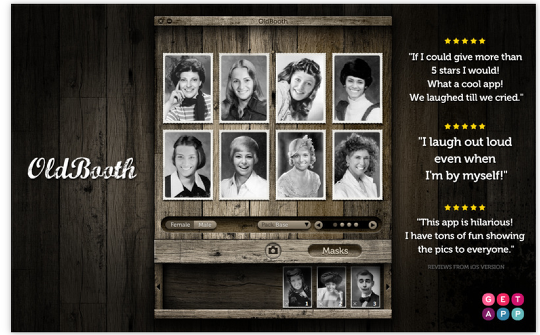
Have you ever wondered what you’d have looked like in another era? How about your friends? Be a lady from 20s or a funky hairy hippie. Now you can turn into in the fastest way ever.
PhotoEnhancer Core
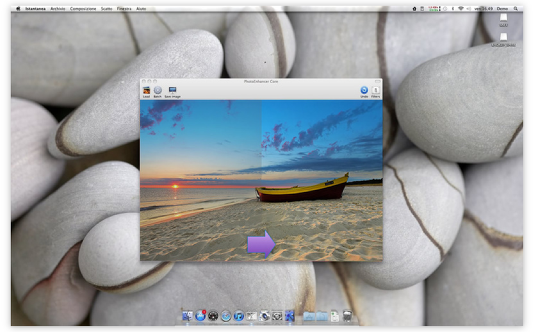
PhotoEnhancer Core is a lightweight (1.1MB) application that was specifically created to optimize images files and enhance the quality of your photos.
Optimizing your photography and make images with
colors and the best light.
PhotoEnhancer Core helps you in performing the mundane and tiresome task of having to batch optimize all your photos while giving you back the time to doing what you enjoy doing.
★ Automatic Filters
★ batch processing
Photo Effects (Lite)
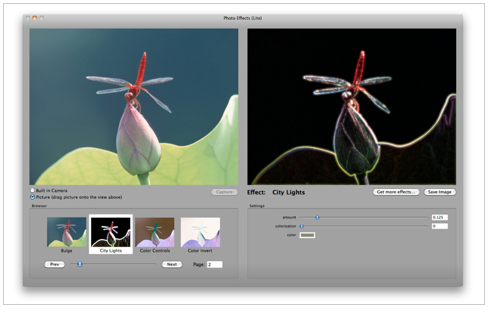
Over 60 visual effects.
Easy to use. Just drag and drop your photo and select the effect.
It’s the perfect companion program for iPhoto and PhotoShop. Or, for adding special effects to your pictures before you uploading them to the your favorite social network site.
collage
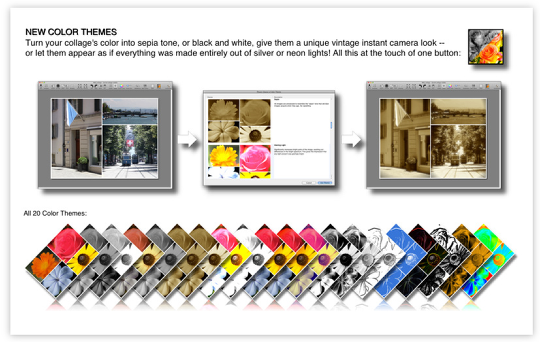
Find out just how easy it can be to turn photos into a collage! cf/x collage is the #1 app for quickly assembling your pictures into great-looking collages.
collage allows you to easily adjust every image (Zoom and Pan). Hold spacebar and use your mouse to pan (move an image within its frame) or the command key to zoom. No need to crop your images in iPhoto.
collage’s intuitive interface makes it fun to assemble any number of photos into a collage. Start by dragging a selection of images (from Finder, iPhoto, Aperture, …) to collage’s canvas. Even traditionally tedious tasks like composing individual photos becomes fun, and collage can change the whole layout for you with a few simple clicks. Then export your new masterpieces to social sites, save them to disk, or print in high-resolution.
PhotoHound
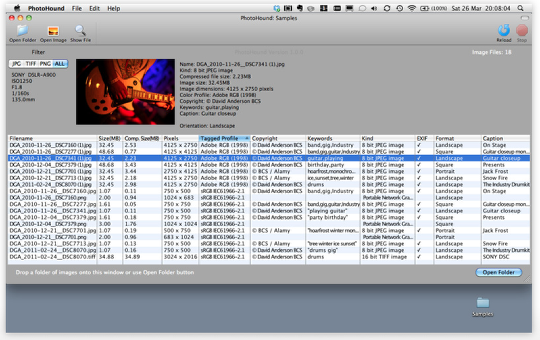
PhotoHound for Photographers, Picture Editors and Publishers.
Simply drop a folder of photos onto PhotoHound and use it to sniff out the photo you need.
Photographers:
Display metadata for all photographs in a chosen folder.
Display EXIF.
Sort list view by any of the metadata types displayed.
Filter by type (JPG,TIFF,PNG).
Double click any photo to open in your photo editor application.
Highlight chosen file in the Finder.
CM Batch Photo Resizer
★★ Easter Weekend Special ★★
CM Batch Photo Resizer helps you in performing the mundane and tiresome task of having to batch resize and rename all your photos while giving you back the time to doing what you enjoy doing.
It does :-
★ Batch Resizing
★ Batch Renaming
★ Batch Rotation of Photos
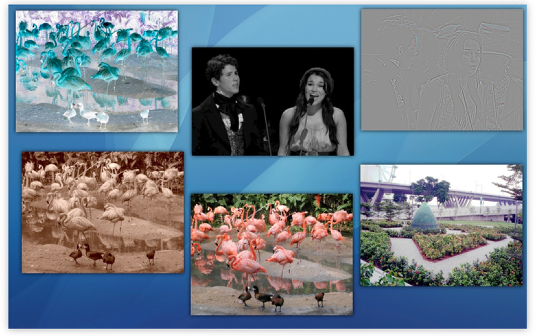
★ Batch Effect Manipulation such as Oil Paint, Sepia, Equalize, Grayscale, Sharpen and Blur
★ Batch Conversion of Image Format
It can do all these with a few easy settings and it works faster than if you can do it manually.
EasyBatchPhoto
★ App Store Lauch Sale: 50% Off! Limited time offer. ★
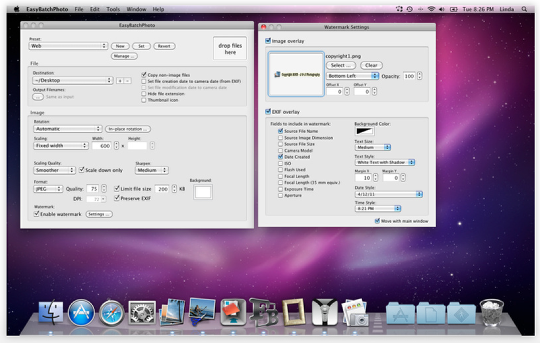
Photographers and webmasters often find themselves spending too much time converting, resizing and watermarking (with copyright, for example) images.
EasyBatchPhoto frees you from these repetitive tasks by processing hundreds, or even thousands, of images with a single drag-and-drop.
EasyBatchPhoto performs many other common functions besides scaling and conversion, but what truly sets EasyBatchPhoto apart from the competition is its incredible ease of use and smooth integration into your workflow.
Photo Explorer
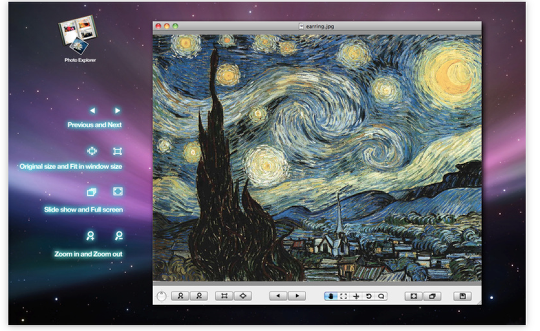
Photo Explorer is a powerful image viewer,browser and editor with rich features and friendly interface. It can help you organize and view photo more conveniently and effectively.
Key features:
-load or save photo with different formats such as png,jpg,gif,tiff,ect
-common operation including step forward,step backward,zoom in,zoom out,rotation,fitsize,cut,paste,print
-view photo albums in slide mode or full screen mode
– Edit your photos by double click the image which offer you a lot of functions that can edit your photo.
HDR Darkroom
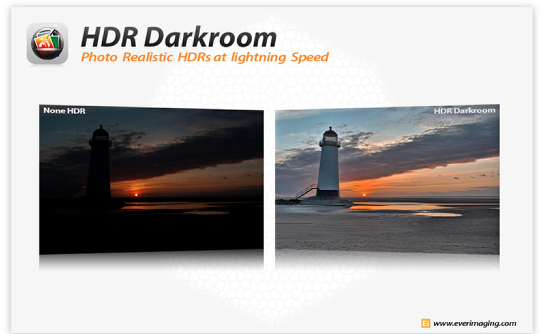
Big sale, 75% OFF — ONLY FOR LIMITED TIME! Origianl listed price is $79 in company website. HDR Software price is never as low as this price with advanced technologies and features.
Top 10 Mac app in Top Grossing list of photography category in United State, United Kingdom, Germany, Australia, Switzerland, Sweden, Singapore, Russia, Portugal, Netherlands, Mexico, Italy, Denmark, Canada, China, Czech Republic, Malaysia, Malta, Poland, Saudi Arabian etc.
HDR Darkroom received the silver prize of Digital Camera Grand-prix 2011 for image processing category in Japan!
3DGallery
★ 65% OFF FOR A LIMITED TIME ONLY!!! ★
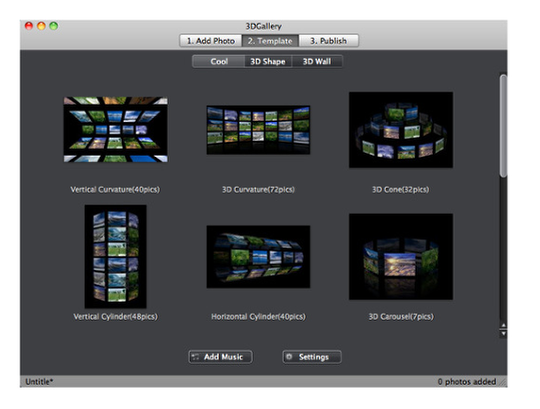
iFunia 3DGallery is a unique software for creating 3D flash photo galleries from your still images to share with friends and families.There are no Flash skills required! Simply drag and drop photo, choose the ready-to-use templates, or add the background music and then with only a few more mouse clicks your stunning 3D show will be ready. It is quick and easy to use !
Key Features
* Intuitive and easy-to-use user interface.
* Drag and drop photos into your show.
* Add caption to any photo.
* Add multiple soundtracks as background music.
* Choose from dozens of ready-to-use 3D templates.
* Executable file(APP), Flash movie(SWF) and HTML export.
* Send to friends and families by e-mail.
* No Flash skills required!
QuickScale
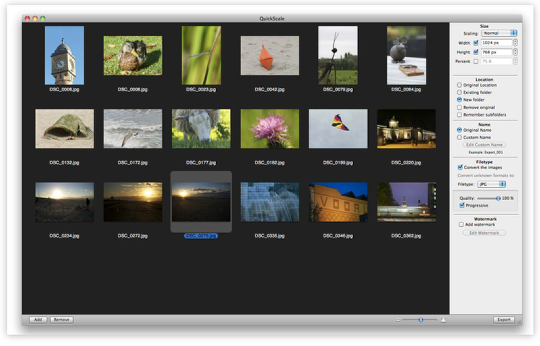
Quickscale is designed to let you scale a large amount of pictures to a desired size and format. Now, why would you want to do that? For example, if you wish to share your holiday photos with family and friends, you can either send them by e-mail or put them somewhere on a website. The problem is that these pictures are usually far too large, have immense resolutions, and take far too long to send.
Meet Quickscale: select the images, choose a desired resolution, and Quickscale scales them down for you. QuickScale can read from, and write to almost every format supported by your Mac OS (including jpg, png, gif, and more).
Graphic Design Studio
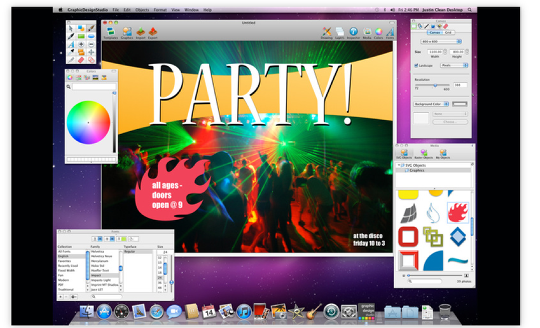
★★★★★ SPECIAL PRICE – 60% OFF FOR LIMITED TIME ★★★★★
Powerfully simple graphic design software.
Quickly turn yourself into an artist as you create professional looking vector art and graphic designs for your business, or simply for fun. Graphic Design Studio packs the power of creating vector graphics into an easy-to-use app, and also gives a creative starting point to your projects by including pre-designed vector artwork, royalty free vector graphics, images and more. Use Graphic Design Studio to design web buttons, drawings, icons, logos, tattoos, banners, email and website graphics, cartoons, text art, posters, t-shirt designs, or anything else your creative mind comes up with.
Supports SVG, PDF, PNG, JPEG, BMP, TIFF, GIFF, EPS and more. Perfect for graphic design professionals or beginners.
Panogaea
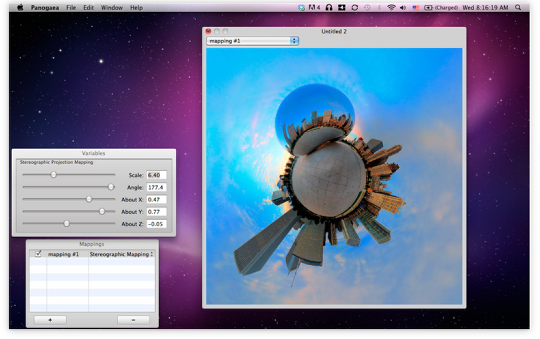
Discover a new way to see your panoramic images.
Everyone loves panoramas but they are always in the same format and have the same look and feel. Panogaea changes everything by giving you control on how to manipulate and distort your panoramas to create fantastic new images.
By leveraging the computational power of your graphics card Panogaea enables realtime manipulation of large panoramic images. Panogaea takes your spherical panoramas to the next level by letting you cascade an arbitrary number of distortion mappings together and see the results in realtime as you vary their parameters.
Panogaea can load and save images in virtually every 8 or 16 bit image format.
Although Panogaea was created with spherical panoramas in mind it can be used to manipulate and distort any kind of digital photograph.

Joanne Carter
Joanne Carter is a British photography journalist, editor, curator, and the founder of *TheAppWhisperer.com*, one of the world’s leading platforms dedicated to mobile photography and art. Since its launch in 2009, TheAppWhisperer has become an international hub for artists of all levels to discover, learn, exhibit, and engage with contemporary photographic practice.Built on principles of inclusivity, accessibility, and artistic excellence, Joanne has spent almost two decades championing mobile photography as a serious artistic medium. Through interviews, critical essays, exhibitions, competitions, and education, she has helped shape and document the evolution of mobile art on a global scale.Her work has taken her internationally, lecturing on photography and mobile art at institutions and events including the Museum of Art in Seoul, South Korea, alongside appearances in the UK and Europe. She has served as a juror for international photography and mobile art awards across Portugal, Canada, the United States, South Korea, Italy, and the UK.Joanne is also the founder of *TheAppWhispererPrintSales.com*, one of the first online galleries dedicated exclusively to collectible mobile art, connecting artists with collectors across Europe, the United States, and Asia.Before founding TheAppWhisperer, Joanne worked extensively in print journalism and photographic publishing, including roles at a paparazzi photo agency and as deputy editor of a leading photography magazine. Her freelance journalism, criticism, and commentary have been published widely in both the UK and the US, with bylines in *The Times*, *The Sunday Times*, *The Guardian*, *Popular Photography*, *NikonPro*, *DPReview*, *Which?*, *Vogue Italia*, *LensCulture*, the *BBC*, and more recently, the *Financial Times*, where her published letters on photography continue to contribute to wider conversations around the medium.Alongside her editorial and curatorial work, Joanne’s own photographic practice has been exhibited internationally across the UK, Europe, South Korea, and the United States. Her work increasingly explores themes of grief, loss, death, memory, and the body.Her current research interests centre on grief, death, and poverty, with forthcoming postgraduate study leading towards doctoral research in these areas.Joanne is currently developing new long-form writing and photographic projects and is available for commissions, editorial projects, speaking engagements, and collaborations.Contact: joannetheappwhisperer@gmail.com)
You May Also Like