Photoshop CS3 HD Video Training – Intermediate Level – iPad
Adobe Photoshop CS3 Video Training – Intermediate Level
With the self-paced PhotoShop CS3 tutorial video installed on your iPAD, you can learn the ins and outs of using PhotoShop at your own pace.
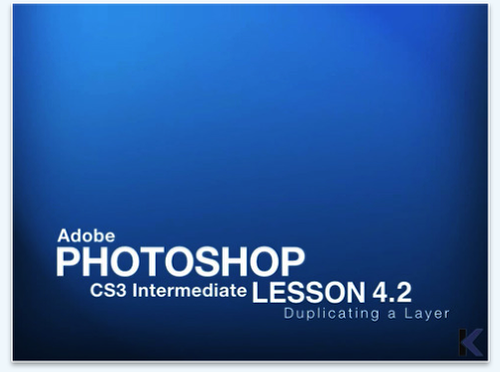
While traditional classes are a good way to learn, you can’t beat the PhotoShop CS3 training videos. The full motion videos have high production values. More importantly, they have the information and instruction that you value. Watch the videos and demos as often as you need in order to master each task.
The PhotoShop CS3 training video puts you in charge of your education. If you want to learn a specific feature of PhotoShop, you can jump ahead to that section rather than waiting for the rest of the class to get to that point. You can also work at a pace that is best for you, either fast or slow. You can’t fall behind because you are the one calling the shots and deciding when and how fast to study.
This format is ideal for anyone who needs to learn how to use PhotoShop CS3 and wants the most control over their learning experience.
Adobe PhotoShop CS3 Intermediate Outline:
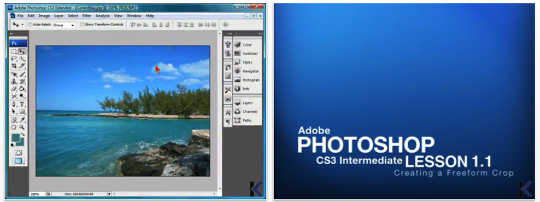
1.0 Advanced Cropping
1.1 Creating a Freeform Crop
1.2 Using the Ruler Tool
1.3 Editing Presets
1.4 Using Guides and Snap Settings
2.0 Selecting Elements of an Image
2.1 Using the Magic Wand
2.2 Using the Quick Selection Tool
2.3 Using the Marquee Tool
2.4 Using the Lasso Tool
2.5 Making a Selection
3.0 Working with Color
3.1 Adjusting Color Balance
3.2 Adjusting Brightness and Contrast
3.3 Replacing Color
3.4 Adjusting Other Color Parameters
3.5 Creating Shadow and Highlights
3.6 Using the Eyedropper and Color Sampler
3.7 Adding Tints
4.0 Working With Layers
4.1 Inserting a New Layer
4.2 Duplicating a Layer
4.3 Hiding and Grouping Layers
4.4 Creating a Layer Mask
4.5 Creating a Layer Based Slice
4.6 Creating an Adjustment Layer
5.0 Performing Touch-Ups
5.1 Removing Red-Eye
5.2 Healing Blemishes
5.3 Using the Spot Tool
5.4 Using Dodge and Sponge
5.5 Replacing with the Clone Stamp
6.0 Adding Style
6.1 Adding Shadows
6.2 Adding Glows
6.3 Creating Overlays
6.4 Using the Blending Options Dialogue Box
7.0 Additional Touch-Ups
7.1 Erasing Unwanted Elements
7.2 Using Blur, Sharpen and Smudge Tools
7.3 Using the Color Replacement Tool
Price: $4.99/Download

Joanne Carter
Joanne Carter is a British photography journalist, editor, curator, and the founder of *TheAppWhisperer.com*, one of the world’s leading platforms dedicated to mobile photography and art. Since its launch in 2009, TheAppWhisperer has become an international hub for artists of all levels to discover, learn, exhibit, and engage with contemporary photographic practice.Built on principles of inclusivity, accessibility, and artistic excellence, Joanne has spent almost two decades championing mobile photography as a serious artistic medium. Through interviews, critical essays, exhibitions, competitions, and education, she has helped shape and document the evolution of mobile art on a global scale.Her work has taken her internationally, lecturing on photography and mobile art at institutions and events including the Museum of Art in Seoul, South Korea, alongside appearances in the UK and Europe. She has served as a juror for international photography and mobile art awards across Portugal, Canada, the United States, South Korea, Italy, and the UK.Joanne is also the founder of *TheAppWhispererPrintSales.com*, one of the first online galleries dedicated exclusively to collectible mobile art, connecting artists with collectors across Europe, the United States, and Asia.Before founding TheAppWhisperer, Joanne worked extensively in print journalism and photographic publishing, including roles at a paparazzi photo agency and as deputy editor of a leading photography magazine. Her freelance journalism, criticism, and commentary have been published widely in both the UK and the US, with bylines in *The Times*, *The Sunday Times*, *The Guardian*, *Popular Photography*, *NikonPro*, *DPReview*, *Which?*, *Vogue Italia*, *LensCulture*, the *BBC*, and more recently, the *Financial Times*, where her published letters on photography continue to contribute to wider conversations around the medium.Alongside her editorial and curatorial work, Joanne’s own photographic practice has been exhibited internationally across the UK, Europe, South Korea, and the United States. Her work increasingly explores themes of grief, loss, death, memory, and the body.Her current research interests centre on grief, death, and poverty, with forthcoming postgraduate study leading towards doctoral research in these areas.Joanne is currently developing new long-form writing and photographic projects and is available for commissions, editorial projects, speaking engagements, and collaborations.Contact: joannetheappwhisperer@gmail.com)