Measure Map iOS App Review
Measure Map is a universal application for iPhone and iPad to measure distances and areas on Google Maps with professional precision distances ranging from as small as one foot to long distances of thousands of miles, taking into account the curvature of the earth’s surface.
Measure Map is really unique it is quite astounding what you can do with it, read our comprehensive review below to find out more…
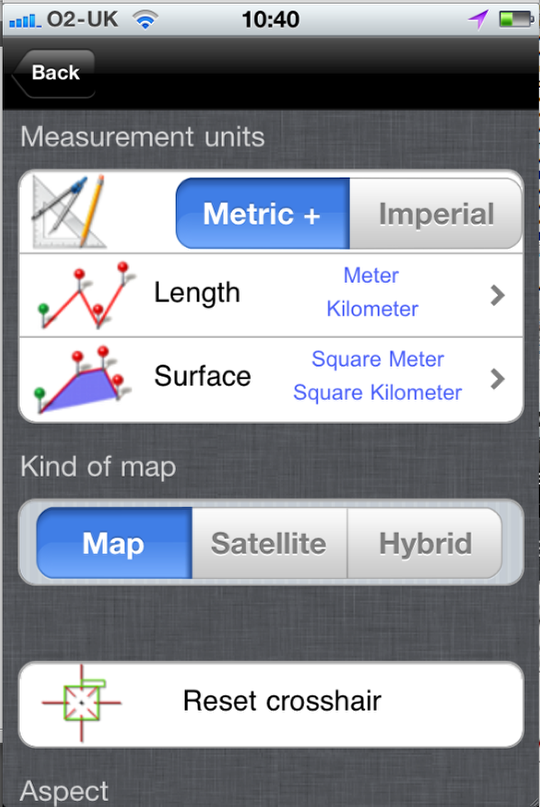
Once you have downloaded this app, it is compatible with both the iPhone and the iPad, it is best to initially head to the settings section and select the standard of measurement unit you want to work in. The choices are obviously Imperial or Metric, within the Metric menu there is also the option to select Japanese or Chinese lengths too. You can also select whether you want to view the map as a Satellite, Map or Hybrid image – the hybrid image being a combination of the two.
Within the app itself there is a toggle button that you can use to choose whether to view the only the perimeter or length and not the complete area of a position. This is a useful feature and as it is available as a toggle you can view both.
Wimbledon Centre Court
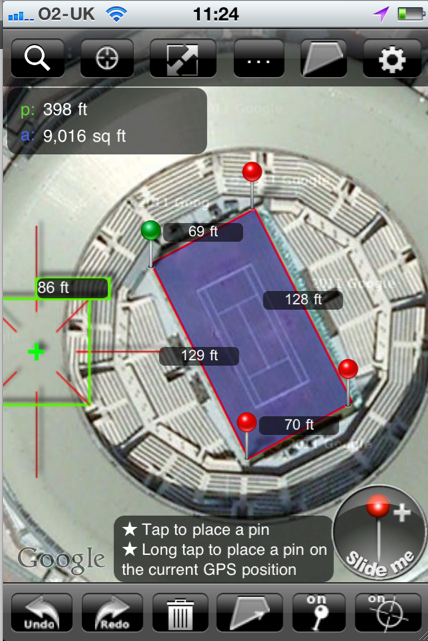
The next stage is simply to search for a specific location by typing in the address in the top bar of the app or to work from your current location. In this example I have searched for Wimbledon – The All England Club in London. As you can see from the screen grab, I zoomed in on Centre Court and by placing the pins in each corner was able to work out the exact measurements of the court perimeter.
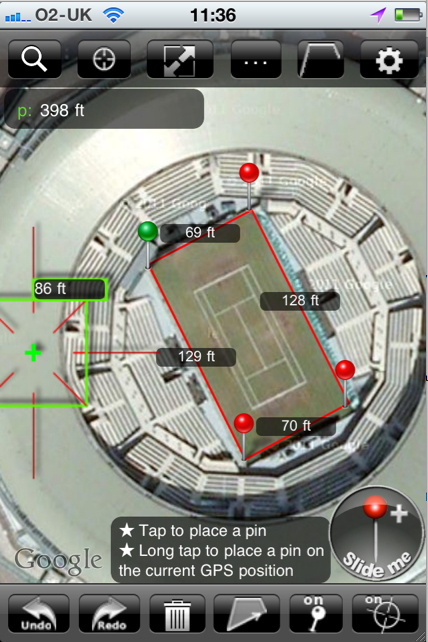
I then used the toggle icon to demonstrate this view with the area shaded and without.
Pins
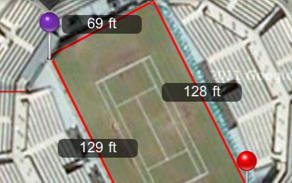
As you add pins to the location they are added in a color sequence. For example, the first pin will be green and the final pin will be purple.
Magic Button
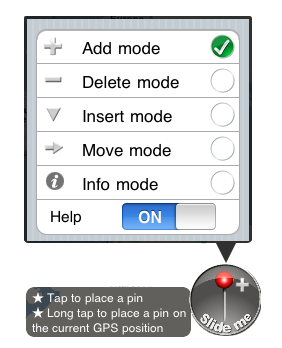
This is the second update to Measure Map and it now includes a magic button. The button is always visible within Measure Map and to use just select the working mode by sliding the “magic” iPhone-style unlock button. By default it is set to Add Mode, to add a pin, you can choose any of the above modes to use. This a useful feature and is especially helpful as you can select it whichever page you happen to be on within the app.
Export
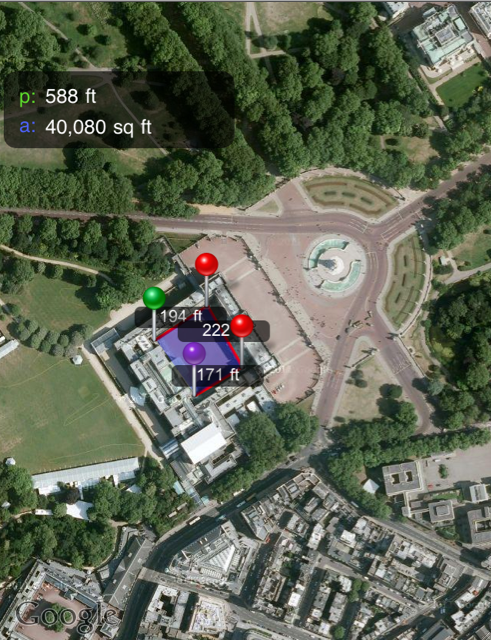
Measure Map also offers the facility to export images to email. Although when we tested this facility initially we did not actually get the full image only the measurements of the image. Having discussed this with the developer he confirmed that this is actually a bug but importantly, not from the app but from within iOS 4.3.1 just for iPhone 4 (retina display) and it only happens occassionally. We tested the facility again, as can be seen above. We measured the central courtyard at Buckingham Palace and it worked fine.
Conclusion
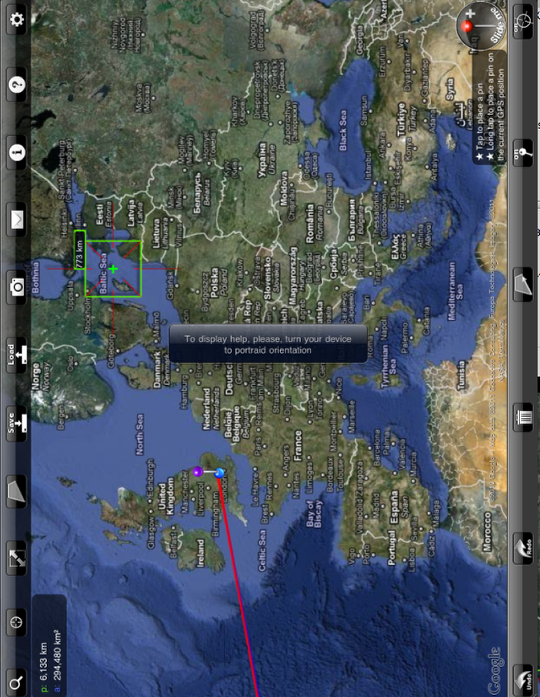
In conclusion this is a great app for measuring distances and areas on your iPhone or iPad. It is very simple to operate and offers a clean and logical layout. I would like to see the country names displayed or at least having the option to be displayed in English but that is something that could be added in a future update.
We also found the screen display on the iPad to be very affected by rotation. Even with our screen rotation locked in Settings, the screen kept moving around. To the extent that when in portrait mode, for the help function to operation, a message came onto the screen to say that the help function only works in portrait mode. We discussed this issue with the developer and he was well aware of it and had already submitted an update to Apple and is waiting for it to be approved. There is a way around this issue at the moment and that is to start the iPad in portrait mode, after that you can turn the iPad freely and it works fine.
These are minor niggles and this is a very accomplished app and one that you shouldn’t hesitate to pick up when you next need to measure specific distances.
This app is available in the App Store for $1.99 – you can download it here.

Joanne Carter
Joanne Carter BA (Hons), ARPS is a British photographer, photography journalist, editor and curator, and the founder and editorial director of TheAppWhisperer.com, an independent international photography publication established in 2009.She holds a First Class Honours degree in Photography and is an Associate of the Royal Photographic Society (ARPS).Her journalism, criticism and editorial work have appeared in The Times, The Sunday Times, The Guardian, Financial Times, BBC, Vogue Italia, LensCulture, Popular Photography and NikonPro, among other international publications.Through TheAppWhisperer, she brings together academic knowledge, professional photographic expertise and more than 17 years of specialist editorial experience to examine contemporary photography, mobile imaging, computational photography, photographic applications and emerging imaging technologies.