Pixelmator 2 – Sneak Preview
We included Pixelmator in our Top 10 Image Editing Mac App roundup, see here. It easily meets our criteria for being a great editing photo app. Now Pixelmator 2 is enroute and is said to retail for $59 shortly, however, if you download Pixelmator 1, now for $29 you will get a free upgrade – save yourself $30 and get a great photo editing app? No brainer – click here to download Pixelmator 1.
Find out what’s coming in Pixelmator 2 below…
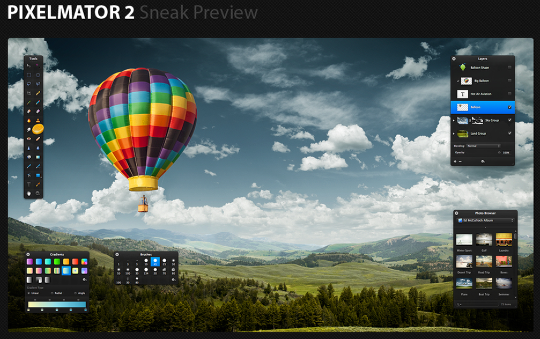
Look and Feel
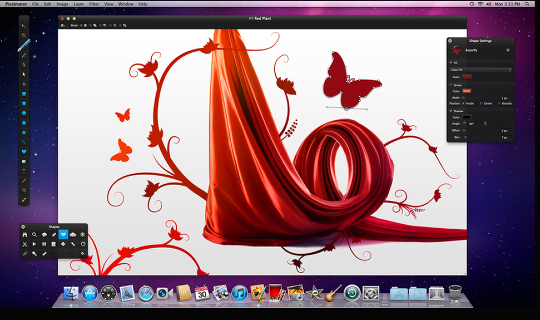
Handcrafted to the very last detail specifically for working with images, the new user interface of the app is as beautiful to look at as it is easy-to-use.
Drawing Tools
Enjoy perfectly precise, full-featured drawing tools that allow you to easily create and edit any vector shapes, whether simple or advanced.
Shapes
Use the Rectangle, Rounded Rectangle, Ellipse, Polygon, Star, Line or Custom Shape tools to quickly add shape layers to your compositions.
Healing Tool
Paint with the new Healing Tool on objects or any other details in an image to magically remove them, as if they never existed. Watch the video….
Content-Aware Fill
Take advantage of a breakthrough technology that helps magically get rid of unwanted elements in images.
Smudge Tool
Use the new Smudge Tool to smear paint, or to rub out blemishes or any other details in your images, as realistically as if you were using your fingers.
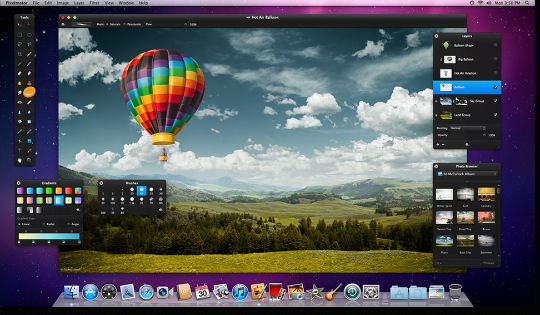
Sponge Tool
Paint using any brush tip either to add more color to or to take color away from objects, details or any other areas of an image.
Burn Tool
Use the Burn Tool to naturally darken specific areas of an image—whether in the highlights, midtones or shadows range for a given area.
Dodge Tool
Use the Dodge Tool to naturally lighten specific areas of an image—whether in the highlights, midtones or shadows range for a given area.
Red Eye Tool
Use the Red Eye Tool to easily—either automatically or manually—get rid of the red-eye effect in your images.
Pixel Tool
Enjoy editing images at the pixel level by taking advantage of the hard-edged, pixel-precise, pixel art-type Pixel Tool.
New Eyedropper Tool
Use the new magnifying Eyedropper Tool to efficiently snap colors from an image to use as needed.
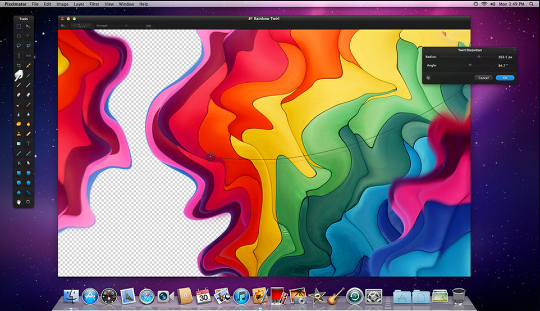
Info Bar
The new Info Bar provides you with the most useful information required at a specific moment, depending on the tool in use.
Tools Customization
Make the app truly personal by adding, removing, arranging, even grouping tools in the fully customizable Tools palette.
Tool Options Bar
Enjoy the new contextual Tool Options bar, which shows the exact set of tool settings needed at the moment, depending on the tool in use.
New Type Tool
In addition to easily placing and formatting text on your images, now also enjoy advanced typography features.

Joanne Carter
Joanne Carter BA (Hons), ARPS is a British photographer, photography journalist, editor and curator, and the founder and editorial director of TheAppWhisperer.com, an independent international photography publication established in 2009.She holds a First Class Honours degree in Photography and is an Associate of the Royal Photographic Society (ARPS).Her journalism, criticism and editorial work have appeared in The Times, The Sunday Times, The Guardian, Financial Times, BBC, Vogue Italia, LensCulture, Popular Photography and NikonPro, among other international publications.Through TheAppWhisperer, she brings together academic knowledge, professional photographic expertise and more than 17 years of specialist editorial experience to examine contemporary photography, mobile imaging, computational photography, photographic applications and emerging imaging technologies.
You May Also Like