Mac – iBooks Author
Now anyone can create stunning iBooks textbooks, cookbooks, history books, picture books, and more for iPad. All you need is an idea and a Mac. Start with one of the Apple-designed templates that feature a wide variety of page layouts. Add your own text and images with drag-and-drop ease. Use Multi-Touch widgets to include interactive photo galleries, movies, Keynote presentations, 3D objects, and more. Preview your book on your iPad at any time. Then submit your finished work to the iBookstore with a few simple steps. And before you know it, you’re a published author.
Apple Designed Templates
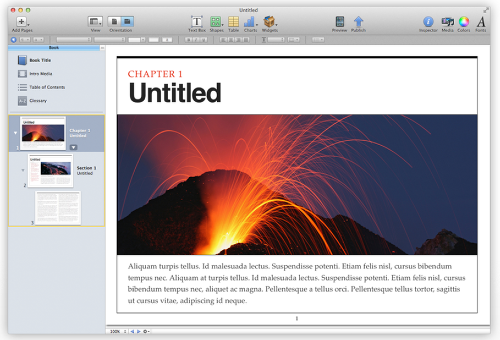
• Give your book a great beginning with templates that include a choice of page designs with matching fonts, colors, and textures
• Easily customize your book with text and images, create new layouts, and even save a custom template
• Use the Book Navigator to organize your book and add a cover and table of contents
Beautiful Text and Layouts
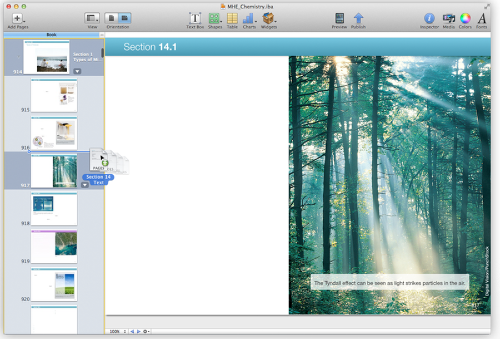
• Use a variety of text styles in each template to give your book a rich yet consistent look
• Add text, shapes, charts, tables, and media anywhere on the page
• Import a chapter written in Pages or Microsoft Word and apply a great-looking layout from your current template
• Add any word to the glossary with a single click and easily include photos, images, charts, tables, and shapes next to any definition
• Automatically create a portrait view of your book, which allows readers to focus on the text
Multi-Touch Widgets
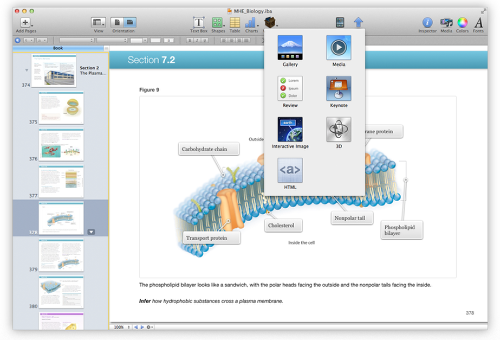
• Choose from a variety of widgets that add Multi-Touch interactivity to your book
• Add a photo gallery, chapter review, movie, Keynote presentation, interactive image with callouts, 3D object, or custom HTML anywhere in your book
• Widgets include placeholders for titles and captions and are automatically numbered so you can reference them in your main text
• Add accessibility descriptions to any widget so that it can be used by sight-impaired readers easily with VoiceOver
Export for iBookstore or iTunes U
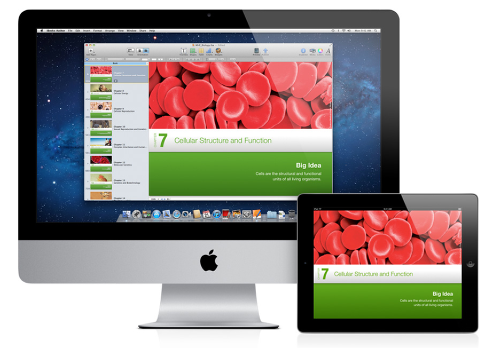
• Preview your book in iBooks on an iPad to see how it looks and works
• Easily add a cover, video introduction, copyright page, dedication, and foreword
• Submit your book to the iBookstore for sale or free download with a few simple steps*
• Export your book in iBooks format to share on iTunes U or to give to others • Create a version of your book as a PDF file

Joanne Carter
Joanne Carter BA (Hons), ARPS is a British photographer, photography journalist, editor and curator, and the founder and editorial director of TheAppWhisperer.com, an independent international photography publication established in 2009.She holds a First Class Honours degree in Photography and is an Associate of the Royal Photographic Society (ARPS).Her journalism, criticism and editorial work have appeared in The Times, The Sunday Times, The Guardian, Financial Times, BBC, Vogue Italia, LensCulture, Popular Photography and NikonPro, among other international publications.Through TheAppWhisperer, she brings together academic knowledge, professional photographic expertise and more than 17 years of specialist editorial experience to examine contemporary photography, mobile imaging, computational photography, photographic applications and emerging imaging technologies.
You May Also Like