
Competition – Snapseed Desktop for Windows – Worth $19.99/£15.95
We’re running a photo competition giving you the chance to win a copy of the awesome Snapseed Desktop for Windows app by Nik Software. Snapseed is the only photo app you’ll want to use everyday, making any photo extraordinary. No creative or editing limits. No bloated feature sets. Snapseed is the only photo app you’ll want to use everyday. Exactly what you need, right on the desktop, to make photo editing as fun as photo taking. Easily enhance your photos, add amazing effects, and share them everywhere. Snap it. Tweak it. Love it. Share it.
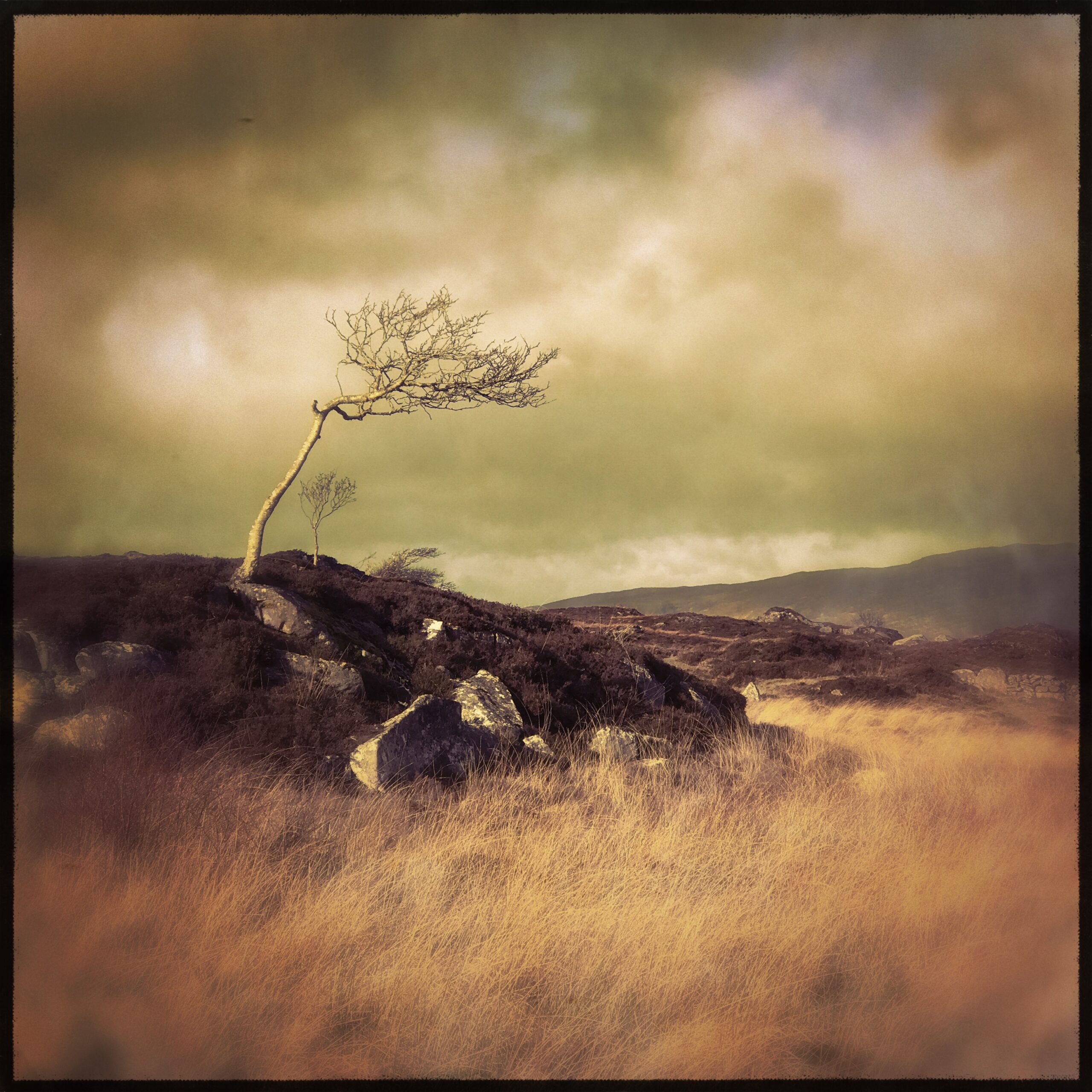
To enter, all you need to do is submit your best image to our Facebook page, it doesn’t need to of been taken in Snapseed, we just want to see your best shots. Please entitle your image, Snapseed comp and we’ll know which ones to check.
The top three entries will receive a fully licensed complete version of Snapseed Desktop for Windows worth $19.99 directly from Nik Software themselves. The competition will run until 8.00 pm GMT this Sunday, May 20, 2012.
Take a look at some of the additional features below of Snapseed Desktop for Windows, and if you want to see it working in action, head over here, to the Nik Software site and check out the tutorial videos.
Adding A Filter Effect
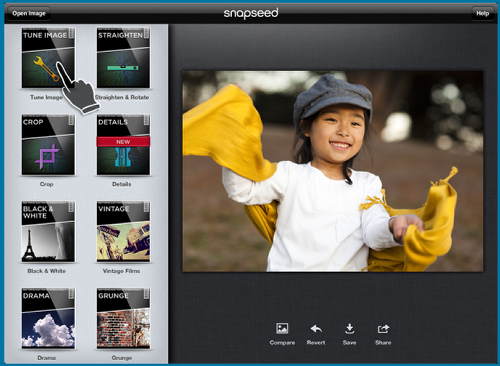
Clicking on a filter will show you the special controls available for that filter. Many of the creative filters have presets that you can use to quickly enhance your images. Adjusting the sliders and controls lets you customize the effect.
When you’re done adjusting the filter, click the Apply button. To prevent your image from being enhanced by the current filter, click on the Cancel button.
Black & White
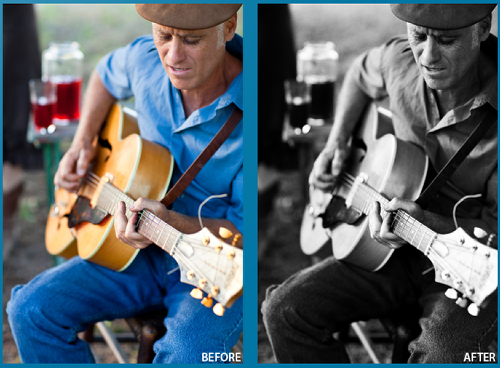
Use the Black & White filter to convert your photo to black and white, with a wide variety of options, from vintage and grainy, to modern and clean.
Available Controls
• Presets
Select from one of the pre-defined combinations of settings to stylize your photo.
• Color Filter
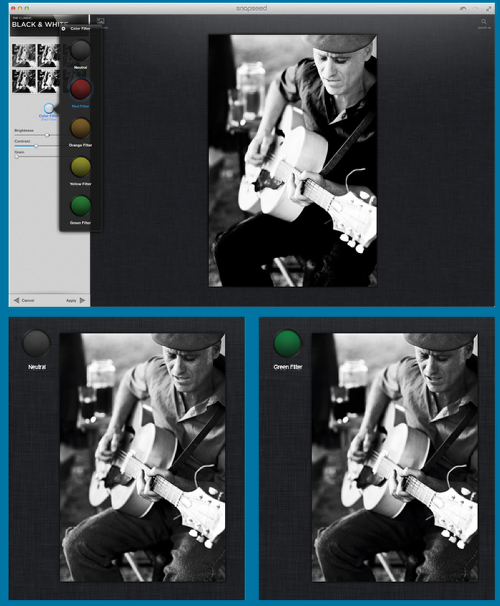
Simulates the use of a piece of colored glass over the lens, a technique often used by professional photographers. The color of the filter causes objects of that same color to become lighter in the resulting black and white image. Experimenting with different colors can help you create different looks and makes it possible to accentuate certain objects in your image•
• Brightness
Drag to the right to brighten or drag to the left to darken your photo.
• Contrast
Drag to the right to increase the contrast or drag to the left to reduce contrast. Use the Contrast control to increase the difference between the brightest object and the darkest object throughout your photo.
• Grain
Creates natural-looking grain to create a nostalgic effect. Click and drag the slider to the right to increase the amount of grain or to the left to reduce the grain. Dragging the slider all the way to the left ensures no grain is added to your photo.
Minimum PC requirements
- Windows XP SP3, Windows Vista SP2, and Windows 7 SP1 (or later)
- AMD or Intel processor (dual core or better recommended)
- 2 GB RAM (4 GB or more recommended)
- 256 MB of Video RAM
- For best performance, a GPU with support for OpenGL 3.0 is recommended, such as:
- NVIDIA
- GeForce 8 Series, GeForce 9 Series, GeForce 100 Series, GeForce 200 Series, GeForce 300 Series, GeForce 400 Series, GeForce 500 Series
- ATI
- Radeon HD2000 Series, Radeon HD3000 Series, Radeon HD4000 Series, Radeon HD5000 Series, Radeon HD6000 Series
- Intel
- Intel HD Graphics 3000
- JPEG, TIFF (RGB), and RAW file formats (no size restrictions, RAW compatibility uses the Windows Imaging Component and requires appropriate codec installed)
- Lightroom compatibility as an External Editor
- Languages supported: English, French, German, Italian, Japanese, Brazilian Portuguese, Spanish, Simplified and Traditional Chinese

Joanne Carter
Joanne Carter is a British photographer, photography journalist, editor and curator and the founder and editorial director of TheAppWhisperer.com, an independent international photography publication established in 2009.Her journalism, criticism and commentary have appeared in The Times, The Sunday Times, The Guardian, Financial Times, BBC, Vogue Italia, LensCulture, Popular Photography, Android Magazine, NikonPro, DPReview, Which Digital Camera and Which Camera. She has lectured internationally on photography and mobile art, served as a juror for international photography awards, and exhibited her own photographic work across the UK, Europe, South Korea and the United States.Alongside her editorial work, Joanne's photographic and postgraduate research explores death, grief, memory, representation and social inequality through contemporary photography, participatory practice and visual research methods, with the longer-term aim of developing this work through doctoral research.Through TheAppWhisperer, she continues to publish independent photography journalism spanning contemporary photographic practice, mobile imaging, photographic apps, computational photography and emerging imaging technologies.Joanne is available for editorial commissions, photography projects, judging, curatorial work, speaking engagements, consultancy and selected collaborations.
2 Comments
David
Now this is an app I use a lot on my iPhone/iPad…and would love to have it on my Mac! Thanks so much for sponsoring this competition!! I’ll get my images posted ASAP!!!
xbeta
Wow! Amazing giveaway! Love the Snapseed for iOS so much! Hope to win a win version!
Posted a photo on facebook page as Lonlon Yu
Wish a luck to win! 🙂