Apple Announces OS X El Capitan with Refined Experience & Improved Performance
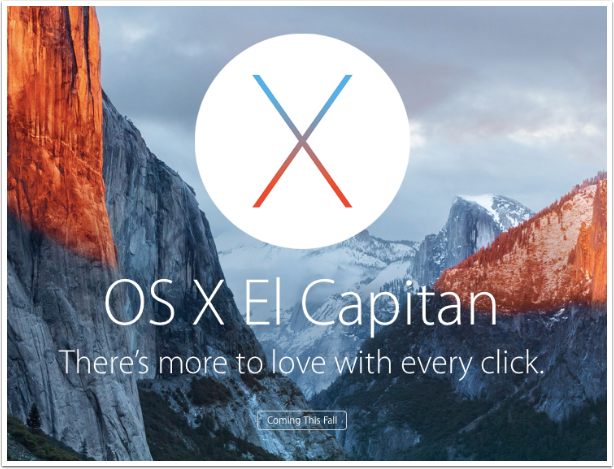
At WWDC15 yesterday, Apple announced OS X El Capitan, a new version of OS X that refines the Mac experience and improves system performance. Building on last year’s landmark release of OS X Yosemite, El Capitan introduces enhancements to window management, built-in apps and Spotlight search, and makes everyday activities — from launching apps to accessing email — faster and more responsive. Metal, Apple’s breakthrough graphics technology, is integrated into El Capitan, delivering system-wide performance gains and enabling games and pro apps to tap into the full power of Mac graphics processors.
“OS X delivers unparalleled integration between Mac hardware, iOS devices, apps and online services, and has helped Mac sales outpace the PC industry every year for the last decade,” said Craig Federighi, Apple’s senior vice president of Software Engineering. “Customers loved last year’s landmark OS X Yosemite release and made it the fastest-adopted PC operating system ever. With El Capitan, we’re further refining the Mac experience with enhancements to window management, Spotlight and built-in apps, and improving performance so everyday activities — from launching apps to accessing email — are faster and more responsive.”
Refinements to the Mac Experience
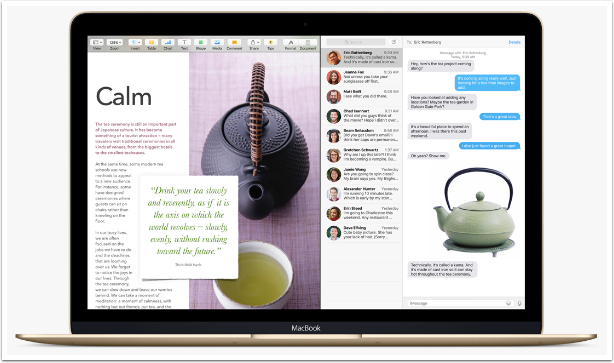
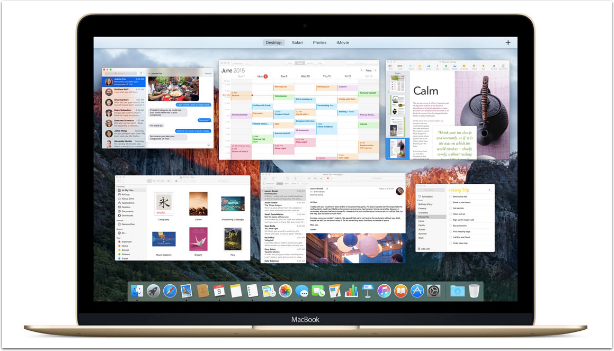
OS X El Capitan refinements begin with the new system font, San Francisco, a modern and easy-to-read typeface that looks stunning on a Retina display. Mission Control, the quickest way to view all open windows, has a cleaner design so you can find the window you need even faster. When your desktop gets crowded, simply drag a window to the top of your screen to access the new Spaces Bar in Mission Control and create a new Space, OS X’s intuitive way to group applications. And, the new Split View feature automatically positions two app windows side-by-side in full screen so you can work with both apps without distraction.
Built-in apps are even more streamlined in El Capitan. Safari now features Pinned Sites to keep your favourite websites open and active in your tab bar and a new mute button to quickly silence browser audio from any tab. Mail introduces Smart Suggestions, which recognises names or events in a Mail message and prompts you to add them to your contacts or calendar with a single click. You can also now swipe to delete messages, just like in iOS, and juggle multiple emails while Mail is in full screen. In Photos, you can add locations to a single image or an entire Moment, and sort albums by date or title. Additionally, you’ll be able to download third-party editing extensions from the Mac App Store and access them directly within the Photos app.
With the all-new Notes app in El Capitan you can drag and drop photos, PDFs, videos and other files into notes, and add content directly from other apps, such as Safari or Maps, using the Share menu. Easy-to-create checklists help you keep track of important to-do items, and the new Attachments Browser organises your attachments in one simple view, making it easy to find what you’re looking for. With iCloud, your notes stay in sync across all your enabled devices.
Spotlight gets even smarter in El Capitan, generating results for even more topics, including weather, stocks, sports, transit and web video. You can now resize the Spotlight window to display more results or move it anywhere on your desktop, and use natural language to find documents and files on your Mac based on when they were created or who you sent them to.
Improvements to System Performance
OS X El Capitan improves system performance across your Mac, making many of the things you do everyday faster and more responsive. Metal, Apple’s groundbreaking graphics technology, accelerates Core Animation and Core Graphics to boost system-level rendering by up to 50 percent,* and efficiency by up to 40 percent,** resulting in faster graphics performance for everyday apps. Metal also takes full advantage of your CPU and GPU, delivering up to 10 times faster draw call performance for a richer, more fluid experience in games and pro apps.*
El Capitan also features enhanced international language support, including a new Chinese system font for both Traditional and Simplified, with 50,000 beautifully designed characters for crisp on-screen readability. Chinese keyboard input methods now offer regularly updated vocabulary lists and a smarter candidate window. El Capitan makes entering Japanese text faster by automatically transforming Hiragana into written Japanese and reducing the need to individually select and confirm word conversions. You can now also select the perfect font for your documents using four new Japanese typefaces.
Availability
The developer preview of OS X El Capitan is available to Mac Developer Program members starting today. Mac users can participate in the El Capitan Beta Program in July and download the final version for free from the Mac App Store this fall. Customers interested in signing up for the public beta can visit www.apple.com/osx/elcapitan-preview/ for more details. Features are subject to change. Some features may not be available in all regions or all languages.

Joanne Carter
Joanne Carter BA (Hons), ARPS is a British photographer, photography journalist, editor and curator, and the founder and editorial director of TheAppWhisperer.com, an independent international photography publication established in 2009.She holds a First Class Honours degree in Photography and is an Associate of the Royal Photographic Society (ARPS).Her journalism, criticism and editorial work have appeared in The Times, The Sunday Times, The Guardian, Financial Times, BBC, Vogue Italia, LensCulture, Popular Photography and NikonPro, among other international publications.Through TheAppWhisperer, she brings together academic knowledge, professional photographic expertise and more than 17 years of specialist editorial experience to examine contemporary photography, mobile imaging, computational photography, photographic applications and emerging imaging technologies.