iPadOS 14 introduces new features designed for iPad
Made-for-iPad app designs, streamlined system interactions with compact UIs for Siri, Search, and calls, powerful new handwriting features with Apple Pencil, and more.
22 June 2020, Apple previewed iPadOS 14, with new features and designs that take advantage of the unique capabilities of iPad and its large Multi-Touch display. iPadOS 14 introduces an all-new compact design for incoming FaceTime and phone calls, Siri interactions, and Search to help users stay focused on the task at hand. Apps have new sidebars and toolbars that consolidate controls in one place, making them more streamlined and powerful than ever. New Apple Pencil features, including Scribble for iPad, deliver a whole new way to work with handwritten notes, and ARKit 4 delivers a brand new Depth API that allows developers to create even more powerful features in their apps.
“With iPadOS 14, we’re excited to build on the distinct experience of iPad and deliver new capabilities that help customers boost productivity, be more creative, and have more fun,” said Craig Federighi, Apple’s senior vice president of Software Engineering. “With new compact designs for system interactions and new app designs specifically tailored to iPad, even better note-taking capabilities with Apple Pencil, and more powerful AR experiences, iPadOS 14 delivers an amazing experience that keeps it in a class of its own.”
Enhanced App Experience with New Compact Design, Universal Search, and Redesigned Sidebars
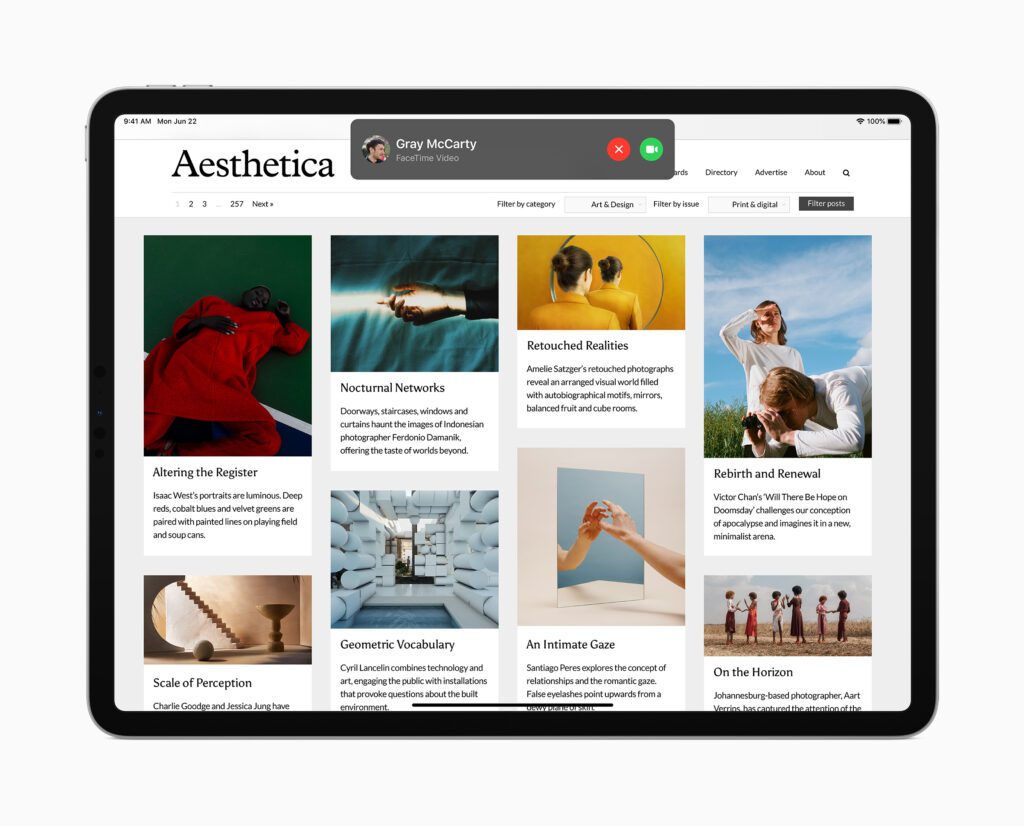
An all-new compact design for incoming FaceTime and phone calls, Siri interactions, and Search are especially useful on iPad, helping users stay focused and get more done in the moment. Incoming FaceTime and phone calls now appear as a lightweight banner so they don’t take up the entire screen, making it easy to quickly tap to answer the call or simply flick to dismiss and get right back to work. Siri now appears at the bottom of the screen when activated, allowing users to seamlessly reference information onscreen while making a request, and it quickly gets out of the way when launching other apps or controlling music.
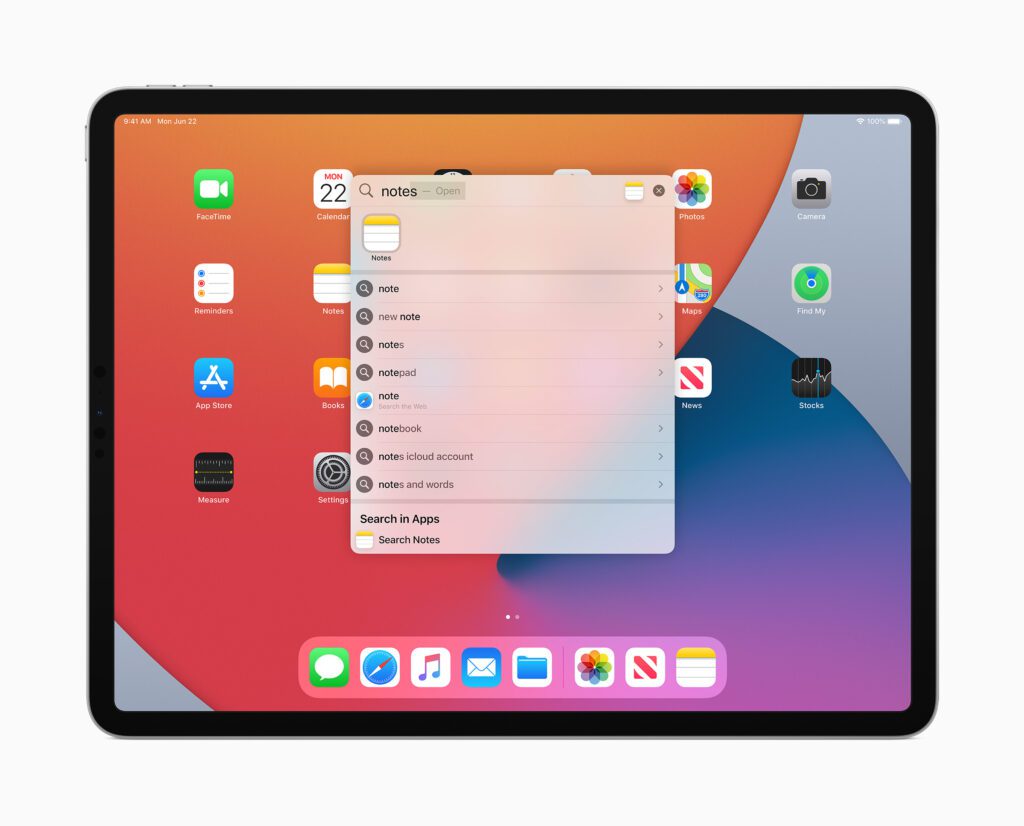
Search on iPad has been rebuilt from the ground up with iPadOS 14 and is now the one place to quickly find practically anything, from locating and launching apps to accessing contacts, files, and quick information, to getting answers to common questions about people or places. With a new compact design, users can start a search from anywhere, without having to leave the app they’re in. Web searches are even more powerful and refined, delivering more relevant suggestions as users type and the ability to get to search results with just a tap.
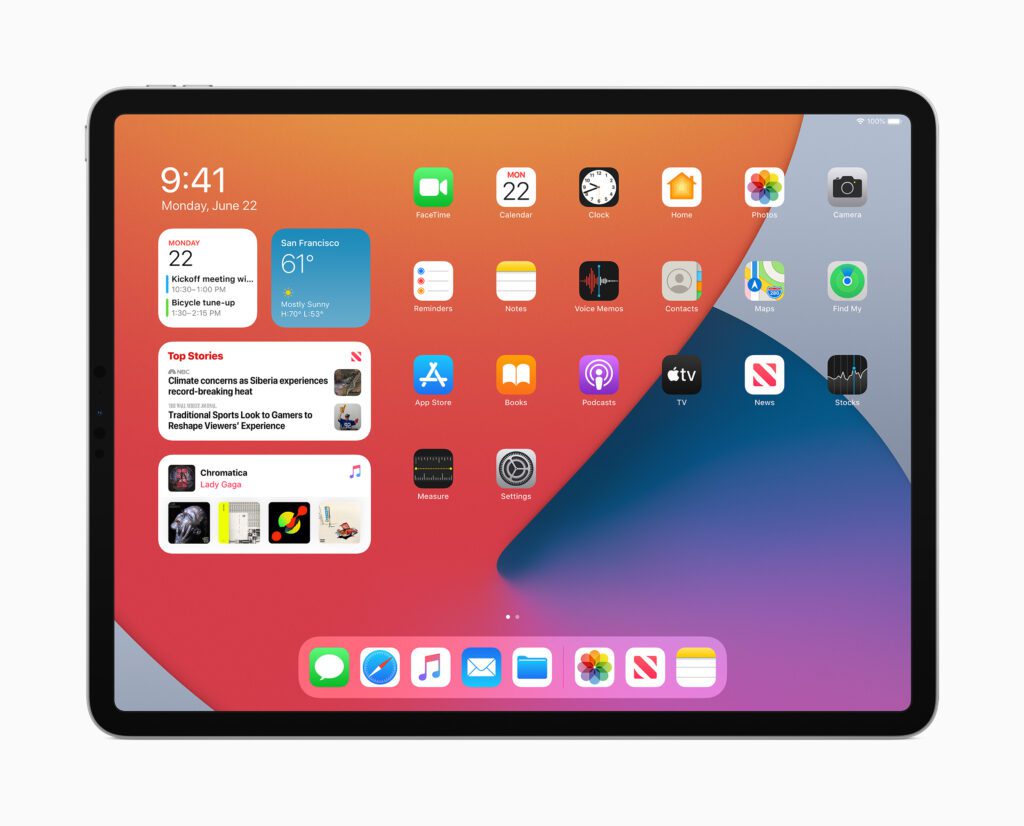
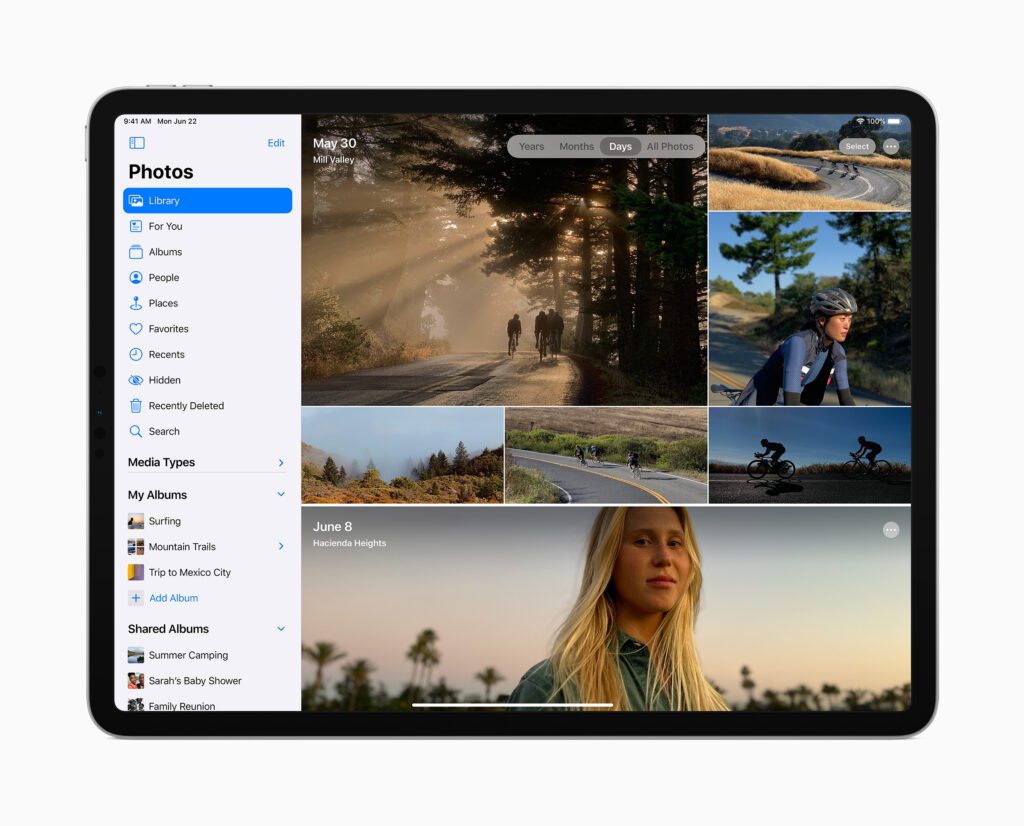
Redesigned sidebars across many apps, including Photos, Files, Notes, Calendar, and Apple Music, consolidate navigation into a single place, making it easier than ever to navigate within an app while keeping content front and centre. Additionally, streamlined toolbars and new pull-down menus provide access to app controls all in one place.
Doing More with Apple Pencil and Handwritten Notes
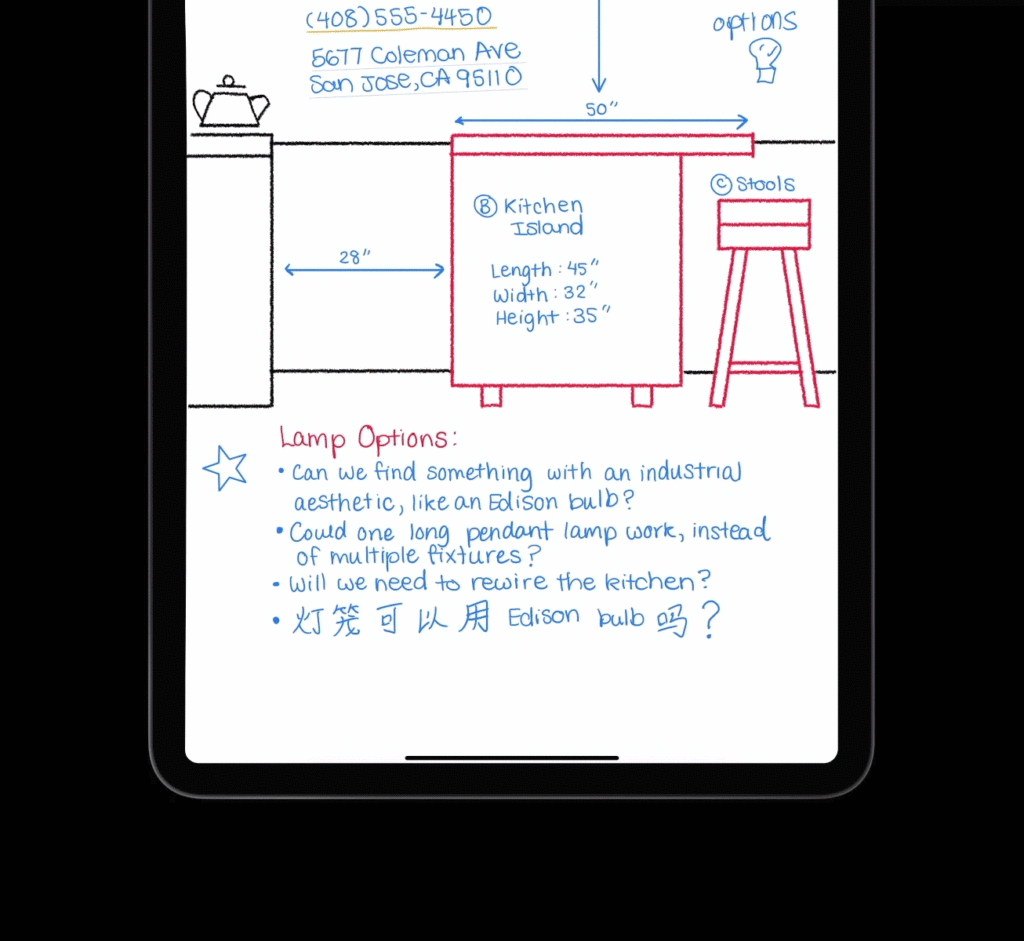
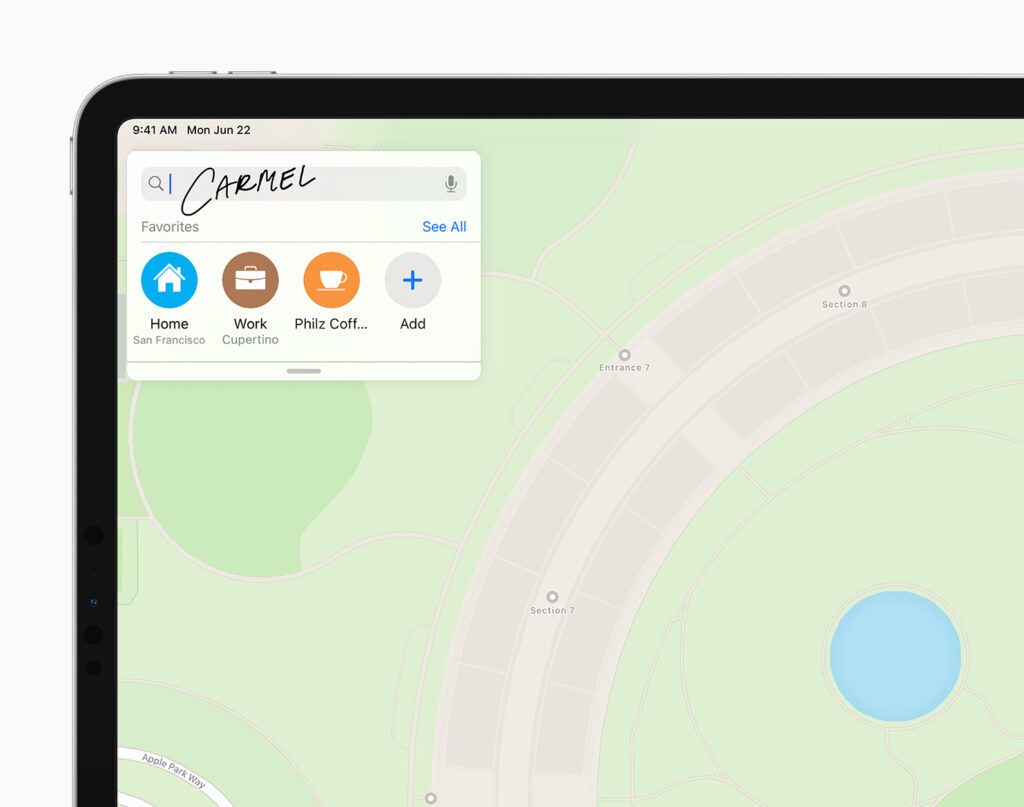
iPadOS 14 brings Scribble to iPad with Apple Pencil, allowing users to write in any text field — where it will automatically be converted to typed text — making actions like replying to an iMessage or searching in Safari fast and easy. All handwriting and conversion to text happens on device, keeping it private and secure. When taking notes, Smart Selection uses on-device machine learning to distinguish handwriting from drawings, so handwritten text can easily be selected, cut, and pasted into another document as typed text. Shape recognition allows users to draw shapes that are made geometrically perfect and snap right into place when adding useful diagrams and illustrations in Notes.
Data detectors now work with handwritten text to recognise phone numbers, dates, and addresses, and offer users the ability to take actions like tapping a written number to make a call, adding an event directly to Calendar, or showing a location in Maps.
Scribble will initially offer support for English, Traditional and Simplified Chinese, and mixed Chinese and English, so users can write English and Chinese words together without needing to switch languages.
Augmented Reality That’s Even More Realistic
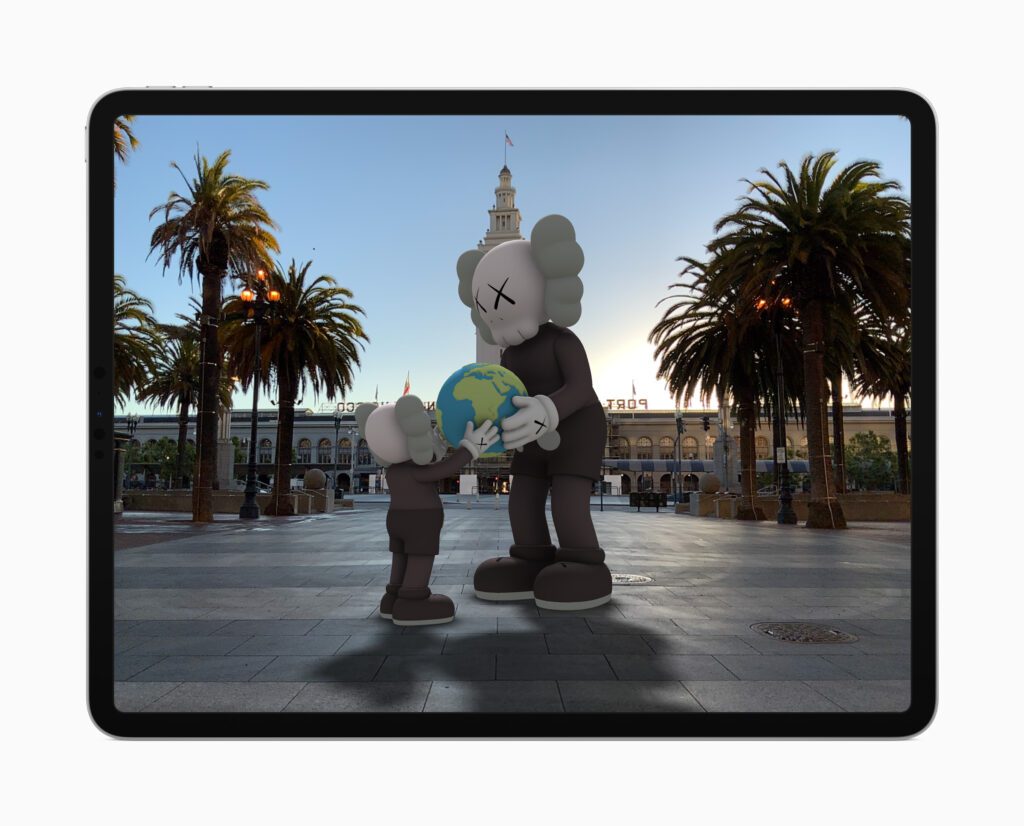
AR has proven to be an immensely powerful technology that helps accomplish tasks in ways never before possible. ARKit 4 delivers a brand new Depth API that allows developers to access even more precise depth information captured by the new LiDAR Scanner on iPad Pro. Developers can use the Depth API to drive powerful new features in their apps, like taking body measurements for more accurate virtual try-on, or testing how paint colours will look before painting a room. ARKit 4 also introduces Location Anchors for iOS and iPadOS apps, which leverage the higher resolution data of the new map in Apple Maps, where available, to pin AR experiences to a specific point in the world.1
Enhanced Privacy Features for More Transparency and Control
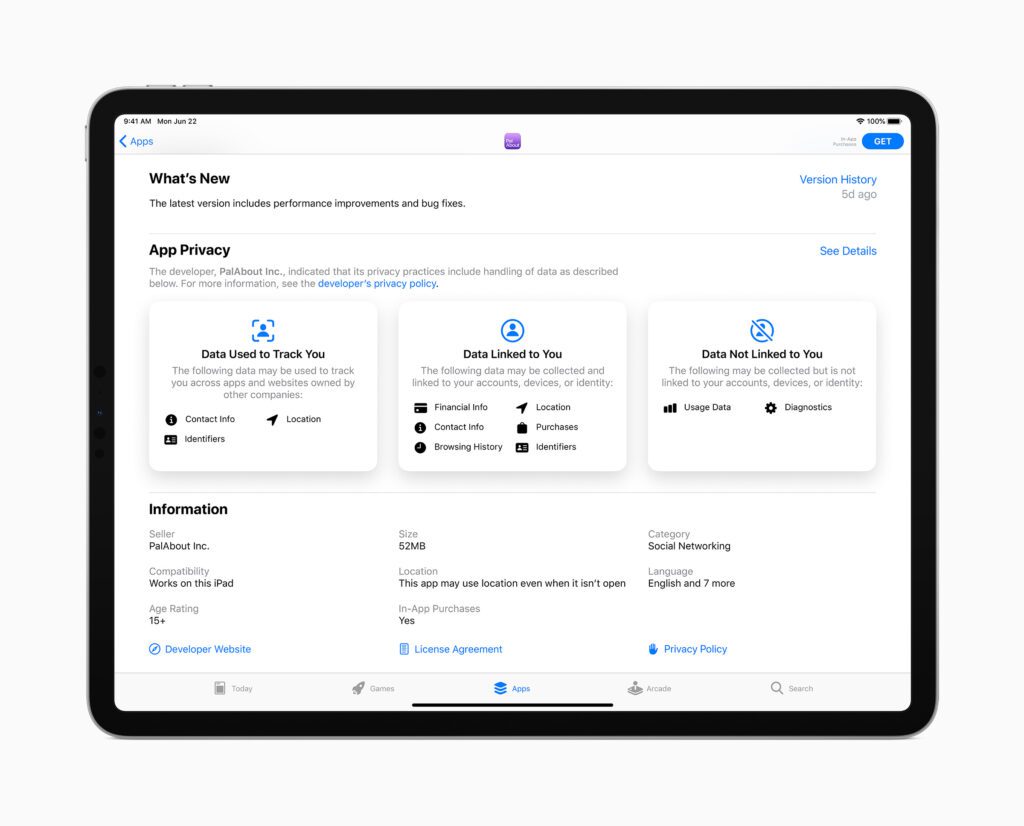
All apps will now be required to obtain user permission before tracking.2 Later this year, App Store product pages will feature summaries of developers’ self-reported privacy practices, displayed in a simple, easy-to-understand format. In addition, users can upgrade existing accounts to Sign in with Apple, choose to share their approximate location with app developers rather than their precise location when granting an app location access, and get even more transparency into an app’s use of the microphone and camera.
Additional iPadOS 14 Features
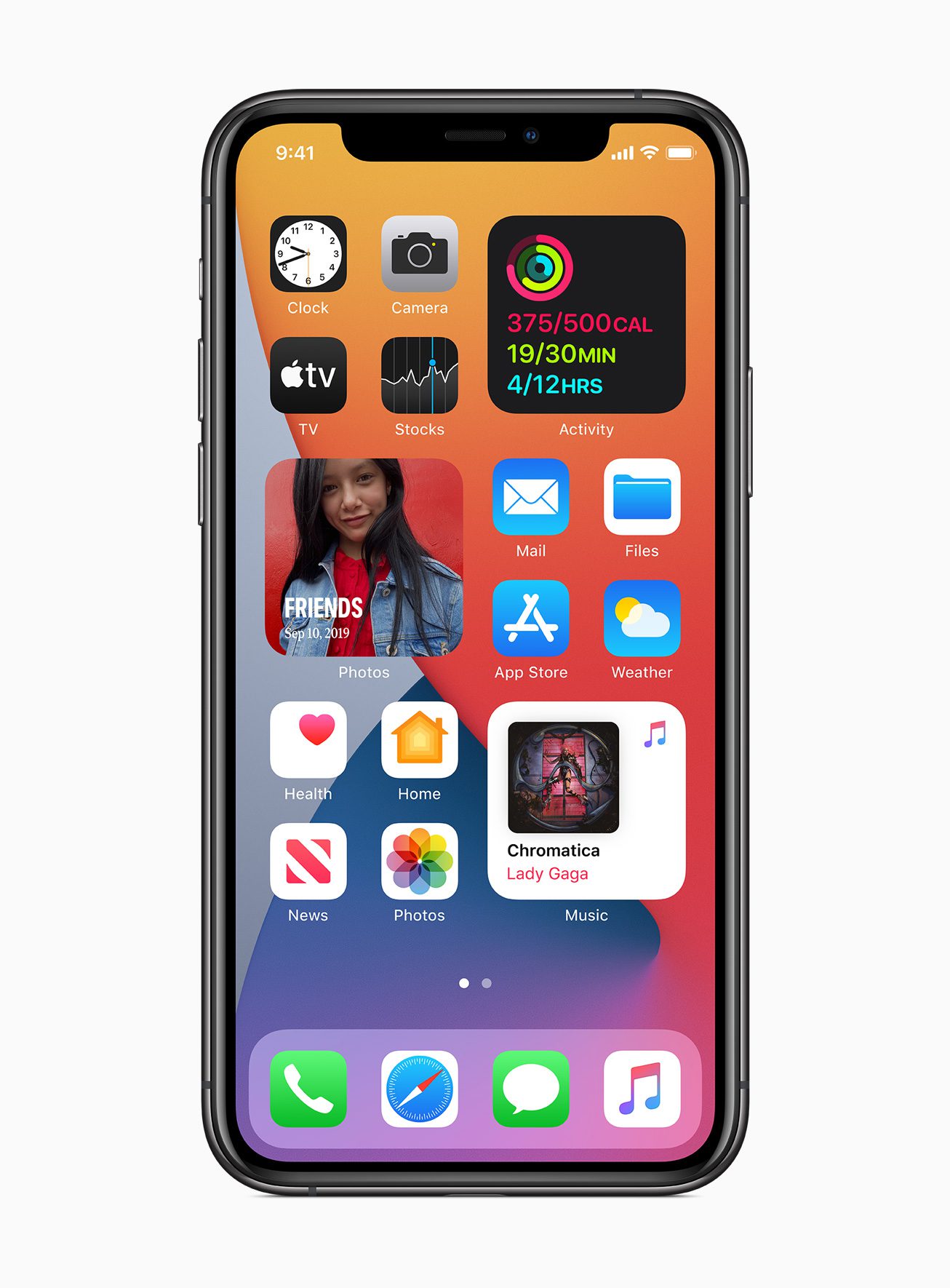
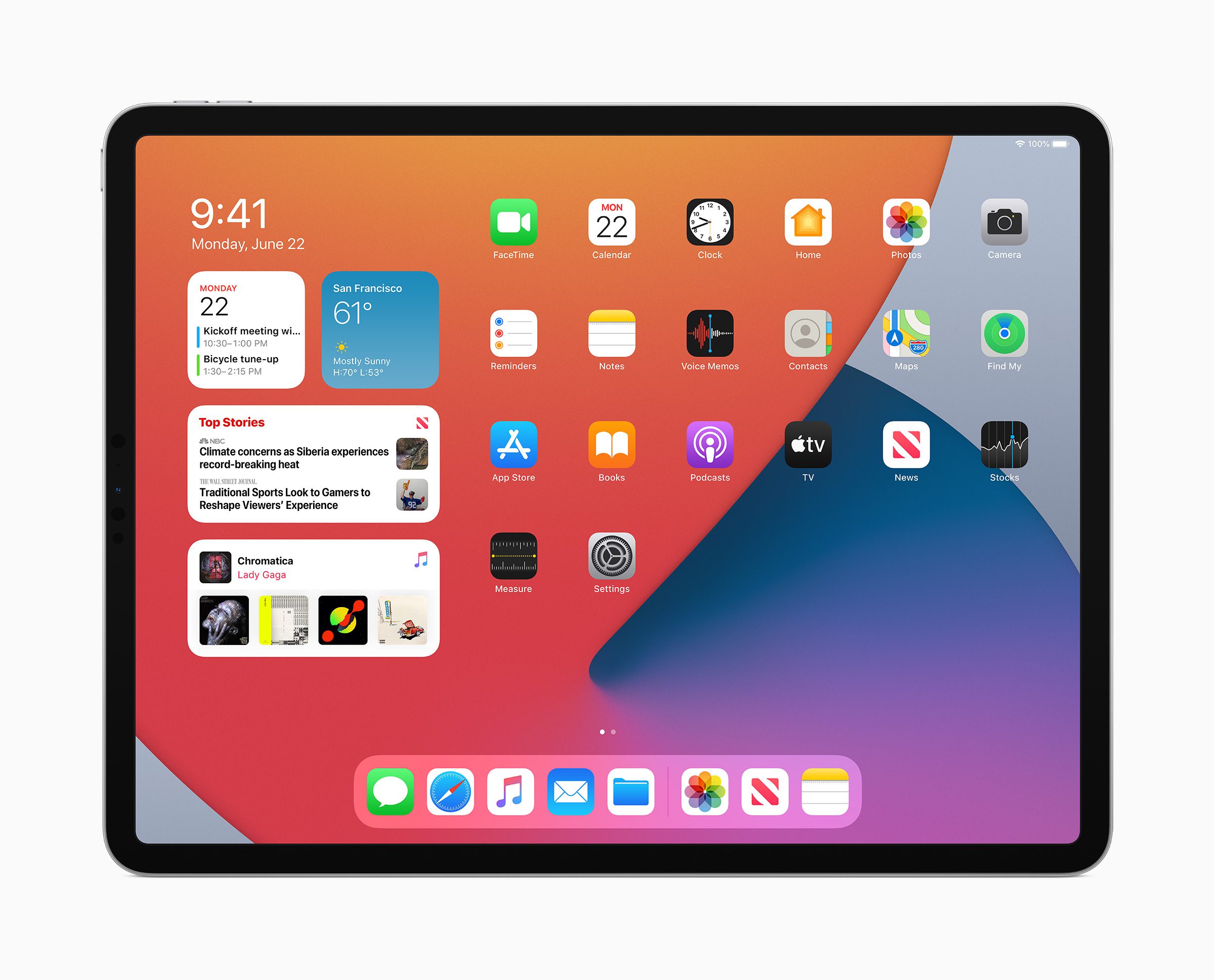
- All-new beautifully redesigned widgets present timely information at a glance, and users can select a Smart Stack of widgets, which uses on-device intelligence to surface the right widget based on factors such as time, location, and activity.
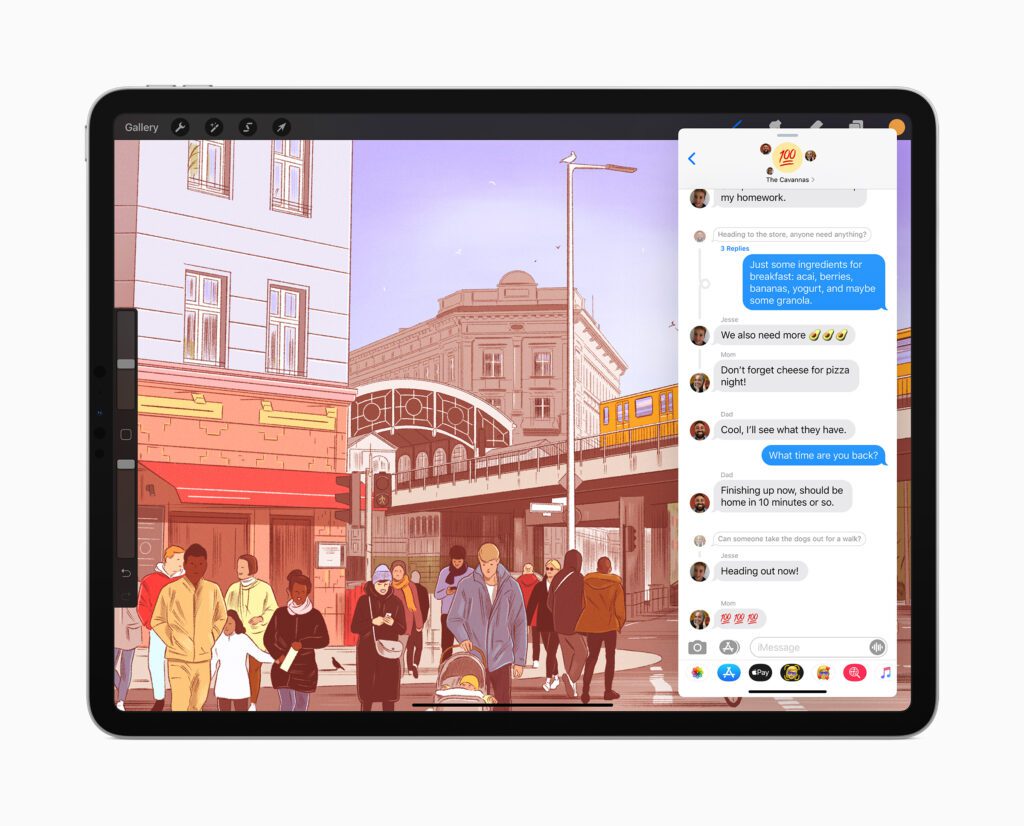
- Messages is central to communicating with friends and family, and now it’s easier to stay connected and quickly access important messages. Users can pin conversations to the top of their messages list, easily keep up with lively group threads through mentions and inline replies, and further customise conversations by setting a group photo using an image or emoji. New Memoji options in Messages are even more inclusive and diverse with additional hairstyles, headwear, face coverings, and more.
- Siri expands its knowledge, helps find answers from across the internet, and can now send audio messages. Keyboard dictation runs on device when dictating messages, notes, email, and more.3
- Maps makes it easier than ever to navigate and explore with new cycling directions and curated Guides. Cycling directions take into account elevation, how busy a street is, and whether there are stairs along the route. Guides provide a curated list of interesting places to visit in a city, created by a selection of trusted resources, making them a great way to discover hot new restaurants, find popular attractions, and explore new recommendations from respected brands, including AllTrails, Complex, The Infatuation, Time Out Group, and The Washington Post, among others.
- The Home app makes smart home control even easier with new automation suggestions and expanded controls in Control Centre for quicker access to accessories and scenes. Adaptive Lighting for compatible HomeKit-enabled lights automatically adjusts the colour temperature throughout the day, and with on-device Face Recognition, compatible video doorbells and cameras can identify friends and family.4 The Home app and HomeKit are built to be private and secure, so all information about a user’s home accessories is end-to-end encrypted.
- Safari offers a Privacy Report so users can easily see which cross-site trackers have been blocked, secure password monitoring to help users detect saved passwords that may have been involved in a data breach, and built-in translation for entire webpages.5
- Accessibility features include Headphone Accommodations, which amplifies soft sounds and tunes audio to help music, movies, phone calls, and podcasts sound crisper and clearer, and sign language detection in Group FaceTime, which makes the person signing more prominent in a video call.6 VoiceOver, the industry’s leading screen reader for the blind community, now automatically recognises what is displayed visually onscreen so more apps and web experiences are accessible to more people.
Availability
The developer preview of iPadOS 14 is available to Apple Developer Program members at developer.apple.com starting today, and a public beta will be available to iPadOS users next month at beta.apple.com. New software features will be available this fall as a free software update for iPad Air 2 and later, all iPad Pro models, iPad 5th generation and later, and iPad mini 4 and later. For more information, visit apple.com/ipados/ipados-preview/. iPadOS 14 includes the great features of iOS 14.
Please read
We have a small favour to ask. More people than ever are reading TheAppWhisperer.com and we could not be more excited about that. We specialise in mobile photography and mobile art and we value all of our readers, writers, contributors and viewers but we do have costs and we do need to ask for your help. We at TheAppWhisperer spend many hours each day, each week and each month to bring you this high quality level of journalism. We do it because we are passionate about it and because we want others to be as passionate too.
If everyone who reads our website, who likes it, helps to support it, our future would be so much more secure. Please help us by offering a contribution or supporting us with a monthly donation of your choosing.
[seamless-donations]

Joanne Carter
Joanne Carter is a British photography journalist, editor, curator, and the founder of *TheAppWhisperer.com*, one of the world’s leading platforms dedicated to mobile photography and art. Since its launch in 2009, TheAppWhisperer has become an international hub for artists of all levels to discover, learn, exhibit, and engage with contemporary photographic practice.Built on principles of inclusivity, accessibility, and artistic excellence, Joanne has spent almost two decades championing mobile photography as a serious artistic medium. Through interviews, critical essays, exhibitions, competitions, and education, she has helped shape and document the evolution of mobile art on a global scale.Her work has taken her internationally, lecturing on photography and mobile art at institutions and events including the Museum of Art in Seoul, South Korea, alongside appearances in the UK and Europe. She has served as a juror for international photography and mobile art awards across Portugal, Canada, the United States, South Korea, Italy, and the UK.Joanne is also the founder of *TheAppWhispererPrintSales.com*, one of the first online galleries dedicated exclusively to collectible mobile art, connecting artists with collectors across Europe, the United States, and Asia.Before founding TheAppWhisperer, Joanne worked extensively in print journalism and photographic publishing, including roles at a paparazzi photo agency and as deputy editor of a leading photography magazine. Her freelance journalism, criticism, and commentary have been published widely in both the UK and the US, with bylines in *The Times*, *The Sunday Times*, *The Guardian*, *Popular Photography*, *NikonPro*, *DPReview*, *Which?*, *Vogue Italia*, *LensCulture*, the *BBC*, and more recently, the *Financial Times*, where her published letters on photography continue to contribute to wider conversations around the medium.Alongside her editorial and curatorial work, Joanne’s own photographic practice has been exhibited internationally across the UK, Europe, South Korea, and the United States. Her work increasingly explores themes of grief, loss, death, memory, and the body.Her current research interests centre on grief, death, and poverty, with forthcoming postgraduate study leading towards doctoral research in these areas.Joanne is currently developing new long-form writing and photographic projects and is available for commissions, editorial projects, speaking engagements, and collaborations.Contact: joannetheappwhisperer@gmail.com)