
How To Update Your App In The Amazon Appstore
Amazon have released a great video explaining how to update your app in the Amazon Appstore. Here’s how to do it…
How To Update Your App
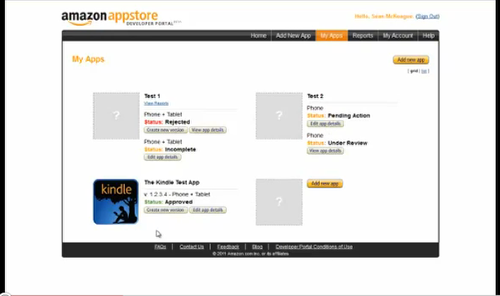
To update details about your app (including images, videos, app descriptions, etc.):
1. Go to “My Apps” (do not click on “Add New App”) and click “Edit App Details” button for your Live, Pending Action, Incomplete, or Ready to Submit app
2. You can make changes and save them in each section
3. You must click “Submit App” when finished – this will allow Amazon to validate and publish your changes live on the website
How To Update Your APK:
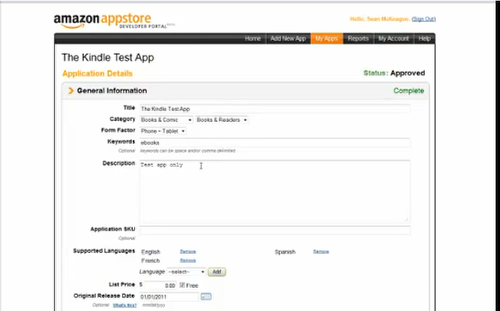
1. Click “Create new version” near your Live, Approved, or Rejected app
2. You can upload a new binary on the next screen
3. Put release notes in the “Upload Binary” section after you upload your APK
4. Click “Submit App” to notify Amazon about your new version of the app

Joanne Carter
Joanne Carter BA (Hons), ARPS is a British photographer, photography journalist, editor and curator, and the founder and editorial director of TheAppWhisperer.com, an independent international photography publication established in 2009.She holds a First Class Honours degree in Photography and is an Associate of the Royal Photographic Society (ARPS).Her journalism, criticism and editorial work have appeared in The Times, The Sunday Times, The Guardian, Financial Times, BBC, Vogue Italia, LensCulture, Popular Photography and NikonPro, among other international publications.Through TheAppWhisperer, she brings together academic knowledge, professional photographic expertise and more than 17 years of specialist editorial experience to examine contemporary photography, mobile imaging, computational photography, photographic applications and emerging imaging technologies.