Daily App Giveaway – June 06, 2011 – Remote Conductor: Track – Launch – Switch (Touchpad / Secure Keyboard)
Welcome once again to our Daily App Giveaway section of theappwhisperer.com. We value our readers so much we want to share our love of apps with you. That’s why we have created this new section as each day we will be giving away free apps.
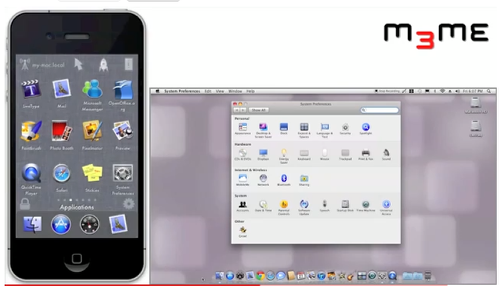
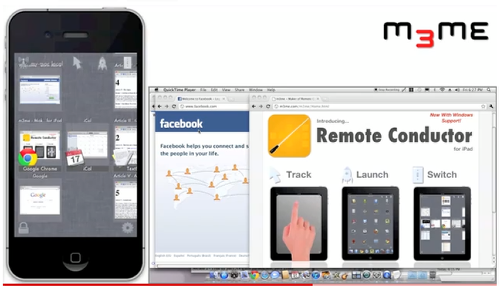
Today, we have Remote Conductor: Track – Launch – Switch (Touchpad / Secure Keyboard) codes to spare, each currently costing $1.99 in the App Store. This app allows you to use your iPhone or iPod Touch as a control center for your Mac or PC. Fully manage applications on your computer: Launch, switch, maximize/restore, minimize, close. Use your iPhone as a wireless multi-touch trackpad and secure keyboard. The only fully encrypted trackpad app! The only iOS app to support individual window switching on a Mac!
So, how you do get your hands on these codes? Well, it’s simple, all you have to do is Like us on Facebook, join our ever expanding Twitter followers and reply to this post telling us what you love most about theappwhisperer.com. That’s it.
Make sure you check back to our Daily App Giveaway Section every day.
Main Features
– Wireless control of your Mac or PC over Wi-Fi
– Bluetooth supported with iOS 4.3 (Mac Only)
– Full Landscape and Portrait support
– Use navigation icons or gestures to switch modes
– 256 bit AES encryption on all network traffic – safely enter passwords!
– Automatic computer discovery
– Optionally connect by hostname or IP
– Remembers pairing for multiple computers
– Auto re-connect
– Highly optimized network code for smooth, lag free operation
App/Window Switcher Features
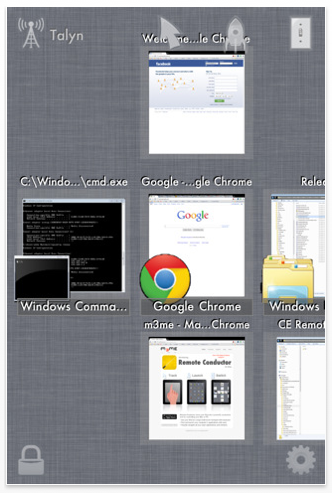
– Shows thumbnails of all open windows
– Organizes open apps and windows by most recent use
– Windows track last use even when switched on the computer
– Scroll open applications horizontally, windows vertically
– Supports switching between open windows not just apps on Mac – (unique to Remote Conductor)
– Tap a window to raise just that window.
– Tap an app icon to raise all windows for that app
– Full Mac ‘Spaces’ support
– Optionally lock the switcher to use as a dedicated app manager
– Use tap and hold menus: quit app, hide, close window, minimize, zoom
Application Launcher Features
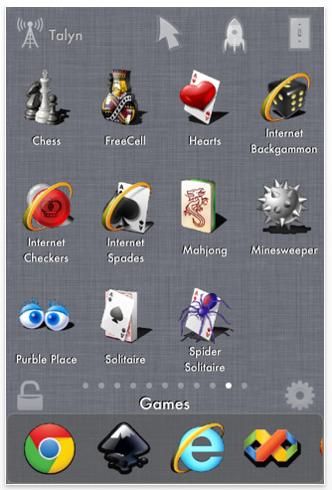
– Apps organized by pages just like on the iPhone
– Apps pinned to your Mac’s dock or PC’s taskbar are shown in a scrollable Launch Bar
– Automatically finds installed programs on your Mac or PC
– Supports custom application paths
– Optionally lock the launcher
Trackpad Features
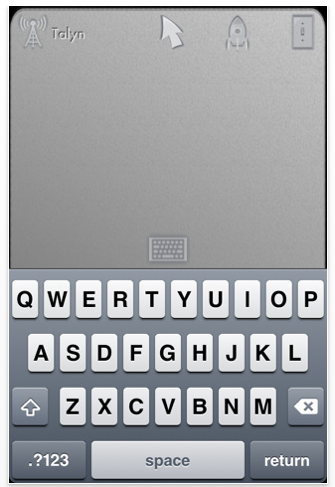
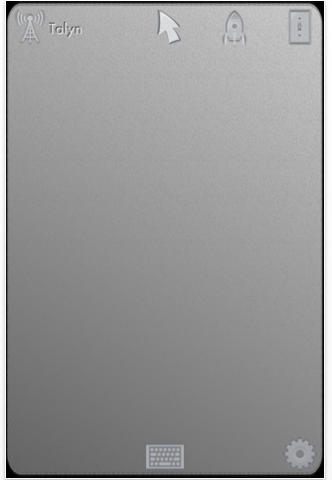
– Multi-touch gestures (most Macbook or Magic Trackpad gestures)
– Supports single finger drag (tap, tap, drag) or 3 finger drag
– Some gestures configurable
– Configurable network bandwidth usage
– Configurable mouse sensitivity
– Proper text selection behavior
– Proper drag continue behavior
Multi-Touch Gestures Supported
– 1 finger tap to left click
– 2 finger tap to right click
– 2 finger pan to scroll
– 3 finger tap to middle mouse click – open new tabs in your browser.
– 3 finger drag for left mouse drag
– 4 finger tap opens the Launcher
– 4 finger horiz. swipe opens the Switcher.
– 4 finger swipe up shows the desktop
– 4 finger swipe down shows Expose on Mac, Flip 3d on PC
– Optional 3 finger horiz. swipe for navigate back/fwd, vert. prev/next tab
– Optional 3 finger horiz. switch next/prev app
– Optional 4 finger left swipe for desktop app switcher or app Expose (Mac)
Requirements
– Mac OS X 10.6 Snow Leopard (accessibility enabled)
– Windows XP service pack 3, Vista service Pack 2, Windows 7 (32 or 64 bit)
– iTunes
– Wi-Fi router (local area network or ad hoc network)
– Conductor Server software (free download)
** YOU MUST DOWNLOAD AND INSTALL THE FREE SERVER BEFORE USING **
Download from: www.remoteconductor.com/server

Joanne Carter
Joanne Carter is a British photography journalist, editor, curator, and the founder of *TheAppWhisperer.com*, one of the world’s leading platforms dedicated to mobile photography and art. Since its launch in 2009, TheAppWhisperer has become an international hub for artists of all levels to discover, learn, exhibit, and engage with contemporary photographic practice.Built on principles of inclusivity, accessibility, and artistic excellence, Joanne has spent almost two decades championing mobile photography as a serious artistic medium. Through interviews, critical essays, exhibitions, competitions, and education, she has helped shape and document the evolution of mobile art on a global scale.Her work has taken her internationally, lecturing on photography and mobile art at institutions and events including the Museum of Art in Seoul, South Korea, alongside appearances in the UK and Europe. She has served as a juror for international photography and mobile art awards across Portugal, Canada, the United States, South Korea, Italy, and the UK.Joanne is also the founder of *TheAppWhispererPrintSales.com*, one of the first online galleries dedicated exclusively to collectible mobile art, connecting artists with collectors across Europe, the United States, and Asia.Before founding TheAppWhisperer, Joanne worked extensively in print journalism and photographic publishing, including roles at a paparazzi photo agency and as deputy editor of a leading photography magazine. Her freelance journalism, criticism, and commentary have been published widely in both the UK and the US, with bylines in *The Times*, *The Sunday Times*, *The Guardian*, *Popular Photography*, *NikonPro*, *DPReview*, *Which?*, *Vogue Italia*, *LensCulture*, the *BBC*, and more recently, the *Financial Times*, where her published letters on photography continue to contribute to wider conversations around the medium.Alongside her editorial and curatorial work, Joanne’s own photographic practice has been exhibited internationally across the UK, Europe, South Korea, and the United States. Her work increasingly explores themes of grief, loss, death, memory, and the body.Her current research interests centre on grief, death, and poverty, with forthcoming postgraduate study leading towards doctoral research in these areas.Joanne is currently developing new long-form writing and photographic projects and is available for commissions, editorial projects, speaking engagements, and collaborations.Contact: joannetheappwhisperer@gmail.com)