FEATURES
iPad – Touch Image Manipulator – Temporarily Free
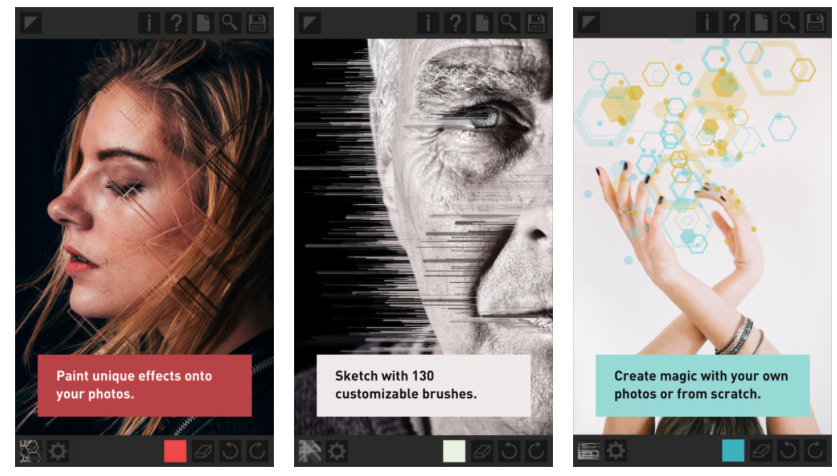
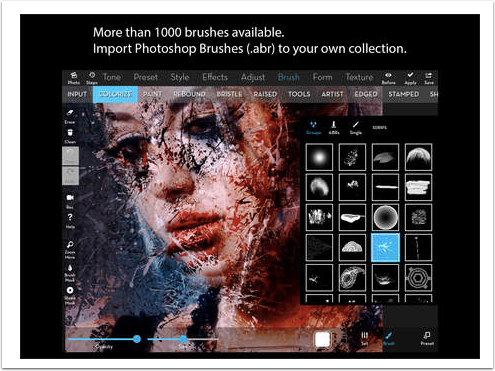
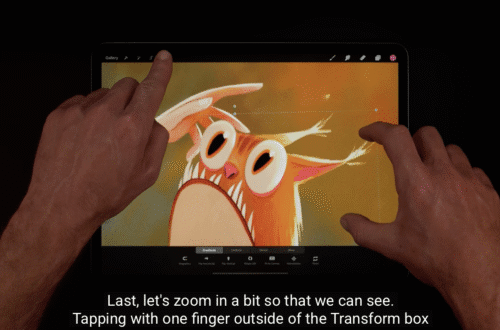
Fully featured photo editing, painting and drawing tool. !!! An updated version has been submitted . Free until update is available. Usually this app retails for $0.99/£0.69 but today you can pick it up for free. Just click here to do so/download.
Daily App Digest – June 12, 2012
Latest apps and updates to hit the iTunes app store today… Sports Scoreboard JAS Applications has announced the release of Version 1.0 of their new iOS App Sports Scoreboard. Keep score of Football, Rugby, Tennis, Basketball, Badminton, Baseball, NFL and Squash matches all in one App! Each sport has it’s own page which is customised to it’s scoring system! For example in Rugby, you can score the total score, numbers of tries, number of conversions, number of penalties and number of drop-goals. Teams can be given a customised team/player name and each sport has it’s own clock to show the length of each match. $0.99/£0.69/download Quizboard Think you’re smarter than…
Mac – iPhoto – Updated
iPhoto ’11 gets a new look with stunning full-screen views for Events, Faces, Places, and Albums that let you take advantage of every inch of your Mac display. iPhoto also offers new ways to share and showcase your photos. You can upload your photos to your Facebook Wall and even view friends‘ comments right in iPhoto. Turn your email into something really special with ten Apple-designed photo mail templates. iPhoto ’11 works with iCloud, so the photos you take on your iOS devices automatically appear in iPhoto, and photos you import into iPhoto automatically appear on your iOS devices. Add movement and music to your photos with one of 12…
You May Also Like
Top 10 Mac Apps For Artists And Designers
Mac – Final Cut Pro X – Updated
Apple have also updated Final Cut Pro X, as well as Aperture, in this latest roundup of events at WWDC. This again is a free update, if you have previously downloaded this app. If not you can pick it up here. It retails for $299.99/£199.99/download
You May Also Like
Top 10 Mac Apps For Artists And Designers
Daily App Digest – June 11, 2012
Latest apps and updates to hit the iTunes app store today… Trip Photos – Tag, Search N Share Tekton Technologies today is pleased to announce the new release and immediate availability of Trip Photos – Tag, Search N Share 1.4, their one stop app to experience your photos and videos. Now with the most awaited features: * Ability to Import photos from your photo library, tag these and search them any time. * Video Playback improvements. * Performance improvements for iPhone 4S. It comes with great features like tagging, sharing and powerful search so that you never miss your old photos and nice memories. It comes with a weather widget,…
iPad – Clefit – Temporary Price Drop
[clef – it] is an all-in-one creative application that leverages the capability and convenience of your iPad. Thе touch-based interface mаkеѕ fοr a simple design-bу-уour-fingers experience. It empowers you to seamlessly combine image, video, audio and text onto the same canvas to create and share interactive and immersive content. This app usually retails for $7.99 but today it is available for only $4.99/download here. ★ Writers: From books to short stories to magazines, Clefit contains all the tools you need to build a professional grade publication. You can even use the customization feature to develop a children’s book filled with interactivity. ★ Digital Scrapbooker: Clefit is the ideal…
iPad – Moodboard – Updated
Moodboard is the bestselling app for creating mood and inspiration boards on your iPad. Each board is a blank canvas for organizing the things that inspire you. Add photos, text, color swatches, and special elements to your boards, then share them with friends and colleagues, anywhere, anytime. This app has just been updated and you can find out What’s New below. This is a free update, if you have previously downloaded this app. If not, you can purchase it here. It retails for $9.99/£6.99/download What’s New? – Retina graphics for the new iPad – Brand new interface design – Improved sharing features – Improved web clip browser – Improved…
iOS – Vidify – Temporarily Free
Vidify is the easiest way to make fully edited music videos on the iPhone. Simply pick some video clips from your camera roll, select a soundtrack from our music library or your ipod and in seconds Vidify automatically edits a movie for you set to the soundtrack you chose. It’s super easy and for users who want more control there are advanced settings that let you change the length of the video(up to the length of the song), change the edit speed and add cross fades and effects. This app usually retails for $1.99/£1.49 but today it is free, just click here to download. Features -Simple, fun to use interface. -…
iOS – effectly – Temporary Price Drop
effectly is a simple way to take, edit and share your photos across multiple social networks. Features: ✓ Take or select pictures from the photo carrier. ✓ Edit your photo with predefined effects, stickers, crop and many more tools. ✓ High resolution output (up to 3Mpx) ✓ Share on Facebook (SSO), Twitter, Tumblr, Flickr and Email. ✓ Save to your photo carrier, copy or print. ✓ Support for landscape and portrait orientation. ✓ Universal app, works on iPod Touch, iPhone, and iPad. A device with camera isn’t required but recommended. This app usually retails for $0.99/£0.69 but today it is free. Click here to download.
iOS – Photos Pro – Updated
Professional-grade Photo Management app for your iPad that runs directly off of your existing iPad Photos Library. Based on our highly successful Photo Shack apps, Photos Pro is a major redesign incorporating greater library management, IPTC Metadata, and GPS Location data control. If you’re serious about efficiently managing and manipulating your photos on your iPad, this is the app you want. This app has just been updated. This is a free update, if you have previously downloaded this app. If not, you can download it here. It retails for $14.99/download What’s New? · LockZoom feature that holds the current pan and zoom level across all photos as you view…