• News
  • Best Guides 2026
  • Photographic Practice
  • Photography Education
  • Photography Brand Partnerships & Reviews | TheAppWhisperer
  • News
  • Best Guides 2026
  • Photographic Practice
  • Photography Education
  • Photography Brand Partnerships & Reviews | TheAppWhisperer
  • photo
    Whisperings...

    Whisperings… How Do I Remove A Photo From The Timeline In iMovie iOS?

    2011-04-14 / Comments Off on Whisperings… How Do I Remove A Photo From The Timeline In iMovie iOS?

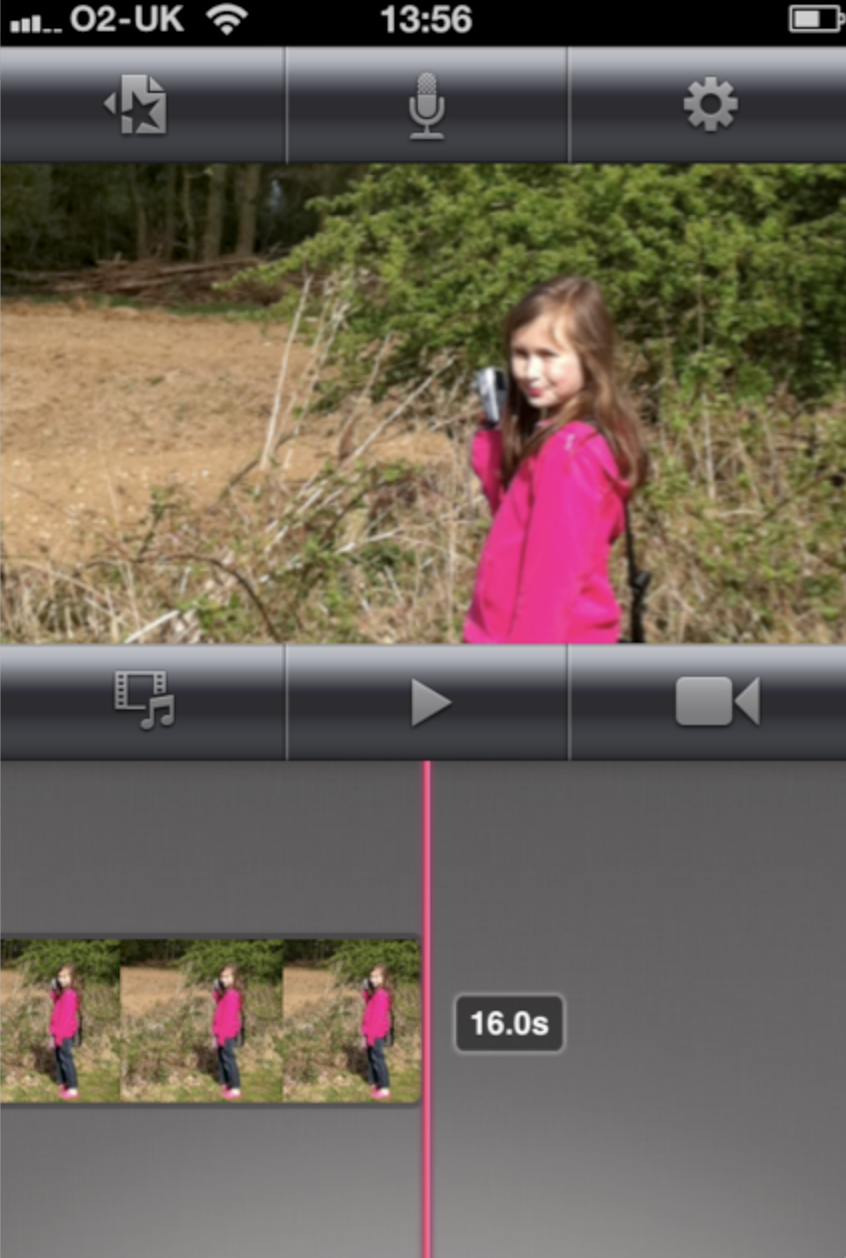
    Our new question and answer section here at TheAppWhisperer.com is called, Whisperings… If you have a question send it to us and we will answer it within this section to the benefit of all our loyal readers. Find out below how to remove a photo from the Timeline within iMovie iOS… Deselect We’ve had many readers ask how do they remove a photo from the Timeline within iMovie iOS, it’s simple enough to do, if you know how of course. Firstly, you need to deselect the image. This means click after the image within the timeline, as above. Click And Drag Next, place your finger on the image you want…

    read more
    Joanne Carter

    You May Also Like

    RED Hydrogen One Brand New Smartphone – In Greater Depth…

    2017-07-11

    Whispererings… iPhone 8 Rumours Rounded Right Up

    2017-07-14

    Mobile Photograph – Leaks appear on Samsung S10 specs

    2018-11-14

Visit our online Print Gallery

    ©TheAppWhisperer 2026
    • News
    • Best Guides 2026
    • Photographic Practice
    • Photography Education
    • Photography Brand Partnerships & Reviews | TheAppWhisperer
    Ashe Theme by WP Royal.