
OS X lion – 5 Star Rating From Over 8,000 Users – The Good, The Bad And The Ugly
With well over 8,000 downloads from the US Mac App Store complete with 5 star ratings, there’s no doubt that OS X Lion is a huge sucess for Apple. There are currently 1,765 written reviews in the Mac App Store. Looking through the comments though, there are also quite a few customers experiencing speed problems amongst other things, check out our final paragraph in this post for some solutions.
Take a look below at what most users find to be the greatest feature of this new best selling app to hit the Mac App Store.
AirDrop
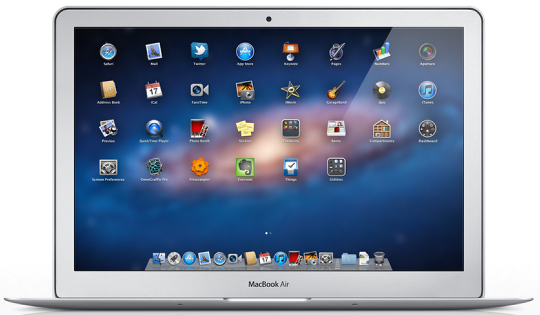
Looking for a fast way to share files with people nearby? With AirDrop, you can send files to anyone around you wirelessly — no Wi-Fi network required. And no complicated setup or special settings. Just click the AirDrop icon in the Finder sidebar, and your Mac automatically discovers other AirDrop users within about 10 metres of you. To share a file, simply drag it to someone’s name. Once accepted, the fully encrypted file transfers directly to that person’s Downloads folder.
Mission Control
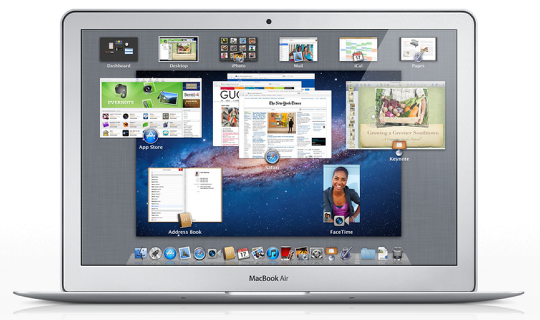
Mission Control brings together full-screen apps, Dashboard, Exposé and Spaces in one new feature that gives you a bird’s-eye view of everything on your system. With a single swipe on the trackpad, your desktop zooms out to Mission Control. Think of it as the hub of your system: view everything and go anywhere with just a click.
Full Screen Apps
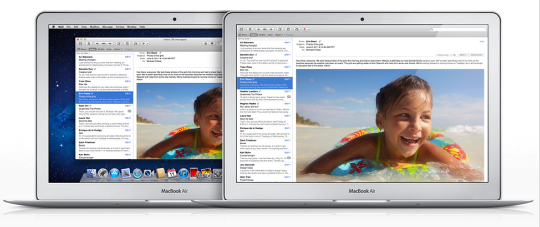
OS X Lion offers system-wide support for gorgeous, full-screen apps that use every inch of your Mac display. You can have multiple full-screen apps open at once — along with multiple standard-size apps. And it’s easy to switch between full-screen and desktop views.
System-wide support for full-screen apps means you can work and play without distractions, using every inch of your display. Everything looks great full screen, from Mail to iPhoto to Safari. And since full-screen apps use every available pixel, they make working on smaller screens more practical than ever.
The Problems
It seems many users are posting comments from very slow to download to incompatiabilty issues with some of their existing software and even odd scrolling problems.
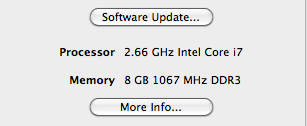
Before you install OS X Lion you must ensure, to the best of your knowledge, that your computer is compatible. Firstly, your Mac must have an Intel Core 2 Duo, Core i3, Core i5, Core i7 or Xeon processor to run Lion. Find out if your current Mac has one of these processors by clicking the Apple icon at the top left of your screen, then choosing About This Mac. Secondly, you must ensure that you have the latest version of Snow Leopard running before attempting to upgrade to Lion. To do this click the Apple icon and choose Software Update to install the latest version. Thirdly, you must ensure that your computer has 7GB of available disk space and fourthly, you need a minimum 2 GB of RAM to run OS X Lion.
If your computer does not meet these minimum requirements you will need to upgrade your computer before you can install OS X Lion.
Adobe have also published a list of products that they state have been affected by this upgrade. There are a sleuth of products affected, these include:
Acrobat family
Adobe Drive
Contribute
Dreamweaver
Fireworks
Flash Builder
Flash Catalyst
Flash Player
Illustrator
Lightroom
LiveCycle
Photoshop
Premiere Pro
To view the Adobe knowledge base and fine answers to any issues you may be experiencing, go here.

Joanne Carter
Joanne Carter is a British photographer, photography journalist, editor and curator and the founder and editorial director of TheAppWhisperer.com, an independent international photography publication established in 2009.Her journalism, criticism and commentary have appeared in The Times, The Sunday Times, The Guardian, Financial Times, BBC, Vogue Italia, LensCulture, Popular Photography, Android Magazine, NikonPro, DPReview, Which Digital Camera and Which Camera. She has lectured internationally on photography and mobile art, served as a juror for international photography awards, and exhibited her own photographic work across the UK, Europe, South Korea and the United States.Alongside her editorial work, Joanne's photographic and postgraduate research explores death, grief, memory, representation and social inequality through contemporary photography, participatory practice and visual research methods, with the longer-term aim of developing this work through doctoral research.Through TheAppWhisperer, she continues to publish independent photography journalism spanning contemporary photographic practice, mobile imaging, photographic apps, computational photography and emerging imaging technologies.Joanne is available for editorial commissions, photography projects, judging, curatorial work, speaking engagements, consultancy and selected collaborations.
You May Also Like
2 Comments
rozmi
One unexpected result of installing Lion: my fans speed up very easily, even when I open multiple windows in a web browser, and my computer is running warmer than it did under Snow Leopard. I’ve heard one suggestion to try zapping the PRAM; hoping that’ll help things when I get home from work.
rozmi
Apparently indexing is the actual culprit here. Spotlight is saying I have several hours to go.