iPad – Avid Studio – Updated – Issues Addressed
This update contains many changes that greatly improve stability on iPad 1, while also positively impacting performance on iPad 2. This update does not solve all stability issues. We will continue to address stability and other reported issues in future updates.
When used with iPad 1 we will now only allow photos to be dropped into the dropzones of Montages. This is an iPad1 restriction only and does not affect iPad2.
This is a free update but if you haven’t already downloaded this app you can do so here. It retails for $4.99/£2.99/download.
Performance
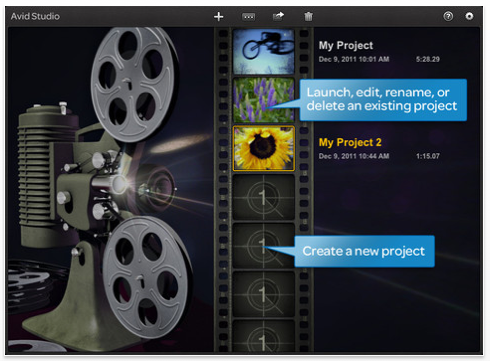
The advanced editing features of Avid Studio are best experienced on the iPad2. If you are having instability issues with the Avid Studio App even after installing this update, here are some things you can try to improve performance:
• Avoid using more than two video clips in a Montage (use photos instead)
• Use lower resolution video
• Make sure that you have installed the latest iOS version on your device.
• Completely turn off your iPad and turn it back on to clear out memory.
• Turn off apps running in the background
• Make sure you have at least 4GB of free space on your iPad if possible.
• Go into airplane mode on the iPad
• Lock the display orientation on the iPad
Known Issues
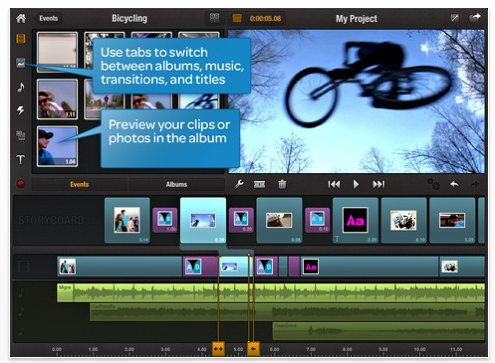
When the hardware Mute button is switched off, audio will not playback from the Avid Studio App, but will play through the iPad music folder. Please check your mute button on your iPad if you experience this problem. This will be fixed in the next update.
Uploads to YouTube may not complete in certain circumstances:
• YouTube limits uploads to 15 minutes. Be sure your project length is under this duration. If you have a verified account with YouTube to accommodate longer durations, Avid Studio will support your upload.
• The first attempt to upload after YouTube account creation may not complete. If this occurs return to editing your project and make a single change. This could be a one-frame difference. Return to the YouTube share option and now the export should succeed. This will be fixed in a future update.
Particularly on iPad1, instability may occur after a library rebuild. We recommend you completely close the Avid Studio App from the iPad task bar to clear the memory, and then restart the App. This issue will be addressed in a future update.

Joanne Carter
Joanne Carter is a British photographer, photography journalist, editor and curator and the founder and editorial director of TheAppWhisperer.com, an independent international photography publication established in 2009.Her journalism, criticism and commentary have appeared in The Times, The Sunday Times, The Guardian, Financial Times, BBC, Vogue Italia, LensCulture, Popular Photography, Android Magazine, NikonPro, DPReview, Which Digital Camera and Which Camera. She has lectured internationally on photography and mobile art, served as a juror for international photography awards, and exhibited her own photographic work across the UK, Europe, South Korea and the United States.Alongside her editorial work, Joanne's photographic and postgraduate research explores death, grief, memory, representation and social inequality through contemporary photography, participatory practice and visual research methods, with the longer-term aim of developing this work through doctoral research.Through TheAppWhisperer, she continues to publish independent photography journalism spanning contemporary photographic practice, mobile imaging, photographic apps, computational photography and emerging imaging technologies.Joanne is available for editorial commissions, photography projects, judging, curatorial work, speaking engagements, consultancy and selected collaborations.