The new iPadOS powers unique experiences designed for iPad
Yesterday, 3 June 2019, Apple previewed iPadOS, the powerful operating system with a new name to recognise the distinctive experience of iPad. iPadOS builds on the same foundation as iOS, adding powerful new capabilities and intuitive features specific to the large display and versatility of iPad. Introducing new ways to work with apps in multiple windows, more information at a glance on a redesigned Home screen and more natural ways to use Apple Pencil, iPadOS also benefits from the great new updates in iOS 13, making it the perfect device for consumers and creative pros alike.
“iPad transforms how people work and express their creativity, and with iPadOS, we’re taking it even further by delivering exciting capabilities that take advantage of its large canvas and versatility,” said Craig Federighi, Apple’s senior vice president of Software Engineering. “iPadOS delivers exciting features, including a new Home screen with widgets, more powerful multitasking and new tools that make using Apple Pencil even more natural.”
New Home Screen
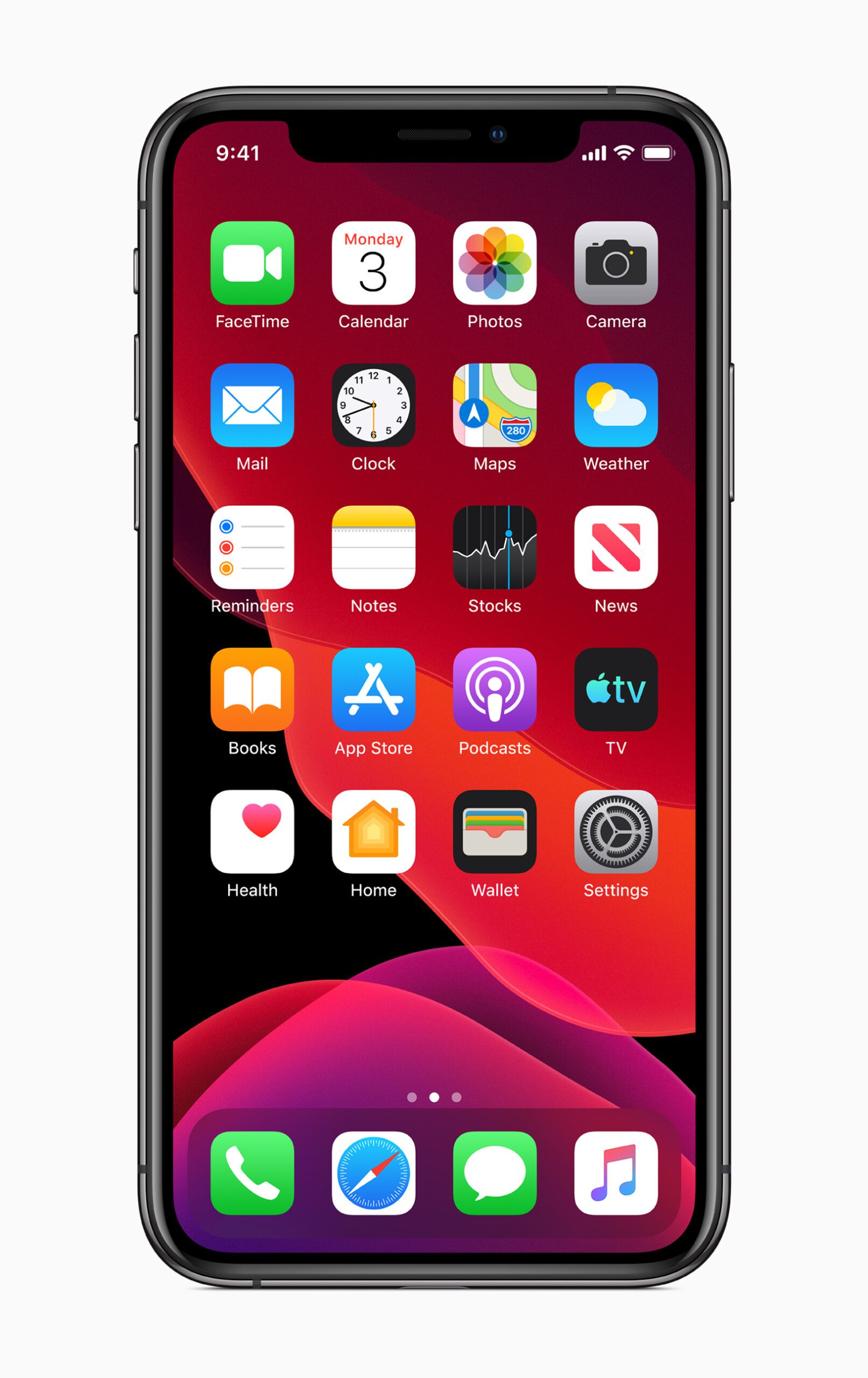
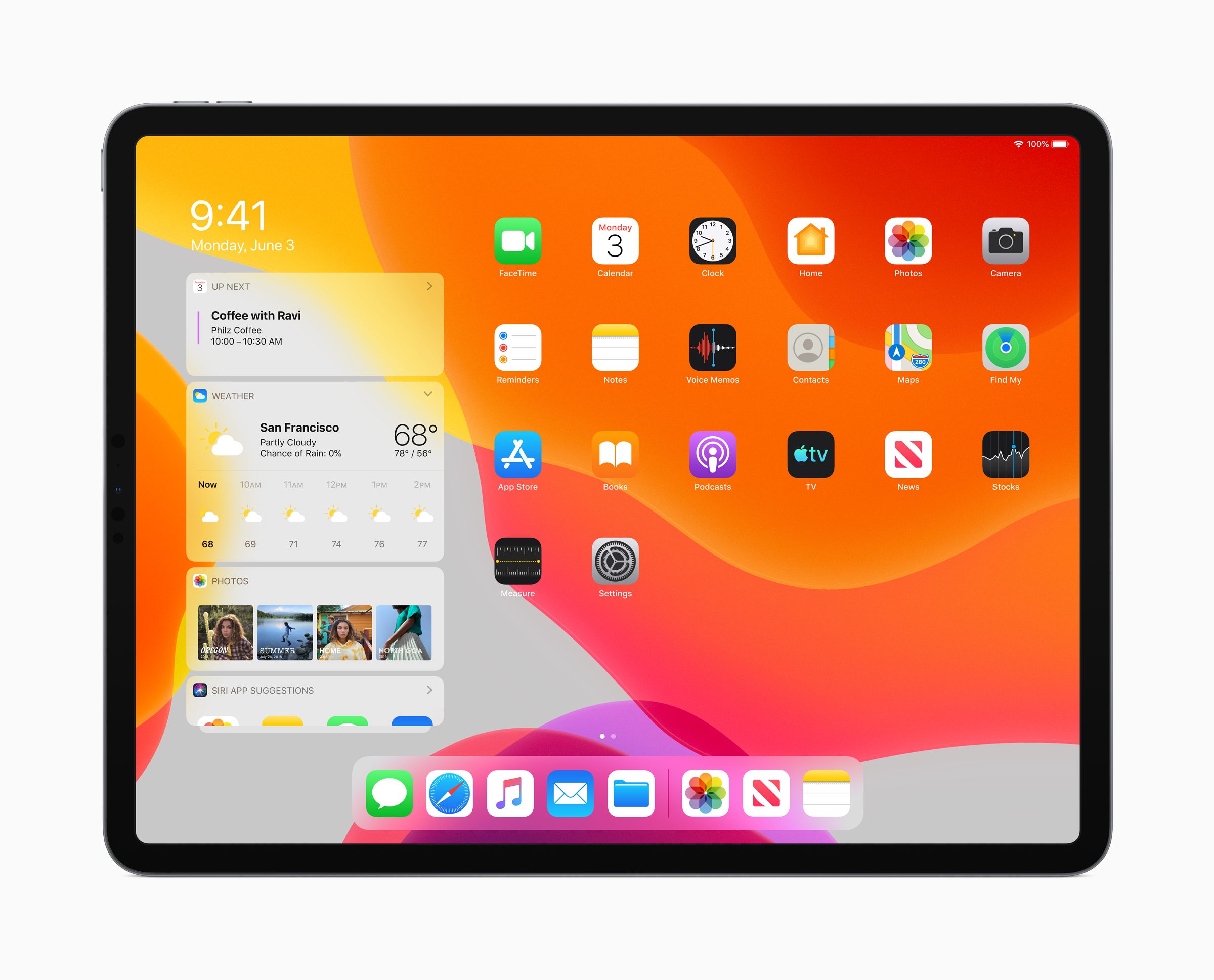
The Home screen has been redesigned with a new layout to show more apps on each page. Today View can now be added to the Home screen, allowing quick access to widgets for at-a-glance information, including headlines, weather, calendar, events, tips and more.
Do More with Split View and Slide Over
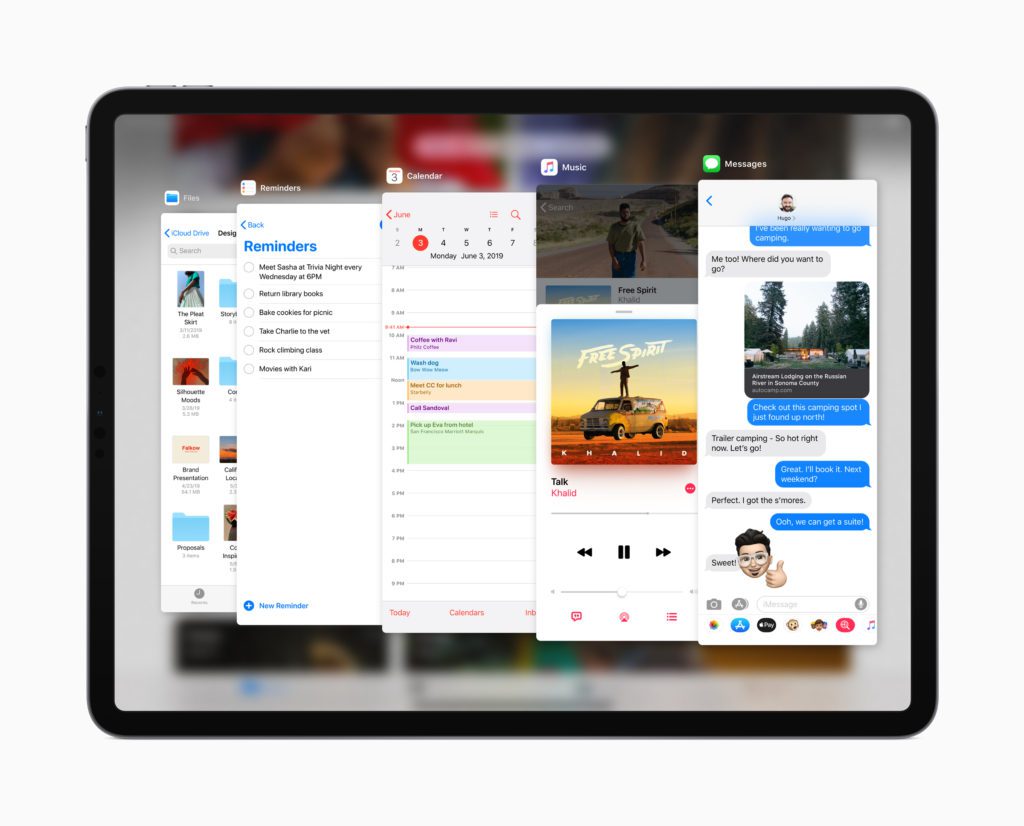
iPad users can now work with multiple files and documents from the same app simultaneously with updates to Split View, or can quickly view and switch between multiple apps in Slide Over. For example, customers can compose an email while viewing another email side by side or access multiple apps like Messages or Calendar with just a swipe. App Exposé provides a quick view of just the open windows for any one app with a simple tap.
More Ways to Use Apple Pencil
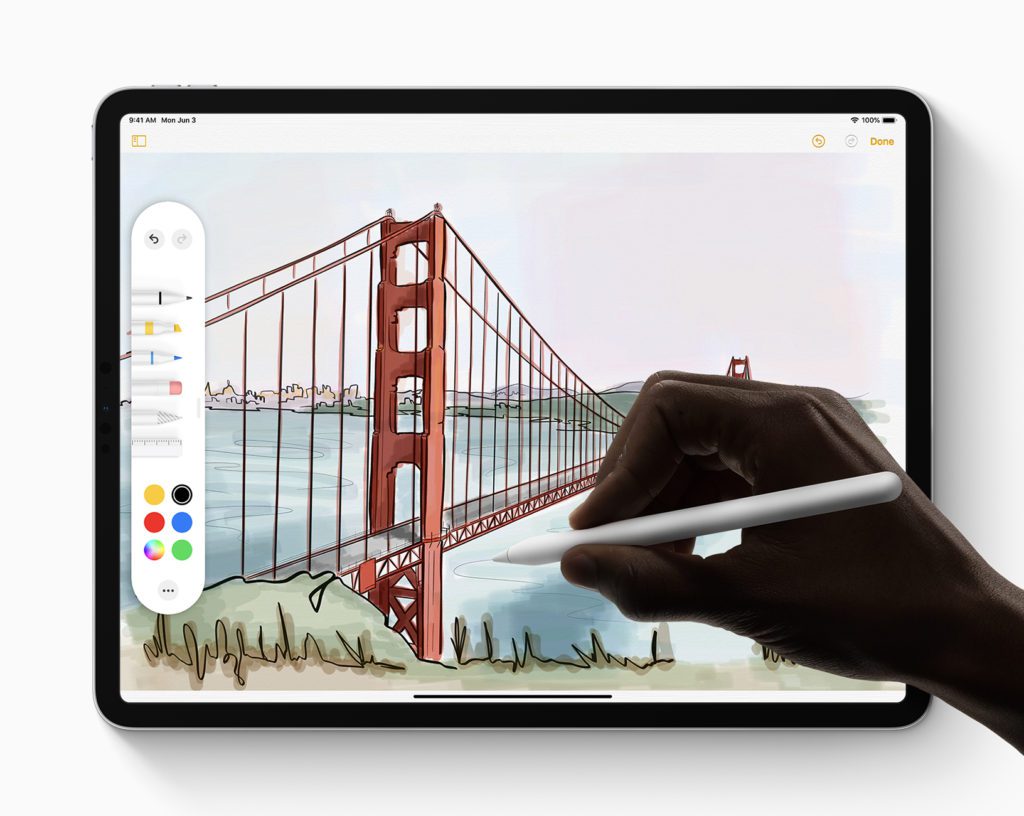
With iPadOS, Apple Pencil is even more integrated into the iPad experience. Customers can now mark up and send entire webpages, documents or emails on iPad by swiping Apple Pencil from the corner of the screen. A redesigned tool palette gives quick access to tools, colour palettes, shapes, object eraser, a new pixel eraser for removing any part of a stroke and a ruler for drawing perfectly straight lines. Apple Pencil feels even more natural, using advanced prediction algorithms and optimisations to reduce its industry-leading latency to as low as 9 milliseconds.
More Powerful Files App
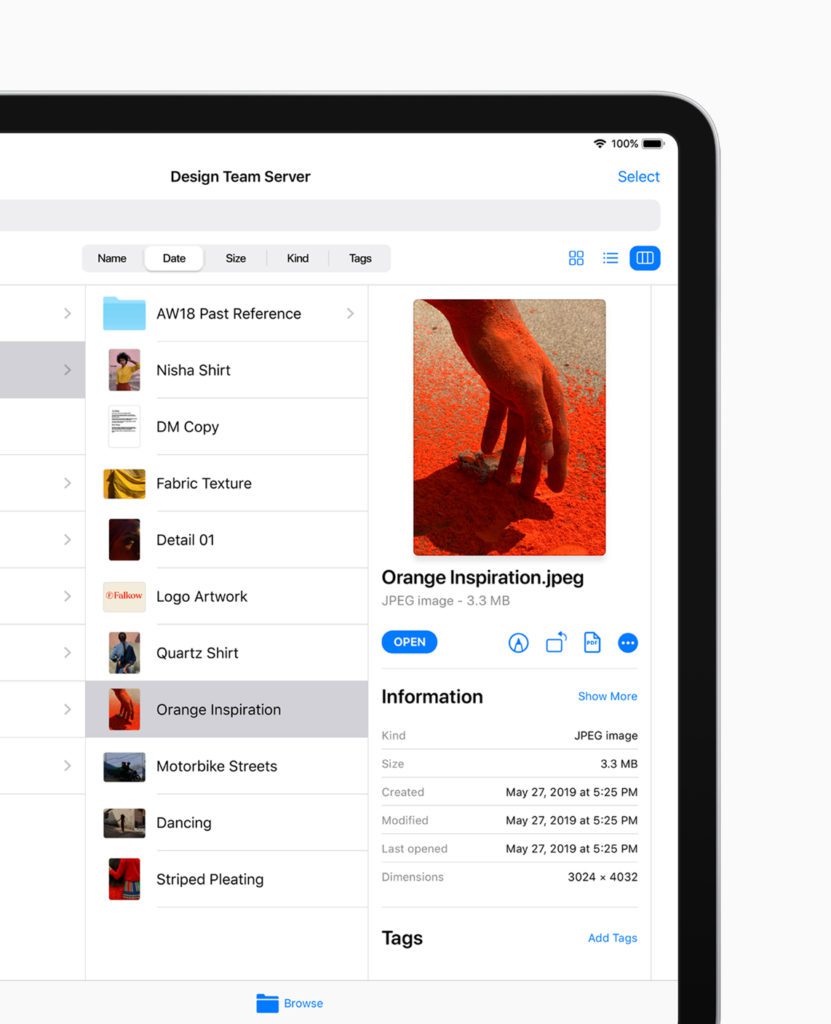
The Files app is a central place to quickly access and manage documents, and with iPadOS, it gets even better with iCloud Drive support for folder sharing. Anyone with access to a shared folder will see it in iCloud Drive and will always have the ability to access the latest version. iPadOS also supports external drives, allowing users to easily plug in USB drives, SD cards or log into an SMB file server, all from within the Files app. A new Column View with high-resolution previews helps users navigate directories, while support for Quick Actions such as mark up, rotate and create PDF make it easy to be more productive on iPad. iPadOS also introduces local storage, zip and unzip, and new keyboard shortcuts.
Desktop-Class Browsing with Safari
Safari is more powerful than ever on iPad. iPadOS automatically presents the desktop version of the website, scaled appropriately for the iPad display, and optimises it for touch, so web apps like Google Docs, Squarespace and WordPress work great in Safari on iPad. Safari also supports significant new features such as a download manager, 30 new keyboard shortcuts and enhancements to tab management.
Improved Text Editing
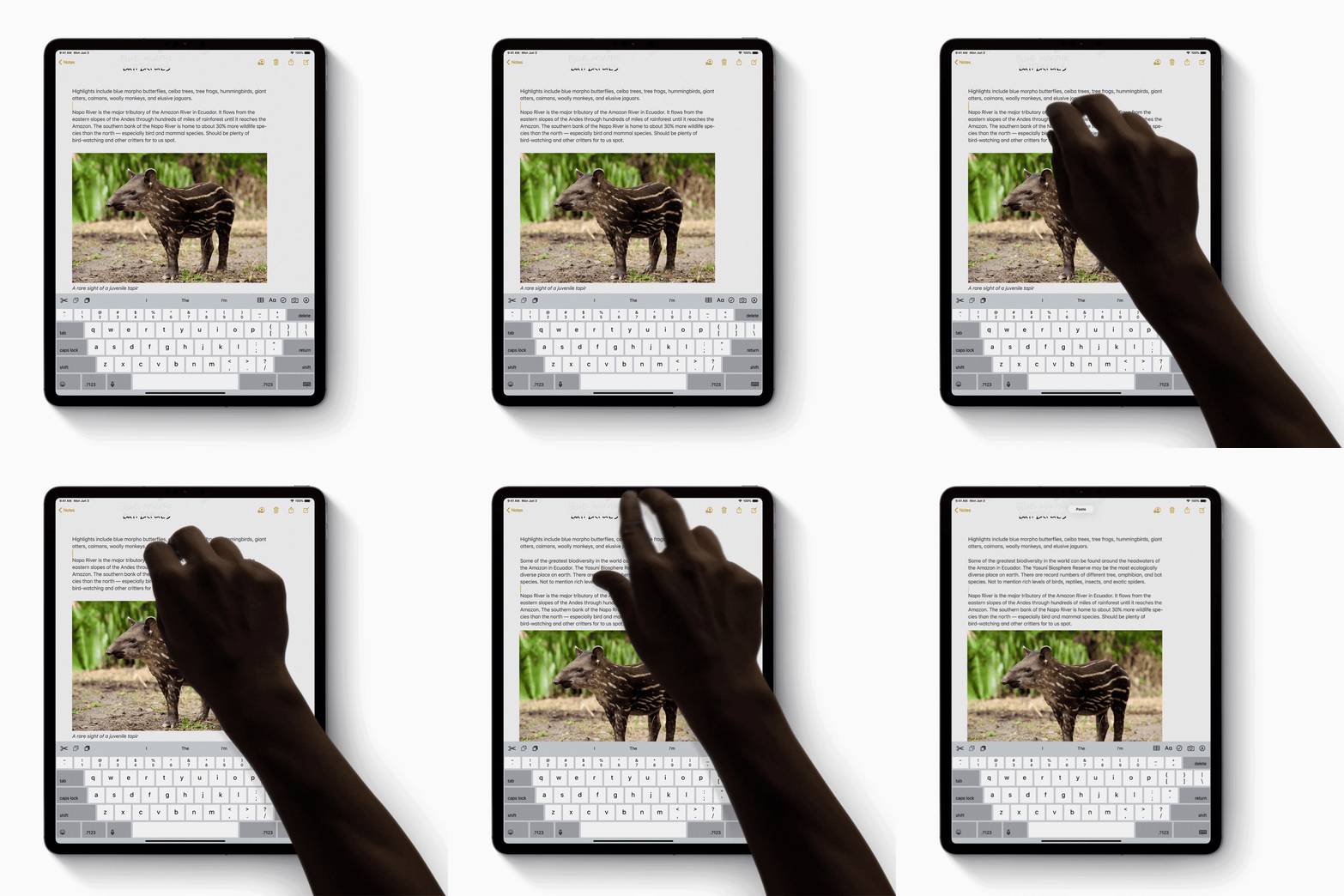
Text editing on iPad receives a major update with iPadOS, making it easier and faster to point with even more precision and speed, select text with just a swipe and use new gestures to cut, copy, paste and undo.
Additional iPadOS Features
- Dark Mode delivers a dramatic dark colour scheme that looks great across the system and is easier on the eyes in low-light environments.
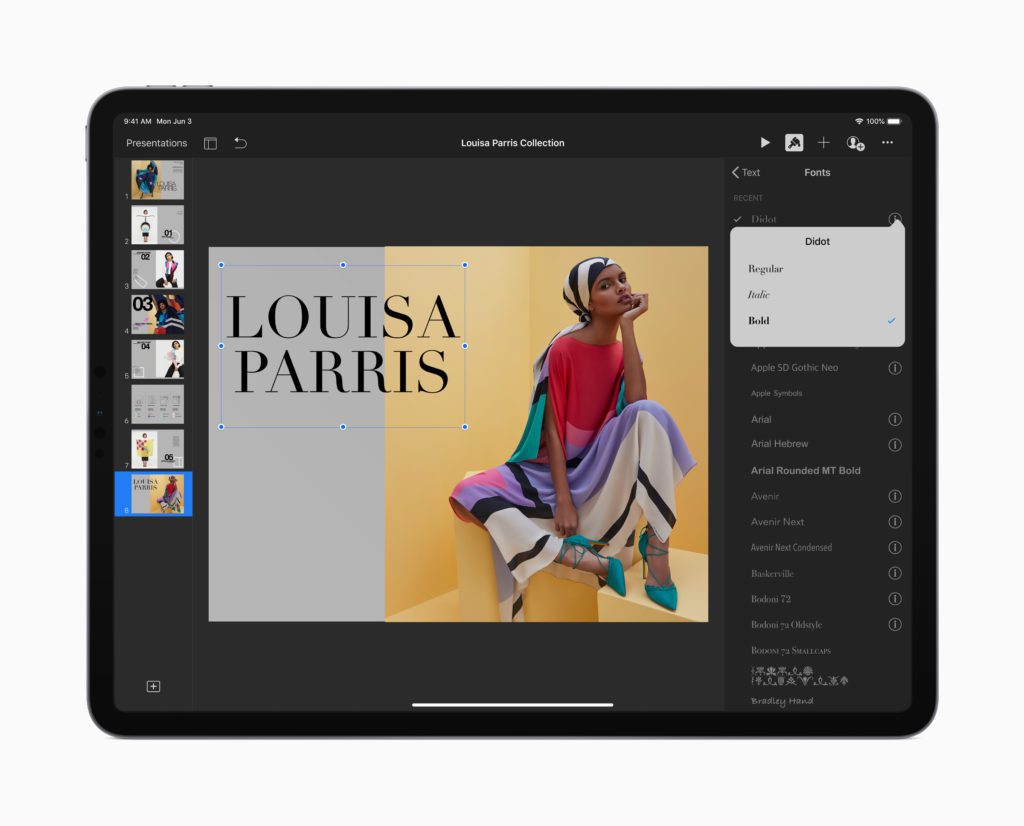
- Custom Fonts can be installed for use across the system, perfect for creating beautiful documents on iPad. Fonts from boutique and major vendors such as Adobe, DynaComware, Monotype, Morisawa and Founder will be available on the App Store.
- A new floating keyboard saves space and includes support for QuickPath — making one-handed typing easy and leaving more room to display apps. Customers can pinch in to enable the floating keyboard and drag it anywhere on the screen.
- Photos curates the library to highlight the best images, automatically hiding clutter and similar photos to showcase significant events from the past day, month or year. Photo editing is more intuitive with new tools that are easier to apply, adjust and review, and almost all photo editing capabilities are available for video editing.
- Sign In with Apple is a fast, easy and private way to sign in to apps and websites using Apple ID.
- Maps features a new basemap, built from the ground up: Look Around with beautiful street-level imagery of cities using high-resolution 3D photography; Collections for a new way to share restaurants, shops or destinations; and Favourites for quick navigation to frequent locations.1
- Performance improvements make the entire system more responsive with faster Face ID unlock, and a new way to package iPad apps on the App Store that reduces download sizes by up to 50 per cent, makes app updates up to 60 per cent smaller, and results in apps launching up to twice as fast.
Availability
The developer preview of iPadOS is available to Apple Developer Program members at developer.apple.com starting 3 June 2019, and a public beta program will be available to iPadOS users later this month at beta.apple.com. iPadOS will be available this fall as a free software update for iPad Air 2 and later, all iPad Pro models, iPad 5th generation and later and iPad mini 4 and later. For more information, visit apple.com/uk/ipados/ipados-preview. Features are subject to change. Some features may not be available in all regions or all languages.
Please help us…
TheAppWhisperer has always had a dual mission: to promote the most talented mobile artists of the day and to support ambitious, inquisitive viewers the world over. As the years passTheAppWhisperer has gained readers and viewers and found new venues for that exchange. All this work thrives with the support of our community.
Please consider making a donation to TheAppWhisperer as this New Year commences because your support helps protect our independence and it means we can keep delivering the promotion of mobile artists that’s open for everyone around the world. Every contribution, however big or small, is so valuable for our future.

Joanne Carter
Joanne Carter is a British photography journalist, editor, curator, and the founder of *TheAppWhisperer.com*, one of the world’s leading platforms dedicated to mobile photography and art. Since its launch in 2009, TheAppWhisperer has become an international hub for artists of all levels to discover, learn, exhibit, and engage with contemporary photographic practice.Built on principles of inclusivity, accessibility, and artistic excellence, Joanne has spent almost two decades championing mobile photography as a serious artistic medium. Through interviews, critical essays, exhibitions, competitions, and education, she has helped shape and document the evolution of mobile art on a global scale.Her work has taken her internationally, lecturing on photography and mobile art at institutions and events including the Museum of Art in Seoul, South Korea, alongside appearances in the UK and Europe. She has served as a juror for international photography and mobile art awards across Portugal, Canada, the United States, South Korea, Italy, and the UK.Joanne is also the founder of *TheAppWhispererPrintSales.com*, one of the first online galleries dedicated exclusively to collectible mobile art, connecting artists with collectors across Europe, the United States, and Asia.Before founding TheAppWhisperer, Joanne worked extensively in print journalism and photographic publishing, including roles at a paparazzi photo agency and as deputy editor of a leading photography magazine. Her freelance journalism, criticism, and commentary have been published widely in both the UK and the US, with bylines in *The Times*, *The Sunday Times*, *The Guardian*, *Popular Photography*, *NikonPro*, *DPReview*, *Which?*, *Vogue Italia*, *LensCulture*, the *BBC*, and more recently, the *Financial Times*, where her published letters on photography continue to contribute to wider conversations around the medium.Alongside her editorial and curatorial work, Joanne’s own photographic practice has been exhibited internationally across the UK, Europe, South Korea, and the United States. Her work increasingly explores themes of grief, loss, death, memory, and the body.Her current research interests centre on grief, death, and poverty, with forthcoming postgraduate study leading towards doctoral research in these areas.Joanne is currently developing new long-form writing and photographic projects and is available for commissions, editorial projects, speaking engagements, and collaborations.Contact: joannetheappwhisperer@gmail.com)