iOS Apps
Lumiè – Temporary Price Drop
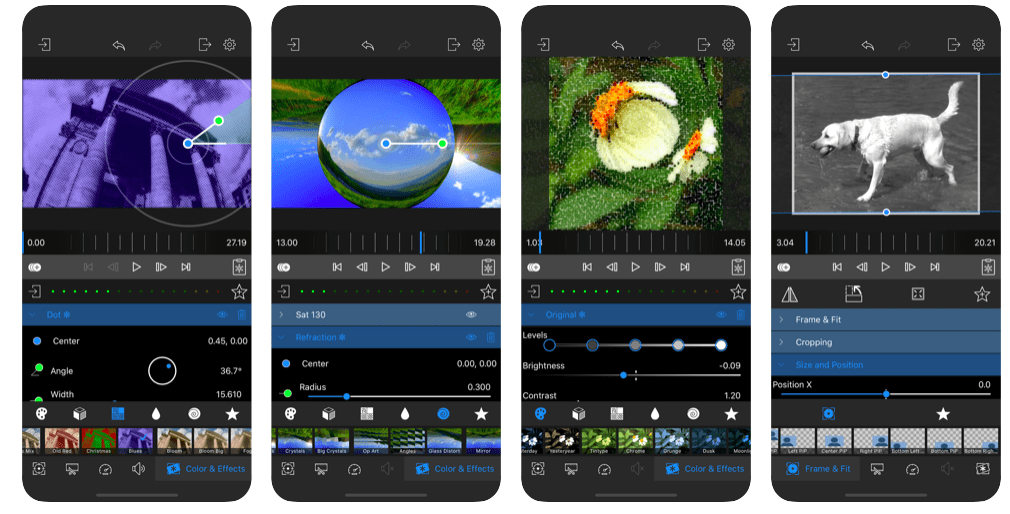
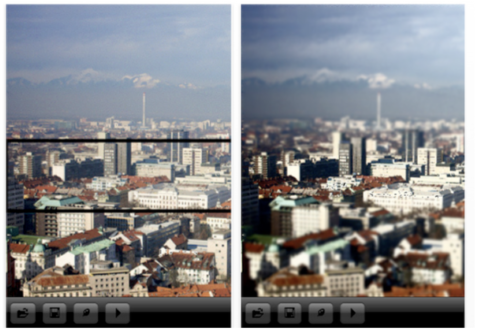
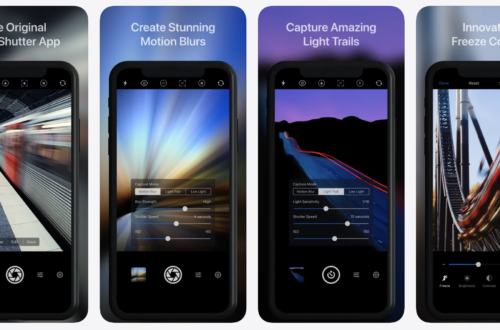
This is a great app for your iPhone photography arsenal, Bokeh (“blur” in Japanese) is an effect that came from a happy accident! A lens out of focus captured the light of a candle which resulted in a blurred image with octagonal-shaped diamonds dots. The light painting in Lumiè also inspires. The city lights and all night movement of these places will be part of your images. This app usually retails for $1.99/£1.49 but today you can download it for only $0.99/£0.69/download.
Photo Manager Pro – Temporary Price Drop
A great app for managing and organizing your photos and video. Photo Manager Pro usually retails for $2.99/£1.99 but today you can pick it up for only $0.99/£0.69. You can download it here and read more about this app below. Features ★ Photo Transfer: FTP Transfer: Transfer folders and files between computer and device over wifi network. HTTP Transfer: Transfer files between computer and device over wifi network. View photos in the browser. Peer to Peer Transfer: Directly transfer files between iPad, iPhone and iPod Touch over wifi network. USB Transfer: Import/Export photos from/to iTunes file sharing. Basic Transfer: Import/Export photos from/to the Photos app. ★ Organize folders:…
Advarkaa – Our Daily App Giveaway
Welcome once again to our Daily App Giveaway section of theappwhisperer. We value our readers so much and that’s why we want to share our love of apps with you. Each day we give away free apps, better make us your home page 😉 Today, we’re giving away Advarkaa apps each worth $0.99/£0.69. Advarkaa allows you to instantly take a photograph and upload it to your favorite social media location. The great thing about this app is that you can send your images to multiple social media sites all at the same time. Would you like to try this app for free? If so, like us on Facebook (see bottom…
Color Accent – Temporarily Free
Similar to Color Splash, Color Accent is an innovative application that helps you add a zing to your photos by allowing you to pick up to nine accent colors in your photo, and at the tap of a button converts your photo into black and white picture while keeping the selected accent colors untouched. This app usually retails for $0.99/£0.69 but today you can download it for free. Just click here to do so.
Easy Photo Editor Pro – Temporarily Free
Easy Photo Editor Pro is a relatively new app, just launched last month. It comes with high res output and the initial bugs and stability issues have been improved. This app usually retails for $5.99/£3.99 but today you can download it for free. Just click here to do so.
PhotoForge2 – Temporary Price Drop
Another hugely popular iPhone photography app, PhotoForge2 is currently available for only $0.99/£0.69 instead of $2.99/£1.99, don’t miss it. You can download it here.
Laminar – Temporary Price Drop
Yesterday we reported that Laminar had been updated with a whole host of bug fixes. Well, now its also had a price drop. It is possibe to download Laminar for only $0.99/£0.69 today, instead of the more usual $2.99/£1.99, you can download here.
Mediapad Pro Portfolio – Huge Price Drop
We reported earlier today that Mediapad Pro Portfolio had been updated and now its just had a great price drop. It’s possible to pick this app today for only $0.99/£0.69 instead of the more usual $14.99/£10.49. Why not check it out? You can download it here.
Pro HDR – Our Daily App Giveaway
Welcome once again to our Daily App Giveaway section of theappwhisperer. We value our readers so much and that’s why we want to share our love of apps with you. Each day we give away free apps, better make us your home page 😉 Today, we’re giving away Pro HDR apps, each worth $1.99/£1.49. Pro HDR automatically create stunning full-resolution HDR images with just a single tap. Brand new version 4.2 is even faster, comes with fantastic new filters and frames, and much more. Pro HDR supports iPhone, iPad, and iPod natively. Would you like to try this app for free? If so, like us on Facebook (see bottom of…
Vintique – New
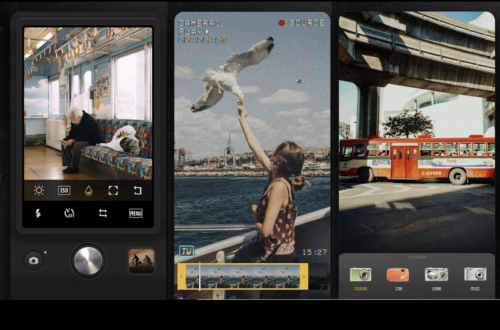
Another new vintage filter and power editing app, Vintique comes packed with 32 vintage filters as well as the facility to turn on or off adjustment steps and textures in a filter. You can read more about this app below. It retails for $0.99/£0.69 and you can download it here. ★ 32 Vintage Filters – old times, warm day, delight, 5 p.m., watercolors – pinky day, drowsy, vintage, yesterday, the day, heaven – happy time, beamed, someday, sweet dream, phantasm – dim past, tenebrific, gloomy, reminiscent, remember, mind map, coarse – canvas, letters, chilly, chic, pure, fading, blue ink, memories, dark mood ★ Adjustments – Bright/Contrast/Saturation – Vibrance…