Best AI Photo Editing Apps in 2026
The tools that matter — and the ones that don’t
AI has quietly rewritten photography. Not in the way the headlines suggest, and not as a replacement for photographers, but as a shift in where decisions are made. What once took time now happens almost instantly. Adjustments that required a trained eye are now offered as suggestions, often before you’ve even considered making them.
The issue isn’t capability. It’s sameness. As AI tools converge across apps, offering masking, object removal and generative edits, the results begin to flatten out. Images start to look resolved before they’ve been properly considered. The question is no longer what an app can do, but how it allows you to think. That is where the differences now sit, and that is what separates the best AI photo editing apps in 2026 from everything else.
AI in photography has settled into a few recognisable forms. Generative edits allow elements to be removed, replaced or extended beyond the original frame. Semantic masking identifies subjects, skies or backgrounds without manual selection. Auto-enhancement adjusts tone and colour with increasing accuracy, and prompt-based editing is emerging, allowing users to describe changes rather than construct them. The underlying question is simple: do you want control, or convenience? Most of the apps that matter sit somewhere between the two.
| App | Best For | Platform | Price | Standout Feature |
|---|---|---|---|---|
| Adobe Lightroom | Professional workflow | iOS / Android | Free + Subscription | AI masking + RAW editing |
| Luminar Neo | Creative AI edits | Desktop / Android | Paid | Sky replacement + relight |
| Snapseed | Free precision editing | iOS / Android | Free | Selective adjustments |
| Photomator | Apple users | iOS / Mac | Paid | ML Enhance |
| PicsArt | Social content | iOS / Android | Free + Subscription | AI backgrounds |
| Google Photos | Everyday users | iOS / Android | Free | Magic Eraser |
Adobe Lightroom Mobile
Adobe Lightroom was also listed in our Best Apps to Remove Objects from Photos in 2026 – Clean Up Your Images Effortlessly
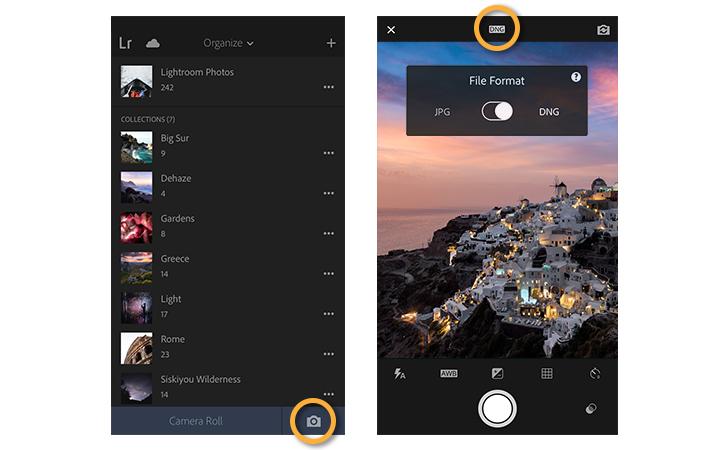
If there is still a centre of gravity in mobile photography, it remains Adobe Lightroom Mobile. It continues to balance AI with a professional workflow in a way no other app quite manages. The introduction of AI masking, alongside tools such as distraction removal and automated selections, has made editing significantly faster without removing the need for judgment.
Download Lightroom Mobile:
https://www.adobe.com/uk/products/photoshop-lightroom/mobile.html
What keeps Lightroom relevant is not the presence of AI, but the way it integrates into a broader workflow. RAW editing, consistency across images, and the ability to refine rather than accept suggestions all matter here. There is, however, a growing sense that Adobe is moving towards automation, and the subscription model remains a barrier for some. Even so, it remains the benchmark.
Luminar Neo
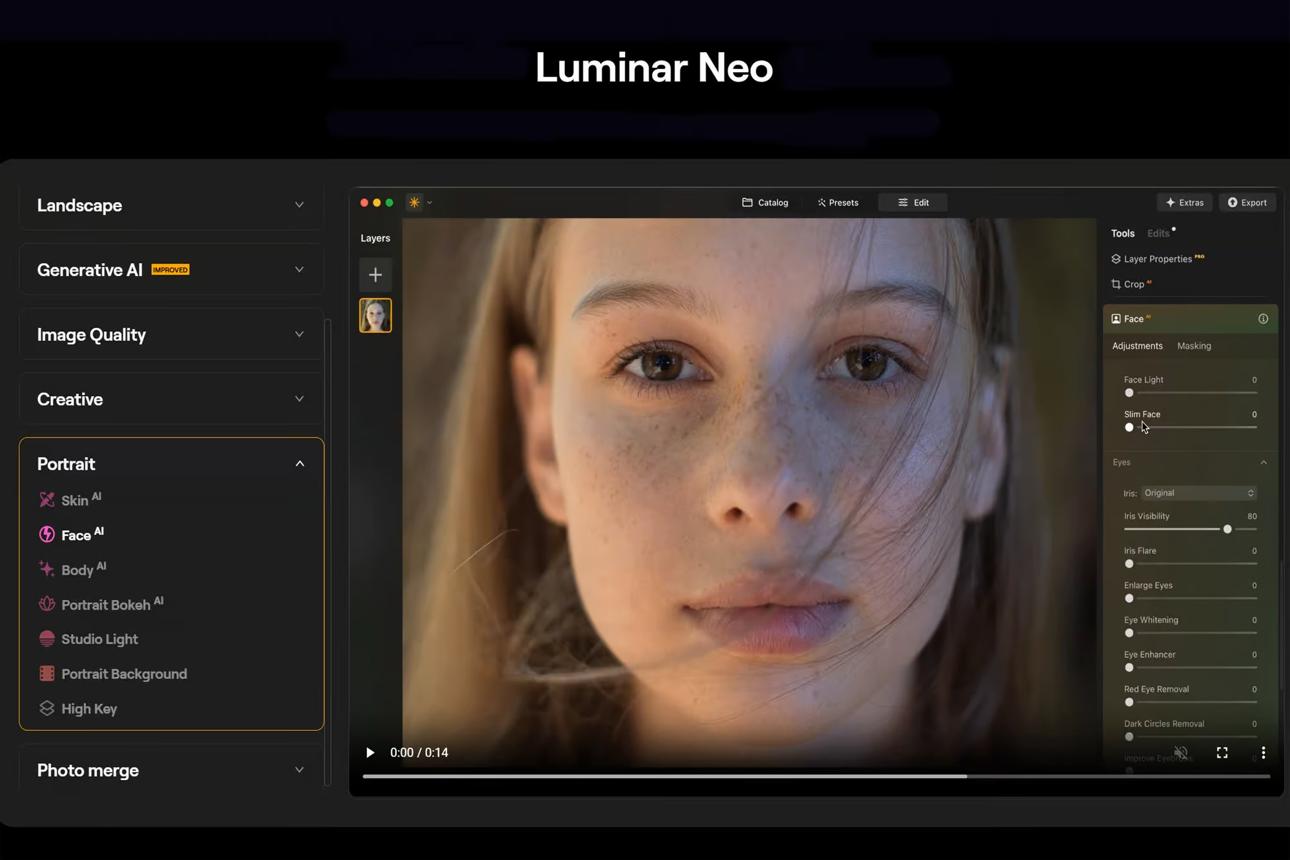
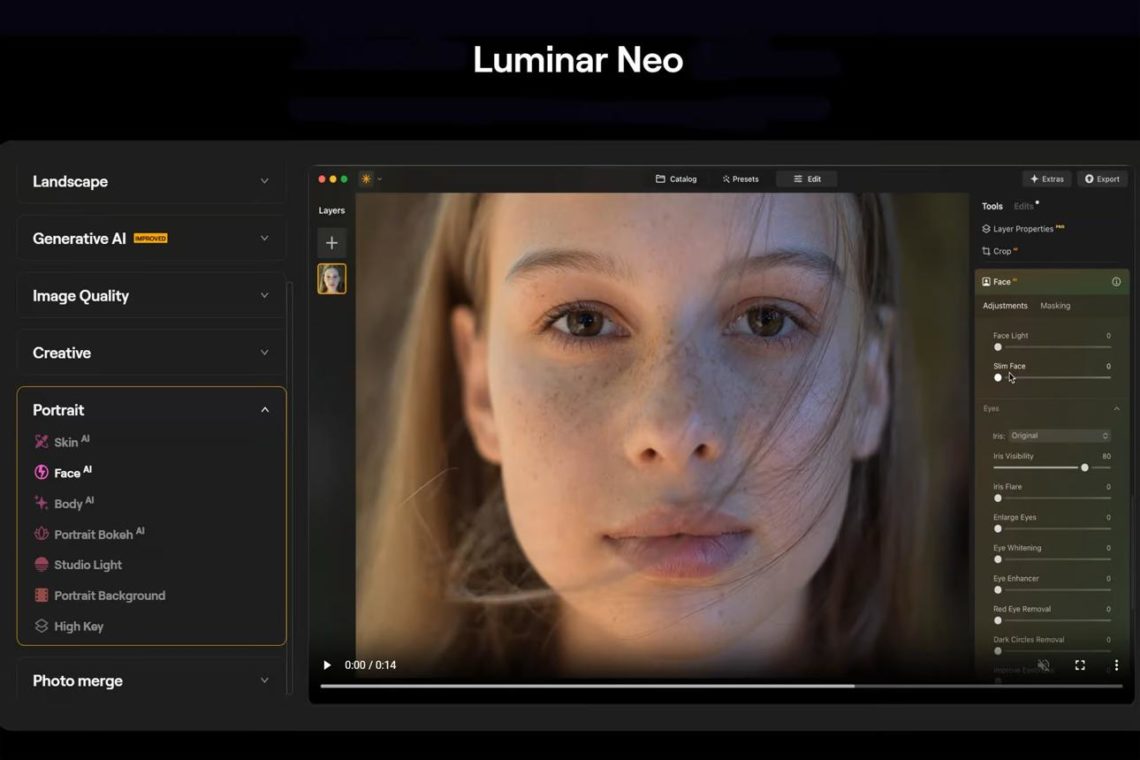
Luminar Neo approaches AI differently. It is less concerned with correction and more focused on transformation. Tools such as sky replacement, relighting and object removal are not simply about refining an image but about altering its direction entirely.
View Luminar Neo:
https://skylum.com/luminar
Download Luminar (Android):
https://play.google.com/store/apps/details?id=com.skylum.luminar
There is a freedom in this, but also a risk. Subtlety is not Luminar’s strength, and for those working within documentary or observational traditions, the results can feel excessive. It encourages experimentation, allowing images to be reimagined rather than simply improved.
Snapseed
Snapseed was also listed in our Best Apps to Remove Objects from Photos in 2026 – Clean Up Your Images Effortlessly
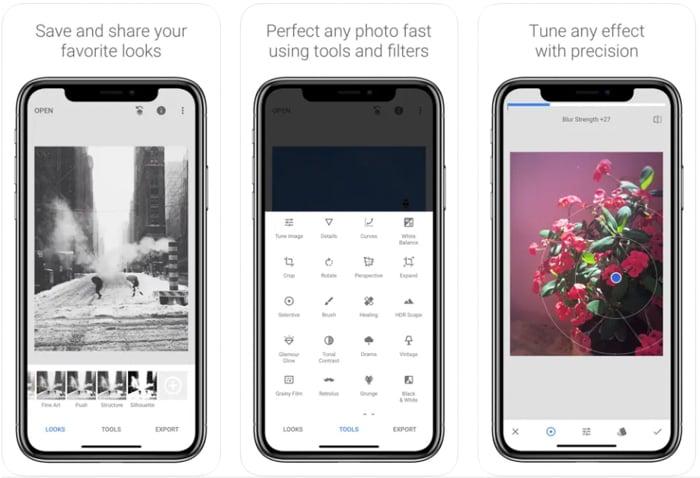
Snapseed remains one of the most important apps available, largely because it has resisted becoming overtly defined by AI. The tools are powerful, precise and restrained. Selective adjustments, healing tools, and double-exposure features give the user control without overwhelming them.
Download Snapseed (iOS):
https://apps.apple.com/app/snapseed
Download Snapseed (Android):
https://play.google.com/store/apps/details?id=com.niksoftware.snapseed
AI has been introduced quietly, improving selections and adjustments without altering the overall experience. It still feels like an editor rather than a system making decisions on your behalf.
Photomator
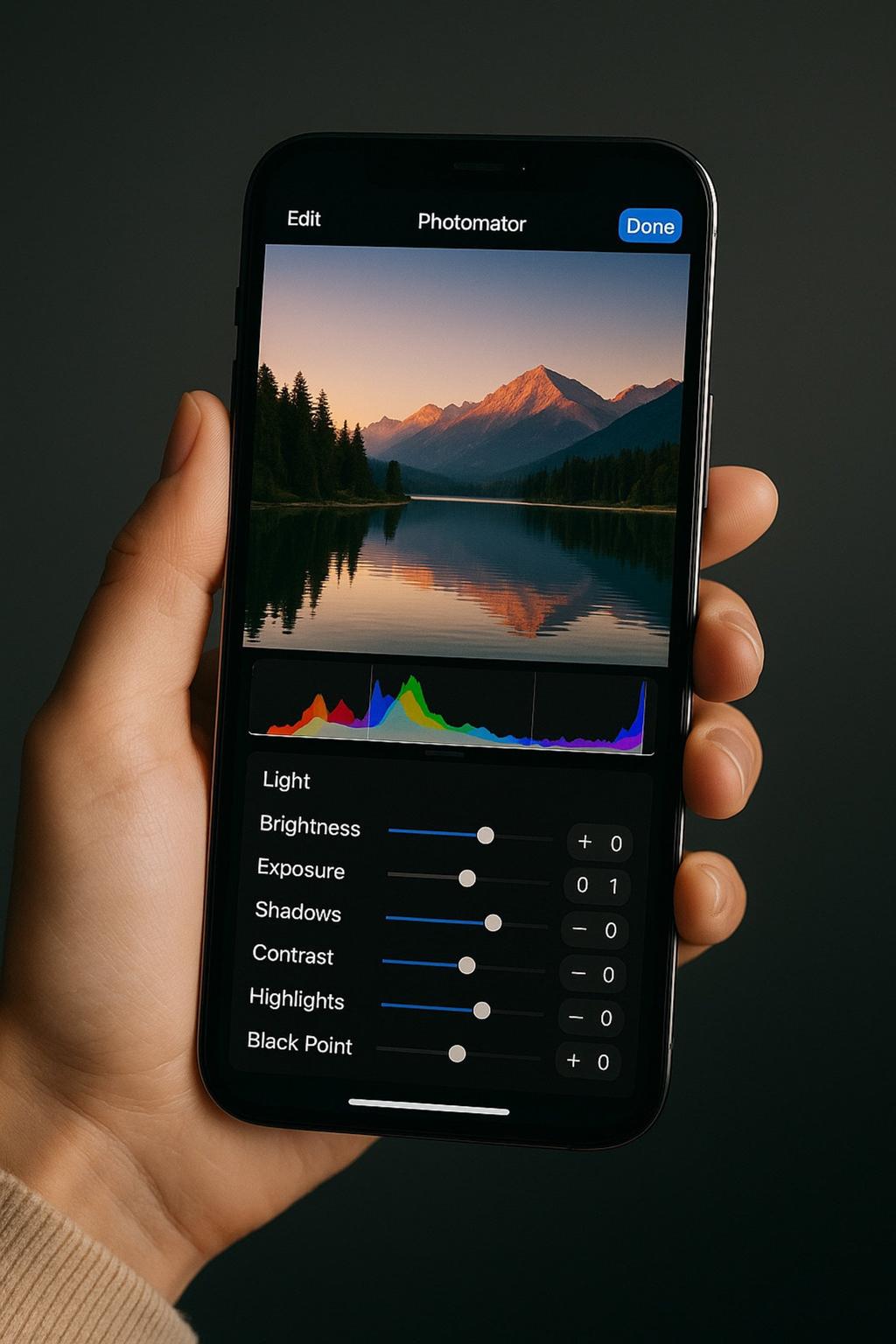
Photomator has developed into a serious alternative to Lightroom, particularly within the Apple ecosystem. Its ML Enhance feature handles colour and tonal adjustments with a level of consistency that removes much of the initial editing friction.
Download Photomator:
https://apps.apple.com/app/photomator/id1444636541
It is less about transformation and more about refinement, focusing on speed, clarity and control without unnecessary complexity.
PicsArt
PicsArt was also listed in our Best Apps to Remove Objects from Photos in 2026 – Clean Up Your Images Effortlessly
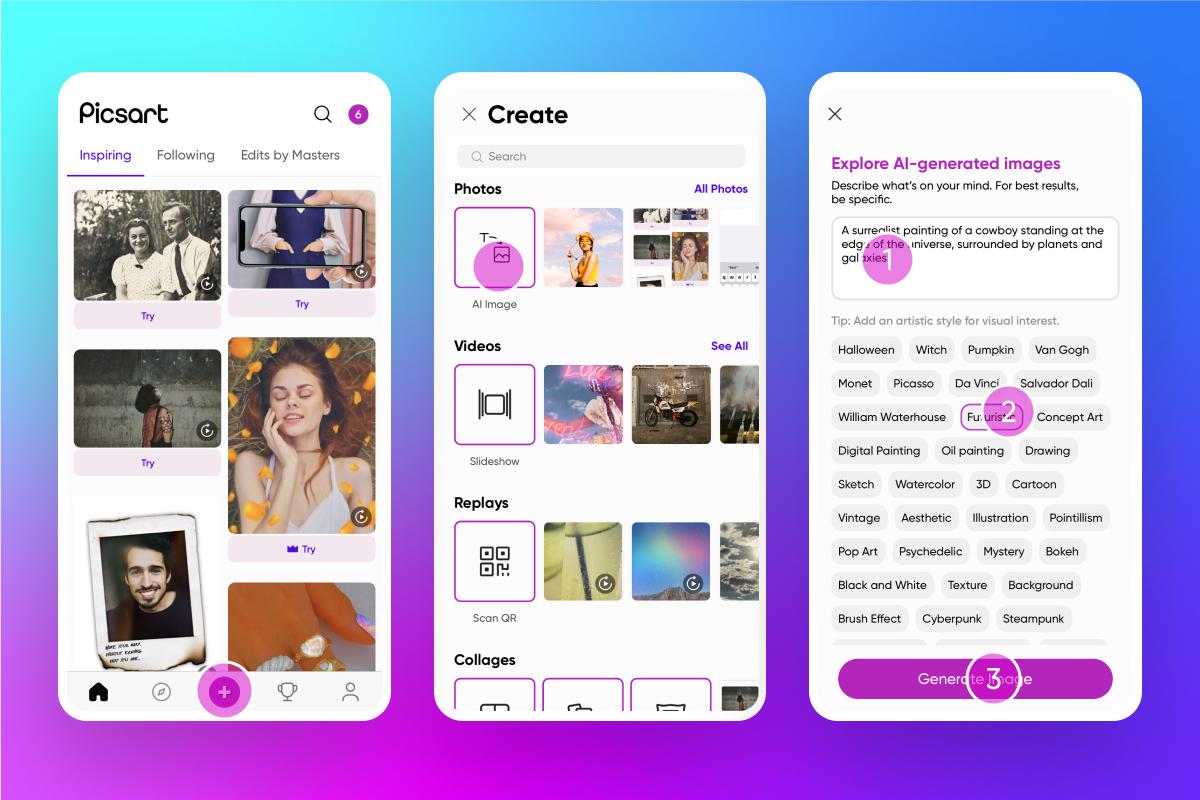
PicsArt sits slightly outside traditional photography. It is built for content creation rather than photographic practice, and that distinction shapes everything it does. AI-generated backgrounds, text-to-image tools and templates position it firmly within a social media context.
Download PicsArt (iOS):
https://apps.apple.com/app/picsart-photo-video-editor/id587366035
Download PicsArt (Android):
https://play.google.com/store/apps/details?id=com.picsart.studio
It is highly effective for producing content quickly, but is less concerned with photographic nuance.
Google Photos
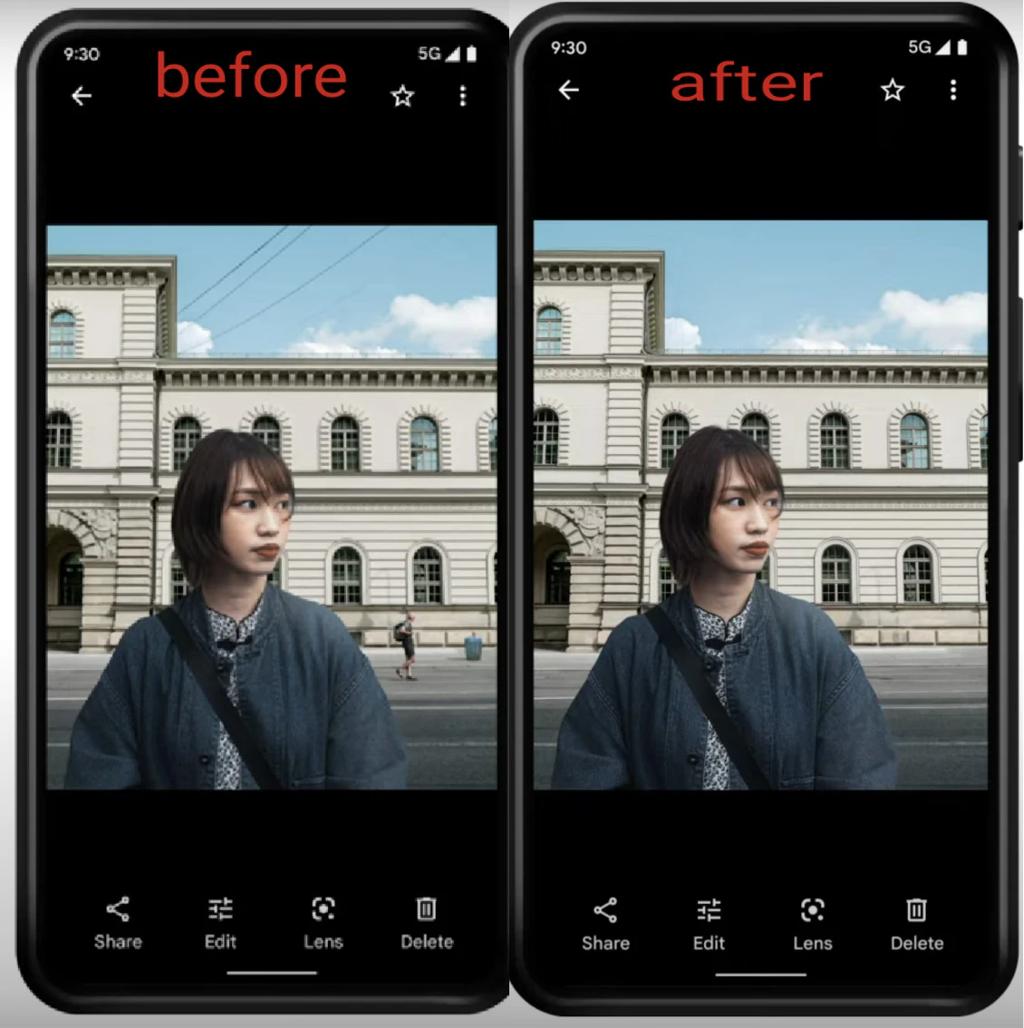
Google Photos was also listed in our Best Free Android Photography Apps (No Subscription) in 2026
Google Photos may be the most advanced AI editor currently available, largely because it removes the need to think of editing as a separate process. Tools such as Magic Eraser and Photo Unblur, alongside prompt-based editing, are shifting editing from process to instruction.
Download Google Photos (iOS):
https://apps.apple.com/app/google-photos/id962194608
Download Google Photos (Android):
https://play.google.com/store/apps/details?id=com.google.android.apps.photos
It is fast and accessible, but offers less control. The trade-off is simplicity.
Which AI Photo Editing App Should You Choose?
If you want full control and a professional workflow, Lightroom remains the strongest option. If you are drawn to creative transformation and experimentation, Luminar Neo offers the most flexibility. Snapseed is still the best free option, while Photomator is ideal for those working entirely within the Apple ecosystem.
PicsArt is best suited for content creators, while Google Photos is the simplest and most automated option.
The Real Divide in 2026
Across all of these apps, a clear pattern has emerged. Some prioritise control, using AI as a supporting tool that enhances rather than replaces decision-making. Others lean into creative transformation, allowing images to be reshaped entirely. A third group removes the concept of editing almost altogether, embedding AI so deeply that it becomes invisible.
What matters now is not which app has the most features, but how those features are positioned. Do they invite you to engage, or do they encourage you to accept?
Final Thought
AI has not made photography easier. It has made it faster to produce images that appear finished. The distinction matters because a finished image is not necessarily a resolved one.
The best apps in 2026 are not the ones that do the most, but the ones that leave room for hesitation. They allow for adjustment, reconsideration and restraint. That space is where photography still exists, even now, even within systems designed to remove it.
You may also be interested in our other best guides to mobile photography
• Best Camera Apps to Reduce iPhone Processing (2026 Edition)
The Best Camera & Editing Apps for Android – Tested and Updated – 2026 Edition
• Best Mobile Photography Apps (2026 Edition)
• Best Camera Apps to Reduce iPhone Processing (2026 Edition)
• Best Mobile Filmmaking Apps (2026 Edition)
• Best Black and White Photography Apps for iPhone (2026 Edition)
• Best Portfolio Apps and Websites for Photographers (2026 Edition)
• Blackmagic Camera Settings Guide
• Best way to use Blackmagic’s camera remote control (2026)
• Snapseed vs Lightroom Mobile
• Best iPhone Camera Apps for Photographers
• 10 Apps Secretly Draining Your Phone’s Battery – 2026 Edition
• Best Way To Create More Dynamic Travel Photos with Lightroom on Mobile
___________________________________________
Please support us
TheAppWhisperer has always had a dual mission: to promote the most talented mobile artists of the day and to support ambitious, interested viewers worldwide. Over the years, TheAppWhisperer has gained readers worldwide and created new spaces for that exchange.
All this work thrives with the support of our community. Your support helps protect our independence, and we can keep delivering open, global promotion of mobile artists. Every contribution, however big or small, is valuable for our future.

Joanne Carter
Joanne Carter is a British photographer, photography journalist, editor and curator and the founder and editorial director of TheAppWhisperer.com, an independent international photography publication established in 2009.Her journalism, criticism and commentary have appeared in The Times, The Sunday Times, The Guardian, Financial Times, BBC, Vogue Italia, LensCulture, Popular Photography, Android Magazine, NikonPro, DPReview, Which Digital Camera and Which Camera. She has lectured internationally on photography and mobile art, served as a juror for international photography awards, and exhibited her own photographic work across the UK, Europe, South Korea and the United States.Alongside her editorial work, Joanne's photographic and postgraduate research explores death, grief, memory, representation and social inequality through contemporary photography, participatory practice and visual research methods, with the longer-term aim of developing this work through doctoral research.Through TheAppWhisperer, she continues to publish independent photography journalism spanning contemporary photographic practice, mobile imaging, photographic apps, computational photography and emerging imaging technologies.Joanne is available for editorial commissions, photography projects, judging, curatorial work, speaking engagements, consultancy and selected collaborations.