
11+ Verbal Reasoning – Practice Papers – iOS App Review
We recently interviewed the co-author of this app, Mike Edwards – you can read that here – now we’ve put the app through its paces, take a look at our review.
You may not be aware but there are 164 grammar schools in England and 160 of them set Verbal Reasoning tests as part of their selection process. As well as this, most independent schools in England also set Verbal Reasoning tests based on the 11+ format.
If you’re a parent, like myself you will know how hard and expensive it can be to get your child to attend additional tuition after school to help them meet the relevant school entry requirements. 11+ Verbal Reasoning – Practice Papers offers a unique opportunity for your child to practice key questions at any given moment and saves you a good deal of money in the process. But does it work? For that you need to read the rest of our review below…
Category: Education
Updated: August 30, 2011
Current Version: 1.1
Seller: Sangeetha Bhatta c The Tutors
Rated: 4+
Price: $4.99/£2.99 – Download here
Our Rating: Highly Recommended – *****
Getting Started
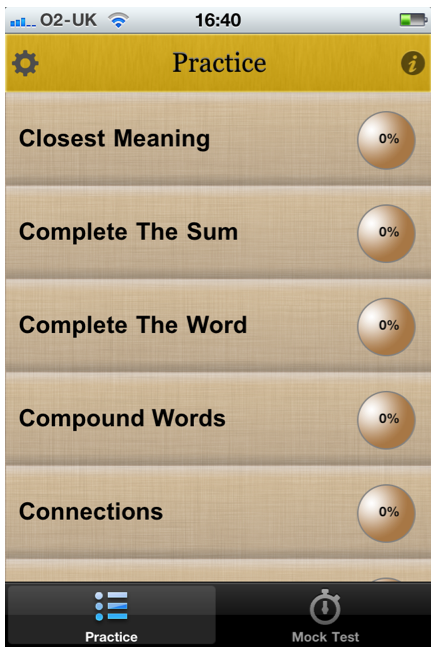
Once you have downloaded this app, the set up couldn’t be easier. Just click on the icon and you will be presented with two main options – Practice and Mock Test. The subjects for each of these categories are listed too. If you want to revise a specific category just select Practice and select the subject.
Methods & Technique
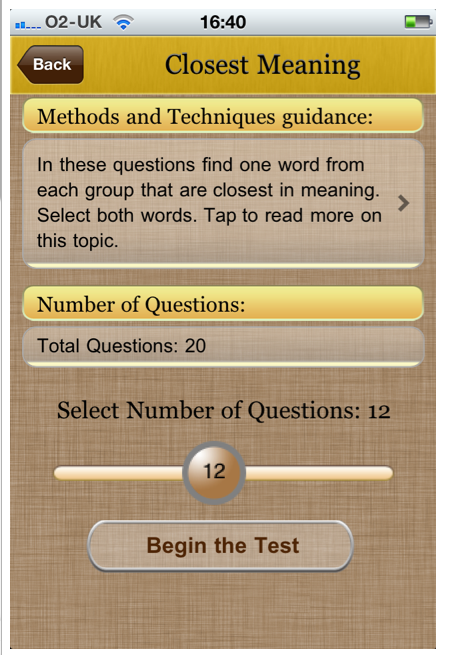
Within each question topic a description of what you are expected to do is set at the top and if you’re still not clear, you can click on it for further information. Each category also has a specific volume of questions and you can increase or reduce this number as required.
Settings
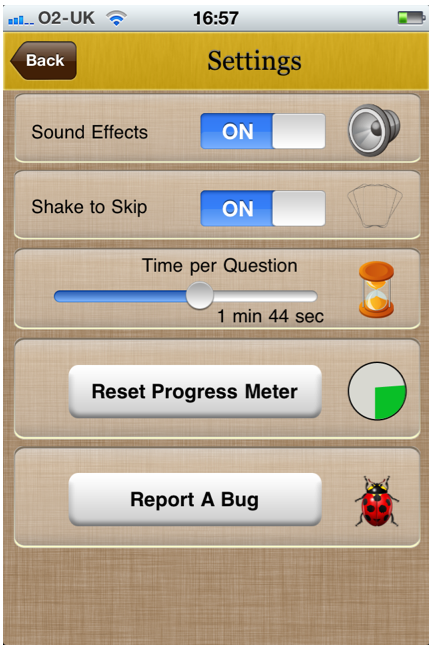
With each question you are given a time to answer within. You can change this in the settings menu from 10 seconds per question and up to 3 minutes per question. Within the Settings menu you can also enable/disable sounds effects and turn on or off the Shake To Skip question option. There’s also the facility to reset the progress meter.
Practicing
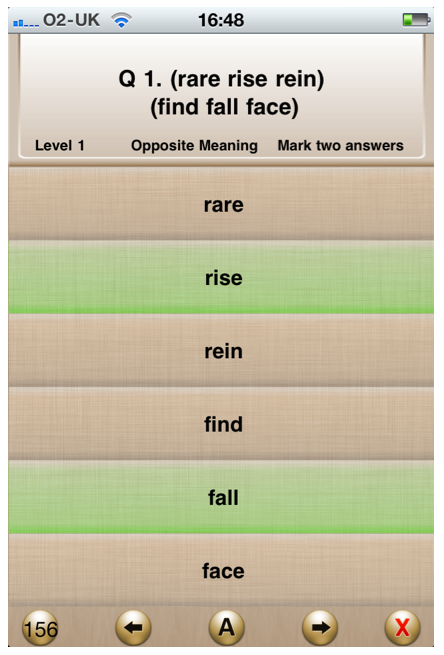
Once you are happy with the category and you have the app set up to your preferences then you just need to quietly get on and commence the questions. If you are really not sure of the answer to the question, just click on the A icon at the bottom of the screen and the answers will be highlighted for you, in green. Then carry on throughout the test. The next question will appear as soon as you have answered the present one.
Result
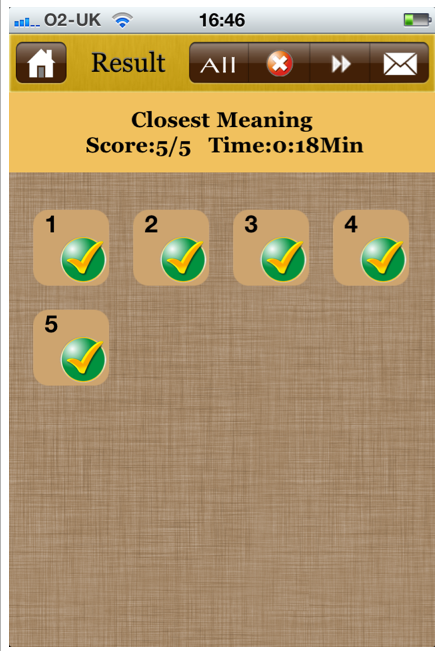
When you have completed the test a score chart is shown with either a tick or X for each question. If you have got any wrong, you can click on the X icon and you will be taken to the question and the correct answer is shown in green as well as your incorrect answer in red – this is a great facility and really helps you to learn. It’s even possible to email the results from within the app too.
Mock Test
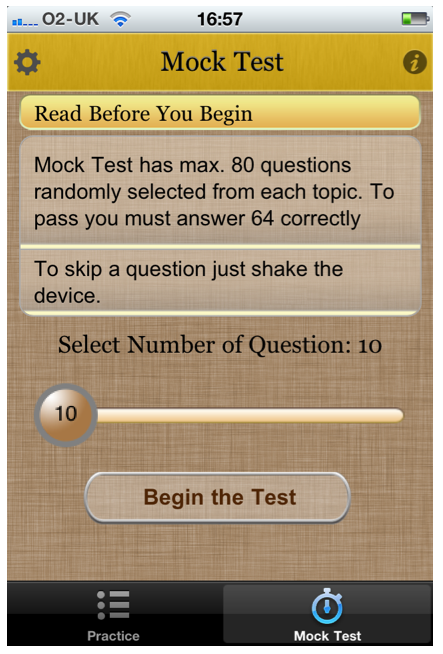
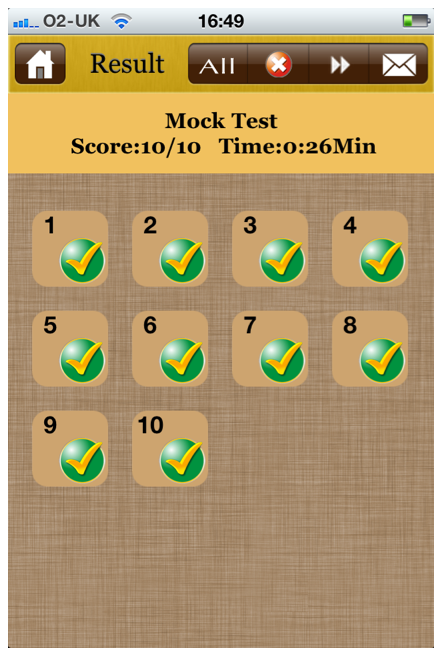
Once you’re done with practicing and want to really test your knowledge, just select Mock Test from the main menu. Mock Test has a maximum of 80 questions randomly selected from each topic/category and a minimum of 10. To obtain a pass grade with the maximum number of questions you need to achieve a success rate of 64 correct answers. As above with the practice, at the end of the Mock Test you will see a Result form and if you have any incorrect answers you can click on the X icon to see the correct ones and as before you can also email the results from this test.
Conclusion
This is an excellent app, one that can and does work exceptionally well. It’s an app that offers great feedback and provides the necessary information in order to help your child pass those entrance tests. Even if you have no intention of sending your child to a grammar or independent school this app provides all the necessary information to help them brush up on their knowledge and gain great results whilst also supporting independent learning.
This is an excellent app and one that you shouldn’t hesitate to download.

Joanne Carter
Joanne Carter is a British photographer, photography journalist, editor and curator and the founder and editorial director of TheAppWhisperer.com, an independent international photography publication established in 2009.Her journalism, criticism and commentary have appeared in The Times, The Sunday Times, The Guardian, Financial Times, BBC, Vogue Italia, LensCulture, Popular Photography, Android Magazine, NikonPro, DPReview, Which Digital Camera and Which Camera. She has lectured internationally on photography and mobile art, served as a juror for international photography awards, and exhibited her own photographic work across the UK, Europe, South Korea and the United States.Alongside her editorial work, Joanne's photographic and postgraduate research explores death, grief, memory, representation and social inequality through contemporary photography, participatory practice and visual research methods, with the longer-term aim of developing this work through doctoral research.Through TheAppWhisperer, she continues to publish independent photography journalism spanning contemporary photographic practice, mobile imaging, photographic apps, computational photography and emerging imaging technologies.Joanne is available for editorial commissions, photography projects, judging, curatorial work, speaking engagements, consultancy and selected collaborations.


One Comment
Jane
I came across these apps the other day and thought they seemed like a good idea. Really useful review, I am going to buy one now, thanks.