Best Apps for Culling Photos in 2026: Save Time, Keep the Best Frames
Culling is one of the least glamorous parts of photography, but it’s also one of the most important. Before editing, before publishing, before printing, comes selection. And if you shoot a lot, whether that’s documentary, portraiture, street, or events, culling can quickly become the most time-consuming part of the process.
After nearly two decades working as a photography journalist and editor, and reviewing thousands of images and apps along the way, I’ve become increasingly interested in how photographers are streamlining this stage of their workflow.
In 2026, culling apps have become smarter, faster, and, in some cases, remarkably intuitive. AI now plays a much bigger role, helping identify duplicates, closed eyes, missed focus, and even emotional expression. But not every photographer wants AI making creative decisions.
So here are the culling apps I think are genuinely worth your attention this year.
Narrative Select
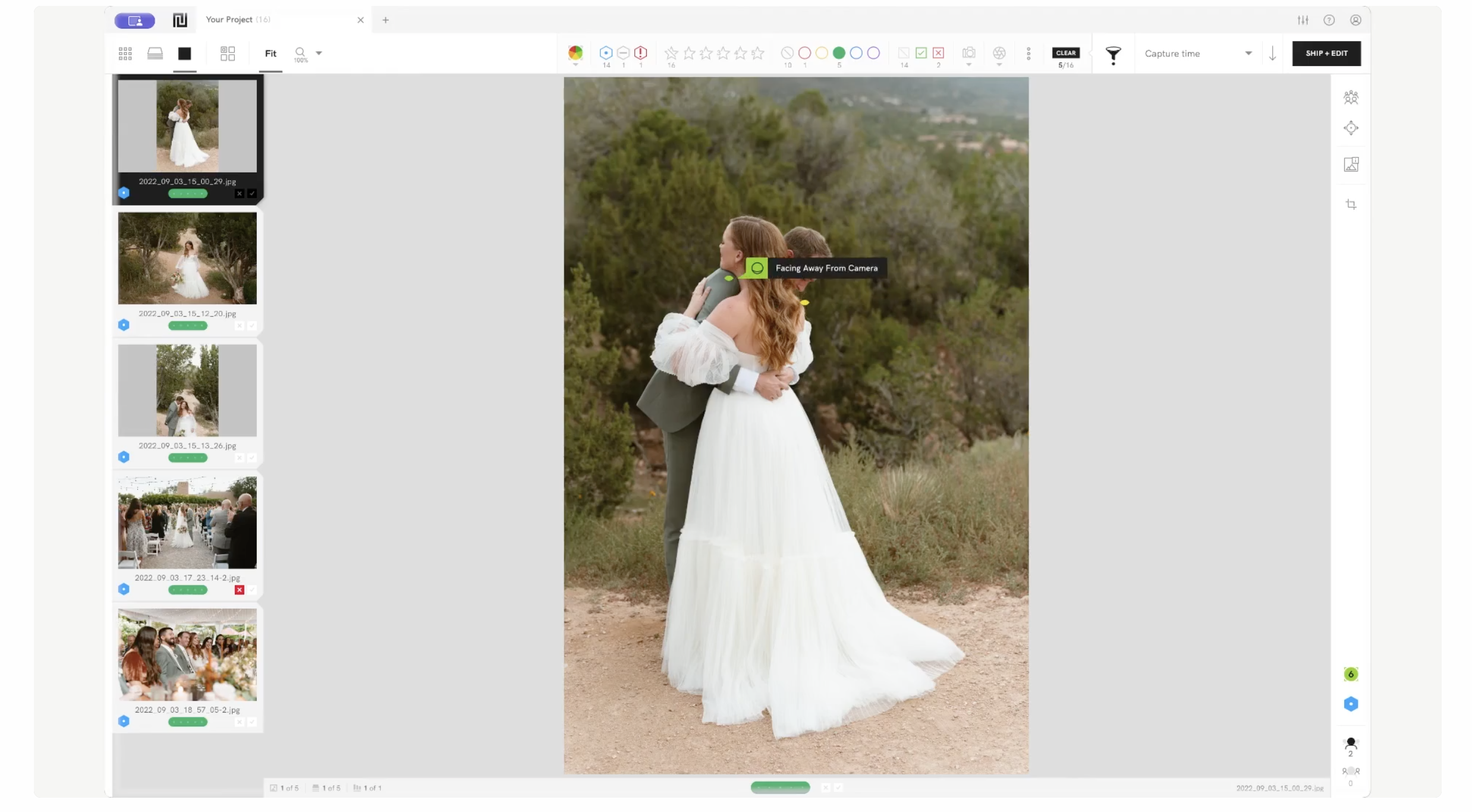
Narrative Select remains one of the best dedicated culling tools available.
It’s fast, uncluttered, and built specifically for photographers who shoot in volume. What I like about it is that it doesn’t overcomplicate the process. It uses AI to identify sharpness, blinks and facial expressions, but you remain firmly in control.
For wedding and portrait photographers especially, it can save hours.
Why it works:
- Ultra-fast previews
- Blink detection
- Focus assessment
- Side-by-side comparison
- Expression sorting
Best for:
High-volume portrait and wedding photographers.
Adobe Lightroom Classic
https://www.adobe.com/uk/products/photoshop-lightroom-classic.html
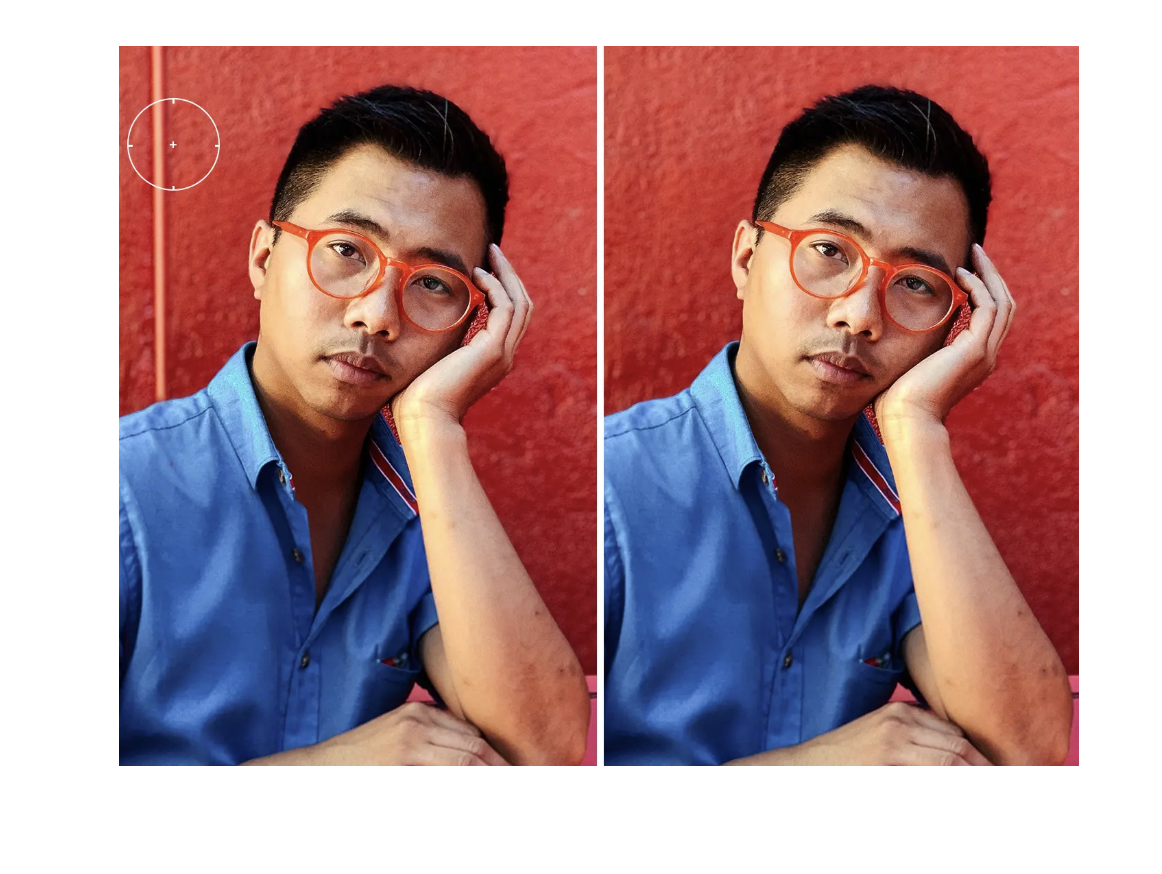
Lightroom still handles culling extremely well, particularly if it’s already central to your workflow.
The addition of AI-assisted selection tools has made it faster in 2026, and because your culling, editing, metadata and export all happen in one place, it remains hard to beat for simplicity.
The downside? It’s not always the fastest for huge RAW sets.
Best for:
Photographers wanting an all-in-one workflow.
Aftershoot
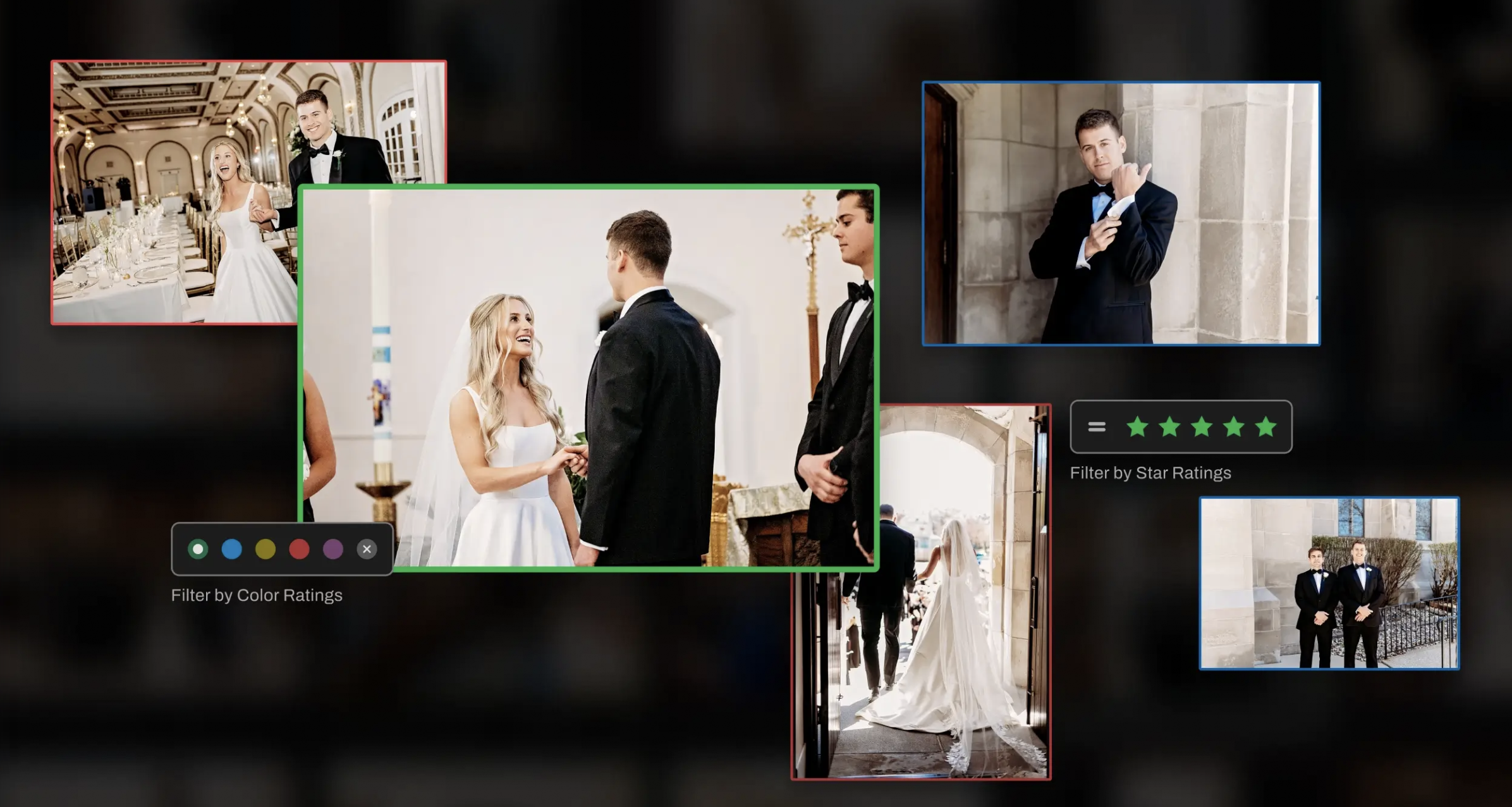
Aftershoot has become one of the most talked-about AI culling tools over the past couple of years, and for good reason.
It analyses sharpness, duplicates, blinks and composition, then narrows thousands of images down to your strongest set. It’s particularly useful if you regularly shoot long events or large documentary projects.
Some photographers love the speed. Others feel it removes too much of the human eye.
I think it depends entirely on your shooting style.
Best for:
Weddings, sports and event photography.
Photo Mechanic
Still the king of speed.
Photo Mechanic remains the fastest app for ingesting and culling large batches of images. It doesn’t rely on AI and it doesn’t try to second-guess you. That’s exactly why many photojournalists still use it.
For photographers who trust their own judgement and want pure speed, it remains unmatched.
I’ve always respected that.
Best for:
Photojournalists, documentary photographers and editors.
FastRawViewer
https://www.fastrawviewer.com/
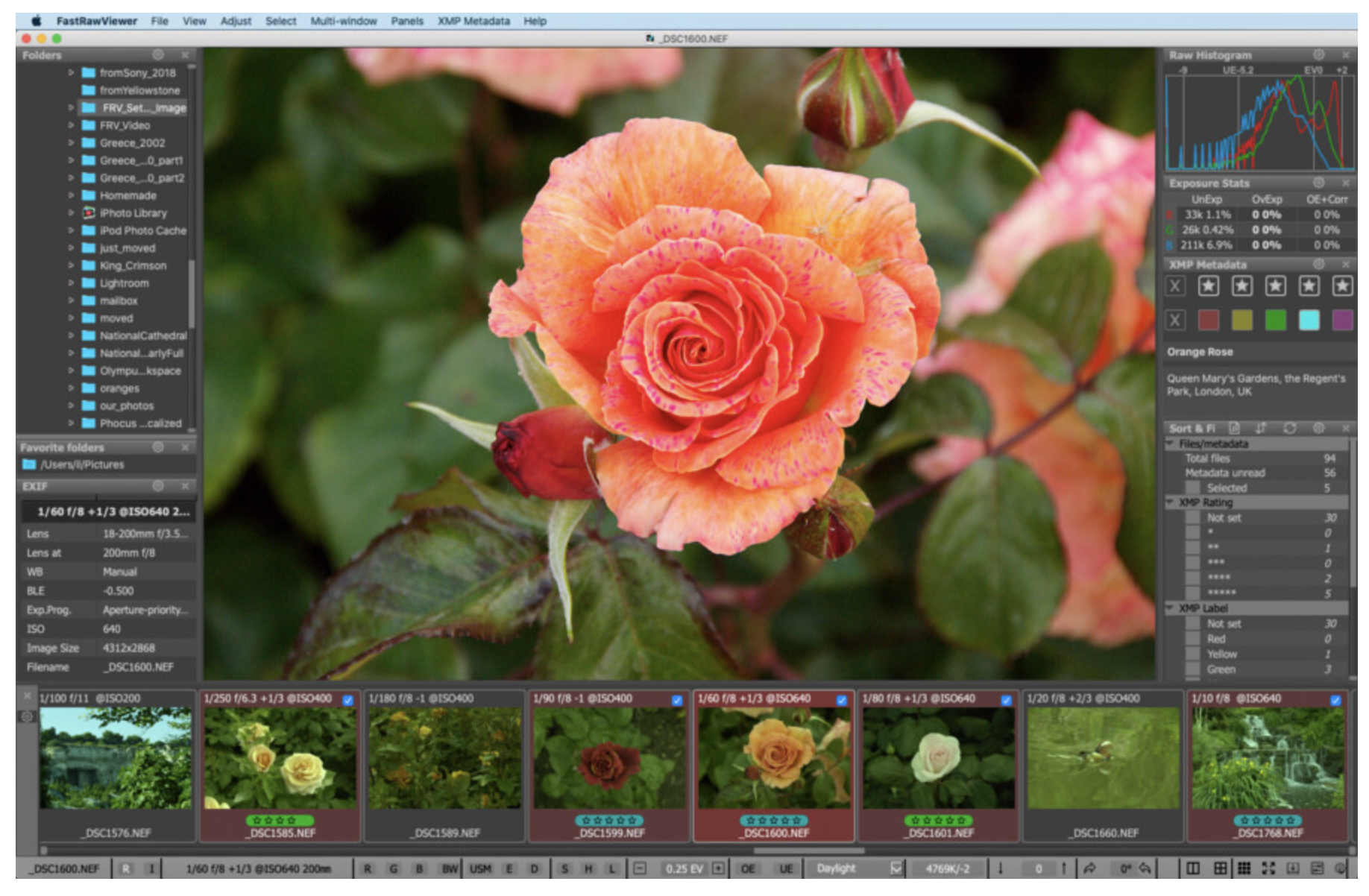
FastRawViewer is a bit of a hidden gem.
It renders RAW files directly without generating previews, meaning you see exactly what the file contains – including exposure detail, focus and clipping. It’s a highly technical tool but very powerful.
This isn’t beginner-friendly, but serious photographers will appreciate it.
Best for:
Technical culling and exposure checking.
Mylio Photos
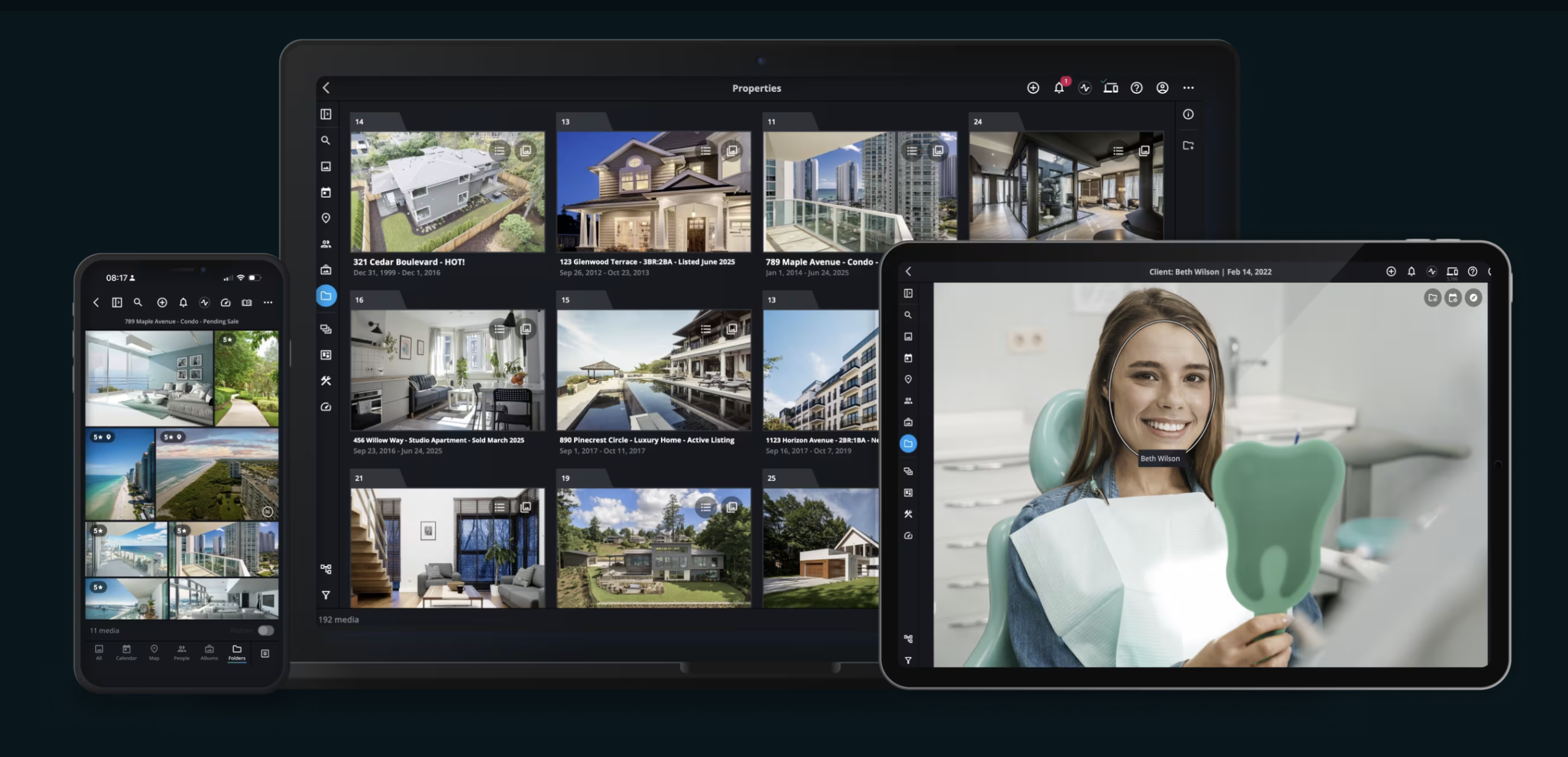
Mylio is more about organisation than pure culling, but it’s becoming stronger in both.
Its offline syncing across devices makes it especially appealing for photographers managing multiple archives without wanting everything locked into the cloud.
That flexibility matters.
Best for:
Long-term archive management.
My Thoughts
The biggest shift in culling in 2026 is the growing role of AI. For some photographers, that’s transformative. For others, it feels intrusive. Personally, I think culling is still one of the most instinctive parts of photography. It’s where taste starts to emerge. The frame you keep says as much about you as the frame you took. That said, I can’t ignore the time-saving benefits. If I were recommending based on speed alone:
Narrative Select for intelligent culling.
Photo Mechanic for pure speed.
Lightroom for integrated workflow.
Aftershoot for AI-heavy batch selection.
And honestly, the best app is the one that helps you spend less time sorting and more time making photographs. That’s the real point.
Further Reading on TheAppWhisperer
Best Photography Workflow Apps (2026)
https://theappwhisperer.com/2026/06/best-photography-workflow-apps-2026/
Best AI Photo Editing Apps (2026)
https://theappwhisperer.com/2026/04/best-ai-photo-editing-apps-in-2026/
Best Portfolio Apps for Photographers (2026)
https://theappwhisperer.com/2026/03/best-portfolio-apps-for-photographers-2026-guide/
Best Manual Camera Apps for Android (2026)
https://theappwhisperer.com/2026/03/best-manual-camera-apps-for-android-2026-dslr-control-on-your-phone/
Best Mobile Photography Apps (2026)
https://theappwhisperer.com/2026/02/best-mobile-photography-apps-2026-edition/
Please support us
TheAppWhisperer has always had a dual mission: to promote the most talented mobile artists of the day and to support ambitious, interested viewers worldwide. As the years pass, TheAppWhisperer has gained readers and viewers and has found new venues for that exchange.
All this work thrives with the support of our community. Your support helps protect our independence, and we can keep delivering open, global promotion of mobile artists. Every contribution, however big or small, is valuable for our future.

Joanne Carter
Joanne Carter, creator of the world’s most popular mobile photography and art website— TheAppWhisperer.com— TheAppWhisperer platform has been a pivotal cyberspace for mobile artists of all abilities to learn about, to explore, to celebrate and to share mobile artworks. Joanne’s compassion, inclusivity, and humility are hallmarks in all that she does, and is particularly evident in the platform she has built. In her words, “We all have the potential to remove ourselves from the centre of any circle and to expand a sphere of compassion outward; to include everyone interested in mobile art, ensuring every artist is within reach”, she has said. Promotion of mobile artists and the art form as a primary medium in today’s art world, has become her life’s focus. She has presented lectures bolstering mobile artists and their art from as far away as the Museum of Art in Seoul, South Korea to closer to her home in the UK at Focus on Imaging. Her experience as a jurist for mobile art competitions includes: Portugal, Canada, US, S Korea, UK and Italy. And her travels pioneering the breadth of mobile art includes key events in: Frankfurt, Naples, Amalfi Coast, Paris, Brazil, London. Pioneering the world’s first mobile art online gallery - TheAppWhispererPrintSales.com has extended her reach even further, shipping from London, UK to clients in the US, Europe and The Far East to a global group of collectors looking for exclusive art to hang in their homes and offices. The online gallery specialises in prints for discerning collectors of unique, previously unseen signed limited edition art. Her journey towards becoming The App Whisperer, includes (but is not limited to) working for a paparazzi photo agency for several years and as a deputy editor for a photo print magazine. Her own freelance photographic journalistic work is also widely acclaimed. She has been published extensively both within the UK and the US in national and international titles. These include The Times, The Sunday Times, The Guardian, Popular Photography & Imaging, dpreview, NikonPro, Which? and more recently with the BBC as a Contributor, Columnist at Vogue Italia and Contributing Editor at LensCulture. Her professional photography has also been widely exhibited throughout Europe, including Italy, Portugal and the UK. She is currently writing several books, all related to mobile art and is always open to requests for new commissions for either writing or photography projects or a combination of both. Please contact her at: joanne@theappwhisperer.com


You May Also Like
Best Photography Competitions and Awards to Enter in 2026
What’s New in Procreate Dreams 2.0.2 Patch Update