Whisperings… How Do I Remove A Photo From The Timeline In iMovie iOS?
Our new question and answer section here at TheAppWhisperer.com is called, Whisperings… If you have a question send it to us and we will answer it within this section to the benefit of all our loyal readers.
Find out below how to remove a photo from the Timeline within iMovie iOS…
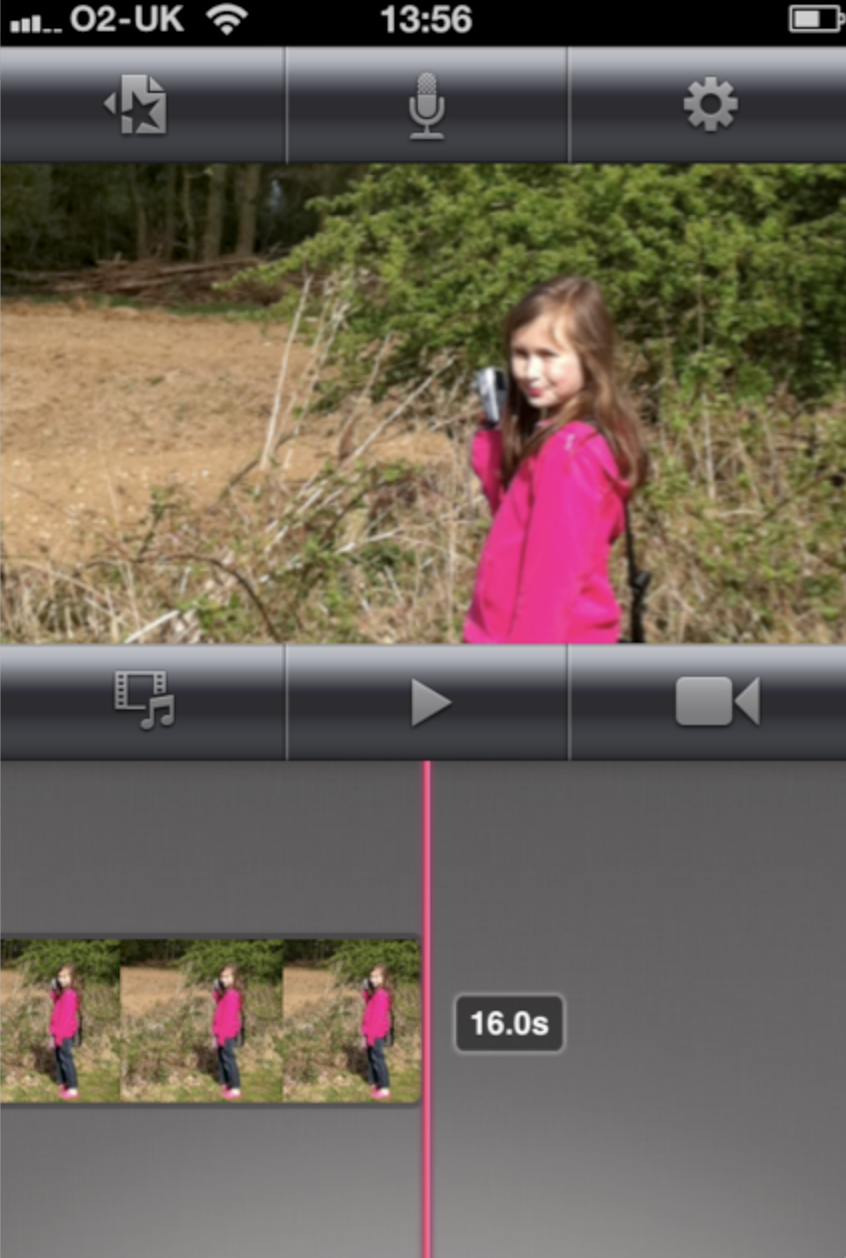
Deselect
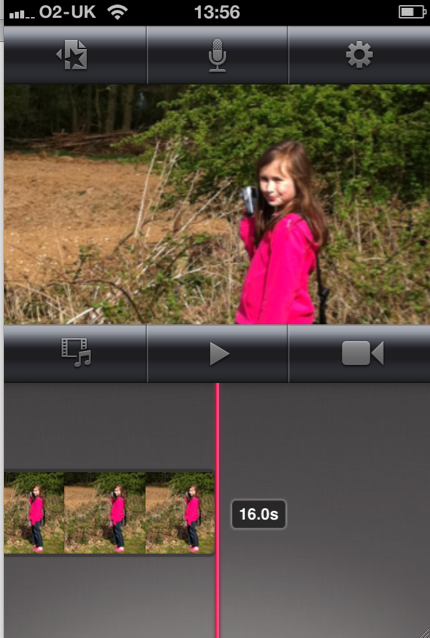
We’ve had many readers ask how do they remove a photo from the Timeline within iMovie iOS, it’s simple enough to do, if you know how of course. Firstly, you need to deselect the image. This means click after the image within the timeline, as above.
Click And Drag
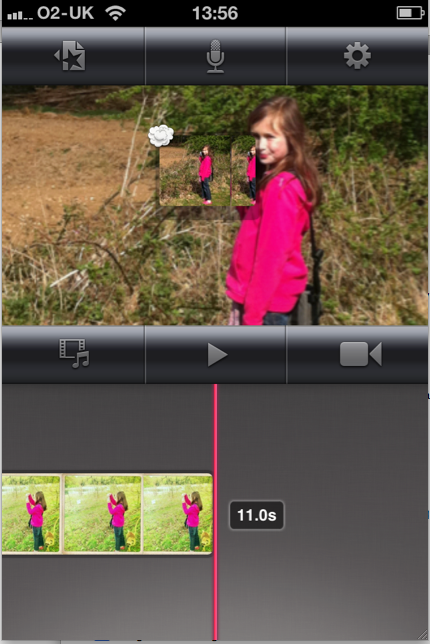
Next, place your finger on the image you want to remove and hold it there for approximately 1-2 seconds. Then drag the image up to the main image. From the screen grab above you can see the little dust cloud to the left of the image I have dragged it up. Then just release it and the image will be removed from the Timeline.
Image Removed
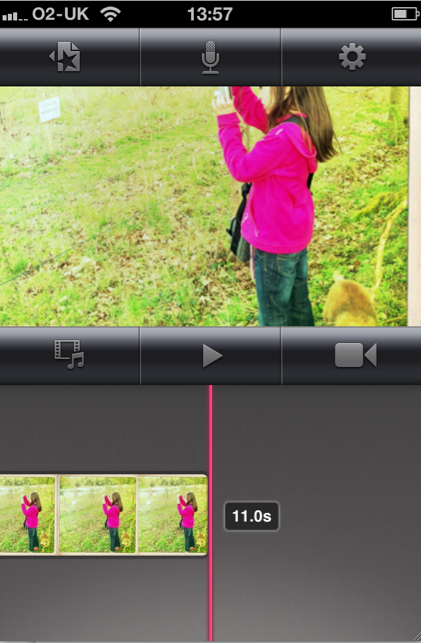
As can be seen in the above image, the previous image has been removed from the Timeline.
Keep all your Whisperings… coming in and we will do our best to tackle them all.

Joanne Carter
Joanne Carter BA (Hons), ARPS is a British photographer, photography journalist, editor and curator, and the founder and editorial director of TheAppWhisperer.com, an independent international photography publication established in 2009.She holds a First Class Honours degree in Photography and is an Associate of the Royal Photographic Society (ARPS).Her journalism, criticism and editorial work have appeared in The Times, The Sunday Times, The Guardian, Financial Times, BBC, Vogue Italia, LensCulture, Popular Photography and NikonPro, among other international publications.Through TheAppWhisperer, she brings together academic knowledge, professional photographic expertise and more than 17 years of specialist editorial experience to examine contemporary photography, mobile imaging, computational photography, photographic applications and emerging imaging technologies.