iOS Apps
Pocket God – Chapter 39: Challenge of the Gods! – Now Available For iOS
This is the big update the Bolt Creative, the developers, been working on. They have decided to celebrate the fact that they are nearing Episode 40 by encouraging players to go back and look again, or find for the first time, the various god powers, interactive situations, mini-games, creatures, islands, traps, etc. that they’ve been adding over the last two years! A new Startup screen appears (and you can turn it off, if you prefer to ignore it) that has a button "View Challenges". There you can see the familiar list of icons they have created for each episode (except they had to add two from the beginning). Tap the…
Instagram Just Updated To Version 1.7
Just updated to version 1.7 this latest edition to Instagram has some great new features, read what’s new in this update below, then get downloading the update. If you haven’t already installed Instagram on your iPhone, you can do that for free by following this link. What’s New Grid / List Photo Views: Switch between grid and list views of photos on user profiles as well as on location and tag pages. Profile Bios: Go to a user’s profile to view their 150-character biography. You can edit your own by tapping Profile tab > Edit profile. Import Profile Photos from Facebook/Twitter : Use your Facebook or Twitter profile photo on…
Top 10 Expenses iPad Apps
Today, perhaps like never before we are all having to keep a closer eye on our expenses and budgets. We’ve taken a look at the very best iPad apps to help you with this. Whether you’re looking for an app to help you with your domestic expenses, work expenses, family expenses or even car expenses, we got a broad spectrum of the very best to help you out. Why not give these apps a try right now. Checkbook HD Free You want an application, which you can use as a checkbook for all your accounts, and always stay aware of how much money is left on each of your accounts,…
New Filmmaker iOS App – FiLMiC Pro
FiLMiC Pro is THE Filmmaker’s App. A dedicated video camera app that respects and builds upon the high definition capabilities of the Iphone 4. FiLMiC Pro enables users to take their mobile cinematography to new heights by asserting as much manual control over camera functions as possible and including additional variable frame rates from 1-25 frames per second. Maximum Control The FiLMiC Pro control bar is thumb based to enable a rock solid grip on the camera. Designed by filmmakers it provides the best camera UI in the business with perfect access to all camera controls from a fixed, two hand grip position. Three Reticle Systems At the heart…
Brand New iPad App – Bokeh: A Book About Cameras – Going Free For A Short Time
Bokeh will be free on Wednesday (5/11) and Thursday (5/12) before returning to it’s normal price of $1.99 on Friday. Bokeh is a new kind of book about cameras designed for the iPad that contains lessons on FOCUS, DEPTH OF FIELD, EXPOSURE, and ZOOM. Each lesson simulates the photographic process on a real scene as you interactively adjust a camera setting. For example, in the focus lesson, as you change the focus ring, the diagram on the left illustrates what happens inside the camera while the photograph of a wooden train changes before your eyes. Each lesson also contains a lengthy technical description. This book will appeal to enthusiasts who…
From the Developers of Tilt to Live – iOS App – Now Comes – Outwitters – 1st Screenshot
One Man Left, the developers of the popular Tilt to Live iPhone App, have been hard at work with their second game IP for iOS, due out later this year on iPhone, iPod Touch, & iPad. It’s a multiplayer-focused strategy title called Outwitters, supporting matchmaking, asynchronous play, and pass-the-device play. Their goal is to boil the strategy experience down to what’s most fun about it in our opinion, and to make a strategy game people can enjoy without having to take a class. You can follow the developers and find out more about Outwitters by heading to their blog, here. First Screen Shot Concept Art
PhotoForge2 – iPhoneography App Coming Very Soon To The App Store
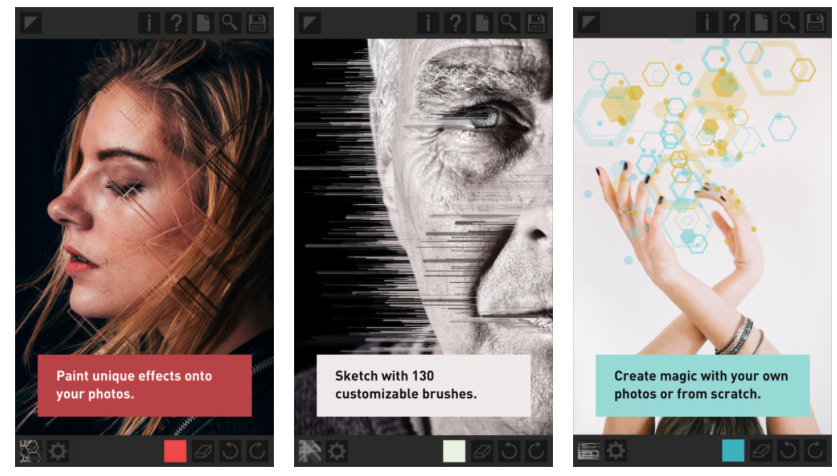
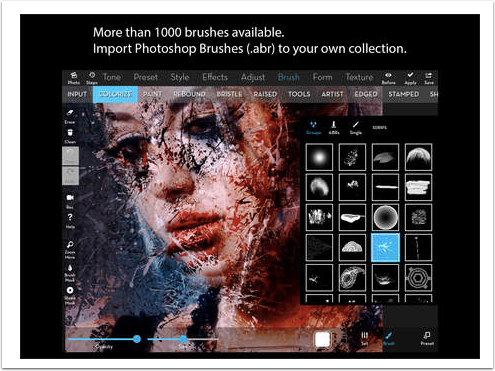
It’s been two years since the launch of PhotoForge for the iPhone and over a year since the release of it’s iPad counterpart. Today we were excited to discover the upcoming arrival of PhotoForge2. Completely re-written from the ground up, PhotoForge2 has some of the most powerful photo editing features available in the App Store. Check out the video below to see previews of some of these amazing new features.
Going Free For Today Only – Album App – iPad Photography App
Album App makes it easy to create digital photo albums on your iPad! After finishing them you can present your family and friends your photo albums in view mode. Edit, scroll and view your albums with only a few touches. Album App is easy to use and comes with several options Edit mode When creating your album you have several options at your fingertips. Choose a background (or full photo), add photos, text and objects, or use one of the pre-designed layouts. Facebook and Flickr Do you have all your photos on Flickr or Facebook? Album App makes it easy to directly import photos from your account to your iPad…
GoodReader for iPhone – Updated
GoodReader is the super-robust highly-rated PDF reader with advanced reading and annotating capabilities. Reviews worldwide hail it as “essential,” “the best,” “magnificent” and “the killer app”. With GoodReader on your iPhone, you can read virtually anything, anywhere: books, movies, maps, pictures. Use it once and you’ll be hooked. GoodReader has earned its accolades by the way it handles huge PDF and TXT files, manuals, large books, magazines. The ability to mark-up PDFs opens up new doors to GoodReader users who can now use typewriter text boxes, sticky notes, lines, arrows, and freehand drawings on top of a PDF file. Find out what’s new in this latest version below: What’s New…
New iPhone App – iAugment – A Different Kind Of Breast Augmentation
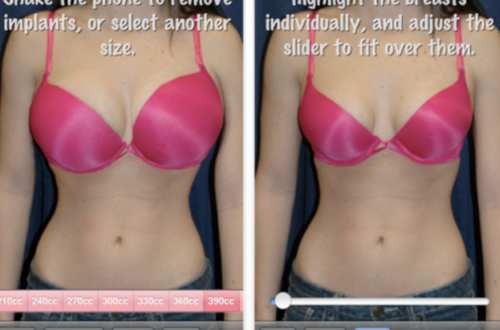
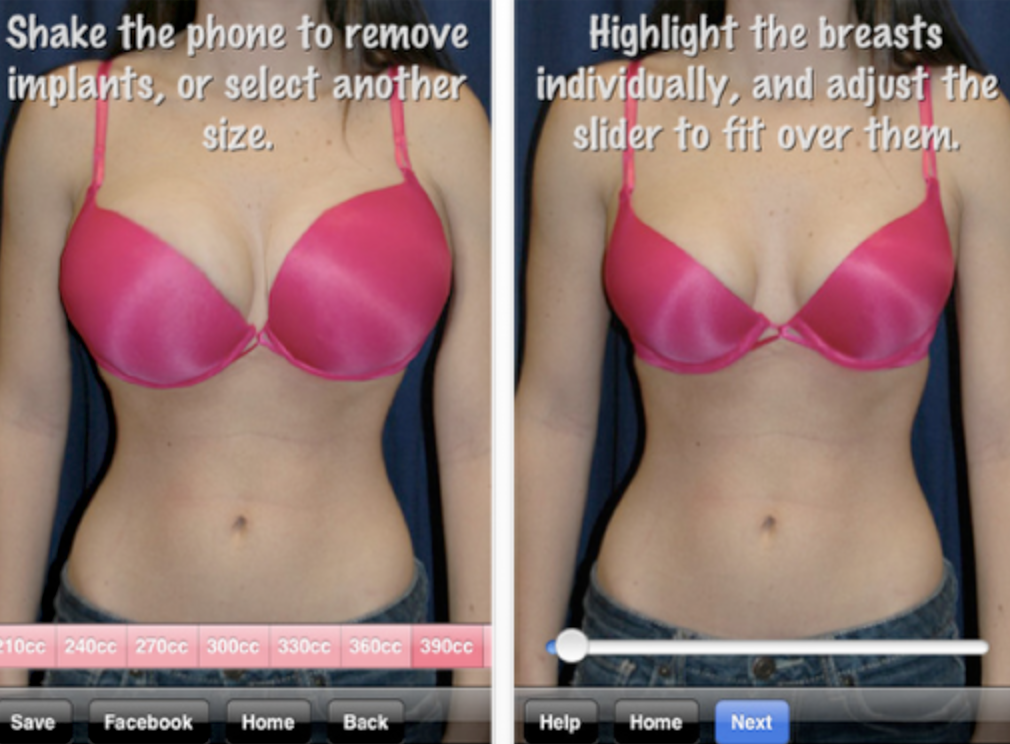
Well, if you want to save yourself a lot of money (and pain) you could download this free ‘medical’ app and use it to photograph yourself before and after a breast augmentation – just to give you an idea, of course. Once your image is within the app you can select your preferred cup size, there’s 17 of them, starting at 210cc to 690cc, ouch! The developers state that this app is designed as a ‘fun first step’ to breast augmentation but without sounding too cynical we can’t help but think this may end up being used in other imaginative ways. Oh by the way, if any one wants to…