• News
  • INTERVIEWS
    • Vogue
    • LensCulture Articles
    • IntImate Interview
    • Reviews
    • High-Brow Interviews
    • TrueView Interviews
    • App Developer Interviews
    • A Day In The Life Of …
    • ‘Impossible’ Project Interviews
    • A Picture’s Worth…
    • Olloclip Interviews
    • Brought To Light
    • Extension Of The I
    • Artists’ Corner
    • Building Mobile Bridges with Instagram
    • Photo App Lounge
    • Spotlight
    • Photographs and text
    • Spotlight
    • Alternative Mobile Photography Processing
    • Pro Columns
  • TUTORIALS
    • App Art School
    • Creative Tutorials
      • Video Tutorials
      • Technical Tutorials
      • Hardware Tutorials
      • Viral SmartPhone Photography & Video Techniques
  • FEATURES
    • Tip Of The Day
    • Tickle Your Fancy
    • Saturday Poetry
    • Giveaways
    • Video Reviews
    • Drone
    • Apps
      • Amazon Appstore
      • Samsung Apps
      • Android Apps
      • BlackBerry Apps
      • 645 PRO
      • PhotoToaster
      • Windows Apps
      • Analog Camera
      • Color Lake
      • Etchings
      • Photo & Video
      • Image Blender
      • PhotoStation
      • MyPadLive
      • ProCamera
      • ProCam
      • Wood Camera
      • Photo Tool Apps
      • Apple Watch
      • iBooks Photo Books
      • Hardware
      • Photographic TED Talks
      • Mob-Entrepreneurs
      • Instagram Mobile Photographers To Follow Now
      • Indiegogo & Kickstarter Campaigns
      • Mobile Photography Courses
      • RUMORS
      • Photography & Art Magazines
      • Photography Books
      • SECTIONS
    • Exhibitions
    • Creative Grants and Residencies
    • Podcasts
    • Pic of the Day
    • Whisperings…
    • Mini Mobile Portfolio Reviews (MMPR)
    • Events
    • Venues
    • SHOWCASES
    • COLUMNS
      • COLUMNISTS
      • Draw the Line – Mobile Art as an Expression
      • StreetWise
      • Streets Ahead
      • Portrait of an Artist
      • APPart
      • Appstrax
      • Mobile Movies
      • Artistic Anarchy – Mobile Collusions
      • Ask Misho
      • Fly On The Wall
      • iFoto Fairchild
      • iObsess
      • Koci
      • iSights
      • Mobile Macro Photography
      • Photo Education & Accessibility
      • ItalianBrother
      • Mobile Photo Essays
      • Kuster
      • PictureBook
      • Portrayal
      • The Guetta Fringe
      • parallel II perspectives
      • The New Renaissance
      • Is There An App For That?
      • Vision & Voice
      • Tiny Shutter
      • The Picture Project
      • The App Nerds Workshop
      • StreetVIEW
      • Spare Moments
      • Shooting Star
  • About
    • Contact Us
      • Twitter
      • Instagram
      • YouTube
      • Support Us
  • GALLERY
  • News
  • INTERVIEWS
    • Vogue
    • LensCulture Articles
    • IntImate Interview
    • Reviews
    • High-Brow Interviews
    • TrueView Interviews
    • App Developer Interviews
    • A Day In The Life Of …
    • ‘Impossible’ Project Interviews
    • A Picture’s Worth…
    • Olloclip Interviews
    • Brought To Light
    • Extension Of The I
    • Artists’ Corner
    • Building Mobile Bridges with Instagram
    • Photo App Lounge
    • Spotlight
    • Photographs and text
    • Spotlight
    • Alternative Mobile Photography Processing
    • Pro Columns
  • TUTORIALS
    • App Art School
    • Creative Tutorials
      • Video Tutorials
      • Technical Tutorials
      • Hardware Tutorials
      • Viral SmartPhone Photography & Video Techniques
  • FEATURES
    • Tip Of The Day
    • Tickle Your Fancy
    • Saturday Poetry
    • Giveaways
    • Video Reviews
    • Drone
    • Apps
      • Amazon Appstore
      • Samsung Apps
      • Android Apps
      • BlackBerry Apps
      • 645 PRO
      • PhotoToaster
      • Windows Apps
      • Analog Camera
      • Color Lake
      • Etchings
      • Photo & Video
      • Image Blender
      • PhotoStation
      • MyPadLive
      • ProCamera
      • ProCam
      • Wood Camera
      • Photo Tool Apps
      • Apple Watch
      • iBooks Photo Books
      • Hardware
      • Photographic TED Talks
      • Mob-Entrepreneurs
      • Instagram Mobile Photographers To Follow Now
      • Indiegogo & Kickstarter Campaigns
      • Mobile Photography Courses
      • RUMORS
      • Photography & Art Magazines
      • Photography Books
      • SECTIONS
    • Exhibitions
    • Creative Grants and Residencies
    • Podcasts
    • Pic of the Day
    • Whisperings…
    • Mini Mobile Portfolio Reviews (MMPR)
    • Events
    • Venues
    • SHOWCASES
    • COLUMNS
      • COLUMNISTS
      • Draw the Line – Mobile Art as an Expression
      • StreetWise
      • Streets Ahead
      • Portrait of an Artist
      • APPart
      • Appstrax
      • Mobile Movies
      • Artistic Anarchy – Mobile Collusions
      • Ask Misho
      • Fly On The Wall
      • iFoto Fairchild
      • iObsess
      • Koci
      • iSights
      • Mobile Macro Photography
      • Photo Education & Accessibility
      • ItalianBrother
      • Mobile Photo Essays
      • Kuster
      • PictureBook
      • Portrayal
      • The Guetta Fringe
      • parallel II perspectives
      • The New Renaissance
      • Is There An App For That?
      • Vision & Voice
      • Tiny Shutter
      • The Picture Project
      • The App Nerds Workshop
      • StreetVIEW
      • Spare Moments
      • Shooting Star
  • About
    • Contact Us
      • Twitter
      • Instagram
      • YouTube
      • Support Us
  • GALLERY
  • iPad Apps,  News

    Mediapad Pro Portfolio – Updated

    2012-08-04 / 1 Comment

    Mediapad Pro was co-developed by Craig Orsini, a nationally recognized, award-winning photographer and director who wanted a better and more efficient way of presenting and sharing work with potential clients. More than twenty years of professional experience with top ad agencies and blue chip clients have given Craig keen insight into what’s required from a portfolio. He custom-crafted Mediapad Pro to be the ultimate tool for anyone who wants to showcase past work to land future assignments. Mediapad Pro allows you to easily construct your portfolio of content into a simple, intuitive and customizable format. It’s ideal for photographers, artists, models, designers, actors, directors and anyone with a portfolio. And…

    read more
    Joanne Carter

    You May Also Like

    Adobe Illustrator on iPad Preview

    2019-11-05
    Brexit

    What does Brexit mean for love? A Portraiture Series by Laura Pannack ‘Separation’ with Affinity Photo App

    2018-03-14
    drum

    Top 10 Midi Drum iPad Apps

    2011-03-14
  • iOS Apps,  News

    Dan Chung At The Olympics With An iPhone 4S

    2012-08-03 / Comments Off on Dan Chung At The Olympics With An iPhone 4S

    Many blogs are picking up on this story today, Dan Chung shooting the Olympics with an iPhone 4S and editing with Snapseed. Dan Chung is actually a contributor to dpreview and they mentioned this article a few days ago. What’s particularly interesting are the comments that have come from the post. Wow, there’s some real flaming. Take a look and let us know what you think. Read the article and comments here.

    read more
    Joanne Carter

    You May Also Like

    procreate

    Drawing Manga in Procreate | Acky Bright | Human Made

    2025-07-02
    procreate

    Procreate – How to use Crop and Resize in Procreate

    2025-08-05
    iphone

    A Minimalist Sub-$40 Filmmaking Rig for iPhone 17 Pro (With One Notable Caveat)

    2026-01-16
  • iOS Apps,  iPad Apps,  News

    ArtStudio for iPad – Updated

    2012-08-03 / 1 Comment

    Lucky Clan today is pleased to announce the release and immediate availability of ArtStudio for iPad 4.0, an update to their versatile drawing/painting/photo editing app. ArtStudio is the most comprehensive, sketching, painting and photo editing tool in the App Store. Completely re-designed from the ground up the new ArtStudio features a beautiful new user interface and a powerful new graphics engine to make creating works of art faster, easier, and more fun! Using advanced drawing algorithms this is the fastest and most precise version of ArtStudio to date. This app has just received a major update, you can read about that in What’s New below. This is a free update,…

    read more
    Joanne Carter

    You May Also Like

    blackmagic watch app

    Blackmagic Camera v3.3: Apple Watch Remote Control Explained (2026 Guide)

    2026-04-21
    lumafusion

    LumaFusion for Android 2.4 — Remove backgrounds with the AI Person Key!

    2025-12-05
    LumaFusion

    Add a Funky Outline to ANY Subject in LumaFusion

    2025-12-09
  • News,  Olloclip Tutorials,  Technical Tutorials

    Olloclip Tutorial – Creating A Stunning Macro Flower Image, Using An Olloclip

    2012-08-03 / 4 Comments

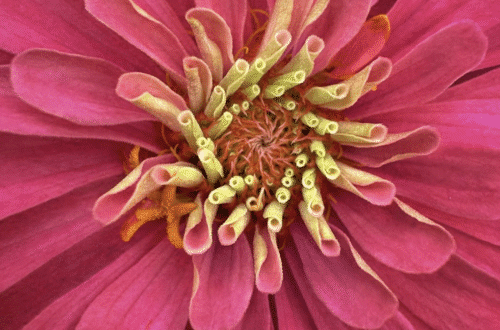
    The Olloclip lens system consists of three lenses. A wide-angle, fish-eye and a macro lens. The macro lens magnifies your image roughly around ten times. It allows you to get close to focus on your subjects with your iPhone, usually within 12 to 15 mm of your subject. With the Olloclip macro lens I had to learn how close to get to my subject in practice and when to back up. Initially, I tended to get in very close to my subject and then have to back up to get some kind of focus.  It does help to have your iPhone on some kind of tripod/support to keep your hand…

    read more
    Irene Oleksiuk

    You May Also Like

    mobile flowers

    Greatest Mobile Art Pic of the Day (2,293)

    2025-02-07

    Mobile Photography/Art Pic of the Day (891) via Instagram

    2018-09-20

    Mobile Photography/Art Pic of the Day (740) via Instagram

    2018-02-10
  • iOS Apps,  News

    X-Pro1 Guide EN – New

    2012-08-03 / Comments Off on X-Pro1 Guide EN – New

    This is an official guidebook for the premium interchangeable lens camera, FUJIFILM X-Pro1. It is intended to help users enjoy photography even more with tips on how to use each of the various functions. It also includes an interview of photographer Mr.Yoichi Sone on the spectaculars of X-Pro1 and a gallery of his works from Macao. The guidebook will also provide users with instructions on how to use the attached RAW file converter, RAW FILE CONVERTER EX powered by SILKYPIX®. This app is free and you can download it here.    

    read more
    Joanne Carter

    You May Also Like

    Affinity Photo

    Affinity Photo – Take Our Lead – Free for 90 Days

    2020-03-20
    mobile photography

    New ON1 Mobile Photography App – Sneak Peek

    2020-03-05
    procreate

    Procreate – Brush Studio: Apple Pencil

    2025-08-19
  • iOS Apps,  News

    Laminar – Updated

    2012-08-03 / Comments Off on Laminar – Updated

    Laminar is a very popular app with iPhone photographers and it has just been updated. Check out What’s New below. This is a free update, if you have previously downloaded this app, if not, you can download it here. It retails for $2.99/£1.99/download.   What’s New? The new engine introduced in version 1.3 had a couple of issues: a) Crashes while flattening images with multiple layers. b) Issue with masks in the background layer. c) Minor issue with text tool, causing aspect ratios to incorrect. These are all fixed.

Fixes the issue with Bing Search. Service had stopped working as of Aug 1.
Fixes Issue With Twitter uploads.

    read more
    Joanne Carter

    You May Also Like

    black magic

    Best Settings for Cinematic Video in Blackmagic Camera App v3 (iPhone & Android Tutorial)

    2025-12-18
    iphone

    The BEST iPhone Camera Settings – Fix Your Photos!

    2026-02-16

    Best Black and White Photography Apps for iPhone (2026)

    2026-03-11
  • iOS Apps,  News

    Microstockr – New

    2012-08-03 / Comments Off on Microstockr – New

    Microstockr is an iPhone app for that helps you to track sales on major microstock photography websites. It displays current balance for each agency and a list of latest downloads for photos submitted. Check out the supported agencies below. This app retails for $2.99/£1.99 and you can download it here.     Shutterstock Istockphoto Dreamstime Fotolia Depositphotos Bigstockphoto 123RF Crestock Canstockphoto Yaymicro Stockfresh Panthermedia.   The developers state that they ‘use only secure connections and we do not submit any info to 3rd party servers, all the information is stored in the device and it’s encrypted’.

    read more
    Joanne Carter

    You May Also Like

    procreate

    Procreate – How to use Crop and Resize in Procreate

    2025-08-05
    Procreate

    Procreate Brush Studio: Rendering

    2025-08-29

    Lume Cube announces new AIR variant for mobile creators

    2018-11-15
  • iOS Apps,  News

    Pro HDR – Updated

    2012-08-03 / Comments Off on Pro HDR – Updated

    Pro HDR is a very popular app for iPhone photography and it has just been updated with faster rendering, new filters and more. Take a look at What’s New below. This is a free update, if you have previously downloaded this app. If not, you can download it here. It retails for $1.99/£1.49/download.   What’s New?   Faster rendering, lots of great new filters, volume-button shutter release, more frames, choose frame style and thickness independently, more complete EXIF data saved (includes compass heading and date/time), fixed self-timer bug on iPad, supports larger image resolutions (up to 12 megapixels).

    read more
    Joanne Carter

    You May Also Like

    Lume Cube announces new AIR variant for mobile creators

    2018-11-15
    Procreate

    Procreate – Storytelling Through Animation | 21-19 | Human Made

    2025-07-04
    lightroom

    Master Lightroom Mobile from Beginner to Pro (2025)

    2025-12-03
  • iOS Apps,  News

    FotoExifPRO – New

    2012-08-02 / Comments Off on FotoExifPRO – New

    FotoExifPRO can extract the detailed EXIF information and show the photo shoot location on the map,
You can share or record to the clipboard, e-mail, Facebook or Evernote. You can read more about how to use this app below. This is a new app and retails for $1.99/£1.49, you can download it here.     1. First double-click photo tab to load click photo selector screen. 2. Click click exif tab, view detailed EXIF information. 3. Click again exif tab, choose to share. 4. Click click map tab to view the photo shooting position on the map. 5. You can click again to map tab, APP will re-capture the current map…

    read more
    Joanne Carter

    You May Also Like

    Procreate

    Procreate – How to use QuickShape in Procreate

    2025-07-31
    LumaFusion

    How to Import Media into LumaFusion

    2025-12-08
    iphone

    Shot On Leica or iPhone? Play Along!

    2025-12-23
  • News

    Snapseed for Desktop – Updated

    2012-08-02 / Comments Off on Snapseed for Desktop – Updated

    Leading photography software developer Nik Software today released an update to its popular Snapseed for Mac and Windows desktop computers. Snapseed is an innovative photo enhancement and sharing app with a powerful suite of imaging filters to make any image extraordinary. The 1.2 version update includes new features, bug fixes, and a free demo version option. The update is free to registered owners of Snapseed Desktop. Snapseed Desktop normally retails for € 15,95, but until August 16, 2012 customers can purchase the electronic download for € 7,99 direct from www.snapseed.com.   New Features and Updates   •    Undo—Now one can undo filters that have been applied to the images. •    Resize Photos—When…

    read more
    Joanne Carter

    You May Also Like

    art

    Mobile Art Pic of the Day (1,671)

    2022-02-18
    art

    Greatest Mobile Art Pic of the Day (2,121)

    2024-02-23
    mobile photography

    Rosalie Heller Joins our Mobile Photographer & Artists Portfolio Profiles

    2019-12-10
 Older Posts
Newer Posts 

Visit our online Print Gallery

    ©TheAppWhisperer 2026
    • News
    • INTERVIEWS
    • TUTORIALS
    • FEATURES
    • About
    • GALLERY
    Ashe Theme by WP Royal.