FEATURES
Super Retro – New iPhoneography App
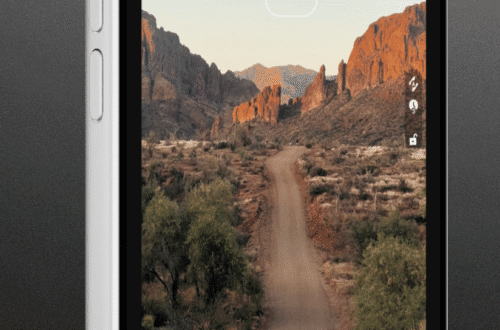
A new easy to use app that combines filters and effect to create retro looks for your images. Take a look at the features below. This app retails for $1.99/£1.49 and you can download it here. Features ★ TAKING PICTURES ★ ➫ Fast loading Camera, do not miss your shot. ➫ Seperate Focus and Exposure for more control. ★ ROTATE ★ ➫ Fix an almost straight horizon with our finetuned rotate tool, rotate by as little as 0.5° with ease. ➫ Simple 90° rotation button for when the iPhone doesn’t get the rotation right. ★ CROP ★ ➫ Smooth freeform mode, let’s you crop however you like. ➫ Simple preset…
GarageBand – Now Available For iOS Devices
Apple have announced the release of a version of its popular music creation application, GarageBand, that’s compatible with the iPhone and iPod touch. Version 1.1 of GarageBand is now available in the App Store for $4.99 and it is a free upgrade to existing owners of the app. Beyond adding compatibility for the iPhone and iPod touch, version 1.1 of GarageBand also includes several new features and enhancements: Universal app designed for iPad, iPhone, and iPod touch Create custom chords for Smart Instruments Support for 3/4 and 6/8 time signatures Reset song key without transposing original recordings Transpose songs in semitones or full octaves Additional quantization options for recordings including,…
Slow Shutter Cam – iPhoneography App – Updated
Slow Shutter Cam brings new life into your device’s photo toolbox by letting you capture a variety of amazing slow shutter speed effects that you only thought you could get with a DSLR. How many times have you tried to capture artful images with your iPhone camera but were left wishing you had more features to work with? Slow Shutter Cam puts an end to mere snapshots and gives you some of the most powerful features of a DSLR camera. All this, in a package that fits in your pocket. This app retails for $0.99/£0.69 and you can pick it up here. Slow Shutter Cam offers three capture modes to…
ArcSoft PhotoStudio – Mac App – Price Drop
PhotoStudio 6, a powerful and easy-to-use image editing application, gives you everything to enhance, manage, and print your digital photos which help bring out the creativity in you. This app is currently available for $9.99/£6.99 instead of the usual $19.99/£13.99 – download it here. Features •Offer user-friendly interface with easy and straight functions •Provide an array of advanced editing tools for digital photo enhancement •Support RAW format and large image files importing and editing •Multi-layer support and photo cloning tool •Offer 99 levels of Undo and over 40 Special Effects •Offer smart editing function for easy image enhancement which enables you to simply extract an object from its background with…
You May Also Like
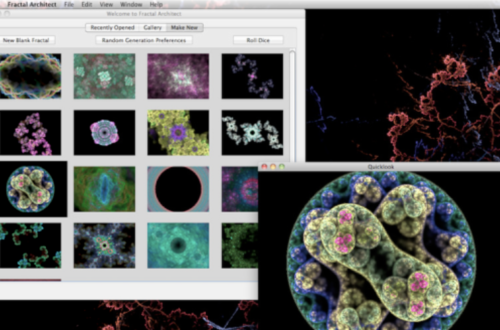
Top 10 Mac Apps For Artists And Designers
LEGO Star Wars III: The Clone Wars – Brand New Mac App
This app has just landed in the Mac App Store and it looks totally awesome. The Saga continues. Build, battle and laugh your way across the Star Wars™ universe like never before! Play as Anakin Skywalker and Obi-Wan Kenobi through a story spanning the entire Clone Wars era. LEGO Star Wars™ III: The Clone Wars combines epic space battles, challenging puzzles and of course, the imaginative gameplay of LEGO. The Sith and their allies have declared war on the Jedi Council with an army of droids, and it’s up to you to stop them. With the Dark Side gathering power and entire star systems in turmoil, galactic freedom hangs in…
You May Also Like
Top 10 Mac Apps For Artists And Designers
PhotoToaster Jr. – New iPhoneography App
PhotoToaster Jr. combines all the essential ingredients for photo processing in a single product. It employs fast non-destructive, high quality image adjustments and provides three different ways to adjust them. The Toaster can do everything from simple lighting adjustments and color corrections to elaborate effects. This app is free and you can download it here. Flexible Interface The PhotoToaster combines the ease of use of a ‘pick from a preset’ app with the power and flexibility of full manual adjustment. Three different editing interfaces are available to provide ease of use for the novice and creative accuracy for the discerning professional. Start with the collection of beautiful global presets, move…
Movie FX Cam – Temporarily Free
Record videos and take hi-res photos with special effects rendered in realtime. Includes 12 unique special effects: The Matrix, Film Noir, Red Light, Surreal, Desaturated, Sepia Film, Black and White Film, Seventies Film, Film Negative, Red Focus, Night Vision and Thermal Vision. Free/Download here
Marker Slate – New iPad Videography App
We’re not sure if this app is going to be better than the incredibly popular MovieSlate – we will be putting it through its paces shortly. But Free verus $24.99 does seem kinda compelling. Why not check it out and let us know what you think. Free/Download here
IncrediBooth – Temporarily Free This Weekend
Show up with the party already in your pants. IncrediBooth is the hottest way remember any shindig. Your friends, co-workers, or future mate will be instantly impressed with your ability to capture fun. Be known as the life of every party! Click here to download for free today. ★ Uses the awesome front-facing camera, available on iPhone 4/4S, iPad 2, and iPod touch (4th generation) ★ Includes the Incredible Cowboy Booth with 4 different retro effects ★ Share the whole strip or just one at a time ★ Upload direct to Facebook, send in an email, or export to your Photo Library ★ Get new booths with incredible new looks…
Wall of Memories – iPad App – Free For A Limited Time
Wall of Memories is really easy to use, fun, and above all, looks wonderful just as if it was one of your own walls at home. Make a new wall with beautiful wallpaper, then add well-framed photos. You can even move and resize them. There are a number of beautiful wallpapers, frames, and mat boards to choose from. The experience is just like how you would do it yourself at home but without the terrible hammering racket. The fun doesn’t end there. Once you make your wall, you can view the photos on a slideshow for you and your friends to see on your iPad. And what’s a wall of…