Our Daily App Giveaway – Resume Designer
Welcome once again to our Daily App Giveaway section of theappwhisperer. We value our readers so much and that’s why we want to share our love of apps with you. Each day we give away free apps, better make us your home page ;). Today we have Resume Designer apps to giveaway, each worth $2.99/£1.99. Your resume says a lot about you. It’s your chance to tell potential employers about your skills and education, and to make a strong first impression. A good resume is a key part of your job search. It’s important that your resume look great. Create it now with Resume Designer right on your iPhone or…
Apple’s New App Of The Week – Monsters Ate My Condo
Well, quite different from last week, you will recall Apple’s app of the week last week was of course that great iPhone photography app, Snapseed. Sadly, it’s now back to full retail price. This week though, Apple are giving away a fun gaming app, Monsters Ate My Condo. It’s a unversial app, meaning it will work on both the iPhone and iPad. Adult Swim Games and PikPok present all-new monster puzzle action!! Terrible catastrophe! Four ferocious monsters of destruction are on a rampage and only residential high-rises will satisfy their boundless hunger. In this larger-than-life puzzle game, you will use intuitive swipe controls to match the colored floors. Feed the…
iPad – vjay – New
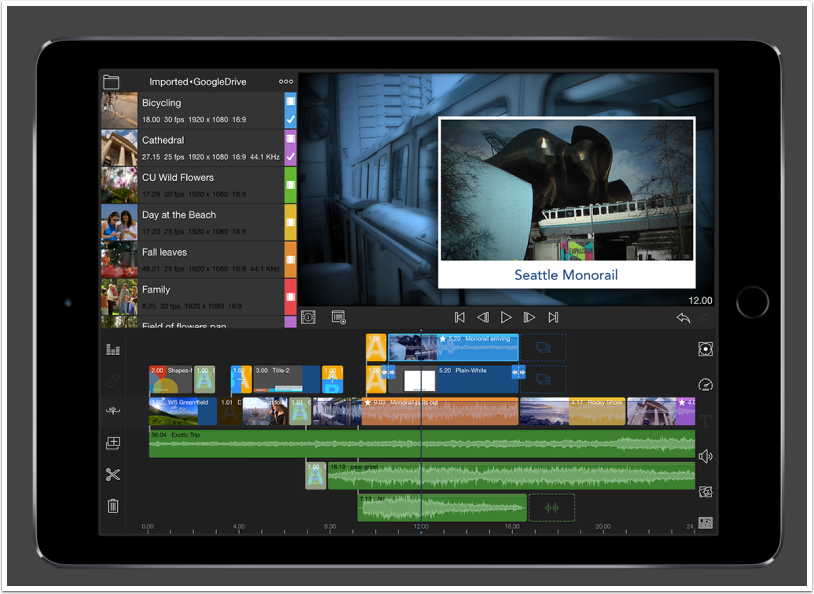
From the developers of djay, vjay appears as if it is going to be just as successful. Mix and scratch your favorite music videos from iTunes or combine songs from your music library with personal video footage into an interactive audio visual experience. Or use your iPad’s built-in camera to create your very own music video live. vjay lets you get creative with your content, display directly to a TV, stream wirelessly via Apple TV, or record your performances live to share on your favorite social channels. Check out more details below. This app retails for $9.99./£5.99 and you can download it here. Your Videos, Music & More Pre-Bundled…
Our Daily App Giveaway – Xtrafolio Photo Portfolio Professional – Worth $16.99/£11.99
This App provides you the possibility to personalise and the control to use your iPad as a professional photo Portfolio. With the Xtrafolio application your iPad will look as if it were designed especially for you. Only you will be able to enter the hidden edit menu, with an optional passcode. You can change the way it looks, so it will fit your personal style. Change Background colours, change Folder colours even change Folder text colours. Add your Company Logo, use the optional Home Page where you can provide your client with information about you or your projects. Add a Watermark to the emailed images, add info to each image, change…
iOS – 645 PRO – Updated
645 PRO is used by many iPhone photographers despite only launching in mid-April. It’s just been updated and you can see the full inclusions in What’s New below. This is a free update, if you have previously downloaded this app. If not, you can purchase it here. It retails for $2.99/£1.99/download. What’s New In Version 1.11.1? ➢ Experimental option to use torch as AF Assist lamp (via Settings.app) ➢ Disabled LZW compression for TIFFs when saving to Documents folder: larger files, but faster saving ➢ Option to add Copyright and License data to EXIF data (via Settings.app). Note that selecting a Public Domain "license" overrides any copyright info ➢…
Top 5 Apps For iPhone Photography – Photo App Lounge – With Dixon Hamby
Welcome to our new Photo App Lounge section of theappwhisperer.com. This is a very small area on our site where we ask highly accomplished iPhone photographers what their top five photo apps are and why. Kicking us off on our new section is Dixon Hamby. We previously interviewed Dixon for both our A Day In The Life Series and Extension Of The I. Dixon is a fantastic mobile travel photographer. He is currently based in Panama and has taken some totally awesome images. We caught up with Dixon in between shoots and asked him what his top five photo apps are, this is what he said: Copyright image – Dixon…
Olloclip: A Brief Comparison Article
The Olloclip is a external lens system compatible with the iPhone 4/4s. It consists of the three lenses. A wide angle, a macro and a fish eye in one compact unit. It comes complete with lens covers and a carry bag, which doubles as a cleaning cloth. To use, the Olloclip it is attached to a naked (caseless) iPhone, it is slipped over the top of the phone positioning the lens of choice over the camera lens. To access the macro lens you simply unscrew the wide angle lens attachment. Image 1 – Native Lens Today I am comparing the native lens, the wide angle and the fish eye…
iOS – Image Blender – Updated
One of the most popular apps with iPhone photographers, Image Blender has just been updated. You now get the facilty to use Camera+ to take the picture, there’s also a better help system and tons of bug fixes and speed improvements. This is a free update if you have previously downloaded this app, if not you can download it here. It retails for $2.99/£1.99.
Our Daily App Giveaway – PowerSketch
Welcome once again to our Daily App Giveaway section of theappwhisperer. We value our readers so much and that’s why we want to share our love of apps with you. Each day we give away free apps, better make us your home page ;). Today we have PowerSketch apps to giveaway, each currently worth $0.99/£0.69. PowerSketch is a fascinating yet easy-to-use app that brings out the Picasso in you. 10+ realistic and creative sketch effects come standard with PowerSketch, including rice paper, picture-in-picture, shadow, wash, neon, and more. You can capture an image and turn it into a sketch or select an image from your camera roll or gallery to…
Olloclip Tutorials – Selection Of Short Tutorials Demonstrating What Can Be Achieved – Number 5
The Olloclip is an indepsenbile device to many iPhone photographers. It is incredibly simple to use and as it’s so small can always be carried with you. We have put together a selection of short tutorials, showing exactly how simple it is to use the Olloclip to create stunning images. Take a look below… ‘Covered’ To construct this image, I attached the Macro lens of the Olloclip to my iPhone 4 and opened the Camera+ app, which I used to capture the shot. I then selected Freeform and Crop, as can be shown in the image on the left. With the image cropped and still within Camera+, I selected FX…