• News
  • INTERVIEWS
    • Vogue
    • LensCulture Articles
    • IntImate Interview
    • Reviews
    • High-Brow Interviews
    • TrueView Interviews
    • App Developer Interviews
    • A Day In The Life Of …
    • ‘Impossible’ Project Interviews
    • A Picture’s Worth…
    • Olloclip Interviews
    • Brought To Light
    • Extension Of The I
    • Artists’ Corner
    • Building Mobile Bridges with Instagram
    • Photo App Lounge
    • Spotlight
    • Photographs and text
    • Spotlight
    • Alternative Mobile Photography Processing
    • Pro Columns
  • TUTORIALS
    • App Art School
    • Creative Tutorials
      • Video Tutorials
      • Technical Tutorials
      • Hardware Tutorials
      • Viral SmartPhone Photography & Video Techniques
  • FEATURES
    • Tip Of The Day
    • Tickle Your Fancy
    • Saturday Poetry
    • Giveaways
    • Video Reviews
    • Drone
    • Apps
      • Amazon Appstore
      • Samsung Apps
      • Android Apps
      • BlackBerry Apps
      • 645 PRO
      • PhotoToaster
      • Windows Apps
      • Analog Camera
      • Color Lake
      • Etchings
      • Photo & Video
      • Image Blender
      • PhotoStation
      • MyPadLive
      • ProCamera
      • ProCam
      • Wood Camera
      • Photo Tool Apps
      • Apple Watch
      • iBooks Photo Books
      • Hardware
      • Photographic TED Talks
      • Mob-Entrepreneurs
      • Instagram Mobile Photographers To Follow Now
      • Indiegogo & Kickstarter Campaigns
      • Mobile Photography Courses
      • RUMORS
      • Photography & Art Magazines
      • Photography Books
      • SECTIONS
    • Exhibitions
    • Creative Grants and Residencies
    • Podcasts
    • Pic of the Day
    • Whisperings…
    • Mini Mobile Portfolio Reviews (MMPR)
    • Events
    • Venues
    • SHOWCASES
    • COLUMNS
      • COLUMNISTS
      • Draw the Line – Mobile Art as an Expression
      • StreetWise
      • Streets Ahead
      • Portrait of an Artist
      • APPart
      • Appstrax
      • Mobile Movies
      • Artistic Anarchy – Mobile Collusions
      • Ask Misho
      • Fly On The Wall
      • iFoto Fairchild
      • iObsess
      • Koci
      • iSights
      • Mobile Macro Photography
      • Photo Education & Accessibility
      • ItalianBrother
      • Mobile Photo Essays
      • Kuster
      • PictureBook
      • Portrayal
      • The Guetta Fringe
      • parallel II perspectives
      • The New Renaissance
      • Is There An App For That?
      • Vision & Voice
      • Tiny Shutter
      • The Picture Project
      • The App Nerds Workshop
      • StreetVIEW
      • Spare Moments
      • Shooting Star
  • About
    • Contact Us
      • Twitter
      • Instagram
      • YouTube
      • Support Us
  • GALLERY
  • Photographic Practice
  • News
  • INTERVIEWS
    • Vogue
    • LensCulture Articles
    • IntImate Interview
    • Reviews
    • High-Brow Interviews
    • TrueView Interviews
    • App Developer Interviews
    • A Day In The Life Of …
    • ‘Impossible’ Project Interviews
    • A Picture’s Worth…
    • Olloclip Interviews
    • Brought To Light
    • Extension Of The I
    • Artists’ Corner
    • Building Mobile Bridges with Instagram
    • Photo App Lounge
    • Spotlight
    • Photographs and text
    • Spotlight
    • Alternative Mobile Photography Processing
    • Pro Columns
  • TUTORIALS
    • App Art School
    • Creative Tutorials
      • Video Tutorials
      • Technical Tutorials
      • Hardware Tutorials
      • Viral SmartPhone Photography & Video Techniques
  • FEATURES
    • Tip Of The Day
    • Tickle Your Fancy
    • Saturday Poetry
    • Giveaways
    • Video Reviews
    • Drone
    • Apps
      • Amazon Appstore
      • Samsung Apps
      • Android Apps
      • BlackBerry Apps
      • 645 PRO
      • PhotoToaster
      • Windows Apps
      • Analog Camera
      • Color Lake
      • Etchings
      • Photo & Video
      • Image Blender
      • PhotoStation
      • MyPadLive
      • ProCamera
      • ProCam
      • Wood Camera
      • Photo Tool Apps
      • Apple Watch
      • iBooks Photo Books
      • Hardware
      • Photographic TED Talks
      • Mob-Entrepreneurs
      • Instagram Mobile Photographers To Follow Now
      • Indiegogo & Kickstarter Campaigns
      • Mobile Photography Courses
      • RUMORS
      • Photography & Art Magazines
      • Photography Books
      • SECTIONS
    • Exhibitions
    • Creative Grants and Residencies
    • Podcasts
    • Pic of the Day
    • Whisperings…
    • Mini Mobile Portfolio Reviews (MMPR)
    • Events
    • Venues
    • SHOWCASES
    • COLUMNS
      • COLUMNISTS
      • Draw the Line – Mobile Art as an Expression
      • StreetWise
      • Streets Ahead
      • Portrait of an Artist
      • APPart
      • Appstrax
      • Mobile Movies
      • Artistic Anarchy – Mobile Collusions
      • Ask Misho
      • Fly On The Wall
      • iFoto Fairchild
      • iObsess
      • Koci
      • iSights
      • Mobile Macro Photography
      • Photo Education & Accessibility
      • ItalianBrother
      • Mobile Photo Essays
      • Kuster
      • PictureBook
      • Portrayal
      • The Guetta Fringe
      • parallel II perspectives
      • The New Renaissance
      • Is There An App For That?
      • Vision & Voice
      • Tiny Shutter
      • The Picture Project
      • The App Nerds Workshop
      • StreetVIEW
      • Spare Moments
      • Shooting Star
  • About
    • Contact Us
      • Twitter
      • Instagram
      • YouTube
      • Support Us
  • GALLERY
  • Photographic Practice
  • AppArt
    App Art School,  APPart,  Creative Tutorials,  News,  Technical Tutorials

    AppArt School – How to Lock in your look with Photographic Styles

    2023-05-22 / Comments Off on AppArt School – How to Lock in your look with Photographic Styles

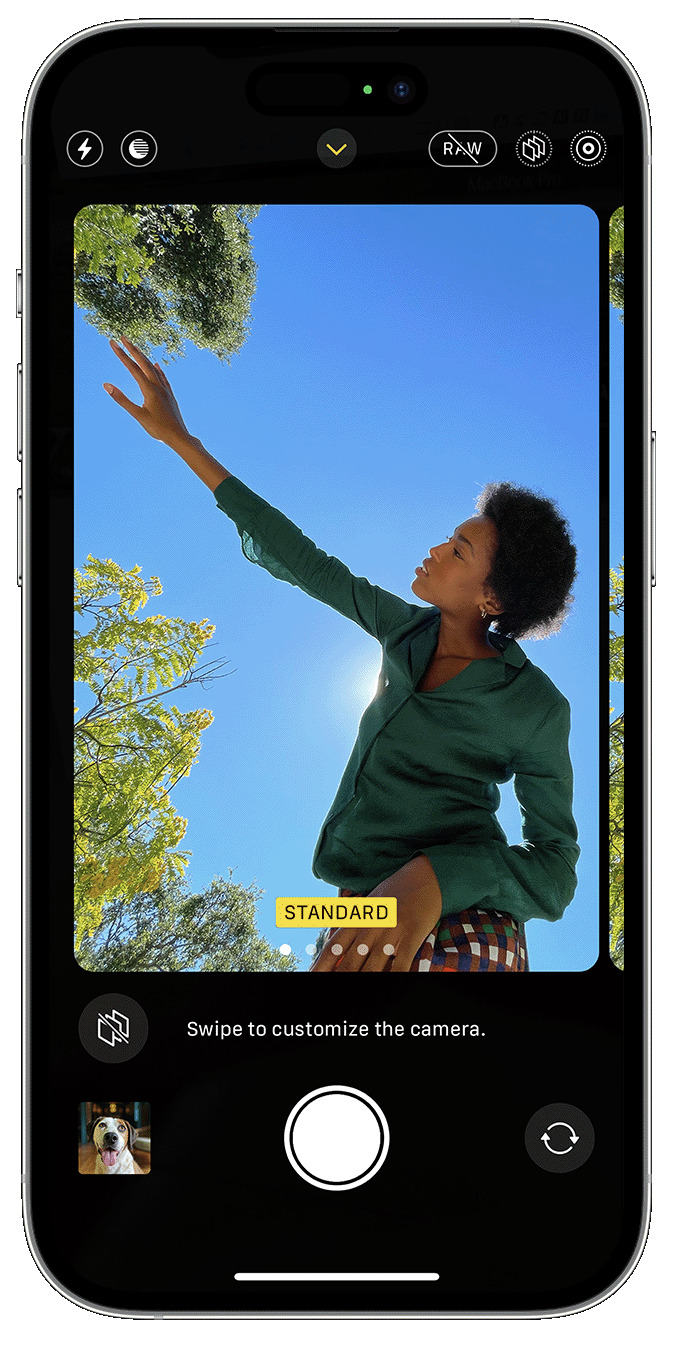
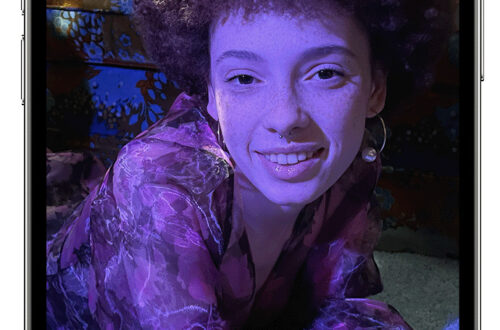
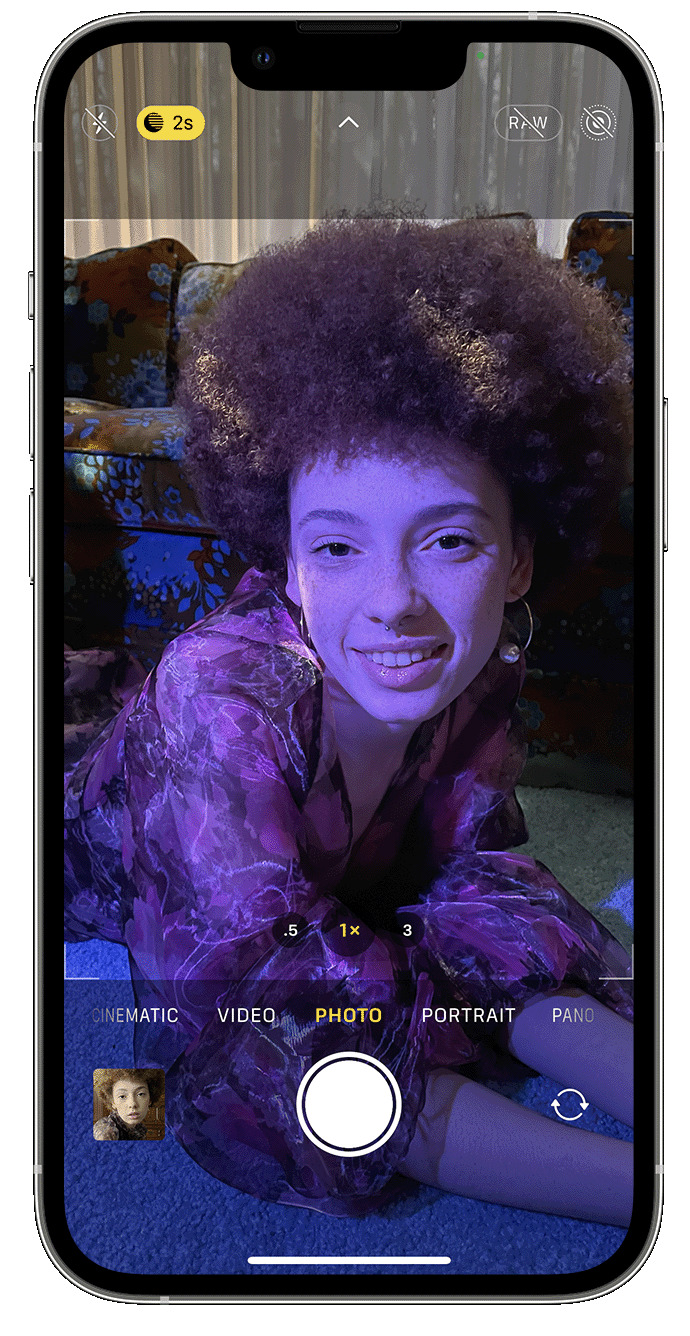
    AppArt School – How to Lock in your look with Photographic Styles With Photographic Styles on iPhone 13, iPhone SE (3rd generation) and later, you can personalise the look of your images in the Camera app. Choose a preset – Rich Contrast, Vibrant, Warm or Cool – and if you want to, you can fine-tune it even further by adjusting the Tone and Warmth settings. Set your style once to use your preferred style setting every time you take a photo in Photo mode. Set up a Photographic Style When you open the Camera app for the first time, tap Set Up to choose your Photographic Style. Swipe through the…

    read more
    Joanne Carter

    You May Also Like

    iphone

    The BEST iPhone Camera Settings – Fix Your Photos!
    2026-02-16
    art

    Distressed FX Plus Update and Work-Around

    2024-03-20
    Procreate

    Procreate – How to utilise Freeform Transform in Procreate

    2025-08-08
  • News,  What Apps Are We Using This Month?

    What Apps Are We Using This Month? with John Williamson

    2023-05-22 / Comments Off on What Apps Are We Using This Month? with John Williamson

    Welcome to TheAppWhisperer’s new section, “What apps are we using this month” series, where we discover which apps you are particularly enjoying. Kicking us off today is non-other than notable Mobile Artist John Williamson. Hi: my name is John Williamson. I live in rural Lancaster County, PA USA I’m 66. I had a career in the tech industry. My work always took me to diverse business locations and I always took a camera with me. This became much easier with the advent of mobile devices. I retired a few years early from the business world with the intention of making art. I think I’ve always had a creative mind. In addition…

    read more
    Joanne Carter

    You May Also Like

    Mobile Photography/Art Pic of the Day (841) via Instagram

    2018-07-07

    Artstudio Pro – Brand New iPhone and Mac OS Photography/Art App Announcement

    2017-12-14
    Affinity Photo

    Mobile Photography – App of the Day – Affinity Photo for iPad worth $19.99 – Repeated!!!

    2020-04-07
  • AppArt School
    App Art School,  APPart,  Creative Tutorials,  News,  Technical Tutorials

    AppArt School – How to Use Night mode on your iPhone

    2023-05-19 / Comments Off on AppArt School – How to Use Night mode on your iPhone

    AppArt School – How to Use Night mode on your iPhone On supported iPhone models, you can use Night mode to capture photos when the camera detects a low-light environment. You can use Night mode with iPhone 11 and later. Take low-light photos with Night mode Night mode turns on automatically when the camera detects a low-light environment. The Night mode icon  at the top of the display turns yellow when the feature is active. Depending on how dark the scene is, your iPhone may take a Night mode photo quickly, or it may take several seconds. You can also adjust your exposure setting. For the best results, hold your iPhone steady until the…

    read more
    Joanne Carter

    You May Also Like

    AppArt

    AppArt School – Using albums in Photos on iPhone

    2025-06-09
    AppArt

    AppArt School – Top 10 iOS Apps for Advanced Mobile Photographers

    2025-05-02
    LumaFusion

    LumaFusion – Tool a Minute: Import & Restore Projects

    2025-12-04
  • apps
    News,  What Apps Are We Using This Month?

    What Apps Are We Using This Month? with Tiina Torna Sandblom

    2023-05-19 / 1 Comment

    Welcome to TheAppWhisperer’s new section, “what apps are we using this month” series, where we discover which apps you are particularly enjoying. Kicking us off today is non-other than notable Mobile Artist Tiina Torna Sandblom. Hi, I’m Tiina Torna Sandblom from Helsinki, Finland and I’m already on the better side of fifty. I work at an architectural office and a big joy on my travels is photography. Joanne Carter invited me to respond to few questions regarding my editing app preferences so here we go: I started to take pictures with my iPhone XR few years back when I was on three months solo traveling in Spain. To my eyes a gorgeous…

    read more
    Joanne Carter

    You May Also Like

    Procreate

    Intro to Procreate Dreams

    2026-01-21
    mobile photography

    Mobile Photography/Art Pic of the Day (1,562) via Instagram

    2021-08-25
    apps

    What Apps Are We Using This Month? with Sonia Bridekirk

    2023-05-25
  • apps
    News,  What Apps Are We Using This Month?

    What Apps Are We Using This Month? with Ilise Harris

    2023-05-17 / Comments Off on What Apps Are We Using This Month? with Ilise Harris

    Welcome to TheAppWhisperer’s new section, “what apps are we using this month” series, where we discover which apps you are particularly enjoying. Kicking us off today is non-other than notable Mobile Artist, Ilise Harris. Hello, I am Ilise Harris and I live in Dobbs Ferry, which is suburban N.Y.  I am 65 years old and am a freelance makeup and hair artist. I am currently making a documentary film about the trend of women growing out the dye and letting their silver hair show. I feel it is an important cultural shift. This is of note because I am shooting much of this myself on my iPhone 14 pro. I never…

    read more
    Joanne Carter

    You May Also Like

    Mobile Photography / Art – Saturday Poetry – ‘Once the World was Perfect’ by Joy Harjo with @kay_arm_strong

    2019-01-26
    mobile photography

    Mobile Photography/Art Pic of the Day (1,303) via Instagram

    2020-07-30
    pic

    Mobile Photography/Art Pic of the Day (1,650) via Instagram

    2022-01-18
  • slow shutter
    App Art School,  APPart,  Creative Tutorials,  News,  Technical Tutorials

    AppArt School – Top 10 iOS Slow Shutter Apps

    2023-05-16 / Comments Off on AppArt School – Top 10 iOS Slow Shutter Apps

    AppArt School – Top 10 iOS Slow Shutter Apps An iOS slow shutter app is designed to simulate the effect of using a slow shutter speed on a traditional camera. Normally, when you take a photo with a fast shutter speed, it freezes the motion and captures a sharp image. However, when you use a slow shutter speed, it allows the camera’s sensor to capture light over a longer period, resulting in unique effects. Here’s what an iOS slow shutter app typically offers: Long Exposure Photography: The app allows you to capture long exposure photos using your iPhone’s camera. This means you can capture scenes with moving subjects, such as…

    read more
    Joanne Carter

    You May Also Like

    procreate

    How to access the Copy/Paste menu in Procreate

    2025-10-27
    afterlight

    AppArt School – How to use the Afterlight app to improve your Street Photography

    2025-05-02
    Procreate

    How to enable and customise QuickMenu in Procreate

    2025-10-22
  • art
    News,  What Apps Are We Using This Month?

    What Apps Are We Using This Month? with Wendy Gsell

    2023-05-16 / Comments Off on What Apps Are We Using This Month? with Wendy Gsell

    Welcome to TheAppWhisperer’s new section, “what apps are we using this month” series, where we discover which apps you are particularly enjoying. Kicking us off today is non-other than notable Mobile Artist, Wendy Gsell. Hello, my name is Wendy Gsell, I am 64 retired and disabled with Multiple Sclerosis. I live in a Healthcare Facility in Naples, Florida, USA. I love Visage lab as a starter app and iColorama, Becassa, Blender and Layover as editing apps and trying out various watercolour apps, strangely all very different. As an aside, I have explored/experimented with many that are quite honestly start as free and then charge $8.00 a WEEK…lots of underwhelming and disappointing…

    read more
    Joanne Carter

    You May Also Like

    icolorama

    iPad/iPhone Photography Tutorial – iColorama from the Beginning – Part 1

    2014-09-24

    Mobile Photography / Art – Saturday Poetry – ‘Once the World was Perfect’ by Joy Harjo with @kay_arm_strong

    2019-01-26

    Mobile Photography/Art Pic of the Day (742) via Instagram

    2018-02-12
  • apps
    News,  What Apps Are We Using This Month?

    What Apps Are We Using This Month? with Roger Guetta

    2023-05-15 / Comments Off on What Apps Are We Using This Month? with Roger Guetta

    Welcome to TheAppWhisperer’s new section, “what apps are we using this month” series, where we discover which apps you are particularly enjoying. Kicking us off today is non-other than Award Winning Mobile Artist, Roger Guetta from Montreal, Quebec, Canada.   “After almost four decades of teaching, I am now happily retired. After experimenting with a few blending apps, I have settled for using Image Blender to super impose and mask my images.  I use it in tandem with Snapseed to render and mostly complete. So most of my work is a matter of jumping back and forth with with these two apps. I use Stackables and Formulas to add texture at times. In conclusion, I…

    read more
    Joanne Carter

    You May Also Like

    Mobile Photography – Hailde for iPhone App Giveaway Today!

    2017-11-09

    Mobile Photography/Art Pic of the Day (746) via Instagram

    2018-02-16

    Los Angeles Festival of Photography – Thoughts From A Selection of Mobile Photographers / Artists – April 18-23, 2017

    2017-04-18
  • art
    News,  What Apps Are We Using This Month?

    What Apps Are We Using This Month? with Karen Axelrad

    2023-05-12 / Comments Off on What Apps Are We Using This Month? with Karen Axelrad

    Welcome to TheAppWhisperer’s new section, “what apps are we using this month” series, where we discover which apps you are particularly enjoying. Kicking us off today is non-other than Award Winning Mobile Artist, Karen Axelrad. My name is Karen Axelrad. I’m an American retired architect living in Berlin, Germany. I have two grown sons and two granddaughters. I use many apps, but I will concentrate on the ones I have been using recently that perhaps others haven’t talked as much about. I shoot with an iPhone 13 Pro and process with the iPad Pro. I use Hipstamatic a lot using the setting that gives me the original photo as well as…

    read more
    Joanne Carter

    You May Also Like

    CameraRAW

    Camera RAW coming to Adobe Photoshop on Apple iPad

    2021-10-13
    procreate

    Procreate – Empowerment Through Art | Kika Klat | Human Made

    2025-07-01
    MacBook Air

    New MacBook Air has more to love and is now just £999/$999

    2020-03-18
  • apps icolorama
    App Art School,  APPart,  Creative Tutorials,  News,  Technical Tutorials

    AppArt School – How to Get Creative with the iColorama Painting App

    2023-05-11 / Comments Off on AppArt School – How to Get Creative with the iColorama Painting App

    AppArt School – AppArt School – How to Get Creative with the iColorama Painting App To get creative with the iColorama painting app, you can explore various features and techniques offered by the app. Here are some tips to help you unleash your creativity: Familiarise Yourself with the Tools: Take some time to explore the different painting tools available in iColorama. Experiment with brushes, pens, and other artistic tools to understand their effects and variations. Play with Brush Settings: Adjust the size, opacity, and hardness of the brushes to create different strokes and textures. Experiment with different brush settings to achieve the desired artistic effect. Layering and Blending: Take advantage…

    read more
    Joanne Carter

    You May Also Like

    Procreate

    Procreate – How to find your way in Procreate 

    2025-08-01
    LumaFusion

    App Art School – How to Edit Videos on iPhone & iPad: LumaFusion Tutorial

    2022-01-05
    procreate

    Procreate – How to use Animation Assist in Procreate

    2025-08-04
 Older Posts
Newer Posts 

Visit our online Print Gallery

    ©TheAppWhisperer 2026
    • News
    • INTERVIEWS
    • TUTORIALS
    • FEATURES
    • About
    • GALLERY
    • Photographic Practice
    Ashe Theme by WP Royal.