iOS – Infinicam – Temporary Price Drop
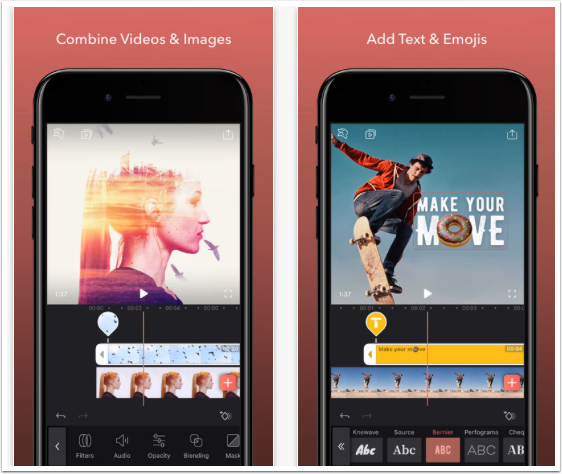
Infinicam! Like CameraBag, Infinicam applies high quality effects to photos, but instead of having a set number of pre-defined camera styles, Infinicam offers an endless variety in a fun, stylish interface. With each press of its New Camera button, Infinicam generates a new and unique randomized camera style. These high quality effects go far beyond the usual range of toy camera styles, and Infinicam also features 18 high-quality film-style borders lovingly recreated to delight photography buffs. There are literally billions of possible camera styles to discover, with advanced algorithms in place to assure a high hit rate of unique, high quality results. Once a favorite camera style is found, it can…
Top 5 Apps For iPhone Photography – Photo App Lounge – With Sean Hayes
Welcome to our new Photo App Lounge section of theappwhisperer.com. This is a very small area on our site where we ask highly accomplished iPhone photographers what their top five photo apps are and why. Kicking us off today is Sean Hayes. We previously interviewed Sean for our A Day In The Life Of Series, see here and also our Extension Of The I series, see here. Sean is a Freelance Advertising Art Director by profession, and you can find out more about that here at www.wix.com/shonski/sean-hayes. Sean started shooting images with an iPhone in 2009 and began to submit work on a regular basis to sites such as www.iphoneart.com,…
iOS – Slow Shutter Plus – Temporarily Free
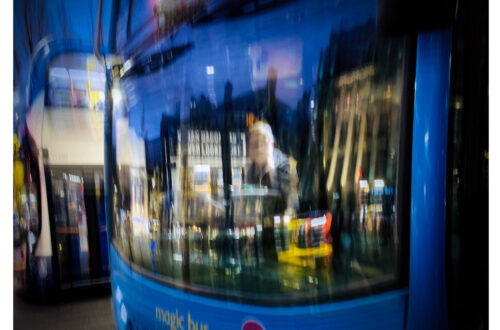
When a scene includes both stationary and moving subjects (for example, a fixed street and moving cars or a camera within a car showing a fixed dashboard and moving scenery), a slow shutter speed can cause interesting effects, such as light trails. Long exposures are easiest to accomplish in low-light conditions, but can be done in Slow Shutter Plus App. This app usually retails for $0.99/£0.69 but today you can pick it up for free. Click here to download.
iOS – ProCamera – Temporary Price Drop
One of the most popular apps for iPhone photography has just had a smashing price drop. Today you can pick up this app for only $0.99/£0.69 instead of the more usual $2.99/£1.99. Just click here to do so/download.
A Day In The Life Of Alessandro Greganti An iPhone Street Photographer Bursting With Talent
Welcome to our very exciting new column on theappwhisperer.com. This section entitled ‘A day in the life of …’ and this is where we’ll be taking a look at some hugely influential, interesting and accomplished individuals in the mobile photography world. People that we think you will love to learn more about. This is the thirty-first installment of the series, you can read the others here if you have missed them so far. Today, we are featuring Alessandro Greganti, a 36 year old System Administrator at the University of Turin. Alessandro lives with his girlfriend Stefania and their wonderful 7 year old son Andrea in Moncalieri, a little city just…
You May Also Like
Mobile Photography Interview – A Day In The Life of Lynette Jackson – A Very Talented Mobile Photographer with a Unique Style

A Day In The Life Of Kevin Kuster – Former Senior Playboy Photographer Reveals All (almost)!
Mobile Photography Interview – A Day in the Life of Armineh Hovanesian from Glendale, California
Top 5 Apps For iPhone Photography – Photo App Lounge – With Jordi V. Pou
Welcome to our new Photo App Lounge section of theappwhisperer.com. This is a very small area on our site where we ask highly accomplished iPhone photographers what their top five photo apps are and why. Kicking us off today is Jordi V. Pou. We previously interviewed Jordi in our A Day In The Life Series, you can read that here. Jordi is a professional photographer from Catalonia, Spain, who counts his Apple iPhone as just one of the many cameras he uses depending on the project. We caught up with Jordi in between shoots and asked him what his top five photo apps are, this is what he said… Copyright…
iOS – Color Splash Studio – New
We’ve been hearing about it for a while and now it is here, the iOS version of the very popular Mac app Color Splash Studio. With this app you can convert images to black and white and keep specific areas in color. It comes with many tools and filters that will help you enhance your iPhone images. These include: • Dramatic effects • Grayscale, Sepia, Bluetone monochrome layers (selective color editing) • Vignette • Integration with Instagram and FX Photo Studio You can read more about this app below. It is available to purchase currently with 60% off at only $0.99/£0.69/download here. Features • Import images from camera roll or…
iPhone Photography Exhibition – Visual Observations
If you happen to be in Norway from August 3, 2012 make sure you pop in and view what we believe will be a stunning display of iPhone photography. Lene Basma and her partner Johnny Ecko will be exhibiting their works at the Visual Observations Gallery. Details below.
iOS – 645 PRO – Updated
645 PRO is used by many iPhone photographers despite only launching in mid-April. It’s just been updated and you can see the full inclusions in What’s New below. This is a free update, if you have previously downloaded this app. If not, you can purchase it here. It retails for $2.99/£1.99/download. What’s New In Version 1.11.1? ➢ Experimental option to use torch as AF Assist lamp (via Settings.app) ➢ Disabled LZW compression for TIFFs when saving to Documents folder: larger files, but faster saving ➢ Option to add Copyright and License data to EXIF data (via Settings.app). Note that selecting a Public Domain "license" overrides any copyright info ➢…
Top 5 Apps For iPhone Photography – Photo App Lounge – With Dixon Hamby
Welcome to our new Photo App Lounge section of theappwhisperer.com. This is a very small area on our site where we ask highly accomplished iPhone photographers what their top five photo apps are and why. Kicking us off on our new section is Dixon Hamby. We previously interviewed Dixon for both our A Day In The Life Series and Extension Of The I. Dixon is a fantastic mobile travel photographer. He is currently based in Panama and has taken some totally awesome images. We caught up with Dixon in between shoots and asked him what his top five photo apps are, this is what he said: Copyright image – Dixon…
You May Also Like
Mobile Photography & Art – ‘My Top Five Apps’ by Laurie Amerson from Atlanta, Georgia, USA
Mobile Photography & Art – My Top Five Apps by Rad A. Drew from Indianapolis, Indiana, United States
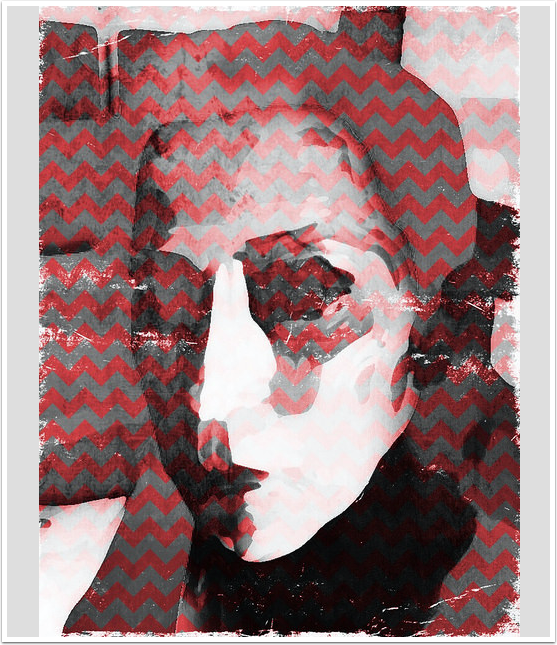
Mobile Photography & Art – My Top Five Apps by Armineh Hovanesian from Glendale, California, United States