Fujifilm Launch New Smartphone Printer and App!
Fujifilm is launching a smartphone printer, the Instax SHARE SP-1, that enables easy creation of Instax prints using images sent wirelessly from a smartphone. Fujifilm’s range of Instax instant cameras, which output photos in the traditional analogue style, has enjoyed a huge surge in popularity recently. This has led to requests from users who wish to produce ‘Instax-style’ prints from their smartphones. The Instax printer is a neat, compact unit measuring 101.6mm x 42mm x 122.5mm and weighing just 253g. It produces a print in a mere 16 seconds and uses standard Instax Mini film for its output. Together with the release of the printer, Fujifilm is also unveiling a…
You May Also Like
Mobile Photographer Gerry Coe Awarded Another Fellowship from the BIPP
Mobile Photography & Art – Tip of the Day! – ‘Build Your Own App’ by Jane Schultz
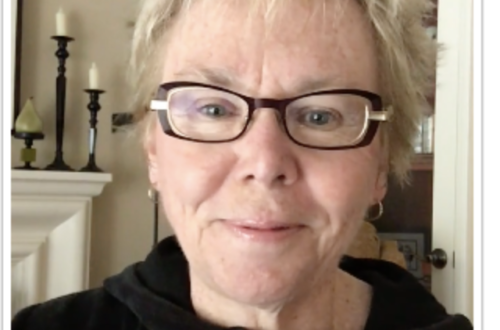
TrueView Interview – “What do you Think the Evolving Attitudes are Towards Mobile Photography and/or Mobile Art Today?” with Barbara Nebel from California, USA
Zen Brush – Our Daily App Giveaway!
Last week following publication of our comprehensive Mobile Photography New Year Resolutions from Around the World – Part 1 and Part 2 (click for links), we were enthralled to read a discussion regarding the app Zen Brush which emerged when Nettie Edwards (Lumilyon) mentioned within her section in Part 2 that she will ‘further reconnect my body and brain, I’m going to try to get back into the habit of sketching once a day: this could be on the back of envelopes or till receipts, or on my iPhone and iPad (I especially love the simplicity of the iPhone app Zen Brush)’. MaryJane Sarvis downloaded the app immediately based on…
Tickle Your Fancy – #21 – NSFW
Welcome back to our twenty first post in our new section ‘Tickle Your Fancy’. ‘Tickle Your Fancy’ includes a round-up of five links to articles from around the internet that have specifically interested us during the course of the week. Ones that we feel are relevant to your interest in photography and art. Just to explain the title for this section ‘Tickle Your Fancy’ is an English idiom and essentially means that something appeals to you and perhaps stimulates your imagination in an enthusiastic way, we felt it would make a great title for this new section of the site. We hope you enjoy this weeks’ selections… Image: ©…
DPreview Feature Our New Year’s Resolutions Articles
Many thanks to our linked site dpreview for featuring our New Year’s Resolution Articles. They’ve picked out and highlighted a few of their favourites and added links to our original posts. If you missed those, please go here: Part 1 Part 2 To read the article on dpreview – just go here.
You May Also Like

Greatest Mobile Art Pic of the Day (2,282)
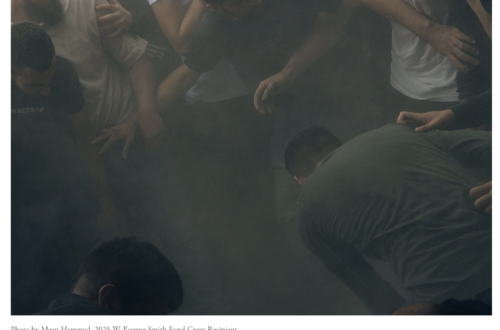
Best Photography Grants, Scholarships and Funding Opportunities in the USA (2026)
TrueView Interview – “What do you Think the Evolving Attitudes are Towards Mobile Photography and/or Mobile Art Today?” with Barbara Nebel from California, USA
Flowpaper – iOS Photography Effects App – Temporarily Free
Flowpaper is a really wonderful app and used by many experienced iOS mobile photographers. It allows you to create playful waves of colour. Ali Jardine demonstrates the wonders of Flowpaper in this image below, you can see more of her work in our interview here. Flowpaper usually retails for $0.99/£0.69 but today you can download here for free.
Mobile Photography New Year Resolutions From Around The World – Part 1!
At the beginning of the year it’s traditional to make a promise to oneself to improve in some way, this could be to improve finances, improve education, improve mental health, improve physical health and so on. We wanted to speak with mobile photographers, mobile artists, mobile hardware manufacturers and mobile photography app developers to find out what their New Year Resolutions for 2014 are. We have communicated with over 80 people for this article, we would love to include everyone, but we simply can’t, we’d never finish. So please don’t be upset if you’re not in this article, you have not been forgotten, we’re very aware of who you are…
Mobile Photography New Year Resolutions From Around The World! Part 2
At the beginning of the year it’s traditional to make a promise to oneself to improve in some way, this could be to improve finances, improve education, improve mental health, improve physical health and so on. We wanted to speak with mobile photographers, mobile artists, mobile hardware manufacturers and mobile photography app developers to find out what their New Year Resolutions for 2014 are. We have communicated with almost 80 people for this article, we would love to include everyone, but we simply can’t, we’d never finish. So please don’t be upset if you’re not in this article, you have not been forgotten, we’re very aware of who you are…
Technical Tutorial – iColorama 7a – ‘Exploring Release 3.7’ By Jerry Jobe
We’re delighted to publish Jerry Jobe’s latest Technical Tutorial on iColorama. Jerry is a fabulous tutorial editor and we’re so proud to share his latest, part 1 of 2, iColorama tutorial. In this tutorial Jerry takes a look at the latest update and demonstrates how to utilise these new features into your workflow, don’t miss this. Over to you Jerry (foreword by Joanne Carter). "It isn’t easy keeping up with iColorama. As I write, release 3.7 was released two weeks ago. The developer. Teresa Garit, assures us that the next release should be ready to go to the App Store this week. And these aren’t cosmetic releases, tweaking…
Tips For Capturing Fireworks For Smartphone Photography by Andy Farrer
Many thanks to the UK PR agency for HTC smartphones for sending through this interesting article for us, just in time to capture fireworks for New Years Eve. Andy Ferror is a professional Landscape Photographer and HTC spokesman and he’s come up with some great tips, read more below… 1) Preparation Find out where the fireworks will launch from and pick a vantage point which gives you a good view. Include any landmarks which will add context, rather than just photographing fireworks against a black sky. Consider wind direction and how crowded your location may get as the display starts. 2) Keeping things steady When you’re photographing in low…
PhotoRaw – iOS Photography App – Updated With 64 bit Processing
PhotoRaw allows you to view and develop RAW images with digital cameras (uncompressed and large files, often favoured by professional photographers as they perserve more of the image quality than standard JPEG files). PhotoRaw has just been updated with 64 bit processing, it’s an incredible app and supports a wide range of digital cameras. It retails for $9.99/£6.99, you can download it here. There’s also a Lite version, to try before you buy – click here to download that.