Best Android Camera Apps for Professional Photographers (2026)
The Best Android Camera Apps (2026): 15 Professional Apps for RAW Photography, Manual Control and Video
Android photography has reached a fascinating point in its evolution. For years, serious photographers largely overlooked the platform, believing that the most capable mobile imaging experience belonged exclusively to the iPhone. That perception is now badly out of date.
Today’s flagship Android smartphones from manufacturers including Samsung, Google, Sony, Xiaomi, Vivo and OnePlus possess imaging systems capable of producing remarkably sophisticated photographs. Larger sensors, computational imaging, RAW workflows and increasingly advanced manual controls have transformed what can be achieved with a device that fits comfortably into a pocket.
Just as importantly, Android offers photographers something that has become increasingly valuable: choice. Rather than being restricted to a single photographic philosophy, Android users can select software tailored to their own way of working. Some applications prioritise complete manual exposure control. Others are built around computational RAW photography, cinematic filmmaking, authentic analogue rendering or streamlined professional workflows. Many photographers now carry several specialist camera applications, selecting the most appropriate tool depending on the subject rather than relying on a single all-purpose camera.
The result is an ecosystem that rewards experimentation while offering levels of creative control that were once reserved for dedicated cameras. This guide explores the finest Android camera applications available in 2026. Instead of simply ranking apps by popularity, it examines how each fits into professional photographic practice, helping you decide which software deserves a place in your own workflow.
Why Android Has Become a Serious Photography Platform
It is easy to forget how dramatically Android photography has changed over the past decade. Early Android devices often suffered from inconsistent camera performance. Hardware varied enormously between manufacturers, third-party developers struggled to access advanced camera controls, and software optimisation rarely matched the capabilities of the sensors themselves. Even excellent hardware frequently produced disappointing results because applications were unable to exploit its full potential.
That landscape has changed. Google’s Camera2 API—and the continuing refinement of Android’s imaging architecture—have given developers significantly deeper access to manual controls, RAW capture, exposure management and advanced computational photography. At the same time, smartphone manufacturers have invested heavily in dedicated imaging processors, larger sensors, optical stabilisation and sophisticated multi-frame processing.
Today’s premium Android smartphones routinely offer features that would have been associated with professional cameras only a few years ago:
- Full manual exposure control
- RAW (DNG) image capture
- Focus peaking
- Zebra exposure warnings
- Histograms
- Log video recording
- External SSD recording
- High bitrate codecs
- Computational RAW processing
- Multi-camera control
Perhaps more importantly, Android’s openness has encouraged innovation from independent developers. Applications such as MotionCam, Blackmagic Camera and mcpro24fps have pushed mobile imaging far beyond the limits originally envisioned by smartphone manufacturers.
The conversation has therefore shifted. It is no longer a question of whether Android can produce professional-quality photographs. It can. The more interesting question is which application best complements the way you work.
What Professional Photographers Should Look For
Not every camera application is designed with photographers in mind. Some prioritise convenience above all else, while others are aimed squarely at creators who expect complete control over the image-making process.
When evaluating an Android camera app, several characteristics deserve particular attention. Manual exposure remains fundamental. The ability to control shutter speed, ISO, and focus independently allows photographers to make deliberate creative decisions rather than accepting the compromises made by automatic algorithms.
RAW capture is equally important. Recording an unprocessed DNG file preserves considerably more image information than a compressed JPEG, providing greater latitude when recovering highlights, opening shadows and adjusting colour during post-production. Professional monitoring tools such as focus peaking, histograms and zebra warnings become invaluable when working in difficult lighting conditions. They provide immediate visual feedback, reducing guesswork while increasing consistency.
For photographers working across multiple devices, efficient workflow integration also matters. Direct export to Lightroom, Capture One-compatible DNG files, cloud synchronisation and reliable file management can save considerable time during editing.
Finally, stability should never be overlooked. An application may offer dozens of advanced features, but reliability remains essential when photographing a fleeting moment that cannot be recreated. Choosing the right camera application, therefore, involves balancing creative control, image quality, workflow efficiency and dependability rather than simply selecting the software with the longest feature list.
MotionCam Pro: Unlocking the Full Potential of Android Imaging
Among serious Android photographers, few applications have generated as much excitement in recent years as MotionCam Pro. Unlike conventional camera apps that rely heavily on a phone manufacturer’s image processing pipeline, MotionCam approaches mobile photography from a fundamentally different perspective. Its goal is not to create the most visually pleasing JPEG straight out of the camera, but to capture as much genuine sensor data as possible before software begins making creative decisions on your behalf.
That distinction is significant. Modern smartphones perform an extraordinary amount of processing before a photograph is even saved. Noise reduction, sharpening, local contrast enhancement, HDR blending, colour optimisation and AI scene recognition all contribute to the finished image. While these technologies often produce impressive results for casual photography, they can also remove subtle detail, alter colours and create an overly processed appearance that many photographers find difficult to reverse during editing.
MotionCam was developed as an alternative to this increasingly automated workflow. Instead of relying on aggressive computational photography, the application records RAW sensor data with exceptional fidelity, allowing photographers to perform their own processing later using software such as Adobe Lightroom, Capture One or DxO PhotoLab. The philosophy is refreshingly straightforward: preserve as much information as possible and leave creative interpretation to the photographer rather than the smartphone.
This approach makes MotionCam particularly attractive to landscape photographers, documentary photographers and anyone accustomed to working with RAW files from dedicated mirrorless or DSLR cameras. One of MotionCam’s most impressive capabilities is its computational RAW mode. Rather than simply saving a single RAW exposure, the application can intelligently combine multiple frames before generating a DNG file. This process reduces noise while retaining significantly more detail than would normally be possible from a smartphone sensor. The resulting files offer noticeably greater latitude during post-processing, particularly when recovering highlights or lifting shadow detail.
For photographers working in challenging lighting conditions, this extra flexibility can make a substantial difference. Manual control is equally comprehensive. Exposure compensation, ISO, shutter speed, white balance, and focus can all be adjusted with precision, giving photographers the confidence to work methodically rather than relying on automatic exposure algorithms. The interface avoids unnecessary visual clutter and emphasises the controls that experienced photographers actually use.
Performance has also improved considerably over successive releases. Earlier versions occasionally struggled with compatibility across different Android devices, but support has expanded significantly, particularly for Google Pixel, Samsung Galaxy and several Xiaomi models. As always with Android photography, however, performance depends partly on how individual manufacturers implement the Camera2 API, so capabilities may vary slightly between devices.
MotionCam is not intended for photographers seeking instant social media images. Capturing large computational RAW files demands more storage, more processing power and, inevitably, more patience. Images often require careful editing before they reveal their full potential. Those accustomed to polished JPEGs straight out of the camera may initially find the files flat or understated.
Yet that restraint is precisely the point. Rather than making aesthetic decisions on your behalf, MotionCam provides an exceptionally rich digital negative from which you can create your own interpretation. For photographers who value craftsmanship over convenience, this represents one of Android’s greatest strengths.
The application also complements other mobile photography tools remarkably well. Many photographers use MotionCam to capture demanding landscape or architectural images before importing the DNG files into Lightroom Mobile for detailed editing. Others combine it with Blackmagic Camera for professional video production, allowing a single Android device to function as both a high-quality stills camera and a capable filmmaking platform.
No application is perfect. MotionCam’s learning curve is steeper than that of many mainstream camera apps, and its advanced computational features can drain battery faster than conventional photography apps. Beginners may also find its emphasis on RAW workflows intimidating at first.
Nevertheless, for photographers seeking the highest image quality currently achievable on Android, MotionCam remains one of the platform’s most impressive technical achievements. It demonstrates what becomes possible when software is designed not for casual snapshots, but for photographers who expect complete creative control from capture to final edit.
Best suited to
Landscape photographers, documentary photographers, fine art photographers, RAW workflow enthusiasts and professionals who prefer to process every image themselves.
Strengths
- Outstanding computational RAW image quality
- Exceptional dynamic range
- Extensive manual controls
- Minimal reliance on artificial image processing
- Professional editing workflow compatibility
Limitations
- Demands post-processing
- Higher storage and battery usage
- Not supported equally across every Android device
- Better suited to experienced photographers than complete beginners
mcpro24fps: Cinema-Level Control for Serious Mobile Filmmakers
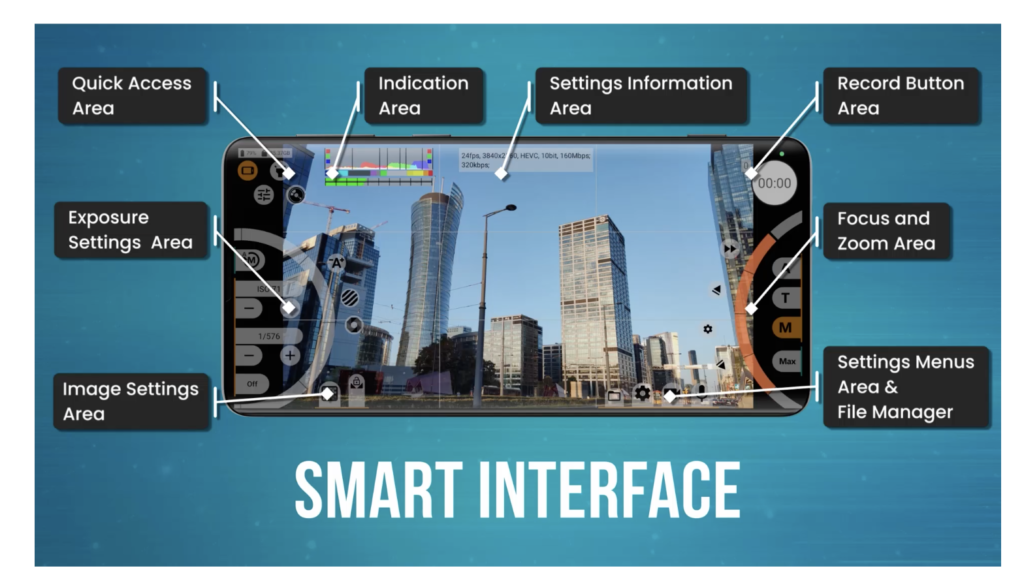
If Blackmagic Camera has become the polished face of professional mobile filmmaking, mcpro24fps is its uncompromising, highly configurable counterpart. It is an application designed for users who want to push Android hardware as far as possible, often beyond the capabilities exposed by a manufacturer’s own camera software.
This is not an app that tries to appeal to everyone. It assumes its users understand the fundamentals of cinematography and rewards that knowledge with an extraordinary level of control. The first thing photographers will notice is the sheer depth of its settings. Frame rates, bitrates, shutter angle, ISO, white balance, colour profiles and lens selection are all extensively customisable. The app even exposes advanced camera features that many competing applications simply ignore, depending on the available hardware.
For hybrid photographers who regularly move between stills and motion, mcpro24fps provides the confidence that exposure, colour and focus can be managed consistently throughout an entire shoot. One of its greatest strengths is hardware support. Android’s fragmented ecosystem has long been a challenge for developers, yet mcpro24fps has built an impressive reputation for extracting capabilities from devices that many users never realised existed. Features vary by manufacturer, but supported phones often gain access to recording modes unavailable through the stock camera app.
Manual focus implementation is particularly impressive. Combined with focus peaking, the application allows remarkably precise control when filming interviews, documentary work or creative sequences where autofocus might become distracting. Professional monitoring tools are equally comprehensive. Histograms, zebra warnings, focus aids and exposure overlays help ensure that technical decisions are based on measurable information rather than guesswork.
The learning curve, however, should not be underestimated. Unlike consumer-focused apps that attempt to simplify every decision, mcpro24fps expects users to understand why they are changing settings in the first place. Beginners may initially find its interface intimidating, while experienced photographers are likely to appreciate the absence of unnecessary automation.
This is an application for photographers and filmmakers who enjoy mastering their equipment rather than simply operating it.
Best suited to
Professional videographers, documentary filmmakers, hybrid creators and advanced enthusiasts.
Strengths
- Extremely comprehensive manual controls
- Excellent professional monitoring tools
- Outstanding hardware access
- High-quality recording options
- Frequent updates
Limitations
- Steep learning curve
- Interface prioritises function over simplicity
- Device compatibility varies
Camera FV-5: A Classic That Still Deserves Attention
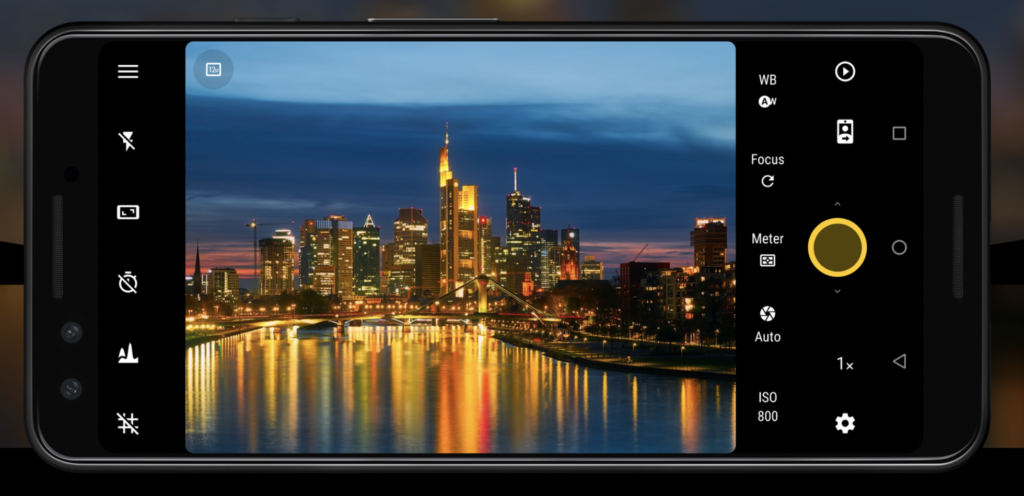
Some software survives because of constant reinvention. Other applications endure because they were built on sound photographic principles from the beginning.
Camera FV-5 belongs firmly in the second category. Although newer competitors have appeared in recent years, Camera FV-5 remains one of Android’s most respected manual photography applications. Rather than chasing fashionable computational photography trends, it continues to concentrate on the essentials that photographers value most: exposure, focus and image quality.
Its interface deliberately resembles a traditional camera. Exposure settings are always visible, allowing photographers to monitor ISO, shutter speed, exposure compensation and white balance without navigating through layers of menus.
For anyone moving between a mirrorless camera and a smartphone throughout the day, this familiarity helps maintain a consistent workflow. RAW capture remains one of the application’s strongest features. Files integrate cleanly into Adobe Lightroom and other professional editing software, providing ample latitude for colour grading and tonal adjustments after capture.
Long-exposure photography is another area where Camera FV-5 continues to perform exceptionally well. When mounted securely on a tripod, the application allows photographers to experiment with moving water, traffic trails and night scenes while maintaining precise control over every aspect of exposure.
The app’s conservative approach has perhaps prevented it from attracting the same attention as newer AI-driven alternatives, yet there is something reassuring about software that simply focuses on making photographs well.
Not every photographer wants automated sky replacement or computational filters. Many simply want reliable manual controls and predictable results. Camera FV-5 continues to provide exactly that.
Best suited to
Landscape photographers, architectural photographers and photographers transitioning from dedicated cameras.
Strengths
- Excellent manual exposure controls
- Reliable RAW workflow
- Familiar DSLR-style interface
- Strong long-exposure capabilities
- Mature, dependable software
Limitations
- Interface feels slightly dated
- Development moves more slowly than some competitors
- Limited computational photography features
Adobe Lightroom Camera: Capture and Edit Without Leaving the Workflow
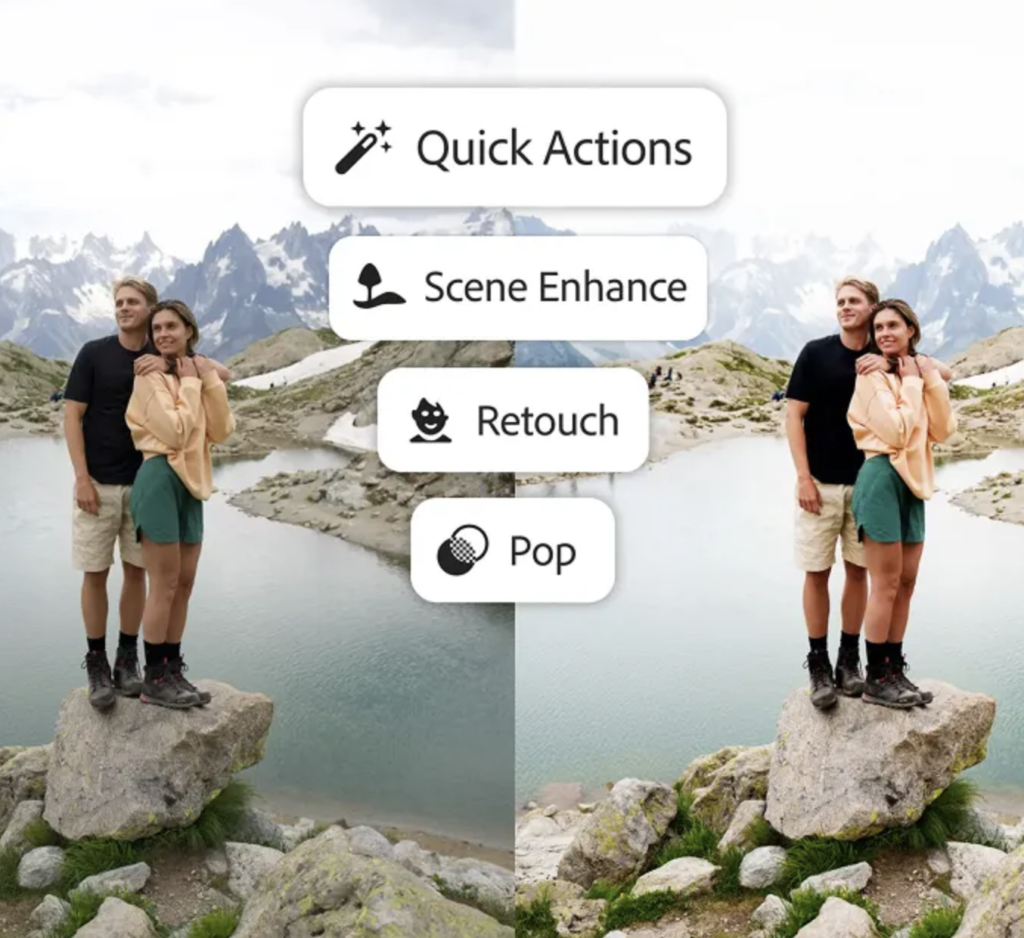
Adobe Lightroom Mobile has become much more than an editing application. Its integrated camera now provides photographers with a remarkably efficient workflow that begins at the moment of capture and continues seamlessly through editing, organisation and export.
For photographers already invested in the Adobe ecosystem, this integration is difficult to ignore.
Rather than photographing in one application before importing files into another, Lightroom Camera keeps everything within a single environment. Images can be captured in RAW, edited immediately using Lightroom’s powerful tools and synchronised automatically across desktop and mobile devices.
The workflow feels natural because it removes unnecessary steps. Manual controls are thoughtfully implemented, offering adjustments for exposure, ISO, shutter speed, focus and white balance without overwhelming the interface. Adobe has deliberately prioritised usability, making the application accessible while still providing sufficient control for experienced photographers.
RAW capture is particularly strong. With Lightroom’s non-destructive editing engine, photographers retain significant flexibility when recovering highlights, adjusting white balance, or refining colour. AI-powered masking and selective editing have also transformed what can be achieved directly on a smartphone. Complex adjustments that once required desktop software can now be completed while travelling, allowing photographers to deliver professional-quality images from virtually anywhere.
Lightroom Camera does not attempt to compete with MotionCam’s computational RAW innovations or Blackmagic Camera’s filmmaking features. Instead, it succeeds because it forms part of a larger photographic ecosystem that millions of professionals already rely upon.
For photographers who spend most of their editing time inside Lightroom Classic or Lightroom CC, capturing directly into the Adobe workflow often makes practical sense. It reduces friction, speeds up delivery and ensures that every image is immediately available across multiple devices.
Best suited to
Professional photographers already using Adobe Lightroom, travel photographers and editorial photographers requiring rapid delivery.
Strengths
- Outstanding Lightroom integration
- Excellent RAW editing workflow
- Cloud synchronisation
- AI masking tools
- Clean, intuitive interface
Limitations
- Some features require an Adobe subscription
- Fewer advanced camera controls than dedicated manual camera apps
- Best suited to existing Adobe users
Samsung Expert RAW: Getting the Most from Galaxy Smartphones
Not every outstanding camera application is designed to work across every Android device. Samsung’s Expert RAW is a perfect example of software built specifically to exploit the imaging capabilities of the company’s flagship smartphones.
If you own a recent Galaxy S Ultra or Galaxy Z series device, Expert RAW deserves serious attention. Unlike many third-party camera applications that must work within the limitations imposed by Android’s Camera2 API, Expert RAW benefits from direct integration with Samsung’s own hardware. This allows it to access imaging features that external developers may not always be able to, producing results that feel closer to those of a dedicated camera than a conventional smartphone.
The application’s primary attraction is its ability to generate high-quality RAW files while leveraging Samsung’s advanced computational photography. Rather than forcing photographers to choose between manual control and intelligent processing, Expert RAW attempts to combine both.
Manual exposure settings include ISO, shutter speed, focus and white balance, while advanced features such as astrophotography and multiple-exposure modes expand the creative possibilities available to Galaxy users.
Samsung has also ensured close integration with its own editing tools, making it easy to move from capture to post-processing without leaving the Galaxy ecosystem. Expert RAW will not replace MotionCam for photographers seeking the purest sensor data, nor is it intended to. Instead, it represents one of the finest examples of manufacturer-specific software optimised for a particular device family. For Galaxy owners, that optimisation is often enough to justify making it the default camera application for serious work.
Google Pixel Camera: Computational Photography at Its Finest
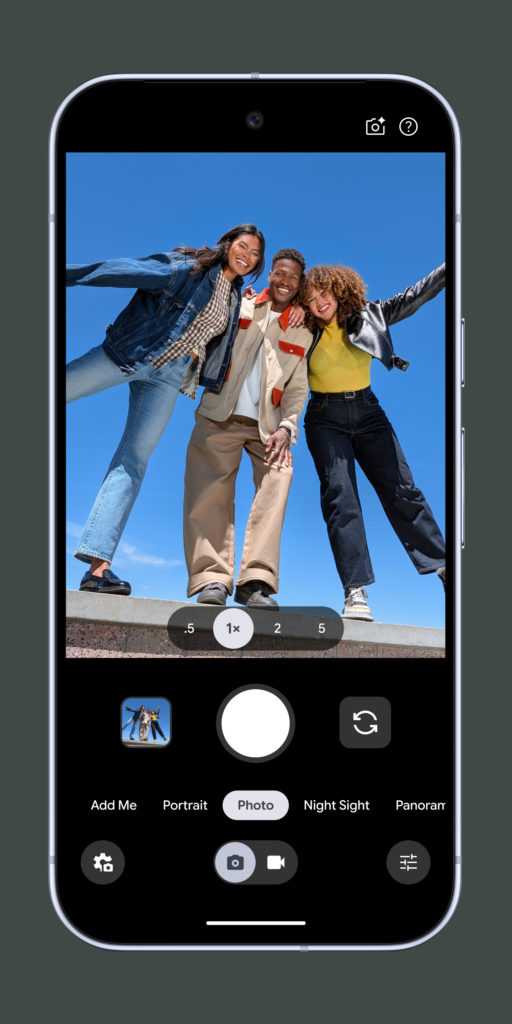
Unlike most of the applications featured in this guide, Google Pixel Camera is not available to every Android user. It is designed specifically for Google’s Pixel smartphones, where hardware and software have been developed together as a single photographic system. That close integration has helped establish the Pixel as one of the most consistently impressive smartphone cameras available today.
Google’s philosophy differs markedly from applications such as MotionCam or ProShot. Rather than giving photographers complete manual control over every technical setting, Pixel Camera relies heavily on computational photography. Machine learning, HDR processing and sophisticated image fusion work together behind the scenes to produce photographs that often require remarkably little editing.
For many photographers, this approach is surprisingly liberating. Street photography, documentary work and travel photography frequently depend on speed. Moments appear and disappear within seconds, leaving little time to adjust shutter speeds or focus manually. Pixel Camera excels precisely because it allows photographers to concentrate on timing and composition while the software quietly handles much of the technical complexity.
Night Sight remains one of the application’s standout features. Low-light scenes retain impressive detail while avoiding the artificial appearance that often accompanies aggressive noise reduction. Similarly, HDR processing balances highlights and shadows with remarkable subtlety, preserving contrast without creating the exaggerated effect common to earlier generations of smartphone photography.
Magic Editor, Best Take and Google’s AI-assisted editing tools continue to evolve, although photographers should approach these features thoughtfully. While they can solve genuine photographic problems, documentary and editorial photographers may prefer to maintain a stricter distinction between enhancement and manipulation.
For professional photographers, the strength of Pixel Camera lies less in its AI features than in its consistency. Images are clean, colour reproduction is dependable, and autofocus performance is among the best available on any smartphone platform. The app also benefits from Google’s regular software updates. New photographic features frequently arrive through software rather than hardware, extending the life of Pixel devices long after purchase.
Pixel Camera will not satisfy photographers seeking complete manual control, nor is that its intention. Instead, it represents perhaps the finest example of computational photography working quietly in service of the image rather than drawing attention to itself.
Best suited to
Street photographers, travel photographers, documentary photographers and anyone prioritising speed and reliability.
Strengths
- Outstanding computational photography
- Exceptional Night Sight performance
- Reliable autofocus
- Natural colour reproduction
- Excellent HDR processing
Limitations
- Exclusive to Pixel devices
- Limited manual controls compared with specialist camera apps
- Some AI editing tools may not suit documentary practice
HedgeCam 2: Open-Source Flexibility for Enthusiasts
HedgeCam 2 rarely appears in mainstream discussions about Android photography, yet among enthusiasts, it has developed a loyal following. Built on the foundations of Open Camera, it extends the open-source philosophy with additional controls and customisation options for more experienced users.
Its greatest strength lies in flexibility. Almost every aspect of the shooting experience can be customised. Interface layouts, exposure behaviour, button assignments and capture settings can all be adjusted to suit individual preferences. Photographers who enjoy refining their workflow will appreciate this level of control.
Manual exposure options are comprehensive, while support for RAW capture, exposure bracketing and interval shooting makes HedgeCam suitable for landscape, architecture and time-lapse photography. Because development is community-driven, updates often respond directly to user feedback rather than commercial priorities.
The interface is not particularly elegant, and first impressions may seem overwhelming. Yet beneath its utilitarian appearance lies one of the most capable free camera applications available for Android.
For photographers who enjoy experimenting and tailoring software to their own working methods, HedgeCam offers possibilities that many commercial applications simply do not.
Best suited to
Advanced enthusiasts, landscape photographers and photographers who enjoy customising their workflow.
Strengths
- Free and open source
- Extensive customisation
- RAW support
- Strong manual controls
- Community-driven development
Limitations
- Functional rather than attractive interface
- Can feel overwhelming initially
- Compatibility varies between devices
Firstlight: Bringing Film-Inspired Photography to Android
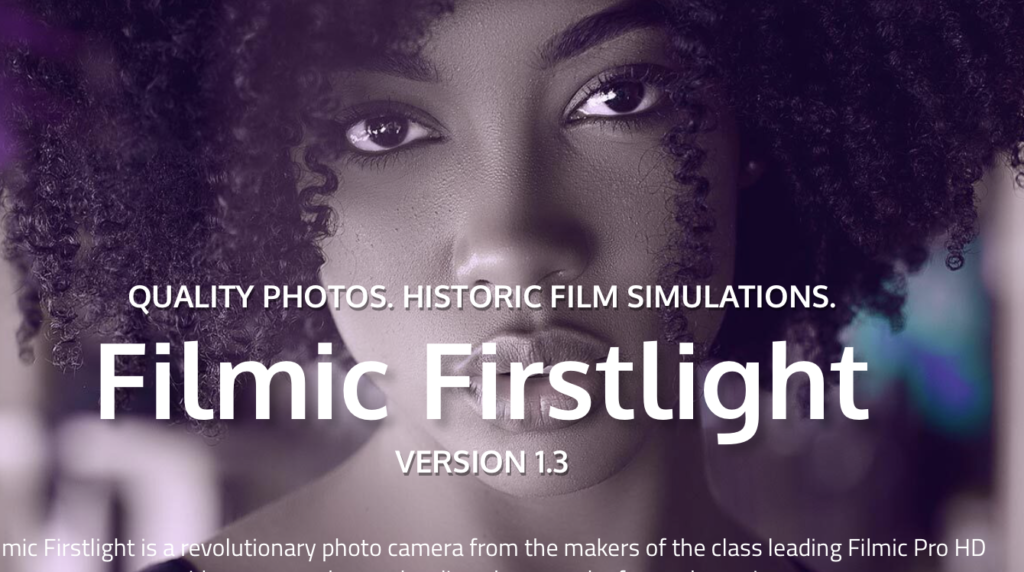
Created by the team behind Filmic Pro, Firstlight approaches photography from a different perspective. Rather than attempting to imitate a traditional DSLR, it focuses on recreating the experience of analogue photography through carefully designed colour rendering, exposure tools and creative controls.
Film simulations have become increasingly popular, but many rely on exaggerated presets that quickly become distracting. Firstlight takes a more restrained approach.
Its colour science is subtle, drawing inspiration from classic photographic emulsions without descending into novelty. Contrast, grain, highlight roll-off, and tonal response feel considered rather than excessive, encouraging photographers to develop a recognisable visual style rather than applying the same filter indiscriminately.
Manual controls remain available, allowing photographers to balance creative expression with technical precision. The application is particularly appealing for documentary, travel and street photography, where atmosphere often matters as much as technical perfection.
Although it lacks the extensive RAW capabilities of MotionCam or the professional workflow integration of Lightroom Camera, Firstlight offers something equally valuable: a distinctive photographic character. In an era increasingly dominated by computational perfection, that sense of personality deserves recognition.
Best suited to
Street photographers, documentary photographers and photographers seeking an analogue-inspired aesthetic.
Strengths
- Beautiful colour rendering
- Excellent film-inspired interface
- Strong creative controls
- Thoughtful design
Limitations
- More limited manual features
- Subscription required for some features
- Better suited to JPEG workflows than extensive RAW editing
VSCO Camera: Simplicity with Creative Intent
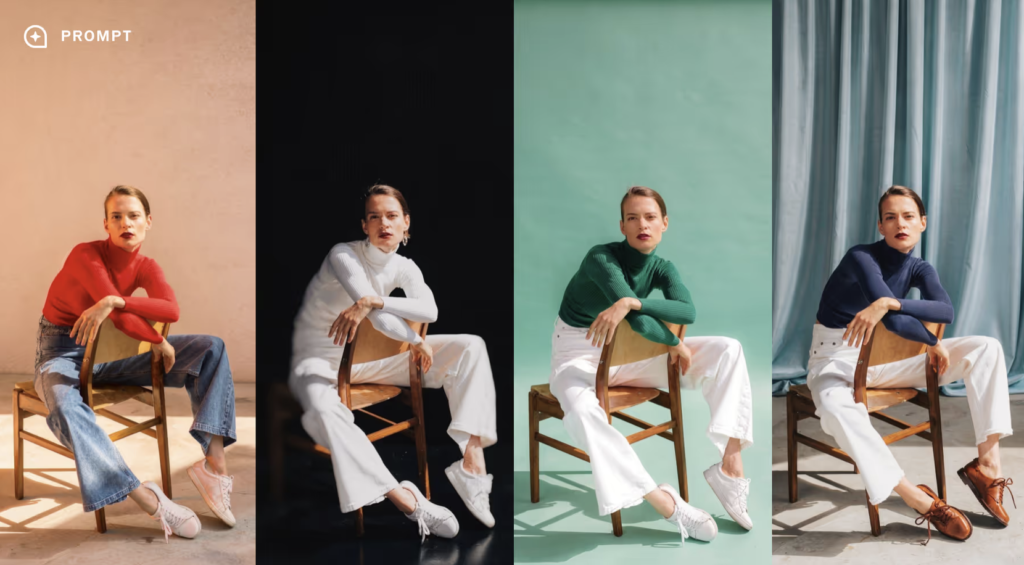
VSCO has long been associated with thoughtful photographic editing, but its integrated camera deserves attention in its own right.
Rather than overwhelming photographers with technical information, VSCO Camera encourages a slower, more deliberate approach to image-making. Manual controls are available where needed, yet the emphasis remains firmly on composition, light and atmosphere.
Its greatest strength lies in continuity. Images move seamlessly into VSCO’s editing environment, where subtle film-inspired presets and refined colour tools allow photographers to establish a coherent visual identity across an entire body of work.
Unlike many contemporary editing platforms, VSCO generally favours restraint. Adjustments tend to enhance rather than overwhelm the original photograph, making the application particularly attractive to photographers who value consistency over spectacle.
Professional photographers may still prefer Lightroom or Capture One for commercial editing, but VSCO remains an excellent companion for personal projects and ongoing visual journals.
Best suited to
Travel photographers, visual storytellers and photographers developing a consistent personal style.
Strengths
- Beautiful editing tools
- Cohesive capture-to-edit workflow
- Excellent colour rendering
- Elegant interface
Limitations
- Limited advanced manual controls
- Subscription for full functionality
- Less suited to highly technical photography
LMC GCam Ports: Unlocking Hidden Potential
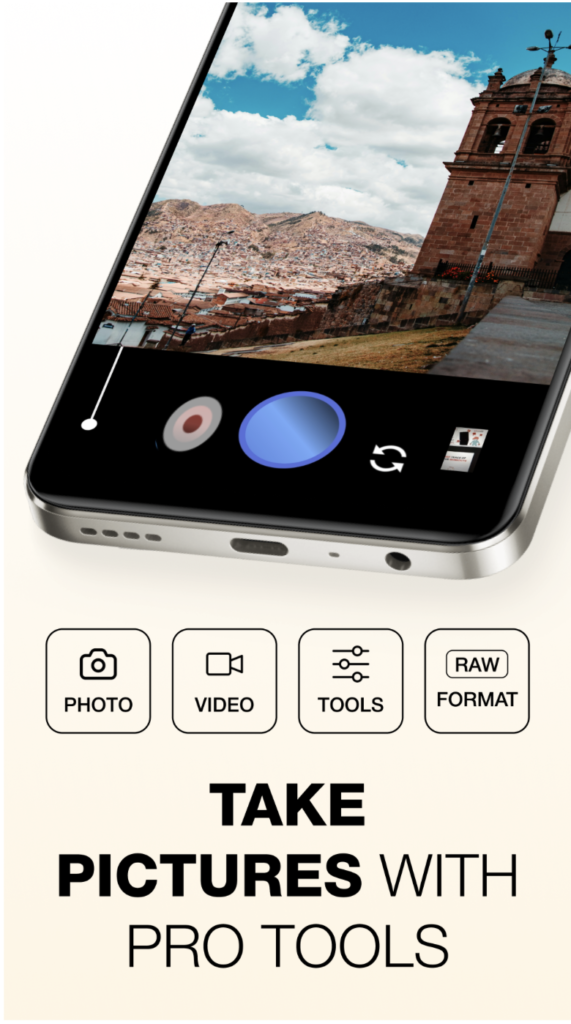
One of Android’s greatest advantages is the ingenuity of its developer community. LMC GCam Ports are modified versions of Google’s Pixel Camera software adapted to run on compatible Android devices from other manufacturers.
When configured correctly, these ports can dramatically improve image quality by bringing Google’s computational photography techniques to smartphones that would otherwise rely solely on their manufacturer’s processing.
The results can be impressive. Dynamic range often improves, HDR processing becomes more refined and colour rendering takes on the natural appearance for which Pixel devices have become known. There is, however, an important caveat. Installing GCam ports is not as straightforward as downloading an application from the Google Play Store. Compatibility depends on the specific smartphone model, the installed Android version, and, in many cases, carefully selected configuration files. For technically confident photographers, the effort may be worthwhile. For everyone else, officially supported camera applications generally provide a more dependable experience.
| App | Best For | RAW | Manual Controls | Video | Cost |
|---|---|---|---|---|---|
| MotionCam Pro | Maximum image quality | Yes | Advanced | Good | Paid |
| Blackmagic Camera | Professional video | Limited | Advanced | Advanced | Free |
| ProShot | Everyday manual photography | Yes | Advanced | Very good | Paid |
| Open Camera | Free manual photography | Yes | Very good | Good | Free |
| mcpro24fps | Cinematic filmmaking | Limited | Advanced | Advanced | Paid |
| Camera FV-5 | Traditional photography | Yes | Advanced | Basic | Paid |
| Adobe Lightroom Camera | Adobe workflow integration | Yes | Very good | Good | Free with optional subscription |
| Samsung Expert RAW | Samsung Galaxy photographers | Yes | Very good | Good | Free |
| Google Pixel Camera | Computational photography | Limited | Basic | Very good | Free |
| HedgeCam 2 | Customisable shooting controls | Yes | Very good | Good | Free |
| Firstlight | Film-inspired photography | Yes | Good | Good | Free with paid features |
| VSCO Camera | Creative capture and editing | Limited | Good | Basic | Free with subscription |
| LMC GCam Ports | Google-style processing on other Android phones | Device dependent | Limited | Device dependent | Free |
The sheer number of Android camera applications now available is both exciting and, at times, overwhelming. Every developer promises professional-quality results, advanced manual controls or AI-powered enhancements, yet no single application excels in every situation.
The best choice ultimately depends on how you photograph. If your priority is extracting the highest possible image quality from your smartphone sensor, MotionCam Pro remains the benchmark. Its computational RAW workflow preserves an extraordinary amount of image data, producing files that reward careful editing and rival those from much larger cameras under favourable conditions. Landscape photographers, fine art practitioners, and anyone already comfortable with Adobe Lightroom or Capture One will appreciate its emphasis on image fidelity over convenience.
For filmmakers and hybrid creators, Blackmagic Camera is difficult to overlook. It transforms compatible Android devices into remarkably capable cinema cameras, offering professional monitoring tools, advanced recording options and seamless integration with DaVinci Resolve. If video production forms a significant part of your professional practice, it deserves a permanent place on your phone.
Photographers seeking an experience closer to a traditional DSLR or mirrorless camera should consider ProShot or Camera FV-5. Both prioritise manual exposure, RAW capture and dependable operation without becoming distracted by unnecessary computational tricks. They are applications built by photographers, for photographers.
Those already invested in the Adobe ecosystem will naturally gravitate towards Lightroom Camera. The ability to capture, edit and synchronise photographs without leaving a single application streamlines the entire photographic process, particularly for editorial photographers working to tight deadlines.
Samsung Galaxy users should not overlook Expert RAW, while Pixel owners will continue to benefit from Google’s outstanding computational photography through Pixel Camera. Both applications demonstrate what becomes possible when software is developed specifically for a single family of devices.
Meanwhile, Open Camera, HedgeCam 2 and LMC GCam Ports remind us that Android’s greatest strength has always been openness. They offer levels of flexibility and experimentation that remain difficult to match elsewhere.
The encouraging reality is that photographers no longer have to compromise. Whether your interest lies in documentary photography, landscape work, portraiture, travel, or professional filmmaking, there is now an Android application that can support your creative vision.
Building a Professional Android Photography Workflow
Selecting the right camera application is only one part of creating successful photographs. The quality of your workflow—from capture through editing to final export—often has a greater influence on the finished image than the choice of camera app itself.
Many professional photographers now treat their smartphone exactly as they would a dedicated camera system. The process begins with capture. Whenever possible, photograph in RAW rather than JPEG. RAW files preserve significantly more tonal information, making it easier to recover highlights, accurately adjust white balance, and retain subtle shadow detail during editing.
Once captured, images should be transferred into a non-destructive editing environment. Adobe Lightroom Mobile remains one of the strongest options, offering cloud synchronisation, advanced masking tools and seamless integration with Lightroom Classic on desktop computers. For photographers who prefer local editing, alternatives such as Snapseed and Darkroom also provide excellent mobile workflows.
Organisation is equally important. Modern smartphones can accumulate thousands of photographs surprisingly quickly. Developing a consistent folder structure, keyword system and backup strategy prevents valuable work from disappearing into an unmanageable archive. Cloud storage has become increasingly attractive, but it should not replace local backups. Photographers should always maintain at least two copies of important work, particularly when travelling.
Finally, remember that the smartphone is only one part of the creative process. External accessories—including compact tripods, variable ND filters, Bluetooth shutters and portable LED lighting—can dramatically expand what is possible, particularly when combined with manual camera applications.
A professional workflow is not defined by the size of the camera. It is defined by consistency, organisation and thoughtful decision-making from beginning to end.
Frequently Asked Questions
Are Android camera apps better than the default camera app?
In many cases, yes. Manufacturer camera apps are designed to satisfy the widest possible audience, often prioritising automation over creative control. Third-party applications frequently offer manual exposure, RAW capture, focus peaking and professional monitoring tools that are unavailable in stock software.
Which Android camera app offers the best RAW quality?
MotionCam Pro currently produces some of the finest RAW files available on Android, particularly through its computational RAW workflow. Camera FV-5, ProShot and Adobe Lightroom Camera also produce excellent DNG files for professional editing.
Is Blackmagic Camera suitable for photography?
Although primarily designed for professional video production, Blackmagic Camera is an excellent companion for photographers who regularly produce documentary films, interviews or behind-the-scenes content alongside still images.
What is the best free Android camera app?
Open Camera remains one of the strongest free camera applications available. It combines manual controls, RAW support, exposure bracketing and extensive customisation without advertisements or subscription fees.
Do I need RAW photography?
Not always. RAW files provide greater flexibility when editing, making them particularly valuable for landscape, architecture, portraiture and commercial photography. For everyday snapshots, JPEGs are often perfectly adequate.
Which Android app is best for street photography?
ProShot and Google Pixel Camera both perform exceptionally well. ProShot provides complete manual control, while Pixel Camera excels through its fast computational photography and highly reliable autofocus.
Are paid camera apps worth buying?
For photographers who regularly shoot on their smartphones, absolutely. Applications such as MotionCam Pro and ProShot offer capabilities that significantly exceed those available in many free alternatives.
Do all Android phones support manual camera apps?
No. Performance depends on how individual manufacturers implement Android’s Camera2 API. Premium devices generally offer the greatest compatibility and the widest range of advanced photographic features.
Which app is best for Samsung Galaxy phones?
Samsung Expert RAW is specifically optimised for compatible Galaxy devices and takes full advantage of Samsung’s imaging hardware. MotionCam Pro and ProShot also perform extremely well on many Galaxy smartphones.
Can Android replace a DSLR or mirrorless camera?
For many genres—including street photography, travel, documentary work and social media production—the answer is increasingly yes. Dedicated cameras still retain advantages in areas such as autofocus, lens choice and low-light performance, but the gap continues to narrow each year.
Final Thoughts
Only a few years ago, recommending Android as a serious platform for photography would have been difficult. Hardware limitations, fragmented software support and inconsistent image quality meant photographers often regarded smartphones as convenient notebooks rather than genuine creative tools. That perception has changed dramatically.
Today’s Android smartphones possess imaging capabilities that would have seemed extraordinary only a decade ago. Larger sensors, advanced computational photography, sophisticated RAW workflows and professional manual controls have transformed them into legitimate photographic instruments capable of producing exhibition-quality work in skilled hands.
Equally significant is the diversity of software now available. Rather than being restricted to a single photographic philosophy, Android photographers can choose applications that complement their individual approach to image-making. Some prioritise uncompromising technical quality. Others focus on cinematic storytelling, analogue aesthetics or seamless editing workflows. Together, they form one of the richest photographic ecosystems currently available on any mobile platform.
Perhaps the most encouraging development is that mobile photography is no longer defined by convenience alone. Increasingly, photographers are choosing smartphones because they enable new ways of working, allowing creativity, spontaneity and technical excellence to coexist within a device that is always close at hand.
Whether you are documenting everyday life, producing commercial assignments, travelling with minimal equipment, or simply exploring photography in a different way, Android now offers an extraordinary collection of tools to support almost every creative ambition. The question is no longer whether Android is suitable for serious photography. The only question that remains is which camera app will become your favourite.

Joanne Carter
Joanne Carter is a British photography journalist, editor, curator, and the founder of *TheAppWhisperer.com*, one of the world’s leading platforms dedicated to mobile photography and art. Since its launch in 2009, TheAppWhisperer has become an international hub for artists of all levels to discover, learn, exhibit, and engage with contemporary photographic practice.Built on principles of inclusivity, accessibility, and artistic excellence, Joanne has spent almost two decades championing mobile photography as a serious artistic medium. Through interviews, critical essays, exhibitions, competitions, and education, she has helped shape and document the evolution of mobile art on a global scale.Her work has taken her internationally, lecturing on photography and mobile art at institutions and events including the Museum of Art in Seoul, South Korea, alongside appearances in the UK and Europe. She has served as a juror for international photography and mobile art awards across Portugal, Canada, the United States, South Korea, Italy, and the UK.Joanne is also the founder of *TheAppWhispererPrintSales.com*, one of the first online galleries dedicated exclusively to collectible mobile art, connecting artists with collectors across Europe, the United States, and Asia.Before founding TheAppWhisperer, Joanne worked extensively in print journalism and photographic publishing, including roles at a paparazzi photo agency and as deputy editor of a leading photography magazine. Her freelance journalism, criticism, and commentary have been published widely in both the UK and the US, with bylines in *The Times*, *The Sunday Times*, *The Guardian*, *Popular Photography*, *NikonPro*, *DPReview*, *Which?*, *Vogue Italia*, *LensCulture*, the *BBC*, and more recently, the *Financial Times*, where her published letters on photography continue to contribute to wider conversations around the medium.Alongside her editorial and curatorial work, Joanne’s own photographic practice has been exhibited internationally across the UK, Europe, South Korea, and the United States. Her work increasingly explores themes of grief, loss, death, memory, and the body.Her current research interests centre on grief, death, and poverty, with forthcoming postgraduate study leading towards doctoral research in these areas.Joanne is currently developing new long-form writing and photographic projects and is available for commissions, editorial projects, speaking engagements, and collaborations.Contact: joannetheappwhisperer@gmail.com)