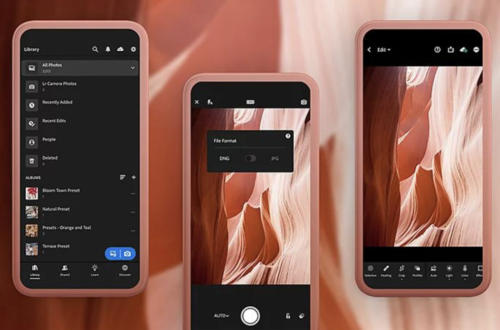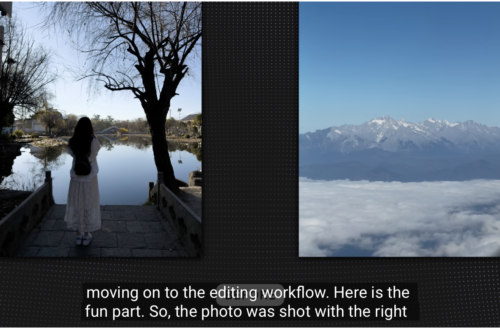
Best AI Tools for Photographers (2026)
The Complete Guide to Artificial Intelligence for Photography Workflows
Artifical Intelligence has become one of the most significant developments in photography since the transition from film to digital. Yet despite the rapid pace of innovation, many photographers remain understandably divided about its role. For some, AI represents an exciting opportunity to automate repetitive tasks, improve image quality and streamline complex workflows. For others, it raises important questions about authenticity, creativity and the future of photographic practice itself. The truth lies somewhere between these two positions.
Artificial intelligence is not a single technology, nor is it replacing photographers overnight. Instead, it has quietly become embedded throughout the photographic workflow. Many of us already use AI every day without even realising it. Smartphones rely on computational photography to enhance images before we even press the shutter. Editing software now removes distractions, reduces noise and masks subjects with remarkable precision. AI can help photographers organise thousands of images, generate captions, prepare client presentations and even assist with research and writing. The challenge is no longer deciding whether to use AI. The challenge is knowing which tools genuinely improve your workflow without taking away your creative control. That distinction matters.
The best AI tools don’t make artistic decisions on your behalf. Instead, they remove repetitive, time-consuming tasks, allowing photographers to spend more time shooting, editing thoughtfully and developing meaningful bodies of work. Used well, artificial intelligence becomes an assistant rather than a replacement.
This guide brings together the AI tools I believe offer the greatest value to photographers in 2026. Rather than focusing solely on image generation, I’ve included software covering every stage of the photographic process—from culling and editing to keywording, writing, presentations and publishing.
Some of these applications have become essential parts of my own workflow. Others are newer arrivals that show enormous promise. All have been selected because they offer practical benefits to photographers rather than simply demonstrating technological novelty.
Whether you’re a mobile photographer, documentary photographer, portrait specialist, commercial professional or fine art practitioner, this guide will help you navigate the rapidly expanding world of artificial intelligence while keeping creativity firmly where it belongs—with the photographer.
| Category | Top Pick | Rating | Best For |
|---|---|---|---|
| AI Photo Editing | Adobe Lightroom | ★★★★★ | Everyday RAW editing and image management |
| AI Image Generation | ChatGPT Images | ★★★★★ | Conversational creation, editing and visual ideation |
| AI Creative Images | Midjourney | ★★★★★ | Highly stylised concepts and visual moodboards |
| AI Object Removal | Adobe Photoshop | ★★★★★ | Professional retouching and generative edits |
| AI Upscaling | Topaz Photo | ★★★★★ | Sharpening, denoising, restoration and enlargement |
| AI Culling | Aftershoot | ★★★★★ | Wedding, portrait and high-volume photographers |
| AI Keywording | Excire | ★★★★☆ | Searching and organising large image libraries |
| AI Writing | ChatGPT | ★★★★★ | Ideas, captions, SEO, planning and editorial support |
| AI Research | Perplexity | ★★★★☆ | Rapid preliminary research with linked sources |
| AI Language Refinement | QuillBot | Under Review | Rewriting, grammar and wider creative tools |
| AI Presentations | Gamma | ★★★★☆ | Fast presentation drafts and visual proposals |
| AI Video | Runway | ★★★★★ | Image-to-video, motion concepts and campaign assets |
What Makes a Good AI Tool for Photographers?
The rapid expansion of artificial intelligence has produced an overwhelming number of applications promising to transform photographic practice. Not all of them deserve space within a serious photographer’s workflow.
For this guide, I have concentrated on tools that address genuine creative or administrative needs. The most valuable AI software should improve efficiency without removing authorship, offer sufficient control to refine its output and fit naturally alongside established photographic processes.
Five considerations are particularly important:
Image quality: Does the software produce results that remain convincing when examined closely rather than only on a phone screen?
Control: Can the photographer alter, reject or refine what the AI suggests?
Workflow integration: Does it work with RAW files, Lightroom catalogues, Photoshop documents or existing image libraries?
Efficiency: Does it save enough time to justify learning another platform or paying another subscription?
Creative responsibility: Does it assist the photographer, or does it begin making the central aesthetic and narrative decisions?
The strongest AI tools do not ask photographers to surrender judgement. They remove repetition, create useful starting points and return time to the parts of photography that still require human attention.
Best AI Photo Editing Tools for Photographers
Adobe Lightroom — Best Overall AI Photo Editor
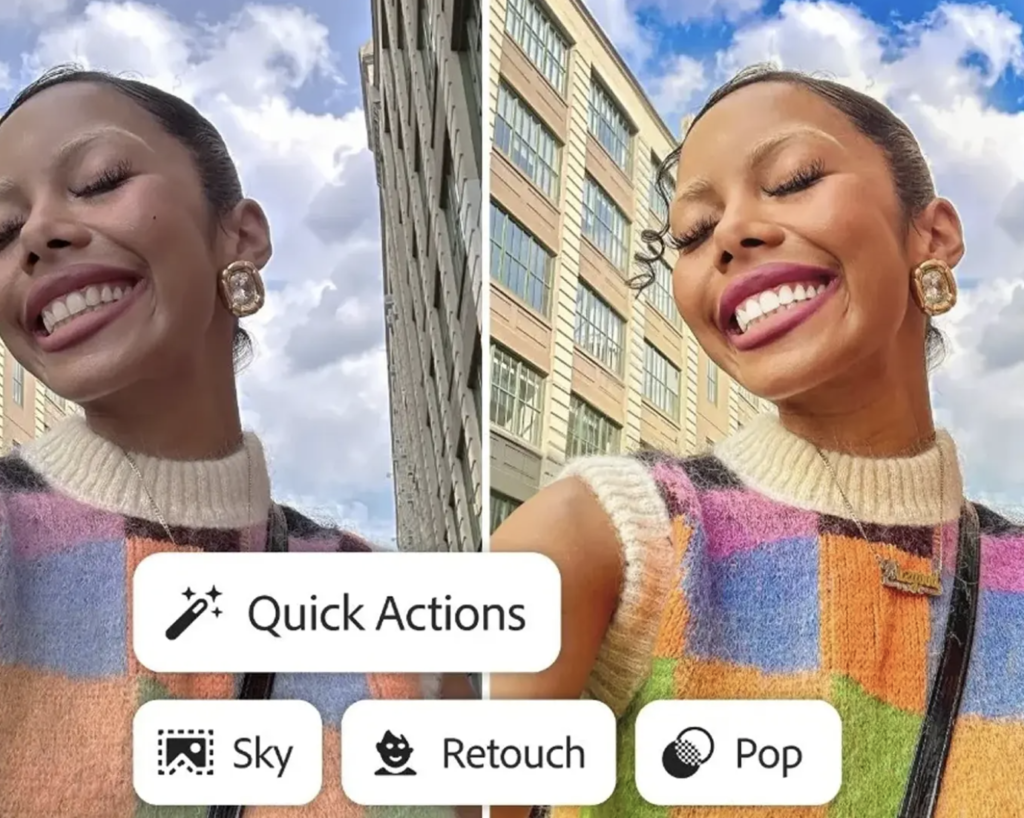
Adobe Lightroom remains the most complete starting point for photographers who need RAW processing, image organisation and increasingly sophisticated AI assistance within one familiar environment.
Its AI masking tools can identify people, subjects, backgrounds, skies and individual landscape features, allowing local adjustments that once required careful manual brushing. Denoise, Raw Details and Super Resolution address technical image quality, while reflection removal can reduce unwanted glass reflections. Lightroom also introduced AI-assisted culling, helping photographers identify technically strong images, group visually similar photographs and reduce the time spent reviewing large shoots
This is where Lightroom’s use of AI feels most persuasive. The software does not need to determine the final look of an image. Instead, it completes selections and technical corrections that the photographer can inspect and alter.
The new culling features also make Lightroom a more direct competitor to dedicated platforms such as Aftershoot. Photographers who already subscribe to Adobe may find that they can complete more of their workflow without exporting files into another application.
Why photographers may choose it
- Excellent RAW processing
- Powerful local masking
- Integrated catalogue and editing workflow
- Denoise and resolution enhancement
- Assisted culling
- Direct movement between Lightroom and Photoshop
Limitations
The subscription model remains a barrier for photographers who prefer to own software outright. Its generative functions can also make large alterations look deceptively easy, so documentary photographers need to establish clear boundaries between permissible correction and changes that alter factual content.
Verdict
Lightroom is the best all-round AI-supported editor for most photographers because its strongest features improve established photographic processes rather than replacing them.
Rating: ★★★★★
Adobe Photoshop — Best for Detailed Retouching and Object Removal
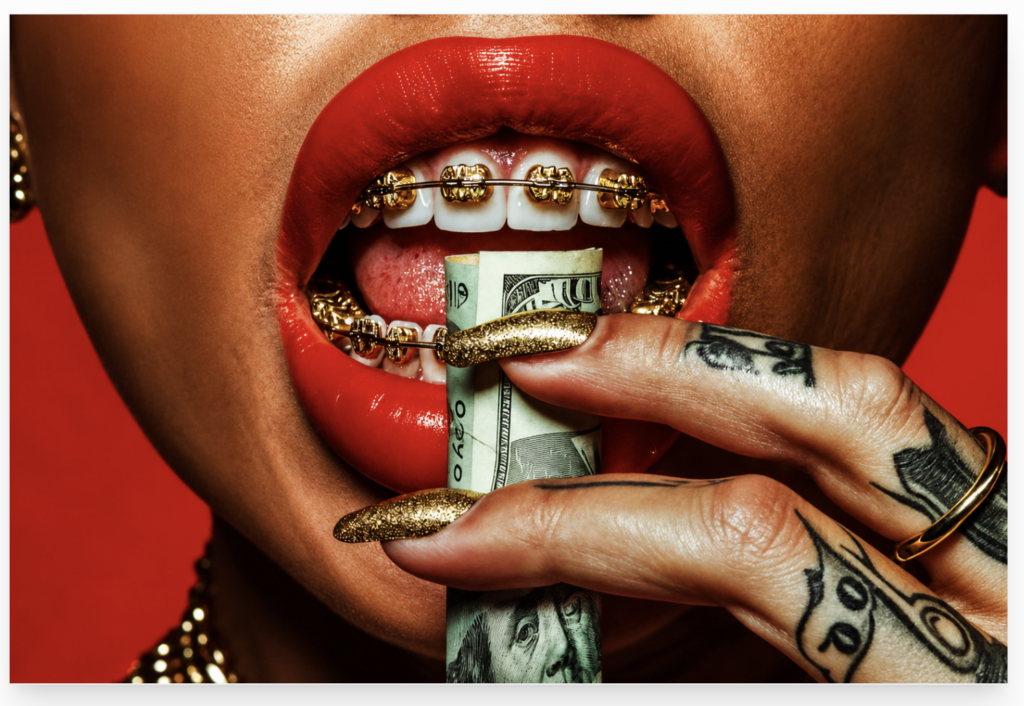
Photoshop remains the stronger choice when an image requires detailed compositing, controlled retouching or substantial alteration.
Generative Fill allows users to select an area and remove, replace or create content through a written instruction. Generative Expand can extend the canvas beyond the original frame, while Adobe continues to integrate Firefly models and additional generative options throughout Creative Cloud.
For commercial, fashion and conceptual photographers, these tools can eliminate hours of masking and reconstruction. A distracting object can be removed, a background can be extended for a magazine layout, and several visual treatments can be tested without damaging the original file.
Photoshop’s great advantage remains control. AI-generated material appears within an editable workflow of layers, masks and selections rather than as a single irreversible result.
Best for
- Professional retouching
- Commercial composites
- Background extension
- Removing complex distractions
- Preparing images for multiple formats
Important ethical distinction
Removing a fire extinguisher from a fashion photograph is not equivalent to removing a person from a documentary image. The technical capability may be identical, but the editorial consequence is not.
Verdict
Photoshop remains the strongest option for photographers who need sophisticated AI edits combined with conventional professional retouching.
Rating: ★★★★★
Luminar Neo — Best for Accessible Creative Enhancement
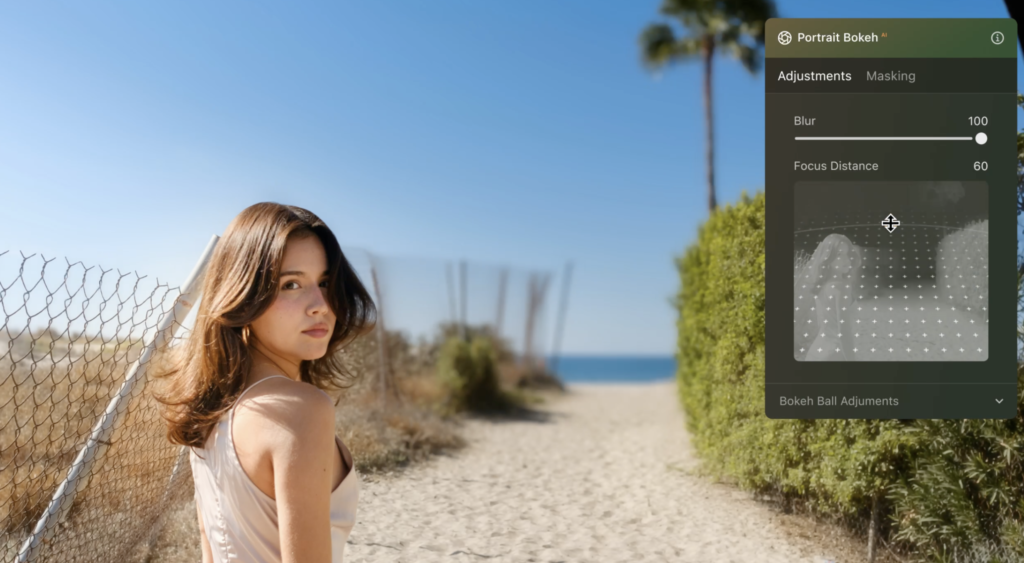
Luminar Neo appeals to photographers who want dramatic results without learning Photoshop’s more complicated layer-based workflow.
Its AI tools are designed to simplify portrait adjustments, relighting, sky replacement, masking and atmosphere effects. This makes it especially attractive to enthusiasts, travel photographers and content creators who value speed.
The greatest strength is accessibility. Many adjustments that require several stages elsewhere can be attempted through clearly labelled tools and sliders.
The weakness is that its most dramatic effects can become visually repetitive. Sky replacements, portrait enhancements and relighting should be used selectively if the photographer wants to preserve an individual visual language.
Verdict
A convenient and approachable AI editor for photographers who want fast creative results, although restraint remains essential.
Rating: ★★★★☆
ON1 Photo RAW — Best Adobe Alternative
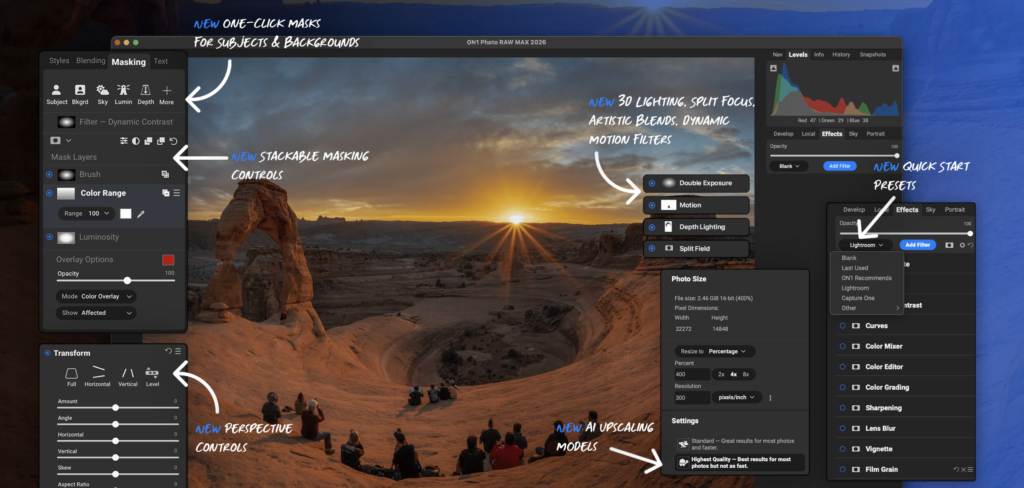
ON1 Photo RAW combines RAW development, effects, masking, cataloguing and AI-supported image enhancement without requiring photographers to move repeatedly between separate applications.
It is particularly appealing to those who want a broad editing environment outside Adobe’s ecosystem. Its feature set covers denoising, resizing, masking, portrait work and layered editing.
The large number of options can initially make the interface feel busy, but photographers willing to learn it gain substantial control.
Verdict
One of the strongest all-in-one alternatives for photographers who want RAW processing and AI assistance without making Adobe the centre of their workflow.
Rating: ★★★★☆
Best AI Image Generators for Photographers
AI image generation occupies a different ethical and creative category from AI-assisted photo editing.
Denoising a RAW file begins with a photograph. Generating an image from a sentence does not.
That does not make generative imagery irrelevant to photographers. These platforms can help develop moodboards, test lighting ideas, visualise sets, plan campaigns, create storyboards and explore possible visual directions before a shoot. Problems arise when synthetic material is presented as documentary evidence or allowed to replace the lived encounters upon which photography depends.
ChatGPT Images — Best Conversational Image Creation and Editing

ChatGPT Images is particularly useful because image creation takes place through conversation. A photographer can describe an idea, inspect the result, request precise changes and continue refining the image without repeatedly rebuilding the entire prompt.
OpenAI’s current image tools support both generation and editing. Recent versions have placed greater emphasis on prompt adherence, consistent detail, text rendering, multilingual output and targeted alterations to existing images.
For photographers, its strongest uses include:
- Planning editorial concepts
- Producing moodboards
- Testing background ideas
- Visualising props or wardrobe
- Preparing social graphics
- Creating rough storyboards
- Adapting an existing asset to another aspect ratio
The conversational interface reduces much of the specialist vocabulary traditionally associated with prompting. You can explain what is wrong in ordinary language and ask for another version.
Limitations
Synthetic images can still contain inconsistencies, particularly where physical detail, repeated objects or factual accuracy matter. Photographers should also distinguish generated imagery clearly from camera-made work.
Verdict
The most approachable all-round image generator for photographers who want to create, discuss and refine visual ideas in one place.
Rating: ★★★★★
Midjourney — Best for Strong Visual Style
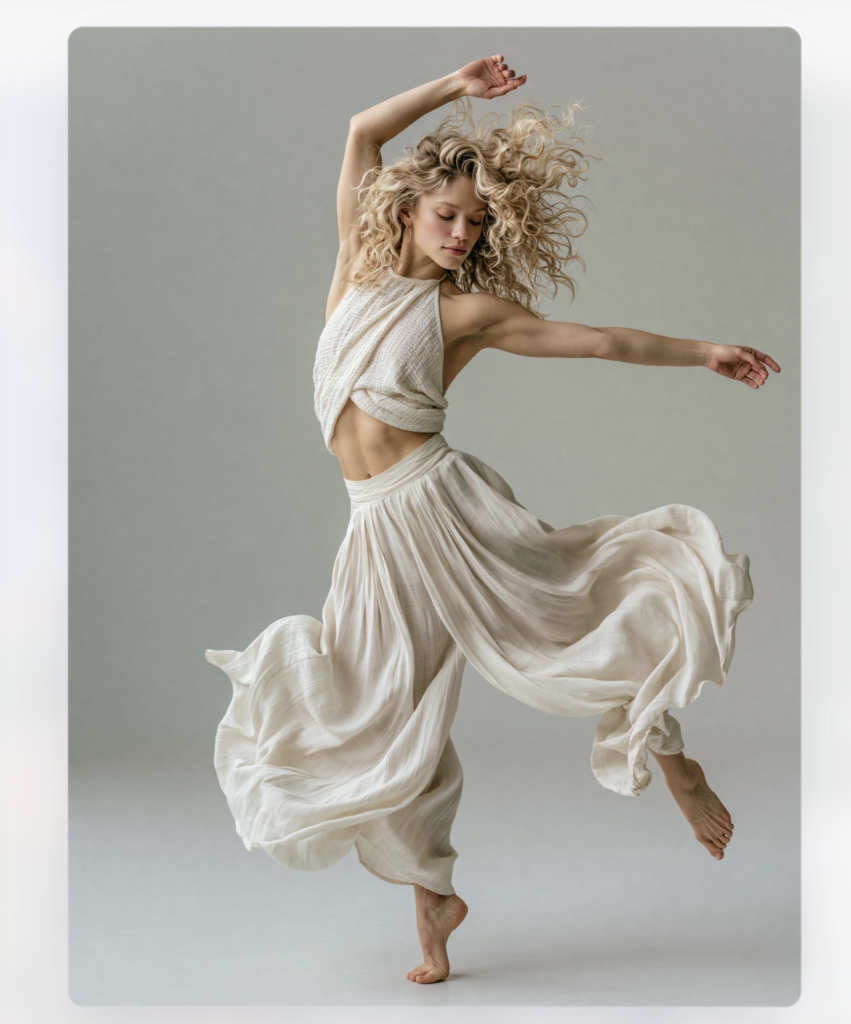
Midjourney remains particularly effective for atmospheric, highly art-directed and stylistically coherent imagery.
Its tools now extend beyond initial generation. Users can alter aspect ratio, move and resize images, repaint selected areas, upload external images for editing and build moodboards that guide a project’s visual direction. Current image models also support higher-resolution output.
This makes Midjourney useful for:
- Visual research
- Fashion and editorial concepts
- Exhibition moodboards
- Book-cover development
- Colour and lighting studies
- Surreal or speculative imagery
Its results often appear polished very quickly, although that strength can also become a limitation. Without careful direction, outputs may acquire a recognisable “Midjourney look” rather than reflecting the photographer’s own visual identity.
Verdict
The strongest option for photographers seeking visually distinctive concepts, particularly when mood and style matter more than documentary realism.
Rating: ★★★★★
Adobe Firefly — Best Integrated Creative AI Studio
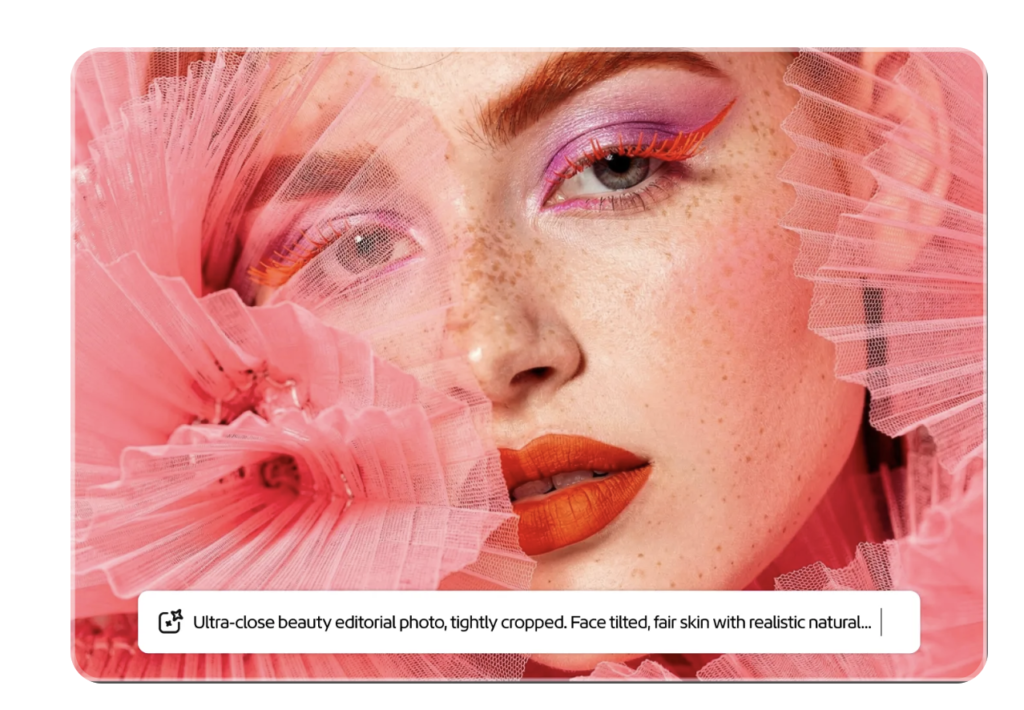
Adobe Firefly has developed from a standalone image generator into a much broader creative environment covering generation, editing, video, audio and design.
Its image editor can create new content, remove objects, expand backgrounds and upscale images. Adobe has also introduced more precise editing controls and custom models designed to learn a user’s visual style from their own material. Firefly increasingly provides access to multiple third-party models alongside Adobe’s own.
Its greatest advantage is integration. Photographers already working in Photoshop, Lightroom and Creative Cloud can move between generation and editing without rebuilding their workflow elsewhere.
Adobe also positions its own Firefly models around commercial usability, although users should still check the current terms and requirements attached to individual models and outputs.
Verdict
The logical generative platform for photographers already invested in Adobe, particularly those producing commercial, editorial or multimedia work.
Rating: ★★★★☆
Best AI Tools for Upscaling, Sharpening and Restoration
Topaz Photo — Best for Image Enhancement
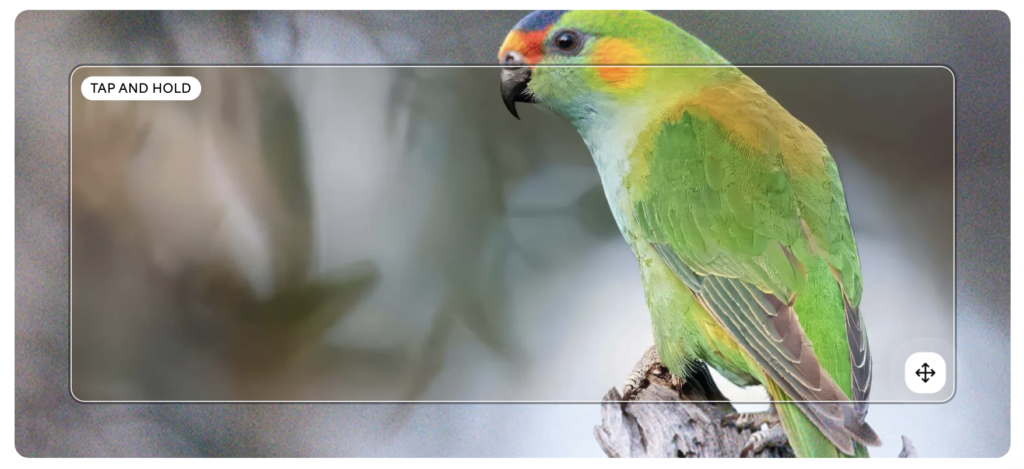
Topaz Photo is built around technical image improvement rather than full creative editing. Its models are intended to sharpen detail, reduce noise, restore focus and enhance photographs that would otherwise be difficult to use.
Topaz describes its current application as the continuing subscription product containing Photo AI’s established models alongside newer enhancement models. Its wider tools also support upscaling, restoration and browser-based enhancement.
It is especially useful for:
- Enlarging files for print
- Improving older digital images
- Reducing noise in high-ISO work
- Recovering mildly soft details
- Preparing cropped images for publication
- Restoring scanned photographs
Topaz cannot rescue every unusable file, and aggressive settings can create unnatural textures or invented detail. The best results usually come from treating it as a careful finishing tool rather than applying maximum enhancement automatically.
Verdict
The strongest specialist choice for photographers whose priority is image quality, enlargement or restoration.
Rating: ★★★★★
Upscayl — Best Free Upscaling Option
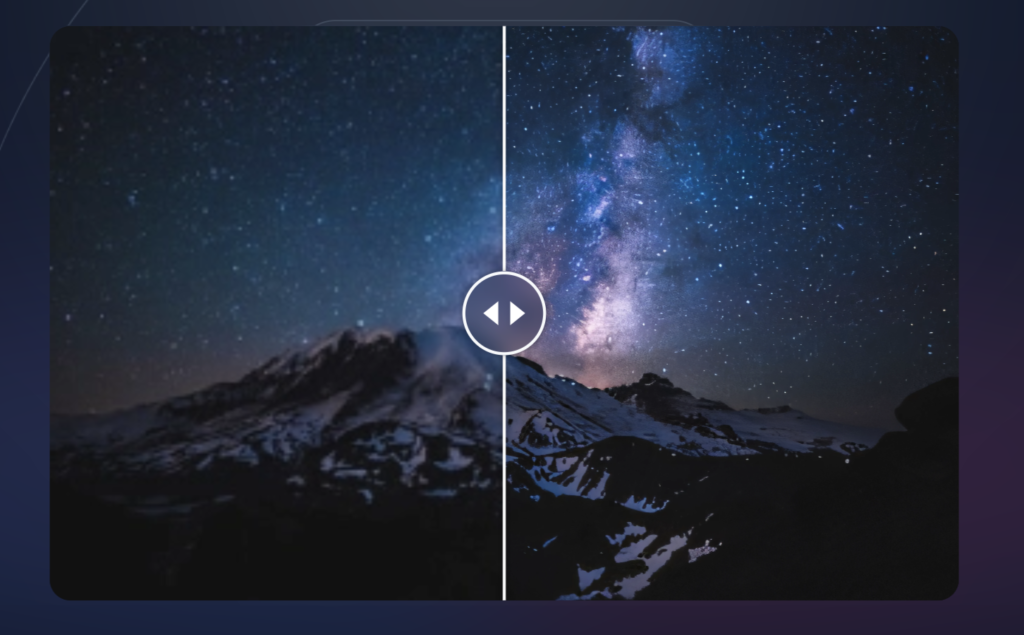
Upscayl provides an accessible route into AI enlargement without an expensive professional subscription.
It is most useful for occasional upscaling, web graphics, older images and photographers who want to test AI enlargement before paying for a more advanced platform.
It offers less control and refinement than Topaz, but its open-source approach makes it valuable.
Verdict
A practical free option for straightforward enlargement, although demanding professional print work may require a more sophisticated tool.
Rating: ★★★★☆
Best AI Culling Tools
Aftershoot — Best Dedicated AI Culling Platform
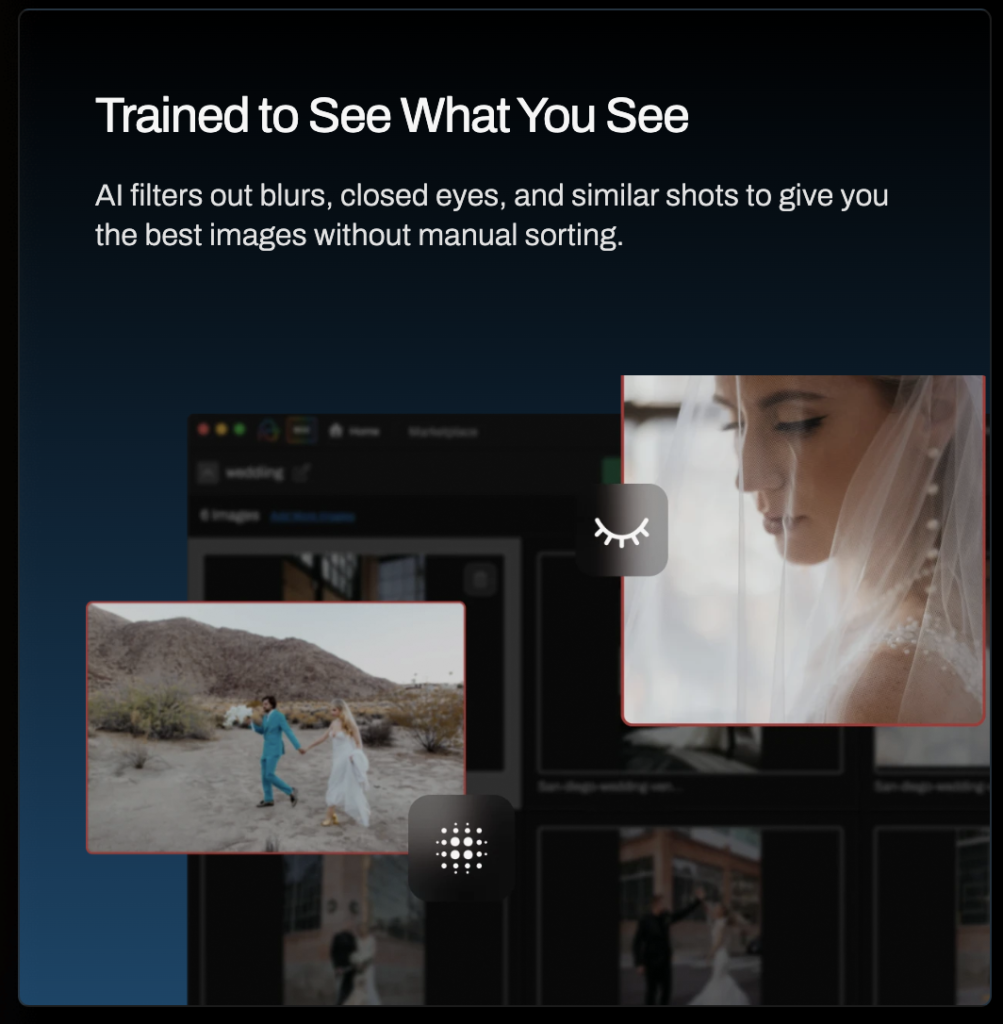
Aftershoot is designed for photographers who return from assignments with hundreds or thousands of similar images.
Its culling system evaluates photographs using more than 30 technical factors, groups duplicates, identifies potential blinks or blur and presents a smaller group of likely keepers for review. The system can learn from a photographer’s selections and can also combine culling and editing within one automated process.
This is particularly valuable for:
- Wedding photographers
- Event photographers
- School and volume photography
- Portrait sessions
- Sports assignments
The crucial point is that Aftershoot does not need to make the final decision. It reduces the initial volume so the photographer can concentrate on expression, narrative and client needs.
Limitations
A technically sharp photograph is not automatically the most emotionally significant one. Photographers should review the suggested selection rather than treating the software’s judgement as final.
Verdict
The best specialist culling tool for photographers handling large shoots, especially where duplicated frames and near-identical expressions consume hours of editing time.
Rating: ★★★★★
Lightroom Assisted Culling — Best for Existing Adobe Users
Lightroom’s Assisted Culling is important because it brings intelligent filtering directly into a catalogue many photographers already use.
It can assess technical quality, filter around particular criteria and group similar photographs. For photographers with moderate rather than enormous volumes, this may remove the need for a separate culling subscription.
Verdict
The most convenient option for Adobe subscribers, although high-volume professionals may still prefer the depth of a dedicated culling platform.
Rating: ★★★★☆
Best AI Keywording and Photo Organisation
Excire — Best for Searching Large Archives
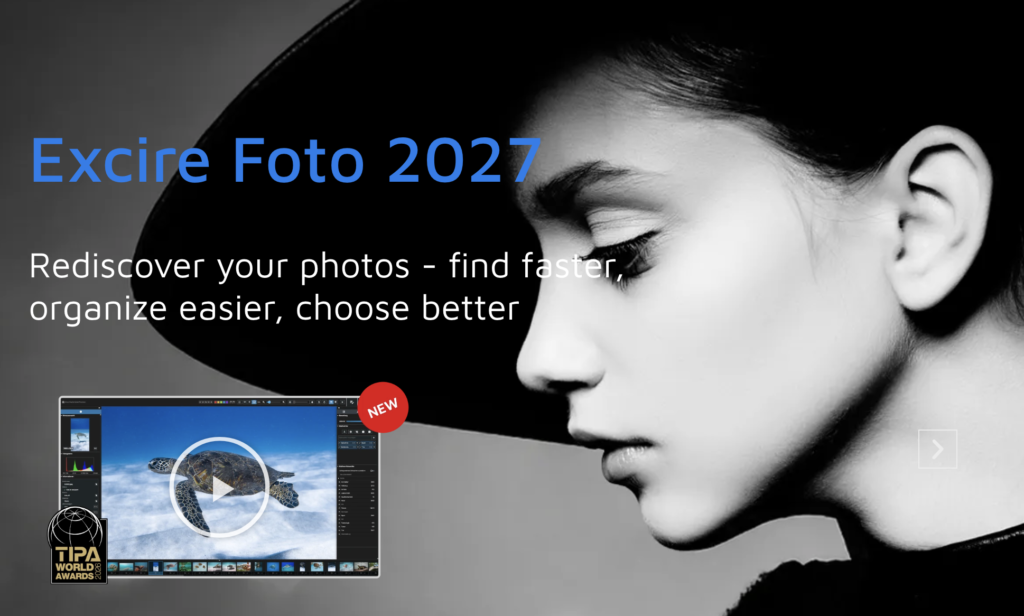
Photographers often spend years creating large archives and then discover they cannot find the image they need.
Excire uses AI to analyse photographs, assign keywords and support searches based on written prompts, faces and visual similarity. Excire Search brings those capabilities into Lightroom Classic, while Excire Foto operates as a separate photo-management environment.
This is valuable for:
- Journalists with extensive archives
- Photographers licensing older work
- Museums and collections
- Long-term documentary projects
- Anyone with poorly keyworded folders
Automatic keywording will not always understand cultural context, emotion or obscure subject matter correctly. Its suggestions should therefore be reviewed before metadata is published or supplied to clients.
Verdict
An excellent archive-discovery tool that addresses one of photography’s least glamorous but most persistent problems.
Rating: ★★★★☆
Best AI Writing and Research Tools for Photographers
Photographers are increasingly expected to write.
Artist statements, grant applications, captions, project proposals, exhibition texts, newsletters, metadata, press releases and social posts all require different kinds of language.
AI can help develop and organise this material, but it should not erase the photographer’s own voice.
ChatGPT — Best All-Round Writing and Planning Assistant
ChatGPT is most useful when treated as a collaborative drafting and thinking tool rather than a machine that produces finished writing on command.
Photographers can use it to:
- Develop article structures
- Clarify project ideas
- Test alternative titles
- Condense biographies
- Prepare interview questions
- Draft social copy
- Organise research notes
- Plan SEO structures
- Adapt copy for different platforms
Its effectiveness depends heavily on the material and direction it receives. Generic prompts produce generic language. Supplying examples of your own writing, explaining the intended audience and challenging weak phrasing produces more distinctive results.
Every factual claim still requires checking. AI-generated prose can sound confident while being inaccurate.
Verdict
The most versatile AI assistant for the wider work surrounding photography, but it should support rather than replace the author’s judgement and voice.
Rating: ★★★★★
Perplexity — Best for Preliminary Sourced Research
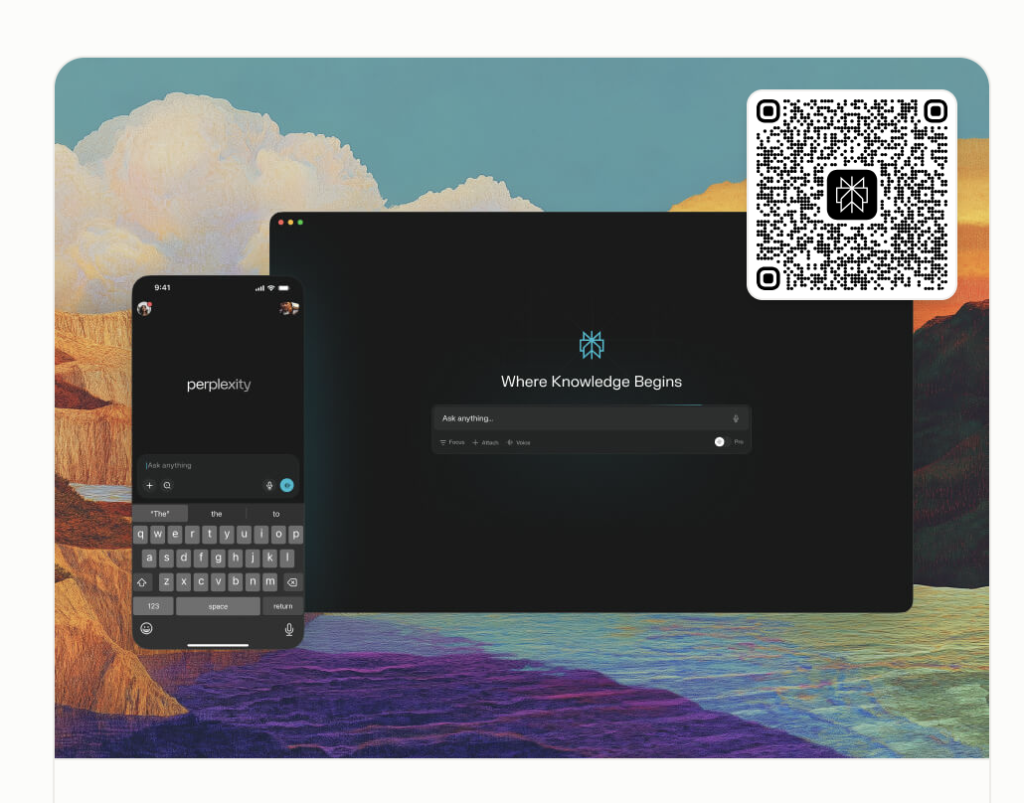
Perplexity is useful when a photographer needs to identify possible sources quickly, compare information or begin researching an unfamiliar topic.
Its citations make it easier to inspect where statements originated, but those citations still need opening and checking. A linked source does not automatically guarantee that the summary represents it accurately.
Best uses
- Locating official documentation
- Comparing current software features
- Finding organisations and opportunities
- Building an initial reading list
- Identifying recent developments
Verdict
A convenient research starting point, but not a substitute for reading primary material.
Rating: ★★★★☆
QuillBot — Currently Under Review
QuillBot is widely associated with paraphrasing, grammar and written communication, but the company is expanding into a broader creative platform containing image generation and editing, background removal, PDF tools and AI presentation creation.
Because I have not yet completed a hands-on evaluation of these newer visual tools, I am not assigning a final rating at this stage.
That distinction matters. Product access should never guarantee inclusion or a positive assessment.
I will update this section after testing:
- Image generation quality
- Natural-language editing
- Background removal
- Ease of use
- Export quality
- Creative control
- Presentation generation
- Suitability for photographic workflows
Current status
Editorial evaluation pending.
Best AI Presentation Tools
Gamma — Best for Fast Presentation Drafts

Gamma is particularly useful when photographers need to turn notes into a structured visual presentation quickly.
Possible uses include:
- Artist talks
- Client proposals
- MA and PhD presentations
- Workshop materials
- Exhibition plans
- Project pitches
- Portfolio narratives
Its AI can create an initial structure, divide information into sections and suggest layouts. The result should then be edited carefully so the presentation reflects the photographer’s own pacing and visual identity.
Photography presentations are especially vulnerable to overdesign. Images require space, and automated templates may include more text or visual decoration than the work needs.
Verdict
A strong time-saving tool for building the first version of a presentation, provided the photographer subsequently simplifies and personalises it.
Rating: ★★★★☆
Canva — Best for Familiar Design and Social Output
Canva combines presentation tools with templates, resizing, background removal, text generation and social-media formats.
It is less specialised than Gamma for AI-led presentation construction but stronger when the same campaign needs to produce slides, social posts, posters and promotional graphics.
Verdict
A versatile platform for photographers who need to repurpose content across several visual formats.
Rating: ★★★★☆
Best AI Video Tools for Photographers
Runway — Best Overall AI Video Platform
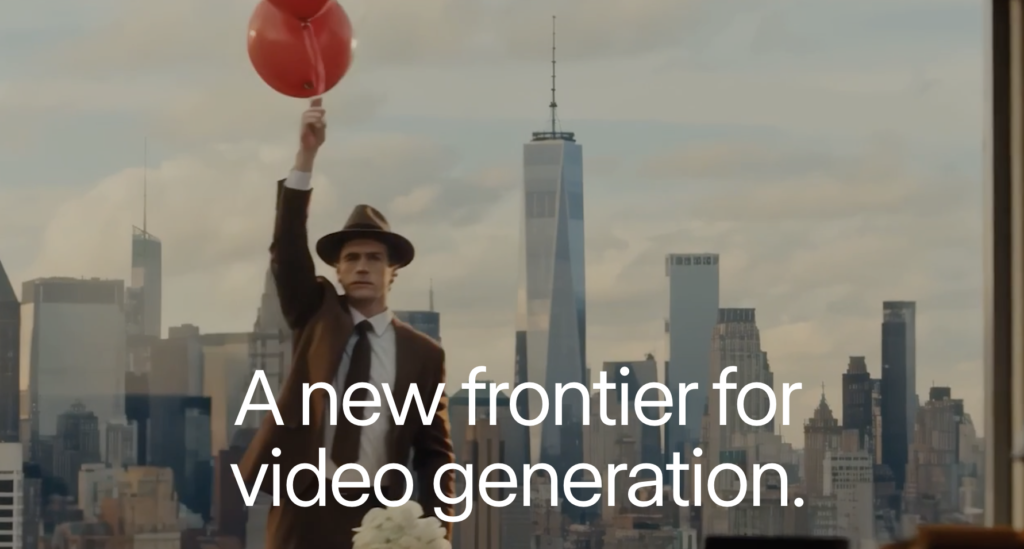
Runway has become one of the most capable platforms for generating motion from text and still images.
Its Gen-4 and newer Gen-4.5 systems support image-to-video and text-to-video workflows, with greater attention to motion quality, prompt adherence and consistency. Runway’s documentation describes controls for scene composition, camera movement, timing and atmospheric change.
For photographers, it is most useful for:
- Animating still images
- Creating short promotional sequences
- Building conceptual trailers
- Testing moving-image ideas
- Adding motion to exhibition campaigns
- Producing vertical social assets
AI video can consume credits quickly, and repeated attempts are often needed before movement appears natural. It should therefore be treated as an experimental production tool rather than an instant route to a finished film.
Verdict
The best current all-round platform for photographers wanting to explore movement without abandoning a still-image-led visual practice.
Rating: ★★★★★
How AI Can Fit into a Photographer’s Workflow
There is no reason to insert AI into every stage of photography merely because the technology exists.
A useful workflow might look like this:
1. Make the photographs
The camera, subject, situation and photographer remain at the centre.
2. Cull the shoot
Use Aftershoot or Lightroom Assisted Culling to group similar frames and identify obvious technical failures.
3. Develop the RAW files
Use Lightroom or another RAW editor for exposure, colour, tonal balance and local adjustments.
4. Complete detailed retouching
Move selected files into Photoshop when they need careful object removal, compositing or preparation for publication.
5. Improve technical quality where necessary
Use Topaz selectively for sharpening, noise reduction, restoration or enlargement.
6. Organise the archive
Use Excire or another metadata tool to improve searchability and discover older images.
7. Research and plan
Use AI research tools to locate potential sources, but verify information through official and primary material.
8. Draft supporting text
Use ChatGPT or another writing assistant to organise ideas, test structures and prepare first drafts.
9. Refine the language
Edit everything manually so the final writing sounds like the photographer rather than the software.
10. Prepare presentations and publicity
Use Gamma or Canva to create a starting structure, then adapt the layout around the photographs.
The important principle is simple: AI should enter where it reduces friction, not where it removes meaning.
Ethical Questions Photographers Should Ask Before Using AI
Before accepting an AI-assisted result, ask:
- Has the tool altered the factual meaning of the image?
- Would a viewer reasonably assume this scene existed?
- Has a person or object been added or removed?
- Does the work need an AI disclosure?
- Is the image documentary, editorial, commercial or conceptual?
- Do clients or publications impose specific rules?
- Have identifiable people consented to how their images are being transformed?
- Am I still making the central creative decisions?
- Would I be comfortable explaining the entire process publicly?
The answer will differ between a fashion campaign, an artwork and a news photograph.
Transparency is more useful than pretending one universal rule applies to every photographic context.
Frequently Asked Questions
Is AI replacing photographers?
AI is replacing and accelerating certain tasks, but photography involves far more than producing visually convincing pixels.
Access, trust, observation, timing, research, collaboration, ethical judgement and lived experience cannot simply be automated. The greater threat may be the commercial devaluation of routine imagery rather than the disappearance of photography itself.
What is the best AI photo editor for photographers?
Adobe Lightroom remains the strongest overall choice for most photographers because it combines RAW development, masking, image management, technical enhancement and assisted culling.
Photoshop is better when the work requires advanced retouching, generative alteration or compositing.
Which AI tool saves professional photographers the most time?
For high-volume wedding and event photographers, AI culling may produce the greatest immediate saving. Aftershoot is designed specifically around reducing thousands of frames to a manageable selection.
For photographers with smaller shoots, Lightroom’s integrated culling and masking may be more useful.
Can AI edit RAW files?
Yes. Applications including Lightroom, ON1 Photo RAW and several dedicated editing platforms work with RAW files.
However, generative edits may eventually create rendered pixel layers rather than continuing to operate entirely as reversible RAW adjustments.
Should documentary photographers use generative AI?
They should be extremely cautious.
Noise reduction, colour correction and clearly defined technical adjustments are fundamentally different from generating missing content or removing factual elements.
A documentary photograph should not be altered in a way that misrepresents what occurred.
Is AI-generated imagery photography?
It can imitate photographic appearance, but whether it should be described as photography remains contested.
A generated image has no necessary camera event, physical subject or witnessed moment behind it. I prefer terms such as AI-generated image, synthetic image or generative visual work when no photograph formed the basis of the piece.
Must photographers disclose AI use?
Disclosure is especially important when AI changes substantive content or when viewers could mistake a generated scene for a real event.
Technical assistance such as denoising may not require the same level of disclosure as generating people, locations or actions that never existed. Publications, competitions and clients may have their own rules.
Are free AI photography tools worth using?
Some are useful, especially for experimentation. Free tiers often impose limits on resolution, credits, privacy, commercial rights or export quality.
Always examine the current terms before uploading confidential client material or using generated content commercially.
Final Verdict
Artificial intelligence is no longer confined to experimental image generation. It now appears throughout photographic workflows, from selecting frames and masking subjects to organising archives, developing presentations and preparing written material.
That does not mean photographers should use every available tool.
The most effective approach is selective.
Use AI where it handles repetition, improves access to your own archive or creates a useful starting point. Resist it where it begins flattening personal judgement, misrepresenting reality or making the work less connected to the people and experiences from which photography draws its meaning.
My leading choices for 2026 are:
Best overall AI photo editor: Adobe Lightroom
Best detailed AI retouching: Adobe Photoshop
Best conversational image generation: ChatGPT Images
Best stylised image generation: Midjourney
Best technical image enhancement: Topaz Photo
Best high-volume culling: Aftershoot
Best archive search and keywording: Excire
Best writing and planning assistant: ChatGPT
Best presentation starting point: Gamma
Best AI video platform: Runway
QuillBot’s expanded visual platform will be assessed separately once I have completed a proper hands-on evaluation.
The future of photography will not be determined simply by whether photographers accept or reject AI. It will be shaped by the boundaries they establish around it.
The best AI tools do not remove photographers from the process.
They give photographers more time to do the work that only they can do.

Joanne Carter
Joanne Carter BA (Hons), ARPS is a British photographer, photography journalist, editor and curator, and the founder and editorial director of TheAppWhisperer.com, an independent international photography publication established in 2009.She holds a First Class Honours degree in Photography and is an Associate of the Royal Photographic Society (ARPS).Her journalism, criticism and editorial work have appeared in The Times, The Sunday Times, The Guardian, Financial Times, BBC, Vogue Italia, LensCulture, Popular Photography and NikonPro, among other international publications.Through TheAppWhisperer, she brings together academic knowledge, professional photographic expertise and more than 17 years of specialist editorial experience to examine contemporary photography, mobile imaging, computational photography, photographic applications and emerging imaging technologies.