iOS 27 for Photographers: What Really Matters
Every major iOS release arrives with an impressive catalogue of new features, but for photographers, the real measure of an update is much simpler: does it make the iPhone a better photographic tool?
That question has become increasingly important because the iPhone we use today bears very little resemblance to the camera phone that first appeared in 2007. Mobile photography has matured enormously since then, and so have the expectations of the photographers using it. Image quality has improved beyond recognition, sophisticated editing can take place entirely on the device, RAW capture has become part of a professional mobile workflow, and the iPhone has established itself as a camera in its own right rather than simply a convenient substitute when another camera is unavailable.

With iOS 27, some of the most interesting developments for photographers are no longer centred solely on camera hardware. Increasingly, they concern the intelligence surrounding the photograph: how images are processed, organised, searched, edited and understood by the device, and how much influence the operating system itself has over the final result.
Photography in an increasingly intelligent iPhone
Apple Intelligence is inevitably a major part of iOS 27. Much of the mainstream attention will focus on Siri, but from a photographic perspective, I am considerably more interested in what happens when that intelligence begins interacting with our photographs.
There are some genuinely useful possibilities here. Most photographers now accumulate enormous image libraries, often spanning many years, and finding one particular photograph can be surprisingly difficult. Being able to search photographs using natural language and context has the potential to make the iPhone a far more useful photographic archive.
For working photographers, there is a practical distinction worth making here. I am very happy for artificial intelligence to reduce the administrative burden surrounding photography. Searching, organising and locating images are tasks where greater intelligence can be enormously helpful. It is when that intelligence begins to influence the photograph itself that things become more complicated.

What happens after we press the shutter?
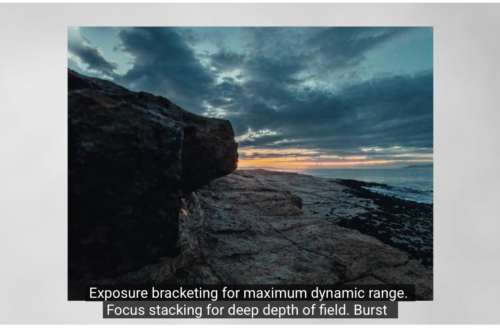
Computational photography is hardly new to the iPhone. Long before artificial intelligence became the dominant conversation in technology, Apple’s camera software was combining exposures, interpreting colour, controlling noise, recovering detail and making numerous decisions between the moment the shutter was pressed and the finished photograph appearing on screen.
For most users, those processes are almost invisible, but photographers have good reason to pay attention to them.
The camera is no longer simply recording what falls onto the sensor. The photograph we see is the result of optics, sensor data, processing and increasingly sophisticated software working together. That has produced extraordinary results, particularly from hardware constrained by the physical dimensions of a smartphone, but it also raises an important question about control.
Technology that helps a photographer realise an image is very different from technology that decides what the image ought to look like. I have always been interested in applications and tools that extend what photographers can do, but the photographer should remain central to that process.
That becomes particularly important as generative and AI-assisted editing develops. Removing an unwanted object, reconstructing part of an image or generating visual information that was never captured by the camera may be technically impressive, but these tools also change the nature of the resulting image. For photographers working editorially, journalistically or documentarily, that distinction becomes especially significant.
The importance of the app ecosystem
One of the reasons I have remained so interested in mobile photography is that Apple has never been the whole story. Some of the most significant developments in iPhone photography have come from independent developers who have looked at Apple’s camera and asked what else it could do. Third-party applications have introduced sophisticated manual controls, alternative processing, RAW workflows, specialist photographic tools and entirely new creative approaches. That independence remains extremely important.
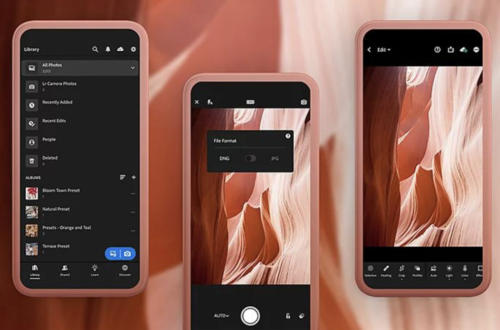
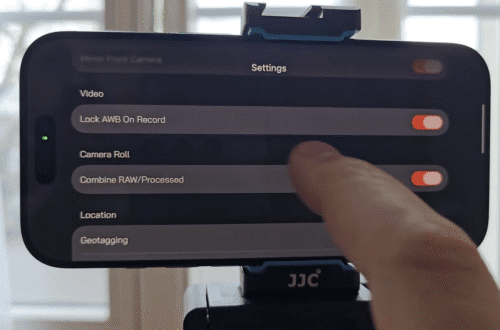
Apple naturally designs the native Camera application for an enormous range of users. Specialist photography developers do not have to work within quite the same constraints. They can build for photographers who want greater control over exposure, focus, processing, metadata and file formats, or who simply want the photograph to look different from Apple’s preferred interpretation.

For that reason, one of the most interesting aspects of iOS 27 will be what developers do with it over the coming months. A new operating system changes the environment in which every photography application operates. New frameworks, processing capabilities and system-level intelligence can become the foundations for photographic tools that Apple itself may never build.
This is an area we will be examining particularly closely at TheAppWhisperer, because the quality of a photographic operating system cannot be judged solely by Apple’s own applications. What developers are able to build upon it matters just as much.
The iPhone as a photographic system
The arrival of new hardware inevitably dominates the headlines, but photographers increasingly need to think about the iPhone as a complete photographic system rather than a collection of camera specifications.
The camera hardware matters enormously, of course, but so does what happens to the image afterwards. Capture, computational processing, RAW support, editing, metadata, storage, image management, accessibility and third-party applications now form part of the same photographic workflow.

Having covered mobile photography since its earliest years, I find this shift particularly interesting. The original attraction of mobile photography was not simply convenience. It was experimentation. The combination of an iPhone and an extraordinary generation of independent photography applications gave photographers a new visual language and encouraged people to make images in ways that had not previously been possible.
Today’s technology is considerably more powerful, but greater technological capability does not automatically produce better photography. A camera can identify subjects, optimise exposures, process several frames simultaneously and intelligently alter an image, but none of those things replaces the photographer’s ability to observe, anticipate, compose and decide what deserves to be photographed.
That is why iOS 27 is interesting photographically. Its importance is not simply measured by how much more the iPhone can do, but by whether those capabilities give photographers greater creative possibilities without taking unnecessary control away from them.
Over the coming weeks at TheAppWhisperer, we will be putting iOS 27 and the latest photography applications through their paces on current iPhone hardware. We will be looking at image quality, computational processing, RAW workflows, editing, metadata, performance, reliability and the applications that genuinely make a difference to photographers. Ultimately, the technology should serve the photograph and the person making it. That is the standard by which I will be judging iOS 27.
Please support us
TheAppWhisperer has always had a dual mission: to promote the most talented mobile artists of the day and to support ambitious, interested viewers worldwide. As the years pass, TheAppWhisperer has gained readers and viewers and has found new venues for that exchange.
All this work thrives with the support of our community. Your support helps protect our independence, and we can keep delivering open, global promotion of mobile artists. Every contribution, however big or small, is valuable for our future.

Joanne Carter
Joanne Carter is a British photographer, photography journalist, editor and curator and the founder and editorial director of TheAppWhisperer.com, an independent international photography publication established in 2009.Her journalism, criticism and commentary have appeared in The Times, The Sunday Times, The Guardian, Financial Times, BBC, Vogue Italia, LensCulture, Popular Photography, Android Magazine, NikonPro, DPReview, Which Digital Camera and Which Camera. She has lectured internationally on photography and mobile art, served as a juror for international photography awards, and exhibited her own photographic work across the UK, Europe, South Korea and the United States.Alongside her editorial work, Joanne's photographic and postgraduate research explores death, grief, memory, representation and social inequality through contemporary photography, participatory practice and visual research methods, with the longer-term aim of developing this work through doctoral research.Through TheAppWhisperer, she continues to publish independent photography journalism spanning contemporary photographic practice, mobile imaging, photographic apps, computational photography and emerging imaging technologies.Joanne is available for editorial commissions, photography projects, judging, curatorial work, speaking engagements, consultancy and selected collaborations.