Best Camera Apps for iPhone 18 Pro (2026): 7 Top Picks
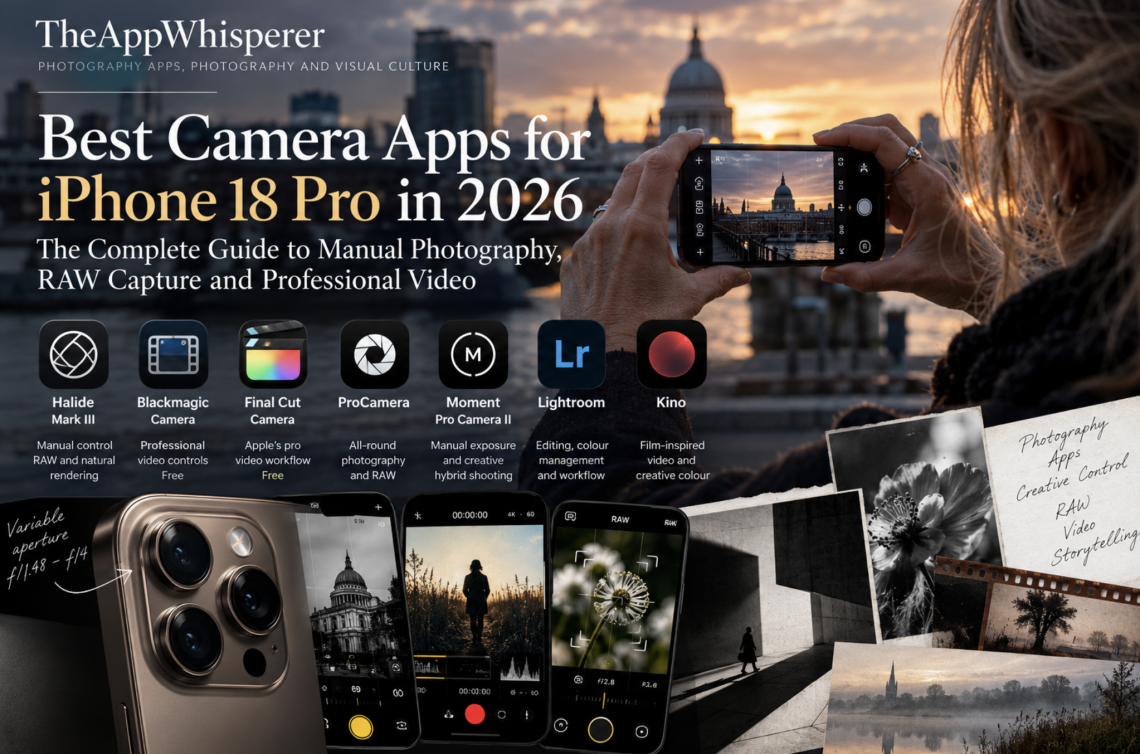
Best Camera Apps for iPhone 18 Pro in 2026: The Complete Guide to Manual Photography, RAW Capture and Professional Video
By Joanne Carter | TheAppWhisperer | October 2026
The iPhone 18 Pro marks an important development in mobile photography, but its most interesting advancement may not be the quality of the photos it can produce. It is the degree of control it now gives the photographer. With a variable-aperture main camera, increasingly sophisticated RAW capture, and a growing ecosystem of professional apps, Apple’s flagship smartphone is moving further into territory traditionally occupied by dedicated photographic equipment.
Yet a fundamental distinction remains between having an advanced camera and exercising meaningful creative control over it. Apple’s native Camera application remains exceptionally capable, particularly for photographers who value speed, convenience and computational assistance. However, it is not necessarily the most appropriate choice for those wishing to make deliberate decisions about exposure, focus, image processing, colour or the relationship between aperture and depth of field.
Third-party camera applications have consequently become increasingly important. Developers such as Lux Optics, Blackmagic Design, Cocologics, and Moment have created tools that treat the smartphone as a serious photographic instrument rather than merely a convenient way to record everyday experiences.
The release of the iPhone 18 Pro has given these developers another opportunity to extend the creative possibilities of mobile photography. Several applications now offer more granular control over the device’s variable aperture, while others focus on reducing computational processing to produce natural-looking RAW photographs or record video using workflows familiar to professional cinematographers.
In this extensive guide, TheAppWhisperer examines seven particularly relevant applications, explains their different approaches to image-making and considers which are most appropriate for photographers, visual artists, documentary practitioners and filmmakers.
The emphasis is not simply on which application offers the most features. It is on how those features affect the experience of making photographs and the creative decisions available to the person behind the camera.
Editorial note: This guide draws upon current developer documentation, published application specifications and independently reported updates available in October 2026. This is a researched comparison, not a controlled, hands-on laboratory test of all seven applications on the iPhone 18 Pro. Features and compatibility may change with software updates.
At a Glance: The Best iPhone 18 Pro Camera Apps
| Application | Best for | Pricing model |
|---|---|---|
| Halide Mark III | Manual still photography, RAW and natural rendering | Free download, paid features |
| Blackmagic Camera | Professional filmmaking and manual video control | Free |
| Final Cut Camera | Apple’s professional video workflow | Free |
| ProCamera | Versatile everyday and advanced photography | Paid, with optional purchases |
| Moment Pro Camera II | Manual exposure and creative hybrid shooting | Paid |
| Adobe Lightroom | Editing, colour management and photographic workflow | Free, with paid features |
| Kino | Film-inspired video and creative colour | Paid |
These applications do not all compete directly. Halide, ProCamera, and Moment are primarily for still photographers, though their capabilities differ. Blackmagic Camera, Final Cut Camera and Kino concentrate on moving images, while Lightroom is most valuable as part of a broader photographic workflow.
For many serious photographers, the most effective approach will involve more than one application. A dedicated camera app can offer greater control during capture, while a separate editing environment lets you interpret the resulting image carefully.
Why the iPhone 18 Pro Changes the Conversation
One of the iPhone 18 Pro’s most significant developments is its variable-aperture Fusion Main camera. According to Apple’s September 2026 documentation, the 48-megapixel camera supports physical aperture adjustments between f/1.48 and f/4.
This matters because aperture has traditionally been one of the principal expressive controls for photographers using interchangeable-lens cameras. Changing the aperture affects the amount of light reaching the sensor and, along with focal length, subject distance, and sensor size, influences depth of field.
Previous iPhones have simulated shallow depth of field through computational portrait photography. These effects can be impressive, but they are not equivalent to physically changing the aperture of the lens.
With the iPhone 18 Pro, photographers can exercise a degree of optical control previously unavailable on Apple smartphones.
The difference becomes especially interesting when photographing close subjects, objects with detailed textures or scenes containing several distinct planes of focus. A wider aperture allows more light to reach the sensor and can help separate a nearby subject from its surroundings. A narrower aperture lets less light into the camera and can increase depth of field under appropriate conditions.
Nevertheless, expectations should remain realistic. The iPhone’s comparatively small sensor means that aperture changes will not necessarily produce the dramatic background separation associated with full-frame cameras and fast portrait lenses. The effect depends heavily on subject distance, focal length and the particular photographic situation.
The greater significance lies in the photographer’s ability to consciously choose the image’s optical characteristics rather than accept a fixed aperture or rely entirely on software-generated effects.
Apple’s Final Cut Camera app now supports aperture-priority, shutter-priority, and manual modes for video capture on the iPhone 18 Pro. Third-party developers have also introduced more detailed aperture adjustments, demonstrating how quickly the wider application ecosystem is responding to the new hardware.
For photographers who regard exposure and optical rendering as expressive choices rather than purely technical considerations, this is a meaningful development.
Official reference: Apple – Final Cut Camera and iPhone 18 Pro variable aperture
1. Halide Mark III – Best for Manual Photography and Natural RAW Images
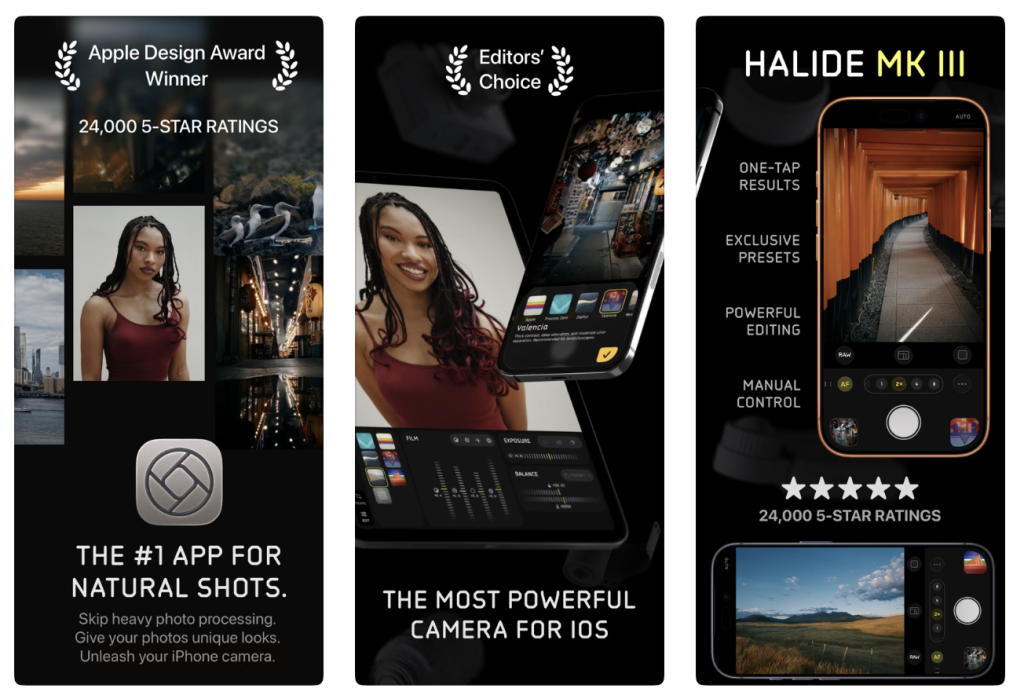
Developer: Lux Optics
Best for: Photographers who want control over capture, processing and photographic appearance.
Availability: iPhone
Price: Free download with paid features and purchase options.
Download: Halide Mark III on the UK App Store
Halide has long occupied a distinctive position within mobile photography. Rather than focusing exclusively on making smartphone photos look more technically polished, its developers have repeatedly questioned how much computational processing should shape the final image. That distinction matters because contemporary smartphone photographs rarely record a single exposure. They may be assembled from multiple frames and then sharpened, noise-reduced, tonally adjusted, and otherwise computationally altered before the photographer sees the result. These processes are often beneficial, especially in difficult lighting conditions. However, they can also produce images that feel overly sharpened, unnaturally bright, or aesthetically disconnected from the original scene’s atmosphere. Halide offers an alternative approach.
Process Zero and the Question of Photographic Authenticity
One of Halide’s most interesting features is Process Zero, an image-rendering approach designed to reduce the influence of computational photography and produce a more natural-looking result. Rather than maximising detail and brightness through extensive processing, Process Zero prioritises a rendering that retains more of the original capture’s character. Photographers interested in subtle tonal transitions, shadow detail, atmospheric light, or natural textures may find this particularly appealing.
However, reduced processing should not automatically be confused with superior image quality. Computational techniques can improve dynamic range, manage noise, and preserve detail where a more minimally processed image may struggle. The relevant question is therefore not whether computational photography is inherently good or bad, but whether the photographer wants the application to make those decisions automatically.
Halide makes that choice more explicit.
Halide Mark III and Creative Looks
Halide Mark III introduced a broader creative system built around photographic Looks, developed with colourist Cullen Kelly. These are intended to influence how photographs are rendered during the capture workflow, rather than functioning solely as conventional filters added afterwards. The distinction matters because a photographic aesthetic isn’t simply about applying a colour preset. Contrast, highlight behaviour, tonal separation, and colour relationships all contribute to an image’s character. Halide’s approach encourages photographers to consider these decisions before pressing the shutter. For some, this will create a more deliberate and satisfying photographic process. Others may prefer the flexibility of recording a neutral RAW file and making their aesthetic decisions later.
Both approaches are valid, and Halide’s appeal lies partly in providing space for different working methods.
Variable Aperture on the iPhone 18 Pro
Halide’s October 2026 update matters most to iPhone 18 Pro owners because it adds detailed control over the new variable-aperture system. While Apple’s native interface offers a limited selection of aperture settings, Halide provides more continuous adjustment across the supported range from f/1.48 to f/4. This makes the app particularly interesting for photographers who want to experiment with the optical effects of changing aperture rather than choose from a small set of predetermined options.
The practical differences between closely spaced settings may be subtle, especially when photographing distant subjects. Nevertheless, the ability to control the lens more precisely represents a welcome development for photographers accustomed to manual camera operation.
Who Should Choose Halide?
Halide suits photographers who work with RAW files, prefer a less aggressively processed look, or want to make deliberate decisions about exposure and focus. It is also worth considering for fine-art and documentary photographers who see the image’s visual characteristics as part of its meaning. Its greatest strength isn’t that it automatically produces better photos than Apple’s Camera app. It provides a different relationship between the photographer, the camera, and the resulting image.
For further reading, see TheAppWhisperer’s Best Camera Apps to Reduce iPhone Processing (2026) and 10 iPhone Camera Apps That Put the Photographer Back in Control.
Verdict: Halide Mark III is one of the strongest choices for photographers who want a more intentional still-photography experience, particularly when RAW capture, manual settings and restrained processing are priorities.
2. Blackmagic Camera – Best Free App for Professional Video
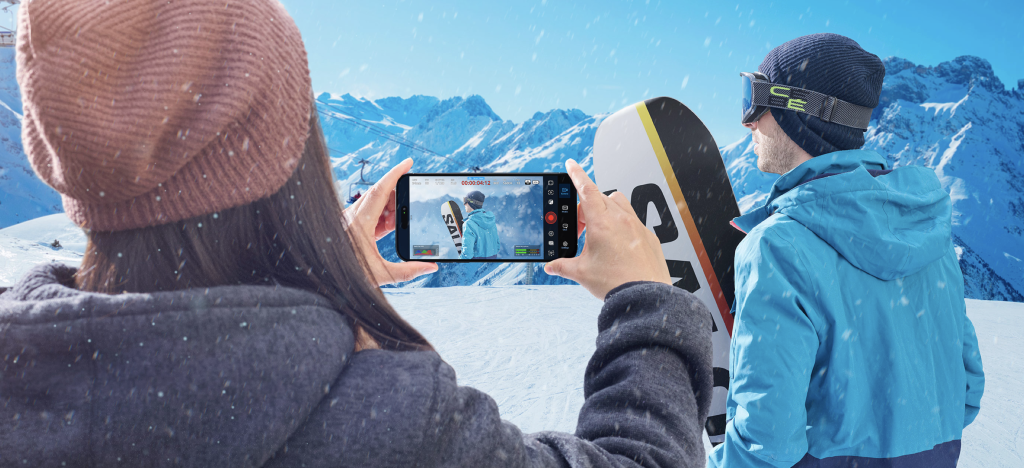
Developer: Blackmagic Design
Best for: Filmmakers, documentary practitioners and photographers working with moving images.
Availability: iPhone and supported Android devices
Price: Free.
Download: Blackmagic Camera on the UK App Store
Official website: Blackmagic Design – Blackmagic Camera
Blackmagic Camera approaches the smartphone from a professional cinematography perspective. Its interface draws on the conventions of dedicated digital cinema cameras, giving immediate access to settings often hidden or automated in consumer video apps. Exposure, shutter angle, frame rate, white balance, focus and recording format are treated as essential creative controls rather than secondary options. This makes Blackmagic Camera particularly attractive to photographers beginning to work with moving images and looking to develop a more technically informed approach to filmmaking.
Professional Controls Without the Price Barrier
The application’s most remarkable feature is that its extensive capture controls are available at no purchase price. For independent filmmakers, students and documentary practitioners, this significantly lowers the financial barrier to experimenting with professional recording techniques.
Blackmagic Camera provides control over frame rate, shutter angle, ISO, white balance, focus and supported recording formats. It also offers monitoring tools and workflow options intended for more demanding production environments.
The interface may seem complicated at first, especially for photographers unfamiliar with cinematography terminology. However, the underlying principles are relatively straightforward.
Frame rate determines how many individual images the camera records each second. Shutter angle affects each exposure’s duration and, therefore, the appearance of motion blur. White balance affects colour consistency, while ISO and exposure settings help determine how the camera responds to different lighting conditions. Once you understand these relationships, the application becomes much easier to navigate.
What Does a 180-Degree Shutter Mean?
Traditional still cameras generally describe exposure duration using shutter speed. Cinematography often uses shutter angle, a convention inherited from rotating mechanical shutters in film cameras. A 180-degree shutter corresponds to an exposure duration of approximately half the interval between successive frames. At 25 frames per second, this produces a shutter speed of approximately 1/50 second. At 30 frames per second, it corresponds to approximately 1/60 second. These settings generally produce familiar, natural-looking motion blur, although different shutter angles can be used deliberately to create sharper or more fluid movement.
For photographers moving into video, understanding this relationship is more useful than simply copying recommended settings without knowing what they accomplish.
Variable Aperture and the iPhone 18 Pro
The iPhone 18 Pro’s variable-aperture camera adds another dimension to Blackmagic Camera’s manual workflow. Recent updates have expanded third-party applications’ ability to select aperture settings across the new hardware’s supported range.
For filmmakers, this creates opportunities to make more deliberate exposure and depth-of-field decisions, particularly when balancing available light, shutter angle and ISO.
However, changing aperture during a shot can alter exposure and potentially affect the footage’s visual continuity. For controlled productions, it is generally preferable to establish exposure settings before recording unless the change is an intentional creative effect.
Colour, Log Recording and Post-Production
Blackmagic Camera is especially valuable when used as part of a wider editing and colour-grading workflow. Log recording, where supported by the device and selected recording format, preserves a flatter tonal representation intended to provide flexibility during post-production.
The initial image may appear relatively low in contrast and saturation, but this does not indicate poor quality. It is a starting point for later colour correction and grading.
A Look-Up Table, commonly known as a LUT, can preview how Log footage might look after a particular colour transformation. Distinguish between a monitoring LUT and a look permanently incorporated into recorded footage. The available behaviour depends on the application settings and workflow.
For documentary practitioners, managing colour consistently across scenes can be particularly useful. It can also help filmmakers integrate smartphone footage with material captured using dedicated cinema cameras.
Blackmagic Camera for Documentary and Fine-Art Practice
The application is not limited to commercial video production. Photographers developing moving-image installations, visual research projects or experimental documentary work may find its manual controls equally valuable.
A static sequence, a carefully observed landscape or a prolonged study of a particular environment can benefit from consistent exposure and controlled focus just as much as a conventional film production. The application provides the technical framework without prescribing its aesthetic direction.
TheAppWhisperer has already published a detailed technical resource, Blackmagic Camera App Settings Explained (2026): Every Setting, Simplified, which examines the principal controls in accessible language.
Readers may also find Best Video Settings for Blackmagic Camera App (2026) useful when establishing a starting configuration.
Verdict: Blackmagic Camera is an exceptional free option for iPhone filmmakers who want professional recording controls, technical flexibility and a workflow that can extend into serious post-production.
3. Final Cut Camera – Best for Apple’s Professional Video Ecosystem
Developer: Apple
Best for: iPhone filmmakers using Final Cut Pro and photographers exploring professional video.
Availability: iPhone
Price: Free.
Download: Final Cut Camera on the UK App Store
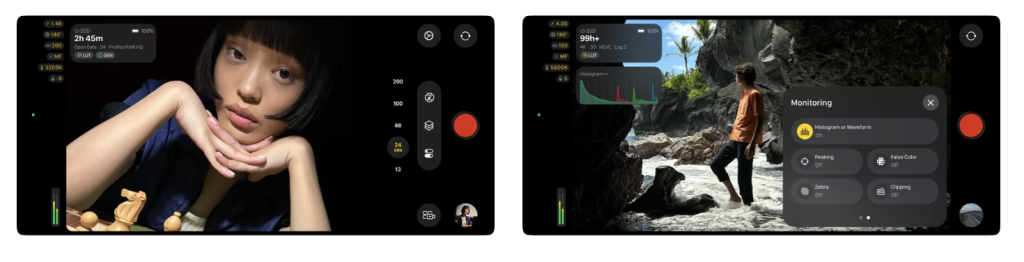
Apple’s Final Cut Camera has become a serious alternative to specialist third-party video apps. Its September 2026 update, version 2.4, is particularly significant because it adds dedicated support for the iPhone 18 Pro’s variable-aperture camera, along with redesigned controls and expanded professional monitoring capabilities.
The application occupies an interesting position within Apple’s ecosystem. It aims to make professional recording features accessible without sacrificing the simplicity Apple’s software is known for.
Aperture Priority, Shutter Priority and Manual Exposure
The iPhone 18 Pro’s introduction of aperture control lets Final Cut Camera support exposure modes familiar to photographers using dedicated cameras. In aperture-priority mode, the photographer selects an aperture while the camera manages other exposure parameters within the available operating range. In shutter-priority mode, the user specifies the desired shutter behaviour, and the application adjusts other parameters where supported. Manual mode provides more direct control over the relationship between aperture, shutter and exposure. These modes matter because they accommodate different experience levels and photographic intentions.
A filmmaker recording a rapidly changing scene may prefer some automatic assistance, while someone producing a carefully lit sequence may wish to control every relevant parameter.
Exposure Monitoring and Focus Assistance
Final Cut Camera 2.4 also introduces improved monitoring features, including false colour, clipping indicators, focus peaking and professional video scopes on supported devices. False colour visually represents exposure levels, making it easier to spot underexposed or overexposed areas. Clipping indicators highlight regions where detail may be lost, while focus peaking helps you identify areas of apparent sharpness. The RGB Parade separates red, green, and blue signal information, letting users assess colour balance and exposure more precisely.
These tools are especially useful when recording Log footage, where the flatter preview can make exposure decisions harder.
Cinematic Effects and Post-Production Flexibility
Apple has also expanded the relationship between captured video and subsequent editing. On supported iPhone 18 Pro workflows, Cinematic-style depth effects can be applied to compatible footage, including certain ProRes and Apple Log recordings, with adjustments made later in Final Cut Pro.
This creates an important distinction between optical depth of field, determined during capture, and computational depth effects that can be modified afterwards. Both approaches offer creative possibilities, but you shouldn’t confuse them. The optical image depends on the camera and lens’s physical characteristics, while computational effects rely on software interpretation of subject separation and scene depth.
Which Is Better: Final Cut Camera or Blackmagic Camera?
The choice depends primarily on workflow.
Final Cut Camera is especially attractive to users already in Apple’s editing ecosystem who value straightforward integration between capture and post-production.
Blackmagic Camera may appeal more strongly to filmmakers who prefer its cinema-camera interface, monitoring options and integration with Blackmagic’s broader production environment.
Neither application should be considered universally superior. Both offer substantial creative control, and the best choice depends on the project’s demands.
Verdict: Final Cut Camera is one of the most compelling free applications for iPhone 18 Pro video recording, particularly for creators who want sophisticated manual controls without leaving Apple’s professional software ecosystem.
4. ProCamera – Best All-Round Camera App for Serious Photographers
Developer: Cocologics
Best for: Everyday photography, manual capture, RAW files and photographers wanting one versatile application.
Availability: iPhone
Price: Paid, with additional purchase options depending on features.
Official website: ProCamera
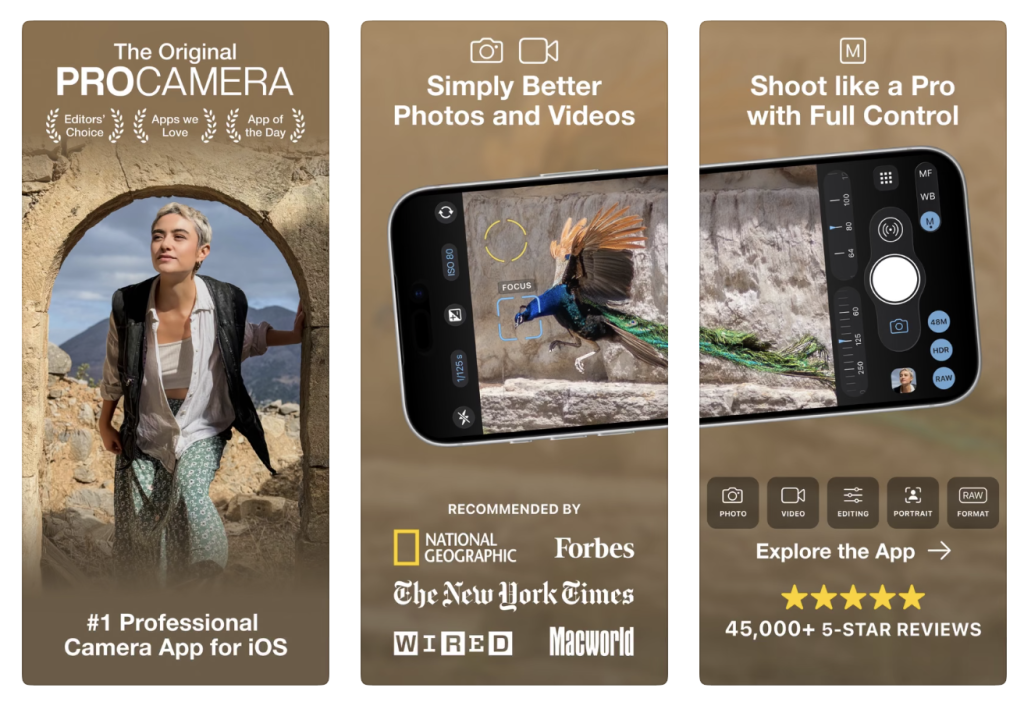
ProCamera is one of the longest-established specialist camera applications available for iPhone. Its continued development illustrates how third-party software has evolved alongside successive generations of smartphone camera hardware.
Unlike apps that focus on a particular photographic aesthetic, ProCamera offers a broad range of tools to suit many situations.
It combines manual exposure and focus controls with RAW capture, specialised shooting modes and features designed to help photographers work more confidently in challenging conditions.
A Practical Approach to Manual Photography
One of ProCamera’s principal strengths is its balance between accessibility and technical depth. Photographers can use the app for straightforward everyday shots without diving into every setting. However, more experienced users can control exposure, focus, white balance, and supported capture formats when a situation demands greater precision.
This flexibility makes ProCamera particularly suitable for photographers who do not want to switch applications every time their subject or working conditions change.
Street photography, architecture, travel, portraiture and documentary photography all present different technical challenges.
An application that adapts to these situations without imposing a single visual style can be extremely useful.
RAW Capture and Editing Flexibility
RAW photography remains one of the main reasons to use a dedicated camera app. A RAW file retains image data that offers greater editing flexibility, particularly when adjusting white balance, highlights, shadows, and colour.
However, RAW files are not automatically better than processed images. They generally require more attention in post-production, and their advantages depend on the original exposure quality and the processing applied afterwards.
For photographers who prefer to make their own tonal and colour decisions, this additional flexibility can be valuable.
ProCamera and Variable Aperture
Cocologics has continued updating ProCamera for recent iPhone hardware, including the iPhone 18 Pro’s variable-aperture system.
This makes it especially relevant for photographers seeking a general-purpose camera app that can use newer optical controls without focusing exclusively on a single specialist feature.
Combining aperture adjustments with ProCamera’s broader photographic toolkit may prove particularly useful for photographers working across different genres.
Who Is ProCamera Best Suited To?
ProCamera is a strong choice for photographers who want a dependable, general-purpose app with substantial manual control. It is particularly relevant to users who value technical flexibility but do not necessarily want the more explicitly aesthetic approach offered by Halide.
TheAppWhisperer previously included ProCamera in its Best Mobile Photography Apps (2026 Edition), which provides a broader introduction to contemporary mobile photographic tools.
Verdict: ProCamera remains one of the strongest all-round choices for iPhone photographers who want manual control, RAW capture, and a flexible app for varied situations.
5. Moment Pro Camera II – Best for Manual Exposure and Hybrid Creators
Developer: Moment
Best for: Manual photography, creative video and photographers using Moment’s wider equipment ecosystem.
Availability: iPhone
Price: £9.99 on the UK App Store at the time of research.
Download: Moment Pro Camera II on the UK App Store
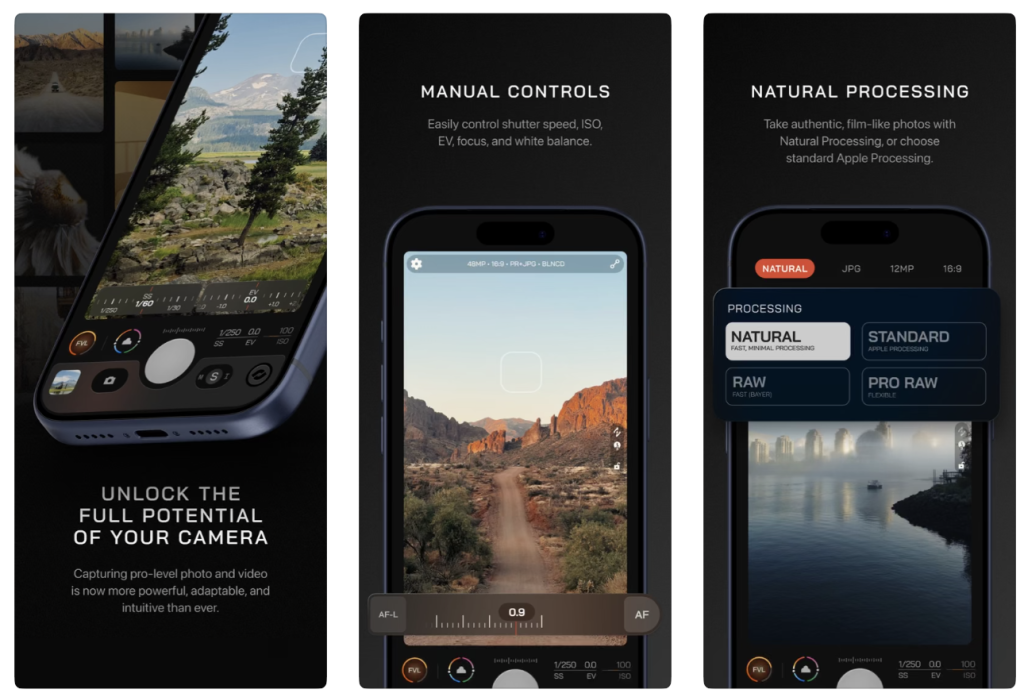
Moment Pro Camera II represents a substantial redevelopment of Moment’s original camera application. Its design emphasises manual exposure, flexible shooting modes, and an interface that adapts to different creative requirements.
For photographers used to dedicated camera controls, this approach appeals because it makes familiar exposure relationships more accessible on a smartphone.
Exposure Control and Shooting Modes
Moment Pro Camera II offers several exposure approaches, including manual operation and priority-based modes. This lets photographers decide how much control they want to retain and how much responsibility to delegate to the camera. For example, a photographer shooting a relatively static subject may choose manual exposure to keep consistency between frames. Someone photographing rapidly changing light may prefer a priority mode that lets the app respond automatically while preserving control over a key parameter.
Moment also offers tools like focus peaking, exposure aids, and lens controls, helping users assess an image’s technical characteristics before recording.
Variable Aperture and the iPhone 18 Pro
The iPhone 18 Pro makes Moment Pro Camera II especially interesting because the app supports more detailed aperture selection than Apple’s standard interface.
Its updated controls let photographers choose from ten aperture positions across the supported range, in approximately one-third-stop increments. For users familiar with traditional photographic exposure systems, this approach feels closer to operating a dedicated camera.
Nevertheless, the practical visual difference between neighbouring aperture settings may be modest. The most useful changes will likely appear when photographing close subjects, balancing available light, or making controlled comparisons under consistent conditions.
Creative Looks and Natural Rendering
Moment Pro Camera II also includes creative rendering options that give photographers more control over how their images look. The distinction between a naturally rendered photograph and a computationally enhanced one is increasingly important in mobile photography. Some photographers prefer the polished appearance produced by modern image-processing systems. Others want a quieter interpretation of colour, texture and contrast.
Moment offers options to accommodate different preferences, though results depend on the selected capture mode and lighting conditions.
The Importance of Interface Design
A camera application is not simply a collection of technical capabilities. Its interface can affect how quickly and confidently a photographer responds to a scene. Moment’s configurable controls and quick-access features aim to reduce the distance between recognising a photographic opportunity and taking the shot. This matters especially in street and documentary photography, where an overly complicated interface can disrupt observation.
Verdict: Moment Pro Camera II is a strong option for photographers who want traditional exposure controls, detailed aperture adjustments, and an app that supports both still photography and creative filmmaking.
6. Adobe Lightroom – Best for Editing and the Complete Photographic Workflow
Developer: Adobe
Best for: RAW editing, colour correction, image organisation and consistent photographic workflows.
Availability: iPhone and other supported platforms
Price: Free download with paid features and subscriptions.
Download: Adobe Lightroom on the UK App Store
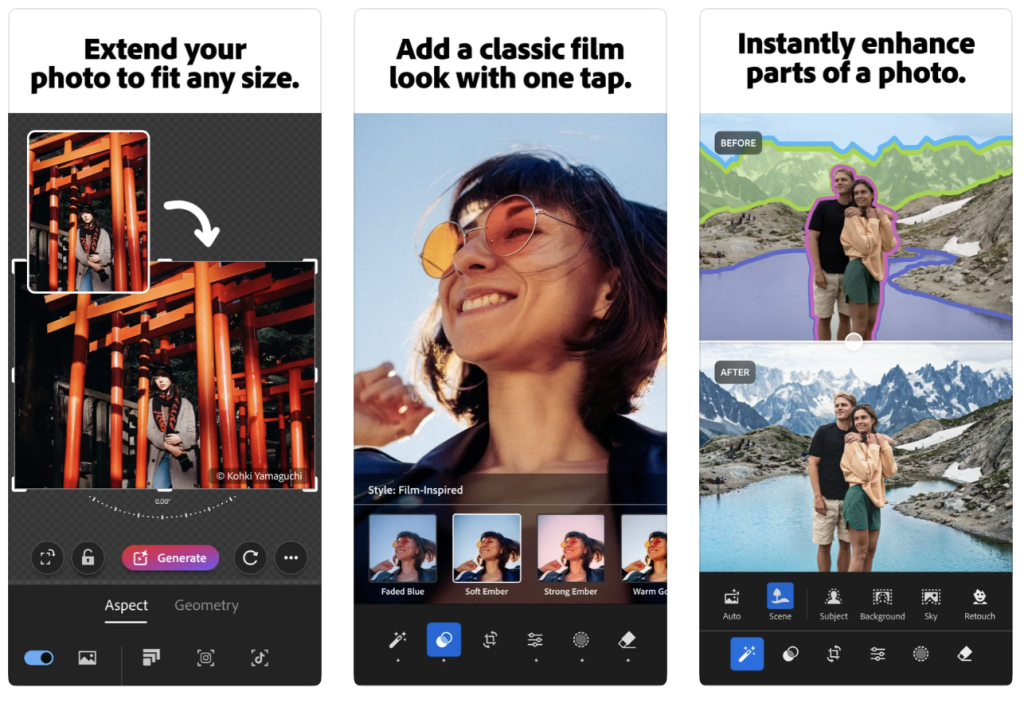
Adobe Lightroom occupies a slightly different position within this comparison. Although Lightroom offers mobile capture capabilities, its main strength lies in what happens after you take the photo. Rather than replacing specialist manual camera apps such as Halide, ProCamera, or Moment, Lightroom provides a sophisticated environment for developing, organising, and interpreting photographs. Its extensive editing capabilities, including Generative Expand, selective AI adjustments, and film-inspired colour treatments, let photographers refine, reinterpret, and, in some cases, substantially transform their images. This distinction matters for photographers who see image-making as a process that extends beyond the moment of exposure, while remaining mindful of questions of photographic authenticity, documentary integrity, and the ethical implications of computational image manipulation.
Why Editing Is Part of Photography
A photograph does not necessarily reach its final form when the shutter is released. Exposure decisions, colour balance, tonal relationships, and cropping can all shape how an image communicates its subject.
These decisions have always formed part of photographic practice, whether through darkroom printing, film development or contemporary digital processing. Lightroom provides tools to make these adjustments in a relatively controlled, repeatable way.
For photographers working with RAW files captured in Halide, ProCamera or Moment, Lightroom can serve as a central editing environment.
Working with RAW Files
RAW files generally offer more latitude to adjust certain image characteristics than heavily compressed formats. Lightroom lets photographers refine exposure, recover available highlight and shadow information, adjust white balance, and manage colour relationships. However, editing flexibility should not be mistaken for an ability to recover information that was never captured. Severely clipped highlights, excessive motion blur or missed focus cannot always be corrected convincingly in post-production. The strongest workflow therefore combines careful capture with thoughtful editing.
Colour Consistency Across a Series
For documentary photographers and visual artists, consistency across a group of images can be as important as an individual photograph’s appearance. A photographic series may contain images made at different times, under different lighting conditions and with different cameras. Lightroom’s editing and organisational tools can help establish a coherent visual language while allowing individual photographs to retain their distinctive characteristics. This is especially valuable when preparing exhibitions, portfolios, editorial submissions or extended documentary projects.
AI and Photographic Intention
Adobe has introduced a growing range of AI-assisted editing tools, including automated adjustments and generative features. These can be useful in appropriate circumstances, but photographers should consider their implications carefully.Removing an unwanted object from a commercial image is not necessarily equivalent to removing an element from a documentary photograph presented as evidence of a real event. The ethical significance depends on context, disclosure and the claims being made about the image.
For photographers concerned with documentary integrity, Lightroom’s conventional tonal and colour tools may be more appropriate than generative alterations.
TheAppWhisperer’s Best Camera Apps Without AI Processing explores the wider movement towards more restrained computational intervention.
Verdict: Lightroom is best regarded as an essential companion to a dedicated capture application rather than a universal replacement for one. Its strengths lie in RAW development, colour management, and creating a coherent photographic workflow.
7. Kino – Best for Film-Inspired Video and Creative Colour
Developer: Lux Optics
Best for: Creative filmmakers, visual artists and photographers interested in cinematic colour.
Availability: iPhone
Price: Paid.
Download: Kino on the UK App Store
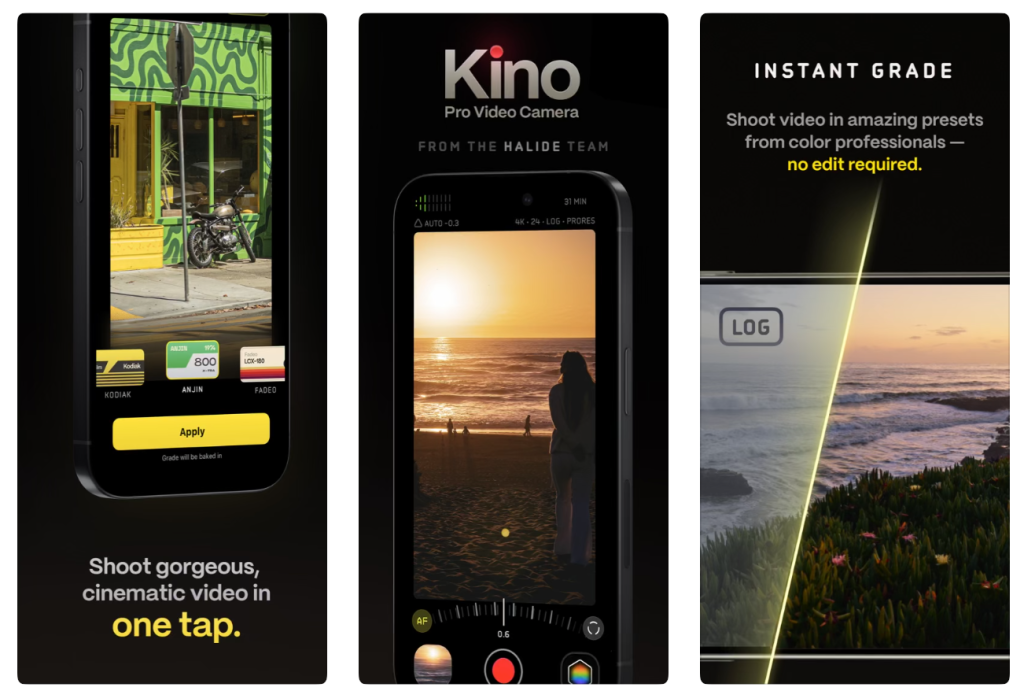
Kino approaches smartphone filmmaking differently from Blackmagic Camera and Final Cut Camera. Rather than focusing on technical breadth or integration with a professional editing ecosystem, Kino emphasises the visual character of recorded footage.
Developed by the team behind Halide, it combines manual video controls with film-inspired colour treatments and an interface designed to make creative recording relatively approachable.
The Appeal of Film-Inspired Video
The visual characteristics associated with analogue film continue to influence contemporary digital photography and cinematography. Colour response, contrast, highlight behaviour and tonal transitions all contribute to what viewers may perceive as a cinematic appearance. However, no single film look exists. Different film stocks, development processes, lighting conditions and printing techniques produce markedly different results.
Kino’s creative colour options provide starting points for developing a particular aesthetic, but the resulting footage still depends on composition, exposure, movement, and the quality of the original scene.
Manual Control and Creative Simplicity
Kino includes professional-style controls that give users more influence over video capture than the native Camera app. Its appeal lies partly in presenting these capabilities within a workflow oriented toward the finished look of the footage.
For photographers beginning to experiment with moving images, this may feel more approachable than an application designed around the conventions of a professional cinema camera. The ability to select a visual treatment during capture can also encourage greater consistency between shots. However, recording footage with a strongly established aesthetic may reduce flexibility later, depending on how the selected look is applied and the recording format used.
Photographers should therefore consider whether they want to commit to a particular appearance during capture or retain the widest possible range of options for post-production.
Kino for Experimental Moving Images
Kino may particularly attract photographers exploring the relationship between still and moving images. Short observational sequences, atmospheric studies, visual diaries and experimental documentary work can all benefit from carefully considered colour and controlled movement. In these contexts, the most important question is not whether the footage resembles a commercial film production.
It is whether the visual treatment supports the intended meaning and emotional character of the work.
Verdict: Kino is a compelling creative option for photographers and filmmakers who value film-inspired colour and a relatively direct approach to producing distinctive video footage.
Understanding RAW, Apple ProRAW and Computational Photography
Smartphone photography terminology can be confusing, especially because different apps use similar terms for processes that aren’t identical.
A conventional RAW file generally preserves sensor-derived image information for editing software to interpret later.
Apple ProRAW combines RAW-format flexibility with elements of Apple’s computational imaging pipeline. It should not be understood as an entirely unprocessed sensor recording.
By comparison, a JPEG or HEIF image generally contains a more fully rendered interpretation of the scene, with colour, contrast, sharpening, and other processing already applied.
None of these formats is inherently the correct choice for every photographer.
In a rapidly changing documentary situation, the convenience and reliability of a processed image may outweigh RAW’s added editing flexibility.
For a carefully composed landscape, still life, or fine-art photograph, a RAW workflow may give greater control over the final look.
The important distinction is between technical possibility and photographic intention.
Photographers should choose a format that supports their work, rather than assuming the most technically demanding option must produce the most meaningful image.
For more discussion of these questions, read TheAppWhisperer’s Best Camera Apps to Reduce iPhone Processing and 10 iPhone Camera Apps That Put the Photographer Back in Control.
Which Camera App Should You Choose for Different Types of Photography?
Street Photography
Street photography demands a balance of speed, discretion, and control. A technically sophisticated app is of limited value if its interface makes the photographer miss a fleeting moment.
Halide and ProCamera are both worth considering for photographers who want manual control without sacrificing the spontaneity of street photography.
Moment Pro Camera II may also appeal to photographers who prefer a configurable interface and quick access to frequently used settings.
TheAppWhisperer explores this subject in greater depth in Best Camera Apps for Street Photography (2026): The Complete Guide.
Documentary Photography
Documentary photography often involves unpredictable lighting, rapidly changing situations and ethical decisions about how subjects are represented.
A camera application should support observation rather than interfere with it. Halide’s restrained processing options may appeal to photographers seeking a less stylised rendering, while ProCamera provides flexibility across different working conditions.
For documentary video, Blackmagic Camera and Final Cut Camera offer controls that can help maintain consistency between shots and support more demanding production workflows.
Landscape and Architectural Photography
Landscape and architectural photographers often work with subjects where composition, tonal range, and detail are especially important.
RAW capture offers flexibility in high-contrast scenes, while manual exposure and focus controls help maintain consistency.
The iPhone 18 Pro’s variable aperture adds an optical control, though its practical effect depends on subject distance and the camera’s physical characteristics.
Halide, ProCamera and Moment Pro Camera II are all relevant choices for this kind of work.
Fine-Art and Experimental Photography
For artists, the most technically accurate representation of a scene isn’t necessarily the most appropriate. Softness, grain, restricted tonal range, unusual colour relationships and deliberate imperfections can all form part of a photographic language.
Halide’s creative Looks, Moment’s rendering options, and Kino’s film-inspired video treatments offer different ways to explore these possibilities.
Photographers seeking more distinctive approaches to mobile imaging may also enjoy TheAppWhisperer’s 10 iPhone Camera Apps for Distinctive Photo Styles in 2026, available in the site’s iOS Apps archive.
Professional Video and Filmmaking
For serious video production, Blackmagic Camera and Final Cut Camera are the strongest starting points in this selection.
Both offer manual controls and professional recording features, although their interfaces and workflows differ.
Blackmagic Camera appeals particularly to users familiar with digital cinema equipment and DaVinci Resolve, while Final Cut Camera is a natural fit for creators working within Apple’s software ecosystem.
Kino provides a more visually oriented alternative for filmmakers who prioritise creative colour and a straightforward recording experience.
How to Get Better Photographs with the iPhone 18 Pro
Choosing the right application is only one part of producing stronger photographs. A sophisticated camera app cannot compensate for every weakness in composition, timing or observation.
The most effective improvements often come from understanding a few fundamental photographic principles and applying them consistently.
Control Exposure Deliberately
Automatic exposure systems attempt to produce technically acceptable images across a wide variety of situations. However, the camera’s interpretation of an acceptable exposure may not correspond to the photographer’s intention.
A dark interior may be brightened too much, while a luminous sky may lose subtle distinctions in the highlights. Manual exposure and exposure compensation allow photographers to preserve the atmosphere they observed.
Pay Attention to the Quality of Light
The direction, colour, and intensity of light often influence a photograph’s emotional character more than the choice of camera application.
Soft, overcast light can reveal subtle textures and tonal transitions, while direct sunlight may produce strong contrast and sharply defined shadows.
Rather than attempting to correct every difficult lighting situation computationally, consider whether the light itself contributes something meaningful to the image.
Understand the Limits of Aperture Control
The iPhone 18 Pro’s variable aperture is an important advancement, but treat it as a creative tool rather than a guarantee of dramatic background blur. Experiment with different subject distances and compare the results at the widest and narrowest available settings.
Close subjects are likely to reveal differences more clearly than distant landscapes, although the precise effect will vary.
Avoid Unnecessary Digital Zoom
Digital zoom can help when no alternative is available, but it may crop or computationally enlarge the image rather than use a different optical focal length.
Where practical, select an appropriate physical camera and compose with an understanding of its characteristics.
Moving closer to a subject can sometimes produce a stronger image, although it also changes perspective and the relationship between foreground and background.
Establish a Consistent Editing Workflow
A coherent photographic series benefits from a consistent approach to colour, contrast and tonal range. This doesn’t mean every photograph should look identical. Rather, the editing process should support the relationship between images and avoid introducing visual inconsistencies that distract from the work.
Lightroom can be particularly valuable for developing and maintaining this consistency.
Frequently Asked Questions
What is the best camera app for iPhone 18 Pro in 2026?
For photographers focused on still images, Halide Mark III is a strong choice because of its manual controls, RAW support, and natural image rendering. ProCamera is an excellent alternative for users who want a versatile, all-around app. For professional video, Blackmagic Camera and Final Cut Camera are especially compelling.
Which iPhone 18 Pro camera app has the most manual control?
The answer depends on whether you prioritise still photography or video. Halide Mark III offers detailed still-photography controls, including granular adjustment of the iPhone 18 Pro’s variable aperture. Moment Pro Camera II and ProCamera also provide extensive photographic controls. Blackmagic Camera and Final Cut Camera offer sophisticated manual video settings.
Can third-party camera apps control the iPhone 18 Pro’s aperture?
Yes. Supported apps can access the iPhone 18 Pro’s variable-aperture capabilities, though available controls vary by developer. Halide, Moment, ProCamera, Blackmagic Camera and Final Cut Camera have introduced relevant functionality. Users should install the latest versions and check each app’s feature requirements.
Is Halide better than Apple’s Camera app?
Halide offers more deliberate control over capture and rendering, which appeals to experienced photographers. Apple’s Camera app remains highly effective for everyday photography, especially when speed, convenience, and computational assistance are priorities. Neither is universally better for every situation.
Is Blackmagic Camera really free?
Yes. Blackmagic Camera is free and offers extensive professional-style video controls. Broader production workflows may require separate hardware, storage, or software, but the camera app itself is free.
What is the best free professional video app for iPhone 18 Pro?
Blackmagic Camera and Final Cut Camera are both excellent free options. Blackmagic Camera suits users who prefer a cinema-camera interface, while Final Cut Camera appeals to creators working with Apple’s professional video tools.
Does shooting RAW always improve iPhone photography?
No. RAW adds editing flexibility, but it doesn’t automatically produce a more aesthetically successful photograph. Exposure, focus, light, composition and processing all influence the result. In some situations, a carefully processed HEIF or JPEG may be more practical and visually satisfying.
Can the iPhone 18 Pro replace a professional camera?
The iPhone 18 Pro can serve as a serious photographic tool and may be entirely appropriate for some professional assignments. However, dedicated cameras still offer advantages in sensor size, lens selection, ergonomics, specialised accessories, and specific low-light or action-photography needs. The right equipment depends on the project, not the photographer’s professional status.
Which app is best for natural-looking photographs without excessive AI processing?
Halide Mark III is particularly relevant because of Process Zero and its emphasis on restrained image rendering. Moment Pro Camera II also offers options for photographers who want a less heavily processed look. The results will depend on the selected settings, lighting conditions and subsequent editing.
Which app is best for black-and-white photography?
Halide, ProCamera, and Lightroom can all support a monochrome workflow, though they approach it differently. A dedicated capture app gives you control over exposure and tonal information, while Lightroom can develop the final black-and-white interpretation.
For additional options, see TheAppWhisperer’s Best Black and White Photography Apps for iPhone (2026).
Final Thoughts: The Best Camera App Is the One That Supports Your Photographic Intentions
As smartphone camera technology continues to develop, it raises an interesting question about the relationship between technical capability and creative authorship.
Modern smartphones can perform extraordinary amounts of processing in fractions of a second. They can combine exposures, interpret scenes, reduce noise, reconstruct detail, and produce technically impressive photographs under circumstances that once posed considerable difficulties. Yet photographic sophistication does not necessarily require eliminating uncertainty, imperfection, or individual decision-making.
For many photographers, an image’s value lies partly in the choices made during its creation. Exposure, timing, focus, colour, and the treatment of light are not simply technical problems waiting for software to solve them. They are components of photographic expression.
The iPhone 18 Pro’s variable-aperture system matters not merely because it adds another advanced hardware feature, but because it gives photographers another chance to shape the image at the moment of capture.
Applications such as Halide Mark III, ProCamera, and Moment Pro Camera II build on that possibility by offering different approaches to manual photography. Blackmagic Camera and Final Cut Camera extend the same principle into professional moving-image production, while Kino and Lightroom demonstrate how creative rendering and post-production can form part of a coherent photographic process.
No single application is ideal for every photographer, and there is little reason to assume the most expensive or technically elaborate option will necessarily produce the strongest work.
The more productive question is what kind of photographs we wish to make, and how much responsibility we want to retain for the decisions that shape them.
For photographers who value observation, experimentation and creative independence, the expanding range of camera applications available for the iPhone 18 Pro offers considerable possibilities.
Ultimately, the most interesting development in mobile photography may not be that smartphones are becoming increasingly capable of making photographs for us, but that the best applications are finding new ways to return those decisions to the photographer.
About the Author
Joanne Carter BA (Hons), ARPS is an award-winning British photographer, photography journalist, editor and curator, and the founder and editorial director of TheAppWhisperer.com, an independent international photography publication established in 2009.
She holds a First Class Honours degree in Photography and is an Associate of the Royal Photographic Society (ARPS), reflecting her commitment to photographic excellence, critical enquiry and contemporary visual practice.
Her journalism, criticism and editorial work have appeared in The Times, The Sunday Times, The Guardian, Financial Times, BBC, Vogue Italia, LensCulture, Popular Photography and NikonPro, among other international publications.
Through TheAppWhisperer, she brings together academic knowledge, professional photographic expertise and more than 17 years of specialist editorial experience to examine contemporary photography, mobile imaging, computational photography, photographic applications and emerging imaging technologies.
Explore more photography guides at TheAppWhisperer.com.

Joanne Carter
Joanne Carter is a British photographer, photography journalist, editor and curator and the founder and editorial director of TheAppWhisperer.com, an independent international photography publication established in 2009.Her journalism, criticism and commentary have appeared in The Times, The Sunday Times, The Guardian, Financial Times, BBC, Vogue Italia, LensCulture, Popular Photography, Android Magazine, NikonPro, DPReview, Which Digital Camera and Which Camera. She has lectured internationally on photography and mobile art, served as a juror for international photography awards, and exhibited her own photographic work across the UK, Europe, South Korea and the United States.Alongside her editorial work, Joanne's photographic and postgraduate research explores death, grief, memory, representation and social inequality through contemporary photography, participatory practice and visual research methods, with the longer-term aim of developing this work through doctoral research.Through TheAppWhisperer, she continues to publish independent photography journalism spanning contemporary photographic practice, mobile imaging, photographic apps, computational photography and emerging imaging technologies.Joanne is available for editorial commissions, photography projects, judging, curatorial work, speaking engagements, consultancy and selected collaborations.

You May Also Like

Apple elevates the iPhone experience with iOS 26
iOS App – Procreate 5.2 Released Today