Best Mobile Photography Apps (2026 Edition)
Mobile photography continues to evolve at a remarkable speed. In 2026, image-makers are no longer limited by their devices — they are empowered by an ecosystem of powerful capture and editing tools that rival traditional workflows.
This guide highlights the most essential apps shaping contemporary mobile photography, from manual camera control to advanced colour grading and precision retouching.
Whether you are an emerging artist or an established practitioner, these tools define the current landscape of app-based image-making.
Capture Apps (Manual Control & Creative Freedom)
These apps give you precise control at the point of capture, allowing you to see and shape light, focus, and exposure in ways that transcend the basic camera interface.
Halide Mark II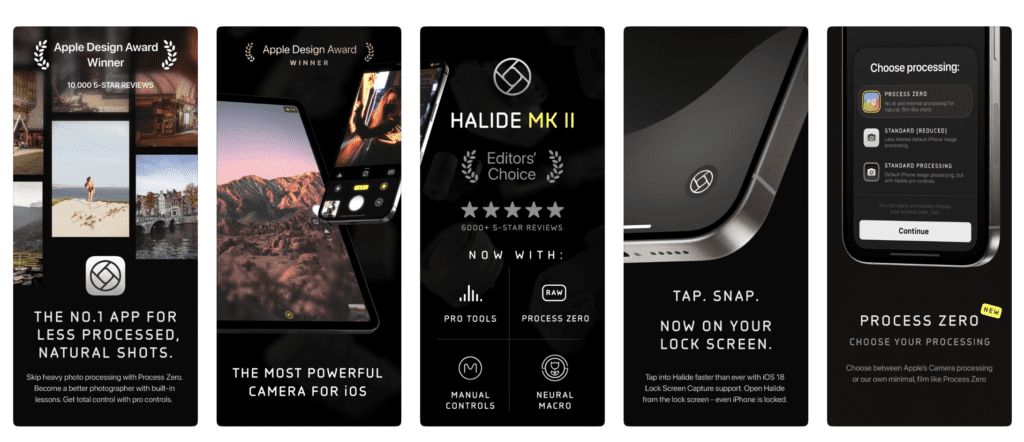
Halide combines beautiful design with serious photographic tools. It puts manual focus, exposure adjustment, depth capture and RAW shooting at your fingertips in a way that feels intuitive and expressive. Its support for focus peaking, histogram overlays, and customizable controls make it a favourite among photographers who want to shoot deliberately rather than casually.
Key strengths:
Pro-level manual controls
RAW and Apple ProRAW support
Intuitive UI with focus peaking & histogram
Great for street, fine art, and documentary mobile photography
ProCamera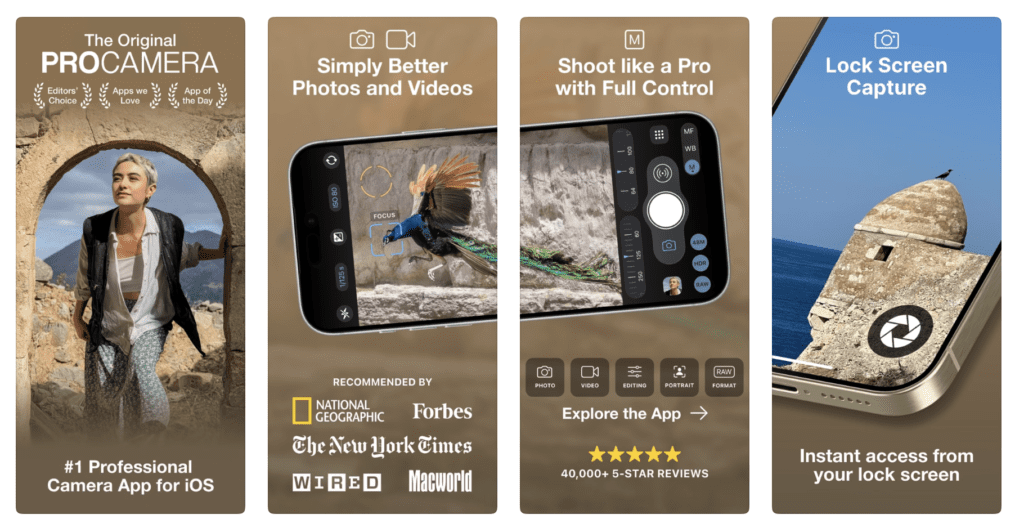
ProCamera is a classic workhorse — a robust capture app that blends ease of use with deep control. It provides manual adjustments, low-light optimisation, advanced HDR, and multiple shooting modes. ProCamera sits comfortably between powerful and accessible, making it ideal for both new and experienced shooters.
Key strengths:
Manual focus and exposure
Low light and HDR shooting
Support for multiple aspect ratios
Well-rounded toolset for everyday use
Moment Pro Camera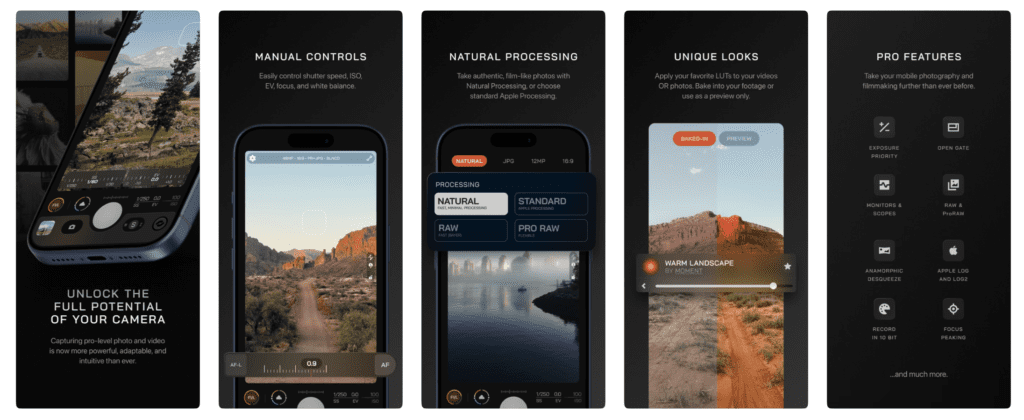
Originally built to complement Moment’s hardware lenses, this app has become a full camera tool in its own right. Moment Pro Camera offers comprehensive manual controls, focus/exposure sliders, and advanced capture options. It’s particularly strong for creators who shoot both photos and video and want consistency across both.
Key strengths:
Manual sliders for focus, shutter, ISO
Integrated with Moment gear ecosystem
Excellent for hybrid shooters (still + video)
Blackmagic Camera
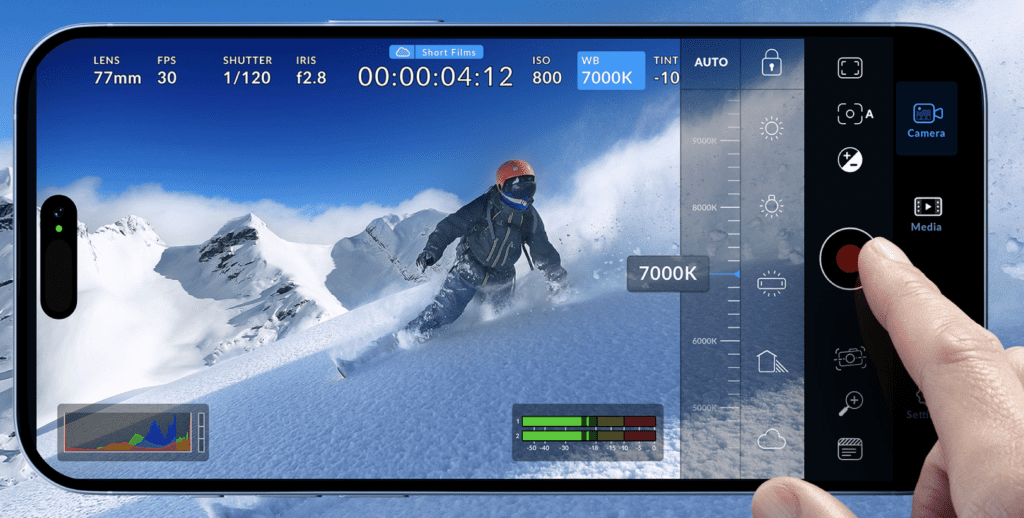
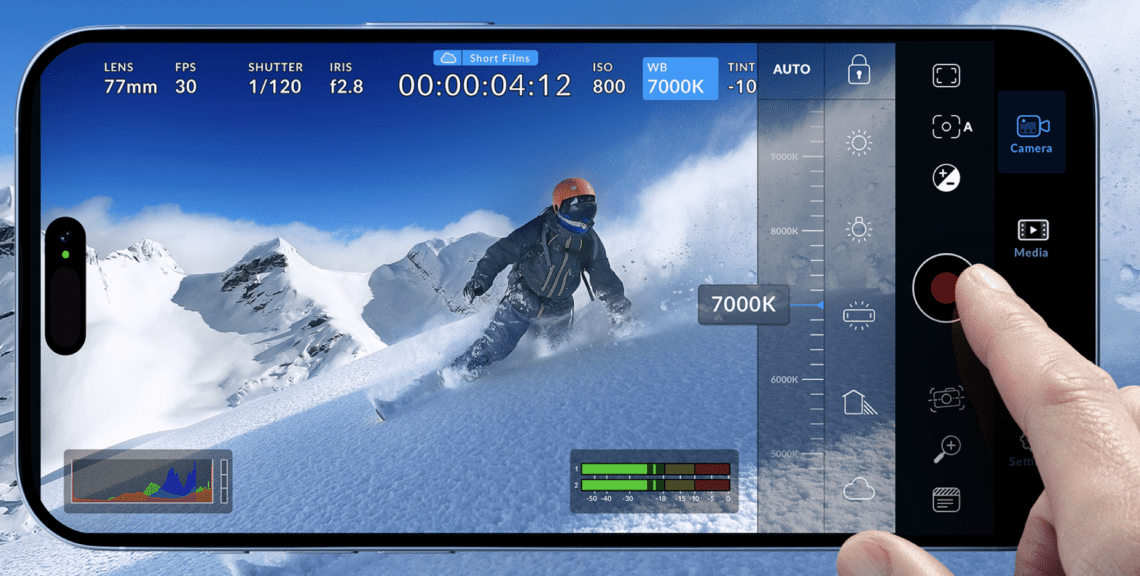
Blackmagic Camera extends professional cinematic tools into the mobile space. With features like Log capture and robust colour controls, it’s tailored for filmmakers but doubles as a capable stills capture resource. It’s one of the most influential mobile capture tools for creators working at the intersection of film and photography.
Key strengths:
Log recording and cinematic orientation
Detailed exposure and colour tools
Great for storytellers and filmmakers
Editing & Colour Grading
Editing is where intention becomes form. These apps help refine tone, texture, colour and composition after capture.
Adobe Lightroom Mobile
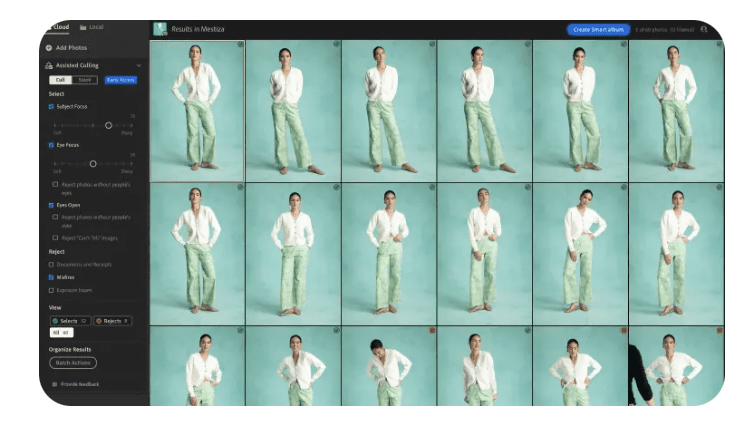
Lightroom Mobile is the industry standard for mobile photo editing and is deeply integrated with Adobe’s broader ecosystem. It offers advanced colour grading, selective masks, geometry controls, and professional colour profiles. For photographers who need precision and consistency across devices, Lightroom remains unmatched.
Key strengths:
Cross-device workflows (phone/tablet/desktop)
Local adjustments and masking
Professional colour control
Perfect for long-term editing workflows
Snapseed
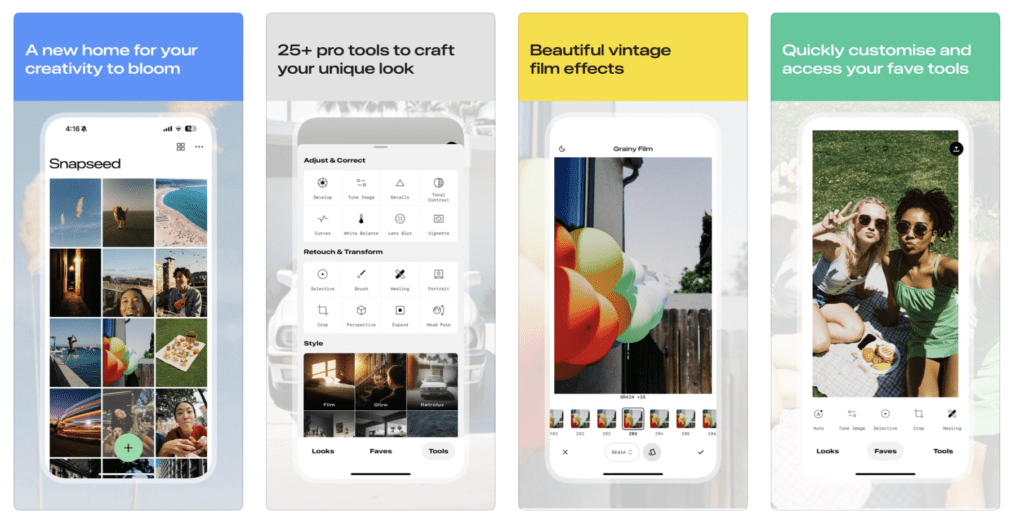
Snapseed remains a go-to for quick, high-quality mobile edits. Balancing simplicity with power, it offers selective adjustments, curve control, and a robust suite of tools — making it ideal for photographers who want strong control without subscription barriers.
Key strengths:
Precision tools without subscription
Strong selective adjustments
Excellent tonal and black-white workflows
Android version on Google Play
VSCO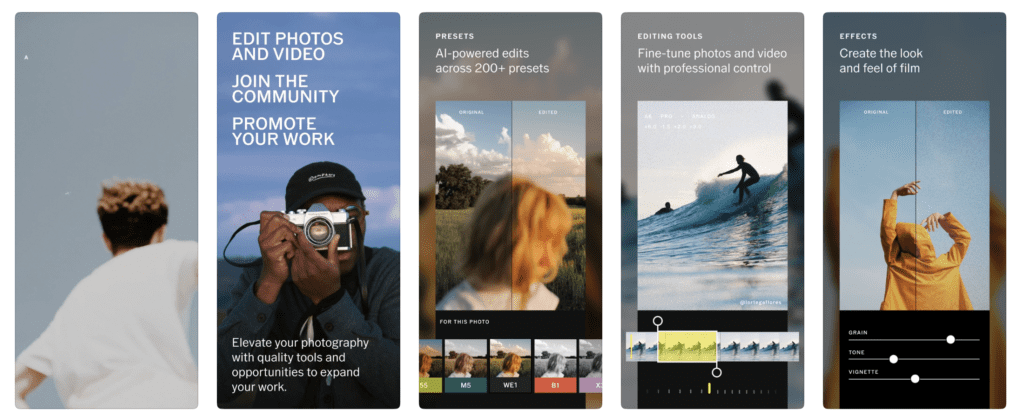
VSCO’s identity is as much about creative community as it is about presets. Its film-inspired colour profiles and subtle control tools make it a go-to for creators seeking mood and aesthetic cohesion over heavy manipulation.
Key strengths:
Distinct filmic presets
Creative community components
Tonal workflows that encourage consistency
Android version on Google Play
Darkroom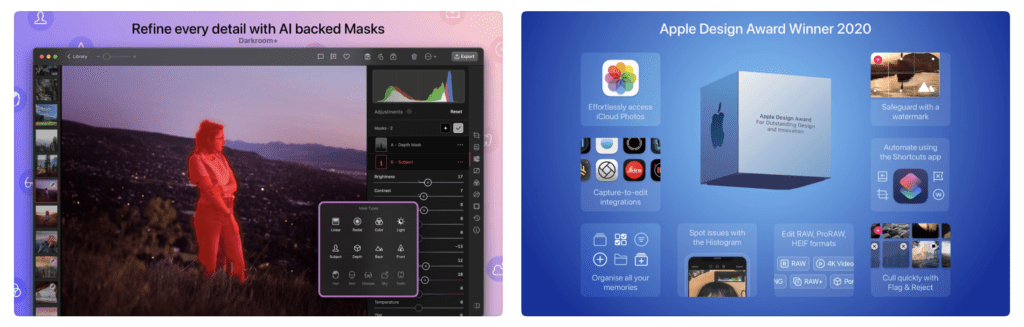
VSCO’s identity is as much about creative community as it is about presets. Its film-inspired colour profiles and subtle control tools make it a go-to for creators seeking mood and aesthetic cohesion over heavy manipulation.
Key strengths:
Distinct filmic presets
Creative community components
Tonal workflows that encourage consistency
Creative & Experimental Apps
For artists pushing beyond traditional photography.
Procreate Pocket
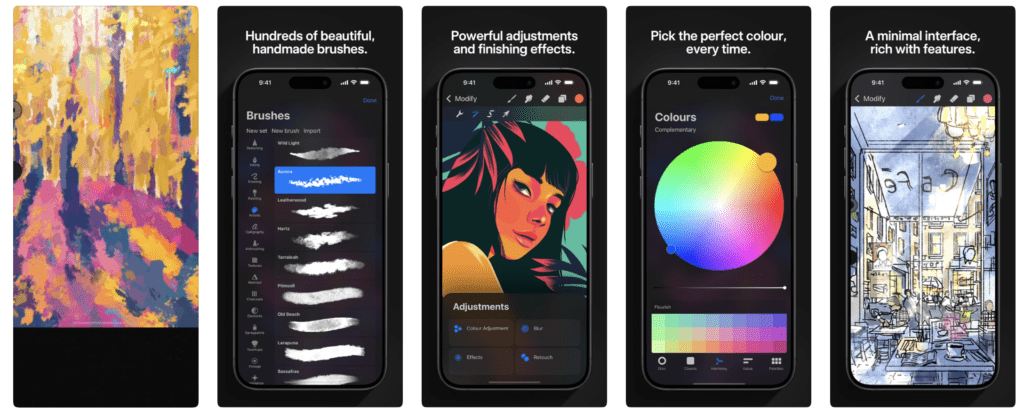
Procreate Pocket brings the powerful creative engine of Procreate to your iPhone in a format designed for handheld, intuitive expression. It is not just a “mini Procreate” — it is a standalone creative tool that combines deep artistic control with the convenience of a phone, making it a favourite for mobile photographers, illustrators, and hybrid digital artists who want to push their images beyond traditional editing.
Why Procreate Pocket Matters in 2026
While Procreate (the iPad version) is widely recognised as the premier digital art app across tablets, Procreate Pocketdeserves its own place in the mobile photography ecosystem. It bridges the gap between still photography and free-form artistic intervention — enabling photographers to reshape, reinterpret and expand their work using tools typically found in desktop creative suites.
PicsArt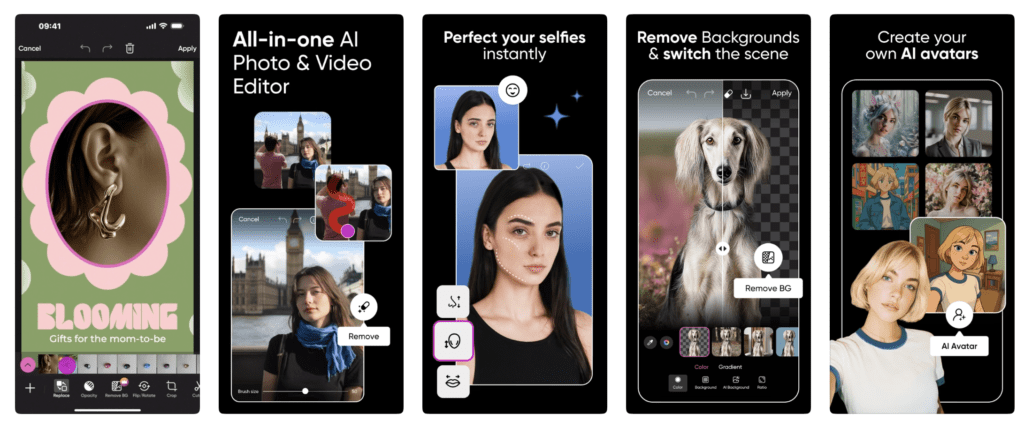
PicsArt is a vast creative playground where traditional editing meets graphic overlays, text, collage, and mixed media. For photographers who want to mix photography with illustration and design elements, it is a key creative tool.
Key strengths:
Layer and collage tools
Diverse creative effects
Ideal for social-centric image experiments
Android version on Google Play
TouchRetouch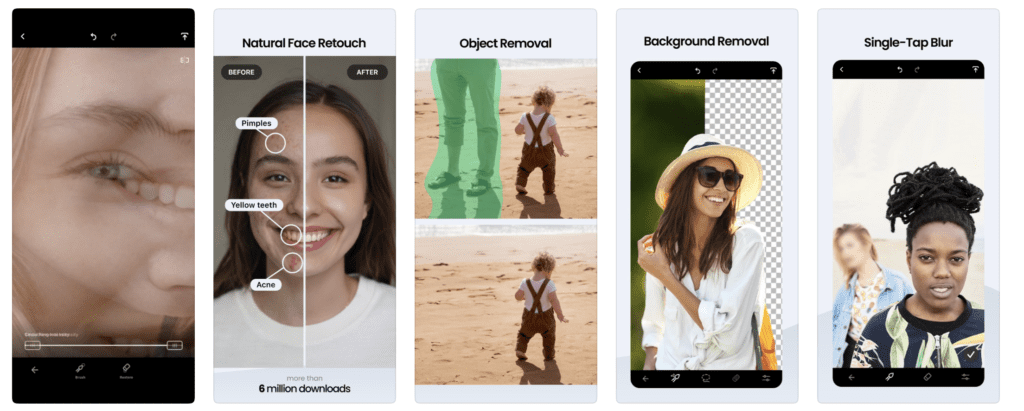
TouchRetouch remains one of the most effective tools for removing distractions from images. For minimalist photographers and precision editors, it provides a quick way to clean frames and refine composition.
Key strengths:
Effective object removal
Easy to use
Great for street and documentary work
Android version on Google Play
Prisma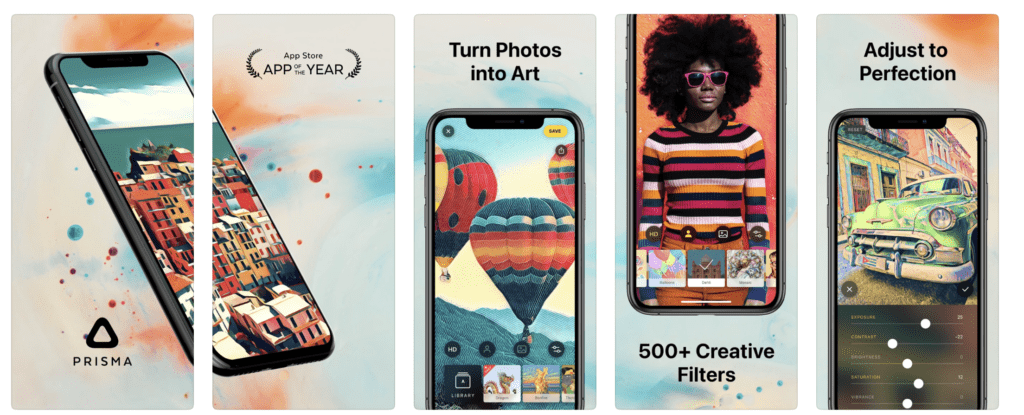
Prisma uses AI-driven transformations to turn images into expressive, painterly, or stylised artworks. Although not a traditional editing tool, it represents the frontier where AI meets creative reinterpretation.
Key strengths:
Artistic AI transformations
Unique styles and filters
Inspires experimental workflows
Android version on Google Play
Which Apps Should You Use?
Rather than asking which app is best, the most productive question is:
Which combination serves your vision?
For example:
Capture: Halide → Edit: Lightroom → Refine: Snapseed → Artistic finish: Procreate
Cinematic: Blackmagic → Colour: VSCO → Clean: TouchRetouch → Compose: PicsArt
Think of your process as a chain of creative decisions, not single tools.
Apple iOS Default Camera App
The Apple Camera app remains essential, not because it’s the most manual, but because it’s the most seamlessly powerful. On the iPhone 17 Pro, it combines advanced hardware and intelligent software to deliver professional-grade results with minimal effort — making it a crucial part of any mobile photography toolkit.
Why It Still Matters in 2026
The native Camera app on iPhone is deeply integrated with the iPhone’s hardware and iOS, delivering intelligent capture, fast performance, and access to advanced photographic features without switching apps. On the iPhone 17 Pro series, this app harnesses the flagship camera system to produce results that stand alongside professional capture workflows.
What’s New & Important on iPhone 17 Pro
Computational Imaging & Photonic Engine
The Camera app leverages Apple’s Photonic Engine to combine hardware and software for enhanced detail, colour, and dynamic range — especially in challenging light. It intelligently merges sensor data from multiple cameras to optimise texture, highlight retention, and low-light performance.
Pro Fusion Camera System
iPhone 17 Pro has a 48 MP main sensor and matching ultra-wide and telephoto sensors, all capable of high-resolution capture. The Camera app lets you choose between multiple lenses (0.5×, 1×, 2×, 4× and up to 8× equivalent optical-quality zoom) without leaving the native interface.
“Dual Capture” Video Mode
The native app now includes Dual Capture, letting you record from both front and rear cameras simultaneously — ideal for reactions, vlogs, and creative documentary work directly within the built-in Camera app.
Intelligent Framing & Center Stage
With Center Stage extended to both photos and video, the Camera app can automatically adjust framing to keep subjects centred as they move — smart for group shots and dynamic scenes.
Photographic Styles & Smart HDR
The app still incorporates Photographic Styles, allowing you to embed a consistent tone (e.g., rich contrast, warm tones) into captures, plus Smart HDR and Deep Fusion processing for balanced exposures.
The Evolution of Mobile Photography
What began as novelty has become a legitimate creative medium. The tools available in 2026 reflect this maturation — offering depth, flexibility and creative possibility previously reserved for desktop environments.
TheAppWhisperer has documented this evolution since 2009, and these apps represent the current state of that journey.
You may also be interested in our other best guides to mobile photography
• Best Camera Apps to Reduce iPhone Processing (2026 Edition)
• Best Mobile Photography Apps (2026 Edition)
• Best Camera Apps to Reduce iPhone Processing (2026 Edition)
• Best Mobile Filmmaking Apps (2026 Edition)
• Best Black and White Photography Apps for iPhone (2026 Edition)
• Best Portfolio Apps and Websites for Photographers (2026 Edition)
• Blackmagic Camera Settings Guide
• Best way to use Blackmagic’s camera remote control (2026)
• Snapseed vs Lightroom Mobile
• Best iPhone Camera Apps for Photographers
• 10 Apps Secretly Draining Your Phone’s Battery – 2026 Edition
• Best Way To Create More Dynamic Travel Photos with Lightroom on Mobile
Support TheAppWhisperer
Independent platforms matter.
If you value curated mobile photography and digital art, consider supporting our work.

Joanne Carter
Joanne Carter, creator of the world’s most popular mobile photography and art website— TheAppWhisperer.com— TheAppWhisperer platform has been a pivotal cyberspace for mobile artists of all abilities to learn about, to explore, to celebrate and to share mobile artworks. Joanne’s compassion, inclusivity, and humility are hallmarks in all that she does, and is particularly evident in the platform she has built. In her words, “We all have the potential to remove ourselves from the centre of any circle and to expand a sphere of compassion outward; to include everyone interested in mobile art, ensuring every artist is within reach”, she has said. Promotion of mobile artists and the art form as a primary medium in today’s art world, has become her life’s focus. She has presented lectures bolstering mobile artists and their art from as far away as the Museum of Art in Seoul, South Korea to closer to her home in the UK at Focus on Imaging. Her experience as a jurist for mobile art competitions includes: Portugal, Canada, US, S Korea, UK and Italy. And her travels pioneering the breadth of mobile art includes key events in: Frankfurt, Naples, Amalfi Coast, Paris, Brazil, London. Pioneering the world’s first mobile art online gallery - TheAppWhispererPrintSales.com has extended her reach even further, shipping from London, UK to clients in the US, Europe and The Far East to a global group of collectors looking for exclusive art to hang in their homes and offices. The online gallery specialises in prints for discerning collectors of unique, previously unseen signed limited edition art. Her journey towards becoming The App Whisperer, includes (but is not limited to) working for a paparazzi photo agency for several years and as a deputy editor for a photo print magazine. Her own freelance photographic journalistic work is also widely acclaimed. She has been published extensively both within the UK and the US in national and international titles. These include The Times, The Sunday Times, The Guardian, Popular Photography & Imaging, dpreview, NikonPro, Which? and more recently with the BBC as a Contributor, Columnist at Vogue Italia and Contributing Editor at LensCulture. Her professional photography has also been widely exhibited throughout Europe, including Italy, Portugal and the UK. She is currently writing several books, all related to mobile art and is always open to requests for new commissions for either writing or photography projects or a combination of both. Please contact her at: joanne@theappwhisperer.com