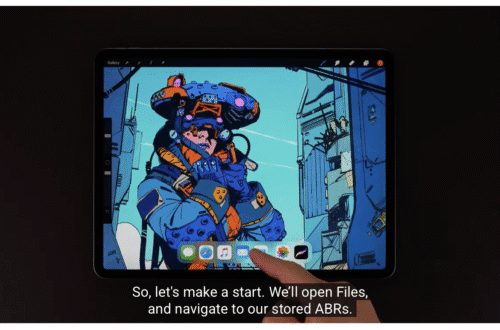
• News
  • INTERVIEWS
    • Vogue
    • LensCulture Articles
    • IntImate Interview
    • Reviews
    • High-Brow Interviews
    • TrueView Interviews
    • App Developer Interviews
    • A Day In The Life Of …
    • ‘Impossible’ Project Interviews
    • A Picture’s Worth…
    • Olloclip Interviews
    • Brought To Light
    • Extension Of The I
    • Artists’ Corner
    • Building Mobile Bridges with Instagram
    • Photo App Lounge
    • Spotlight
    • Photographs and text
    • Spotlight
    • Alternative Mobile Photography Processing
    • Pro Columns
  • TUTORIALS
    • App Art School
    • Creative Tutorials
      • Video Tutorials
      • Technical Tutorials
      • Hardware Tutorials
      • Viral SmartPhone Photography & Video Techniques
  • FEATURES
    • Tip Of The Day
    • Tickle Your Fancy
    • Saturday Poetry
    • Giveaways
    • Video Reviews
    • Drone
    • Apps
      • Amazon Appstore
      • Samsung Apps
      • Android Apps
      • BlackBerry Apps
      • 645 PRO
      • PhotoToaster
      • Windows Apps
      • Analog Camera
      • Color Lake
      • Etchings
      • Photo & Video
      • Image Blender
      • PhotoStation
      • MyPadLive
      • ProCamera
      • ProCam
      • Wood Camera
      • Photo Tool Apps
      • Apple Watch
      • iBooks Photo Books
      • Hardware
      • Photographic TED Talks
      • Mob-Entrepreneurs
      • Instagram Mobile Photographers To Follow Now
      • Indiegogo & Kickstarter Campaigns
      • Mobile Photography Courses
      • RUMORS
      • Photography & Art Magazines
      • Photography Books
      • SECTIONS
    • Exhibitions
    • Creative Grants and Residencies
    • Podcasts
    • Pic of the Day
    • Whisperings…
    • Mini Mobile Portfolio Reviews (MMPR)
    • Events
    • Venues
    • SHOWCASES
    • COLUMNS
      • COLUMNISTS
      • Draw the Line – Mobile Art as an Expression
      • StreetWise
      • Streets Ahead
      • Portrait of an Artist
      • APPart
      • Appstrax
      • Mobile Movies
      • Artistic Anarchy – Mobile Collusions
      • Ask Misho
      • Fly On The Wall
      • iFoto Fairchild
      • iObsess
      • Koci
      • iSights
      • Mobile Macro Photography
      • Photo Education & Accessibility
      • ItalianBrother
      • Mobile Photo Essays
      • Kuster
      • PictureBook
      • Portrayal
      • The Guetta Fringe
      • parallel II perspectives
      • The New Renaissance
      • Is There An App For That?
      • Vision & Voice
      • Tiny Shutter
      • The Picture Project
      • The App Nerds Workshop
      • StreetVIEW
      • Spare Moments
      • Shooting Star
  • About
    • Contact Us
      • Twitter
      • Instagram
      • YouTube
      • Support Us
  • GALLERY
  • News
  • INTERVIEWS
    • Vogue
    • LensCulture Articles
    • IntImate Interview
    • Reviews
    • High-Brow Interviews
    • TrueView Interviews
    • App Developer Interviews
    • A Day In The Life Of …
    • ‘Impossible’ Project Interviews
    • A Picture’s Worth…
    • Olloclip Interviews
    • Brought To Light
    • Extension Of The I
    • Artists’ Corner
    • Building Mobile Bridges with Instagram
    • Photo App Lounge
    • Spotlight
    • Photographs and text
    • Spotlight
    • Alternative Mobile Photography Processing
    • Pro Columns
  • TUTORIALS
    • App Art School
    • Creative Tutorials
      • Video Tutorials
      • Technical Tutorials
      • Hardware Tutorials
      • Viral SmartPhone Photography & Video Techniques
  • FEATURES
    • Tip Of The Day
    • Tickle Your Fancy
    • Saturday Poetry
    • Giveaways
    • Video Reviews
    • Drone
    • Apps
      • Amazon Appstore
      • Samsung Apps
      • Android Apps
      • BlackBerry Apps
      • 645 PRO
      • PhotoToaster
      • Windows Apps
      • Analog Camera
      • Color Lake
      • Etchings
      • Photo & Video
      • Image Blender
      • PhotoStation
      • MyPadLive
      • ProCamera
      • ProCam
      • Wood Camera
      • Photo Tool Apps
      • Apple Watch
      • iBooks Photo Books
      • Hardware
      • Photographic TED Talks
      • Mob-Entrepreneurs
      • Instagram Mobile Photographers To Follow Now
      • Indiegogo & Kickstarter Campaigns
      • Mobile Photography Courses
      • RUMORS
      • Photography & Art Magazines
      • Photography Books
      • SECTIONS
    • Exhibitions
    • Creative Grants and Residencies
    • Podcasts
    • Pic of the Day
    • Whisperings…
    • Mini Mobile Portfolio Reviews (MMPR)
    • Events
    • Venues
    • SHOWCASES
    • COLUMNS
      • COLUMNISTS
      • Draw the Line – Mobile Art as an Expression
      • StreetWise
      • Streets Ahead
      • Portrait of an Artist
      • APPart
      • Appstrax
      • Mobile Movies
      • Artistic Anarchy – Mobile Collusions
      • Ask Misho
      • Fly On The Wall
      • iFoto Fairchild
      • iObsess
      • Koci
      • iSights
      • Mobile Macro Photography
      • Photo Education & Accessibility
      • ItalianBrother
      • Mobile Photo Essays
      • Kuster
      • PictureBook
      • Portrayal
      • The Guetta Fringe
      • parallel II perspectives
      • The New Renaissance
      • Is There An App For That?
      • Vision & Voice
      • Tiny Shutter
      • The Picture Project
      • The App Nerds Workshop
      • StreetVIEW
      • Spare Moments
      • Shooting Star
  • About
    • Contact Us
      • Twitter
      • Instagram
      • YouTube
      • Support Us
  • GALLERY
  • Affinity
    App Art School,  News

    App Art School – Creating a fantasy composite in Affinity Photo with Affinity Revolution

    2020-09-09 / Comments Off on App Art School – Creating a fantasy composite in Affinity Photo with Affinity Revolution

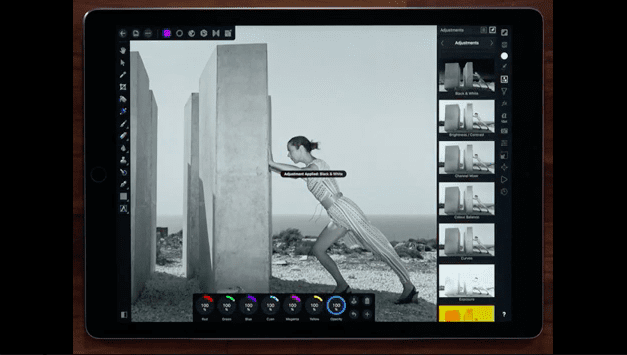
    Welcome to our brand new section within TheAppWhisperer.com entitled – App Art School. Within this section we publish a range of tutorials and videos from beginner, intermediate to professional demonstrating and inspiring editing techniques to help you adjust your photo art in the best possible way. In this session, Affinity Revolution will create a fantasy composite in Affinity Photo, guiding you through their process and showing you how to choose the right images for a composite, make great selections with the Pen Tool and blend images together. Affinity Photo retails for $/£19.99 and requires iOS 11.1 or later. Compatible with iPad.

    read more
    Joanne Carter

    You May Also Like

    procreate

    Procreate – How to use Gradient Maps in Procreate

    2025-08-07
    procreate

    Procreate Brush Studio: Grain

    2025-09-01
    mobile storytelling

    Storytelling Through Animation | 21-19 | Human Made

    2025-07-03
  • affinity
    App Art School,  News

    App Art School – Vector inking and colouring in Affinity Designer for iPad with Monez

    2020-09-03 / Comments Off on App Art School – Vector inking and colouring in Affinity Designer for iPad with Monez

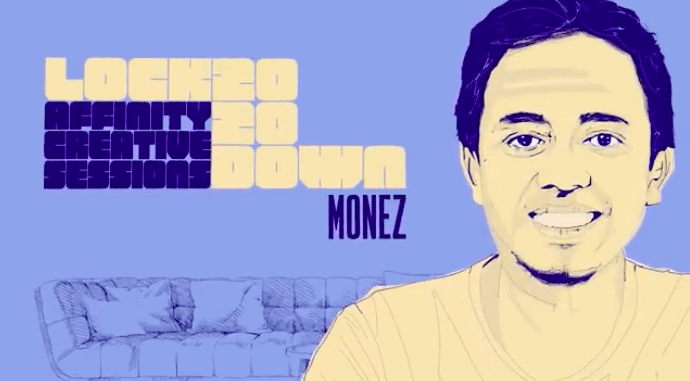
    Welcome to our brand new section within TheAppWhisperer.com entitled – App Art School. Within this section we publish a range of tutorials and videos from beginner, intermediate to professional demonstrating and inspiring editing techniques to help you adjust your photo art in the best possible way. In this session, join professional illustrator Monez as he shares his process for vector inking and colouring in Affinity Designer for iPad. Monez also provides the inking file for free (personal use only), so you can try out his colouring method as you watch. You can access the file via https://affin.co/LD2020Monez. Monez’s illustrations and large-scale murals appear on the walls of restaurants and Bali Zoo…

    read more
    Joanne Carter

    You May Also Like

    ROMAN

    Roman Manfredi, TRA – Artist Film

    2026-02-17
    LumaFusion

    App Art School – How to Edit Videos on iPhone & iPad: LumaFusion Tutorial

    2022-01-05
    procreate

    How to enable the Brush Cursor in Procreate

    2025-10-13
  • mobile art
    App Art School,  News

    App Art School – Hand Lettering in Affinity Designer for iPad with Tobias Hall

    2020-09-02 / Comments Off on App Art School – Hand Lettering in Affinity Designer for iPad with Tobias Hall

    Welcome to our brand new section within TheAppWhisperer.com entitled – App Art School. Within this section we publish a range of tutorials and videos from beginner, intermediate to professional demonstrating and inspiring editing techniques to help you adjust your photo art in the best possible way. In this session, London-based illustrator and designer Tobias Hall shows you how he creates bespoke lettering using both raster and vector tools in Affinity Designer for iPad, walking you through his workflow from the initial sketching stage through to the final vector artwork. Affinity Designer retails for $/£19.99 and requires iOS 11.1 or later. Compatible with iPad.

    read more
    Joanne Carter

    You May Also Like

    Photos

    How to Hide Photos on iPhone 17 / 17 Pro Max – Hide Photo Settings

    2025-11-25
    filmmaking

    Filmic Pro: How the Industry’s Go-To Camera App Lost Its Edge Overnight

    2026-04-15
    RAW

    How to Shoot Open-Gate RAW Video on Any iPhone (No SSD Required)

    2025-12-19
  • art
    App Art School,  News

    App Art School – Using Atmospheric Perspective for concept paintings in Affinity Photo for iPad with Paolo Limoncelli

    2020-08-27 / Comments Off on App Art School – Using Atmospheric Perspective for concept paintings in Affinity Photo for iPad with Paolo Limoncelli

    Welcome to our brand new section within TheAppWhisperer.com entitled – App Art School. Within this section we publish a range of tutorials from beginner, intermediate to professional editing techniques to help you adjust your photo art in the best possible way. In this session, UI/UX designer Paolo Limoncelli explores atmospheric perspective and how to use it to create concept art in Affinity Photo for iPad. The output will be a thumbnail sheet with four concept landscapes, a good starting point for inspiration and following steps. You can also get the tools Paolo uses in his session for free (personal use only). His DAUB® Concept Tools Mk IV is a set…

    read more
    Joanne Carter

    You May Also Like

    LumaFusion

    App Art School – LumaFusion 2.3 | What’s New? – MobileFilm

    2020-08-07
    LumaFusion

    App Art School – Slipping or Slip Triming with LumaFusion – Mobile Film

    2020-08-05
    Blackmagic

    Best iPhone Filmmaking Apps 2026

    2026-02-17
  • Affinity Photo
    App Art School,  News

    App Art School – Affinity Photo iPad – Blend modes

    2020-08-26 / Comments Off on App Art School – Affinity Photo iPad – Blend modes

    Welcome to our brand new section within TheAppWhisperer.com entitled – App Art School. Within this section we publish a range of tutorials from beginner, intermediate to professional editing techniques to help you adjust your photo art in the best possible way. In this you’ll learn to blend layers with complete control using blend modes. Affinity Photo for iPad retails for £/$19.99 and you can download it here. Requires iOS 11.1 or later. Compatible with iPad.

    read more
    Joanne Carter

    You May Also Like

    Procreate

    How to Create a New Canvas Preset in Procreate

    2025-09-08
    moment

    Moment Macro Lenses Just Got an Upgrade!

    2025-11-21
    LumaFusion

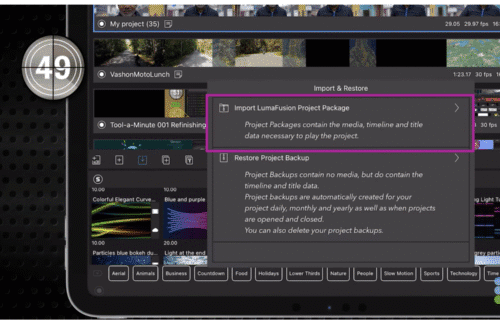
    LumaFusion – Tool a Minute: Import & Restore Projects

    2025-12-04
  • mobile art
    App Art School,  News

    App Art School – Transforming dreams into digital art using Affinity Photo for iPad with Manuel Camino

    2020-08-24 / 1 Comment

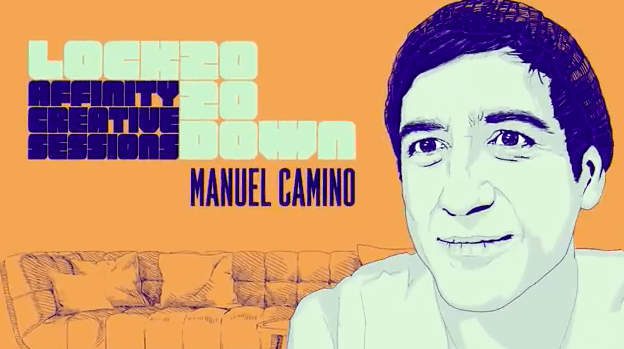
    Welcome to our brand new section within TheAppWhisperer.com entitled – App Art School. Within this section we publish a range of tutorials from beginner, intermediate to professional editing techniques to help you adjust your photo art in the best possible way. In this session, join visual artist Manuel Camino (aka xebius) for his Lockdown 2020 session as he shows you how he uses inspiration from his dreams to create pieces of digital art in Affinity Photo for iPad. Affinity Photo for iPad retails for £/$19.99 and you can download it here. Requires iOS 11.1 or later. Compatible with iPad.

    read more
    Joanne Carter

    You May Also Like

    Procreate

    How to select Multiple Layers in Procreate

    2025-10-08
    procreate

    Procreate – How to use Crop and Resize in Procreate

    2025-08-05
    procreate

    Procreate – Lessons – Coding – Layers of Reality – Part 1

    2026-01-20
  • Affinity
    App Art School,  News

    App Art School – Applying Blender Filmic Looks with Affinity Photo

    2020-08-17 / Comments Off on App Art School – Applying Blender Filmic Looks with Affinity Photo

    Welcome to our brand new section within TheAppWhisperer.com entitled – App Art School. Within this section we publish a range of tutorials and videos from beginner, intermediate to professional demonstrating and inspiring editing techniques to help you adjust your photo art in the best possible way. This tutorial demonstrates how to use Affinity Photo’s OpenColorIO support to recreate Blender’s Filmic view transform and looks with scene referred linear EXR and HDR documents. Affinity Photo retails for $19.99/£19.99. Requires iOS 11.1 or later. Compatible with iPad.

    read more
    Joanne Carter

    You May Also Like

    mobile art

    App Art School – Transforming dreams into digital art using Affinity Photo for iPad with Manuel Camino

    2020-08-24
    AppArt

    AppArt School – Ten Good iOS Photo Editing Apps for Beginners

    2025-05-02
    AppArt

    AppArt School – Top 10 iOS Apps for Advanced Mobile Photographers

    2025-05-02
  • art
    App Art School,  News

    App Art School – Redefining Processing of Illustrator and Designer on iPad with Affinity Designer iOS App

    2020-08-13 / Comments Off on App Art School – Redefining Processing of Illustrator and Designer on iPad with Affinity Designer iOS App

    Welcome to our brand new section within TheAppWhisperer.com entitled – App Art School. Within this section we publish a range of tutorials and videos from beginner, intermediate to professional demonstrating and inspiring editing techniques to help you adjust your photo art in the best possible way. Tobias Hall is a London-based illustrator and designer who has undertaken work for the likes of Netflix and The Rolling Stones. We met up with him to learn more about his process and how he achieves his signature hand-crafted, modern feel using Affinity Designer for iPad. If you’d like to learn more about iPhone and mobile photography, these tips are a great place to…

    read more
    Joanne Carter

    You May Also Like

    art

    AppArt School – How to Get Started with the Hipstamatic App

    2023-04-22
    procreate

    Procreate – Brush Studio: Dynamics

    2025-08-20
    appart

    AppArt School – New immersive AR experience brings student creativity to life

    2023-07-12
  • LumaFusion
    App Art School,  News

    App Art School – LumaFusion 2.3 | What’s New? – MobileFilm

    2020-08-07 / Comments Off on App Art School – LumaFusion 2.3 | What’s New? – MobileFilm

    Welcome to our brand new section within TheAppWhisperer.com entitled – App Art School. Within this section we publish a range of tutorials from beginner, intermediate to professional editing techniques to help you adjust your photo art in the best possible way. Today, we’re looking at What’s New in the latest update (version 2.3) of LumaFusion. We’re currently offering limited volumes of promotional codes of LumaFusion to our readers. Just reply to this post, all winners are selected at random.

    read more
    Joanne Carter

    You May Also Like

    procreate

    How to Import ABR Brushes in Procreate

    2025-09-10
    LumaFusion

    How to Import Media into LumaFusion

    2025-12-08
    art

    App Art School – Create Compositionally Pleasing Photographs – Recrop

    2020-07-14
  • mobile photography
    App Art School,  News

    App Art School – J-Cuts and L-Cuts with LumaFusion – MobileFilm

    2020-08-06 / 2 Comments

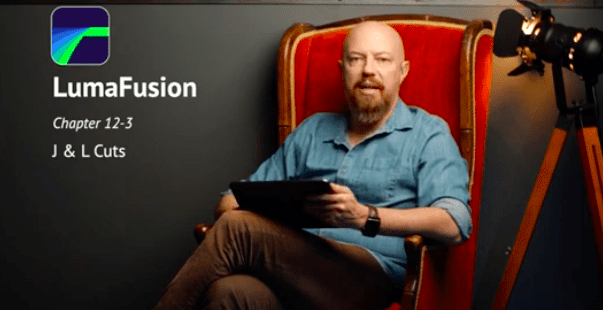
    Welcome to our brand new section within TheAppWhisperer.com entitled – App Art School. Within this section we publish a range of tutorials from beginner, intermediate to professional editing techniques to help you adjust your photo art in the best possible way. In this session, Joseph Linaschke otherwise known as PhotoJoseph – a wonderfully talented colleague explains how to use J and L Cuts. We’re currently offering limited volumes of promotional codes of LumaFusion to our readers. Just reply to this post, all winners are selected at random.
    read more
    Joanne Carter

    You May Also Like

    snapseed

    AppArt School – How to Get Started with the Snapseed App

    2023-04-26

    Procreate Beginners Series – Part Three | Editing Tools

    2025-07-02
    appart

    AppArt School – Editing Live Photos on iPhone

    2025-06-09
 Older Posts
Newer Posts 

Visit our online Print Gallery

    ©TheAppWhisperer 2026
    • News
    • INTERVIEWS
    • TUTORIALS
    • FEATURES
    • About
    • GALLERY
    Ashe Theme by WP Royal.