• News
  • INTERVIEWS
    • Vogue
    • LensCulture Articles
    • IntImate Interview
    • Reviews
    • High-Brow Interviews
    • TrueView Interviews
    • App Developer Interviews
    • A Day In The Life Of …
    • ‘Impossible’ Project Interviews
    • A Picture’s Worth…
    • Olloclip Interviews
    • Brought To Light
    • Extension Of The I
    • Artists’ Corner
    • Building Mobile Bridges with Instagram
    • Photo App Lounge
    • Spotlight
    • Photographs and text
    • Spotlight
    • Alternative Mobile Photography Processing
    • Pro Columns
  • TUTORIALS
    • App Art School
    • Creative Tutorials
      • Video Tutorials
      • Technical Tutorials
      • Hardware Tutorials
      • Viral SmartPhone Photography & Video Techniques
  • FEATURES
    • Tip Of The Day
    • Tickle Your Fancy
    • Saturday Poetry
    • Giveaways
    • Video Reviews
    • Drone
    • Apps
      • Amazon Appstore
      • Samsung Apps
      • Android Apps
      • BlackBerry Apps
      • 645 PRO
      • PhotoToaster
      • Windows Apps
      • Analog Camera
      • Color Lake
      • Etchings
      • Photo & Video
      • Image Blender
      • PhotoStation
      • MyPadLive
      • ProCamera
      • ProCam
      • Wood Camera
      • Photo Tool Apps
      • Apple Watch
      • iBooks Photo Books
      • Hardware
      • Photographic TED Talks
      • Mob-Entrepreneurs
      • Instagram Mobile Photographers To Follow Now
      • Indiegogo & Kickstarter Campaigns
      • Mobile Photography Courses
      • RUMORS
      • Photography & Art Magazines
      • Photography Books
      • SECTIONS
    • Exhibitions
    • Creative Grants and Residencies
    • Podcasts
    • Pic of the Day
    • Whisperings…
    • Mini Mobile Portfolio Reviews (MMPR)
    • Events
    • Venues
    • SHOWCASES
    • COLUMNS
      • COLUMNISTS
      • Draw the Line – Mobile Art as an Expression
      • StreetWise
      • Streets Ahead
      • Portrait of an Artist
      • APPart
      • Appstrax
      • Mobile Movies
      • Artistic Anarchy – Mobile Collusions
      • Ask Misho
      • Fly On The Wall
      • iFoto Fairchild
      • iObsess
      • Koci
      • iSights
      • Mobile Macro Photography
      • Photo Education & Accessibility
      • ItalianBrother
      • Mobile Photo Essays
      • Kuster
      • PictureBook
      • Portrayal
      • The Guetta Fringe
      • parallel II perspectives
      • The New Renaissance
      • Is There An App For That?
      • Vision & Voice
      • Tiny Shutter
      • The Picture Project
      • The App Nerds Workshop
      • StreetVIEW
      • Spare Moments
      • Shooting Star
  • About
    • Contact Us
      • Twitter
      • Instagram
      • YouTube
      • Support Us
  • GALLERY
  • News
  • INTERVIEWS
    • Vogue
    • LensCulture Articles
    • IntImate Interview
    • Reviews
    • High-Brow Interviews
    • TrueView Interviews
    • App Developer Interviews
    • A Day In The Life Of …
    • ‘Impossible’ Project Interviews
    • A Picture’s Worth…
    • Olloclip Interviews
    • Brought To Light
    • Extension Of The I
    • Artists’ Corner
    • Building Mobile Bridges with Instagram
    • Photo App Lounge
    • Spotlight
    • Photographs and text
    • Spotlight
    • Alternative Mobile Photography Processing
    • Pro Columns
  • TUTORIALS
    • App Art School
    • Creative Tutorials
      • Video Tutorials
      • Technical Tutorials
      • Hardware Tutorials
      • Viral SmartPhone Photography & Video Techniques
  • FEATURES
    • Tip Of The Day
    • Tickle Your Fancy
    • Saturday Poetry
    • Giveaways
    • Video Reviews
    • Drone
    • Apps
      • Amazon Appstore
      • Samsung Apps
      • Android Apps
      • BlackBerry Apps
      • 645 PRO
      • PhotoToaster
      • Windows Apps
      • Analog Camera
      • Color Lake
      • Etchings
      • Photo & Video
      • Image Blender
      • PhotoStation
      • MyPadLive
      • ProCamera
      • ProCam
      • Wood Camera
      • Photo Tool Apps
      • Apple Watch
      • iBooks Photo Books
      • Hardware
      • Photographic TED Talks
      • Mob-Entrepreneurs
      • Instagram Mobile Photographers To Follow Now
      • Indiegogo & Kickstarter Campaigns
      • Mobile Photography Courses
      • RUMORS
      • Photography & Art Magazines
      • Photography Books
      • SECTIONS
    • Exhibitions
    • Creative Grants and Residencies
    • Podcasts
    • Pic of the Day
    • Whisperings…
    • Mini Mobile Portfolio Reviews (MMPR)
    • Events
    • Venues
    • SHOWCASES
    • COLUMNS
      • COLUMNISTS
      • Draw the Line – Mobile Art as an Expression
      • StreetWise
      • Streets Ahead
      • Portrait of an Artist
      • APPart
      • Appstrax
      • Mobile Movies
      • Artistic Anarchy – Mobile Collusions
      • Ask Misho
      • Fly On The Wall
      • iFoto Fairchild
      • iObsess
      • Koci
      • iSights
      • Mobile Macro Photography
      • Photo Education & Accessibility
      • ItalianBrother
      • Mobile Photo Essays
      • Kuster
      • PictureBook
      • Portrayal
      • The Guetta Fringe
      • parallel II perspectives
      • The New Renaissance
      • Is There An App For That?
      • Vision & Voice
      • Tiny Shutter
      • The Picture Project
      • The App Nerds Workshop
      • StreetVIEW
      • Spare Moments
      • Shooting Star
  • About
    • Contact Us
      • Twitter
      • Instagram
      • YouTube
      • Support Us
  • GALLERY
  • photos
    App Art School,  APPart,  Creative Tutorials,  News,  Technical Tutorials

    AppArt School – Search for photos on iPhone

    2023-08-18 / Comments Off on AppArt School – Search for photos on iPhone

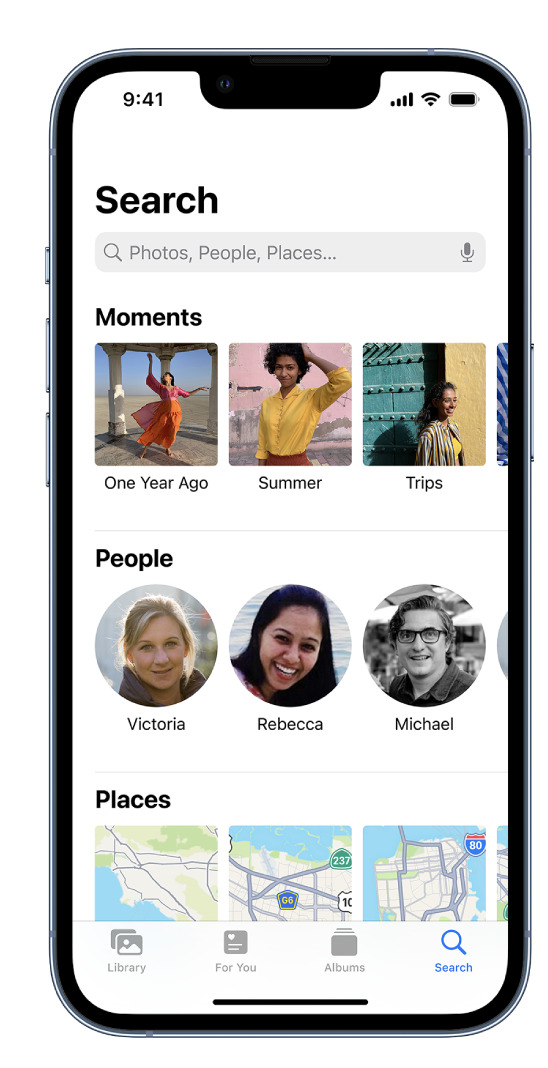
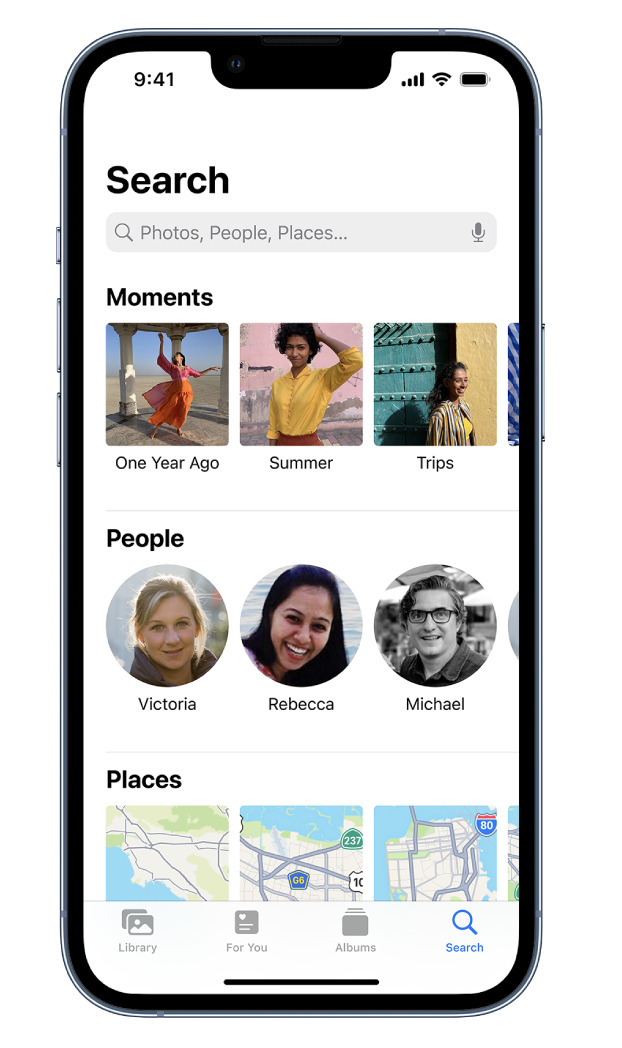
    AppArt School – Search for photos on iPhone When you tap Search in the Photos app , you see suggestions for moments, people, places, and categories to help you find what you’re looking for, or rediscover an event you forgot about. You can also type a keyword into the search field—for example, a person’s name, date, or location—to help you find a specific photo. Tap Search, then tap the search field at the top of the screen to search by any of the following: Date (month or year) Place (city or state) Business names (museums, for example) Category (beach or sunset, for example) Events (sports games or concerts, for example)…

    read more
    Joanne Carter

    You May Also Like

    artist

    Sayuri Ichida, 空席 (Kūseki) – Artist Film

    2026-02-05
    Procreate

    Procreate – How to find your way in Procreate 

    2025-08-01
    slow cam

    Best Long Exposure Apps for iPhone (2026)

    2026-03-18
  • AppArt
    App Art School,  APPart,  Creative Tutorials,  News,  Technical Tutorials

    AppArt School – Use albums in Photos on iPhone

    2023-08-08 / Comments Off on AppArt School – Use albums in Photos on iPhone

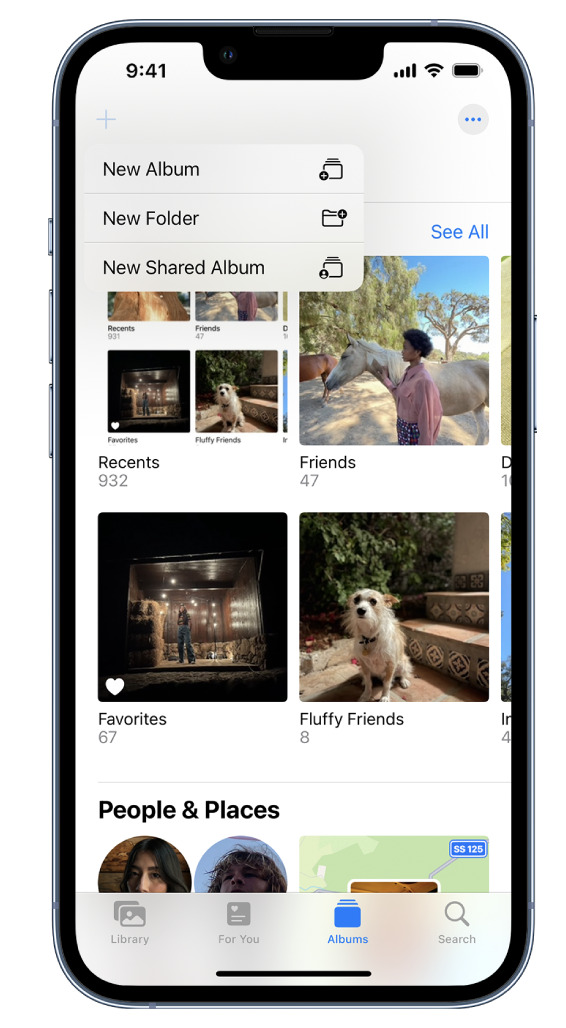
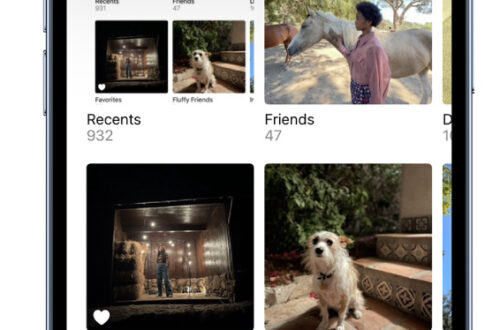
    AppArt School – Use albums in Photos on iPhone Use albums in the Photos app to view and organize your photos and videos. Tap Albums to view your photos and videos organized into different categories and media types, like Videos, Portrait, and Slo-mo. You can also look at your photos arranged on a world map in the Places album, or browse your photos based on who’s in them in the People album. The Recents album shows your entire photo collection in the order that you added them to your library and the Favorites album shows photos and videos that you marked as favorites. If you use iCloud Photos, albums are stored…

    read more
    Joanne Carter

    You May Also Like

    Procreate

    How to reposition the Sidebar in Procreate

    2025-09-09
    procreate

    Procreate – Brush Studio: Wet Mix

    2025-08-26
    snapseed

    AppArt School – How to Get Started with the Snapseed App

    2023-04-26
  • appart
    App Art School,  APPart,  Creative Tutorials,  News,  Technical Tutorials

    AppArt School – How to Edit Live Photos on iPhone

    2023-08-07 / Comments Off on AppArt School – How to Edit Live Photos on iPhone

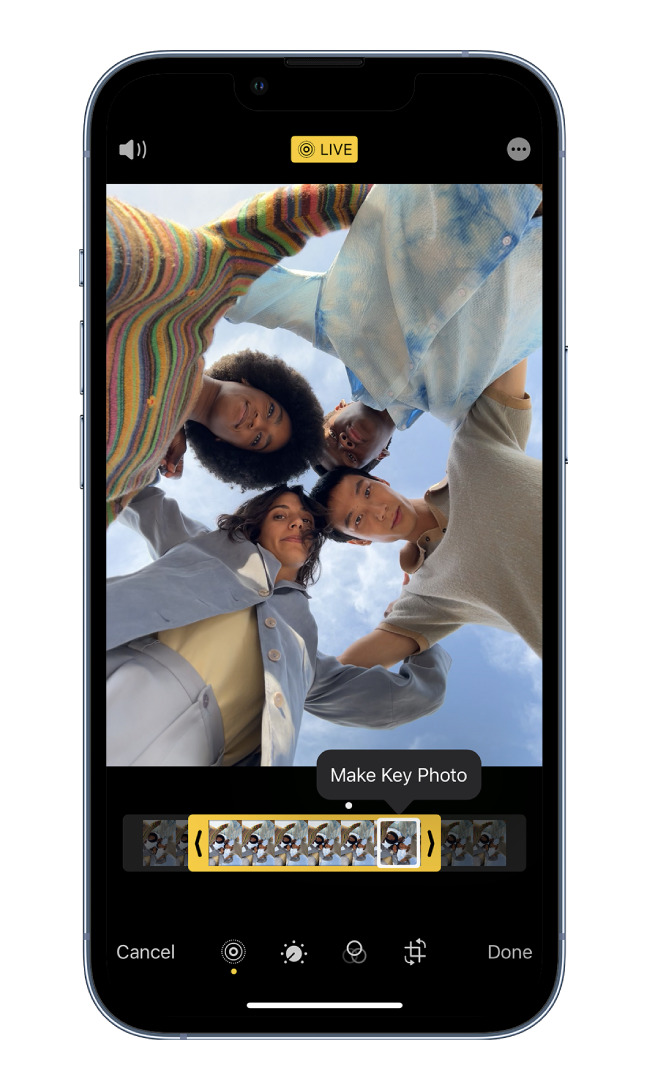
    AppArt School – How to Edit Live Photos on iPhone In the Photos app , you can edit Live Photos, change the key photo, and add fun effects like Bounce and Loop. Edit a Live Photo In addition to using the photo editing tools (like adding filters or cropping a photo) you can also change the key photo, trim the length, or mute the sound in your Live Photos. Open the Live Photo and tap Edit. Tap , then do any of the following: Set a key photo: Move the white frame on the frame viewer, tap Make Key Photo, then tap Done. Trim a Live Photo: Drag either end…

    read more
    Joanne Carter

    You May Also Like

    Procreate Beginners Series – Part Three | Editing Tools

    2025-07-02
    app

    App Art School – Removing Unwanted Content from Photos Easily – TouchRetouch

    2020-07-13
    iphone

    I Upgraded the iPhone Air’s Camera

    2025-11-20
  • appart
    App Art School,  APPart,  Creative Tutorials,  News,  Technical Tutorials

    AppArt School – New immersive AR experience brings student creativity to life

    2023-07-12 / 1 Comment

    AppArt School -New immersive AR experience brings student creativity to life Australian artists create a new immersive educational experience, inspiring global co-creation and connection to the environment, powered by iPad Pro and Apple Pencil Inspired by a curiosity for the natural world, Deep Field is a new immersive art experience and app created by celebrated Australian artists and creative technologists Tin Nguyen and Edward Cutting of Tin&Ed, using iPad Pro and Apple Pencil. Initially available at the Art Gallery of New South Wales in Sydney and the Getty Center in Los Angeles, the interactive augmented reality (AR) and sonic experience enables students and families around the world to co-create and connect in…

    read more
    Joanne Carter

    You May Also Like

    Halide

    Best Camera Apps to Reduce iPhone Processing (2026)

    2026-03-18
    DistressedFX

    How I Did It!™; Rediscovering Distressed FX Plus: New Features and Classic Favourites – Tuesday, August 12, 6:30 PM EST This One’s FREE!

    2025-08-07
    lightroom mobile

    Best Android Photography Apps – 2026 Edition

    2026-03-20
  • AppArt
    App Art School,  APPart,  Creative Tutorials,  News,  Technical Tutorials

    AppArt School – How to Search for Photos on iPhone

    2023-06-15 / Comments Off on AppArt School – How to Search for Photos on iPhone

    AppArt School – How to Search for Photos on iPhone When you tap Search in the Photos app , you see suggestions for moments, people, places, and categories to help you find what you’re looking for, or rediscover an event you forgot about. You can also type a keyword into the search field—for example, a person’s name, date, or location—to help you find a specific photo. Tap Search, then tap the search field at the top of the screen to search by any of the following: Date (month or year) Place (city or state) Business names (museums, for example) Category (beach or sunset, for example) Events (sports games or concerts,…

    read more
    Joanne Carter

    You May Also Like

    touchretouch

    AppArt School – How to Remove Unwanted Objects in your iPhone Photos with TouchRetouch

    2023-04-27
    app

    AppArt School – What are the Best Ten iOS Art Apps for Digital Painting and Illustration?

    2023-05-09
    Affinity Photo

    App Art School – editing smartphone landscape photos in Affinity Photo for iPad with Jo Bradford

    2020-07-29
  • AppArt
    App Art School,  APPart,  Creative Tutorials,  News,  Technical Tutorials

    AppArt School – How to Edit Portrait Lighting Effects in Portrait mode photos

    2023-06-14 / Comments Off on AppArt School – How to Edit Portrait Lighting Effects in Portrait mode photos

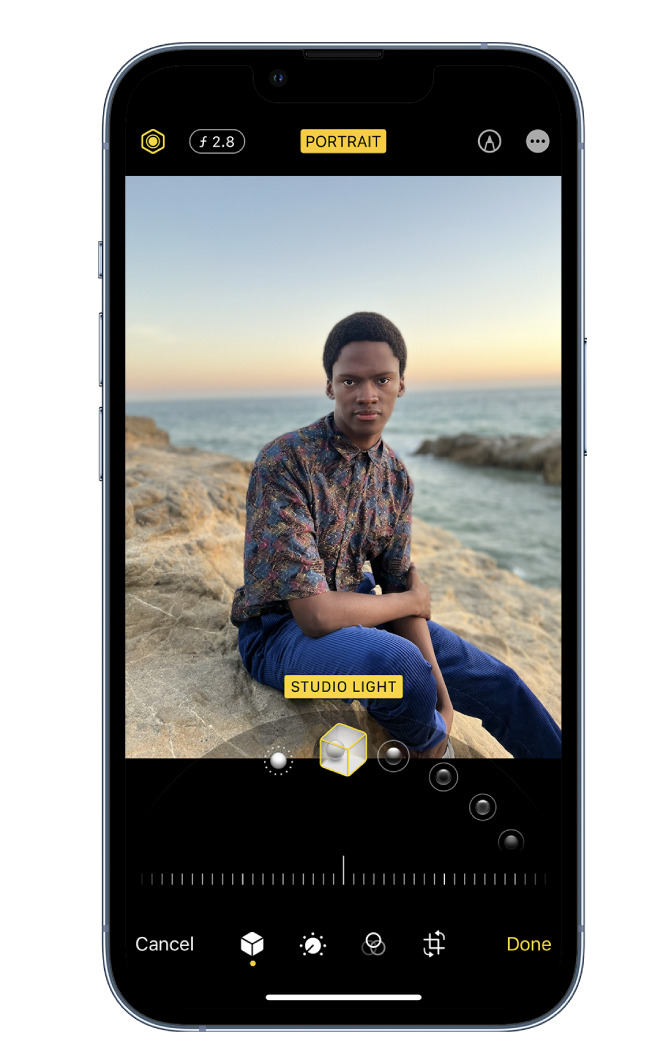
    AppArt School – How to Edit Portrait Lighting Effects in Portrait mode photos On models that support Portrait Lighting, you can apply, change, or remove the Portrait Lighting effects in Portrait mode photos. Tap any photo taken in Portrait mode to view it in full screen. Tap Edit, touch below the photo, then drag to choose a lighting effect. Natural Light: The face is in sharp focus against a blurred background. Studio Light: The face is brightly lit, and the photo has an overall clean look. Contour Light: The face has dramatic shadows with highlights and lowlights. Stage Light: The face is spotlit against a deep black background. Stage Light…

    read more
    Joanne Carter

    You May Also Like

    mobile photography

    App Art School – J-Cuts and L-Cuts with LumaFusion – MobileFilm

    2020-08-06
    app

    AppArt School – What are the Best Ten iOS Art Apps for Digital Painting and Illustration?

    2023-05-09
    luminar

    Best AI Photo Editing Apps in 2026

    2026-04-21
  • AppArt
    App Art School,  APPart,  Creative Tutorials,  News,  Technical Tutorials

    AppArt School – How to Blur the Background with Portraiture Photography

    2023-06-12 / Comments Off on AppArt School – How to Blur the Background with Portraiture Photography

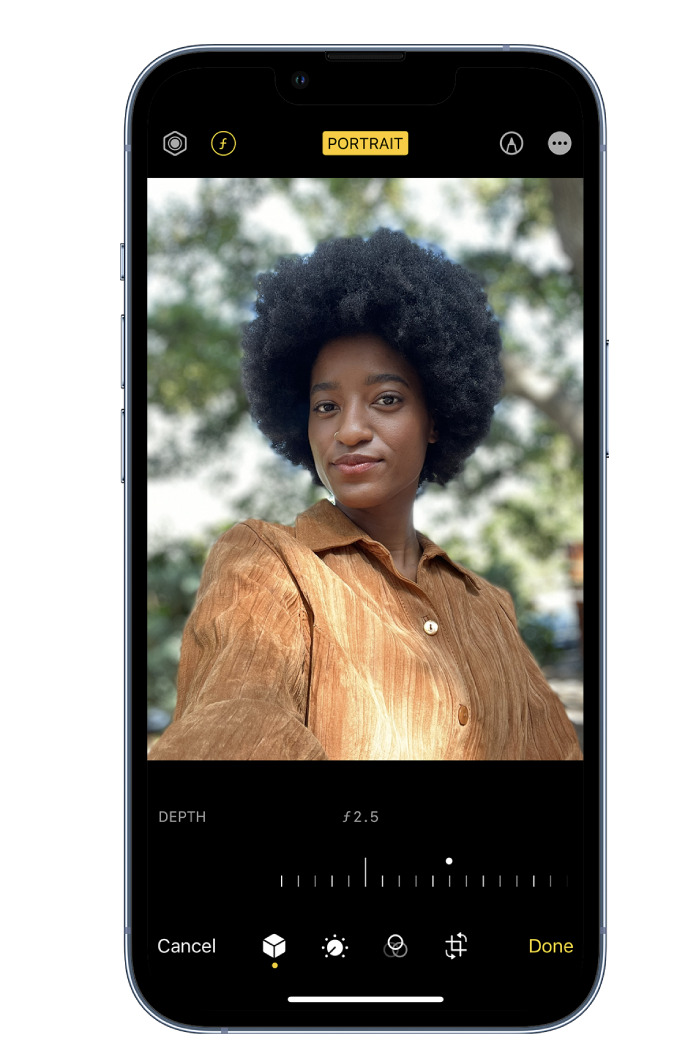
    AppArt School – How to Blur the Background with Portraiture Photography To blur the background in iPhone portrait images, you can follow these steps: Open the Photos app on your iPhone and select the portrait image you want to edit. Tap “Edit” at the top right corner of the screen. This will open the editing interface. At the bottom of the screen, you’ll see various editing tools. Swipe left on the options until you reach “Depth.” Tap on it to access the depth editing controls. The depth editing controls allow you to adjust the amount of background blur. You’ll see a slider labeled “Aperture” or “Depth.” Slide it to the…

    read more
    Joanne Carter

    You May Also Like

    procreate

    How to retrieve your Previous Colour in Procreate

    2025-10-21
    art

    App Art School – Compositing Techniques in Affinity Photo with James Ritson

    2020-09-18
    procreate

    Procreate – How to use Layer Select in Procreate

    2025-08-06
  • RAW
    App Art School,  APPart,  Creative Tutorials,  News,  Technical Tutorials

    AppArt School – How to Shoot in RAW with an iPhone

    2023-06-09 / Comments Off on AppArt School – How to Shoot in RAW with an iPhone

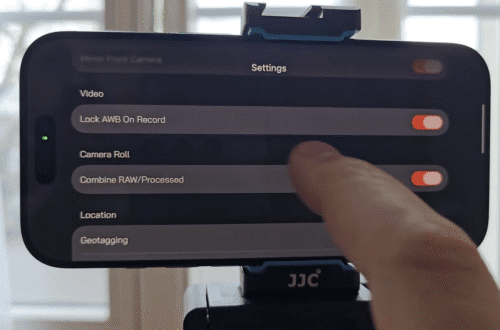
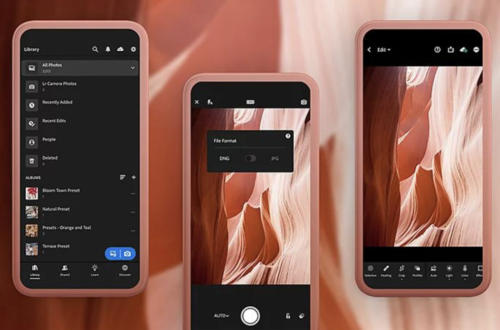
    AppArt School -AppArt School – How to Shoot in RAW with an iPhone Shooting in RAW format on an iPhone allows you to capture more image data and provides greater flexibility in post-processing. However, please note that not all iPhone models support RAW capture. Here’s how you can shoot in RAW if your iPhone model supports it: Open the iPhone camera app: Launch the default camera app on your iPhone. Access the camera settings: Look for the “Settings” icon within the camera app. It is usually represented by a gear or slider icon. Tap on it to access the camera settings. Enable RAW capture: In the camera settings, search for…

    read more
    Joanne Carter

    You May Also Like

    Procreate

    How to organise your Gallery using Stacks in Procreate

    2025-10-14
    LumaFusion

    Perfect Alignment in LumaFusion (iOS Only) — Preview Settings Explained

    2025-12-01
    mobile procreate

    Procreate – Brush Studio: Properties

    2025-08-18
  • art
    App Art School,  APPart,  Creative Tutorials,  News,  Technical Tutorials

    AppArt School – How to Shoot Professional Monochrome Images with an iPhone

    2023-06-07 / 1 Comment

    AppArt School -How to Shoot Professional Monochrome Images with an iPhone Shooting professional monochrome (black and white) images with an iPhone can be a creative and rewarding process. Here are some tips to help you capture compelling monochrome photographs: Shoot in black and white mode: The iPhone camera app offers a built-in black-and-white mode. To access it, open the camera app, swipe left to the “Mono” mode, and start shooting. This mode allows you to see your subject in black and white as you compose the shot, helping you visualize the final result. Focus on contrast and texture: Monochrome images rely heavily on contrast and texture to create visual impact.…

    read more
    Joanne Carter

    You May Also Like

    LumaFusion

    Add a Funky Outline to ANY Subject in LumaFusion

    2025-12-09
    Procreate

    How to Create a Text Layer in Procreate

    2025-09-18
    REEFLEX

    Mastering Macro Photography on iPhone, with our REEFLEX G-Series Lenses

    2025-07-16
  • QuickTake
    App Art School,  APPart,  Creative Tutorials,  News,  Technical Tutorials

    AppArt School – How to Record a video with QuickTake

    2023-05-25 / Comments Off on AppArt School – How to Record a video with QuickTake

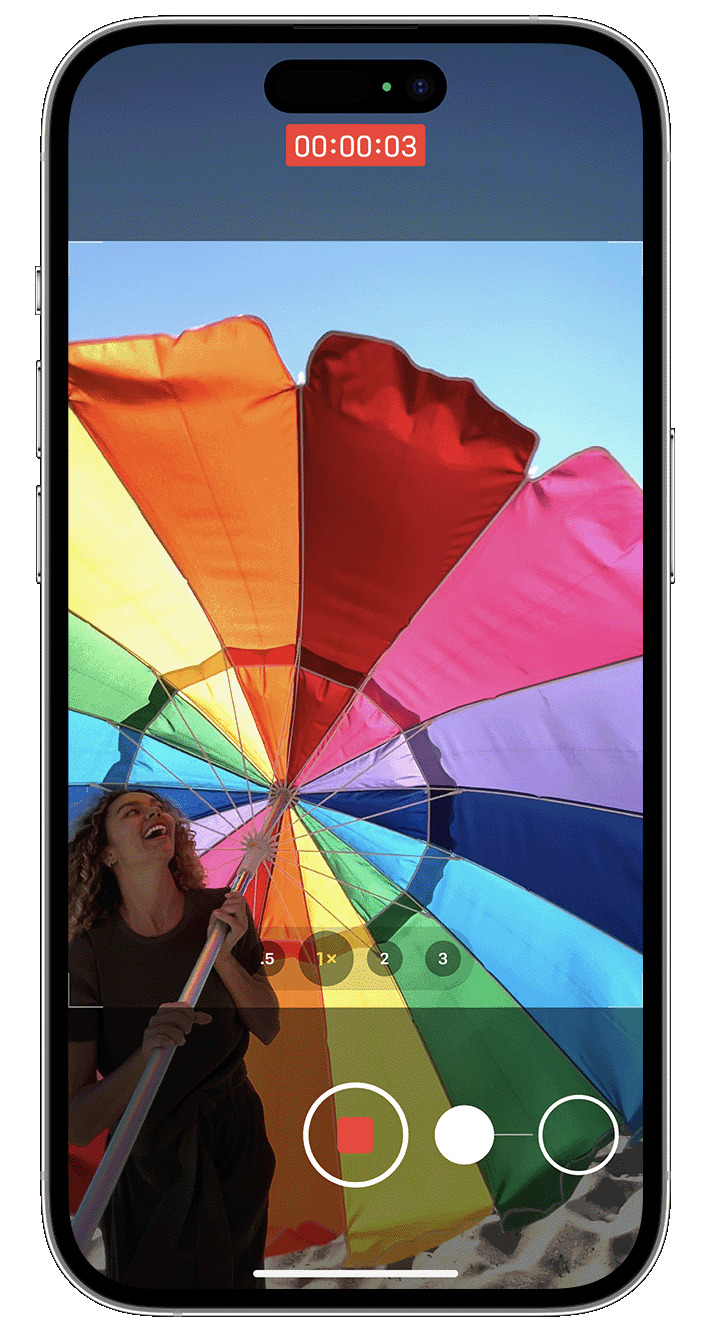
    AppArt School -How to Record a video with QuickTake You can use QuickTake to record videos without having to switch out of photo mode. QuickTake is available on iPhone XS, iPhone XR and later. Hold the shutter to take a video When you open the Camera app, you will see the default photo mode. Tap the Shutter button to take a photo. Then tap the arrow to adjust options, such as flash, Live Photos, timer and more. If you want to capture a QuickTake video, just press and hold the Shutter button .* Release the button to stop recording. With iOS 14 and later, you can hold one of the…

    read more
    Joanne Carter

    You May Also Like

    procreate

    How to control Layer Visibility in Procreate

    2025-09-19
    artist

    Sayuri Ichida, 空席 (Kūseki) – Artist Film

    2026-02-05
    apps

    AppArt School – Ten iOS Painting Apps that offer Tutorials, Community Features, or Resources to Help Improve your Painting Skills

    2023-05-10
 Older Posts
Newer Posts 

Visit our online Print Gallery

    ©TheAppWhisperer 2026
    • News
    • INTERVIEWS
    • TUTORIALS
    • FEATURES
    • About
    • GALLERY
    Ashe Theme by WP Royal.