
Top 10 Photography Apps In The New Amazon Appstore
With the newly opened Amazon Appstore today, we couldn’t wait to take a look at the photography apps. Check out the top 10 most popular apps right now, they look great.
Retro Camera Plus
Retro Camera Plus includes five cameras, five sets of vintage vignetting, and film scratch and cross processing effects for that off-the-hip analog look. Inspired by the old Lomo, Holga, Polaroid, Diana and toy cameras whose iconic styles became history, these cameras are included:
The Bärbel
An East German classic, naturally faded with a scratched film and medium vignetting, the perfect all-round choice.
The Little Orange Box
The Soviet Staple with aggressive cross processing and scratched square film. Its crummy plastic lens leaks in light, exhibiting strong vignetting. The black and white option makes this camera prime for more versatile expression.
Xolaroid 2000
This camera inspires candid snapshots. Blue-green cross processing effects, timeless contrast, and a black and white option come standard with this classic.
The Pinhole Camera
A do-it-yourself gem and more unpredictable than Schrödinger’s cat. This camera exhibits full bleed developing and vignetting through the roof, so be sure to give this cardboard chimera a try.
The FudgeCan
The perfect rig for outdoors; developed on square film that wasn’t quite stored… or developed right. But therein lies the charm that’ll make your pics with this beauty memorable and instantly nostalgic.
Customizable settings and easy sharing finish up this user-friendly application for vintage camera lovers.
$2.99/Download
Pocketbooth
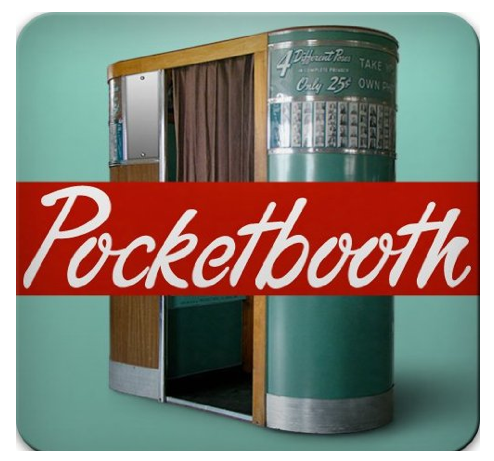
Pocketbooth is no ordinary photo app. This app will transport you back to a 1950s-era vintage Model 11 Photobooth, with a rounded lime-green frame and wood paneling. Way to go, Daddy-O!
Pocketbooth is as beautiful to look at as it is fun to use. The interface makes taking self-portraits easy, even if you’re using the rear-facing camera. The screen replicates the view from inside the booth, and shows the shot you’re about to take. Press the green button, and you get three photos in succession. And you don’t even have to insert any coins.
$1.79/Download
zFolio
Organize your photos with zFolio–a photo viewer and loader app for Zenfolio. With zFolio, your photos are displayed without any unnecessary frills. A simple, clean interface places your photos front and center, making them visible and easy to access. Forget searching through all your photos for the photos of your last vacation, zFolio keeps all your photos organized according to groups and galleries.
$2.99/Download
FlickFolio
FlickFolio is a fast and full-featured photo viewer that brings your photos from Flickr straight to your mobile phone. FlickFolio will automatically download your photos while your phone charges at night so you can take your photos anywhere and always ensure that they are up-to-date. Store up to 1,000 photos using only 100 MB of SD card space and show off all of your photos wherever you go, even when you’re offline.
If you want to take a quick shot on the go, simply snap the shot and upload photos to Flickr from your phone’s gallery by sending them to FlickFolio. From there you’ll be able to title your image as well as write a description and insert tags for the photo you just uploaded. Choose to make your photo private or to share it with everyone before uploading it to your Flickr account.
FlickFolio has a variety of settings for you to customize. Choose to auto-rotate your photos for accurate orientation or lock the display so images are always full screen. Randomize slideshows to view your memories in no particular order. Select the photo sets or collections that automatically download to your phone. Control the order your photos are sorted in, categorize images by tags, or filter by your own personal star rating.
$2.99/Download
SECuRET RemoteControl DEMO (Camera/SMS)
SECuRET RemoteControl is a camera application that can be remotely controlled by SMS messaging. Position your Android device and then send an SMS message to it (in the format described in the application) to capture either a photo or a video.
If you have captured a photo and sent an SMS that instructs it to e-mail, SECuRET RemoteControl will then e-mail that photo directly to any e-mail address by using your Gmail account and credentials. It can also save all captures on the SD card so they can be viewed after capturing has finished.
This free demo version has certain restrictions on features, such as limited resolution options, black and white still photos, five-minute timeout, and limited video recording length.
Free/Download
Vignette
Add beauty and style to your photos with a multitude of film and a camera effects from Vignette. Select from a variety of shooting modes, which include a Self Timer, Fast Shot, and Time Lapse, to name only a few. After snapping that great photo, choose from an array of effects and frames to add a little flair. Take control of your photos and alter the camera settings to best accommodate your environment, and tweak photo quality by altering the JPEG file settings.
Vignette adds nine additional shooting modes to your camera. Normal is an option too, but you’ve got Vignette, so c’mon, let’s get creative. Choose among Fixed Focus, Blind, Fast Shot, Steady Shot, Self Timer, Time Lapse, Strip, Grid, and Double. Yeah, that’s right, you can take those silly photo booth shots, create an Andy Warhol-esque Grid, and actually set a timer and capture a photo of yourself that doesn’t have your thumb covering half the lens.
$2.49/Download
Photo to Artistic Picture
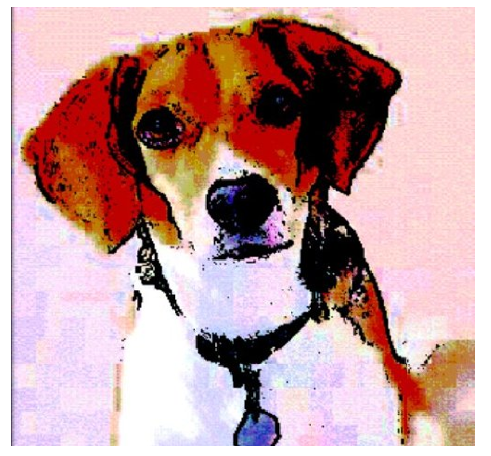
Turn your everyday digital photographs into unique works of art with Photo to Artistic Picture. This easy-to-use photo effect app for your Android device makes photos look like renderings made from pencil, charcoal, ink, or crayon.
It’s simple and fun to transform your photos with Photo to Artistic Picture. After opening the app, pick the type of effect you’d like to use: choose from Crayon, Ink, or Croquis (a style of pencil or charcoal sketching). Then touch the "Select" button to browse your phone’s saved photos and find one to enhance. You’ll see the unique new image appear on your screen immediately. If you like it, save it to your phone and show it to all your friends!
$2.99/Download
Collage
Collage is an easy to use app that gives you the ability to make nifty collages with the photos you have on your smartphone. You can take pictures of friends with your phone, then make a collage and share it them via e-mail. Only limited by your imagination, beautiful collages are even easier using the shake function. Yes, just shake your phone, and the app will arrange the photos you’ve chosen for you!
A tutorial guide opens when you first use Collage, guiding you on how to use the app.
Get creative, have fun with the photos you take.
$1.50/Download
Fat Kiosk HD

Fat Kiosk HD is a new visualization app that adds the effects of weight gain and aging to any frontal photo. The app employs automatic face recognition to detect the eyes, mouth, and chin, and advanced image processing to simulate how that face would appear if the person gained 100 pounds and/or aged 20 years. Fat Kiosk HD includes both automatic and manual controls.
$0.99/Download
Photobucket Mobile
Photobucket – the premier destination for uploading, sharing, linking, and finding photos, videos, and graphics – has gone mobile. Now your phone can conveniently preserve and share your memories using one of the most popular media management sites on the Internet.
Photobucket features a multitude of useful and neat tools. Host all your photos and videos for free, then share them by email or on social sites like Facebook, Twitter, and MySpace. Search for videos and photos in Photobucket’s huge library. Edit your uploaded photos with Photobucket’s feature-rich photo editor. Make slideshows to share with friends.
$Free/Download

Joanne Carter
Joanne Carter is a British photographer, photography journalist, editor and curator and the founder and editorial director of TheAppWhisperer.com, an independent international photography publication established in 2009.Her journalism, criticism and commentary have appeared in The Times, The Sunday Times, The Guardian, Financial Times, BBC, Vogue Italia, LensCulture, Popular Photography, Android Magazine, NikonPro, DPReview, Which Digital Camera and Which Camera. She has lectured internationally on photography and mobile art, served as a juror for international photography awards, and exhibited her own photographic work across the UK, Europe, South Korea and the United States.Alongside her editorial work, Joanne's photographic and postgraduate research explores death, grief, memory, representation and social inequality through contemporary photography, participatory practice and visual research methods, with the longer-term aim of developing this work through doctoral research.Through TheAppWhisperer, she continues to publish independent photography journalism spanning contemporary photographic practice, mobile imaging, photographic apps, computational photography and emerging imaging technologies.Joanne is available for editorial commissions, photography projects, judging, curatorial work, speaking engagements, consultancy and selected collaborations.