My Vacation iPhone App Review
Just in time for the summer, My Vacation is a great app to help you organize and plan your vacation. Billed as a ‘complete travelogue in your hands’ we thought we would check it out. Read this comprehensive review now.
Introduction
The latest version of My Vacation has been updated and approved today, it is Version 2.0 and now includes the following features:
– Postcard sending via email.
– Send trip details via Wi-Fi and/or Bluetooth
– Improved travel destination information
– Improved Playback screen
– Improved interface and film roll display
– Video uploaded to Facebook function
– Photo captions and map links included in email and Facebook Note text
– Auto slide show feature
It is priced at: $0.99 – Link here
Adding Your Vacation
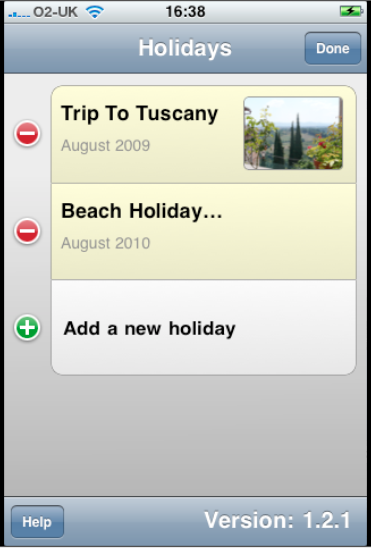
The first thing to do with this app is add your impending travel trip. To do this from the main screen just select the + symbol next to ‘Add a new holiday’. Although this app is called ‘My Vacation’ to obviously appeal to the US market, it was written by an Englishman, so you will have to translate the ‘holiday’ terminology to ‘vacation’ but that’s not a real problem.
Theme
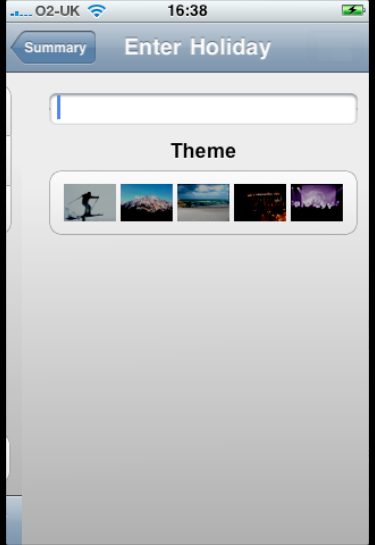
The next step is to add a Title for your vacation and a theme, be it snow/ski, beach etc.
Information
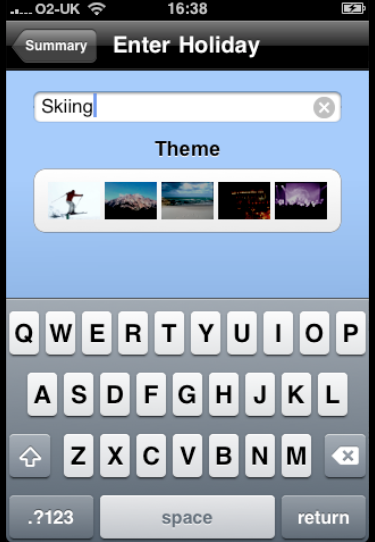
In the above example I have added a Skiing trip. You will notice the keyboard pop up when you select the white text box.
Location, location, location
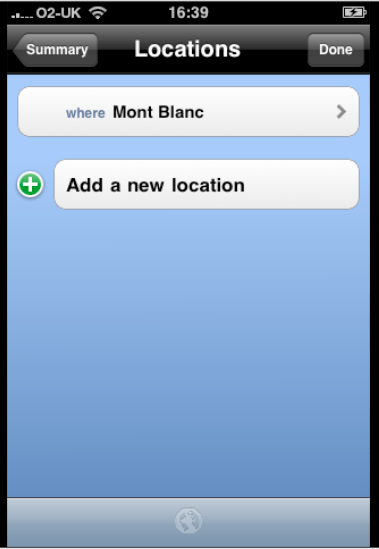
The next step is to add the location of your trip. In this case I have added Mont Blanc.
Dates
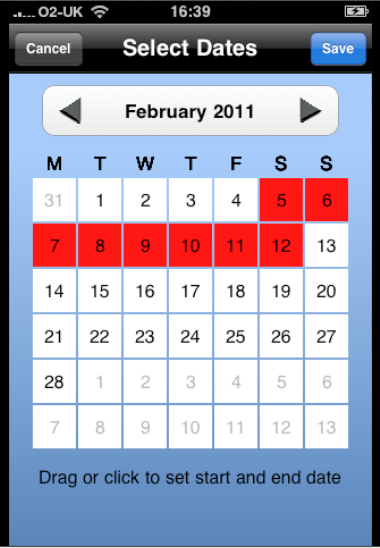
Add the dates of your trip and they will be highlighted in red within the calendar menu. What would be nice at this stage would be to try to link this to iCal within Mac OS X – this feature could easily be added in a future update.
Summary
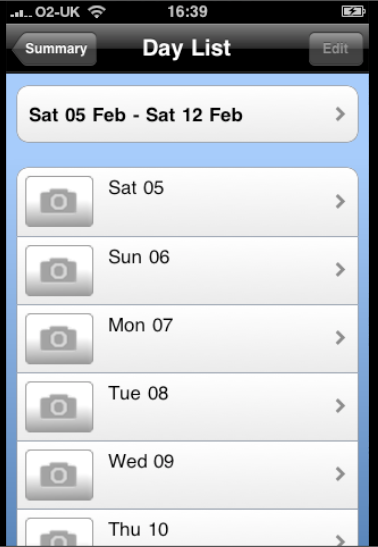
A summary page allows you to add information for each day. For example, if you need to do something specifically on a certain day you can select the day/date here to do so, as a reminder.
Day List
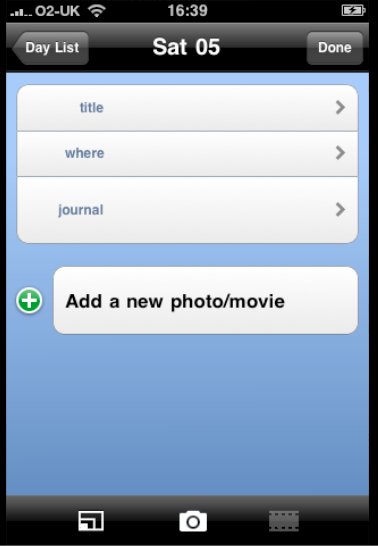
If you wish to add day information as mentioned in the earlier step, this is the menu you will see. From there you can add the title and location and add further information to the Journal. The facility to add photos or a Movie, if you have an iPhone 3GS or iPhone 4, is a brilliant addition and one that the iPhone 4 is going to facilitate perfectly and wonderfully.
Journal
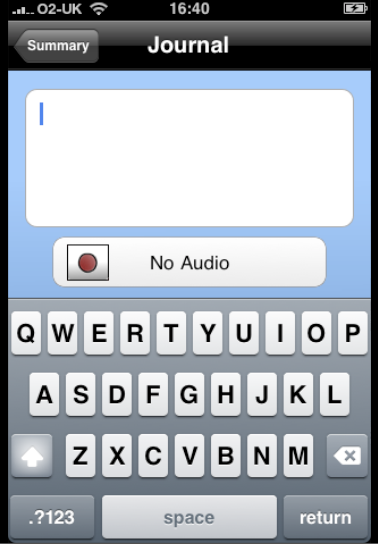
Of course, you don’t have to include the day information prior to your trip, you may prefer to add it at the time on the day, by way of a reminder of where you went, what you saw and what you did. Within the Journal section you can fill in more of this type of information and if you prefer do an audio recording.
Lists
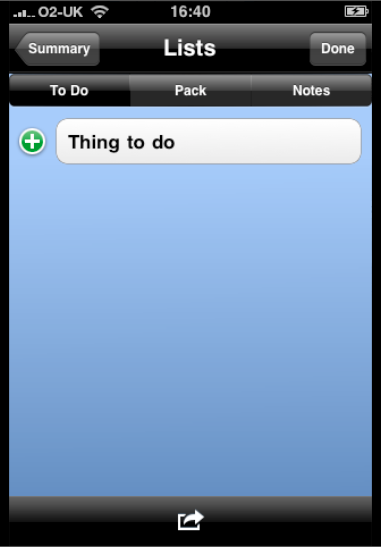
This is a very useful section. I tend to carry around lists in my head, not recommended. This menu gives you three choices, To Do, Pack and Notes.
To Do
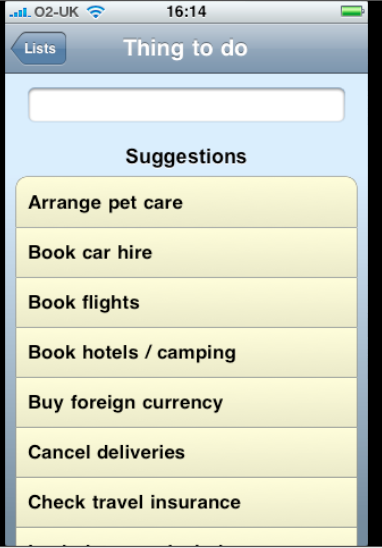
Within the To Do section there are presets of the most common things you may want to do prior to your trip. Or you can create your own within the text box.
To Do Summary
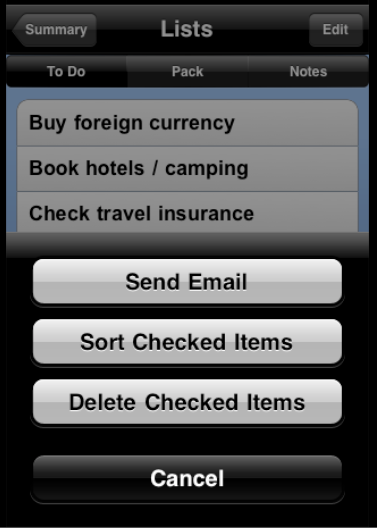
In the above menu you can see the items I have selected To Do. A great feature from this menu is the facility to forward this information by email, by clicking on the arrow key at the bottom. Useful if you have a husband like mine, that needs reminding about certain things.
Lists – Pack
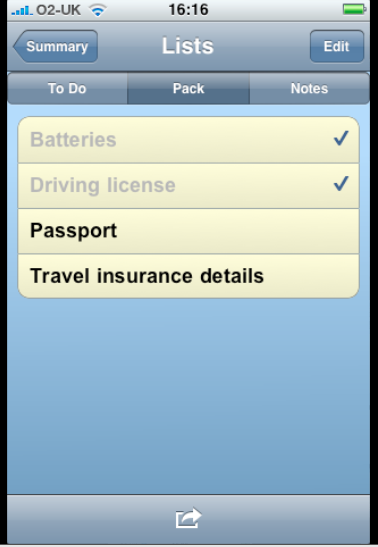
Within the Lists/Pack menu there are presets again of the most common items you will need and you can create your own as well if necessary. The Notes section allows you to add any reminder Notes to yourself that you may need to do.
Select Dates
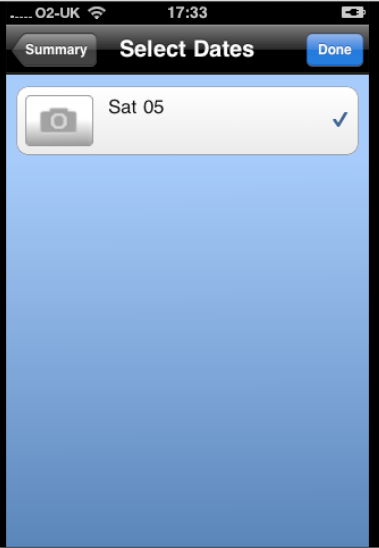
Once you have created your completed vacation details, by clicking on the bottom right arrow you can then forward select dates and photos of your journey to an email address, Facebook, Flickr or even view it on your desktop. Again this does not have to be prior to your trip it could be following it when you may want to share your itinerary and experiences with friends.
Conclusion
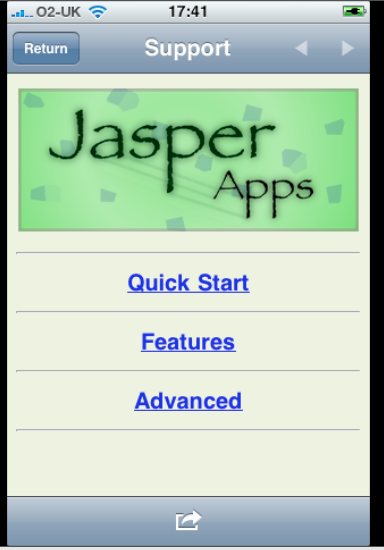
One of the many great features of this app is the Support section Help menu. It features a Quick Start menu which is great to get you going as well as listing specific Features and Advanced functions.
Well, I have to say that this is a great app and one that I will be using a lot of. It is hard to comprehend that all these features are available for 99 cents. This is without question well worth the money and an app that will appeal to many.
Buy It – 4/5 **** Download Link

Joanne Carter
Joanne Carter is a British photography journalist, editor, curator, and the founder of *TheAppWhisperer.com*, one of the world’s leading platforms dedicated to mobile photography and art. Since its launch in 2009, TheAppWhisperer has become an international hub for artists of all levels to discover, learn, exhibit, and engage with contemporary photographic practice.Built on principles of inclusivity, accessibility, and artistic excellence, Joanne has spent almost two decades championing mobile photography as a serious artistic medium. Through interviews, critical essays, exhibitions, competitions, and education, she has helped shape and document the evolution of mobile art on a global scale.Her work has taken her internationally, lecturing on photography and mobile art at institutions and events including the Museum of Art in Seoul, South Korea, alongside appearances in the UK and Europe. She has served as a juror for international photography and mobile art awards across Portugal, Canada, the United States, South Korea, Italy, and the UK.Joanne is also the founder of *TheAppWhispererPrintSales.com*, one of the first online galleries dedicated exclusively to collectible mobile art, connecting artists with collectors across Europe, the United States, and Asia.Before founding TheAppWhisperer, Joanne worked extensively in print journalism and photographic publishing, including roles at a paparazzi photo agency and as deputy editor of a leading photography magazine. Her freelance journalism, criticism, and commentary have been published widely in both the UK and the US, with bylines in *The Times*, *The Sunday Times*, *The Guardian*, *Popular Photography*, *NikonPro*, *DPReview*, *Which?*, *Vogue Italia*, *LensCulture*, the *BBC*, and more recently, the *Financial Times*, where her published letters on photography continue to contribute to wider conversations around the medium.Alongside her editorial and curatorial work, Joanne’s own photographic practice has been exhibited internationally across the UK, Europe, South Korea, and the United States. Her work increasingly explores themes of grief, loss, death, memory, and the body.Her current research interests centre on grief, death, and poverty, with forthcoming postgraduate study leading towards doctoral research in these areas.Joanne is currently developing new long-form writing and photographic projects and is available for commissions, editorial projects, speaking engagements, and collaborations.Contact: joannetheappwhisperer@gmail.com)
You May Also Like

OnePlus moves into the mainstream with new carrier and retailer partnerships ahead of the launch of the OnePlus 6T

Book Review – A Pound of Pictures: Alec Soth’s Eclectic Ode to the Photographic Medium