AppArt School – How to Get Started with the Snapseed App
AppArt School – How to Get Started with the Snapseed App
Snapseed was also listed in our Best Apps to Remove Objects from Photos in 2026 – Clean Up Your Images Effortlessly
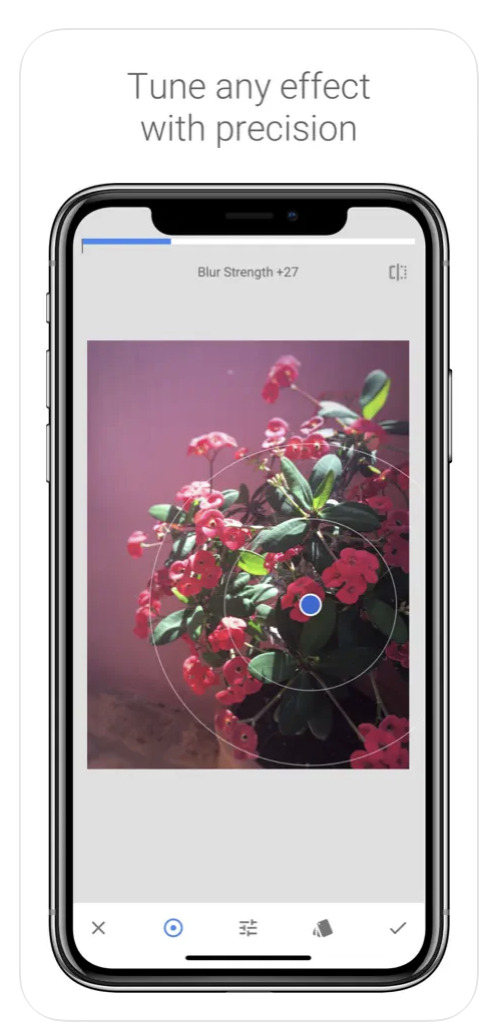
Snapseed is a free photo-editing application developed by Google, which is available for both iOS and Android devices. Here are some steps to use the Snapseed app:
- Install the app: Download the Snapseed app from the App Store or Google Play Store, depending on your device. Once the app is downloaded and installed, open it.
- Choose a photo: Select the photo you want to edit from your camera roll or take a new photo.
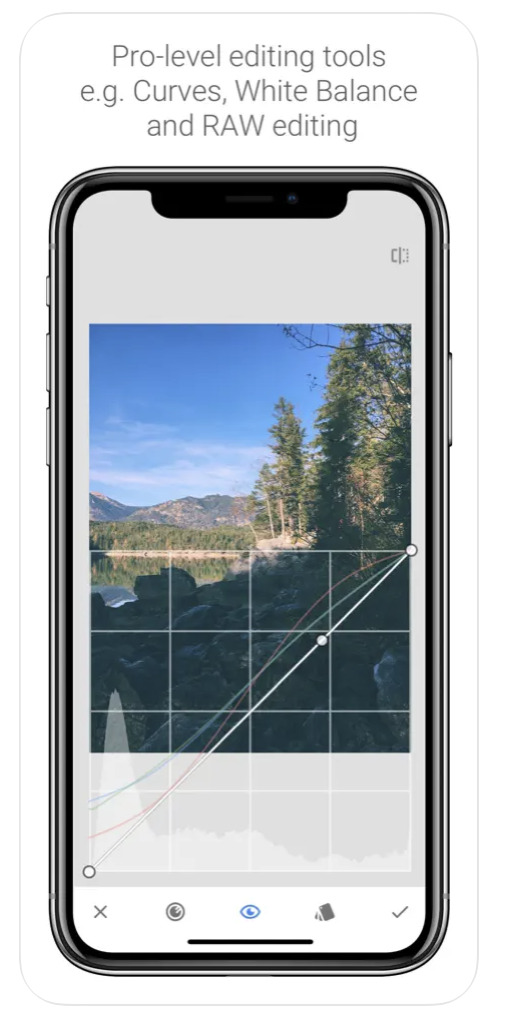
- Basic adjustments: Snapseed has several tools for basic adjustments, such as brightness, contrast, saturation, etc. You can adjust these settings by selecting the “Tools” icon and choosing the desired option.
- Selective adjustments: Snapseed also has selective adjustments, which allow you to apply changes to specific parts of the photo. To use this feature, select the “Selective” tool and tap on the area you want to adjust. You can then adjust the brightness, contrast, and saturation of that area.
- Filters: Snapseed has a variety of filters that you can apply to your photos. To use filters, select the “Filters” tool and choose the desired filter. You can adjust the intensity of the filter using the slider.
- Cropping and resizing: To crop or resize your photo, select the “Crop” tool and choose the desired aspect ratio. You can then drag the edges of the crop box to adjust the size and shape of the crop.
- Saving and sharing: Once you are done editing your photo, you can save it by selecting the “Export” icon and choosing the desired format and quality. You can also share your photo directly from the app by selecting the “Share” icon and choosing the desired platform.
- These are just a few of the many features offered by Snapseed. Explore the app and experiment with different tools and filters to create your own unique edits.
Please support us
TheAppWhisperer has always had a dual mission: to promote the most talented mobile artists of the day and to support ambitious, inquisitive viewers the world over. As the years pass TheAppWhisperer has gained readers and viewers and found new venues for that exchange.
All this work thrives with the support of our community.
Please consider donating to TheAppWhisperer as this New Year commences because your support helps protect our independence and we can keep delivering the promotion of mobile artists that’s open for everyone around the world. Every contribution, however big or small, is so valuable for our future.

Joanne Carter
Joanne Carter is a British photography journalist, editor, curator, and the founder of *TheAppWhisperer.com*, one of the world’s leading platforms dedicated to mobile photography and art. Since its launch in 2009, TheAppWhisperer has become an international hub for artists of all levels to discover, learn, exhibit, and engage with contemporary photographic practice.Built on principles of inclusivity, accessibility, and artistic excellence, Joanne has spent almost two decades championing mobile photography as a serious artistic medium. Through interviews, critical essays, exhibitions, competitions, and education, she has helped shape and document the evolution of mobile art on a global scale.Her work has taken her internationally, lecturing on photography and mobile art at institutions and events including the Museum of Art in Seoul, South Korea, alongside appearances in the UK and Europe. She has served as a juror for international photography and mobile art awards across Portugal, Canada, the United States, South Korea, Italy, and the UK.Joanne is also the founder of *TheAppWhispererPrintSales.com*, one of the first online galleries dedicated exclusively to collectible mobile art, connecting artists with collectors across Europe, the United States, and Asia.Before founding TheAppWhisperer, Joanne worked extensively in print journalism and photographic publishing, including roles at a paparazzi photo agency and as deputy editor of a leading photography magazine. Her freelance journalism, criticism, and commentary have been published widely in both the UK and the US, with bylines in *The Times*, *The Sunday Times*, *The Guardian*, *Popular Photography*, *NikonPro*, *DPReview*, *Which?*, *Vogue Italia*, *LensCulture*, the *BBC*, and more recently, the *Financial Times*, where her published letters on photography continue to contribute to wider conversations around the medium.Alongside her editorial and curatorial work, Joanne’s own photographic practice has been exhibited internationally across the UK, Europe, South Korea, and the United States. Her work increasingly explores themes of grief, loss, death, memory, and the body.Her current research interests centre on grief, death, and poverty, with forthcoming postgraduate study leading towards doctoral research in these areas.Joanne is currently developing new long-form writing and photographic projects and is available for commissions, editorial projects, speaking engagements, and collaborations.Contact: joannetheappwhisperer@gmail.com)