Final Cut Pro transforms video creation with Live Multicam on iPad and new AI features on Mac
Final Cut Pro transforms video creation with Live Multicam on iPad and new AI features on Mac
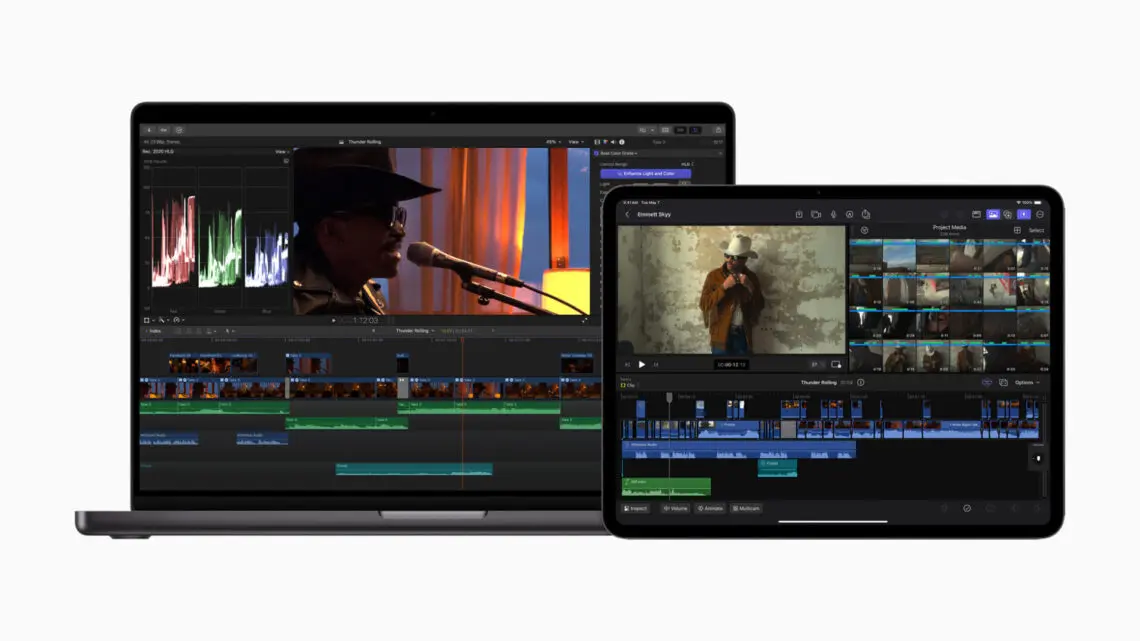
Apple have introduced Final Cut Pro for iPad 2, bringing huge updates that unleash the remarkable capabilities of the new iPad Pro and take creativity to the next level. Final Cut Pro for iPad 2 transforms iPad into a multicam production studio with Live Multicam, giving users the power to speed up their shoot by allowing them to connect and preview up to four cameras all at once, all in one place.1 To support Live Multicam, Final Cut Camera — an all-new video capture app — comes to iPhone and iPad, letting creators wirelessly connect and remotely direct each video angle with powerful pro controls.2 Final Cut Camera also works as a standalone professional video capture app on iPhone and iPad. External project support gives users the flexibility to edit projects directly from an external drive, leveraging the fast Thunderbolt connection of iPad Pro.3 Editing and finishing a project with Final Cut Pro on the new iPad Pro with the M4 chip is incredible, enabling users to colour grade, apply multiple effects, and render graphically intense timelines even faster. Final Cut Pro for iPad 2 has even more customisable content for editing and creating unique projects, and leverages the advanced features of the all-new Apple Pencil Pro such as barrel roll and squeeze for Live Drawing.
New artificial intelligence features come to Final Cut Pro for Mac 10.8, giving editors the ability to rapidly customise the look of videos or photos in a single click and retime visuals more easily than ever.4 Important workflow-accelerating tools bring new ways to manage colour correction and video effects, as well as search and navigate the timeline with ease.
“Users have been loving the portability and flexibility of editing with Final Cut Pro for iPad. It was designed from the ground up to take advantage of everything iPad has to offer, and that continues with the latest advances like Apple Pencil Pro and the M4 chip,” said Brent Chiu-Watson, Apple’s senior director of Apps Worldwide Product Marketing. “Now, Final Cut Pro for iPad is getting even more powerful, transforming production workflows for creators by putting iPad at the center and allowing them to edit and share more quickly than ever, whether they’re at the studio or on the go. Final Cut Pro for Mac also continues to deliver efficiency gains for editors with new features that are smarter and faster.”
Final Cut Pro for iPad 2
The latest update to Final Cut Pro for iPad transforms iPad into a more powerful production studio and opens up entirely new video workflows, while offering even more capabilities with the all-new Apple Pencil Pro. With M4 on the new iPad Pro, final rendering is up to 2x faster, and editors can take advantage of support for up to 4x more streams of ProRes RAW than with M1.
Live Multicam
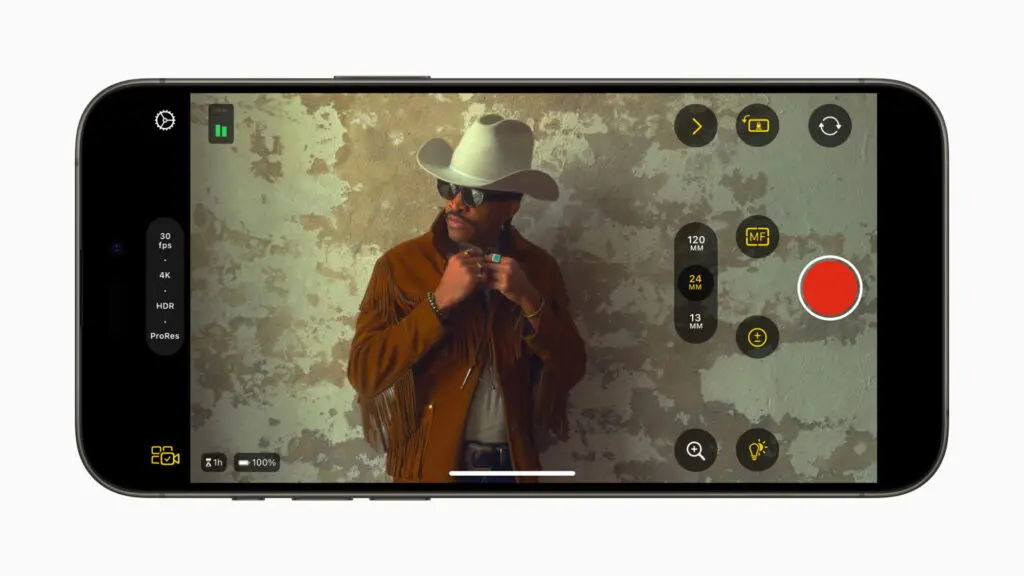
Final Cut Pro for iPad 2 delivers Live Multicam, an innovative new solution for users to capture up to four different angles of a single scene, whether working with their own devices or collaborating with others. Live Multicam connects wirelessly via Final Cut Camera, a new video capture app, enabling users to view up to four iPhone or iPad devices and providing a director’s view of each camera in real time. Each live camera feed can have settings adjusted right from Final Cut Pro for iPad 2 to easily dial in exposure, focus, zoom, and more for the perfect shot. Editable preview clips are immediately passed through to Final Cut Pro for iPad and replaced with full-resolution files in the background, so users can seamlessly move from production to editing.
Final Cut Camera
To support Live Multicam in Final Cut Pro for iPad 2, Final Cut Camera comes to iPhone and iPad to enable live monitoring and individual control of each video feed. Leveraging the incredible camera systems on iPhone and iPad, Final Cut Camera allows users to adjust settings like white balance and manual focus, while monitoring their recordings with zebras and audio meters. Users can now also adjust ISO and shutter speed, and enable focus peaking, bringing even more power to the camera system on iPad Air and iPad Pro. Final Cut Camera can also be downloaded for free as a standalone video capture app to record professional videos on iPhone and iPad with precise manual controls.
External Project Support
For even more storage flexibility, Final Cut Pro for iPad 2 now supports external projects, letting users easily create or open projects on an external storage device and import media without taking up space on their iPad. Editors can quickly hand off external projects to another editor or take them into Final Cut Pro for Mac; create new projects on external storage; and seamlessly import high-resolution files and professional codecs like ProRes and Log.
Even More Ways to Customise
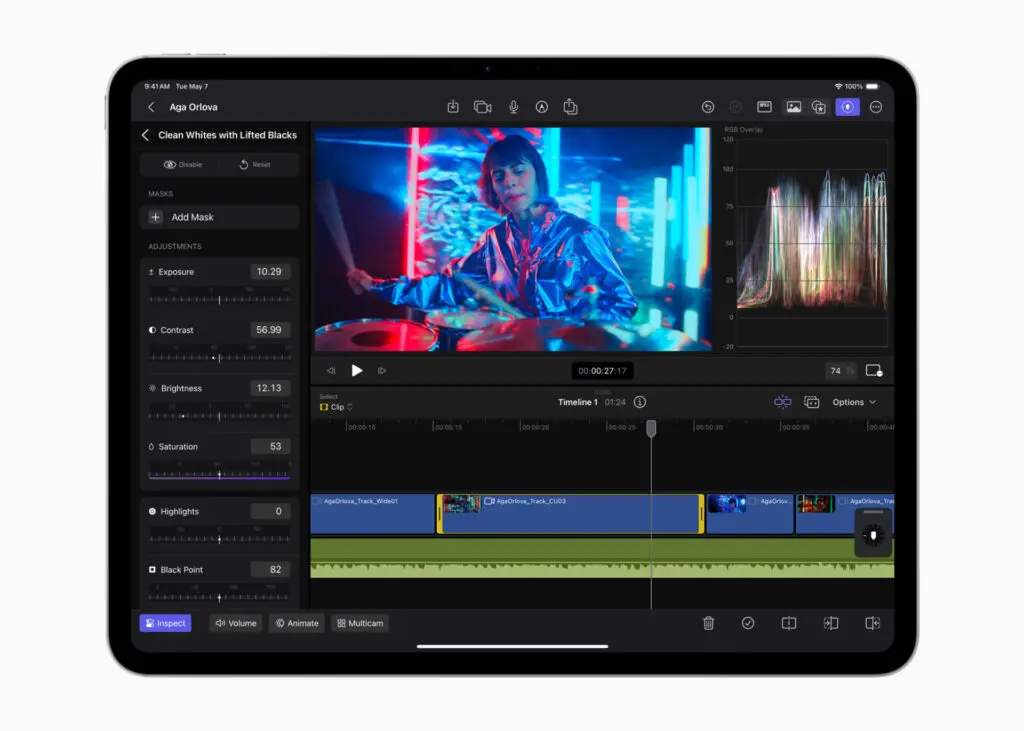
Final Cut Pro for iPad 2 brings more options to customise projects. Users can dial in their edits with 12 new colour-grading presets, choose from eight basic text titles, score with 20 new soundtracks, and add additional dynamic backgrounds to create effect overlays and title sequences.
The powerful new Apple Pencil Pro offers even greater precision for Final Cut Pro for iPad 2 users. Live Drawing now includes support for barrel roll, giving users more precise control of their chosen tool, and with squeeze, users can quickly pull up an array of brushes and settings.
Final Cut Pro for Mac 10.8
On Mac, editors can take their professional workflow to the next level. Leveraging the Neural Engine in Apple silicon, new AI features and organisational tools come to Final Cut Pro 10.8. Available as a free update to existing users, Final Cut Pro 10.8 introduces Enhance Light and Colour, offering the ability to improve colour, colour balance, contrast, and brightness in one simple step, and is optimised for SDR, HDR, RAW, and Log-encoded media. With Smooth Slo-Mo, frames of video are intelligently generated and blended together, providing the highest-quality movement and more drama to a project.
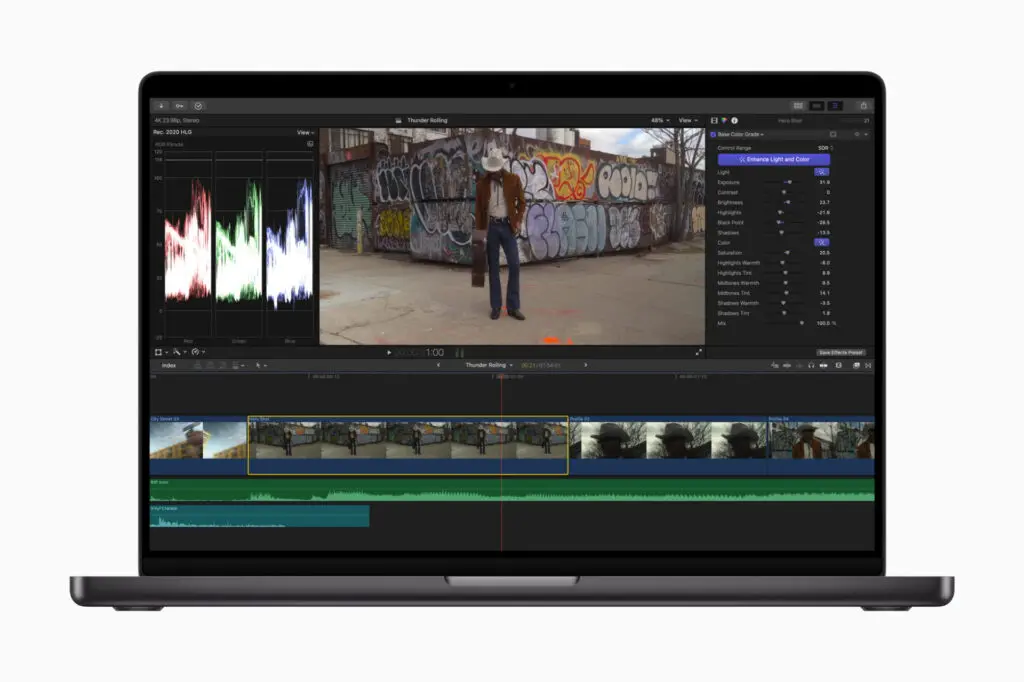
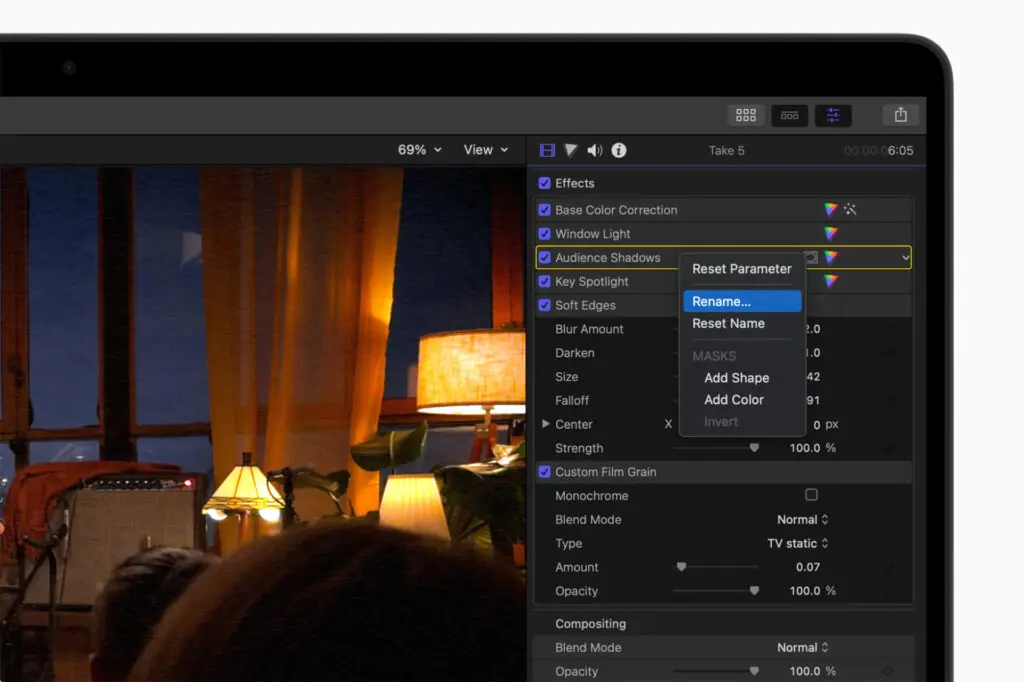
For efficiency in post-production workflows, colour corrections and video effects can now be given custom names in the inspector to easily identify changes applied to a clip, and effects can be dragged from the inspector to other clips in the timeline or viewer. The timeline index also offers the ability to search for and navigate to clips with missing media or effects. And text-based timeline search now includes important information like reel, scene, camera angle, and more.
- Final Cut Pro for iPad 2 will be available later this spring as a free update for existing users, and available on the App Store for £4.99 per month or £49 per year, with a one-month free trial for new users.
- Final Cut Camera will be available for free later this spring as a standalone app.
- Final Cut Pro for Mac 10.8 will be available as a free update for existing users and for £299.99 for new users on the Mac App Store. All new users can download a free 90-day trial of Final Cut Pro.
- Final Cut Pro for iPad 2 requires iPadOS 17.4 or later, and iPad models with the M1 chip or later.
- Final Cut Camera is available on iPhone XS and later running iOS 17.4 or later, and iPad models running iPadOS 17.4 or later.
- External project support requires iPadOS 17.5 or later.
- Final Cut Pro for Mac 10.8 requires macOS 13.5 or later, 8GB of RAM (16GB recommended), a Metal-capable graphics card (Intel-based Mac computers only), and 6.5GB of available disk space.
Please support us
TheAppWhisperer has always had a dual mission: to promote the most talented mobile artists of the day and to support ambitious, inquisitive viewers the world over. As the years pass TheAppWhisperer has gained readers and viewers and found new venues for that exchange.
All this work thrives with the support of our community.
Please consider donating to TheAppWhisperer as this New Year commences because your support helps protect our independence and we can keep delivering the promotion of mobile artists that’s open for everyone around the world. Every contribution, however big or small, is so valuable for our future.

Joanne Carter
Joanne Carter is a British photography journalist, editor, curator, and the founder of *TheAppWhisperer.com*, one of the world’s leading platforms dedicated to mobile photography and art. Since its launch in 2009, TheAppWhisperer has become an international hub for artists of all levels to discover, learn, exhibit, and engage with contemporary photographic practice.Built on principles of inclusivity, accessibility, and artistic excellence, Joanne has spent almost two decades championing mobile photography as a serious artistic medium. Through interviews, critical essays, exhibitions, competitions, and education, she has helped shape and document the evolution of mobile art on a global scale.Her work has taken her internationally, lecturing on photography and mobile art at institutions and events including the Museum of Art in Seoul, South Korea, alongside appearances in the UK and Europe. She has served as a juror for international photography and mobile art awards across Portugal, Canada, the United States, South Korea, Italy, and the UK.Joanne is also the founder of *TheAppWhispererPrintSales.com*, one of the first online galleries dedicated exclusively to collectible mobile art, connecting artists with collectors across Europe, the United States, and Asia.Before founding TheAppWhisperer, Joanne worked extensively in print journalism and photographic publishing, including roles at a paparazzi photo agency and as deputy editor of a leading photography magazine. Her freelance journalism, criticism, and commentary have been published widely in both the UK and the US, with bylines in *The Times*, *The Sunday Times*, *The Guardian*, *Popular Photography*, *NikonPro*, *DPReview*, *Which?*, *Vogue Italia*, *LensCulture*, the *BBC*, and more recently, the *Financial Times*, where her published letters on photography continue to contribute to wider conversations around the medium.Alongside her editorial and curatorial work, Joanne’s own photographic practice has been exhibited internationally across the UK, Europe, South Korea, and the United States. Her work increasingly explores themes of grief, loss, death, memory, and the body.Her current research interests centre on grief, death, and poverty, with forthcoming postgraduate study leading towards doctoral research in these areas.Joanne is currently developing new long-form writing and photographic projects and is available for commissions, editorial projects, speaking engagements, and collaborations.Contact: joannetheappwhisperer@gmail.com)