Best AI Video Generator Apps (2026): 15 Tools Compared
Artificial intelligence has transformed video creation at a pace few could have predicted. What began as amusing, often surreal animations generated from simple text prompts has evolved into an ecosystem of sophisticated creative tools capable of producing cinematic sequences, realistic camera movement, convincing character animation, and visually striking short films in a matter of minutes. For photographers, filmmakers, marketers, and content creators alike, AI video is no longer an experiment. It has become another creative medium.
Artificial intelligence has spent much of the past three years dominating headlines, provoking equal measures of excitement and anxiety. Much of that discussion has focused on what AI might become. Video generation is different. It has already arrived.
Today, a single prompt can produce sweeping drone shots across imaginary cities, slow-motion portraits bathed in golden evening light, stylised fashion films, wildlife documentaries featuring animals that never existed, or product advertisements that would once have required a sizeable production budget. Increasingly, the question is no longer whether artificial intelligence can create convincing video. The question is which platform does it best.
For photographers, the implications are particularly fascinating. Photography has always occupied an uneasy relationship with truth. Every significant technological advance—from colour film and digital cameras to Photoshop and computational photography—has prompted debates about authenticity and manipulation. AI-generated video represents the next chapter in that story. It doesn’t simply enhance reality; it has the potential to create entirely new realities.
That does not necessarily diminish photography. Instead, it expands the creative landscape. Documentary photography, fine art, commercial imagery and editorial storytelling each face new opportunities and new ethical responsibilities. Understanding these tools is therefore becoming as important as understanding cameras themselves.
During the past year, nearly every major technology company has entered the AI video race. Google unveiled Veo with astonishingly realistic motion rendering. Adobe integrated generative video directly into Creative Cloud. Runway continued refining what many filmmakers already consider one of the industry’s leading creative platforms. Chinese developers such as Kling AI and Hailuo have rapidly demonstrated that innovation is emerging from every corner of the globe rather than Silicon Valley alone.
The result is a marketplace crowded with ambitious promises. Every company claims to generate cinematic footage. Every launch video showcases spectacular visuals. Every platform advertises photorealism, creative freedom and unprecedented speed. Yet once the marketing language is stripped away, meaningful differences quickly emerge.
Some platforms excel at realistic human movement. Others produce stronger landscapes. Certain generators understand cinematic camera language surprisingly well, while others still struggle with simple anatomy or believable facial expressions. Some prioritise rapid social media content, whereas others are clearly being built with filmmakers and professional creative agencies in mind. That diversity makes choosing the right AI video generator increasingly difficult. This guide has been written to cut through the hype.
Rather than simply listing whichever tools happen to be attracting attention this month, I’ve examined the strengths, weaknesses and creative possibilities of the leading AI video generators available in 2026. Some are established commercial platforms trusted by professionals. Others are rapidly evolving newcomers that are challenging far larger competitors through technical innovation. Throughout this guide, I’ve considered several key questions.
Which platforms produce the most realistic motion? Which understand lighting, composition and cinematography rather than merely generating attractive images? Which offers the greatest creative control? Which provides genuine value for photographers looking to expand into motion? And perhaps most importantly, which are likely to remain relevant as AI video continues its extraordinary pace of development?
The answers are rarely straightforward. Unlike traditional editing software, AI video evolves almost weekly. New models appear at remarkable speed. Features once considered groundbreaking quickly become standard. Companies that dominate headlines today may find themselves overtaken within months by smaller developers introducing entirely different approaches to video generation.
For that reason, this article should not be viewed as a definitive ranking carved in stone. Instead, it represents a detailed snapshot of one of the fastest-moving areas of contemporary visual culture.
Whether you’re an experienced filmmaker, an enthusiastic photographer curious about motion, a creative agency exploring new workflows, or simply fascinated by the future of visual storytelling, these are the AI video generators currently shaping the next generation of moving image creation.
How I Evaluated These AI Video Generators
Choosing an AI video platform is rather like choosing a camera. Specifications only tell part of the story.
Resolution, rendering speed and pricing are all important, but creative tools ultimately succeed because of how they feel to use. A technically impressive platform quickly loses its appeal if prompts require endless refinement or the resulting footage lacks emotional credibility.
Throughout this guide, I focused on the qualities that matter most to photographers and visual storytellers rather than software engineers.
Image Quality
Perhaps the most obvious consideration is visual realism. Fine textures, accurate lighting, natural colour transitions and believable depth all contribute to footage that feels cinematic rather than synthetic.
Some generators produce beautiful individual frames but struggle to maintain quality across longer clips. Others sacrifice detail for smoother movement. The strongest platforms consistently deliver both.
Motion
Still images are relatively easy. Convincing movement is significantly harder. Walking, running, turning, facial expressions, flowing fabric, moving water and changing weather all expose weaknesses in AI models. One awkward hand gesture or unnatural body movement immediately reminds viewers they are watching something artificial.
The best AI generators understand physics rather than merely simulating it.
Camera Language
Photographers instinctively recognise good composition. Filmmakers recognise good camera movement. Today’s leading AI platforms increasingly understand concepts such as dolly shots, crane movements, shallow depth of field, telephoto compression, handheld realism and anamorphic aesthetics.
That level of cinematic understanding separates genuinely useful creative tools from novelty generators.
Prompt Interpretation
An effective AI video generator should feel collaborative rather than frustrating. The strongest systems interpret prompts intelligently without requiring dozens of revisions.
Complex instructions involving mood, lighting, weather, lens choice, composition and narrative should produce coherent results rather than visual confusion.
Creative Control
Professional creators rarely want fully automated output. Instead, they require control. Image-to-video generation, reference frames, character consistency, camera paths, aspect ratios, editing options and motion controls all become increasingly valuable as projects grow more ambitious.
Commercial Use
Licensing matters. Some AI platforms provide generous commercial rights, while others impose restrictions depending upon subscription level or content type.
Anyone producing client work should always check licensing carefully before incorporating AI-generated footage into commercial projects.
Value
Finally, pricing remains an important consideration. Some platforms charge monthly subscriptions. Others operate using credit systems. Several still offer generous free tiers that provide excellent opportunities for experimentation before committing financially. As with photography software generally, the most expensive platform is not always the best choice.
In the following sections, we’ll examine each of the leading AI video generators in detail, beginning with one of the most talked-about developments in artificial intelligence: Google’s remarkably impressive Veo.
Google Veo 3: Setting a New Benchmark for AI Video
When Google first unveiled Veo, it was immediately apparent that this wasn’t simply another entrant into an increasingly crowded AI marketplace. While many platforms had already demonstrated impressive text-to-video capabilities, Veo appeared to understand something more fundamental about filmmaking itself. Camera movement felt purposeful rather than random. Lighting behaved naturally. Human movement appeared remarkably convincing. More importantly, scenes possessed a cinematic coherence that many competing generators still struggle to achieve.
With the arrival of Veo 3, Google has moved even further ahead in several key areas. It now produces videos that are not only visually impressive but often emotionally believable, thanks to more consistent characters, sophisticated environmental interactions and, perhaps most significantly, native audio generation. Rather than creating silent clips that require external sound design, Veo 3 can generate dialogue, ambient sound effects and environmental audio that correspond closely with the visual scene. That seemingly simple addition changes everything.
For photographers beginning to explore motion, one of the greatest challenges has always been recognising that moving images demand more than beautiful visuals. Sound transforms atmosphere. Wind through trees, footsteps across wet pavement or distant traffic all contribute to storytelling in ways that static photographs never require. Google’s decision to integrate audio generation reflects a much broader understanding of cinematic language.
Prompt interpretation is equally impressive. Veo responds well to highly descriptive instructions, allowing users to specify lighting conditions, focal lengths, camera movements, colour palettes and emotional tone. A request for a slow tracking shot filmed on a 50mm lens during blue hour produces markedly different results from a handheld documentary sequence captured beneath harsh midday sunlight. That level of nuance feels surprisingly natural.
For filmmakers, this opens enormous creative possibilities during pre-production. Directors can rapidly visualise storyboards. Agencies can prototype advertising concepts. Photographers can experiment with narrative sequences before committing to expensive productions. There are, however, limitations. Access remains relatively restricted compared with some competitors, and rendering complex scenes can still require patience. Like every AI system currently available, Veo occasionally struggles with intricate hand movements, fast action or sustained character consistency across longer sequences. Nevertheless, viewed as an overall creative platform, Google has established one of the strongest foundations currently available.
Pros
- Outstanding cinematic realism
- Excellent prompt understanding
- Natural camera movement
- Native audio generation
- Strong environmental lighting
Cons
- Limited availability
- Premium pricing
- Longer rendering times than some competitors
Best for
Professional filmmakers, advertising agencies, photographers exploring cinematic storytelling and creators seeking the highest overall image quality.
Runway Gen-4: The Platform Professionals Keep Returning To
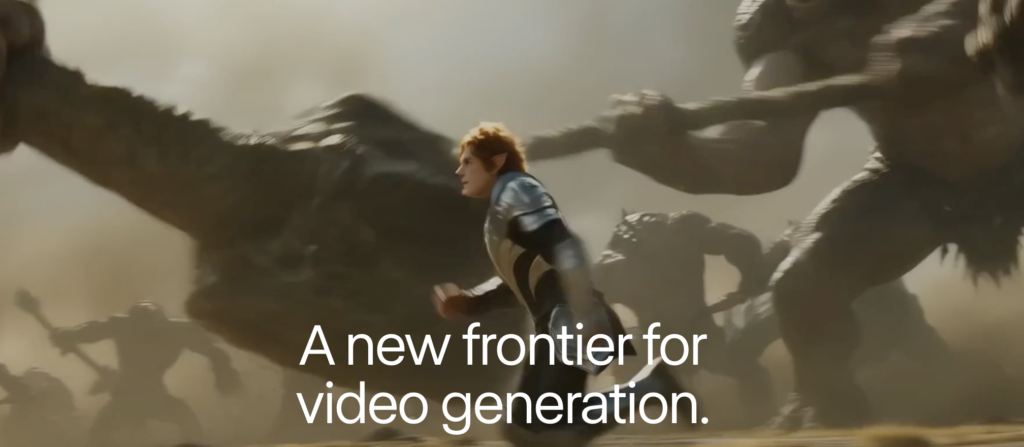
Few companies have influenced the AI video landscape quite as profoundly as Runway. Long before many of today’s competitors entered the market, Runway recognised that creative professionals required far more than simple text-to-video generation. They needed an integrated production environment capable of supporting an entire workflow, from concept development to finished edit. That philosophy continues to define the platform.
Rather than overwhelming users with technical complexity, Runway quietly encourages experimentation. Projects are organised logically, editing tools are thoughtfully integrated, and new features tend to enhance rather than complicate the creative experience. Gen-4 represents another significant leap forward. Character consistency has improved dramatically. Earlier AI systems often produced subtle changes in facial appearance, clothing or proportions between shots. Runway’s latest model demonstrates a much stronger understanding of continuity, making it considerably more suitable for narrative filmmaking. Camera movements also deserve particular praise.
Tracking shots feel smooth. Push-ins maintain a believable perspective. Drone-style movements exhibit convincing depth. Rather than appearing computer-generated, many sequences resemble footage captured using expensive production equipment. Runway also remains one of the most versatile platforms available. Users can begin with text prompts, animate existing photographs, expand video clips, remove unwanted objects, extend scenes and integrate traditional editing techniques within the same environment. For photographers already familiar with Lightroom or Photoshop, this integrated workflow feels immediately familiar.
The platform continues to attract advertising agencies, production companies and independent filmmakers because it balances creative flexibility with professional polish. Pricing is competitive, although larger projects can consume credits surprisingly quickly. Still, for many professionals, Runway remains one of the safest investments currently available.
Pros
- Professional editing workflow
- Excellent character consistency
- Strong cinematic camera movement
- Regular feature updates
- Industry-leading creative tools
Cons
- Credit system can become expensive
- Learning curve for beginners
- Premium features require higher-tier subscriptions
Best for
Professional filmmakers, production companies, agencies and advanced creators.
Kling AI: China’s Surprise Challenger
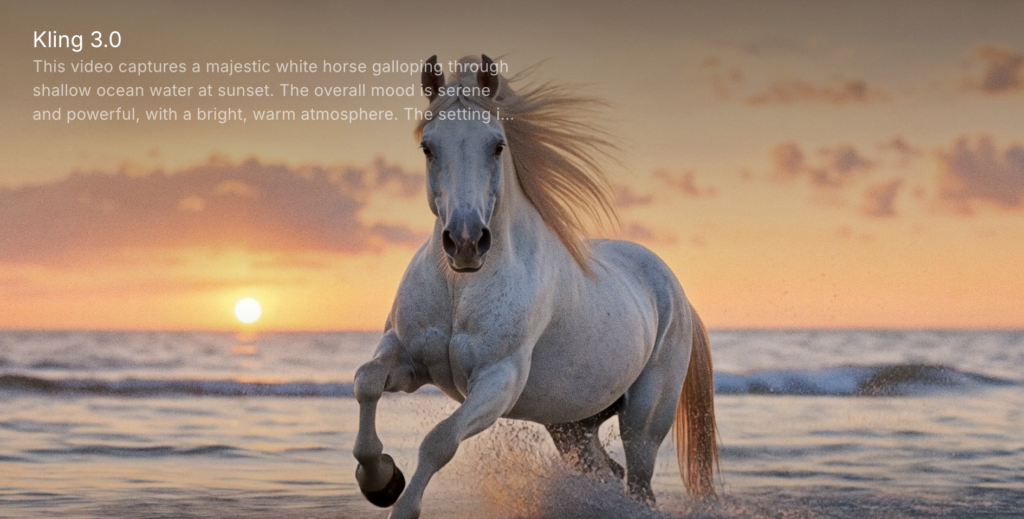
Perhaps no platform has generated as much discussion during the past year as Kling AI. Developed by Chinese technology company Kuaishou, Kling appeared almost unexpectedly before rapidly establishing itself as one of the strongest alternatives to Western AI generators. Its greatest strength lies in movement.
Many AI systems still struggle to reproduce convincing physical interactions between people, objects and environments. Kling frequently demonstrates remarkably believable physics. Hair moves naturally. Clothing responds realistically to motion. Water behaves convincingly. Camera movement rarely feels artificial. This gives many generated scenes an organic quality that immediately captures attention. Kling also excels at image-to-video generation. Photographers can upload still photographs and transform them into gently animated sequences that preserve the original mood rather than overwhelming it with unnecessary visual effects.
For commercial photographers, portrait artists and editorial storytellers, this capability offers fascinating possibilities. Rather than replacing photography, Kling often feels as though it extends it. Of course, no platform is perfect.
Availability can occasionally fluctuate depending upon regional access, while interface translation has historically lagged behind some competitors. Nevertheless, Kling has become impossible to ignore.
Many creators now consider it one of the most exciting developments in generative video.
Pros
- Excellent movement realism
- Outstanding image-to-video quality
- Strong environmental interactions
- Rapid development pace
Cons
- Regional availability
- Occasional translation issues
- Credit limitations
Best for
Photographers, portrait artists and creators seeking highly realistic movement.
Adobe Firefly Video: Familiar Tools, Familiar Workflow

Adobe’s approach to artificial intelligence has always been distinctive. Rather than attempting to replace creative professionals, Firefly has consistently positioned itself as an enhancement to existing workflows. That philosophy continues with Firefly Video. Anyone already using Photoshop, Lightroom or Premiere Pro will feel immediately comfortable.
Adobe understands that professional creators rarely begin projects entirely from scratch. Existing photographs, video clips, graphics and client assets all need to integrate seamlessly. Firefly reflects this reality. Generated footage can move naturally into Premiere Pro for further editing. Colour grading remains familiar. Asset management feels mature. Collaboration benefits from Adobe’s long-established Creative Cloud ecosystem. Equally important is Adobe’s emphasis on commercially safe training data.Many organisations remain understandably cautious about copyright implications surrounding generative AI.
Adobe’s licensing strategy offers greater reassurance than several competitors, making Firefly particularly attractive to businesses, agencies and commercial photographers. Visually, Firefly continues improving with each release. Although some competitors occasionally produce more dramatic cinematic results, Adobe often prioritises consistency and reliability over spectacle. That approach may prove more valuable for professional production.
Pros
- Excellent Creative Cloud integration
- Commercially safer licensing
- Familiar workflow
- Strong editing ecosystem
Cons
- Requires Creative Cloud ecosystem
- Image quality occasionally trails leading competitors
Best for
Commercial photographers, designers, agencies and Creative Cloud users.
Luma Dream Machine: Where Creativity Takes Centre Stage
Luma Dream Machine approaches AI video slightly differently. Rather than focusing solely upon realism, it often encourages experimentation. Dreamlike landscapes, surreal transitions, painterly lighting and imaginative visual storytelling all emerge particularly well within the platform. That makes Luma especially appealing to artists.
Photographers working in fine art, conceptual practice or experimental visual storytelling frequently discover creative possibilities here that feel distinct from more technically orientated competitors. Image-to-video generation remains one of Luma’s greatest strengths. Upload a still photograph and describe subtle environmental movement, and the resulting animation frequently feels delicate rather than exaggerated. Clouds drift gently. Water ripples. Hair moves softly in the breeze. Rather than overwhelming the original image, Luma often enhances its atmosphere.
For photographers seeking to introduce motion without sacrificing the emotional qualities of still imagery, this subtlety represents one of the platform’s greatest achievements. Rendering speed is generally impressive, while the interface remains refreshingly approachable for newcomers. Although realism occasionally falls slightly behind Google’s latest Veo models, Luma frequently compensates through artistic interpretation.
Sometimes technical perfection is less important than emotional impact. Dream Machine understands that remarkably well.
Pros
- Beautiful artistic style
- Excellent image-to-video animation
- Fast rendering
- Easy to learn
- Ideal for photographers
Cons
- Character consistency can vary
- Less suitable for long narrative productions
Best for
Fine art photographers, creative storytellers, visual artists and anyone seeking a more poetic approach to AI-generated motion.
Pika: Making AI Video Accessible
Artificial intelligence has a tendency to intimidate. Many platforms assume users already understand prompt engineering, model selection and technical workflows. Pika takes a different approach. From its earliest releases, it has focused on accessibility, making AI video creation feel approachable without sacrificing creative ambition. That balance has proved remarkably successful. The interface is clean, uncluttered and welcoming, encouraging experimentation rather than overwhelming newcomers with endless settings. Yet beneath that simplicity lies a surprisingly capable creative engine.
Pika excels at short-form content. For creators producing Instagram Reels, TikTok videos, YouTube Shorts or digital marketing campaigns, speed often matters more than absolute perfection. Pika understands this reality. Videos generate quickly, prompts are interpreted intelligently, and editing tools continue to expand with each release. One of its strongest features is image-to-video animation. Upload a still photograph and Pika can introduce subtle movement that feels natural rather than distracting. Portraits breathe gently, and landscapes acquire drifting clouds or moving water, while product photography gains cinematic motion suitable for commercial presentations. This makes the platform particularly appealing to photographers wishing to extend existing portfolios into moving image work.
There are limitations. Complex narrative sequences occasionally lose consistency, while highly detailed prompts sometimes require refinement before producing the desired result. Nevertheless, these shortcomings are increasingly minor compared with the platform’s overall ease of use. Perhaps most importantly, Pika encourages creativity.
Instead of becoming preoccupied with technical settings, users quickly begin thinking about stories, atmosphere and visual communication—the qualities that ultimately matter far more than software itself.
Pros
- Extremely easy to learn
- Fast rendering
- Excellent image-to-video generation
- Ideal for social media creators
- Attractive user interface
Cons
- Less control than some professional platforms
- Character consistency can vary
Best for
Content creators, photographers, marketers and anyone taking their first steps into AI video.
PixVerse: Fast, Stylish and Constantly Improving

PixVerse has developed rapidly over the past year, evolving from an interesting newcomer into one of the most capable AI video generators currently available. Its greatest strength lies in visual impact. Where some generators prioritise technical precision, PixVerse often produces footage that immediately captures attention. Colours feel vibrant, movement appears energetic and compositions frequently possess an almost cinematic polish straight out of the box. This makes it particularly effective for social media campaigns, promotional videos and short-form visual storytelling. Another welcome feature is the platform’s willingness to innovate.
New models appear regularly, while developers continue expanding creative controls, camera options and editing features at an impressive pace. That rapid development suggests PixVerse remains firmly committed to remaining competitive within an increasingly crowded marketplace. Image animation also deserves praise.
Photographers can transform still images into surprisingly engaging sequences while retaining much of the original composition and atmosphere. Rather than forcing dramatic motion, PixVerse often understands that subtle animation creates greater emotional impact. Rendering speeds are generally excellent. For creators working to tight deadlines, that responsiveness becomes an important practical advantage.
Pros
- Fast rendering
- Excellent visual quality
- Attractive cinematic style
- Regular feature updates
Cons
- Advanced editing still developing
- Some inconsistency with longer clips
Best for
Marketing agencies, social media creators and photographers exploring AI animation.
Hailuo AI: One of the Year’s Biggest Surprises
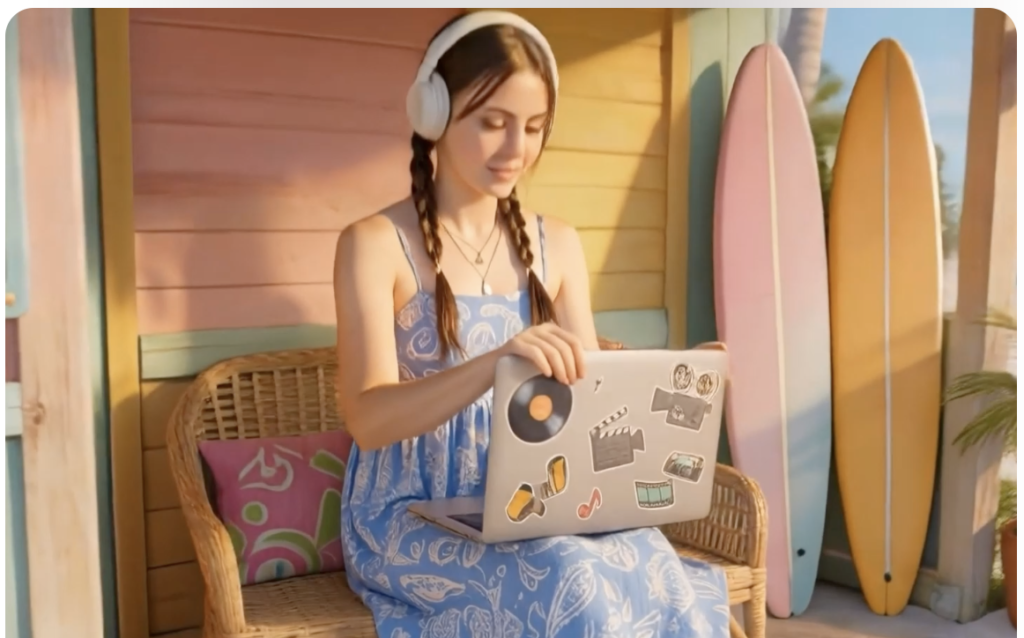
Innovation in artificial intelligence rarely comes from where people expect. Hailuo AI has emerged remarkably quickly as one of the most technically impressive video generators currently available. While it may not yet possess the name recognition of Google or Adobe, many creators now regard it as one of the industry’s hidden gems.
Its particular strength is realism. Human movement feels fluid. Facial expressions appear convincing. Lighting responds naturally to changing environments. Perhaps most impressively, Hailuo often demonstrates an intuitive understanding of cinematic pacing. Rather than producing chaotic movement simply because it can, scenes frequently unfold with surprising restraint. This creates videos that feel less artificial and considerably more watchable. Prompt interpretation also continues improving at a remarkable rate.
Detailed descriptions involving weather, mood, camera movement and emotional atmosphere generally translate well into coherent visual sequences. As with many rapidly developing platforms, documentation occasionally struggles to keep pace with technical improvements. Yet that rapid evolution may ultimately become one of Hailuo’s greatest strengths. It is clearly a platform worth watching.
Pros
- Highly realistic movement
- Strong prompt understanding
- Excellent cinematic quality
- Rapid development
Cons
- Smaller user community
- Documentation still evolving
Best for
Filmmakers, photographers and creators seeking realism.
MiniMax Video: A Platform Growing in Confidence
MiniMax has quietly established itself as one of the more capable AI video generators available today. Unlike some competitors that rely heavily upon spectacular marketing demonstrations, MiniMax has focused upon steadily improving core performance. That approach may lack headline-grabbing announcements, but it often produces more meaningful long-term progress. Image quality continues improving with each update. Landscape scenes appear particularly convincing, while architectural environments demonstrate impressive spatial consistency. Prompt interpretation has also become increasingly sophisticated, allowing users to specify cinematic techniques rather than simply describing subjects.
One particularly encouraging aspect is the platform’s willingness to incorporate user feedback. New creative controls arrive regularly, suggesting a development philosophy centred upon practical workflows rather than technological novelty.
Although it may not yet challenge Google’s Veo across every category, MiniMax increasingly deserves consideration alongside more established competitors.
Pros
- Strong landscape generation
- Good prompt understanding
- Improving rapidly
- Competitive pricing
Cons
- Smaller ecosystem
- Less widely adopted
Best for
Independent filmmakers, photographers and experimental creators.
Higgsfield AI: Cinematic Thinking from the Beginning
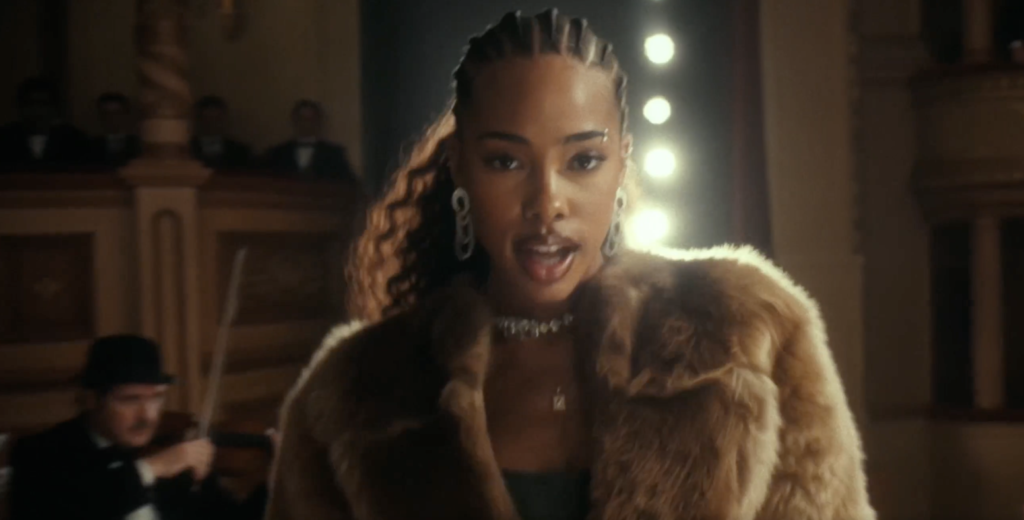
While many AI video generators concentrate upon creating attractive imagery, Higgsfield appears to have been designed by people who genuinely understand filmmaking. Camera movement sits at the centre of the experience. Rather than relying upon generic animation, Higgsfield encourages users to think in terms of dolly shots, crane movements, handheld cinematography, lens selection and narrative pacing. That immediately distinguishes it from many competitors.
Photographers making the transition into motion will likely appreciate this emphasis. Good filmmaking has never simply involved moving a camera. Movement itself communicates emotion.
A slow push towards a subject creates intimacy. A wide tracking shot establishes scale. Handheld movement introduces tension. Higgsfield increasingly understands these visual languages.
Although still developing compared with larger platforms, its creative direction is particularly exciting. Rather than attempting to imitate competitors, Higgsfield appears intent upon becoming a genuine filmmaking platform. For photographers already familiar with visual composition, that philosophy feels immediately compelling.
Pros
- Excellent cinematic camera movement
- Strong visual storytelling
- Innovative creative controls
- Distinct filmmaking focus
Cons
- Smaller platform
- Fewer community resources
- Still expanding feature set
Best for
Filmmakers, cinematographers and photographers interested in narrative storytelling.
Which AI Video Generator Produces the Best Image Quality?
After testing these platforms extensively, several clear leaders emerge. If absolute realism is your priority, Google Veo 3 currently sets the benchmark. Its understanding of light, motion and cinematic composition is extraordinary, while native audio generation makes it feel more like a complete filmmaking environment than a simple AI tool.
For creators who value professional workflows, Runway Gen-4 remains exceptionally strong. It combines impressive image quality with sophisticated editing capabilities, making it particularly attractive to agencies and production companies.
Photographers looking to animate still images should pay close attention to Luma Dream Machine, Kling AI and Pika, each of which demonstrates an intuitive understanding of photographic composition and subtle motion.
For commercial users already invested in Creative Cloud, Adobe Firefly offers perhaps the smoothest transition into AI-assisted video production.
HeyGen: Redefining Digital Presenters

If your only experience of AI presenters involves stiff avatars reading corporate scripts with robotic expressions, HeyGen will come as something of a surprise. Few platforms have developed as quickly in recent years, transforming what was once a novelty into an increasingly sophisticated communications tool. While HeyGen sits slightly apart from text-to-video generators such as Runway or Veo, it deserves inclusion because it solves a very different creative problem. Rather than generating entirely fictional scenes, HeyGen focuses on people.
Upload a script, choose an avatar or create your own digital twin, and within minutes you have a presenter capable of delivering content in multiple languages with remarkably natural lip synchronisation. For photographers, this might initially seem irrelevant. In reality, it opens entirely new possibilities. Imagine producing exhibition introductions without repeatedly recording yourself on camera. Consider educational photography tutorials, portfolio presentations or behind-the-scenes commentary delivered consistently across multiple languages. Independent publishers, educators and creative businesses suddenly gain access to presentation capabilities that once required cameras, lighting, microphones and considerable editing time. Naturally, ethical considerations remain important.
Digital avatars should never be used deceptively, and audiences deserve transparency whenever AI-generated presenters are involved. Used responsibly, however, HeyGen demonstrates that artificial intelligence need not replace authentic communication. Instead, it can remove technical barriers that often prevent creators from sharing their expertise. Image quality continues to improve with every release. Facial expressions appear increasingly believable, eye contact feels natural and speech synchronisation has reached a standard that would have seemed remarkable only a year ago.
While filmmakers searching for cinematic landscape generation should look elsewhere, creators producing educational or commercial content will find HeyGen exceptionally useful.
Pros
- Outstanding avatar realism
- Excellent multilingual support
- Natural lip synchronisation
- Extremely simple workflow
- Ideal for educational content
Cons
- Not designed for cinematic storytelling
- Limited environmental creativity
Best for
Educators, businesses, presenters, trainers and creative professionals producing instructional content.
Synthesia: The Corporate Standard
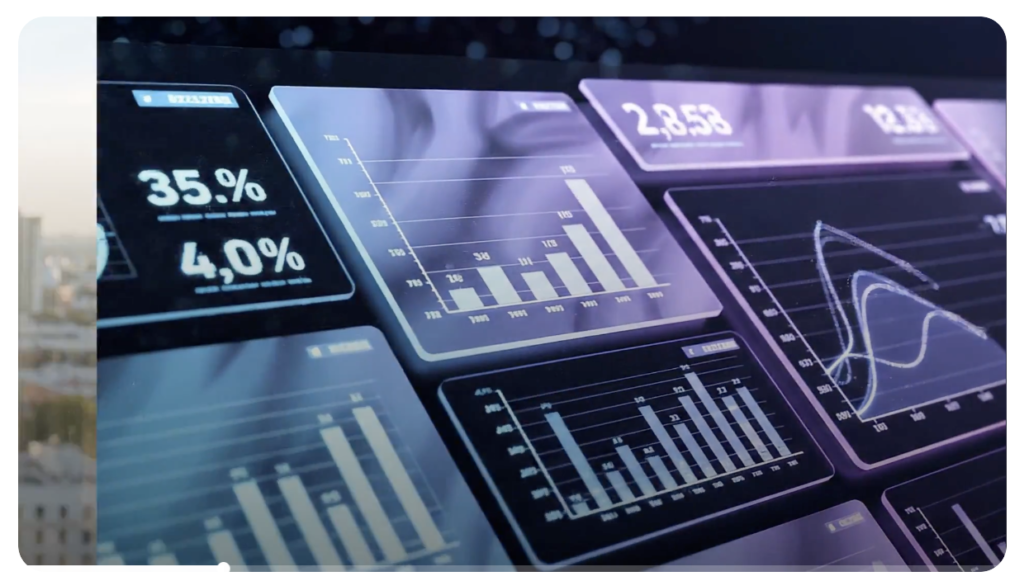
Where HeyGen feels approachable and creative, Synthesia feels reassuringly professional. It has become one of the world’s most widely adopted AI presentation platforms, particularly among multinational organisations producing training material, onboarding videos and educational resources. Its strength lies not in spectacle but consistency.
Large organisations value reliability above almost everything else. They require multilingual communication, secure workflows, brand consistency and dependable performance. Synthesia delivers exactly that. Video quality has improved significantly, while its expanding library of AI presenters provides remarkable flexibility for organisations communicating with international audiences.
For photographers and artists, however, its appeal is somewhat different. Many photographers now teach workshops, deliver online courses or present portfolio reviews remotely. Synthesia dramatically simplifies those tasks, allowing creators to concentrate on educational content rather than video production logistics.
Although visually less cinematic than platforms such as Runway or Veo, Synthesia excels within its intended purpose. Professional communication.
Pros
- Industry-leading business platform
- Excellent multilingual capability
- Reliable output
- Enterprise-level features
Cons
- Limited cinematic creativity
- Corporate focus
Best for
Businesses, educators and organisations producing training content.
InVideo AI: From Idea to Finished Video
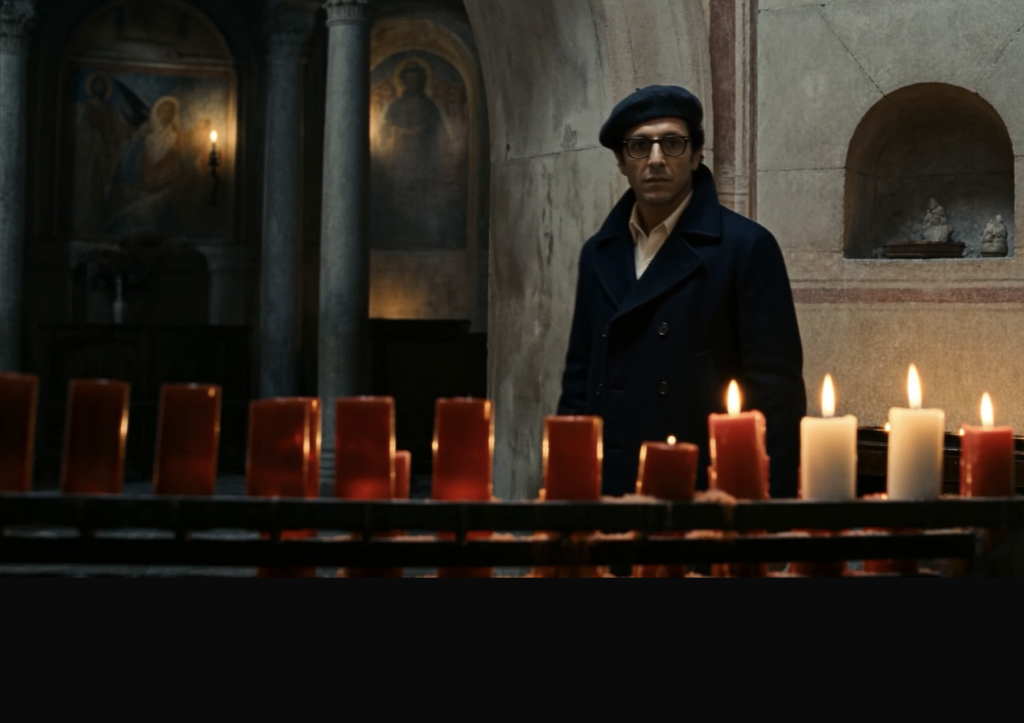
One of the most striking developments within artificial intelligence has been the shift away from isolated creative tools towards complete production workflows. InVideo AI embraces this philosophy wholeheartedly.
Rather than asking users to generate individual clips before editing them elsewhere, InVideo attempts to produce an entire finished video from a single prompt. Provide a topic, describe your audience and define the style you require.
Within minutes the platform can assemble scripts, narration, AI-generated visuals, transitions, subtitles and background music into a coherent production. That level of automation inevitably involves compromise.
Professional filmmakers will almost certainly wish to refine the output, while photographers accustomed to controlling every visual detail may find the automated approach occasionally frustrating. Yet it would be a mistake to dismiss InVideo simply because it prioritises efficiency. Many creators publish several videos every week. Marketing teams produce promotional content daily. Small businesses rarely possess dedicated production departments. For these users, InVideo represents an extraordinarily efficient workflow.
Pros
- Complete production workflow
- Excellent automation
- Fast rendering
- Good social media output
Cons
- Less creative control
- Generic results without refinement
Best for
Small businesses, marketers and content creators producing videos at scale.
Canva AI Video: Creativity for Everyone
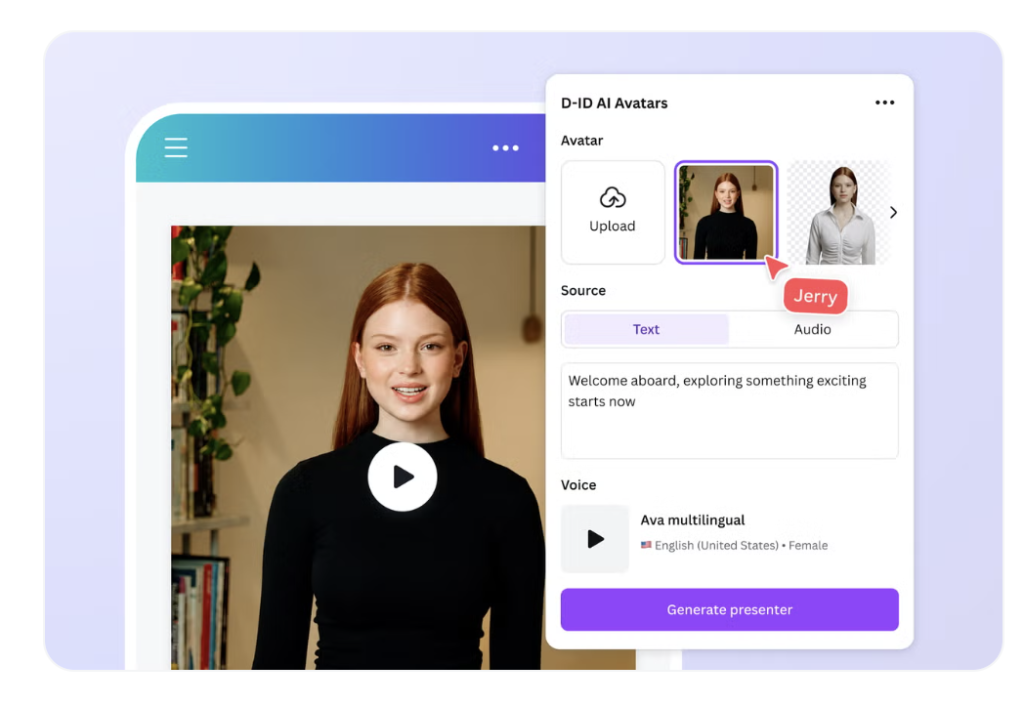
Canva has spent more than a decade proving that professional-looking design does not require professional software. Its AI video tools extend exactly the same philosophy.
Integrated seamlessly into the broader Canva ecosystem, AI video generation feels less like adopting an entirely new technology and more like discovering another creative feature within an already familiar workspace. That familiarity is Canva’s greatest strength. Millions of users already create presentations, social media graphics and marketing materials using Canva every day. Introducing AI-generated motion therefore feels natural rather than intimidating. For photographers managing social media accounts, this simplicity is invaluable. Promotional reels. Animated portfolios. Book announcements. Workshop advertising. Exhibition invitations. All can be produced within the same environment.
Canva is unlikely to satisfy professional filmmakers seeking advanced cinematic control. Nor does it attempt to. Instead, it focuses upon accessibility. And accessibility remains one of artificial intelligence’s most transformative qualities.
Pros
- Extremely easy to use
- Excellent design ecosystem
- Fast workflow
- Ideal for social media
Cons
- Limited advanced controls
- Not intended for cinematic production
Best for
Photographers, artists, educators and small businesses.
Descript: AI Editing Rather Than AI Generation

Descript occupies a unique position within this guide. Unlike many platforms discussed so far, its primary purpose is not generating entirely new video. Instead, it transforms editing itself.
For years, video editing has required creators to think visually through timelines, clips and keyframes. Descript introduces an entirely different concept. Edit the transcript. The video follows. Delete a sentence and it disappears from the timeline automatically. Correct a spoken mistake and AI can recreate your voice with astonishing accuracy. Remove filler words. Generate captions. Improve audio. Translate dialogue. All within an interface that feels more like editing a Word document than operating traditional video software.
For photographers increasingly producing interviews, podcasts and educational videos, Descript represents one of the most practical AI tools currently available. It doesn’t attempt to replace creativity. It removes friction.
Pros
- Revolutionary editing workflow
- Excellent transcription
- Superb podcast tools
- Outstanding audio enhancement
Cons
- Limited text-to-video generation
- Better viewed as an editing platform
Best for
Podcasters, educators, interviewers and photographers creating educational content.
AI Video Generator Comparison Table
| Platform | Best For | Ease of Use | Image Quality | Video Quality | Free Plan |
|---|---|---|---|---|---|
| Google Veo 3 | Cinematic filmmaking | ★★★★☆ | ★★★★★ | ★★★★★ | Limited |
| Runway Gen-4 | Professional production | ★★★★☆ | ★★★★★ | ★★★★★ | Yes |
| Kling AI | Realistic motion | ★★★★☆ | ★★★★★ | ★★★★★ | Yes |
| Adobe Firefly | Creative Cloud users | ★★★★★ | ★★★★☆ | ★★★★☆ | Limited |
| Luma Dream Machine | Photographers | ★★★★★ | ★★★★★ | ★★★★☆ | Yes |
| Pika | Beginners | ★★★★★ | ★★★★☆ | ★★★★☆ | Yes |
| PixVerse | Social media | ★★★★★ | ★★★★☆ | ★★★★☆ | Yes |
| Hailuo AI | Realism | ★★★★☆ | ★★★★★ | ★★★★☆ | Limited |
| MiniMax | Independent creators | ★★★★☆ | ★★★★☆ | ★★★★☆ | Yes |
| Higgsfield AI | Cinematic control | ★★★★☆ | ★★★★☆ | ★★★★☆ | Limited |
| HeyGen | AI presenters | ★★★★★ | ★★★★☆ | ★★★★☆ | Trial |
| Synthesia | Corporate video | ★★★★★ | ★★★★☆ | ★★★★☆ | Trial |
| InVideo AI | Marketing | ★★★★★ | ★★★★☆ | ★★★★☆ | Yes |
| Canva AI | Social content | ★★★★★ | ★★★☆☆ | ★★★☆☆ | Yes |
| Descript | Editing | ★★★★★ | N/A | ★★★★☆ | Yes |
Which AI Video Generator Is Best for You?
After spending considerable time exploring these platforms, one conclusion becomes immediately apparent: there is no single “best” AI video generator. That may sound like an obvious observation, but it reflects a much broader truth about creative practice. Cameras differ because photographers differ. The same applies to artificial intelligence.
A wildlife photographer does not choose equipment for the same reasons as a fashion photographer. A documentary filmmaker values different qualities from a commercial advertising agency. Likewise, the strengths of each AI platform depend entirely upon the work you hope to create.
For photographers beginning to experiment with motion, Luma Dream Machine represents perhaps the gentlest introduction. Its image-to-video capabilities preserve much of what photographers already understand about composition, light and atmosphere, allowing still images to evolve naturally into moving sequences. Creators interested in cinematic storytelling should look first at Google Veo 3 and Runway Gen-4. Both platforms demonstrate a sophisticated understanding of filmmaking, camera movement and visual language that extends far beyond simply generating attractive imagery. If realism remains your primary concern, Kling AI and Hailuo AI deserve serious consideration. Both have made remarkable progress in reproducing believable human movement, environmental physics and natural lighting. Photographers already embedded within Adobe’s Creative Cloud ecosystem will almost certainly appreciate Adobe Firefly. Its greatest strength lies not necessarily in producing the most spectacular results but in integrating seamlessly with software many professionals already use every day. For businesses, educators and organisations, the decision becomes rather different. HeyGen and Synthesia excel at presentation, multilingual communication and educational content rather than cinematic filmmaking. They solve practical problems that traditional video production often struggles to address efficiently. Meanwhile, creators producing regular social media content may find platforms such as Pika, Canva AI and InVideo AI offer the fastest route from concept to publication.
Ultimately, choosing an AI video generator resembles selecting a camera system. The right decision depends less upon technical specifications than upon the stories you wish to tell.
AI Video and Photography: Opportunity or Threat?
Whenever photography undergoes technological change, predictions of its demise rarely take long to appear. The arrival of digital cameras was expected to destroy photographic craftsmanship. Photoshop was accused of ending photographic truth. Smartphones were supposedly going to replace dedicated cameras. Computational photography was said to make photographers redundant. None of those predictions proved entirely accurate. Instead, photography adapted.
Artificial intelligence is likely to follow the same pattern. There is understandable concern surrounding AI-generated imagery. Questions about authenticity, copyright, consent and misinformation deserve careful attention. These are not hypothetical debates but real issues affecting journalism, documentary practice and public trust. Yet focusing exclusively upon those concerns risks overlooking AI’s creative potential.
Many photographers already use artificial intelligence every day without thinking about it. Autofocus relies upon machine learning. Noise reduction increasingly depends upon AI. Smartphones routinely merge multiple exposures before a shutter has even been released. The boundary between photography and artificial intelligence has been dissolving for years. Generative video simply makes that relationship more visible.
Rather than replacing photographers, AI may increasingly become another creative tool—alongside cameras, lenses, lighting and editing software. As always, technology itself remains neutral. Its value depends entirely upon how thoughtfully it is used.
Copyright, Ethics and Transparency
Few areas of artificial intelligence provoke more discussion than copyright. Many AI systems have been trained using enormous datasets collected from publicly available imagery. Questions surrounding consent, licensing and fair use continue evolving through legislation and court decisions around the world.
Creators should therefore remain cautious. Before incorporating AI-generated video into commercial work, always review the platform’s licensing terms carefully. Policies differ significantly between providers and continue changing rapidly.
Equally important is transparency. Audiences increasingly expect honesty about how visual content has been produced. There is nothing inherently unethical about using artificial intelligence as part of a creative workflow, provided viewers are not deliberately misled.
Photojournalism, documentary practice and scientific imaging naturally require different ethical standards from conceptual art or commercial advertising. The responsibility ultimately rests with creators.
Artificial intelligence should expand visual storytelling rather than undermine public trust.
The Future of AI Video
Predicting technology has always been a dangerous exercise. Few anticipated how quickly smartphones would become professional cameras. Even fewer expected artificial intelligence to generate convincing cinematic footage only a few years after the first awkward text-to-image experiments.
Yet here we are. The next phase of AI video appears likely to focus less upon visual quality and more upon creative control. Longer narrative sequences. Consistent characters. Editable environments. Interactive storytelling. Real-time generation. Integration with traditional editing software. Collaborative workflows between human creators and artificial intelligence. These developments seem increasingly inevitable.
For photographers, this presents exciting opportunities. Still photography will not disappear. Instead, it will increasingly coexist with motion in ways that blur traditional boundaries between image, film and animation.
Learning these tools today may therefore prove every bit as important as learning digital editing twenty years ago.
Final Thoughts
Artificial intelligence has moved beyond novelty. The best AI video generators are now capable of producing work that is visually sophisticated, creatively engaging and commercially useful. Some remain experimental; others already support professional production, but together they represent one of the most significant technological shifts visual storytelling has experienced since the arrival of digital photography.
Throughout this guide, one platform consistently impressed for overall cinematic quality: Google Veo 3. Its understanding of lighting, camera movement and narrative coherence currently places it among the strongest AI video generators available.
For filmmakers seeking a mature professional workflow, Runway Gen-4 continues to set exceptionally high standards, while Kling AI has emerged as one of the most exciting challengers thanks to its remarkable realism and rapid pace of development.
Photographers exploring AI for the first time should pay particular attention to Luma Dream Machine, whose sensitive approach to image animation preserves much of what makes still photography emotionally powerful.
Business users, educators and marketers will naturally arrive at different conclusions, finding significant value in platforms such as HeyGen, Synthesia, Canva AI and InVideo AI.
Ultimately, the most important lesson is perhaps the simplest. Artificial intelligence is not replacing creativity. It is changing the tools through which creativity is expressed.
As photographers, filmmakers and visual storytellers, our responsibility remains exactly the same as it has always been. To observe carefully. To communicate honestly. To create work that moves people. Technology will continue evolving. Those principles never will.
Frequently Asked Questions
What is the best AI video generator in 2026?
Google Veo 3 currently delivers some of the most impressive results for realism, cinematic quality and prompt understanding. Runway Gen-4, Kling AI and Luma Dream Machine are also among the strongest options, depending on your creative needs.
Which AI video generator is best for beginners?
Pika, Canva AI and Luma Dream Machine all offer intuitive interfaces and relatively gentle learning curves, making them excellent starting points for photographers and creators new to AI video.
Can I use AI-generated videos commercially?
Many platforms allow commercial use under paid subscriptions, but licensing terms vary. Always review each provider’s current commercial licence before using AI-generated content in client work or advertising.
Which AI video generator is best for photographers?
Luma Dream Machine, Runway Gen-4 and Google Veo 3 are particularly well suited to photographers because they offer strong image-to-video capabilities, realistic lighting and cinematic camera movement.
Is AI video replacing filmmakers?
No. AI is best viewed as another creative tool. It can accelerate pre-production, visualisation and content creation, but storytelling, direction, editing and artistic judgement remain fundamentally human skills.
How quickly is AI video improving?
Exceptionally quickly. New models and features appear almost monthly, with improvements in realism, consistency, audio generation and creative control arriving at a pace rarely seen in previous creative technologies.
Continue Reading on TheAppWhisperer
Explore more expert guides, reviews and features:
- 👉 Best AI Photo Editing Apps (2026): The Complete Guide
- 👉 Best Android Camera Apps (2026): 15 Apps Compared
- 👉 Best Camera Apps for Street Photography (2026)
- 👉 Best Photography Workflow Apps for Professionals
- 👉 Best Photography Portfolio Apps for Creatives
- 👉 Best Photography Books Every Serious Photographer Should Read (2026 Reading List)
https://theappwhisperer.com/2026/07/the-best-photography-books-every-serious-photographer-should-read-2026-reading-list/ - 👉 Photography App Reviews
- 👉 Artificial Intelligence
Support TheAppWhisperer
If you’ve found this article useful and would like to support independent photography journalism, please consider making a small donation to TheAppWhisperer.
Since 2009, TheAppWhisperer has published thousands of interviews, reviews, opportunities, and essays dedicated to photography and mobile art, remaining free to read for everyone. Every contribution helps support the time, research, and editorial work that goes into producing and preserving this archive.
Your support helps keep thoughtful photography writing alive.

Joanne Carter
Joanne Carter is a British photographer, photography journalist, editor and curator and the founder and editorial director of TheAppWhisperer.com, an independent international photography publication established in 2009.Her journalism, criticism and commentary have appeared in The Times, The Sunday Times, The Guardian, Financial Times, BBC, Vogue Italia, LensCulture, Popular Photography, Android Magazine, NikonPro, DPReview, Which Digital Camera and Which Camera. She has lectured internationally on photography and mobile art, served as a juror for international photography awards, and exhibited her own photographic work across the UK, Europe, South Korea and the United States.Alongside her editorial work, Joanne's photographic and postgraduate research explores death, grief, memory, representation and social inequality through contemporary photography, participatory practice and visual research methods, with the longer-term aim of developing this work through doctoral research.Through TheAppWhisperer, she continues to publish independent photography journalism spanning contemporary photographic practice, mobile imaging, photographic apps, computational photography and emerging imaging technologies.Joanne is available for editorial commissions, photography projects, judging, curatorial work, speaking engagements, consultancy and selected collaborations.