
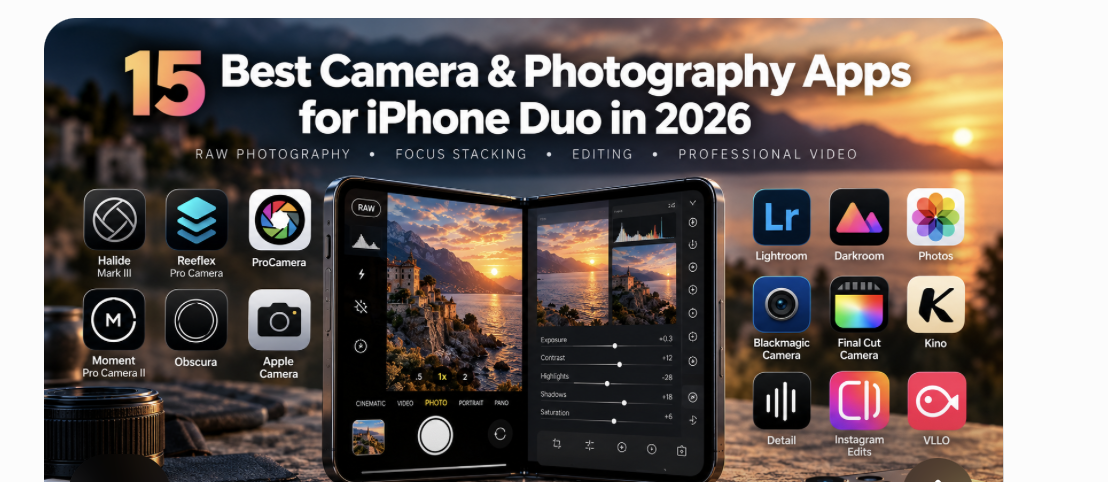
15 Best Camera & Photography Apps for iPhone Duo (2026)
Best Camera and Photography Apps for iPhone Duo in 2026: 15 Essential Apps for RAW Photography, Focus Stacking, Editing and Professional Video
Apple’s first foldable iPhone introduces a new photographic workspace, combining two displays, new portrait possibilities, a larger editing surface, and forthcoming Apple Pencil support. But which camera apps deserve a place on the device, which developers are genuinely taking advantage of its design, and what does a folding screen add to the photo-making experience? TheAppWhisperer examines 15 essential applications, the technologies behind them and the creative questions they raise.
Introduction: The iPhone Camera Is Changing Shape
For almost two decades, iPhone photography has evolved largely through improvements in sensors, optics, computational processing, and increasingly sophisticated software. Each new generation has promised greater detail, improved dynamic range, more convincing low-light performance and additional creative controls, although the fundamental relationship between photographer and device has remained remarkably consistent. We have become accustomed to making photographs through a single rectangular screen, with composition, capture and review taking place within a relatively fixed physical arrangement.
With the arrival of Apple’s iPhone Duo, that relationship begins to change. Announced in September 2026 and released on 23 October, Apple’s first foldable iPhone combines a compact 5.4-inch outer touchscreen with a considerably larger 7.6-inch folding inner display. Both support ProMotion technology, while the unfolded screen creates a more expansive environment for composing, examining and developing photographs. This design matters not just because photographers have more space, but because they can switch between ways of working without changing devices.
I have been interested in this development since Apple first announced the Duo, particularly because it begins to occupy territory traditionally shared between the iPhone and iPad. In my earlier feature, iPhone Duo vs iPad: Has Apple Created the Photographer’s New Pocket Darkroom?, I considered whether capturing, unfolding, editing, and publishing on one device might alter the practical experience of mobile photography. The question remains particularly relevant now that the device is available, although much will depend on how developers respond to the new hardware.
The Duo also arrives at an interesting moment for photographic applications. Increasingly, developers question the assumption that every smartphone photograph should be automatically sharpened, brightened, and computationally perfected. In 10 iPhone Camera Apps That Put the Photographer Back in Control, I examined apps that approach image-making with restraint, manual intervention, and more creative choice. My subsequent guide to the best camera apps for iPhone 18 Pro explored how those approaches relate to Apple’s latest camera hardware, including Reeflex Pro Camera’s specialist focus-stacking capabilities.
The iPhone Duo adds another dimension to this discussion because its most interesting innovation may have relatively little to do with megapixels. A larger screen can change how carefully we examine a composition, while a subject-facing preview can influence the relationship between photographer and sitter. A folding device may also encourage different approaches to self-portraiture, documentary practice, and the development of photographic sequences, though none of these possibilities should be mistaken for an automatic improvement in photographic quality.
For this guide, I have selected fifteen applications covering manual capture, specialist photographic techniques, RAW development, image editing, professional video and mobile filmmaking. I deliberately included both established camera apps and tools that support the broader photographic workflow, because the Duo’s larger screen may be just as valuable after the shutter is released as it is during capture.
Throughout, I distinguish between applications compatible with iPhone, those whose existing capabilities make them interesting candidates for Duo, and those Apple has specifically identified as adapted. Compatibility and optimisation aren’t interchangeable, and I would rather make that distinction clear than suggest every established camera app has already been transformed by the folding screen.
Editorial note: This feature draws on Apple’s published specifications, developer information, application documentation and TheAppWhisperer’s existing coverage, reviewed on 26 October 2026. It is not a controlled hands-on test of all fifteen applications on iPhone Duo. Where a specific folding-screen adaptation has not been confirmed, we discuss potential advantages as possibilities rather than established functionality.
1. iPhone Duo: What Photographers Need to Know
Before examining individual applications, it is important to understand the photographic hardware available on iPhone Duo, especially because its camera system differs from the iPhone 18 Pro. Although both are part of Apple’s 2026 generation, the Duo balances portability, screen flexibility, and photographic capability differently, and those distinctions have practical consequences for photographers considering specialist software.
Apple’s official technical specifications list the Duo with a 48MP Fusion Main camera (26mm-equivalent focal length, fixed f/1.6 aperture) and a 48MP Fusion Ultra Wide camera (13mm-equivalent focal length, f/2.2 aperture). The main camera also offers a 2x optical-quality crop, letting photographers frame subjects more tightly without relying on a separate telephoto module.
That is useful, but it shouldn’t be confused with the characteristics of a dedicated telephoto lens. A longer optical focal length changes the relationship between photographer and subject, influences framing from a given position, and offers possibilities that cropping can’t always reproduce. I explored this distinction in more detail in iPhone Duo vs Motorola Razr Fold: iOS or Android – Which Makes More Sense for Photographers?, where Motorola’s dedicated periscope telephoto camera offers a different proposition than Apple’s dual-camera setup.
iPhone Duo: Key Specifications
| Feature | Specification |
|---|---|
| Outer display | 5.4-inch Super Retina XDR OLED |
| Inner display | 7.6-inch folding Super Retina XDR OLED |
| Refresh rate | ProMotion, up to 120Hz |
| Inner display | Nano-texture finish |
| Processor | Apple A20 Pro |
| Main camera | 48MP Fusion Main, 26mm equivalent, f/1.6 |
| Ultra Wide | 48MP Fusion Ultra Wide, 13mm equivalent, f/2.2 |
| 2x framing | Optical-quality crop from main camera |
| Dedicated telephoto | No |
| Physical variable aperture | No |
| Video | Up to 4K Dolby Vision at 120fps on the main camera |
| Apple Pencil | USB-C model; support announced for later in 2026 |
| Operating system | iOS 27 family |
| Authentication | Side-button Touch ID |
| Storage | 256GB, 512GB, 1TB and 2TB |
| Weight | 254g |
| UK starting price | £1,999 |
| UK release date | 23 October 2026 |
Sources: Apple’s iPhone Duo announcement and iPhone Duo technical specifications.
Why the Difference from iPhone 18 Pro Matters
Unlike the iPhone 18 Pro, the Duo lacks a physical variable-aperture mechanism or a dedicated telephoto camera. This matters for applications such as Halide, Reeflex, and ProCamera because software cannot provide optical controls the hardware lacks. An application may offer manual exposure, focus and processing options on both devices while providing particular hardware-dependent features on only one.
Photographers should be equally careful when discussing RAW capture. A 48MP sensor does not automatically mean that every third-party application can produce full-resolution RAW files from every camera, and ordinary RAW capture should not be confused with Apple ProRAW or the alternative image-processing approaches developed by individual applications. The precise output format, resolution and available controls should be checked for the specific device and application version.
This is one reason I have consistently argued for a more considered approach to mobile camera specifications. In Best Camera Apps Without AI Processing, I examined the growing interest in applications that reduce or reconsider computational intervention. That conversation becomes particularly important when comparing RAW files, processed photographs and images produced through alternative rendering pipelines, because each involves a different relationship between the captured information and the finished photograph.
For video, the Duo offers substantial capabilities, including 4K Dolby Vision recording and advanced stabilisation. Nevertheless, filmmakers will need to consider codec availability, external recording, storage, audio, thermal performance and compatibility with existing production equipment. A folding screen may provide a more comfortable monitoring environment, but it does not remove the practical demands of professional filmmaking.
2. Two Displays: Does a Larger Screen Change the Way We Photograph?
The Duo’s most interesting aspect may not be its camera specifications, but how its physical design changes the experience of making and reviewing photographs. On a conventional iPhone, the photographer works within a fixed display, whereas the Duo lets the same device shift between a compact shooting configuration and a substantially larger visual workspace.
For architectural photography, the unfolded display could make it easier to assess symmetry, converging verticals and the relationships between structural elements. Landscape photographers may appreciate the chance to examine foreground detail and compositional balance more carefully, while portrait photographers could benefit from a larger preview when evaluating expression and gesture. Filmmakers may find the extra screen space useful for exposure information, framing guides, and recording controls.
However, there are disadvantages, particularly for photographers whose work depends on speed and discretion. An unfolded device is physically larger, changes how you hold it, and may attract more attention than a conventional smartphone. In my complete guide to camera apps for street photography, I discussed the importance of responsive interfaces and the ability to work without becoming distracted by the equipment. Those considerations remain just as important on Duo, and I suspect many street photographers will prefer the smaller outer screen for spontaneous capture.
What interests me is whether developers will use the extra display space to reconsider the relationship between the photographic preview and the surrounding controls. Simply enlarging an existing interface may offer practical advantages, but a genuinely thoughtful adaptation could let photographers work more intuitively, with less visual interference and more freedom to focus on the subject.
Apple has already given developers tools to adapt their apps to the new form factor, including guidance on different device positions and orientations. Its developer announcement about preparing applications for iPhone Duo also explains how to identify optimised applications through their App Store presentation. That distinction helps photographers determine whether an application has genuinely been adapted or is simply running on the new device.
For a broader discussion of the folding format, my comparison of iPhone Duo and Motorola Razr Fold examines how different screen sizes, camera systems and operating environments may influence photographic practice.
3. Duo Preview: The Relationship Between Photographer and Subject
One of the most intriguing features of Apple’s native camera experience is Duo Preview, which lets the person being photographed see a live preview on the outer display while the photographer works with the camera. At first glance, this may seem like a modest convenience, particularly for portraiture and self-portraiture, but I think its implications extend much further.
Photography has always involved decisions about representation, and those decisions have traditionally rested primarily with the person behind the camera. The photographer determines the framing, timing, distance, and point of view, while the subject may have little opportunity to see or influence the image until after it is made. A shared preview opens the possibility of discussing those decisions during the photographic encounter, allowing the person being photographed to participate more actively in constructing the image.
This is particularly relevant to participatory photography and collaborative visual research, where the relationship between photographer and participant is an essential part of the work. The opportunity to share a live composition does not resolve questions of consent, authorship or editorial responsibility, and it would be naive to suggest that technology alone can make a photographic encounter more equitable. Nevertheless, it offers another means for photographer and subject to negotiate how an image is constructed.
For commercial portraiture, the advantages may be more straightforward, allowing subjects to adjust their position or discuss framing without repeatedly moving behind the camera. For self-portraiture, using the higher-resolution rear cameras while viewing the composition could also prove valuable.
Apple explains the Duo’s native camera possibilities in its official launch announcement, while its technical documentation provides the relevant camera and display specifications.
4. Apple Pencil: Could Duo Become a Pocket Darkroom?
Apple’s announced support for Apple Pencil (USB-C) is another development worth examining, particularly for photographers who currently move between an iPhone for capture and an iPad for more detailed editing. The combination of a larger folding display and stylus interaction could make the Duo a useful environment for selective adjustments, annotation, visual research and other tasks that benefit from direct interaction with an image.
I explored this possibility at greater length in iPhone Duo vs iPad: Has Apple Created the Photographer’s New Pocket Darkroom?, particularly the potential to move from capture to review and editing without transferring photographs to another device. For photographers working on extended projects, that continuity may prove more valuable than making any single adjustment faster.
Photographers might annotate a photograph during location research, discuss it with a collaborator, or examine it as part of a developing sequence while the circumstances surrounding its creation remain fresh. This is especially interesting for photographers who combine image-making with written research, drawing or other forms of visual experimentation.
However, Apple Pencil compatibility should not be mistaken for comprehensive stylus support across every photo app. Developers will need to determine how their tools respond, and Apple Pencil (USB-C) lacks some capabilities of Apple Pencil Pro, including pressure sensitivity.
The greater opportunity may lie in a larger workspace and a more immediate relationship with the image, rather than the assumption that a stylus automatically makes every editing task more precise.
5. The 15 Best Camera and Photography Apps for iPhone Duo
This selection brings together fifteen applications that address different stages of photographic and moving-image practice. I deliberately included editing and video-production tools alongside dedicated camera apps because the Duo’s larger display may matter as much after capture as it does during the act of photographing.
These applications are not all direct competitors. Halide and Reeflex, for example, approach capture differently, while Lightroom and Darkroom focus primarily on image development. Blackmagic Camera and Final Cut Camera focus on professional video recording, while Detail, Instagram Edits, and VLLO focus on editing and production. The most effective workflow may involve several applications rather than one trying to do everything.
| Application | Best for | Duo-specific status |
|---|---|---|
| Halide Mark III | Manual photography and creative rendering | Not independently verified |
| Reeflex Pro Camera | Focus bracketing and in-app focus stacking | Not independently verified |
| ProCamera | Comprehensive manual photography | Not independently verified |
| Moment Pro Camera II | Accessible manual capture | Not independently verified |
| Obscura | Interface design and deliberate photography | Not independently verified |
| Apple Camera | Native Duo capture and subject-facing preview | Native features confirmed |
| Adobe Lightroom | RAW development and editing | Not independently verified |
| Darkroom | Mobile photographic editing | Not independently verified |
| Apple Photos | Image review and organisation | Native Apple application |
| Blackmagic Camera | Professional video capture | Not independently verified |
| Final Cut Camera | Apple video-production workflows | Not independently verified |
| Kino | Creative cinematic video | Not independently verified |
| Detail | Transcript-based video editing | Duo adaptation confirmed by Apple |
| Instagram Edits | Short-form video production | Duo adaptation confirmed by Apple |
| VLLO | Timeline-based mobile video editing | Duo adaptation confirmed by Apple |
Apple’s October 2026 developer feature confirms the adaptations highlighted for Detail, Instagram Edits, and VLLO. Its App Store collection of notable iPhone Duo applications is another useful resource for discovering developers responding to the new hardware.
6. Halide Mark III: Manual Photography and Creative Control
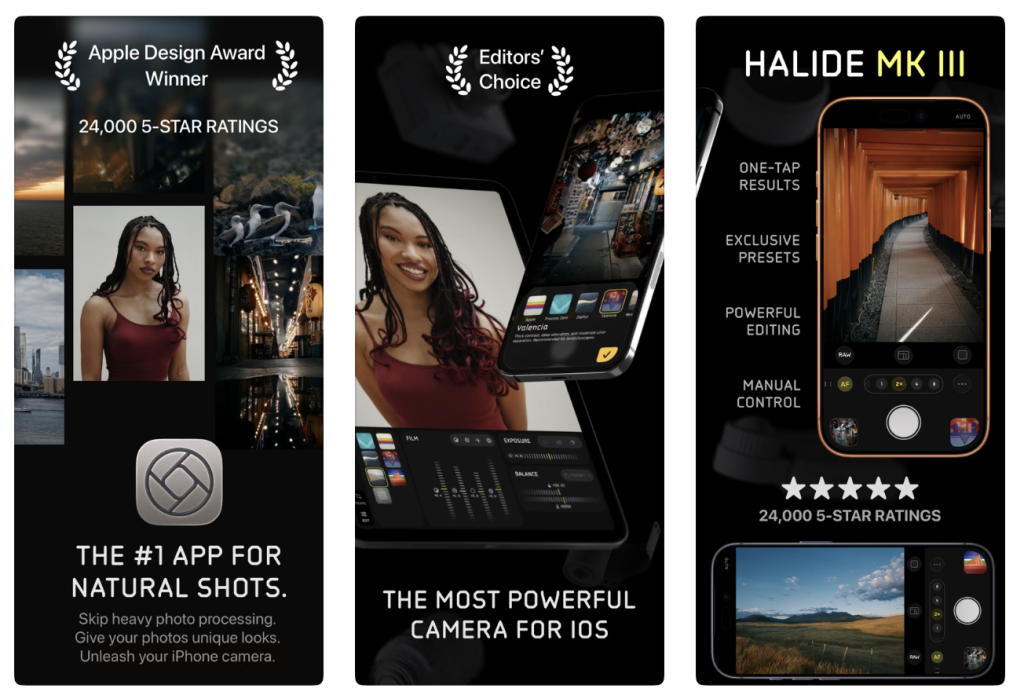
Halide Mark III remains one of the most interesting apps for photographers who want more control over how their images are captured and interpreted. Developed by Lux, Halide has consistently approached smartphone photography from the perspective that photographers should retain meaningful control over exposure, focus, and image rendering rather than relying entirely on automated processing.
Its alternative rendering approaches are particularly relevant to photographers who find contemporary smartphone images excessively sharpened, heavily processed or aesthetically predetermined. Computational photography has undoubtedly expanded what small cameras can achieve, especially in difficult lighting conditions, but the resulting images can sometimes reflect the manufacturer’s interpretation of a scene more strongly than the photographer’s intentions.
Halide’s Process Zero approach is especially interesting here because it offers a different relationship to Apple’s conventional computational rendering. I discussed this in 10 iPhone Camera Apps That Put the Photographer Back in Control, where Halide emerged as one of the clearest examples of a developer making image processing itself a creative choice.
The Duo’s larger screen could make manual exposure adjustments and careful composition more comfortable, especially when examining subtle tonal relationships or working with subjects that require precise framing. Lux could also reconsider how it arranges controls around the live preview, though it shouldn’t assume a distinct folding-screen interface without confirmation.
For photographers whose practice depends on observation, intention and a considered approach to image-making, Halide remains a compelling choice. Its significance lies less in the number of available settings than in the philosophy behind them, which places the photographer’s decisions at the centre of the process.
Best for: Manual photography, alternative rendering, deliberate image-making and greater control over computational processing.
Further reading: Halide official website, TheAppWhisperer’s iPhone 18 Pro camera-app comparison and Best Camera Apps Without AI Processing.
7. Reeflex Pro Camera: Focus Bracketing, Focus Stacking and Specialist Capture
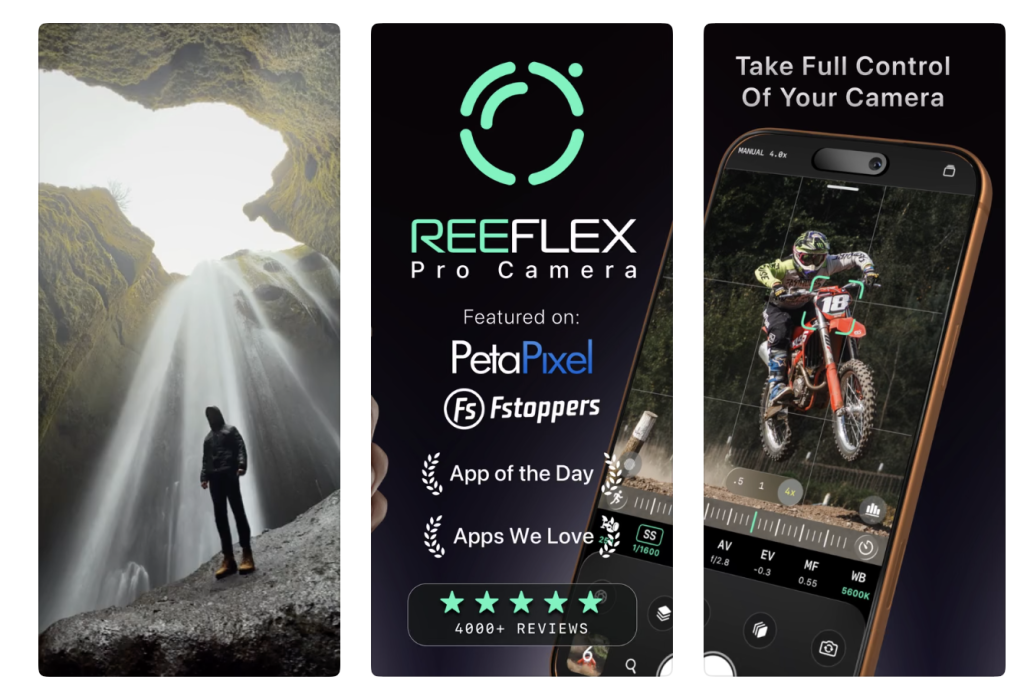
Reeflex Pro Camera deserves special attention because its specialist capabilities go beyond the manual exposure and focus controls found in many competing apps. Its focus-bracketing, exposure-bracketing, and in-app focus-stacking features make it especially interesting for macro, still-life, architectural-detail, and product photography, where depth-of-field limitations can become a significant practical consideration.
Focus bracketing involves taking a sequence of photographs at different focus distances, capturing different areas of a subject in sharp detail. Those frames can subsequently be combined to produce a photograph with greater apparent depth of field than would ordinarily be possible in a single exposure. This is particularly useful in close-up photography, where even a relatively small subject may extend beyond the camera’s sharp focus range.
Consider photographing the intricate structure of a flower, where the nearest petals, central details, and more distant elements may fall on different focal planes. Rather than accepting that only one portion of the subject can appear sharp, the photographer can record a carefully controlled sequence and combine the results. Reeflex’s ability to perform focus stacking within the application makes this established photographic technique much more accessible, although movement, changing light, and imperfect alignment can still affect the final image’s quality.
Exposure bracketing offers another useful capability, especially for high-contrast scenes where important details may be split between bright highlights and deep shadows. Although focus and exposure bracketing address different photographic problems, having both in one application offers considerable flexibility for photographers working with demanding subjects.
I previously examined Reeflex’s development in Reeflex Pro Camera V3: Everything New and How to Use It, and it also features in my guide to camera applications without aggressive AI processing. More recently, I added Reeflex to my iPhone 18 Pro camera-app comparison, where its specialist techniques set it apart from more conventional manual camera apps.
The Duo’s larger display could make it easier to inspect bracketed sequences, evaluate focus transitions, and examine stacked-image results. These are potentially useful advantages, though the Duo’s interface and capture options require verification. It is also important not to confuse Reeflex’s support for physical variable-aperture adjustment on compatible iPhone 18 Pro hardware with the Duo’s fixed-aperture camera system.
Reeflex is one of the strongest specialist apps in this selection, especially for photographers who want to explore techniques that would traditionally require more elaborate equipment or a separate desktop workflow.
Best for: Macro photography, focus bracketing, focus stacking, exposure bracketing, still life and technically demanding close-up work.
Further reading: Reeflex official website, Reeflex on the App Store and TheAppWhisperer’s detailed Reeflex V3 guide.
8. ProCamera: Comprehensive Controls for Serious Photography
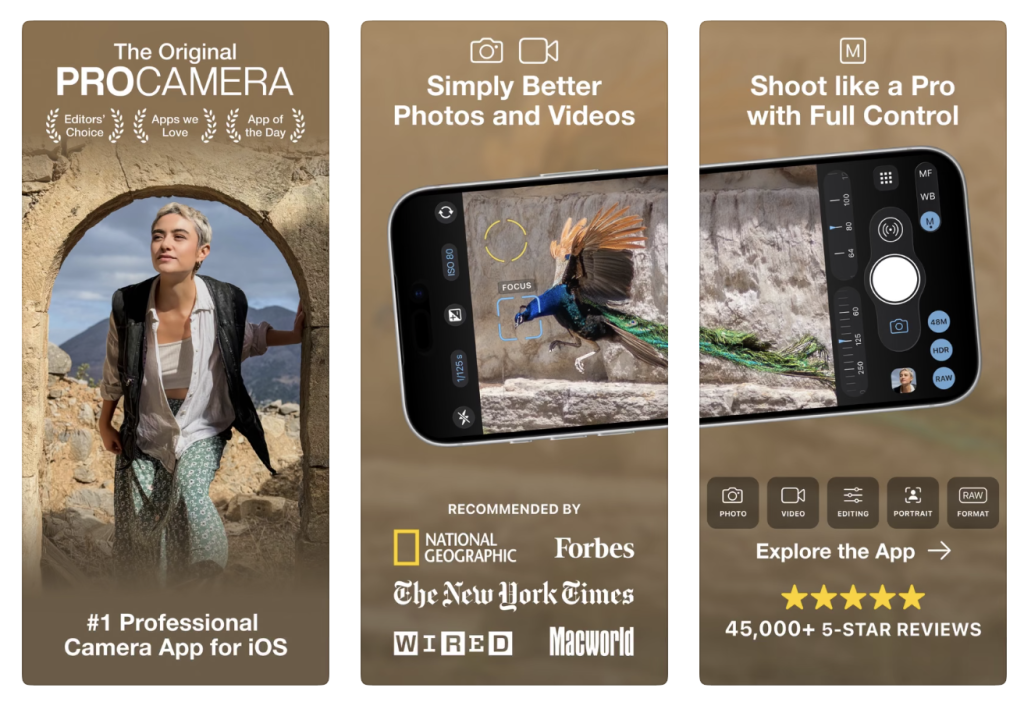
ProCamera has long been a strong option for photographers seeking a versatile manual camera app that supports different subjects and shooting styles. Its established features include exposure and focus controls, RAW capture options and a range of photographic tools that provide more flexibility than a purely automatic shooting experience.
ProCamera stands out for its broadapproach. Rather than focusing on one specialist technique or aesthetic, it offers a comprehensive environment for photographers who want to decide the technical aspects of capture themselves. This can be particularly useful for landscape, architectural and portrait photography, where there is often time to consider exposure, focus and composition before releasing the shutter.
Sophisticated manual camera interfaces inevitably require screen space, and the Duo’s larger display could be advantageous when working with exposure information, focus controls and a live photographic preview simultaneously. The ability to examine a composition with less of the image obscured by controls would be welcome, though that benefit depends on how the developer arranges the interface.
In my street photography camera-app guide, I weighed ProCamera’s versatility against apps like Halide, Leica LUX, and Reeflex. Its broad range of controls makes it particularly attractive to photographers whose interests span several genres, and it remains one of the most balanced choices for those seeking a general-purpose alternative to Apple’s native camera.
Best for: Landscape, architecture, portraiture, travel and photographers seeking extensive manual controls.
Further reading: ProCamera official website, TheAppWhisperer’s street photography guide and the iPhone 18 Pro camera-app comparison.
9. Moment Pro Camera II: A More Direct Approach to Manual Capture
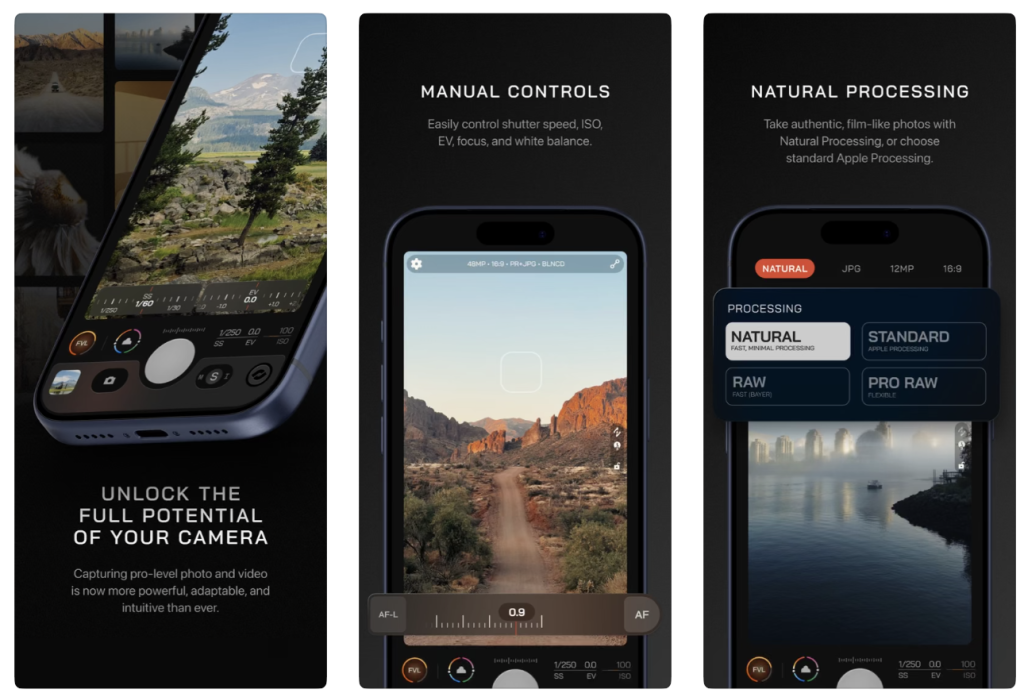
Moment has built its reputation around mobile photography accessories and creative tools, with a particular emphasis on helping photographers work more deliberately with smartphone cameras. Its Pro Camera app appeals to those who want greater control over capture without adopting the more elaborate interfaces found in some professional apps.
Moment’s appeal lies partly in its straightforward approach to photographic settings, letting exposure, focus, and other decisions become part of the photographer’s workflow. For photographers who want to move beyond automatic capture but prefer an accessible interface, this offers a useful balance of control and simplicity.
The Duo introduces interesting possibilities for arranging those controls, particularly if the larger screen clearly separates the photographic preview from the settings needed during capture. However, the device’s physical design also raises questions about accessories, mounts, and handling. Photographers already invested in Moment’s wider ecosystem should establish which accessories are compatible with the Duo rather than assuming that equipment designed for conventional iPhones will fit.
Moment remains worth considering because it meets a different need than apps built around extensive technical options. Sometimes a more restrained interface lets the photographer focus more effectively on the subject, and that can be as valuable as access to another specialist setting.
Best for: Everyday manual photography, travel, accessible creative control and photographers who prefer a straightforward shooting experience.
Further reading: Moment official website and TheAppWhisperer’s iPhone 18 Pro camera-app guide.
10. Obscura: When Interface Design Becomes Part of Photography
Obscura is particularly interesting because it places considerable emphasis on the way photographers interact with their camera. Its approach to manual controls, gestures, and interface design reflects an understanding that photographers often need to make decisions quickly, without getting distracted by an unnecessarily complicated arrangement of settings.
This matters especially in street and documentary photography, where moments can disappear before the photographer has time to navigate several menus. An application may offer extensive technical capabilities, but those features are of limited practical value if they interrupt the photographer’s attention or slow down the process of responding to a scene.
The Duo presents an intriguing design challenge for an application whose identity is closely associated with efficient interaction on a conventional smartphone. A larger folding display offers more space, but it also changes the distance between controls and the way the device is held. A successful adaptation may preserve the immediacy of the existing interface rather than simply spreading more controls across the screen.
This connects to a broader argument I made in 10 iPhone Camera Apps for Distinctive Photo Styles in 2026, where I considered how camera design can influence photographic style before any image processing takes place. An interface that encourages patience, speed, restraint or experimentation can shape the photographer’s way of seeing just as effectively as a particular colour treatment.
Best for: Street photography, documentary practice, manual capture and photographers who value responsive interface design.
Further reading: TheAppWhisperer’s guide to distinctive photographic styles and Best Camera Apps for Street Photography.
11. Apple Camera: Understanding What Duo Can Do Natively
Apple’s Camera app deserves a prominent place in this comparison because it best shows how Duo’s hardware supports photography. Although third-party apps may offer more manual controls or specialised techniques, the native camera includes features built around the folding design itself.
Duo Preview is particularly interesting for portraiture because it allows the person being photographed to see the composition on the outer display. This can make the process more collaborative, while also providing practical advantages for self-portraiture and group photography. The folding design also lets you use the rear cameras for certain selfie workflows, offering an alternative to relying exclusively on a conventional front-facing camera.
Apple’s computational photography remains important when speed and convenience matter more than extensive manual adjustment. People sometimes treat automated photography as inherently less serious, but I don’t think that distinction is particularly useful. The value of automation depends on what the photographer wants to achieve, and sometimes removing technical obstacles lets them focus more on the subject.
I’ve explored this theme repeatedly in TheAppWhisperer’s coverage of camera apps that put photographers back in control and offer alternatives to aggressive computational processing. Creative authority doesn’t necessarily mean manually adjusting every setting; it means keeping the ability to make those decisions when they matter.
Best for: Native Duo features, subject-facing previews, rear-camera selfies, spontaneous photography and everyday capture.
Further reading: Apple’s iPhone Duo announcement, official technical specifications and TheAppWhisperer’s Duo versus iPad analysis.
12. Adobe Lightroom: RAW Development and Photographic Interpretation
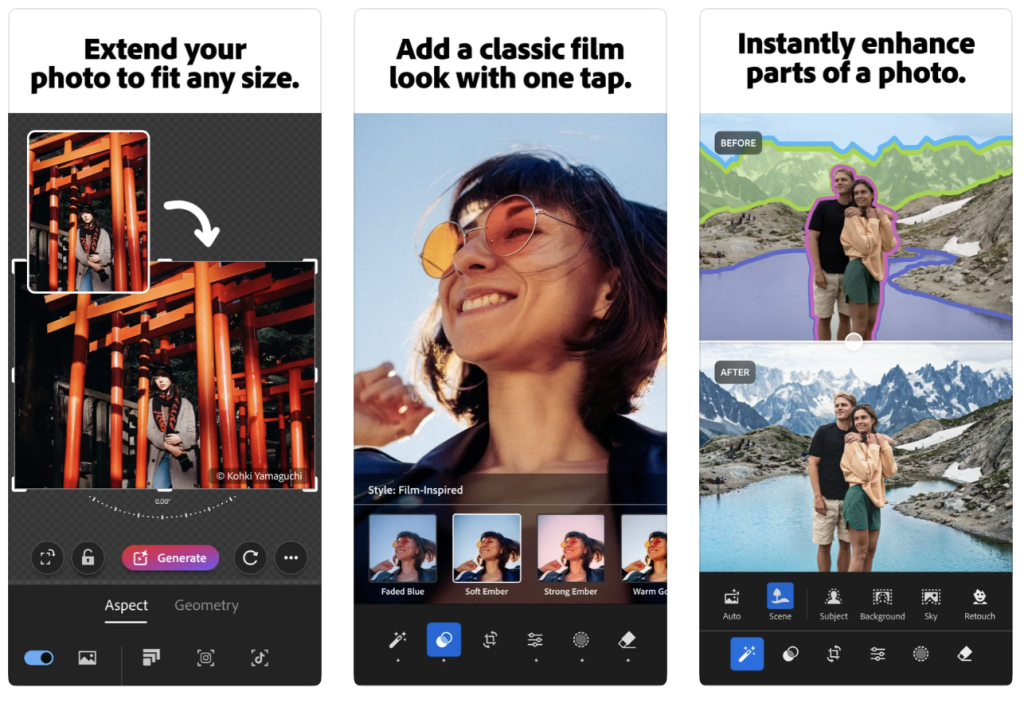
Adobe Lightroom remains one of the most important applications to consider when discussing photographic work beyond the moment of capture. Its development tools let photographers refine exposure, tonal relationships, colour, and local adjustments, making it especially valuable for those working with RAW files or developing a consistent visual language across an extended body of work.
The editing process is often described as something that happens after the photograph has been made, but I have never found that distinction entirely satisfactory. Photographers have always interpreted their images through decisions about development, printing, contrast and presentation, and digital editing continues that history through different tools. The important questions concern the purpose of those decisions, their relationship to the subject and the context in which the final image is presented.
The Duo’s larger screen makes it easier to examine fine detail and make selective adjustments, while forthcoming Apple Pencil support adds new ways to interact directly with the image. However, Adobe will need to confirm the extent of any stylus-specific functionality, and photographers should not assume that the iPhone version will automatically reproduce every feature available on iPad.
Lightroom also provides an opportunity to consider the distinction between photographic development and content alteration. Adjusting colour or exposure isn’t necessarily the same as removing an element from a documentary photograph, especially when the image is presented as evidence of a real event. Context, transparency and the claims made about an image remain essential considerations.
I discussed Lightroom’s role in both capture and editing in my complete street photography guide, while iPhone Duo vs iPad examines the relationship between a folding screen and a more integrated editing workflow.
Best for: RAW development, colour grading, selective editing, photographic projects and consistent image-processing workflows.
Further reading: Adobe Lightroom, TheAppWhisperer’s Duo pocket-darkroom feature and Best Camera Apps for iPhone 18 Pro.
13. Darkroom: A Dedicated Environment for Mobile Editing
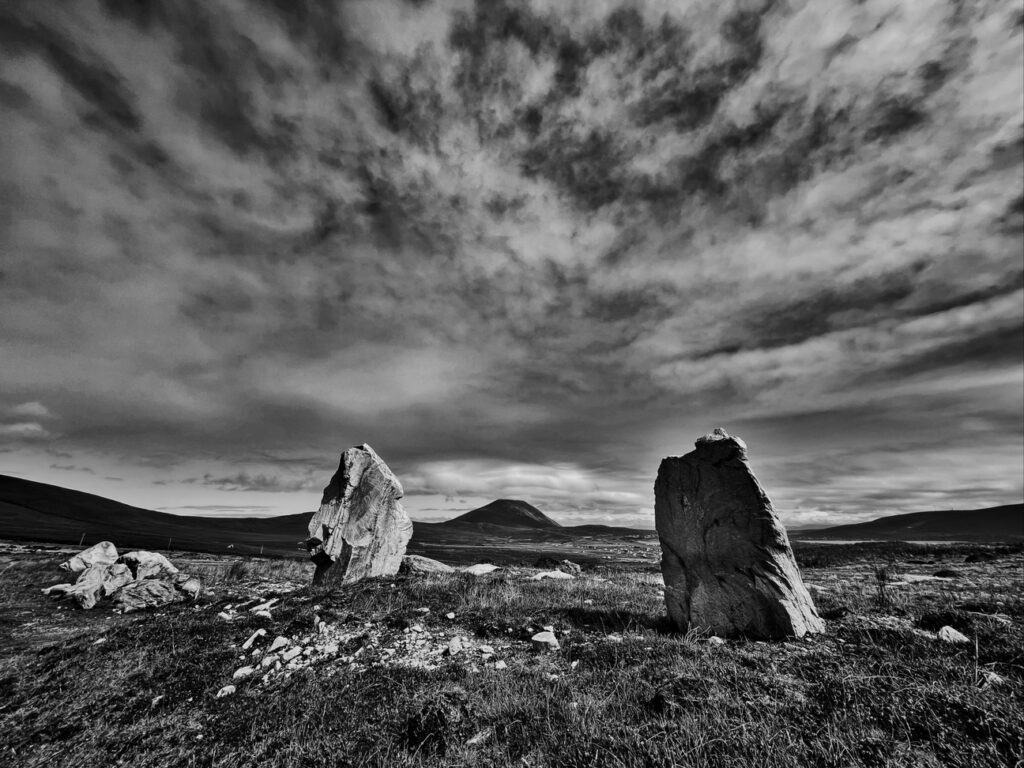
Darkroom is a worthwhile alternative for photographers who want to develop and refine their images within a dedicated mobile editing environment. Its approach to colour, tonal adjustments, and photographic workflows appeals to those who prefer working directly on their devices rather than transferring every image to a desktop computer.
The Duo’s larger display could make this process more comfortable, especially when evaluating subtle tonal relationships or seeing how different adjustments affect an image’s overall balance. As with Lightroom, however, the benefits will depend on how effectively the interface adapts to the folding screen, and any specific stylus support should be confirmed rather than assumed.
I think Darkroom deserves inclusion because the editing environment can shape how photographers approach their work. Some prefer extensive technical control, while others value an interface that encourages more immediate experimentation. Neither approach is inherently superior; the best fit depends on the photographer’s intentions and working habits.
For those who want a dedicated photo editing app without adopting Lightroom’s broader workflow, Darkroom remains a strong option.
Best for: Mobile image development, colour adjustments, tonal refinement and photographers seeking an alternative editing environment.
Further reading: Darkroom official website and TheAppWhisperer’s analysis of the Duo as a pocket darkroom.
14. Apple Photos: The Importance of Reviewing and Selecting Images
Apple Photos often gets overlooked in comparisons dominated by specialist apps, but it remains central to how many photographers work. Reviewing, selecting, and organising photographs is essential to photographic practice, and it can be as influential as the decisions made during capture.
An individual image may appear compelling in isolation but contribute little to a larger series, while a quieter photograph may gain considerable significance through its relationship with others. Editing in this broader sense involves judgement about sequence, repetition, visual rhythm and the development of meaning across a body of work.
The Duo’s larger screen could make reviewing photos more comfortable, especially when examining details or moving between images during selection. Apple’s cross-device integration may also help photographers who work with an iPhone, iPad, and Mac, though more complex sequencing and project management may still benefit from a larger editing environment.
For many photographers, a combination of a specialist capture app, Apple Photos for organisation, and a dedicated development tool is more practical than trying to do everything in one app.
Best for: Image review, organisation, everyday adjustments and integration with Apple’s photographic ecosystem.
Further reading: Apple Photos and iPhone Duo vs iPad: The Photographer’s New Pocket Darkroom?.
15. Blackmagic Camera: Professional Video Capture
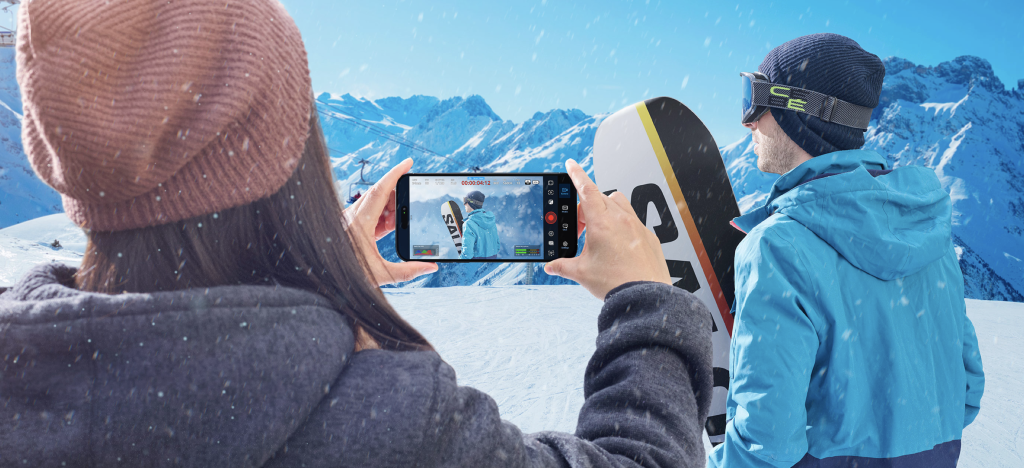
Blackmagic Camera has become an important option for filmmakers seeking a more professional approach to smartphone recording. Its interface draws on established cinematographic conventions, giving access to recording information and controls in a form familiar to those accustomed to dedicated cinema cameras.
The Duo’s larger display could be particularly useful for evaluating composition, focus, and exposure while recording, though the practical advantages depend on how the app uses the available screen space. A larger preview is welcome, but professional video production also depends on reliability, sustained recording performance, storage, audio, mounting and compatibility with existing equipment.
The folding design adds considerations for filmmakers, especially when the device is used with stabilisers, cages, or external accessories. Its dimensions and camera arrangement may require a different approach than conventional iPhones, so photographers should confirm compatibility before investing in equipment intended for professional use.
I previously examined Blackmagic Camera in my guide to iPhone 18 Pro camera applications and considered its relevance to contemporary documentary practice in Best Camera Apps for Street Photography. The boundary between still and moving images has become increasingly fluid, and a filmmaking-focused app can be especially useful for photographers developing multimedia projects.
Best for: Professional video, manual recording controls, exposure monitoring and cinematography-oriented workflows.
Further reading: Blackmagic Camera official website, TheAppWhisperer’s iPhone 18 Pro guide and street photography and moving-image practice.
16. Final Cut Camera: Recording Within Apple’s Video Ecosystem
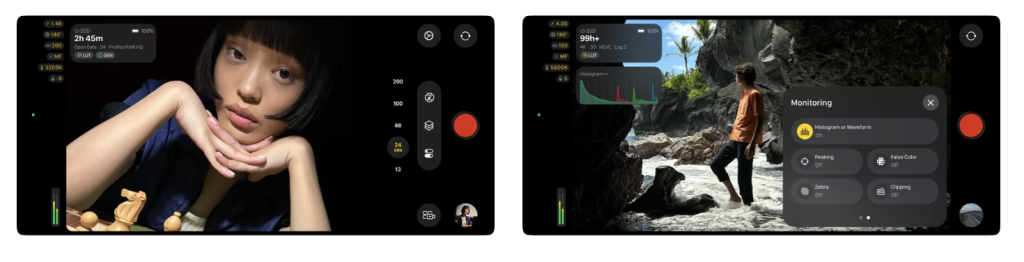
Final Cut Camera is particularly relevant to filmmakers who already work within Apple’s professional editing environment. Its manual recording controls and relationship with the wider Final Cut workflow make it an appealing option for creators who want a more integrated approach to capturing and developing moving-image projects.
The Duo’s larger display could offer practical advantages for monitoring a composition and adjusting recording settings, though the extent of any folding-specific implementation should be confirmed in current developer documentation. As with Blackmagic Camera, the most important considerations extend beyond screen size to include recording formats, reliability and compatibility with the filmmaker’s broader production equipment.
For photographers increasingly incorporating moving images into their practice, Final Cut Camera offers a useful route to more deliberate video capture without abandoning Apple’s software ecosystem.
Best for: Professional video recording, Apple-based production workflows and creators working across capture and editing.
Further reading: Apple Final Cut Pro and TheAppWhisperer’s comparison of professional iPhone camera applications.
17. Kino: A More Expressive Approach to Mobile Filmmaking
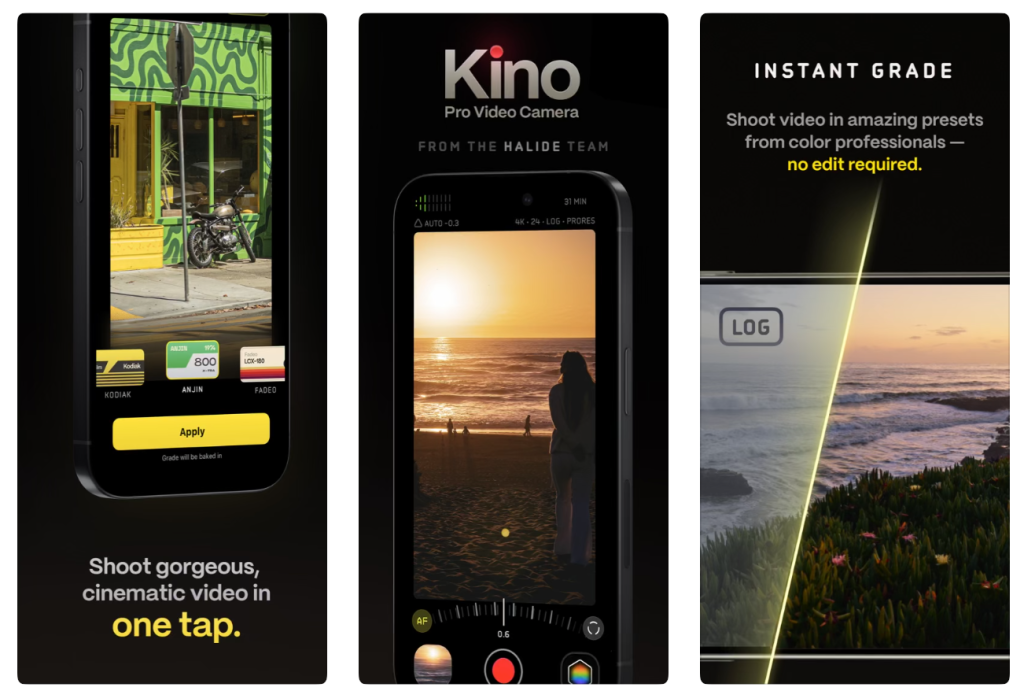
Kino approaches smartphone filmmaking from a somewhat different perspective, placing greater emphasis on the visual character of moving images and the creative decisions involved in establishing a particular look. Its film-inspired treatments and accessible controls make it interesting for photographers exploring moving-image practice without needing the full complexity of a professional cinema-camera interface.
The larger Duo display could make it easier to evaluate framing and visual treatments during recording, particularly when working with colour and tonal relationships. However, the application should not be regarded as a substitute for understanding lighting, exposure or the relationship between subject and camera. A carefully chosen visual treatment can contribute to a film’s character, but it cannot compensate for a lack of photographic intention.
This interest in choosing an aesthetic before capture also connects with my earlier examination of ten iPhone camera applications for distinctive photographic styles. Applications such as mood.camera, Nōma and Hipstamatic demonstrate how the decision to work within a particular visual language can influence the subjects photographers notice and the images they eventually make.
Best for: Creative filmmaking, film-inspired colour, short-form video and photographers moving into cinematography.
Further reading: Kino official website, TheAppWhisperer’s distinctive photo styles guide and Best Camera Apps for iPhone 18 Pro.
18. Detail: A More Considered Use of the Folding Screen
Detail matters because Apple has highlighted its adaptation to iPhone Duo, making it one of the clearest examples of a creative app using the larger display for something more than an enlarged interface.
Its transcript-based approach to video editing allows creators to work with spoken material alongside the corresponding footage, bringing text and moving images into a shared workspace. For documentary filmmakers, journalists and photographers producing multimedia projects, this can be especially useful when reviewing interviews or developing narratives from recorded conversations.
The ability to work with video and transcript simultaneously shows how the Duo’s physical design might shape the editing process. Instead of repeatedly switching between separate views, the creator can examine the relationship between what is said and what is shown. Apple has also highlighted Detail’s on-device AI features for tasks including captions, audio enhancement, and removing filler words, although the creator still makes the editorial decisions that shape the final work.
For anyone working with interviews, oral histories or documentary material, Detail is worth investigating because its adaptation appears to address a genuine practical requirement rather than simply exploiting the novelty of the folding screen.
Best for: Interview editing, transcript-based workflows, documentary video and spoken-word productions.
Further reading: Apple’s confirmed iPhone Duo creative-app adaptations.
19. Instagram Edits: Photography, Moving Images and Digital Publishing
Instagram Edits is another application Apple has identified as taking advantage of the Duo’s expanded display, and its inclusion reflects the increasingly close relationship between photography, short-form video and online publishing. Many photographers now produce moving-image material alongside their still photographs, whether documenting exhibitions, discussing their practice, or sharing a project’s development.
The larger screen keeps more of the editing environment visible, including footage, the timeline, and associated controls. This may appear less significant than a new photographic capture technique, but anyone who has attempted detailed video editing on a conventional smartphone will recognise the practical value of having more room to work.
I wouldn’t regard Instagram Edits as a direct alternative to professional recording apps like Blackmagic Camera. It serves a different purpose, offering a relatively accessible path from recorded material to finished short-form content.
For photographers who regularly publish multimedia material, its confirmed Duo adaptation makes it a relevant part of the broader creative workflow.
Best for: Short-form video, social publishing, behind-the-scenes material and accessible mobile editing.
Further reading: Apple’s October 2026 iPhone Duo app announcement and TheAppWhisperer’s mobile photography app archive.
20. VLLO: Making Timeline-Based Editing More Practical
VLLO is another application Apple highlighted for using the Duo’s larger display, particularly for arranging footage, editing controls, and timeline information. This is a practical area where the folding design could offer a meaningful advantage, because conventional smartphone screens often require editors to move repeatedly between parts of the interface.
For photographers producing short films, interviews, exhibition documentation, or other moving-image projects, seeing more of the editing environment at once may make the process considerably more comfortable. It doesn’t necessarily change the footage’s creative possibilities, but it may reduce friction when assembling and refining a sequence on a small device.
VLLO is particularly relevant to creators who want a capable mobile editing environment without immediately moving to a desktop production system. Its inclusion also highlights the distinction between applications that might benefit from a larger display and those Apple has already identified for adaptation.
Best for: Mobile video editing, short films, timeline-based projects and accessible moving-image production.
Further reading: Apple’s confirmed Duo application adaptations and Apple’s curated iPhone Duo App Store collection.
21. Other Photography Apps Worth Watching on iPhone Duo
Although the fifteen applications above form the principal selection, I wouldn’t consider the wider photographic ecosystem any less important. In fact, some of the most interesting developments in mobile photography come from smaller independent developers whose apps challenge conventional assumptions about what a smartphone photo should look like.
Apple’s own App Store collection of applications for iPhone Duo includes (Not Boring) Camera, which is particularly interesting for its emphasis on natural photographs and distinctive camera interface. I previously discussed it in 10 iPhone Camera Apps That Put the Photographer Back in Control, and its inclusion in Apple’s Duo collection makes it worth a closer look.
I would also keep an eye on Adobe Project Indigo, which takes a different approach from apps that try to reduce computational intervention. Rather than rejecting multi-frame processing, Indigo uses computational techniques to improve image quality while retaining opportunities for photographer-led control. I examined its philosophy in 10 iPhone Camera Apps for Distinctive Photo Styles in 2026, where it stood out as an example of computation being used to produce a more considered photographic result.
Fjorden Camera is another app worth following, especially because it prioritises the physical experience of making photographs. Its relationship with the Fjorden Grip introduces tactile controls that can change how a smartphone is handled, though accessory compatibility with the Duo would need to be established separately. The link between physical controls and photographic behaviour matters most for a device whose central innovation is physical, and I discussed Fjorden in the same distinctive photographic-styles feature.
For photographers interested in atmosphere, restrained rendering and the experience of working within a chosen visual language, mood.camera, Nōma and Hipstamatic remain interesting alternatives. Their approaches differ, but all raise questions about how much of a photograph’s aesthetic identity should be established before capture rather than during subsequent editing. My guide to ten distinctive camera applications examines these ideas in greater detail.
I also encourage photographers to revisit Slow Shutter Cam, especially if their interests include movement, light trails, abstraction, or long-exposure experimentation. Best Camera Apps Without AI Processing discusses its approach, and it remains an example of how relatively simple photographic techniques can produce results more visually distinctive than increasingly elaborate automated processing.
These applications are not being presented as confirmed Duo-optimised alternatives. Instead, they represent important areas of photographic development that deserve attention as more developers experiment with the folding format.
22. Which Applications Are Best for Different Types of Photography?
Start with the nature of the photographic work rather than assuming more controls will necessarily produce better results. A street photographer responding to unpredictable situations has different requirements than someone working with carefully controlled still-life subjects, while a documentary filmmaker may prioritise reliable recording and audio over creative image treatments.
Street and Documentary Photography
For street photography, I would start with Halide, Obscura, and ProCamera, especially when speed, manual control, and an unobtrusive interface matter. The Duo’s closed configuration may suit spontaneous shooting, while the larger display could help when reviewing images afterwards. My complete guide to street photography applications examines this relationship between camera controls, photographic observation and the decisive moment in considerably greater detail.
For documentary and participatory photography, the choice is more complex because technical control is only one consideration. The relationship with the subject, the context of the encounter, and how photographs will eventually be presented are equally important. I would be interested in exploring how Duo Preview might support more collaborative approaches to representation, while remaining cautious about treating any technological feature as an automatic solution to ethical questions.
Landscape and Architectural Photography
Landscape and architectural photographers may appreciate ProCamera and Halide’s versatility, especially when working with carefully considered compositions and challenging light. Reeflex deserves particular attention when focus or exposure bracketing is useful, while the larger screen may make it easier to assess fine detail and relationships between parts of the scene.
The distinction between the Duo and iPhone 18 Pro camera hardware also matters, especially for photographers who rely on specific focal lengths or optical controls. My iPhone 18 Pro application comparison and Duo versus Motorola Razr Fold analysis provide further context.
Macro and Still-Life Photography
Reeflex is the most distinctive specialist application in this selection for photographers interested in focus bracketing and in-app focus stacking. These techniques can produce results that are difficult to achieve with a single close-up exposure, though stable subjects, consistent lighting, and careful camera positioning remain important.
For photographers unfamiliar with these techniques, my Reeflex Pro Camera V3 guide provides a useful starting point for understanding the application’s development.
Portraiture and Collaborative Photography
Apple Camera deserves particular attention because Duo Preview and the possibilities it introduces for communicating with the subject are so compelling. Halide and ProCamera may offer additional technical control, but the most interesting development may be the opportunity to involve the person being photographed more directly in constructing the image.
This is an area where I would be particularly interested in seeing thoughtful third-party development, especially applications that treat the second display as an opportunity for collaboration rather than simply another surface for controls.
Fine-Art and Experimental Photography
For visual artists, the most technically accurate image is not necessarily the most appropriate. Halide’s alternative rendering approaches, Reeflex’s multi-frame techniques and the editing possibilities of Lightroom and Darkroom offer different routes into photographic interpretation.
I also recommend exploring the apps discussed in 10 iPhone Camera Apps for Distinctive Photo Styles in 2026, particularly those that introduce limitations, uncertainty, or distinctive rendering at the point of capture. Choosing a particular aesthetic can influence not only how a photograph looks but what the photographer notices in the first place.
Professional Video and Multimedia Projects
For professional video, Blackmagic Camera and Final Cut Camera are natural starting points, while Kino provides a more immediately expressive approach. Detail, Instagram Edits and VLLO extend the workflow into editing and production, with confirmed adaptations that make them particularly interesting in the context of the Duo.
Apple’s developer announcement provides more detail on how the larger screen supports transcript-based editing, timelines, and production controls.
23. Building a Photographic Workflow Around iPhone Duo
One of the Duo’s more attractive possibilities is moving between capture, review, and editing within a single adaptable device. That doesn’t mean photographers should try to do every task in one app, and I generally favour tools that match the work’s requirements over an unnecessarily complicated all-in-one solution.
A photographer might use Halide or ProCamera for deliberate capture, Reeflex for specialist focus-stacking work, and Apple’s native Camera app when speed or Duo Preview matters more. Images could then be reviewed in Photos before being developed in Lightroom or Darkroom, depending on the level of control required.
For moving-image projects, Blackmagic Camera or Final Cut Camera might be used for recording, with Detail, VLLO or another editing application employed to develop the final sequence. The value of the larger display depends on how comfortably you can manage those stages and whether you use the available workspace effectively.
I also encourage photographers to consider the selection process as carefully as the capture process. Being able to make hundreds of technically competent photographs does not remove the need to decide which images matter, how they relate to one another, and what they communicate when presented as a body of work. A larger screen may help with that process, but the essential decisions remain editorial and photographic, not technological.
For a more detailed examination of this integrated approach, see iPhone Duo vs iPad: Has Apple Created the Photographer’s New Pocket Darkroom?.
24. Frequently Asked Questions About iPhone Duo Photography
What is the best camera app for iPhone Duo in 2026?
No single application suits every photographer. Halide is particularly interesting for deliberate manual photography and alternative rendering, Reeflex for focus bracketing and stacking, and ProCamera for versatile photographic controls. Apple’s native Camera application remains essential for features developed specifically around the Duo’s folding design, while Blackmagic Camera is a strong option for professional video. For a comparison focused on Apple’s conventional Pro hardware, see TheAppWhisperer’s iPhone 18 Pro camera-app guide.
Which applications are confirmed to be optimised for iPhone Duo?
Apple has highlighted Detail, Instagram Edits and VLLO as creative applications offering experiences adapted to the Duo’s larger display. Apple’s own applications also integrate natively with the device. We have not independently verified specific folding-screen optimisation for the other third-party applications discussed here. Apple’s October 2026 developer announcement provides further information.
Does iPhone Duo support RAW photography?
RAW availability depends on the application, the camera being used and the supported capture mode. Photographers should verify the exact formats and resolutions available on Duo rather than assuming RAW or Apple ProRAW capabilities will match those on other iPhone models. The distinction between RAW capture and computational rendering is explored further in Best Camera Apps Without AI Processing.
Does iPhone Duo have the same camera system as iPhone 18 Pro?
No. The Duo uses a dual-camera system with fixed apertures and doesn’t replicate the iPhone 18 Pro’s physical variable-aperture mechanism or dedicated telephoto hardware. These differences affect which specialist photographic controls third-party apps can offer. See Apple’s official technical specifications and TheAppWhisperer’s Duo versus Motorola comparison.
Can Reeflex control the iPhone Duo’s physical aperture?
The Duo lacks a physical variable-aperture system, so an app can’t provide optical aperture adjustment the hardware doesn’t support. Consider Reeflex’s other photographic capabilities, including focus bracketing and in-app focus stacking, separately from hardware-specific aperture controls. For further information, see TheAppWhisperer’s Reeflex Pro Camera V3 guide.
What is focus stacking?
Focus stacking combines photographs taken at different focus distances to produce an image with greater apparent depth of field. It is particularly useful for macro and still-life photography, where a single exposure may not render every important part of a subject sharply. Reeflex provides an in-app approach to this technique, reducing the need for a separate desktop workflow.
Can Apple Pencil be used for photographic editing on Duo?
Apple has announced support for Apple Pencil (USB-C), scheduled for later in 2026, although the availability of specific editing functions will depend on individual applications. Photographers should also be aware that this Pencil model does not include every feature of Apple Pencil Pro, including pressure sensitivity. I examined the potential implications for editing in iPhone Duo vs iPad: Has Apple Created the Photographer’s New Pocket Darkroom?.
Can the person being photographed see the composition?
Apple’s Duo Preview feature allows the outer display to show a subject-facing preview in supported native camera workflows. This may be useful for portraiture, self-portraiture and collaborative photography, although third-party applications should not be assumed to offer identical functionality without confirmation.
Does the folding screen improve photographic image quality?
Not directly. The quality of a captured photograph still depends on the camera hardware, exposure, processing, lighting, and the photographer’s decisions. The folding display may improve the experience of composition, review, and editing, but it doesn’t automatically improve the image’s optical quality.
Can iPhone Duo replace a professional camera or an iPad?
For some photographic assignments and creative practices, the Duo may provide everything you need, especially when portability and a flexible editing environment matter. Dedicated cameras still have advantages in areas such as interchangeable lenses, sensor characteristics, specialised accessories, and demanding professional workflows, while an iPad may remain preferable for sustained editing. My Duo versus iPad analysis examines those compromises in more detail.
25. TheAppWhisperer Verdict: A Different Relationship with the Photograph
What interests me most about iPhone Duo is not the novelty of carrying a folding screen, but the possibility that its design might encourage photographers to reconsider how they work. For years, advances in smartphone photography have been dominated by computational systems that make increasingly sophisticated decisions about exposure, colour, sharpness and image reconstruction. Those developments have undoubtedly expanded what a small camera can achieve, but they have also complicated the relationship between the photographer’s intentions and the final image.
The Duo introduces a different kind of development, one concerned with how the photographer interacts with the camera and how the image is experienced during and after capture. A larger screen may encourage more considered composition and review, while Duo Preview offers possibilities for involving the subject in decisions about representation. Stylus-based editing and more adaptable application interfaces also suggest that the distinction between taking a photograph and working with it may become less pronounced.
I do not think we should accept these developments uncritically. A larger display does not necessarily lead to more thoughtful photography, and greater technical control does not guarantee a more meaningful image. Sometimes the best decision is to work quickly and intuitively, just as other times careful control over exposure, focus, or processing is essential to what the photographer is trying to communicate.
The applications examined here reflect those different approaches. Halide, Reeflex, ProCamera, Moment and Obscura offer alternatives for photographers seeking greater control at capture, while Lightroom, Darkroom and Photos support image development and organisation. Blackmagic Camera, Final Cut Camera, and Kino extend the discussion into filmmaking, while Detail, Instagram Edits, and VLLO show how the folding screen can influence the editing process itself.
It is also worth remembering that some of the most interesting developments in mobile photography are emerging from applications that deliberately resist the pursuit of technical perfection. My earlier features on photographic control, distinctive camera styles, and alternatives to aggressive computational processing all return to the same underlying question: how much of the photograph should technology determine, and how much should remain a matter of individual judgement?
Ultimately, I suspect the Duo’s most interesting contribution to photography will come not from the hardware alone, but from how photographers and developers choose to use it. The opportunity to reconsider the relationship between photographer, subject, and image is far more compelling to me than another incremental improvement in camera specifications, especially if it encourages a more deliberate, collaborative approach to photographic practice.
TheAppWhisperer will continue examining how these apps develop, which features prove genuinely useful, and whether the folding design introduces possibilities conventional smartphones cannot offer. As always, I am particularly interested in hearing from photographers using these tools in practice, rather than relying solely on their claims.
Which Photography App Would You Choose for iPhone Duo?
Are you most interested in Halide’s approach to manual photography, Reeflex’s focus-stacking capabilities or the flexibility of ProCamera? Perhaps you prefer a larger editing environment, particularly in Lightroom or Darkroom, or you are interested in how the folding design might influence professional filmmaking and collaborative portraiture.
I would welcome your experiences and recommendations in the comments, especially if you’ve found an application that uses the Duo’s two displays in a genuinely thoughtful way. These conversations strengthen independent photography coverage, and I am always interested in how photographers adapt technology to their creative intentions.
Related Reading on TheAppWhisperer
For readers who want to explore these subjects further, the following features provide additional context on mobile camera apps, photographic authorship, foldable devices, and the relationship between computational processing and creative control.
- Best Camera Apps for iPhone 18 Pro (2026): 8 Top Picks
- iPhone Duo vs iPad: Has Apple Created the Photographer’s New Pocket Darkroom?
- iPhone Duo vs Motorola Razr Fold: Which Makes More Sense for Photographers?
- 10 iPhone Camera Apps That Put the Photographer Back in Control
- 10 iPhone Camera Apps for Distinctive Photo Styles in 2026
- Best Camera Apps for Street Photography (2026): The Complete Guide
- Best Camera Apps Without AI Processing
- Reeflex Pro Camera V3: Everything New and How to Use It
- Explore TheAppWhisperer’s iOS Photography Apps Archive
Official Sources and Developer Resources
The following resources provide the primary technical and developer information underpinning this guide.
- Apple: Introducing iPhone Duo
- Apple: iPhone Duo Technical Specifications
- Apple: Developers Bring Incredible New App Experiences to iPhone Duo
- Apple Developer: Preparing Applications for iPhone Duo
- Apple App Store: Great Apps on iPhone Duo
- Halide Mark III
- Reeflex Pro Camera
- Reeflex Pro Camera on the App Store
- ProCamera
- Moment
- Adobe Lightroom
- Darkroom
- Blackmagic Camera
- Apple Final Cut Pro
- Kino
Editorial review: 26 October 2026. This guide will be updated as developers confirm additional iPhone Duo compatibility and introduce features designed specifically for its folding displays.

Joanne Carter
Joanne Carter BA (Hons), ARPS is a British photographer, photography journalist, editor and curator, and the founder and editorial director of TheAppWhisperer.com, an independent international photography publication established in 2009.She holds a First Class Honours degree in Photography and is an Associate of the Royal Photographic Society (ARPS).Her journalism, criticism and editorial work have appeared in The Times, The Sunday Times, The Guardian, Financial Times, BBC, Vogue Italia, LensCulture, Popular Photography and NikonPro, among other international publications.Through TheAppWhisperer, she brings together academic knowledge, professional photographic expertise and more than 17 years of specialist editorial experience to examine contemporary photography, mobile imaging, computational photography, photographic applications and emerging imaging technologies.

You May Also Like
Best Photography Grants, Bursaries and Funding Opportunities in the UK (2026)
Samsung Galaxy S26 Ultra Gets Blackmagic Camera Update with 6K Open Gate and APV (2026)
