iPhone Duo vs iPad: Has Apple Created the Photographer’s New Pocket Darkroom?
Apple’s first foldable iPhone does something more consequential for photographers than simply bending. With a 7.6-inch inner display, Apple Pencil support and a camera built into the same device, iPhone Duo begins to occupy territory previously reserved for the iPad. The question is not whether it can replace Apple’s tablet, but how much iPad a photographer still needs away from the studio.
For most of mobile photography’s history, the workflow has involved a quiet compromise. The iPhone is the camera that is always with us, but the larger screen is the place where serious looking begins. We capture on one device, transfer or synchronise to another, then edit, sequence, annotate and publish from an iPad or Mac. iPhone Duo has the potential to collapse that distance.
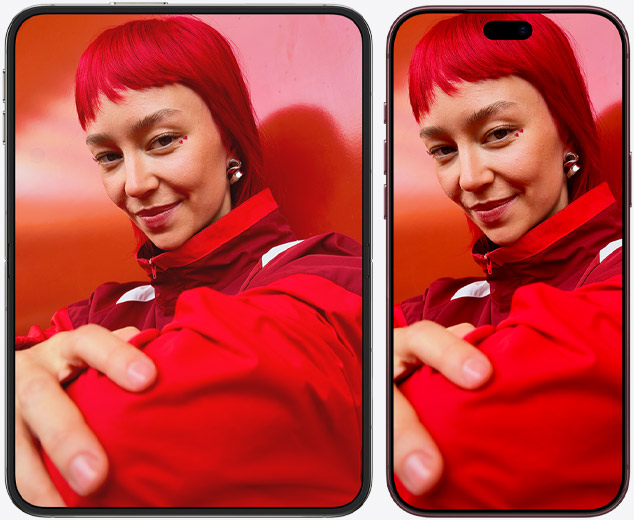
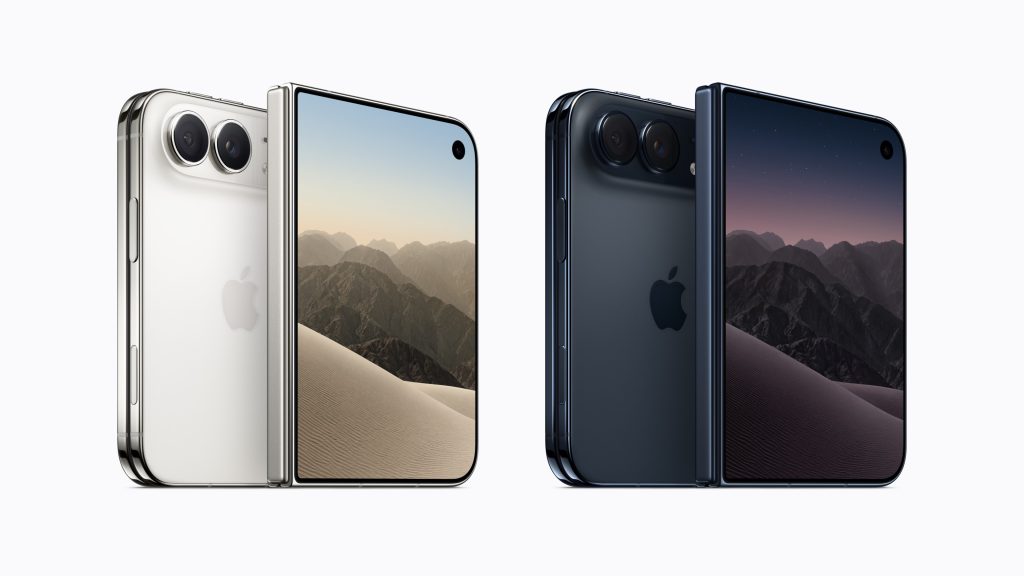
Closed, it is a compact iPhone with a 5.4-inch outer display. Open it, and the same object becomes a 7.6-inch editing surface: 50 per cent larger than the display on iPhone 18 Pro Max, according to Apple. Add the forthcoming support for Apple Pencil (USB-C), and the Duo begins to look less like another foldable phone and more like a pocketable photographic workspace.
That distinction matters. A larger screen does not merely make a photograph bigger. It changes how closely we can inspect it, how confidently we can judge an edge, and how naturally we can work on selected areas. The Duo may be the first iPhone on which the movement from capture to considered edit feels less like a compromise and more like a continuous photographic act.
From camera to canvas
The familiar mobile workflow has usually moved from capture on an iPhone to editing on an iPad or Mac before the finished image is published. The Duo proposes a shorter and more continuous sequence: capture, unfold, edit and publish. There is no import stage and no second object to retrieve from a bag. The photograph is already on the device in your hand, and the editing space appears simply by opening it.
This is where the Duo’s design becomes photographically interesting. Its inner Super Retina XDR display has ProMotion and a peak outdoor brightness of 3,000 nits. A nano-texture finish is designed to reduce glare and reflections while making the central crease less visible. Those qualities could be genuinely valuable to photographers making adjustments outside, on trains, between locations or immediately after a shoot.
They do not turn a pocket screen into a colour-managed studio monitor. Peak brightness is not the same thing as colour accuracy, and ambient light can still mislead the eye. A bright, glare-resistant display is useful for field editing, but final colour and tonal decisions may still deserve a controlled environment and a larger reference screen.
Nevertheless, the ability to inspect a photograph at a useful scale without carrying a second device is significant. A travel photographer could review a sequence at lunch. A street photographer could refine selections on the train home. An artist working with collage could mask, layer and draw while the encounter that prompted the work remains fresh.
The Pencil changes the proposition
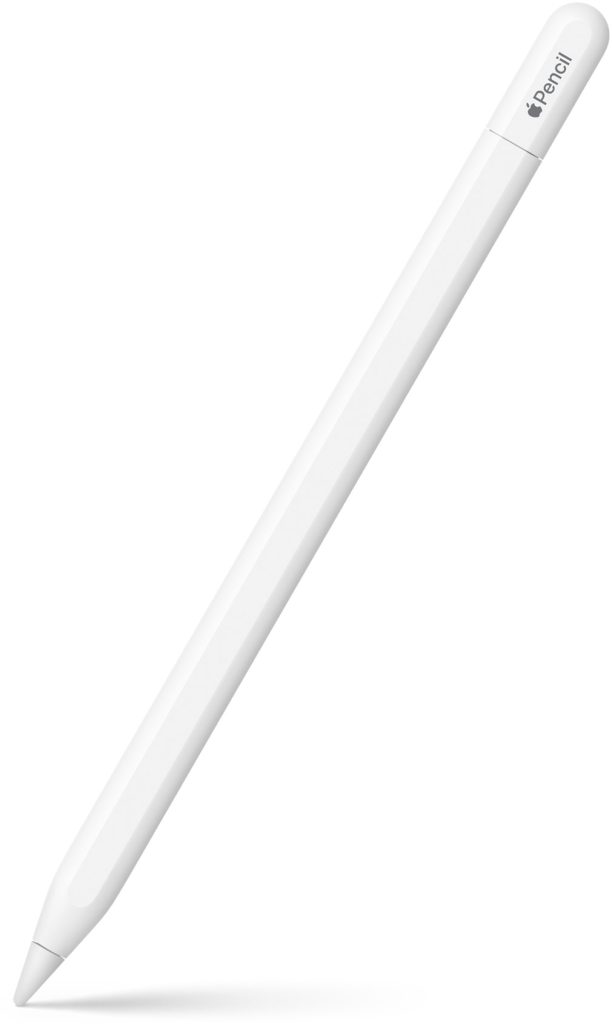
Apple says iPhone Duo will support Apple Pencil (USB-C) on both its inner and outer displays later this year. For photographers, that is arguably more important than the fold itself.
A finger is efficient for broad sliders and gestures, but it obscures the very area being adjusted. A Pencil makes much finer work plausible: painting a mask around hair, lightening a face, darkening an intrusive highlight, refining an object removal, tracing a selection, retouching a small distraction or drawing directly onto a photograph.
This is not simply a matter of accuracy. Stylus input changes the physical character of editing. Dodging and burning becomes closer to mark-making. Masking becomes less like operating a menu and more like working on the surface of the image. For artists who combine photography with handwriting, drawing, paint effects, collage or annotation, the photograph can become a live canvas immediately after capture.
There is, however, an important limitation. The Duo supports Apple Pencil (USB-C), not Apple Pencil Pro. Apple’s USB-C model provides low latency, tilt sensitivity and pixel-level precision, but it does not provide pressure sensitivity, wireless pairing and charging, double-tap tool switching, barrel roll, squeeze controls, haptic feedback or Find My support.

That difference may be modest for placing control points or brushing simple masks, but it is more consequential for painters and mixed-media artists whose brushes respond to pressure and rotation. On an iPad mini, iPad Air or iPad Pro, Apple Pencil Pro offers a richer and more fluid toolset. On the Duo, the Pencil is best understood as a precision instrument, not the full expressive experience available on iPad.
There is also the practical matter of storage. The USB-C Pencil charges with a cable and Apple has not yet presented the Duo as a device that stores and charges it in the seamless manner associated with Pencil Pro on compatible iPads. A pocket darkroom is less self-contained if its most precise tool lives loose in another pocket.
What would editing actually feel like?
The strongest case for the Duo is not that it can run an editing app; ordinary iPhones already do that. It is that tools, photograph and hands may finally have enough room to coexist.
In Lightroom, the extra canvas could make selective masking, healing, cropping, geometry corrections and local tonal work much easier to judge. Lightroom’s mobile application already supports capture, nondestructive editing and sharing, so the photographic workflow exists. What the Duo adds is space and a more precise input method.
Photoshop becomes more plausible for layered composites, cut-outs, local retouching and graphic interventions. Apps such as Photomator, Snapseed, Darkroom and Affinity’s creative tools could also benefit, provided their developers adapt their interfaces properly for the folding display and Pencil input.
That proviso is crucial. A larger panel does not automatically produce a better creative application. If an iPhone app merely stretches its existing controls across 7.6 inches, the Duo will feel like an enlarged phone. Its real potential depends on developers treating the open device as a new working surface: keeping the image unobstructed, placing tools intelligently, supporting Pencil behaviour and exploiting split-screen working.
iOS 27 introduces Split View on an iPhone for the first time, allowing two applications—or two windows of the same application—to appear side by side. For photographers, that could support genuinely useful pairings: an editor beside Files, Photos beside Notes, a reference image beside a developing composite, or a finished picture beside the social platform on which it will be published.
At 7.6 inches, however, two apps will each occupy a relatively narrow space. Split View may be excellent for reference, captioning and file movement, but less comfortable for running two visually dense professional interfaces simultaneously. The Duo offers multitasking in a pocket; the iPad still offers room to breathe.
A new kind of contact sheet
One of the Duo’s less obvious possibilities concerns selection rather than editing, because photography is not only the act of making individual images. It is also the slower work of comparing, grouping, rejecting and sequencing them. A standard phone screen encourages us to consider one image at a time, often at speed. A larger folding display could provide a more convincing digital contact sheet: enough space to compare near-identical frames, test a sequence, mark favourites or discuss a selection with a subject or collaborator.
For documentary and participatory practice, the outer screen could be equally interesting. Apple’s Duo Preview places a live camera view on the outer display while the photographer uses the inner one. The subject can see how they are being framed rather than remaining entirely on the other side of the photographic transaction.
That does not automatically make the process collaborative; visibility is not the same as shared authorship or informed consent. Yet it could open a more transparent exchange between photographer and participant. Images could be reviewed together immediately on the larger display, marked or discussed with the Pencil, and decisions about representation made while both people are present.
The foldable screen therefore, has a social potential as well as a technical one. It can become a small shared table rather than a private viewfinder.
Capture is where the compromise appears
The Duo’s great contradiction is that Apple has separated its most interesting mobile editing environment from its most complete iPhone camera. The device includes a 48MP Fusion Main camera with sensor-shift stabilisation and an optical-quality 2x option, plus a 48MP Fusion Ultra Wide camera with macro capability. It can shoot at up to 48MP, defaults to 24MP, offers zero shutter lag, and records 4K Dolby Vision video at up to 120 fps on the Main camera. The fold itself adds useful modes: the Duo can stand without a tripod; photographers can use the rear cameras for self-portraits while viewing themselves on the outer screen; and subjects can see a live preview while being photographed.
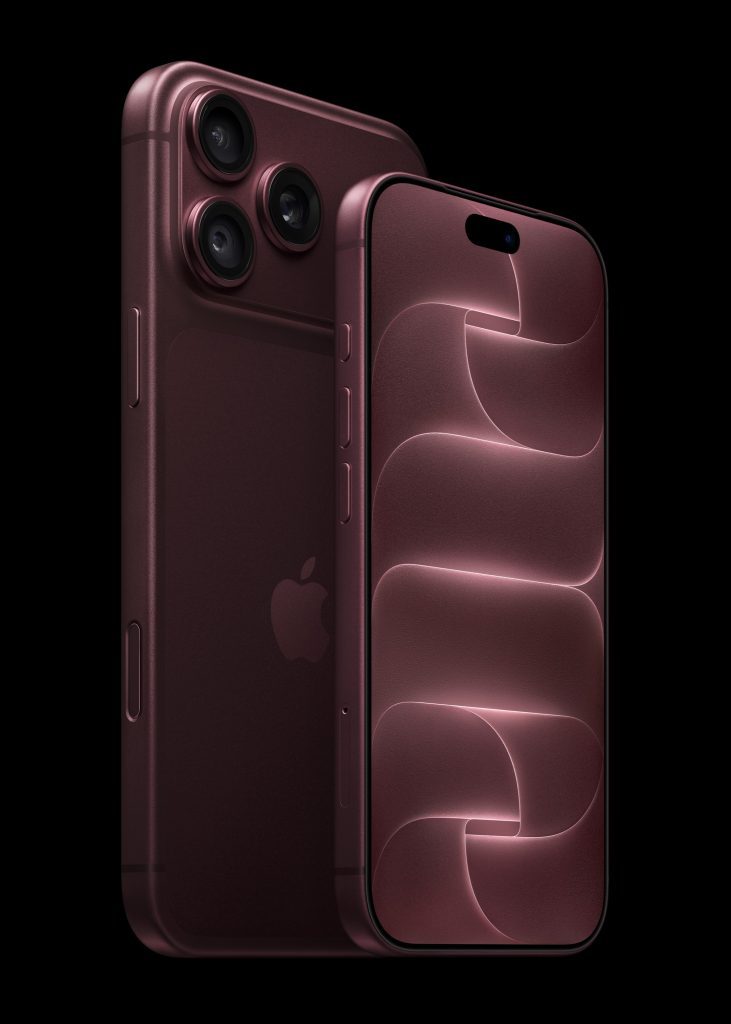
This is a serious camera system, but it is not the full iPhone 18 Pro system. The Duo lacks the Pro model’s dedicated longer telephoto reach. For portrait, performance, wildlife and travel photographers, that omission is not cosmetic. It means Apple’s best pocket editing surface is not necessarily attached to its most versatile pocket camera.
The distinction creates three different propositions:
| Device | Strongest photographic role | Principal compromise |
|---|---|---|
| iPhone 18 Pro | The most versatile iPhone capture system | Conventional phone-sized editing surface |
| iPhone Duo | Capture, precise field editing and publishing in one pocketable device | Reduced camera versatility and limited Pencil model |
| iPad mini / Air / Pro | Extended editing, drawing, sequencing and multitasking | Separate device with no comparable iPhone camera workflow |
The Duo is therefore not automatically the best iPhone for every photographer. It may be the best iPhone for the photographer who values what happens immediately after capture.
Where the iPad still wins
Even the smallest current iPad has an 8.3-inch display, while iPad Air and iPad Pro extend to 11 and 13 inches. The difference between 7.6 and 8.3 inches sounds small on paper, but display area, aspect ratio, interface design and working distance all affect how spacious a device feels. The larger iPads remain in another category.
An iPad provides room for a photograph, panels, layers and controls to remain visible together. Its operating system and applications are designed around tablet interaction. Compatible models support Apple Pencil Pro, including pressure sensitivity, squeeze, barrel roll, double tap and haptic feedback. The 11- and 13-inch iPad Pro also offer an Ultra Retina XDR display, P3 wide colour and an optional nano-texture finish on higher-capacity configurations.
For extended retouching, intricate selections, complex compositing, illustration, book layout, large contact sheets and sustained colour work, the iPad remains the more convincing environment. It is also the better surface on which to show work to a client or edit with another person.
The ergonomic difference should not be overlooked. The Duo may unfold, but it still has to be held, propped up or placed on a surface. Hours of careful Pencil work on a 7.6-inch display may expose the difference between something that can perform an edit and something designed as a comfortable editing workstation.
The iPad also offers more headroom for files, accessories and demanding creative workflows. The Duo’s A20 Pro and vapour-chamber cooling suggest considerable performance, and storage runs from 256GB to 2TB, but its thermal envelope and mobile interface remain those of a phone. Exporting a layered document is one test; living inside a complex project for an afternoon is another.
The AI question: assistance or authorship?
Apple is also positioning the Duo as a computational editing device. Its tools include Spatial Reframing, Extend and an upgraded Clean Up, allowing the user to reconsider composition, expand a frame or remove elements after capture.
On a larger screen, these features may feel less like automatic corrections and more like deliberate visual decisions. The photographer can inspect generated edges, refine the result and compare the altered image with its source. Yet the convenience also sharpens an old question: when does correction become reconstruction?
For editorial, documentary and journalistic photography, removing or generating visual information can alter the evidential meaning of the frame. The Duo makes intervention easier, but ease does not remove responsibility. Photographers need to preserve originals, understand the rules governing their field, disclose material alterations where appropriate and distinguish aesthetic image-making from claims of documentary fidelity.
For artists, the position may be entirely different. Extend, collage, drawing, generative elements and photographic fragments can be treated openly as materials. Here, the Duo’s importance is not that it hides intervention, but that it allows capture and transformation to occur within the same intimate object.
Is it really a pocket darkroom?
The darkroom metaphor is imperfect. A traditional darkroom is a place of separation: a controlled space in which the latent image is developed away from the speed and distraction of the world. The Duo promises the opposite. It brings capture, processing, communication and publication even closer together.
That speed is its great strength, but also its danger. If a photograph can be captured, perfected and distributed without ever leaving the device, there may be less time for uncertainty, reflection and revision. The most useful feature of an iPad is sometimes not its size but the pause created by moving to another tool and another stage of work.
The Duo will be most valuable if photographers use its continuity without surrendering that pause. Unfolding the phone could become a deliberate threshold: the moment when taking stops and looking begins.
Who should choose which device?
The iPhone Duo is the strongest choice when the priority is a single, pocketable device for capture, close inspection, selective adjustments, Pencil-based masking, quick composites, sequencing and publishing while travelling or working on location. The iPhone 18 Pro makes more sense when camera reach and capture versatility matter more than the size of the editing surface, particularly for photographers who already edit on an iPad or Mac.
The iPad mini remains the most portable dedicated creative surface for those who want Apple Pencil Pro and the fuller iPad application experience, and do not mind carrying it alongside an iPhone. The iPad Air or iPad Pro is better suited to sustained editing involving complex layers, detailed retouching, painting, layout, larger selections or client presentation.

For some photographers, the most capable system may still be an iPhone 18 Pro paired with an iPad. For others, the Duo’s appeal will be precisely that it removes the second device. At a starting price of £1,999 before adding a Pencil or protective case, this is not a casual convenience; it has to replace enough equipment or friction to justify itself.
A camera that opens into the next stage of photography
iPhone Duo does not replace the iPad. Its screen is smaller, its Pencil support is less sophisticated, and its applications must still prove that they can make intelligent use of the new form. Nor does it replace the iPhone 18 Pro as Apple’s most versatile camera phone.
What it does is more interesting than either claim. It creates a space between the phone and tablet: a camera that can open into an editing desk, a contact sheet, a sketchbook and a publishing tool.
For years, mobile photography has been defined by the fact that the camera and darkroom occupy the same device. The Duo makes that old promise newly physical. The darkroom is no longer hidden somewhere inside the phone. It unfolds in the photographer’s hand.
If you havee enjoyed this article, you may also enjoy reading these posts too:
- Best Camera Apps Without AI Processing — for photographers looking for alternatives to increasingly automated image-making.
- How to Stop iPhone Photos Looking Overprocessed — practical ways to reclaim texture, atmosphere and a more natural photographic result.
- Best Camera Apps to Reduce iPhone Processing (2026) — camera apps that give you greater control over what happens at capture.
- The Best Camera Apps for Street Photography (2026) — apps that prioritise responsiveness and observation rather than getting between you and the photograph.
- Best Mobile Photography Apps (2026 Edition) — the wider TheAppWhisperer guide to the current mobile photography app landscape.
- Blackmagic Camera App Settings Explained (2026) — a detailed guide to getting to grips with Blackmagic Camera’s professional controls.
- Best iPhone Filmmaking Apps 2026 — for photographers moving into video while retaining manual creative control.
- Best Long Exposure Apps for iPhone (2026) — specialist tools for taking control of time, movement and exposure.
- Best Black and White Photography Apps for iPhone (2026) — apps for photographers who want to make deliberate monochrome images rather than simply apply a filter afterwards.
- Best Photography Workflow Apps for Creators on the Move (2026) — because retaining control doesn’t stop when you press the shutter.
- Best AI Photo Editing Apps in 2026 — the interesting counterpoint: where AI genuinely helps photographers, and where it begins making decisions for them.
- Best Apps for Culling Photos in 2026 — including the question of whether AI should be involved in deciding which photographs survive the edit.
Please support us
TheAppWhisperer has always had a dual mission: to promote the most talented mobile artists of the day and to support ambitious, interested viewers worldwide. As the years pass, TheAppWhisperer has gained readers and viewers and has found new venues for that exchange.
All this work thrives with the support of our community. Your support helps protect our independence, and we can keep delivering open, global promotion of mobile artists. Every contribution, however big or small, is valuable for our future.

Joanne Carter
Joanne Carter BA (Hons), ARPS is a British photographer, photography journalist, editor and curator, and the founder and editorial director of TheAppWhisperer.com, an independent international photography publication established in 2009.She holds a First Class Honours degree in Photography and is an Associate of the Royal Photographic Society (ARPS).Her journalism, criticism and editorial work have appeared in The Times, The Sunday Times, The Guardian, Financial Times, BBC, Vogue Italia, LensCulture, Popular Photography and NikonPro, among other international publications.Through TheAppWhisperer, she brings together academic knowledge, professional photographic expertise and more than 17 years of specialist editorial experience to examine contemporary photography, mobile imaging, computational photography, photographic applications and emerging imaging technologies.