• News
  • INTERVIEWS
    • Vogue
    • LensCulture Articles
    • IntImate Interview
    • Reviews
    • High-Brow Interviews
    • TrueView Interviews
    • App Developer Interviews
    • A Day In The Life Of …
    • ‘Impossible’ Project Interviews
    • A Picture’s Worth…
    • Olloclip Interviews
    • Brought To Light
    • Extension Of The I
    • Artists’ Corner
    • Building Mobile Bridges with Instagram
    • Photo App Lounge
    • Spotlight
    • Photographs and text
    • Spotlight
    • Alternative Mobile Photography Processing
    • Pro Columns
  • TUTORIALS
    • App Art School
    • Creative Tutorials
      • Video Tutorials
      • Technical Tutorials
      • Hardware Tutorials
      • Viral SmartPhone Photography & Video Techniques
  • FEATURES
    • Tip Of The Day
    • Tickle Your Fancy
    • Saturday Poetry
    • Giveaways
    • Video Reviews
    • Drone
    • Apps
      • Amazon Appstore
      • Samsung Apps
      • Android Apps
      • BlackBerry Apps
      • 645 PRO
      • PhotoToaster
      • Windows Apps
      • Analog Camera
      • Color Lake
      • Etchings
      • Photo & Video
      • Image Blender
      • PhotoStation
      • MyPadLive
      • ProCamera
      • ProCam
      • Wood Camera
      • Photo Tool Apps
      • Apple Watch
      • iBooks Photo Books
      • Hardware
      • Photographic TED Talks
      • Mob-Entrepreneurs
      • Instagram Mobile Photographers To Follow Now
      • Indiegogo & Kickstarter Campaigns
      • Mobile Photography Courses
      • RUMORS
      • Photography & Art Magazines
      • Photography Books
      • SECTIONS
    • Exhibitions
    • Creative Grants and Residencies
    • Podcasts
    • Pic of the Day
    • Whisperings…
    • Mini Mobile Portfolio Reviews (MMPR)
    • Events
    • Venues
    • SHOWCASES
    • COLUMNS
      • COLUMNISTS
      • Draw the Line – Mobile Art as an Expression
      • StreetWise
      • Streets Ahead
      • Portrait of an Artist
      • APPart
      • Appstrax
      • Mobile Movies
      • Artistic Anarchy – Mobile Collusions
      • Ask Misho
      • Fly On The Wall
      • iFoto Fairchild
      • iObsess
      • Koci
      • iSights
      • Mobile Macro Photography
      • Photo Education & Accessibility
      • ItalianBrother
      • Mobile Photo Essays
      • Kuster
      • PictureBook
      • Portrayal
      • The Guetta Fringe
      • parallel II perspectives
      • The New Renaissance
      • Is There An App For That?
      • Vision & Voice
      • Tiny Shutter
      • The Picture Project
      • The App Nerds Workshop
      • StreetVIEW
      • Spare Moments
      • Shooting Star
  • About
    • Contact Us
      • Twitter
      • Instagram
      • YouTube
      • Support Us
  • GALLERY
  • News
  • INTERVIEWS
    • Vogue
    • LensCulture Articles
    • IntImate Interview
    • Reviews
    • High-Brow Interviews
    • TrueView Interviews
    • App Developer Interviews
    • A Day In The Life Of …
    • ‘Impossible’ Project Interviews
    • A Picture’s Worth…
    • Olloclip Interviews
    • Brought To Light
    • Extension Of The I
    • Artists’ Corner
    • Building Mobile Bridges with Instagram
    • Photo App Lounge
    • Spotlight
    • Photographs and text
    • Spotlight
    • Alternative Mobile Photography Processing
    • Pro Columns
  • TUTORIALS
    • App Art School
    • Creative Tutorials
      • Video Tutorials
      • Technical Tutorials
      • Hardware Tutorials
      • Viral SmartPhone Photography & Video Techniques
  • FEATURES
    • Tip Of The Day
    • Tickle Your Fancy
    • Saturday Poetry
    • Giveaways
    • Video Reviews
    • Drone
    • Apps
      • Amazon Appstore
      • Samsung Apps
      • Android Apps
      • BlackBerry Apps
      • 645 PRO
      • PhotoToaster
      • Windows Apps
      • Analog Camera
      • Color Lake
      • Etchings
      • Photo & Video
      • Image Blender
      • PhotoStation
      • MyPadLive
      • ProCamera
      • ProCam
      • Wood Camera
      • Photo Tool Apps
      • Apple Watch
      • iBooks Photo Books
      • Hardware
      • Photographic TED Talks
      • Mob-Entrepreneurs
      • Instagram Mobile Photographers To Follow Now
      • Indiegogo & Kickstarter Campaigns
      • Mobile Photography Courses
      • RUMORS
      • Photography & Art Magazines
      • Photography Books
      • SECTIONS
    • Exhibitions
    • Creative Grants and Residencies
    • Podcasts
    • Pic of the Day
    • Whisperings…
    • Mini Mobile Portfolio Reviews (MMPR)
    • Events
    • Venues
    • SHOWCASES
    • COLUMNS
      • COLUMNISTS
      • Draw the Line – Mobile Art as an Expression
      • StreetWise
      • Streets Ahead
      • Portrait of an Artist
      • APPart
      • Appstrax
      • Mobile Movies
      • Artistic Anarchy – Mobile Collusions
      • Ask Misho
      • Fly On The Wall
      • iFoto Fairchild
      • iObsess
      • Koci
      • iSights
      • Mobile Macro Photography
      • Photo Education & Accessibility
      • ItalianBrother
      • Mobile Photo Essays
      • Kuster
      • PictureBook
      • Portrayal
      • The Guetta Fringe
      • parallel II perspectives
      • The New Renaissance
      • Is There An App For That?
      • Vision & Voice
      • Tiny Shutter
      • The Picture Project
      • The App Nerds Workshop
      • StreetVIEW
      • Spare Moments
      • Shooting Star
  • About
    • Contact Us
      • Twitter
      • Instagram
      • YouTube
      • Support Us
  • GALLERY
  • QuickTake
    App Art School,  APPart,  Creative Tutorials,  News,  Technical Tutorials

    AppArt School – How to Record a video with QuickTake

    2023-05-25 / Comments Off on AppArt School – How to Record a video with QuickTake

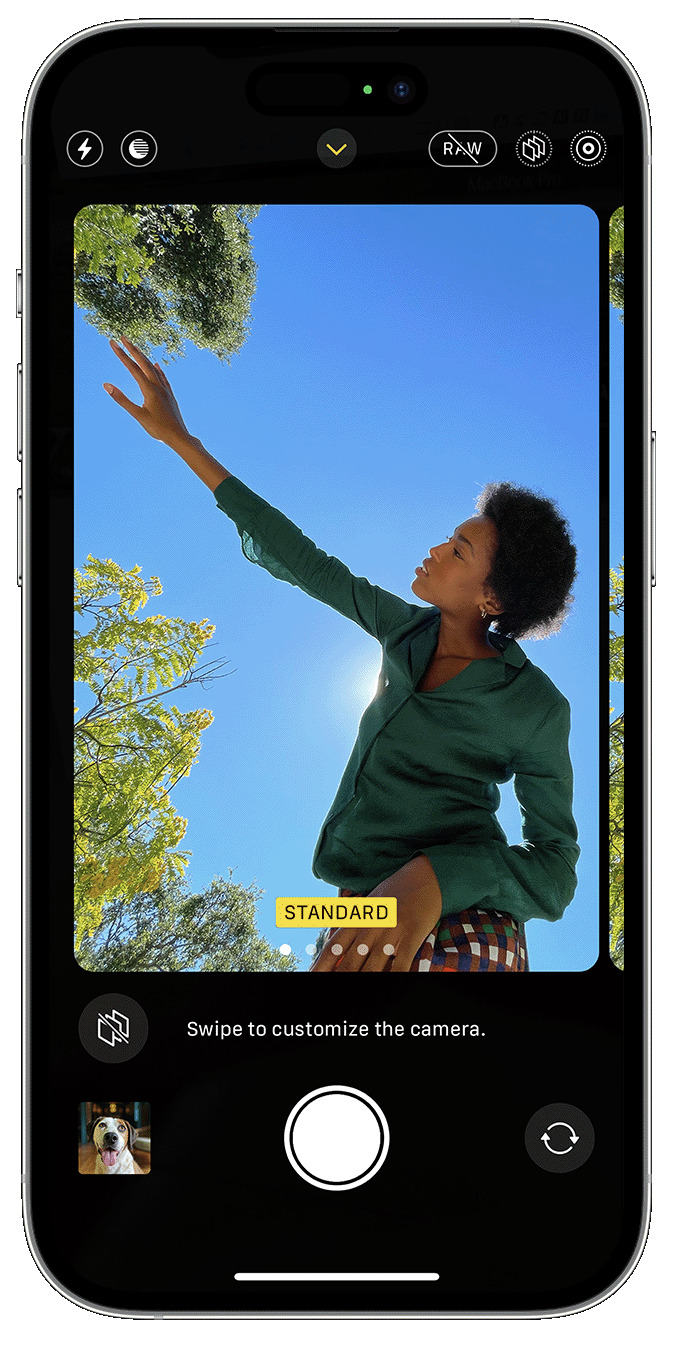
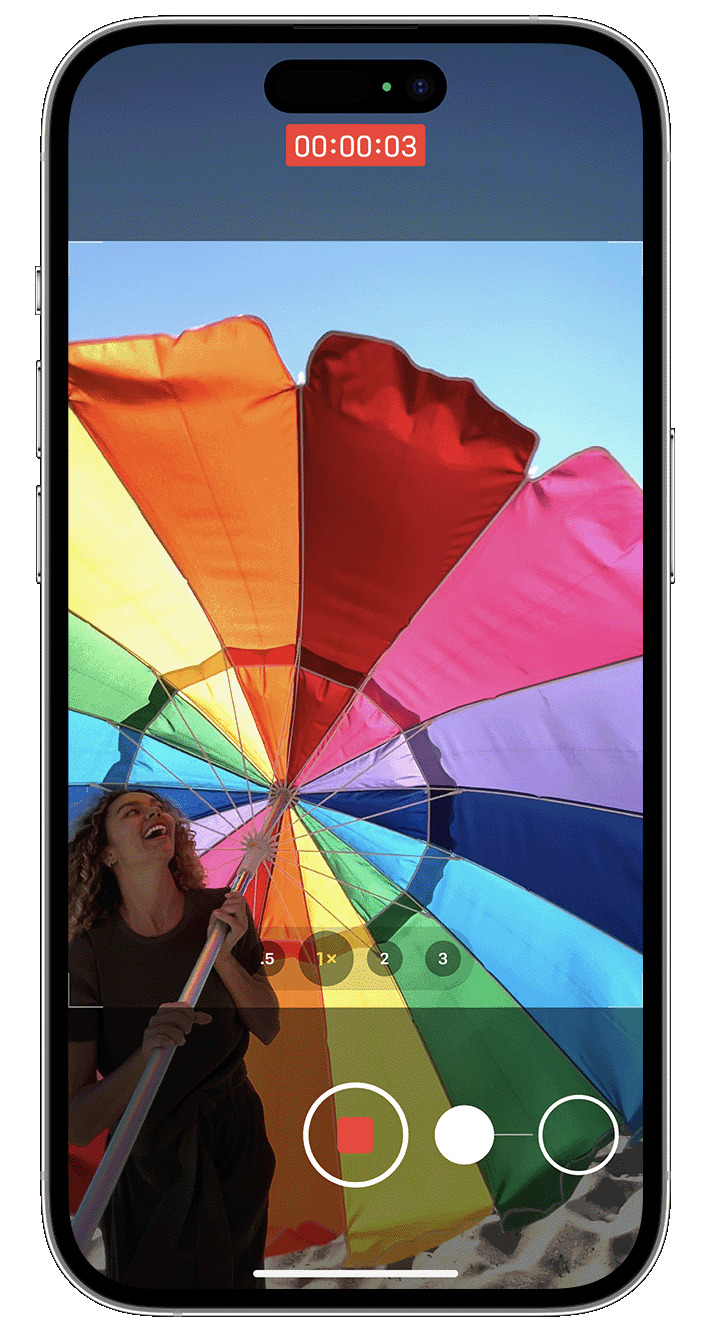
    AppArt School -How to Record a video with QuickTake You can use QuickTake to record videos without having to switch out of photo mode. QuickTake is available on iPhone XS, iPhone XR and later. Hold the shutter to take a video When you open the Camera app, you will see the default photo mode. Tap the Shutter button to take a photo. Then tap the arrow to adjust options, such as flash, Live Photos, timer and more. If you want to capture a QuickTake video, just press and hold the Shutter button .* Release the button to stop recording. With iOS 14 and later, you can hold one of the…

    read more
    Joanne Carter

    You May Also Like

    Procreate

    Procreate Brush Studio: Rendering

    2025-08-29
    Procreate

    How to organise your Gallery using Stacks in Procreate

    2025-10-14
    video

    Capture steadier video with Action mode

    2023-02-08
  • apps
    News,  What Apps Are We Using This Month?

    What Apps Are We Using This Month? with Sonia Bridekirk

    2023-05-25 / Comments Off on What Apps Are We Using This Month? with Sonia Bridekirk

    Welcome to TheAppWhisperer’s new section, “What apps are we using this month” series, where we discover which apps you are particularly enjoying. Kicking us off today is non-other than notable Mobile Artist Sonia Bridekirk.   My name is Sonia Bridekirk. I am fortunate enough to live on the beautiful Northern Beaches of Sydney, Australia, also known by many as ‘God’s Country.’  I am 51 years old and am married to a beautiful man who adores me and I have one very special 8-year-old daughter who is often my muse. Up until her birth, I was a passionate high school teacher who enjoyed teaching Ancient History to my students.  I always had an…

    read more
    Joanne Carter

    You May Also Like

    Mobile Photography/Art Pic of the Day (789) via Instagram

    2018-04-27
    showcase

    The Greatest Mobile Photography & Art Flickr/Instagram Showcase – 15 October 2023

    2023-12-01
    mobile

    Mobile Photography – TrueView Interview “What do you think makes a good mobile photograph?” with Petyr Campos from Chicago, USA

    2017-03-01
  • apps
    News,  What Apps Are We Using This Month?

    What Apps Are We Using This Month? with Jennifer Dimock

    2023-05-23 / 2 Comments

    Welcome to TheAppWhisperer’s new section, “What apps are we using this month” series, where we discover which apps you are particularly enjoying. Kicking us off today is non-other than notable Mobile Artist Jennifer Dimock – @jennifer.dimock. Many thanks to Joanne for inviting me to participate in the “what apps we’re Using” series.  My name is Jennifer Dimock and I live in Maine, US.  Two generations of my family own and operate a commercial apple orchard.  Because I work most days, my photography is largely taken somewhere on our 250 acres of apple trees, woods, and fields.  When I crave urban photography, the closest I usually get is the main street in…

    read more
    Joanne Carter

    You May Also Like

    art

    Mobile Photography & Art Flickr/Instagram Showcase – 26 June 2022

    2022-06-26
    mobile roof

    Greatest Mobile Art Pic of the Day (2,344)

    2025-05-13
    Apple

    Apple unveils iPhone 17 Pro and iPhone 17 Pro Max, the most powerful and advanced Pro models ever

    2025-09-10
  • apps
    App Art School,  APPart,  Creative Tutorials,  News,  Technical Tutorials

    AppArt School – How to Capture steadier video with Action mode

    2023-05-23 / Comments Off on AppArt School – How to Capture steadier video with Action mode

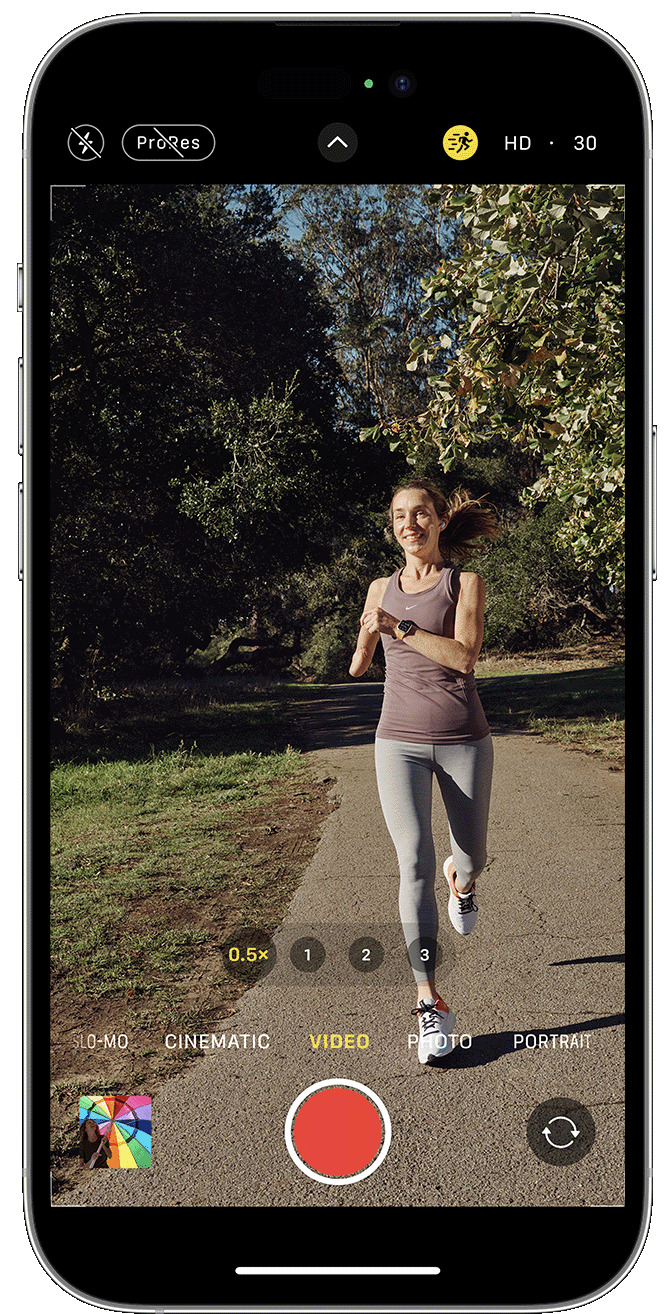
    AppArt School – How to Capture steadier video with Action mode With Action mode on iPhone 14 and iPhone 14 Pro models, you can capture smooth hand-held video even when you’re moving around a lot. Open the Camera app and swipe to Video mode. Tap the button to turn on Action mode. Tap the Shutter button and record your video. Action mode works best with lots of light, and the Camera will display “More light required” if the surrounding area is too dark. You can change your settings to use Action mode in lower light. In the Settings app, tap Camera. Tap Record Video. Turn on Action Mode Lower Light. Action…

    read more
    Joanne Carter

    You May Also Like

    Procreate

    How to change your Default Colour Palette in Procreate

    2025-10-10
    mobile photography

    App Art School – Editing on the Go with HandyPhoto App

    2020-07-16
    Procreate

    How to use the Liquify Tool in Procreate

    2025-09-05
  • AppArt
    App Art School,  APPart,  Creative Tutorials,  News,  Technical Tutorials

    AppArt School – How to Lock in your look with Photographic Styles

    2023-05-22 / Comments Off on AppArt School – How to Lock in your look with Photographic Styles

    AppArt School – How to Lock in your look with Photographic Styles With Photographic Styles on iPhone 13, iPhone SE (3rd generation) and later, you can personalise the look of your images in the Camera app. Choose a preset – Rich Contrast, Vibrant, Warm or Cool – and if you want to, you can fine-tune it even further by adjusting the Tone and Warmth settings. Set your style once to use your preferred style setting every time you take a photo in Photo mode. Set up a Photographic Style When you open the Camera app for the first time, tap Set Up to choose your Photographic Style. Swipe through the…

    read more
    Joanne Carter

    You May Also Like

    procreate

    Procreate – How to use Animation Assist in Procreate

    2025-08-04
    Google

    App Art School – How to use Google Photos in 2020

    2020-09-17
    LumaFusion

    What’s New in LumaFusion 5.4 for iOS?

    2026-01-27
  • News,  What Apps Are We Using This Month?

    What Apps Are We Using This Month? with John Williamson

    2023-05-22 / Comments Off on What Apps Are We Using This Month? with John Williamson

    Welcome to TheAppWhisperer’s new section, “What apps are we using this month” series, where we discover which apps you are particularly enjoying. Kicking us off today is non-other than notable Mobile Artist John Williamson. Hi: my name is John Williamson. I live in rural Lancaster County, PA USA I’m 66. I had a career in the tech industry. My work always took me to diverse business locations and I always took a camera with me. This became much easier with the advent of mobile devices. I retired a few years early from the business world with the intention of making art. I think I’ve always had a creative mind. In addition…

    read more
    Joanne Carter

    You May Also Like

    procreate

    How to navigate the canvas in Transform Mode in Procreate

    2025-10-07

    Mobile Photography – Instagram TAKEOVER with @youmobile – Days 1 – 2

    2018-06-05

    Mobile Photography/Art Pic of the Day (581) via Instagram

    2017-06-15
  • AppArt School
    App Art School,  APPart,  Creative Tutorials,  News,  Technical Tutorials

    AppArt School – How to Use Night mode on your iPhone

    2023-05-19 / Comments Off on AppArt School – How to Use Night mode on your iPhone

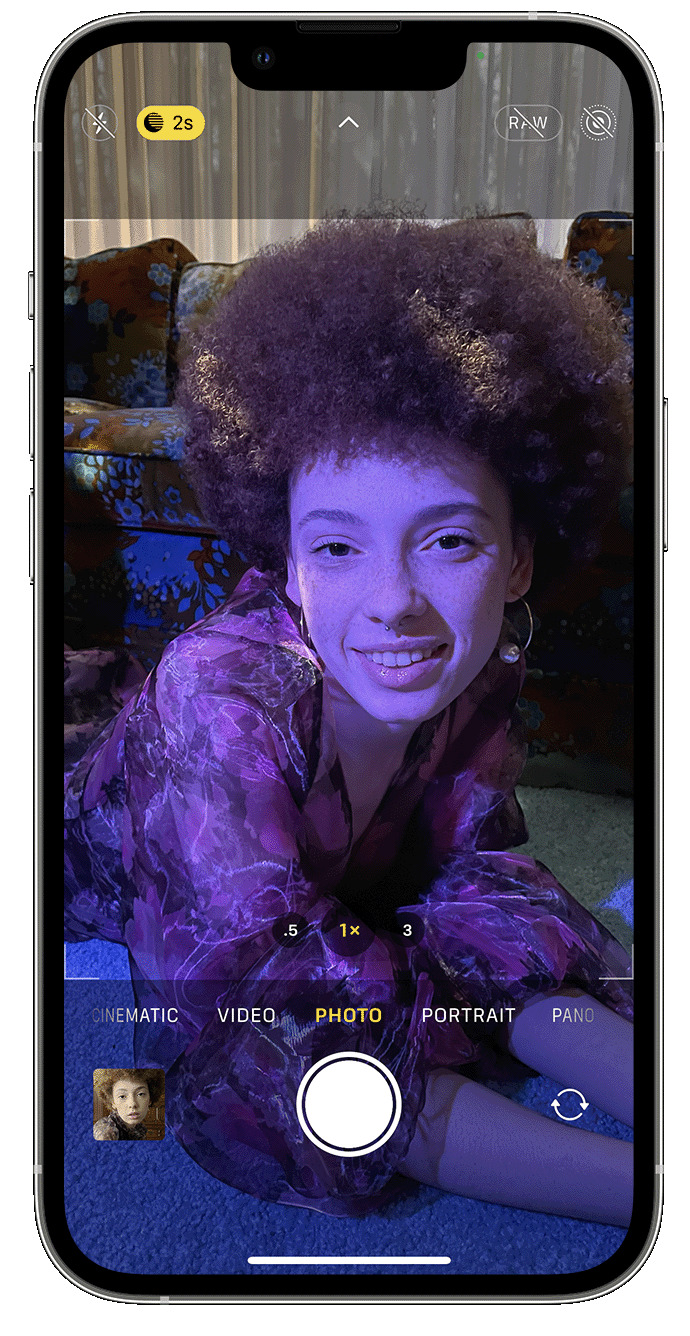
    AppArt School – How to Use Night mode on your iPhone On supported iPhone models, you can use Night mode to capture photos when the camera detects a low-light environment. You can use Night mode with iPhone 11 and later. Take low-light photos with Night mode Night mode turns on automatically when the camera detects a low-light environment. The Night mode icon  at the top of the display turns yellow when the feature is active. Depending on how dark the scene is, your iPhone may take a Night mode photo quickly, or it may take several seconds. You can also adjust your exposure setting. For the best results, hold your iPhone steady until the…

    read more
    Joanne Carter

    You May Also Like

    Procreate

    Procreate – How to find your way in Procreate 

    2025-08-01
    Moment

    Moment Pro Camera II – Tutorial

    2025-11-28
    photos

    AppArt School – Search for photos on iPhone

    2023-08-18
  • apps
    News,  What Apps Are We Using This Month?

    What Apps Are We Using This Month? with Tiina Torna Sandblom

    2023-05-19 / 1 Comment

    Welcome to TheAppWhisperer’s new section, “what apps are we using this month” series, where we discover which apps you are particularly enjoying. Kicking us off today is non-other than notable Mobile Artist Tiina Torna Sandblom. Hi, I’m Tiina Torna Sandblom from Helsinki, Finland and I’m already on the better side of fifty. I work at an architectural office and a big joy on my travels is photography. Joanne Carter invited me to respond to few questions regarding my editing app preferences so here we go: I started to take pictures with my iPhone XR few years back when I was on three months solo traveling in Spain. To my eyes a gorgeous…

    read more
    Joanne Carter

    You May Also Like

    LensCulture Art Photography Awards 2018 Results

    2018-08-14
    buy iPhone 13

    Demand for iPhone 13 hits peak on Google Search led by Ireland and Australia

    2021-09-13

    Mobile Photography – Instagram TAKEOVER with @cawestruck – Carol Wiebe from Canada!

    2018-01-16
  • apps
    News,  What Apps Are We Using This Month?

    What Apps Are We Using This Month? with Ilise Harris

    2023-05-17 / Comments Off on What Apps Are We Using This Month? with Ilise Harris

    Welcome to TheAppWhisperer’s new section, “what apps are we using this month” series, where we discover which apps you are particularly enjoying. Kicking us off today is non-other than notable Mobile Artist, Ilise Harris. Hello, I am Ilise Harris and I live in Dobbs Ferry, which is suburban N.Y.  I am 65 years old and am a freelance makeup and hair artist. I am currently making a documentary film about the trend of women growing out the dye and letting their silver hair show. I feel it is an important cultural shift. This is of note because I am shooting much of this myself on my iPhone 14 pro. I never…

    read more
    Joanne Carter

    You May Also Like

    photobook

    M. Cecilia de São Thiago Announces Her First Photobook ‘Unforgettable’

    2021-06-26
    mobile photography

    Mobile Symphonies Exhibition – Call for Entries

    2020-05-29

    Mobile Photography – TrueView Interview – ‘Why Do I Create Mobile Photography and Art’ with Sukru Mehmet Omur from Turkey

    2017-05-01
  • slow shutter
    App Art School,  APPart,  Creative Tutorials,  News,  Technical Tutorials

    AppArt School – Top 10 iOS Slow Shutter Apps

    2023-05-16 / Comments Off on AppArt School – Top 10 iOS Slow Shutter Apps

    AppArt School – Top 10 iOS Slow Shutter Apps An iOS slow shutter app is designed to simulate the effect of using a slow shutter speed on a traditional camera. Normally, when you take a photo with a fast shutter speed, it freezes the motion and captures a sharp image. However, when you use a slow shutter speed, it allows the camera’s sensor to capture light over a longer period, resulting in unique effects. Here’s what an iOS slow shutter app typically offers: Long Exposure Photography: The app allows you to capture long exposure photos using your iPhone’s camera. This means you can capture scenes with moving subjects, such as…

    read more
    Joanne Carter

    You May Also Like

    app

    AppArt School – What are the Best Ten iOS Art Apps for Digital Painting and Illustration?

    2025-05-03
    appart

    AppArt School – Ten iOS Video Apps to Enhance Your Instagram Posts

    2023-05-08
    art

    App Art School – Redefining Processing of Illustrator and Designer on iPad with Affinity Designer iOS App

    2020-08-13
 Older Posts
Newer Posts 

Visit our online Print Gallery

    ©TheAppWhisperer 2026
    • News
    • INTERVIEWS
    • TUTORIALS
    • FEATURES
    • About
    • GALLERY
    Ashe Theme by WP Royal.