iOS – ProCamera – Temporary Price Drop
One of the most popular apps for iPhone photography has just had a smashing price drop. Today you can pick up this app for only $0.99/£0.69 instead of the more usual $2.99/£1.99. Just click here to do so/download.
iOS – Color Splash Studio – New
We’ve been hearing about it for a while and now it is here, the iOS version of the very popular Mac app Color Splash Studio. With this app you can convert images to black and white and keep specific areas in color. It comes with many tools and filters that will help you enhance your iPhone images. These include: • Dramatic effects • Grayscale, Sepia, Bluetone monochrome layers (selective color editing) • Vignette • Integration with Instagram and FX Photo Studio You can read more about this app below. It is available to purchase currently with 60% off at only $0.99/£0.69/download here. Features • Import images from camera roll or…
iPhone Photography Exhibition – Visual Observations
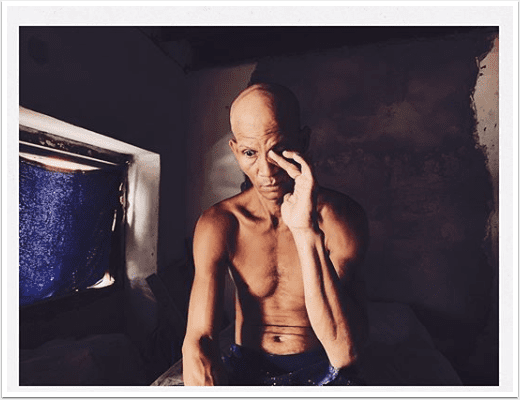
If you happen to be in Norway from August 3, 2012 make sure you pop in and view what we believe will be a stunning display of iPhone photography. Lene Basma and her partner Johnny Ecko will be exhibiting their works at the Visual Observations Gallery. Details below.
iOS – 645 PRO – Updated
645 PRO is used by many iPhone photographers despite only launching in mid-April. It’s just been updated and you can see the full inclusions in What’s New below. This is a free update, if you have previously downloaded this app. If not, you can purchase it here. It retails for $2.99/£1.99/download. What’s New In Version 1.11.1? ➢ Experimental option to use torch as AF Assist lamp (via Settings.app) ➢ Disabled LZW compression for TIFFs when saving to Documents folder: larger files, but faster saving ➢ Option to add Copyright and License data to EXIF data (via Settings.app). Note that selecting a Public Domain "license" overrides any copyright info ➢…
Top 5 Apps For iPhone Photography – Photo App Lounge – With Dixon Hamby
Welcome to our new Photo App Lounge section of theappwhisperer.com. This is a very small area on our site where we ask highly accomplished iPhone photographers what their top five photo apps are and why. Kicking us off on our new section is Dixon Hamby. We previously interviewed Dixon for both our A Day In The Life Series and Extension Of The I. Dixon is a fantastic mobile travel photographer. He is currently based in Panama and has taken some totally awesome images. We caught up with Dixon in between shoots and asked him what his top five photo apps are, this is what he said: Copyright image – Dixon…
Olloclip: A Brief Comparison Article
The Olloclip is a external lens system compatible with the iPhone 4/4s. It consists of the three lenses. A wide angle, a macro and a fish eye in one compact unit. It comes complete with lens covers and a carry bag, which doubles as a cleaning cloth. To use, the Olloclip it is attached to a naked (caseless) iPhone, it is slipped over the top of the phone positioning the lens of choice over the camera lens. To access the macro lens you simply unscrew the wide angle lens attachment. Image 1 – Native Lens Today I am comparing the native lens, the wide angle and the fish eye…
Olloclip – Macro iPhone Photography Techniques
Macro iphoneography can be an extremely challenging and satisfying activity. It is not a technique that can be done “on the run” but if you take the time to slow down, seek out the little details the universe has blessed us with, and get down at their level then you will reap the rewards… There are a few choices for macro lenses for the iPhone, some are also compatible with the iPad and iPod touches. The photos shown in this tutorial were taken with the Olloclip. Focus Copyright image – Mel Harrison Practice your focus: The Olloclip macro lens needs to be manually focused, by moving the phone around until…
Olloclip Tutorials – Selection Of Short Tutorials Demonstrating What Can Be Achieved – Number 6
The Olloclip is an indepsenbile device to many iPhone photographers. It is incredibly simple to use and as it’s so small can always be carried with you. We have put together a selection of short tutorials, showing exactly how simple it is to use the Olloclip to create stunning images. Take a look below… ‘Clocks’ To construct this image, I attached the Macro lens of the Olloclip to my iPhone 4 and opened the Camera+ app, which I used to capture the shot. I then saved the image. Step 2 Next I opened the image in Snapseed and selected Black and White and I adjusted the brightness to -15%. Step…
Olloclip Tutorials – Selection Of Short Tutorials Demonstrating What Can Be Achieved – Number 5
The Olloclip is an indepsenbile device to many iPhone photographers. It is incredibly simple to use and as it’s so small can always be carried with you. We have put together a selection of short tutorials, showing exactly how simple it is to use the Olloclip to create stunning images. Take a look below… ‘Covered’ To construct this image, I attached the Macro lens of the Olloclip to my iPhone 4 and opened the Camera+ app, which I used to capture the shot. I then selected Freeform and Crop, as can be shown in the image on the left. With the image cropped and still within Camera+, I selected FX…
Olloclip Tutorials – Selection Of Short Tutorials Demonstrating What Can Be Achieved – Number 2
The Olloclip is an indepsenbile device to many iPhone photographers. It is incredibly simple to use and as it’s so small can always be carried with you. We have put together a selection of short tutorials, showing exactly how simple it is to use the Olloclip to create stunning images. Take a look below… "Allium" To construct this image, I attached the Macro lens of the Olloclip to my iPhone 4 and opened the Camera+ app, which I used to capture the shot. I then selected FX Effects and then Redscale. I moved the Intensity to around 70%. Final Image This is the final image and demonstrates just how well…