GeoLogTag Apple iPhone App review
This review concentrates on the latest updated version 3.3 that now includes support for geotagging Samsung RAW (SRW) photos, a fix for Mac geotagging when traveling through different timezones and a fix for Mac geotagging on an ad-hoc Wi-Fi network.
We put this app through its paces as the competition is heating up in the Apple app store of this style of app. Read our extensive review here…
Introduction
GeoLogTag is an innovative geocoding app for the iPhone (3G, G3s and iPhone 4) that allows owners of digital cameras and Macs to tag their images with location (GPS) data without the need for additional hardware. Unfortunately, Windows users can’t geotag directly; you will need to export the GPX file generated by the app with a third-party utility such as GeoSetter.
At just $4.99 it’s much much cheaper than an additional GPS device and as it’s always with you (on your phone) you’ll likely get a lot of use from it. And, if you’re traveling light it’s one less piece of equipment to carry.
What Does It Do?
This app works with any digital camera, both Jpeg and RAW files are supported but it is important to remember to synchronize the time on both the camera and app beforehand, ideally to the second but to the minute is okay (it’s simpler to match the camera to the iPhone).
If it’s a few minutes out, accuracy is obviously affected. While that may not be an issue for some subjects, if you intend to take a quantity of images over a short space of time and are moving around a lot, it could be a problem matching images with the precise location.
Continuous Logging
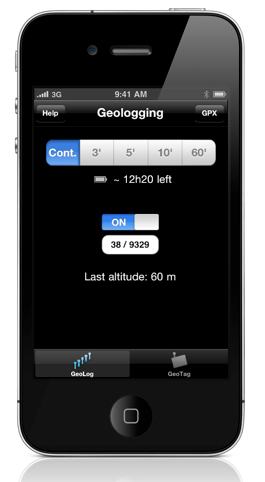
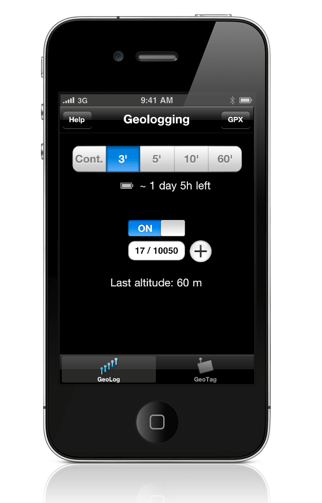
It’s worth noting that if you intend to take a lot of pictures in a short time-frame you should set the app to continuous logging (as shown above). This setting logs a location every 10m. The other options log a new location every 3, 5, 10 or 60-minutes – handy for extending battery life (which, from our tests is very good) – the app shows an indication of the life left, which is very useful.
For most purposes though the 3 or 5-minute settings should suffice, although you can switch between the options during operation. That’s all there is to it, once on, it’s recording the location. Couldn’t be simpler or easier to use.
Plus it will work in the background on the iPhone 4. However, as you can forget to turn it off, it may be best to keep it displayed. The screen will turn off thanks to the iPhone’s sensor if you put it in a pocket or even a bag – signal detection is very robust, unlike some GPS devices we could mention.
Uploading
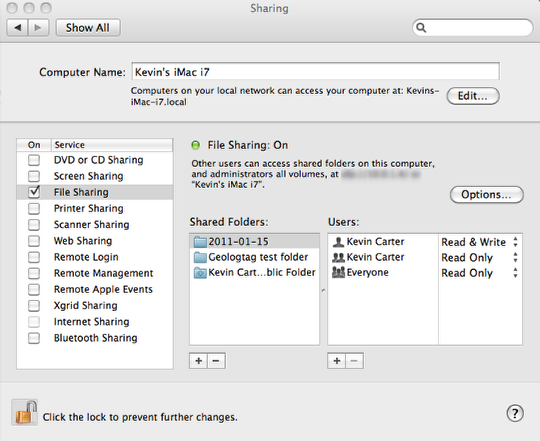
After taking your photos simply upload them to your Mac or external drive. That’s what we did here. To test both options we put a folder on our iMac and named it GeoLogTag test folder and another on a external Seagate disk, which Adobe Lightroom dumped into a dated subfolder (2011-01-15 shown above).
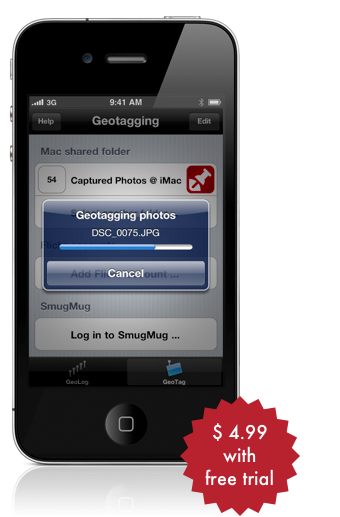
Using the iPhone’s WiFi connection, GeoLogTag has to sync with the images and embed the GPS data (RAW files aren’t embedded, instead a XMP sidecar file is produced – these must be kept together in same folder but it’s painless, just leave them untouched).
To sync files, you’ll need to turn on file sharing and navigate to the folder(s) containing the images you wish to tag (see grabs above), and switch over to geotagging in GeoLogTag. From the Mac shared folder option choose the Select shared folder.
It is also possible to opt to tag images uploaded to your Flickr and SmugMug accounts, though we didn’t test that particular feature this time.
Scanning
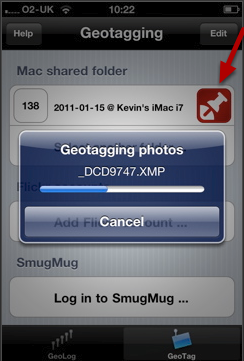
With the folder selected, GeoLogTag scans the files but while it looks like that’s all that’s needed, you must then press the red thumb-tack to start the geotagging process. For all that, the app is quite speedy; it tagged 138 images (RAW and Jpeg) from a D3x in just a couple of minutes.
GPS Aware Browser
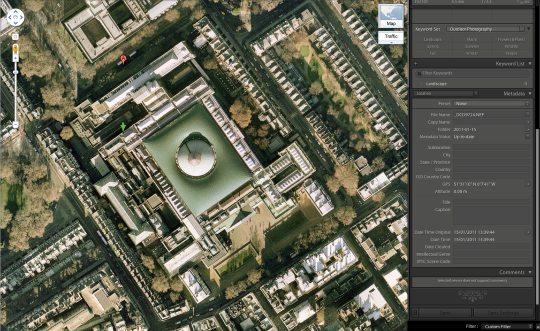
From there, all you need to do open it a GPS-aware browser or RAW workflow utility, such as Adobe Bridge (above top), Aperture, Lightroom (above). Apple’s iPhoto can use the data too.
Price
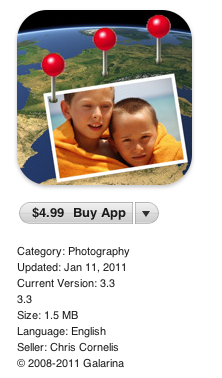
At just $4.99 (£2.99) GeoLogTag is an excellent app and comes highly recommended. Not only to replace an expensive dedicated device, it’s simple to use and unobtrusive (it’ll save you having a cumbersome contraption connected to your camera). You can even try it for free if you like: the only difference being the free version stores logged locations for 2 hours (as opposed to 90 days for the paid for app). Neat.
Additional Details
Website:
http://www.galarina.eu/GeoLogTag
GeoLogTag for the iPhone or iPod touch is sold exclusively in the iTunes App Store and is priced at $4.99. To purchase a copy of GeoLogTag, or download the free version, visit iTunes App Store at:

Joanne Carter
Joanne Carter BA (Hons), ARPS is a British photographer, photography journalist, editor and curator, and the founder and editorial director of TheAppWhisperer.com, an independent international photography publication established in 2009.She holds a First Class Honours degree in Photography and is an Associate of the Royal Photographic Society (ARPS).Her journalism, criticism and editorial work have appeared in The Times, The Sunday Times, The Guardian, Financial Times, BBC, Vogue Italia, LensCulture, Popular Photography and NikonPro, among other international publications.Through TheAppWhisperer, she brings together academic knowledge, professional photographic expertise and more than 17 years of specialist editorial experience to examine contemporary photography, mobile imaging, computational photography, photographic applications and emerging imaging technologies.