-
Mobile Photography – Tip Of The Day – Day 24
Welcome to another new section from your favorite mobile photography website and one of the most popular in the world. Today, we’re publishing our twenty fourth Mobile Photography/Art Tip Of The Day to our brand new section of the site. Each day we publish a short quick tip to help you with your mobile photography, this may be related to editing your image, capturing your image, printing your image, all manner of things, across the complete photographic and art mobile genre – we’ll be featuring great mobile street photography tips, great blending tips, great cloning tips, we will cover it all from some of the greatest mobile photographers and artists…
-
Technical Mobile Photography App Tutorial With Layover
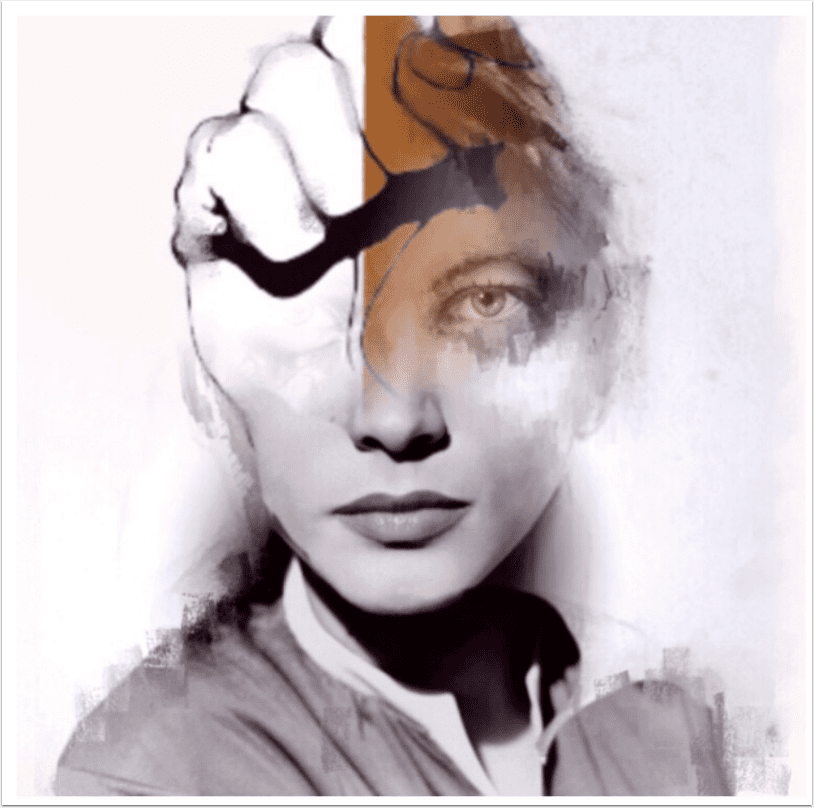
We have just published our latest Technical Tutorial by our Head of Technical Tutorials David Hayes. This time David gets to grips with the iOS photography app Layover and explores some excellent features. Over to you David… (foreword by Joanne Carter). Layover retails for $0.99/$0.69 and you can download it here. “In past articles, I’ve covered the different aspects of how to use this great layering app. This time I thought I’d have some fun creating a bit of “surrealism” given Layover’s capability to work with up to five layers at once. A bit of a disclaimer here at the beginning…all the elements that I will be using in…
-
Halftone 2 – iOSPhotography App – Available For Less Today
Halftone 2 is an excellent comic maker app for your iPad and it now works with your iPhone too! We have published a fabulous tutorial to help you get the most out of this app, by our Head of Tutorials, David Hayes, if you missed that please go here. Usually Halftone 2 retails for $3.99/£2.49 but today it’s available for $1.99/£1.49 – click here to download.
-
iPhone Photography App Technical Tutorial – PhotoStation – Taking A Look At Layering
We have published many iPhone Photography app technical tutorials with PhotoStation, formerly known as AnyShape – Photo Editor here at theappwhisperer.com (TAW). If you have missed those, please go here. This time our Head of Technical Tutorials, David Hayes takes us through the practice of Layering within PhotoStation, this is a new feature that was recently included in a new update. PhotoStation retails for $0.99/£0.69 and you can download it here. When PhotoStation first came out as AnyShape, it was a quite interesting app given its unique Bezler selection tool. My first articles focused on using this tool…. and I’ll have to say it took awhile to fully master…
-
Technical iPhone Photography App Tutorial With Halftone 2
We’re delighted to publish our latest Technical Tutorial, this time exploring Halftone 2, written by our Head of Technical Tutorials, David Hayes. We have published several articles and tutorials using the earlier version of Halftone and if you’ve missed those, please go here. We also published a Creative Tutorial, using Layout and Halftone apps in combination, by Nettie Edwards – if you missed that please go here. This tutorial focuses on the very latest version of Halftone, aptly called Halftone 2 and David gives an absolutely fabulous overview to really help you get to grips with it. It’s an incredible comprehensive tutorial and one that we feel you will find…
-
Mobile Photography Tip Of The Day – Number 11
Welcome to another brand new section from your favourite mobile photography website and one of the most popular in the world. Today, we’re publishing our eighth Mobile Photography/Art Tip Of The Day to our brand new section of the site. Every day we will publish a short quick tip to help you with your mobile photography, this may be related to editing your image, capturing your image, printing your image, all manner of things, across the complete photographic and art mobile genre – we’ll be featuring great mobile street photography tips, great blending tips, great cloning tips, we will cover it all from some of the greatest mobile photographers and…
-
Mobile Photography Flickr Group Showcase – The App Whisperer – August 4, 2013
We have put together another very special Flickr group showcase , our twenty seventh of 2013 with some of our favorite images and some great new talent that have been uploaded to our Flickr group – Mobile Photography & Imagery, this week. The quality of submissions continues to rise, so we have decided to make our showcases that much bigger to incorporate as much of this stunning mobile art and photography as we can and to get it out to a wider audience. With many thanks to our Flickr Group Showcase Sponsors – Olloclip.com Each image can be viewed on Flickr by clicking on the relevant artist below: Maurizio Zanetti-mauzzann,…
-
Technical iPhone Photography Tutorial – Diptic – Part 2
We’re delighted to publish the second part of two Diptic Technical Tutorials by our newest staff member, Jerry Jobe. Jerry joined us earlier this month to work alongside our Head of Technical Tutorials David Hayes, allowing us to increase our quantity of stunning photo app tutorials that we know you all value so much. We think you’re going to enjoy this tutorial a lot – over to you Jerry… Diptic retails for $0.99/£0.69 and you can download it here. ‘Last week we began work with this framing app by placing images within the frame, then arranging and filtering them. Today we’ll manipulate the borders or frames. …
-
Technical iPhone Photography Tutorial – 3D Camera – ‘Life Can ‘Pop’ From Your iPhone Screen’!
We’re delighted to publish David Hayes’ latest Technical iPhone Photography Tutorial, this time with the app 3D Camera. 3D Camera enables you to create your own 3D photos with your iPhone and share them with Facebook and Twitter friends, however you will need a pair of 3D glasses to view them, as David is sporting below. 3D Camera retails for $1.99/£1.49 and you can download it here. Okay! Get those 3D glasses on…those red and blue cardboard creations that if worn just right when you look at a 3D image…things really do pop out! (I know you have at least one pair. You did get that SI Swimsuit…
-
Technical iPhone Photography Tutorial – Diptic – Part 1
We’re delighted to publish the first part of two Diptic Technical Tutorials by our newest staff member, Jerry Jobe. Jerry joined us earlier this month to work alongside our Head of Technical Tutorials David Hayes, allowing us to increase our quantity of stunning photo app tutorials that we know you all value so much. We think you’re going to enjoy this tutorial a lot – over to you Jerry… Diptic (Peak Systems) is a framing app, it can also be called a collage app, if you think of a collage as several photos placed in several boxes, circles or other shapes within a single image. I make a…