New iPhone App – iAugment – A Different Kind Of Breast Augmentation
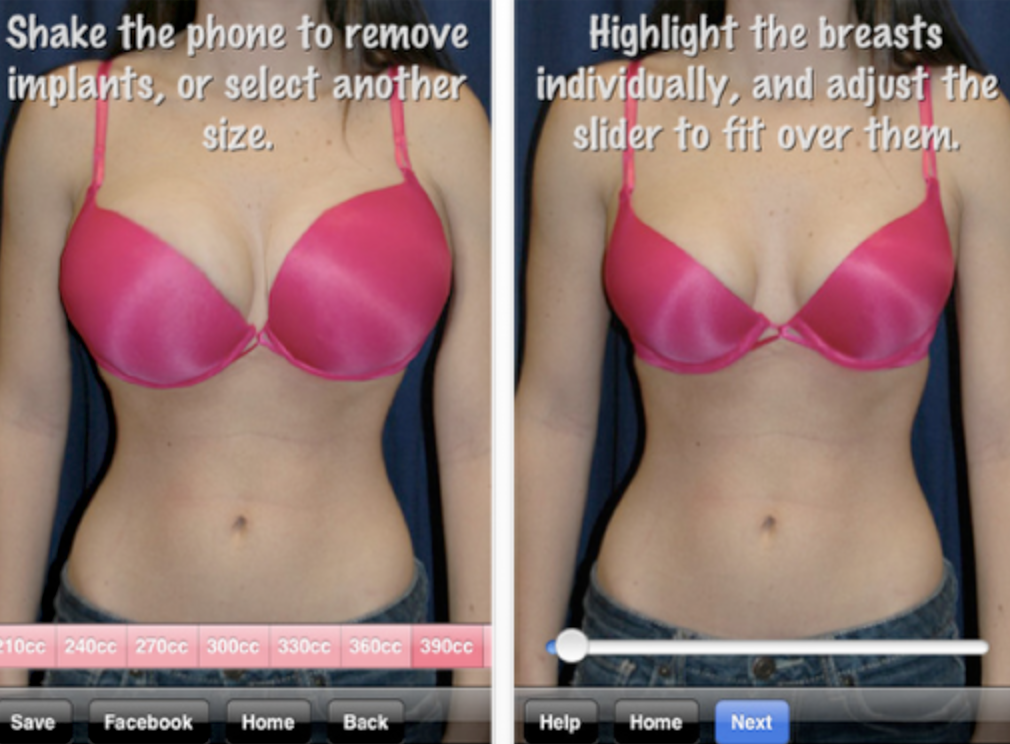
Well, if you want to save yourself a lot of money (and pain) you could download this free ‘medical’ app and use it to photograph yourself before and after a breast augmentation – just to give you an idea, of course. Once your image is within the app you can select your preferred cup size, there’s 17 of them, starting at 210cc to 690cc, ouch! The developers state that this app is designed as a ‘fun first step’ to breast augmentation but without sounding too cynical we can’t help but think this may end up being used in other imaginative ways. Oh by the way, if any one wants to…
Is This The New 7th Generation Apple iPod Nano With Camera Aperture?
According to the Taiwanese website tw.Apple.pro what you’re looking at in the image below is the new case for the latest iPod Nano with plenty of room and of course lens aperture, for a camera. The camera is rumored to be a low res 1.3 megapixel lens but might not be all bad with a device such as this. What do you think? Why would Apple want to add a camera to a Nano? They did so in 2009 with the release of the fifth gen model but removed it in the 2010 model. I guess it depends if they can manage to please the fitness fans who love to…
Our App Of The Day – GigWalk
The Gigwalk mobile workforce is a community of folks like you using their iPhone to connect, freely explore, and earn as they go about their day. They help turn your iPhone into second income and instantly connect businesses to the most talented members of the Gigwalk workforce to perform Gigs using the Gigwalk iPhone App. Businesses of all sizes use Gigwalk’s iPhone powered mobile workforce to capture, record, and report at a moment’s notice. As our App of the Day, all our regular readers know the trailer for this app will feature on every page of our site for a whole day. Just scroll to the bottom of this page…
More Reason For Apple To Release An iPhone 5 Lite
We can all agree that Apple are smart, very smart. Their business strategy is intriguing. Their practice of selling older generation iPhone’s and iPad’s alongside new devices but at lower prices is proving another very popular idea for Apple and of course puts even more money in their bank account. The iPhone 3GS frequently outsells individual Android handsets, even brand spanking newer models. According to research both the16 GB and 32 GB versions of the Apple iPad were sold out within two weeks of the iPad 2’s arrival and the iPhone 3GS sold better than the HTC Inspire and Motorola Atrix on AT&T. Android is definitely growing and fast…
New – Adobe Nav for Photoshop – iPad App
With Adobe Nav—a Photoshop Touch app for Adobe Photoshop CS5 software (version 12.0.4 or later required)—you can now use your iPad to activate Photoshop tools and browse and select open Photoshop documents. As long as you have a network connection between your iPad and computer, you can customize the Photoshop CS5 toolbar on your iPad to easily access the tools you use most. Browse, reorder, view, and zoom in on up to 200 open Photoshop documents on your iPad. Tap a document on your iPad to immediately make it active in Photoshop CS5. And use your iPad to easily share and review files you are working on in Photoshop CS5…
New – Adobe Color Lava for Photoshop – iPad App
With Adobe Color Lava —a Photoshop Touch app for Adobe Photoshop CS5 software (version 12.0.4 or later required)— you can now use your iPad and your fingertips to mix colors and create custom swatches and five-swatch color themes. Immediately access those color creations within Photoshop CS5—all you need is a network connection between your iPad and your computer. Or use Adobe Color Lava on the go whenever inspiration strikes, and then save your colors on your iPad to bring into Photoshop CS5 when you’re connected. You can also email your Adobe Color Lava creations to yourself and others. •Dab, smudge, and swirl your way to creating unique individual color…
New – Adobe Eazel for Photoshop – iPad App
With Adobe Eazel —a Photoshop Touch app for Adobe Photoshop CS5 software (version 12.0.4 or later required)— you can now use your iPad and your fingertips to create beautiful paintings. Get amazing color blends thanks to a painting technology that offers a new kind of interaction between “wet” and “dry” paint. Enjoy a unique user interface that lets you paint across the entire expanse of your iPad screen and easily access the tools you want. As long as you have a network connection between your iPad and computer, you can send your Adobe Eazel artwork directly to Photoshop CS5 from anywhere you are. Then you can enhance a higher-resolution version…
Super 8 – iPhoneography App Going Free For A Limited Time
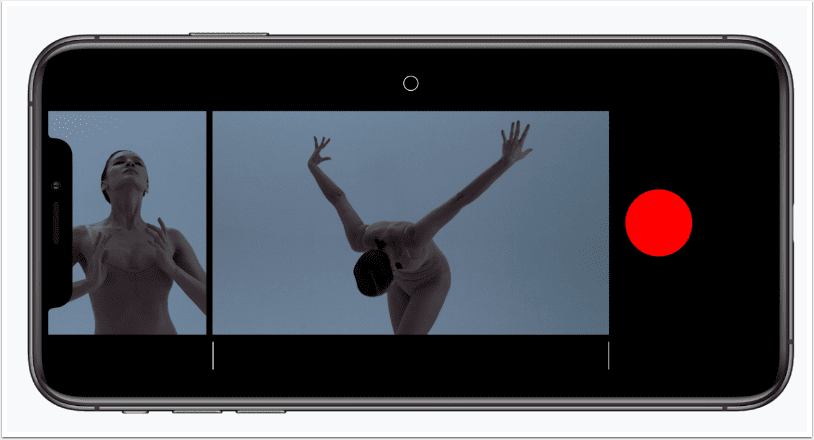
Super 8™ is the ultimate Super 8 camera emulator for your video-capable iDevice. Using Super 8™, you can make your own vintage movies and add lens, filter and shake effects, arrange clips and scenes the way you want them; you can even add your own credits. When you’re done, send your Super 8 movie off to be developed. Your masterpiece will appear in your personal movie library where, with the tap of a finger, you can view your movie in the built-in Super 8 projector room, export it to a computer or email it to friends. Super 8™ offers seven lens effects, three animated filters, a scratch-and-dirt overlay and frame…
Vignettr – iPhoneography App Going Free This Week
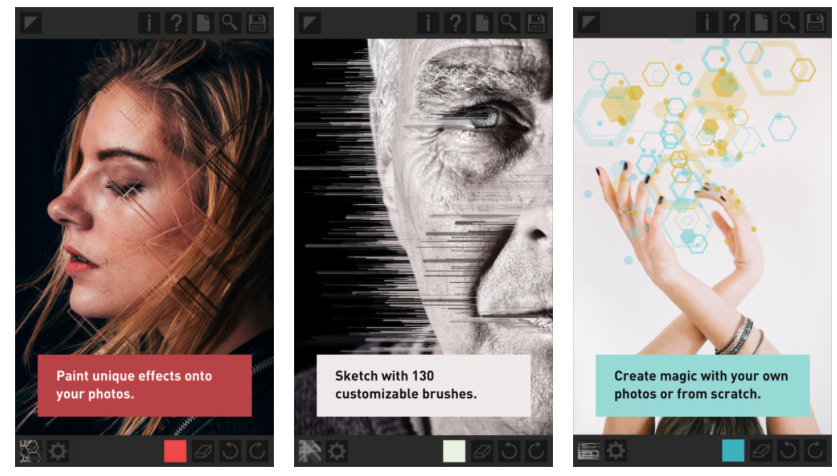
This app is going free for this week only, then it reverts back to its $0.99 placement. It’s a great iPhoneography app, it allows you to enhance the photos on your iOS device with the following effects/filters: >Presets – pre-loaded presets for quick results. >Vignette – for drawing the viewer’s eye to the subject, or giving a retro look. >ND Grad filter – the graduated neutral density effect to create dynamic skies. >Letterbox – create a cinematic "letter box" effect to either the vertical or horizontal of your images. >Border – locking the letterbox tool allows you to make a simple border around your image. >Luminance adjustments – Adjust the…
Our App Of The Day – See.Touch.Learn. 1.0
This is our app of the day and we’re certainly not alone in thinking it’s great. Over 30,000 users have downloaded this premier special education app. See.Touch.Learn. combines the effectiveness of a large library of picture cards with the power and interactivity of the iPad. Parents and learning professionals can choose from professionally-designed exercises and lessons or create their own. The app automatically tracks a student’s performance. As our App of the Day, all our regular readers know the trailer for this app will feature on every page of our site for a whole day. Just scroll to the bottom of this page to take a look. Founder Jim McClafferty…